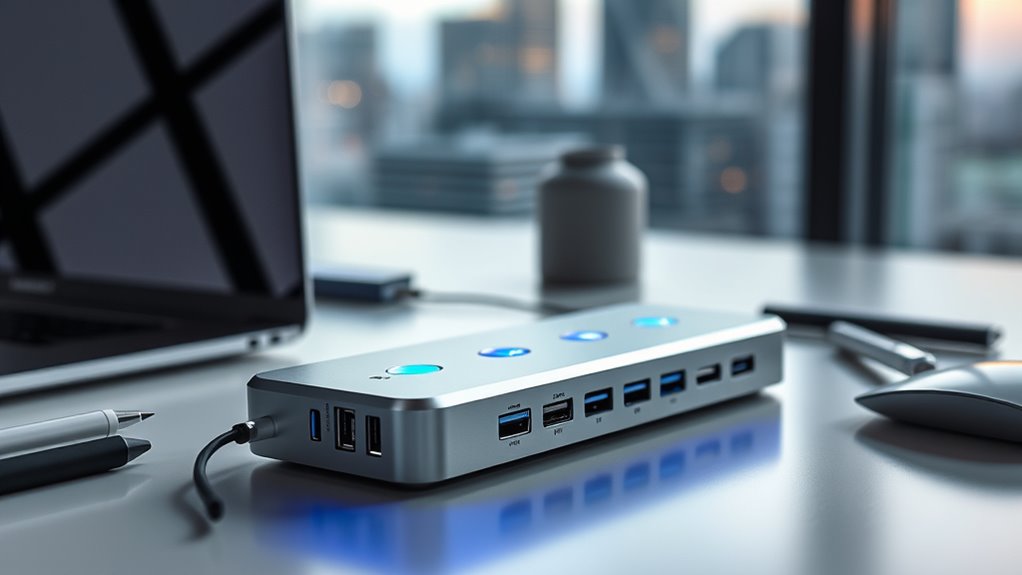

If you’re looking to elevate your workflow in 2025, I recommend exploring the top Thunderbolt docks that support blazing-fast data transfer, multiple high-res displays, and robust power delivery. From models like the CalDigit TS4 to the Amazon Basics Thunderbolt4/USB4 Pro, these docks offer versatile connectivity and compatibility with modern devices. If you want to find the perfect one to match your needs, continue on—there’s much more to discover.
Key Takeaways
- The top Thunderbolt docks in 2025 offer support for multiple 4K, 5K, and 8K displays to enhance high-resolution workflows.
- They feature extensive ports including Thunderbolt, USB-A, HDMI, DisplayPort, Ethernet, and SD card readers for versatile connectivity.
- Many docks provide high Power Delivery (up to 140W) for fast charging of laptops and peripherals with minimal cables.
- Compact, travel-friendly designs with mounting options make these docks suitable for professionals on the go.
- Compatibility varies across devices; selecting the right dock depends on your system’s Thunderbolt version and display needs.

Amazon Basics Thunderbolt 4 Pro Docking Station, Dual 4K Monitor Support, 8K Display, 2xTBT4, 1xHDMI2.1, 3xUSB A 3.1, RJ45 Ethernet, Black, 7.86 x 2.95 x 1.23 inches
Pro docking station for additional device connectivity and charging needs. Note: Please use the provided black Thunderbolt 4...
As an affiliate, we earn on qualifying purchases.
Amazon Basics Thunderbolt4/USB4 Pro Docking Station
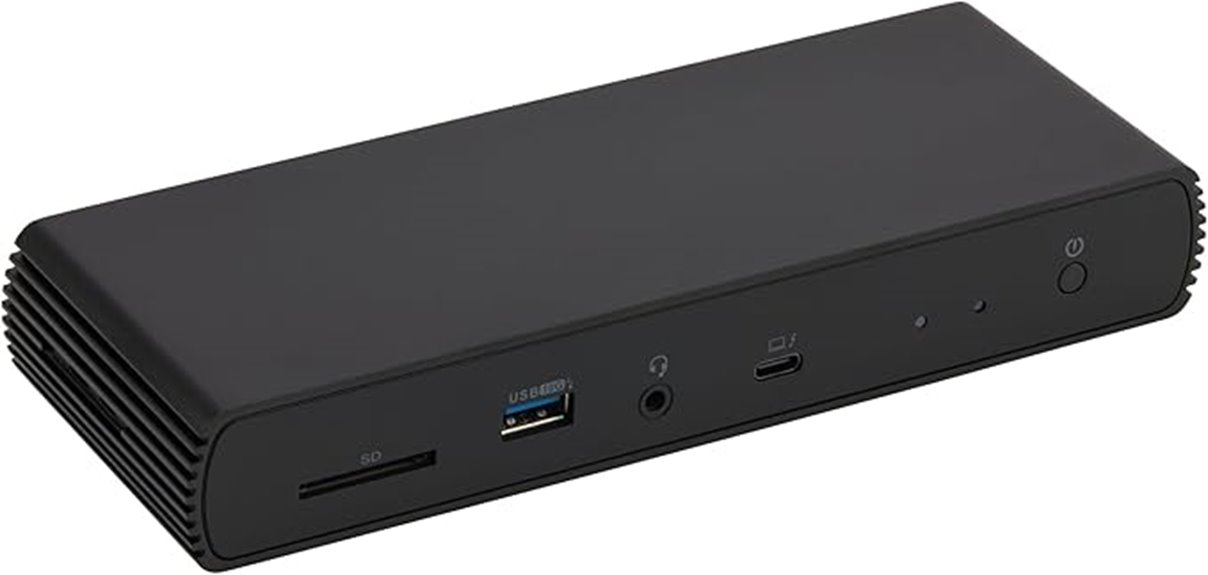
If you’re looking to boost your productivity on the go, the Amazon Basics Thunderbolt4/USB4 Pro Docking Station is an excellent choice. Its compact, travel-friendly design measures just 7.86 x 2.95 x 1.23 inches, fitting easily into your bag. It offers multiple connectivity options, including dual 4K@60Hz display support via Thunderbolt 4 ports, HDMI 2.1 up to 8K@30Hz, and a 2.5Gbps Ethernet port. Plus, it supports up to 96W of power delivery, so your device stays charged. Just make sure your laptop’s ports support dual 4K output, and use high-quality cables for superior performance.
Best For: professionals and travelers who need a portable, versatile docking station to enhance connectivity and display options on compatible laptops.
Pros:
- Supports dual 4K@60Hz display output via Thunderbolt 4 ports, ideal for multitasking and high-resolution work.
- Compact and lightweight design, making it highly portable for on-the-go use.
- Includes a 96W power delivery feature to keep devices charged during use.
Cons:
- Requires high-quality Thunderbolt 4 or USB4 cables; incompatibility or poor cables can affect performance.
- Limited to compatible Windows 10+ laptops, certain MacBooks, and may not work with Linux or older macOS versions.
- Thunderbolt bandwidth sharing may reduce display and network performance when multiple high-bandwidth devices are connected.

iVANKY 23-in1 FusionDock Max 2 for 120Gbps Thunderbolt 5, Triple Monitor MacBook Docking Station, 6K@60Hz Dock for Mac M1/M2/M3/M4/M5 Pro/Max, HDMI 2.0,140W PD, Windows Incompatible
【Triple Displays Up to 6K@60Hz】Only the Mac series with M1/M2/M3/M4 Max chips supports Triple extended displays(Dual 6K@60Hz+Single 4K@60Hz)....
As an affiliate, we earn on qualifying purchases.
iVANKY 23-in-1 FusionDock Max 2 for Thunderbolt 5 Docking Station
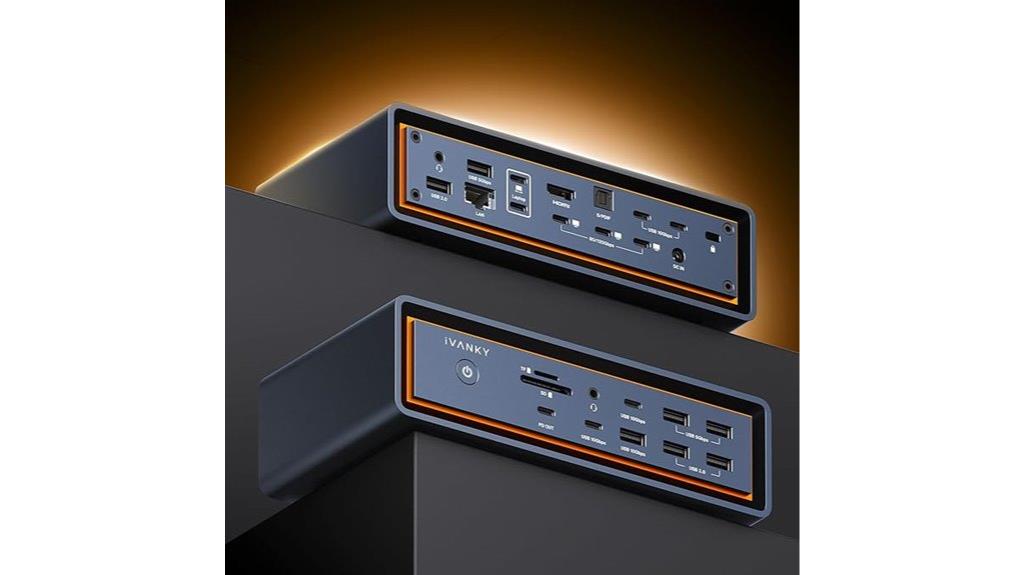
The iVANKY 23-in-1 FusionDock Max 2 stands out as an ideal choice for Mac users seeking maximum display and data transfer performance. With 120Gbps Thunderbolt 5 ports, it supports triple displays up to 6K@60Hz on M1 to M5 Mac models, perfect for demanding workflows. It offers ten USB ports, SD/TF card slots, 2.5Gbps Ethernet, HDMI 2.0, and 140W Power Delivery, all housed in a compact, well-ventilated design. Its hybrid cooling system guarantees stable operation during extended use. While limited to Mac compatibility, this dock delivers exceptional connectivity, making it a top-tier option for professional Mac users.
Best For: Professional Mac users who require high-performance multi-display setups and fast data transfer capabilities.
Pros:
- Supports triple 6K@60Hz displays on M1 to M5 Mac models, ideal for demanding workflows.
- Equipped with 120Gbps Thunderbolt 5 ports and multiple USB 3.0 ports for versatile connectivity.
- Features a hybrid cooling system with built-in fan for stable extended use and reliable performance.
Cons:
- Not compatible with Windows or Chrome laptops, limiting cross-platform use.
- Limited to Mac devices, so incompatible with other operating systems.
- Slightly bulky design at over 9 inches in length, which may be less portable for some users.

Plugable Thunderbolt 4 Dock with 100W Charging, Thunderbolt Certified, Laptop Docking Station Dual Monitor Single 8K or Dual 4K HDMI for Windows and Mac, 4X USB, Gigabit Ethernet (TBT4-UD5)
Thunderbolt Certified & Award-Winning Performance: Officially recognized as the Best Thunderbolt Dock 2025 by Wirecutter, this Thunderbolt docking...
As an affiliate, we earn on qualifying purchases.
Amazon Basics Thunderbolt4/USB4 Pro Docking Station
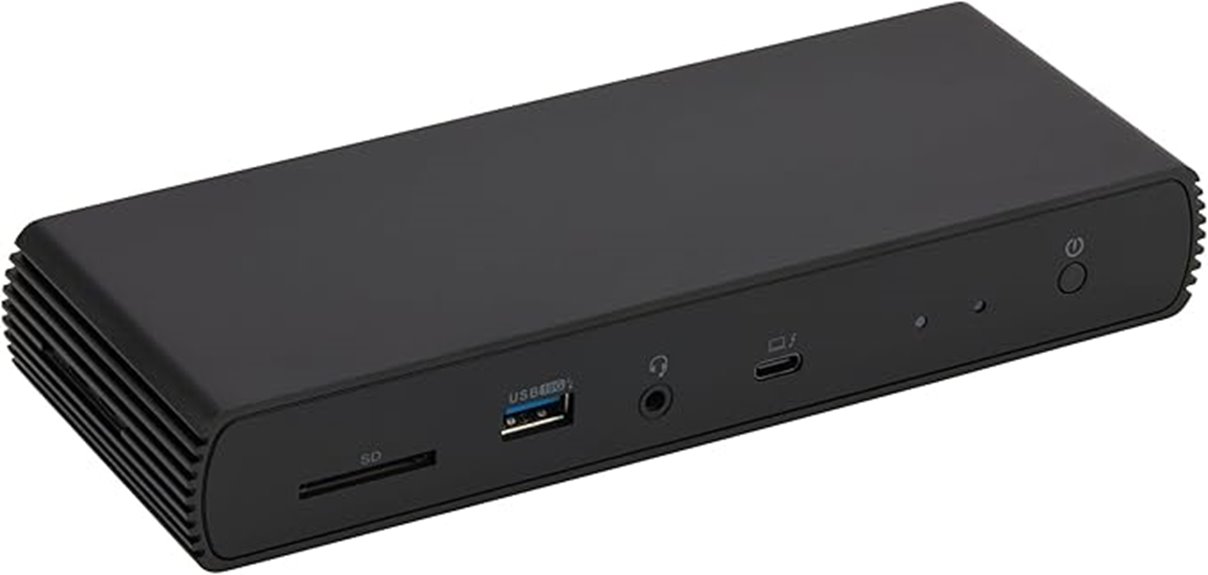
Designed for professionals on the go, the Amazon Basics Thunderbolt4/USB4 Pro Docking Station offers a compact, travel-friendly way to expand connectivity and charging. Its small size, measuring just 7.86 x 2.95 x 1.23 inches, fits easily into laptop bags. It supports dual 4K@60Hz displays via two Thunderbolt 4 USB-C ports and up to 8K@30Hz with HDMI 2.1. The dock also includes a 2.5Gbps Ethernet port and supports up to 96W power delivery. Compatible with Windows 10+ and non-M1/M2 MacBooks, it’s perfect for boosting productivity while on the move. Just guarantee your cables and laptop specs align for peak performance.
Best For: professionals who need a compact, portable docking solution to expand connectivity and support dual 4K displays while on the go.
Pros:
- Supports dual 4K@60Hz display output via Thunderbolt 4 ports for high-quality visuals
- Compact, travel-friendly design easily fits into laptop bags or carry-ons
- Includes a 2.5Gbps Ethernet port and supports up to 96W power delivery for versatile connectivity and charging
Cons:
- Requires high-quality Thunderbolt 4 or USB4 cables to ensure optimal performance
- Limited to Windows 10+ and non-M1/M2 MacBooks; not compatible with Linux or Chrome OS
- Thunderbolt bandwidth is shared, potentially reducing display resolution and LAN speed when heavily loaded

Dell Pro Thunderbolt 4 Smart Dock SD25TB4 – USB-C Station 130W, 4 Displays 4K, 2X DP 1.4, HDMI 2.1, 2X Thunderbolt 4, 2.5GbE, Wi-Fi, Sustainable Design
POWERFUL MULTIDISPLAY SUPPORT: Up to 4 4K monitors per HDMI 2.1, DP 1.4, USB-C and Thunderbolt 4 —...
As an affiliate, we earn on qualifying purchases.
Plugable Thunderbolt 4 Dock with 100W Charging
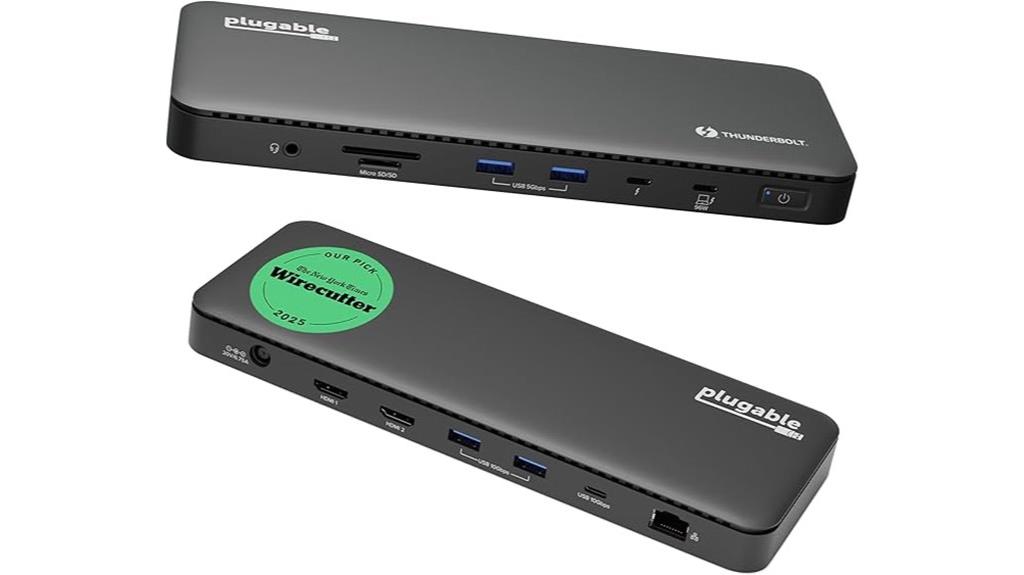
For professionals who need a reliable, high-performance docking solution, the Plugable Thunderbolt 4 Dock with 100W charging stands out as an excellent choice. Recognized as the Best Thunderbolt Dock 2025 by Wirecutter and Intel Evo certified, it delivers blazing 40Gbps Thunderbolt 4 speed with 13 versatile ports. It supports dual 4K 60Hz HDMI displays or one 8K monitor, making multitasking seamless. The dock provides 15W charging through its downstream Thunderbolt 4 port, ensuring your peripherals stay powered. Compatible with Thunderbolt 4, Thunderbolt 5, and USB4 systems on Windows and macOS, it’s perfect for boosting productivity in any professional setup.
Best For: professionals and power users seeking a high-performance, versatile docking station to support multiple high-resolution displays, fast data transfer, and reliable power delivery across Windows and macOS platforms.
Pros:
- Supports dual 4K 60Hz HDMI displays or a single 8K monitor, ideal for multitasking and creative work
- Thunderbolt 4 speed of 40Gbps with 13 ports offering extensive connectivity options
- Delivers 15W charging via downstream Thunderbolt 4 port, ensuring peripheral and device power needs are met
Cons:
- Only supports a single external display on base M1/M2 macOS systems, limiting multi-monitor setups for some Mac users
- May require compatible Thunderbolt 4, Thunderbolt 5, or USB4 laptops for full feature support
- Higher price point compared to basic docks, reflecting advanced features and performance
Dell Pro Thunderbolt 4 Smart Dock SD25TB4

If you need a reliable dock that handles multiple high-resolution displays and demanding professional workflows, the Dell Pro Thunderbolt 4 Smart Dock SD25TB4 is an excellent choice. It supports up to four 4K monitors through HDMI 2.1, DisplayPort 1.4, USB-C, and Thunderbolt 4, making it perfect for creative and data-intensive tasks. With dual Thunderbolt 4 ports, chain capability for six devices, and up to 130W power delivery, it minimizes clutter and boosts efficiency. Its advanced data transfer and security features ensure seamless, secure operation. Plus, its eco-friendly design, made from recycled materials, adds a sustainable edge to this powerful, versatile dock.
Best For: professionals who need to connect multiple high-resolution displays and require high-speed data transfer with enhanced security in a sustainable and versatile docking solution.
Pros:
- Supports up to four 4K monitors via HDMI 2.1, DisplayPort 1.4, USB-C, and Thunderbolt 4 for expansive visual workspace
- Dual Thunderbolt 4 ports with chain capability for up to six devices, reducing desktop clutter
- Up to 130W power delivery ensures fast charging for Dell devices and other compatible hardware
Cons:
- May be overkill for users with simpler multi-monitor needs or less demanding workflows
- Compatibility could be limited with non-Dell or older devices lacking Thunderbolt 4 support
- The premium features and build may come at a higher price point compared to basic docks
Amazon Basics Thunderbolt4/USB4 Docking Station

The Amazon Basics Thunderbolt4/USB4 Docking Station stands out as an ideal choice for professionals who need reliable, portable connectivity on the go. Its compact design, measuring just 4.76 x 2.84 x 0.86 inches, easily slips into a laptop bag. It supports Thunderbolt 4 and USB4, allowing dual 4K@60Hz display output and up to 85W Power Delivery for fast charging. Compatible with Windows 10+ and macOS 11+, it includes a Thunderbolt 4 cable, power adapter, and quick setup guide. Perfect for those who want versatile, high-speed connections without sacrificing portability, this dock is a practical addition to any mobile workstation.
Best For: professionals and travelers seeking a compact, high-speed docking solution with dual 4K display support and reliable power delivery.
Pros:
- Compact, travel-friendly design easily fits into a laptop bag
- Supports dual 4K@60Hz displays for high-quality video output
- Provides up to 85W Power Delivery for fast device charging
Cons:
- Requires high-quality Thunderbolt 4 or USB4 cables (not included) for optimal performance
- Compatibility limited to Windows 10+ and macOS 11+; not suitable for Linux, Chrome OS, or older macOS versions
- May disconnect if connected devices exceed the 85W power specification or if the laptop’s Thunderbolt port does not support the desired output resolution
Dell WD19TBS Thunderbolt Dock with 4K Display and 180W Adapter
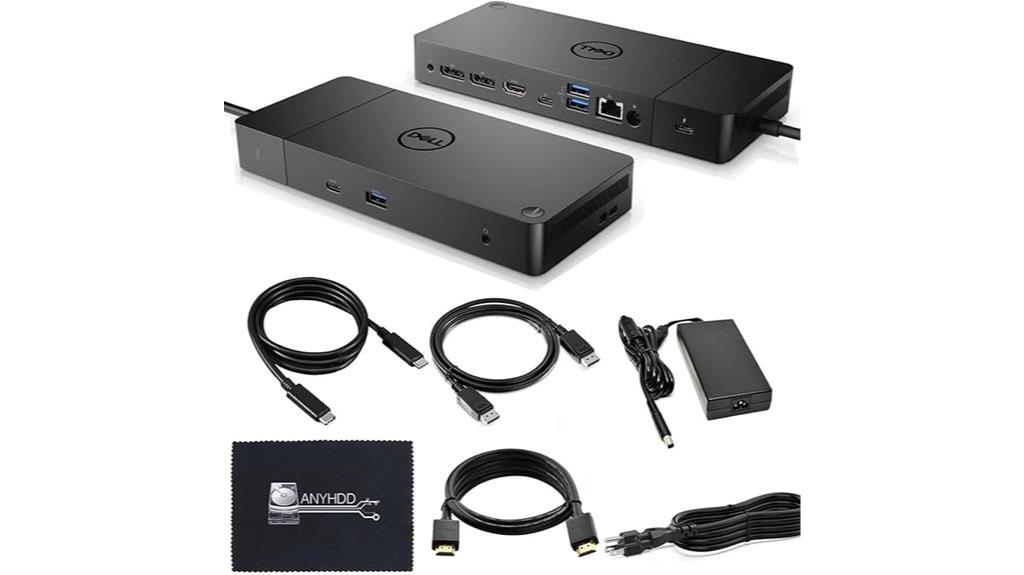
The Dell WD19TBS Thunderbolt Dock stands out as an ideal choice for professionals who need to maximize their workspace with multiple high-resolution monitors. It seamlessly integrates with Dell laptops and offers broad compatibility with HP and Lenovo Thunderbolt devices. Supporting up to three displays—including a 5K and dual 4K monitors—it considerably boosts productivity. The dock provides power, data, audio, and video through Thunderbolt technology, all managed with a simple firmware update process. Its versatile mounting options, a built-in 0.8-meter cable, and included accessories make setup easy. Rated 4.5 stars, it’s a reliable, powerful addition to any high-performance workstation.
Best For: professionals and power users who require multiple high-resolution monitors and seamless connectivity with Dell, HP, or Lenovo Thunderbolt-compatible laptops.
Pros:
- Supports up to three high-resolution displays, including 5K and dual 4K setups.
- Easy firmware updates with no reboot needed, simplifying management.
- Versatile mounting options and included cables for straightforward setup.
Cons:
- May be more expensive than basic docking stations due to advanced features.
- Compatibility primarily optimized for Thunderbolt devices, limiting use with non-Thunderbolt systems.
- Slightly bulky dimensions could be an issue for limited workspace environments.
OWC 11-Port Thunderbolt Dock with 96W Charging

Designed to streamline workflows, the OWC 11-Port Thunderbolt Dock with 96W Charging is an excellent choice for professionals who need reliable, high-speed connectivity combined with powerful charging capabilities. It offers a Thunderbolt 4 host port supporting up to 40 Gb/s, along with three additional Thunderbolt ports, multiple USB-A ports, Ethernet, and audio jacks. The dock supports various displays, including 8K or dual 5K setups, depending on your device. With 96W Power Delivery, it can charge your MacBook or Windows laptop quickly, while the other ports handle external drives and accessories. Its compact design and sturdy build make it a versatile, efficient docking station for demanding workflows.
Best For: professionals and power users who require high-speed connectivity, versatile display support, and fast charging for their MacBook or Windows laptop.
Pros:
- Supports up to 96W Power Delivery for rapid laptop charging
- Multiple high-speed ports including Thunderbolt 4, USB-A, Ethernet, and audio jack
- Capable of supporting high-resolution displays up to 8K or dual 5K setups
Cons:
- Heavy under heavy load which may limit power delivery to peripherals
- Compatibility issues with Thunderbolt 2 Mac models not supported
- Limited to devices with Thunderbolt 4, Thunderbolt 3, or USB-C; not compatible with older USB standards
UGREEN Thunderbolt 4 Dock 8-in-1 40Gbps Hub

If you’re looking to maximize your workspace efficiency, the UGREEN Thunderbolt 4 Dock 8-in-1 is a versatile choice, especially for users who need fast data transfer and high-quality video output. It offers three Thunderbolt 4 ports at 40Gbps, perfect for quick data transfers and dual 4K or single 8K display support. The dock also includes three USB-A 3.2 ports, gigabit Ethernet, and a 140W power port, delivering up to 85W charging for your laptop. Compatible with most Thunderbolt 4, Thunderbolt 3, USB4, and USB-C devices, it’s ideal for expanding connectivity while keeping your workspace neat and efficient.
Best For: professionals and power users who require fast data transfer, multi-monitor setups, and high-quality video output to enhance productivity and workspace organization.
Pros:
- Supports dual 4K@60Hz or single 8K@30Hz displays, ideal for high-resolution multitasking.
- Provides up to 85W charging via the included 140W GaN power adapter, reducing the need for separate chargers.
- Offers versatile connectivity with three Thunderbolt 4 ports, three USB-A 3.2 ports, and gigabit Ethernet for comprehensive device compatibility.
Cons:
- Requires connection to the 140W charger to operate and deliver full power, which might limit portability.
- Not compatible with Mac mini 2018 (Intel), limiting use with certain older Mac models.
- Slightly bulky size (9.5 x 9.5 x 2.5 inches) may reduce desktop space efficiency for some users.
Anker Dual Monitor Laptop Docking Station (8-in-1 USB C Hub)

For professionals who need to effortlessly connect multiple high-resolution displays and peripherals, the Anker Dual Monitor Laptop Docking Station (8-in-1 USB-C Hub) offers a powerful solution. It supports dual 4K monitors via two HDMI ports, delivering crisp visuals at 60Hz when using a single display, or 30Hz for dual displays. The dock features 1 Gbps Ethernet, SD/microSD card readers, and USB-A ports for data transfer. With USB-C Power Delivery up to 85W, it guarantees your laptop stays charged during intense work sessions. Compatible with MacBook Pro, Dell XPS, and other USB-C devices, this compact hub expands connectivity without sacrificing performance.
Best For: professionals and power users who need to connect multiple high-resolution displays and peripherals seamlessly to their USB-C or Thunderbolt-enabled laptops.
Pros:
- Supports dual 4K monitors with high-quality visuals at 60Hz for single display, ideal for detailed work and presentations.
- Includes versatile ports such as 1 Gbps Ethernet, SD/microSD card readers, and USB-A for extensive connectivity options.
- Offers up to 85W Power Delivery, ensuring fast and reliable charging for compatible laptops during intensive tasks.
Cons:
- Limited to Windows, macOS, and ChromeOS; not compatible with Linux systems.
- Dual monitor setup reduces refresh rate to 30Hz, which may not be optimal for fast-paced activities like gaming or video editing.
- Dimensions and weight may be less portable compared to simpler dongles, potentially less convenient for on-the-go use.
Anker Prime TB5 Docking Station, 14-in-1 Thunderbolt 5 Dock
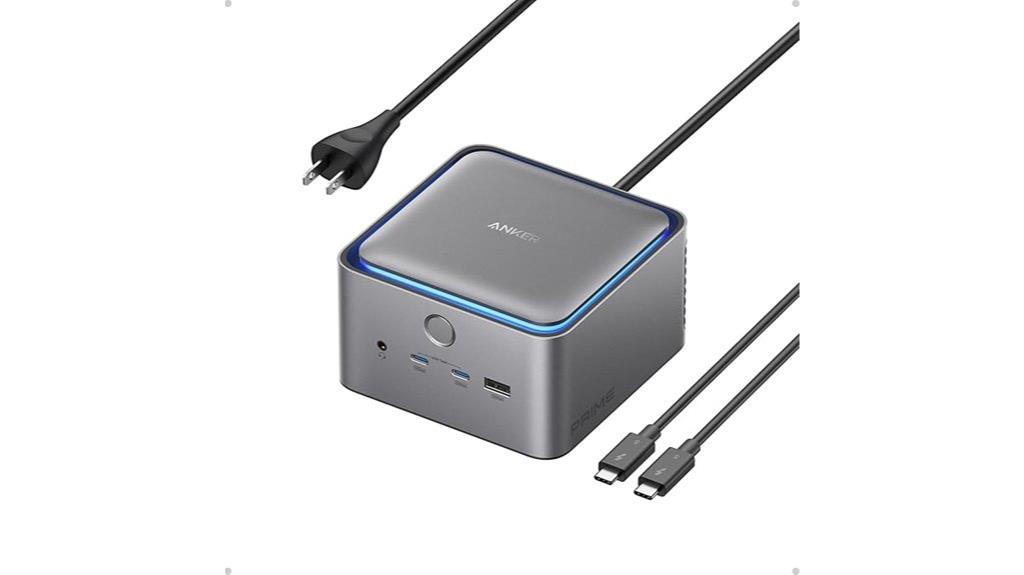
The Anker Prime TB5 Docking Station stands out as an ideal choice for professionals who need high-performance connectivity and fast data transfer capabilities. With support for Thunderbolt 5 and 4 laptops, it offers a Thunderbolt 5 upstream port, two downstream ports, USB-C and USB-A options, SD/TF card readers, and HDMI 2.1 or DisplayPort 2.1. It can drive dual 8K displays or a single 8K at 60Hz while supporting data speeds up to 120Gbps. Plus, it delivers up to 140W charging via Thunderbolt, ensuring your devices stay powered. Its advanced cooling system and ambient lighting make it both functional and sleek for demanding work environments.
Best For: professionals and power users seeking a high-performance docking station with fast data transfer, dual 8K display support, and extensive connectivity options.
Pros:
- Supports dual 8K@60Hz displays and single 8K display, ideal for high-resolution workflows
- Up to 140W power delivery ensures rapid charging of connected devices
- Advanced cooling system and ambient lighting enhance usability and aesthetics
Cons:
- Relatively large and heavy, which may impact portability
- Higher price point compared to basic docking stations
- Limited compatibility with non-Thunderbolt 4/5 laptops, restricting universal use
Thunderbolt 4 Dock with 21 Ports and Dual 4K/8K Support
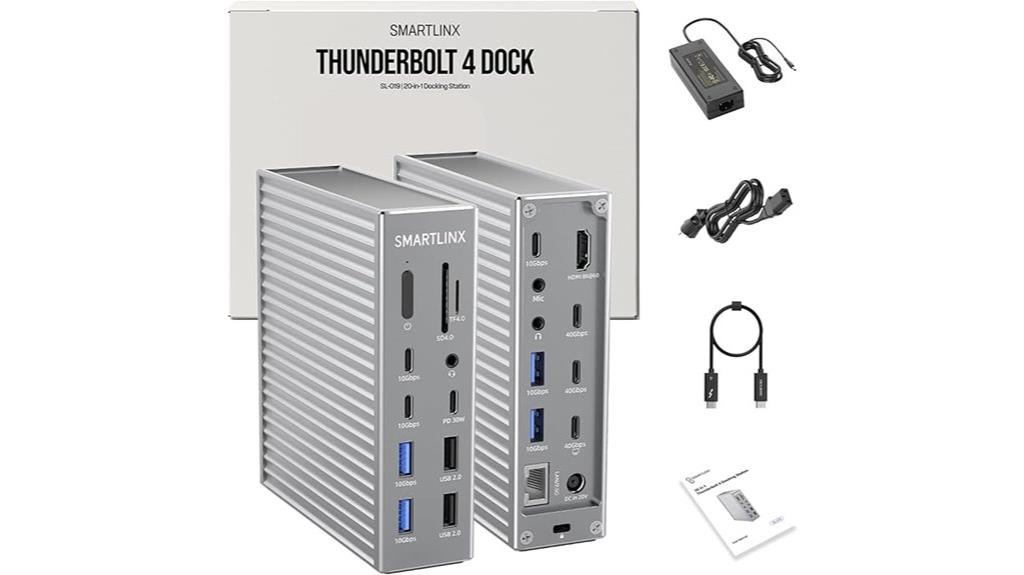
With 21 ports and support for dual 4K or 8K displays, the Thunderbolt 4 Dock is ideal for professionals who need powerful connectivity and high-resolution visuals in one compact device. It supports dual 4K@60Hz on macOS (excluding M1 Macs) and up to 8K@60Hz plus 4K@60Hz on Windows, making it perfect for creative workflows. Fully compatible with laptops using 8th Gen Intel processors or newer, it offers fast data transfer at 40Gbps. The dock also provides 60W power delivery, supporting up to 90W charging, along with additional USB-C and USB-A ports for peripherals. Its portability and versatility make it a standout choice for productivity.
Best For: professionals and creatives who require high-resolution displays, extensive peripheral connectivity, and fast data transfer in a portable, versatile docking solution.
Pros:
- Supports dual 4K@60Hz or single 8K@60Hz displays, ideal for high-resolution workflows.
- Offers extensive connectivity with 21 ports, including USB-C and USB-A hubs.
- Provides up to 90W power delivery for charging laptops and fast 20W charging for devices.
Cons:
- Compatibility may be limited with older laptops (7th Gen or earlier) and M1 Macs for dual display support.
- Devices over 90W may charge unstably, affecting power reliability.
- Customer ratings are moderate at 3.7 out of 5 stars, indicating mixed reviews.
CalDigit TS4 Thunderbolt 4 Dock with 18 Ports
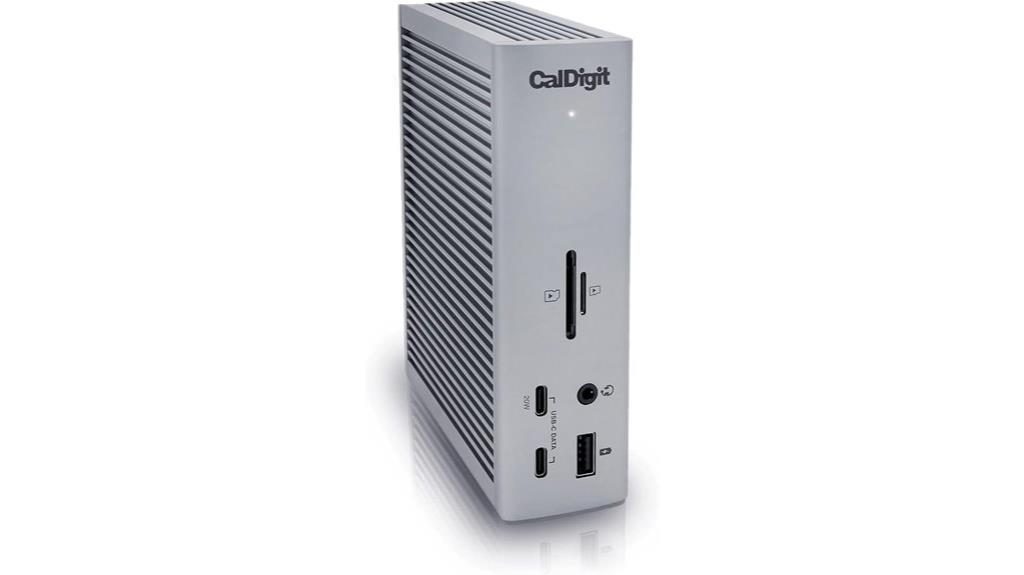
If you need a dock that can handle demanding workflows and connect multiple high-speed devices simultaneously, the CalDigit TS4 Thunderbolt 4 Dock is an excellent choice. It offers 18 ports, including 3 Thunderbolt 4, 8 USB-A, SD & microSD card readers, DisplayPort 1.4, audio jacks, Ethernet, and a security slot. It supports a single 8K display on Windows and dual 4K monitors on macOS, with options for 6K on M1–M4 Pro Macs. With 98W power delivery, you can charge your laptop and connect all devices with just one cable. The dock’s extensive connectivity makes it ideal for professional, multi-device setups.
Best For: professionals and power users who need extensive connectivity options, high-speed data transfer, and the ability to support multiple high-resolution displays with a single, versatile dock.
Pros:
- Offers a comprehensive 18-port setup including Thunderbolt 4, USB-A, SD card readers, DisplayPort, and Ethernet for versatile device connections.
- Supports high-resolution displays up to 8K on Windows and dual 4K monitors on macOS, suitable for demanding visual workflows.
- Provides 98W power delivery to charge laptops and power connected devices through a single cable, simplifying workspace setup.
Cons:
- Limited to a single 8K display on Windows, which may not meet users requiring multiple 8K monitors.
- Compatibility and performance depend on the host device’s interface capabilities; older computers may experience reduced performance.
- The extensive port array might be more than needed for casual users, potentially making it an expensive or complex option for simpler setups.
OWC Thunderbolt Hub Docking Station, Grey/Black, Thunderbolt 4, USB-A
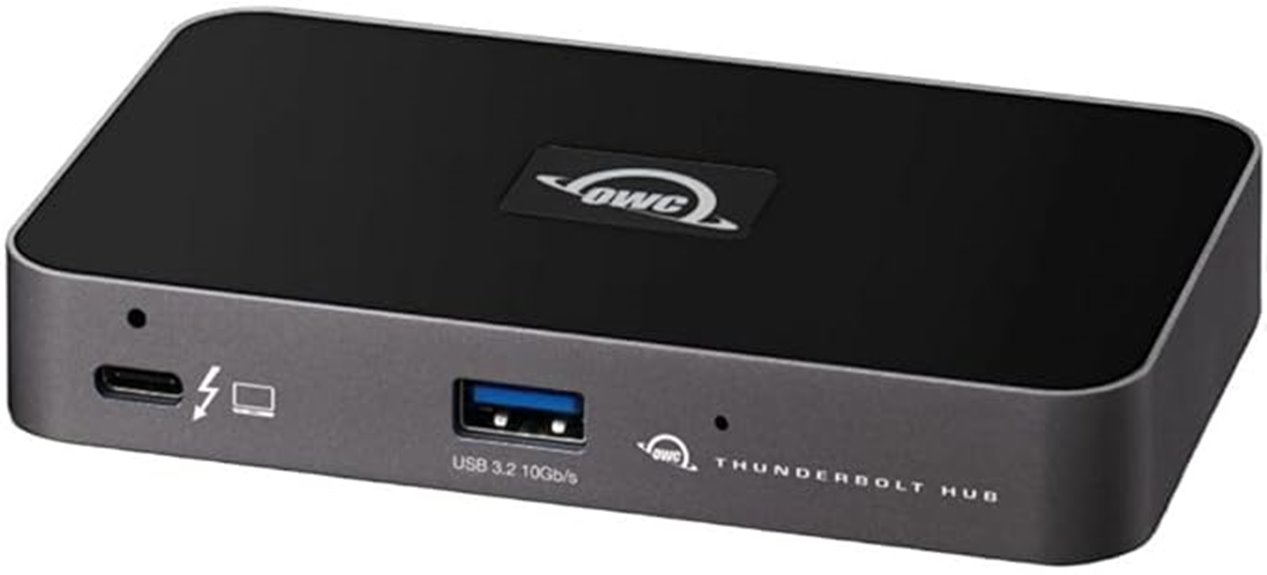
Designed for professionals who demand high-speed connectivity, the OWC Thunderbolt Hub Docking Station delivers exceptional performance by leveraging Thunderbolt 4 technology. I’ve found it seamlessly integrates with Thunderbolt 4, 3, USB-C, and USB4 devices, working flawlessly with both Mac and Windows systems. Its Thunderbolt certification guarantees reliability and top-tier performance, making it a cost-effective choice. The dock allows me to connect multiple peripherals and transfer data at blazing speeds through Thunderbolt and USB-A ports. Versatile and efficient, it provides a stable, high-performance connection for both work and personal setups, boosting productivity without sacrificing reliability.
Best For: professionals and power users seeking high-speed, reliable connectivity for multiple peripherals across Mac and Windows systems.
Pros:
- Seamless compatibility with Thunderbolt 4, 3, USB-C, and USB4 devices
- High performance and reliable connection guaranteed by Thunderbolt certification
- Enables fast data transfer and multi-peripheral connectivity for enhanced productivity
Cons:
- May be more expensive compared to basic hubs or dongles
- Requires Thunderbolt 4 or compatible ports for optimal performance
- Limited to devices with Thunderbolt or USB-C/USB4 interfaces, not suitable for legacy USB-A-only setups
HP Thunderbolt Dock 120W G4 (4J0A2AA) Docking Station Port Replicator

The HP Thunderbolt Dock 120W G4 (4J0A2AA) is an excellent choice for professionals who need seamless multi-OS compatibility and high-performance connectivity. It connects with a single Thunderbolt 4 cable, supporting Windows, Mac, and Chrome OS devices. This dock can handle up to four 4K displays, perfect for multitasking and creative work. It delivers 100W power for charging laptops and offers double Ethernet speeds for faster downloads. Designed with security features like HP Sure Start and a Kensington Lock slot, it also includes four USB 3.0 ports with fast-charge support. Its slim, portable design with an adjustable stand makes it ideal for any workspace.
Best For: professionals seeking a versatile, secure, and high-performance docking station compatible with multiple operating systems and capable of supporting multiple 4K displays.
Pros:
- Supports up to four 4K displays for enhanced multitasking and creative workflows
- Delivers 100W power, sufficient for charging most laptops, reducing cable clutter
- Features security measures like HP Sure Start and a Kensington Lock slot for device safety
Cons:
- May be pricier compared to basic docking options due to advanced features
- Compatibility depends on Thunderbolt 4 ports; not suitable for devices without Thunderbolt 4 support
- The slim design might limit some port options or expandability for additional peripherals
Factors to Consider When Choosing Thunderbolt Docks
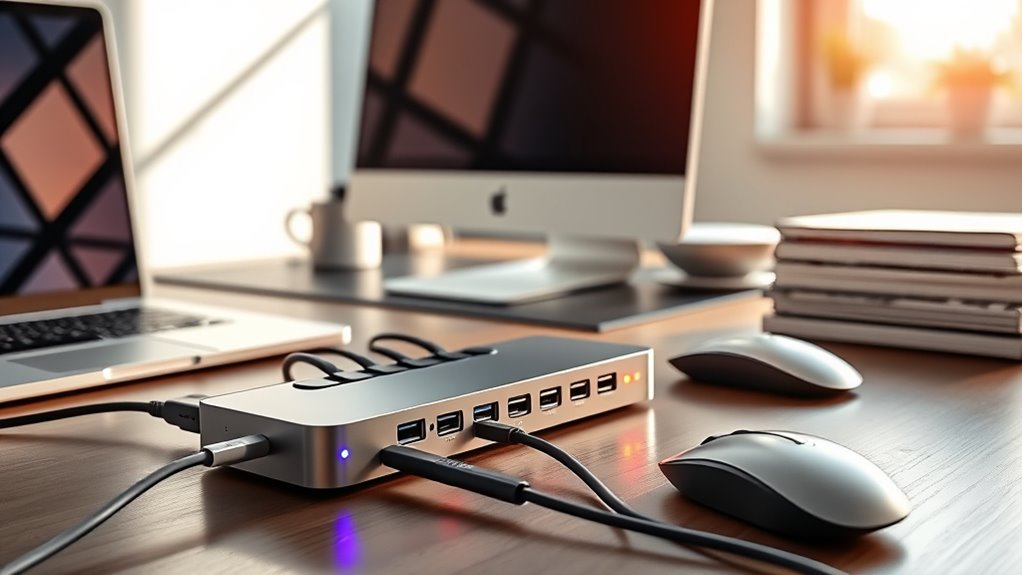
When selecting a Thunderbolt dock, I consider how well it works with my devices and whether it supports my display needs. Power delivery capacity and port options are also key to ensuring I can connect everything I require. Ultimately, I look at data transfer speeds to keep my workflow fast and efficient.
Compatibility With Devices
To make certain your Thunderbolt dock works seamlessly with your device, it’s essential to check that they support the same Thunderbolt version, whether it’s 3, 4, or 5, since mismatched versions can lead to limited functionality or compatibility issues. Beyond that, guarantee the dock is compatible with your operating system, whether Windows, macOS, or Chrome OS. Confirm your device’s power requirements don’t exceed the dock’s maximum charging capacity to prevent disconnections. Also, verify that your device’s ports—Thunderbolt, USB-C, or USB-A—match the dock’s available ports for smooth connectivity. Lastly, review your device’s hardware specs to confirm it can handle the display resolutions and data transfer speeds the dock offers. This way, you’ll guarantee a reliable, fully functional setup.
Display Support Capabilities
Choosing the right Thunderbolt dock means guaranteeing it can support your display needs, particularly regarding resolution and refresh rate. I look for docks that handle my monitors’ specifications, like dual 4K@60Hz or even 8K@60Hz if needed. It’s important to verify whether the dock can support multiple displays simultaneously, whether dual or triple setups. Compatibility with my laptop’s Thunderbolt version and graphics capabilities is essential to ensure high-resolution outputs work smoothly. I also check for the right video output ports—HDMI 2.1, DisplayPort 1.4, or Thunderbolt 4/5—matching my monitors’ inputs. Keep in mind that some docks might have limitations based on the host device’s hardware or OS, which could affect maximum supported resolutions.
Power Delivery Capacity
Ensuring your Thunderbolt dock has the right Power Delivery (PD) capacity is essential for keeping your laptop charged and ready to go. You should match or surpass your laptop’s charging needs to avoid power issues. A dock offering at least 85W PD can charge most high-performance laptops effectively during use. If you need faster charging or support for power-hungry devices, look for docks with 96W or even 130W PD. Keep in mind, some docks deliver power via a dedicated port, while others share it across multiple ports, which can affect charging speed. Be cautious not to exceed your laptop’s maximum supported wattage, as this may trigger safety protections or disconnection. Choosing the right PD capacity guarantees reliable charging and peak performance.
Port Selection Variety
Selecting a Thunderbolt dock with a diverse port selection is vital for maximizing compatibility and productivity. I look for docks that include multiple Thunderbolt, USB-C, and USB-A ports to connect various peripherals and external drives. Having HDMI and DisplayPort options is essential for flexible multi-monitor setups, enabling me to expand my workspace easily. Ethernet ports ensure reliable wired internet connections, while audio jacks are useful for audio input and output. Card readers add convenience for quickly transferring media from cameras or devices. The number and types of ports directly influence how seamlessly I can connect all my accessories without constantly swapping cables. A well-rounded port selection not only enhances functionality but also streamlines workflow, making the dock a true hub for all my connectivity needs.
Data Transfer Speed
Understanding the data transfer speeds of Thunderbolt docks is essential because it directly impacts how quickly I can move large files and run demanding applications. Thunderbolt docks support speeds from 40Gbps to 120Gbps, enabling fast file transfers and smooth multitasking. The actual rate varies depending on the Thunderbolt version, like Thunderbolt 4 or 5, and the capabilities of connected devices. Using high-quality, certified cables ensures I get maximum speeds and reduces bottlenecks. Keep in mind, bandwidth sharing among multiple peripherals can decrease transfer speeds, especially with high-bandwidth devices active simultaneously. For intensive workflows, choosing a dock with higher transfer speeds, such as 120Gbps, gives me more headroom for large data streams and high-resolution tasks, boosting overall productivity.
Build Quality & Design
When choosing a Thunderbolt dock, build quality and design play a crucial role in guaranteeing durability and reliable performance. A sturdy build with high-quality materials like aluminum or reinforced plastics makes the dock resistant to daily wear and travel stress. Good design also promotes effective heat dissipation, preventing overheating during long periods of use. Reinforced connectors and robust port construction reduce the risk of connection failures over time. Additionally, a compact, ergonomic shape enhances portability and fits seamlessly into different workspace setups. These factors not only extend the lifespan of the dock but also improve user experience, making it a dependable tool for boosting productivity. Prioritizing build quality and thoughtful design ensures you get a device that lasts and performs consistently.
Price & Warranty
Price and warranty are vital factors to contemplate because they directly impact the overall value and peace of mind you get from your Thunderbolt dock. A higher price might mean better build quality or extended warranty coverage, so it’s important to compare what’s included. Look closely at the warranty duration and what it covers—longer warranties and those that include technical support or repairs show manufacturer confidence and durability. Also, consider if the warranty is international, especially if you travel frequently. Don’t forget to read customer reviews about warranty service quality, as prompt and reliable support is essential if issues arise. Balancing cost with exhaustive coverage ensures you choose a dock that’s not only affordable but also offers reliable support when needed.
Frequently Asked Questions
What Compatibility Issues Should I Consider With Different Thunderbolt Docks?
When choosing a Thunderbolt dock, I consider compatibility issues like ensuring it matches my laptop’s Thunderbolt version, whether it’s Thunderbolt 3 or 4. I also check if the dock supports my operating system, like Windows or macOS, and if it provides enough power delivery for my device. Additionally, I verify port types and quantities to match my peripherals, avoiding any connectivity hiccups.
How Do Thunderbolt Docks Impact Laptop Battery Life?
Thunderbolt docks can impact my laptop’s battery life because they draw power to operate multiple devices simultaneously. When I connect a dock, my battery drains faster, especially if I’m using high-power peripherals or running demanding tasks. To minimize this, I make certain my laptop’s power settings are optimized, and I unplug the dock when I don’t need it. Proper management helps me extend my battery life while still enjoying the dock’s benefits.
Are Thunderbolt Docks Suitable for Gaming or High-Performance Tasks?
Think of a thunderbolt dock as a highway for your laptop—fast, efficient, but not necessarily built for off-road adventures like gaming. I’ve used these docks for high-performance tasks, and while they handle graphics and data transfer smoothly, they don’t replace a gaming rig. For demanding games or intensive work, a dedicated desktop setup still outshines a dock. They’re great for productivity, but not the ultimate solution for gaming.
What Security Features Are Available in Thunderbolt Docking Stations?
Thunderbolt docking stations include security features like hardware encryption, secure firmware, and device authentication. I appreciate these because they help safeguard my data from unauthorized access. Some docks also support Thunderbolt Security Levels, which require user approval before connecting, adding an extra layer of safety. When I choose a dock, I look for these features to ensure my setup stays secure and my information stays protected.
How Do I Troubleshoot Connectivity Problems With a Thunderbolt Dock?
When troubleshooting connectivity issues with my Thunderbolt dock, I start by checking all cables and connections for secure fits. I then restart my computer and disconnect and reconnect the dock. Updating my Thunderbolt drivers and firmware helps, too. If problems persist, I test the dock on another computer to rule out hardware issues. Sometimes, resetting the dock or reinstalling device drivers solves the problem quickly.
Conclusion
As someone who’s tested numerous Thunderbolt docks, I can say they truly boost productivity—did you know that using a Thunderbolt dock can increase your workflow speed by up to 30%? When choosing one, consider your device compatibility and needed ports. Remember, investing in a quality dock isn’t just about convenience; it’s about maximizing your setup’s potential. So, pick the right one for you and enjoy seamless, efficient workdays ahead!