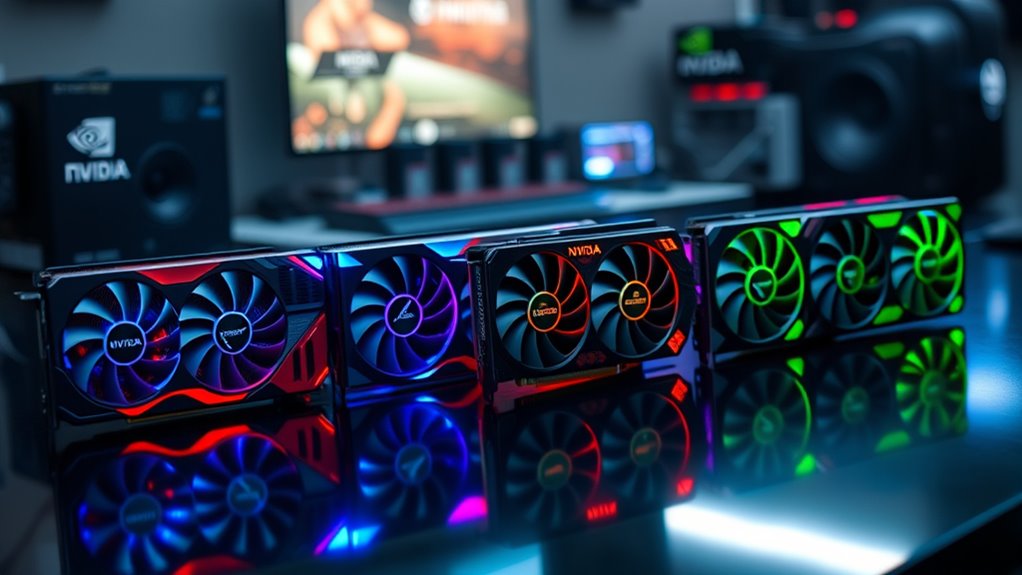

Nvidia graphics cards continue to set the standard for high-performance gaming and creative work in 2026. The top models like the GIGABYTE GeForce RTX 5080 Gaming OC 16G stand out for their raw power, while options like the ASUS Dual GeForce RTX 3060 Ti 16GB offer excellent value for budget-conscious users. The key tradeoffs often involve balancing price, performance, and energy efficiency, making it crucial to match a card to your specific needs. Continue reading for a detailed breakdown of the best Nvidia options this year and what makes each one unique.

Get business pricing on tech for your team
- Business-only prices and quantity discounts
- Tax-exempt purchasing
- Multiple users, one account, clear invoices
Key Takeaways
- The RTX 5080 series dominates in raw performance, ideal for 4K gaming and heavy creative workloads.
- Price significantly impacts features; higher-end models offer more VRAM and advanced cooling but come at a premium.
- Compact cards like the ASUS Dual RTX 3060 Ti provide strong performance for smaller builds without sacrificing much power.
- Power consumption varies greatly; premium cards often require robust cooling solutions and high-capacity PSUs.
- Future-proofing depends heavily on VRAM; 8GB is minimal for modern gaming, while 16GB+ supports demanding creative tasks.
| GIGABYTE GeForce RTX 5080 Gaming OC 16G Graphics Card |  | Best Overall for High-End Gaming and Creative Work | Memory: 16GB GDDR7 | Memory Interface: 256-bit | Architecture: NVIDIA Blackwell | VIEW ON AMAZON | See Our Full Breakdown |
| ASUS TUF Gaming GeForce RTX 5060 Ti 8GB GDDR7 OC Edition Graphics Card |  | Best for Durability and Overclocked Gaming Performance | GPU Architecture: NVIDIA Blackwell | Memory: 8GB GDDR7 | Clock Speed: 2692 MHz (OC mode) | VIEW ON AMAZON | See Our Full Breakdown |
| GIGABYTE GeForce RTX 5060 WINDFORCE OC 8G Graphics Card |  | Best Value for Solid 5060 Performance | Memory: 8GB GDDR7 | Memory Interface: 128-bit | Architecture: NVIDIA Blackwell | VIEW ON AMAZON | See Our Full Breakdown |
| ASUS TUF Gaming GeForce RTX 5080 16GB GDDR7 OC Edition Graphics Card |  | Best for High-End Gaming with Durability and Customization | GPU Architecture: NVIDIA Blackwell | Memory: 16GB GDDR7 | Boost Clock: 2730 MHz | VIEW ON AMAZON | See Our Full Breakdown |
| ASUS Dual GeForce RTX 3050 6GB GDDR6 OC Edition Gaming Graphics Card |  | Best for Compact Builds and Budget-Conscious Gamers | GPU: GeForce RTX 3050 | Memory: 6GB GDDR6 | Boost Clock: 1500 MHz (OC Mode) | VIEW ON AMAZON | See Our Full Breakdown |
| GIGABYTE GeForce RTX 5070 Ti Gaming OC 16G Graphics Card |  | Best Overall for High-End Gaming and Creative Work | Memory: 16GB GDDR7 | Memory Interface: 256-bit | PCIe Version: 5.0 | VIEW ON AMAZON | See Our Full Breakdown |
| ASUS ROG Astral GeForce RTX 5080 16GB GDDR7 OC Edition Gaming Graphics Card |  | Best Premium for Overclocking and Heavy-Duty Gaming | GPU Architecture: NVIDIA Blackwell | Memory: 16GB GDDR7 | Boost Clock: 2790 MHz | VIEW ON AMAZON | See Our Full Breakdown |
| ASUS TUF Gaming GeForce RTX 5070 12GB GDDR7 OC Edition Graphics Card |  | Best for Durability and Reliable Performance | GPU Architecture: NVIDIA Blackwell | Memory: 12GB GDDR7 | Boost Clock: 2640 MHz | VIEW ON AMAZON | See Our Full Breakdown |
| ASUS Dual NVIDIA GeForce RTX 5060 8GB GDDR7 OC Edition |  | Best for AI Enthusiasts and Future-Proofing | Memory: 8GB GDDR7 | AI Performance: 623 AI TOPS | OC Mode Clock: 2565 MHz | VIEW ON AMAZON | See Our Full Breakdown |
| ASUS Dual GeForce RTX 3060 Ti 16GB GDDR7 OC Edition Gaming Graphics Card |  | Best for Compact Builds and Versatile Gaming | Memory: 16GB GDDR7 | Architecture: NVIDIA Blackwell | Clock Speed: 2632 MHz (OC mode) | VIEW ON AMAZON | See Our Full Breakdown |
| nvidia graphics card | Memory |
|---|---|
| GIGABYTE GeForce RTX 5080 Gami | 16GB GDDR7 |
| ASUS TUF Gaming GeForce RTX 50 | 8GB GDDR7 |
| GIGABYTE GeForce RTX 5060 WIND | 8GB GDDR7 |
| ASUS TUF Gaming GeForce RTX 50 | 16GB GDDR7 |
| ASUS Dual GeForce RTX 3050 6GB | 6GB GDDR6 |
| GIGABYTE GeForce RTX 5070 Ti G | 16GB GDDR7 |
| ASUS ROG Astral GeForce RTX 50 | 16GB GDDR7 |
| ASUS TUF Gaming GeForce RTX 50 | 12GB GDDR7 |
| ASUS Dual NVIDIA GeForce RTX 5 | 8GB GDDR7 |
| ASUS Dual GeForce RTX 3060 Ti | 16GB GDDR7 |
More Details on Our Top Picks
GIGABYTE GeForce RTX 5080 Gaming OC 16G Graphics Card
This model stands out for its cutting-edge NVIDIA Blackwell architecture combined with DLSS 4, making it ideal for gamers and creators who demand top-tier performance. Compared to the ASUS TUF Gaming RTX 5080, it offers a slightly higher boost clock and a more robust cooling system, which can translate into better sustained performance under load—but this comes with a notably higher power draw and price. The 16GB GDDR7 memory ensures future-proofing for demanding titles and creative applications, but requires a high-wattage PSU and a spacious case. Its PCIe 5.0 support guarantees fast data transfer, making it suitable for high-end PC builds. This pick makes the most sense for users who prioritize raw power and are prepared for premium costs and compatibility requirements.
Pros:- Exceptional performance with NVIDIA Blackwell architecture and DLSS 4
- Large 16GB GDDR7 memory supports demanding workloads
- Supports PCIe 5.0 for rapid data transfer
- Advanced WINDFORCE cooling system ensures thermal stability
Cons:- High power consumption requiring a robust power supply
- Premium price point limits accessibility for casual users
- Large size and weight necessitate a spacious, high-end case
Best for: Enthusiast gamers and professional content creators seeking uncompromising performance
Not ideal for: Casual gamers or users with limited space and budget constraints
- Memory:16GB GDDR7
- Memory Interface:256-bit
- Architecture:NVIDIA Blackwell
- Cooling System:WINDFORCE
- Interface:PCIe 5.0
Our verdict“This card is best suited for high-end users who want top performance and have the system capacity to support it.”
ASUS TUF Gaming GeForce RTX 5060 Ti 8GB GDDR7 OC Edition Graphics Card
This card excels for gamers who want reliable, high-performance hardware with overclocking capabilities. Its OC mode boosts the core clock to 2692 MHz, surpassing many competitors like the GIGABYTE RTX 5060 WINDFORCE, offering smoother gameplay at high settings. Built with military-grade components and auto-extreme manufacturing, it promises longevity and consistent operation, even under pressure. The triple Axial-tech fans and 3.1-slot design deliver effective cooling but may require a large case for optimal fit. Its power consumption is higher due to overclocking, which could be a concern for more modest power supplies. This makes it ideal for gamers who want a durable, overclock-ready card without stepping into ultra-premium territory.
Pros:- High OC clock speeds at 2692 MHz for improved gaming performance
- Durable, military-grade components enhance longevity
- Advanced cooling with three fans prevents thermal throttling
- Reliable manufacturing with protective features
Cons:- Large size may limit compatibility in smaller cases
- Higher power draw due to OC features
Best for: Dedicated gamers seeking a durable, overclock-capable GPU
Not ideal for: Small form-factor builds or users with modest power supplies
- GPU Architecture:NVIDIA Blackwell
- Memory:8GB GDDR7
- Clock Speed:2692 MHz (OC mode)
- Design:3.1-slot with fin array, three Axial-tech fans
- Features:GPU Guard, Auto-Extreme manufacturing
Our verdict“This card is ideal for gamers who prioritize durability and overclocking potential in a high-performance GPU.”
GIGABYTE GeForce RTX 5060 WINDFORCE OC 8G Graphics Card
Compared with the ASUS TUF RTX 5060 Ti, this GIGABYTE model offers a more balanced mix of features and affordability. Its 8GB GDDR7 memory and PCIe 5.0 support deliver good gaming performance for mainstream users, and the WINDFORCE cooling system maintains thermal stability during extended sessions. While detailed specifications are limited, its architecture benefits from DLSS 4, providing improved frame rates with AI-assisted rendering. However, it lacks the same overclocking headroom and durability features found in higher-end models like the ASUS TUF. This makes it a compelling choice for gamers who want a reliable, capable GPU without paying premium prices, but it may fall short for future-proofing or heavy overclocking.
Pros:- Supports PCIe 5.0 for fast data transfer
- Effective WINDFORCE cooling system
- DLSS 4 boosts performance in supported titles
- Good balance of features and price
Cons:- Limited detailed specs available
- No explicit overclocking features
- Potentially high power consumption for its class
Best for: Mid-range gamers seeking reliable performance at a reasonable price
Not ideal for: Enthusiasts aiming for maximum overclocking or ultra-high-end features
- Memory:8GB GDDR7
- Memory Interface:128-bit
- Architecture:NVIDIA Blackwell
- DLSS:4
- Cooling System:WINDFORCE
Our verdict“This GPU offers solid performance for mainstream gaming at a fair price, making it suitable for users who want dependable high-quality graphics without breaking the bank.”
ASUS TUF Gaming GeForce RTX 5080 16GB GDDR7 OC Edition Graphics Card
This card makes the list for users who need a high-performance flagship with durability. Its NVIDIA Blackwell architecture and DLSS 4 deliver exceptional gaming and rendering power, comparable to the GIGABYTE RTX 5080 but with added reliability from military-grade components. Its large dimensions (348mm long, 3.6 slots) require a spacious case and a high-wattage PSU (850W recommended), which could be a barrier for some builds. The cooling system with axial-tech fans, combined with a robust manufacturing process, ensures stability during intensive tasks. Software support for tuning and monitoring makes it attractive for enthusiasts who want control over their system. However, its weight and size make it less suitable for smaller setups.
Pros:- High-performance RTX 5080 with 16GB GDDR7
- Durable, military-grade components for longevity
- Advanced cooling with axial-tech fans and thermal pads
- Supports software tuning and system monitoring
Cons:- Requires a large case and high-wattage PSU
- Heavy at 4.3 lbs and large in size
Best for: High-end gamers and professionals who want a durable, customizable GPU
Not ideal for: Small PC builds or users with limited space and lower power supplies
- GPU Architecture:NVIDIA Blackwell
- Memory:16GB GDDR7
- Boost Clock:2730 MHz
- System Requirements:850W PSU, 16-pin 12V-2×6 connector
- Dimensions:348mm length, 3.6 slots
- Cooling:Axial-tech fans, thermal pads
Our verdict“This GPU suits high-end users seeking a durable, high-performance card with extensive customization options, provided their system can support its size and power needs.”
ASUS Dual GeForce RTX 3050 6GB GDDR6 OC Edition Gaming Graphics Card
This card earns its spot by balancing performance and size. Its NVIDIA Ampere architecture offers improved ray-tracing and AI capabilities compared to older generations, making it suitable for gamers with limited space or budget. The 2-slot design and axial-tech fan facilitate efficient cooling without requiring a large case, unlike the larger RTX 5080 options. While the 6GB VRAM might limit future-proofing, it comfortably handles current popular titles at 1080p. Its durability features, including dust resistance, add value for long-term use. However, OC mode only provides a modest boost, which may disappoint users seeking maximum overclocking potential.
Pros:- Compact 2-slot design fits small cases easily
- Enhanced ray-tracing and AI features with Ampere architecture
- Durable dust-resistant construction
- Good performance at 1080p for budget-friendly gaming
Cons:- Limited VRAM for future games at higher resolutions
- OC boost is only marginal
- Lacks detailed HDMI/DisplayPort specs
Best for: Gamers with small cases or those on a tight budget who still want good ray-tracing performance
Not ideal for: Future-proofing enthusiasts or users planning 1440p/4K gaming
- GPU:GeForce RTX 3050
- Memory:6GB GDDR6
- Boost Clock:1500 MHz (OC Mode)
- Fan Design:Axial-tech
- Design:2-slot
- Dust Resistance:IP5X
Our verdict“This GPU suits gamers needing a compact, reliable card for current games at 1080p, with room for modest upgrades in the future.”
GIGABYTE GeForce RTX 5070 Ti Gaming OC 16G Graphics Card
The GIGABYTE RTX 5070 Ti stands out for its substantial 16GB of GDDR7 memory and PCIe 5.0 support, which translate into faster data transfer and smoother performance in demanding applications. Compared to the ASUS TUF RTX 5070, it offers higher memory capacity, making it better suited for gaming at ultra settings and creative workloads. Its WINDFORCE cooling system effectively manages heat during extended sessions, but this high performance comes with potentially elevated power consumption and a higher price point. This card makes the most sense for gamers and creators who want top-tier performance and are willing to invest in premium hardware.
Pros:- Massive 16GB GDDR7 memory for demanding tasks
- Supports PCIe 5.0 for faster data throughput
- Effective WINDFORCE cooling system
Cons:- High power consumption potentially increases electricity costs
- Premium price may be out of reach for some
Best for: High-end gamers and professionals needing extensive memory for creative workflows
Not ideal for: Casual gamers or budget-conscious buyers who may find the price and power requirements prohibitive
- Memory:16GB GDDR7
- Memory Interface:256-bit
- PCIe Version:5.0
- Cooling System:WINDFORCE
- Architecture:NVIDIA Blackwell
- DLSS:4
Our verdict“This card is ideal for enthusiasts seeking top-tier performance with extensive memory capacity.”
ASUS ROG Astral GeForce RTX 5080 16GB GDDR7 OC Edition Gaming Graphics Card
The ASUS ROG Astral RTX 5080 OC Edition is built for users who want maximum performance and overclocking headroom. Its high boost clock of 2790 MHz and advanced cooling — featuring quad fans and a vapor chamber — outperform most other models like the ASUS TUF RTX 5070, especially during intensive gaming and rendering tasks. The robust construction, including a backplate and metal shroud, supports stability and durability, but its size (357mm length) and 850W power requirement may limit compatibility in smaller cases and with some power supplies. This pick makes the most sense for gamers and overclockers who demand the highest performance and are prepared for the premium price.
Pros:- High boost clock of 2790 MHz for peak performance
- Superior cooling with quad fans and vapor chamber
- Premium build quality with metal shroud and backplate
Cons:- Requires an 850W PSU and specific power connectors
- Large size may not fit all cases, increasing upgrade complexity
Best for: Power users and overclockers seeking maximum stability and cooling in demanding workloads
Not ideal for: Casual gamers or those with smaller cases and lower wattage PSUs
- GPU Architecture:NVIDIA Blackwell
- Memory:16GB GDDR7
- Boost Clock:2790 MHz
- Dimensions:357mm length, 3.8 slots
- Cooling:Quad-fan vapor chamber
- Features:GPU Guard, metal shroud, backplate
Our verdict“This GPU is ideal for those who prioritize maximum overclocking potential and thermal stability, despite its size and power needs.”
ASUS TUF Gaming GeForce RTX 5070 12GB GDDR7 OC Edition Graphics Card
The ASUS TUF Gaming RTX 5070 offers a balanced combination of performance and durability, with 12GB of GDDR7 memory and a boost clock up to 2640MHz. Its military-grade components and advanced thermal design, including phase-change GPU pads, give it an edge in heavy gaming and workload scenarios over models like the ASUS Dual RTX 3060 Ti. While its size (3.125 slots) might require a spacious case, this card emphasizes longevity and stability, making it a solid choice for gamers who prioritize reliability over raw overclocking potential. It does come at a potentially higher cost, but the durability justifies it for long-term use.
Pros:- Military-grade components for enhanced durability
- Effective thermal management with phase-change thermal pads
- Reliable operation with ASUS GPU Guard
Cons:- Potentially large size requiring compatible case
- Higher price point for durability features
Best for: Gamers and users prioritizing durability and consistent performance over extreme overclocking
Not ideal for: Enthusiasts seeking the absolute highest clock speeds or compact system builders
- GPU Architecture:NVIDIA Blackwell
- Memory:12GB GDDR7
- Boost Clock:2640 MHz
- Design:3.125-slot
- Thermal Management:Phase-change GPU thermal pad
- Manufacturing:Auto-Extreme process
Our verdict“This GPU suits users who want a durable, stable card for long-term gaming and workloads without sacrificing substantial performance.”
ASUS Dual NVIDIA GeForce RTX 5060 8GB GDDR7 OC Edition
The ASUS Dual RTX 5060 OC Edition offers a strong blend of AI performance, with 623 AI TOPS, and support for PCIe 5.0, making it ideal for AI developers and future-proofed gaming. Compared to the ASUS Dual RTX 3060 Ti, it provides higher AI processing capabilities, although its 8GB memory might limit some demanding tasks. The dual BIOS and axial-tech fans ensure quiet operation and customizable performance, but high power consumption and limited detailed reviews suggest it might not be the best choice for budget-conscious or small-chassis users. This card appeals to those looking to leverage AI features alongside gaming, especially in a system designed for expansion.
Pros:- High AI TOPS of 623 for advanced AI workloads
- Supports PCIe 5.0 for future compatibility
- Quiet operation with dual BIOS and axial-tech fans
Cons:- Limited to 8GB memory, which may restrict some workloads
- Potentially high power draw
Best for: AI developers and enthusiasts wanting performance in AI inference and future scalability
Not ideal for: Mainstream gamers with limited space or those focusing solely on traditional gaming performance
- Memory:8GB GDDR7
- AI Performance:623 AI TOPS
- OC Mode Clock:2565 MHz
- Interface:PCIe 5.0
- Cooling:Axial-tech fans
- Warranty:3 years
Our verdict“This card is best suited for AI-focused users who want future-ready connectivity and high AI performance.”
ASUS Dual GeForce RTX 3060 Ti 16GB GDDR7 OC Edition Gaming Graphics Card
The ASUS Dual RTX 3060 Ti OC Edition provides a compelling package with 16GB of GDDR7 memory and a 2.5-slot design, making it an attractive choice for gamers with smaller cases or those seeking a mix of performance and efficiency. Its OC mode clocks at 2632 MHz, slightly higher than default, and features axial-tech fans for effective cooling without excessive noise. Compared to the ASUS TUF RTX 5070, it offers less raw power but excels in compatibility and quiet operation. The dual BIOS adds customization, but high power consumption remains a consideration. This model is well-suited for users who prioritize flexibility, quiet gaming, and upgradeability in a compact system.
Pros:- Large 16GB GDDR7 memory for multitasking and gaming
- Efficient cooling with axial-tech fans
- Dual BIOS for customization
Cons:- Potentially high power consumption
- Limited to smaller chassis compatibility
Best for: Gamers with small chassis or those seeking a versatile, upgrade-friendly card
Not ideal for: Extreme overclockers or users needing maximum memory capacity for creative workloads
- Memory:16GB GDDR7
- Architecture:NVIDIA Blackwell
- Clock Speed:2632 MHz (OC mode)
- Design:2.5-slot
- Cooling:Axial-tech fans
- Warranty:3 years
Our verdict“This GPU is an excellent choice for compact builds requiring high memory and flexible operation.”
How We Picked
Our selection process focused on performance, build quality, value, and usability. We prioritized cards that excel in gaming, creative workflows, or offer a strong balance between price and features. Compatibility considerations, such as size and power requirements, also influenced rankings. To ensure relevance, we evaluated current market prices and availability, aiming to highlight options suited to different budgets and use cases. The top picks are those that stand out for their overall package, considering both technical specs and user experience.Factors to Consider When Choosing Nvidia Graphics Cards
Choosing the right Nvidia graphics card involves more than just looking at specs. To get the best value and performance, consider your primary use—gaming, content creation, or both—and your system compatibility. Beyond raw power, factors like VRAM, cooling solutions, and power supply requirements play a role in ensuring your setup runs smoothly for years to come. Avoid common pitfalls like overpaying for unnecessary features or selecting a card that won’t fit your case. Matching your needs with the right balance of performance and price is key to making a satisfying investment.Performance and Use Case
Identify whether you need a card for 4K gaming, 1440p high-refresh-rate gaming, or creative work like video editing. Higher-tier cards like the RTX 5080 series excel in demanding tasks, but they come with higher costs and power requirements. For casual gamers or those on a budget, mid-range options like the RTX 5060 Ti provide a good balance, often delivering excellent performance at a lower price point. Matching the card to your primary use case prevents overspending or underperformance.
VRAM and Future-Proofing
VRAM capacity directly impacts how well a card handles modern games and creative applications. While 8GB might suffice for current titles, 16GB or more offers better longevity, especially as game textures and creative files grow larger. Consider your intended lifespan and whether future software updates might demand more memory. Investing in a card with ample VRAM can save money in the long run by delaying the need for an upgrade.
Power and Cooling Requirements
High-performance Nvidia cards often demand substantial power and advanced cooling solutions. Check your system’s power supply wattage and PCIe power connector compatibility before choosing a card. Premium models may include elaborate cooling systems that reduce noise and temperature, but they can also increase size and cost. Opting for a card with efficient cooling can improve longevity and reduce noise, but sometimes it means paying extra or making space in your case.
System Compatibility and Size
Before purchasing, verify your PC case dimensions and available PCIe slots. Some high-end cards, like the ASUS ROG Astral RTX 5080, are large and may not fit smaller cases. Additionally, ensure your power supply can handle the card’s wattage demands. Ignoring size and compatibility can lead to installation issues or additional upgrades, which might negate cost savings on a lower-tier card.
Price and Value
Price fluctuations and market availability can influence what constitutes good value. While flagship cards offer maximum performance, they may not be cost-effective for all users. Conversely, mid-range options can provide excellent performance for their price, especially if you’re not gaming at 4K or doing intensive creative work. Look for bundles, warranty options, and after-sales support, which can add significant value beyond the initial purchase price.
Frequently Asked Questions
How do I know if a high-end Nvidia card is worth the extra cost?
High-end Nvidia cards like the RTX 5080 series deliver substantial performance improvements, especially in 4K gaming and demanding creative workflows. If your monitor supports 4K, or if you use software that benefits from GPU acceleration, investing in a premium card can significantly enhance your experience. However, if you only play less demanding games or have a 1080p monitor, a mid-range card may provide similar performance at a lower price, making the premium option less justifiable.
Is it better to buy a new Nvidia card or wait for upcoming releases?
Waiting for newer releases can sometimes mean accessing more advanced features or better efficiency, but it also risks missing out on current sales or stock shortages. If you need a GPU immediately, opting for the best available option like the RTX 5080 makes sense, especially if it aligns with your performance needs. Conversely, if your current setup suffices and you aren’t in a rush, waiting might result in better deals or newer models with improved capabilities.
How much VRAM do I really need for gaming and creative work?
For most modern gaming at 1080p and 1440p, 8GB of VRAM is often enough, but more demanding games and higher resolutions benefit from 12GB or more. Creative professionals working with large files or 3D rendering will want at least 16GB for smoother performance and future-proofing. Choosing a card with sufficient VRAM can prevent bottlenecks and extend the useful life of your system, especially as software and game textures continue to grow in size.
Are premium cooling solutions necessary for high-performance Nvidia cards?
Premium cooling can improve performance stability, reduce noise, and extend the lifespan of your GPU, especially under heavy loads. While some high-end cards come with advanced cooling systems, they also tend to be larger and more expensive. If you plan to overclock or run your GPU at high loads frequently, investing in a card with robust cooling might be worthwhile. For casual or moderate use, a standard cooling solution may be sufficient.
Should I prioritize a card’s ray tracing capabilities or raster performance?
Ray tracing enhances visual realism, especially in modern titles, but it demands more from your GPU. If you value cutting-edge graphics and your system can handle it, choosing a card with dedicated RT cores like the RTX 5080 series can be worthwhile. However, if you mainly want high frame rates in competitive or less graphically intense games, focusing on raster performance might be more beneficial. Balancing both aspects depends on your specific gaming or creative priorities.
Conclusion
For gamers seeking the best overall performance, the GIGABYTE GeForce RTX 5080 Gaming OC 16G offers unmatched power at a premium price. Budget-conscious users or those with smaller builds will find strong value in the ASUS Dual GeForce RTX 3060 Ti 16GB. Creative professionals should prioritize models with more VRAM like the ASUS TUF Gaming GeForce RTX 5080, ensuring longevity and smooth workflow. Beginners or casual gamers might opt for mid-range options, balancing performance and affordability, while enthusiasts aiming for future-proofing should consider the top-tier models with advanced cooling and features. Each choice aligns with different priorities—performance, value, or ease of use—helping you find the right Nvidia card for your needs.
As an affiliate, we earn on qualifying purchases.Halloween Picks
halloween