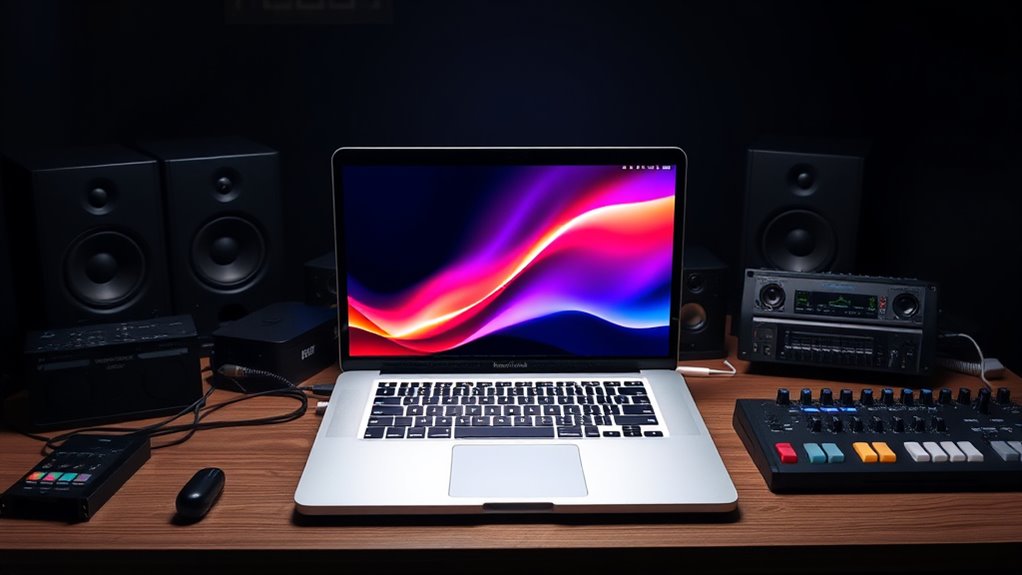

The best MacBook Pro for music production in this lineup is the 16-inch M5 Pro with 64GB of memory: it pairs strong processing headroom with ample space for large sample libraries and demanding sessions. The 14-inch M5 Pro with 48GB is a compelling, more portable studio choice, while the 14-inch M5 with 32GB suits producers who want a capable Pro without stepping up to a Pro chip. Your main tradeoffs are memory and processing capacity versus portability, and whether you need the MacBook Pro’s sustained performance and ports or can work comfortably on a lighter Air. Older renewed models and the lower-spec Neo also bring distinct compromises around age, memory, or workflow demands. Read on for the full breakdown and recommendations by production style.

Get business pricing on tech for your team
- Business-only prices and quantity discounts
- Tax-exempt purchasing
- Multiple users, one account, clear invoices
Key Takeaways
- The 16-inch M5 Pro with 64GB is the strongest all-around fit for demanding sessions, with more memory headroom than the 24GB and 48GB M5 Pro configurations.
- The 14-inch M5 Pro with 48GB offers a better balance for producers who travel or work in smaller spaces but still run large projects.
- Memory is a key separator in this group: the 8GB Neo and 16GB Air models suit lighter workloads far better than sample-heavy sessions or large plugin chains.
- The M5 Max with 128GB is the specialist choice for unusually demanding production, but its capacity is more than many music workflows need.
- Renewed M1 Pro and M1 Max models can remain capable production machines, but their older generation and renewed condition make them less straightforward long-term picks than current M5 options.






| macbook pro for music production | Storage | Display | Memory | Processor |
|---|---|---|---|---|
| Apple MacBook Pro 16-inch with | 1TB SSD | 16.2-inch Liquid Retina XDR | 64GB unified memory | — |
| 2021 Apple MacBook Pro with M1 | 512GB SSD | 16-inch | — | Apple M1 Max |
| Apple 2026 MacBook Pro Laptop | 1TB SSD | 14.2-inch Liquid Retina XDR | 32GB unified memory | Apple M5 chip with 10-core CPU and GPU |
| Apple 2026 MacBook Neo 13-inch | 256GB SSD | 13-inch Liquid Retina | 8GB unified memory | A18 Pro chip |
| Apple 2026 MacBook Air 13-inch | 512GB SSD | 13.6-inch Liquid Retina | 16GB unified memory | M5 chip |
| Apple 2021 MacBook Pro with M1 | 1TB SSD | 16.2-inch Liquid Retina XDR, 3456 × 2234 | 32GB unified memory | Apple M1 Pro, 10-core CPU |
| Apple MacBook Pro 14.2-inch wi | 1TB SSD | Listed as 14.2-inch Liquid Retina XDR; product data also contains conflicting display details | 48GB unified memory | — |
| Apple 14.2-inch MacBook Pro wi | 512GB SSD | 14.2-inch Liquid Retina XDR | 16GB unified memory | Apple M5 chip, 10-core CPU |
| Apple MacBook Pro Laptop with | 2TB SSD | 16.2-inch Liquid Retina XDR | 128GB unified memory | Apple M5 Max, 18-core CPU |
| Apple 16.2-inch MacBook Pro wi | 1TB SSD | 16.2-inch Liquid Retina XDR | 24GB unified memory | Apple M5 Pro, 18-core CPU |
| Apple 2025 MacBook Pro Laptop | 1TB SSD | 14.2-inch Liquid Retina XDR | 24GB unified memory | Apple M5 chip with 10-core CPU and GPU |
| Apple MacBook Pro 16-inch | 512GB SSD | 16-inch Retina, 3072 × 1920 | 16GB DDR4, 2666 MHz | 2.6 GHz 6-core Intel Core i7-9750H |
| Apple 2026 MacBook Air 15-inch | 512GB SSD | 15.3-inch Liquid Retina | 16GB unified memory | Apple M5 chip |
More Details on Our Top Picks
Apple MacBook Pro 16-inch with M5 Pro, 18-core CPU, 20-core GPU, 64GB Memory, 1TB SSD
For music producers who keep large sample libraries, virtual instruments, and many plug-ins active at once, the 64GB unified memory is the key reason to choose this configuration. Its 18-core M5 Pro CPU and 1TB SSD also give demanding projects room to run and store session files, while the 16.2-inch XDR display offers more space for a DAW mixer and arrangement view than the 14-inch M5 MacBook Pro. That extra workspace comes with a portability cost: this is the least convenient option here to carry between studios. Compared with the renewed 2021 M1 Max model, it has a newer chip and twice the listed memory, but the supplied details do not establish real-world audio performance. I’d pick it for substantial sessions, not simply because it is the largest MacBook Pro.
Pros:- 64GB unified memory suits projects with many active instruments and plug-ins.
- 18-core M5 Pro CPU is specified for demanding creative workloads.
- 1TB SSD provides more built-in project and application storage than the 512GB options here.
- 16.2-inch 120Hz XDR display gives a large workspace for arranging and mixing.
Cons:- The 16-inch size makes it less portable than the 14-inch MacBook Pro and 13-inch Air.
- The supplied information offers no audio benchmark data to quantify performance in particular DAWs.
- The listed 1TB SSD may still leave sample-library users relying on external storage.
Best for: Producers running memory-intensive sessions with large sample libraries, layered instruments, and many plug-ins who want a spacious screen for studio work.
Not ideal for: Mobile producers who travel frequently or work in tight spaces; the 16-inch chassis is less convenient to carry than the 14-inch MacBook Pro or 13-inch Air.
- Chip:Apple M5 Pro
- CPU:18-core
- GPU:20-core
- Memory:64GB unified memory
- Storage:1TB SSD
- Display:16.2-inch Liquid Retina XDR
- Display resolution:3456 × 2234 pixels
- Refresh rate:120Hz
Our verdict“Choose this MacBook Pro if your sessions benefit from 64GB of memory and a large screen more than they benefit from a smaller travel-friendly laptop.”
2021 Apple MacBook Pro with M1 Max Chip (16-inch, 32GB RAM, 512GB SSD) Space Gray (Renewed)
This renewed 2021 model is the older-generation route to a 16-inch MacBook Pro with a professional-grade configuration: M1 Max, 32GB RAM, and a 512GB SSD. That memory and screen size make it a more credible fit for substantial DAW sessions than the MacBook Neo’s 8GB, though its listed storage gives sample libraries less room than the newer 1TB models. The product description cites up to 17 hours of battery life, but actual runtime varies with workload and battery condition; that caveat matters for a renewed laptop. Compared with the M5 Pro 16-inch, this option has half the listed memory and an older chip, but it may suit buyers prioritizing a larger professional MacBook Pro configuration over the newest generation. Check the renewed condition and warranty terms before choosing it.
Pros:- M1 Max chip is positioned for professional creative workflows.
- 32GB RAM is better suited to complex projects than the MacBook Neo’s 8GB.
- 16-inch display provides more working area than the 13- and 14-inch options.
- Listed battery life is up to 17 hours.
Cons:- Renewed condition can mean less certainty about battery health and warranty coverage.
- 512GB SSD offers less internal space than the 1TB storage configurations in this roundup.
- It is an older-generation option compared with the M5 Pro and M5 models.
Best for: Producers who want a 16-inch MacBook Pro and 32GB of memory for established DAW workflows, and are comfortable buying a renewed, older-generation machine.
Not ideal for: Buyers who need a new-generation chip, 1TB of built-in storage, or clear confidence in warranty coverage and battery condition.
- Processor:Apple M1 Max
- Display:16-inch
- RAM:32GB
- Storage:512GB SSD
- Color:Space Gray
- Battery life:Up to 17 hours
- Camera:1080p FaceTime HD
Our verdict“Consider this renewed MacBook Pro if you want a large screen and 32GB RAM at the expense of newer hardware, larger storage, and greater condition certainty.”
Apple 2026 MacBook Pro Laptop with M5 Chip, 14.2-inch Liquid Retina XDR Display, 32GB RAM, 1TB SSD, Silver
This 14.2-inch MacBook Pro makes a strong middle ground for producers who want a capable, comparatively compact studio laptop without stepping up to the 16-inch M5 Pro model. Its 32GB unified memory gives more headroom for instruments and plug-ins than the MacBook Air’s 16GB, while the 1TB SSD doubles the listed storage of the Air. The M5 chip has a 10-core CPU and GPU, but the product data does not show how it compares in DAW workloads with the M5 Pro’s 18-core CPU. Three Thunderbolt 5 ports, HDMI, and an SDXC slot offer flexible connections, though audio-interface compatibility still depends on the interface and setup. I’d favor this for portable production with sizable sessions; the M5 Pro 16-inch is the better fit when memory capacity and screen space take priority.
Pros:- 32GB unified memory provides more headroom than the 16GB MacBook Air and 8GB MacBook Neo.
- 1TB SSD offers twice the listed storage of the Air in this batch.
- 14.2-inch XDR display balances workspace with a smaller footprint than the 16-inch models.
- Thunderbolt 5, HDMI, SDXC, MagSafe 3, and headphone jack provide varied connection options.
Cons:- The 10-core M5 configuration is not the M5 Pro chip used in the larger MacBook Pro pick.
- Its 14.2-inch screen is less spacious for arranging and mixing than the 16.2-inch model.
- The listed 32GB memory is below the 64GB of the large M5 Pro configuration.
Best for: Producers who travel or work across locations and want a 14-inch MacBook Pro with 32GB memory, 1TB storage, and multiple connection options.
Not ideal for: Producers whose sessions regularly need more than 32GB of memory or who prefer a larger built-in screen for mixing.
- Processor:Apple M5 chip with 10-core CPU and GPU
- Display:14.2-inch Liquid Retina XDR
- Memory:32GB unified memory
- Storage:1TB SSD
- Weight:3.41 pounds
- Ports:Three Thunderbolt 5 ports, MagSafe 3, SDXC card slot, HDMI, headphone jack
- Wireless:Wi-Fi 7, Bluetooth 6
- Camera:12MP Center Stage
Our verdict“Pick this model for a more portable MacBook Pro with 32GB memory and 1TB storage, unless your sessions call for the M5 Pro’s higher listed memory and larger screen.”
Apple 2026 MacBook Neo 13-inch Laptop with A18 Pro Chip, Liquid Retina Display, 8GB RAM, 256GB SSD, Indigo
The MacBook Neo is the entry point in this group, but its 8GB unified memory and 256GB SSD set firm limits for music production. It could suit a beginner learning a DAW, recording simple arrangements, or working mostly with a small set of software instruments. Those constraints become harder to live with as projects accumulate plug-ins, tracks, and sample libraries. Compared with the 16GB MacBook Air, the Neo has half the listed memory and half the listed storage, so the Air is the more flexible choice for a growing workload. Its 13-inch display and up-to-16-hour battery life favor portability, but the product information does not list ports beyond Wi-Fi and Bluetooth. I’d choose it for modest starter projects, not as a long-term machine for complex sessions.
Pros:- 13-inch form factor is suited to a compact, portable setup.
- Liquid Retina display is listed at 2408 × 1506 resolution and 500 nits brightness.
- Listed battery life is up to 16 hours.
- A18 Pro chip and Touch ID are specified.
Cons:- 8GB unified memory is substantially less than the Air’s 16GB and the MacBook Pro options’ 32GB or more.
- 256GB SSD leaves limited built-in room for audio applications, projects, and sample libraries.
- The supplied connectivity details list Wi-Fi and Bluetooth but no wired ports.
Best for: New producers learning a DAW or recording simple projects with a limited number of tracks, plug-ins, and locally stored samples.
Not ideal for: Producers with large sample libraries, many virtual instruments, or plans to grow into demanding sessions; 8GB memory and 256GB storage leave less headroom than the Air and Pro models.
- Processor:A18 Pro chip
- Display:13-inch Liquid Retina
- Display resolution:2408 × 1506
- Brightness:500 nits
- Memory:8GB unified memory
- Storage:256GB SSD
- Battery life:Up to 16 hours
- Camera:1080p FaceTime HD
Our verdict“Choose the Neo only for learning and modest sessions; the MacBook Air is a more adaptable starting point for projects likely to expand.”
Apple 2026 MacBook Air 13-inch Laptop with M5 Chip, 16GB RAM, 512GB SSD, Liquid Retina Display, 12MP Camera, Touch ID, Wi-Fi 7, Midnight
For a producer who values mobility and mostly records, edits, and arranges moderate projects, this MacBook Air offers a more practical balance than the entry-level Neo. Its 16GB unified memory and 512GB SSD give twice the listed capacity of the Neo in both areas, leaving more room for a DAW, plug-ins, and working files. The M5 chip and up-to-18-hour battery-life claim suit a laptop-first workflow, while the 13.6-inch display keeps the system compact. The tradeoff is that this is not one of the MacBook Pro configurations: compared with the 14-inch M5 MacBook Pro, it has half the listed memory and storage, and the supplied details list two Thunderbolt 4 ports. I’d choose it for portability and lighter sessions, not for extensive sample libraries or crowded mixes.
Pros:- 16GB unified memory is more accommodating for production than the Neo’s 8GB.
- 512GB SSD offers twice the listed built-in storage of the Neo.
- 13.6-inch display and compact Air format suit mobile recording and editing.
- Listed battery life is up to 18 hours, with MagSafe and two Thunderbolt 4 ports.
Cons:- 16GB memory is below the 32GB and 64GB MacBook Pro configurations in this roundup.
- 512GB storage is less than the 1TB SSD options for producers with sizable libraries.
- Two Thunderbolt 4 ports provide fewer listed wired connections than the 14-inch M5 MacBook Pro.
Best for: Mobile songwriters, vocalists, and producers working on moderate sessions who want a compact Mac with more memory and storage than the Neo.
Not ideal for: Producers running memory-heavy sessions, extensive sample libraries, or many simultaneous plug-ins who would benefit from a MacBook Pro with more memory and 1TB storage.
- Processor:M5 chip
- Display:13.6-inch Liquid Retina
- Memory:16GB unified memory
- Storage:512GB SSD
- Battery life:Up to 18 hours
- Ports:Two Thunderbolt 4, MagSafe, headphone jack
- Connectivity:Wi-Fi 7, Bluetooth 6
- Color:Midnight
Our verdict“Choose this Air for portable, moderate music-production work; move to a 14-inch MacBook Pro if your sessions need more memory, storage, or connections.”
Apple 2021 MacBook Pro with M1 Pro Chip (16-inch, 32GB RAM, 1TB SSD) Space Gray (Renewed)
The 16-inch M1 Pro MacBook Pro pairs a 10-core CPU with 32GB of unified memory, a useful base for sizable Logic Pro sessions, sample libraries, and several plug-ins running together. Its larger Liquid Retina XDR screen gives mixer windows and timelines more room than the 14.2-inch M5 MacBook Pro, while the HDMI and SDXC ports can reduce adapter clutter around a studio setup. The tradeoff is age: compared with newer M5 Pro options, this model has an older chip and fewer years of platform runway ahead. It is also a renewed unit, so condition and warranty terms may vary. I’d choose it for a capable, spacious studio machine, not for the lightest travel rig.
Pros:- 32GB unified memory gives demanding projects more room for virtual instruments and plug-ins.
- 16.2-inch Liquid Retina XDR display provides workspace for arranging and mixing.
- HDMI, SDXC, MagSafe 3, and three Thunderbolt 4 ports offer useful studio connectivity.
- Six-speaker audio system and headphone jack support convenient reference listening.
Cons:- Renewed condition can vary, and warranty coverage may be more limited than on a new model.
- M1 Pro is an older generation than the M5 and M5 Pro alternatives in this roundup.
- The 16-inch chassis is large and heavy for frequent travel.
Best for: Home-studio producers who want a large display, 32GB memory, and direct connections for studio gear in a renewed MacBook Pro.
Not ideal for: Touring musicians who need the lightest laptop, or buyers who want a new device with clearly stated warranty coverage and a newer chip generation.
- Processor:Apple M1 Pro, 10-core CPU
- GPU:16-core GPU
- Display:16.2-inch Liquid Retina XDR, 3456 × 2234
- Memory:32GB unified memory
- Storage:1TB SSD
- Ports:Three Thunderbolt 4, HDMI, SDXC, MagSafe 3, 3.5mm headphone jack
- Battery life:Up to 21 hours
- Audio:Six-speaker system with Spatial Audio and Dolby Atmos
Our verdict“Choose this renewed model for a spacious screen and 32GB memory in a studio-focused setup, provided its age and variable condition suit you.”
Apple MacBook Pro 14.2-inch with M5 Pro, 48GB Memory, 1TB SSD, Space Black
This 14.2-inch M5 Pro configuration is the compact choice for producers who want substantial memory without carrying a 16-inch MacBook Pro. Its 48GB unified memory and 1TB SSD leave headroom for large sample libraries and busy sessions, exceeding the 24GB in the 16.2-inch M5 Pro model listed here. The smaller chassis is easier to move between a home studio and a rehearsal space, while Thunderbolt 5, HDMI, and SDXC offer a useful spread of connections. I would rank it ahead of the basic M5 model for memory-heavy music work, but the product data has conflicting chip and display details. Verify the exact configuration before buying; that uncertainty makes this a less straightforward choice than the clearly specified alternatives.
Pros:- 48GB unified memory offers more headroom than the 24GB M5 Pro 16-inch configuration.
- 1TB SSD provides room for projects and commonly used audio assets.
- 14.2-inch form is more portable than the 16.2-inch MacBook Pro models.
- Thunderbolt 5, HDMI, SDXC, and a headphone jack support varied studio connections.
Cons:- Provided product details conflict on chip and display specifications, so the exact configuration needs verification.
- The 14.2-inch screen offers less workspace than the 16.2-inch M5 Pro and M5 Max options.
- The supplied weight is 2.14 kg, which may still feel substantial for frequent travel.
Best for: Mobile producers who run memory-heavy sessions and want 48GB of unified memory in a 14-inch MacBook Pro.
Not ideal for: Buyers who need confirmed specifications before purchase, or producers who prefer a larger screen for arranging and mixing.
- Chip:Apple M5 Pro (product data lists conflicting configuration details)
- Memory:48GB unified memory
- Storage:1TB SSD
- Display:Listed as 14.2-inch Liquid Retina XDR; product data also contains conflicting display details
- Refresh rate:120Hz
- Ports:Three Thunderbolt 5, MagSafe 3, SDXC, HDMI, headphone jack
- Camera:12MP Center Stage
- Weight:2.14 kg
Our verdict“Pick this for compact portability and 48GB memory only after confirming the chip and display details with the seller.”
Apple 14.2-inch MacBook Pro with M5 chip, 16GB memory, and 512GB SSD
The 14.2-inch M5 MacBook Pro is the most approachable fit here for producers whose sessions rely on a moderate track count and a focused set of plug-ins. Its 10-core CPU and 16GB unified memory suit songwriting, editing, and smaller mixes, while the Liquid Retina XDR display and built-in ports give it a more studio-ready setup than a basic ultraportable. Against the 48GB M5 Pro model, though, it has much less memory for large orchestral templates or many software instruments at once. The 512GB SSD can also fill quickly if project files and sample content stay on the laptop. I’d choose this over a higher-tier chip when portability and everyday production matter more than heavy-session headroom.
Pros:- M5 10-core CPU and 10-core GPU support everyday production and creative tasks.
- 14.2-inch Liquid Retina XDR display is bright and compact for mobile work.
- HDMI, SDXC, MagSafe 3, and three Thunderbolt 4 ports provide broad connectivity.
- Supports up to two external displays for a more spacious desk setup.
Cons:- 16GB unified memory gives less room for large sample libraries than the 48GB M5 Pro option.
- 512GB storage may require an external drive for extensive sample collections and project archives.
- It offers less processing and memory headroom than the M5 Pro and M5 Max configurations.
Best for: Songwriters, beatmakers, and producers building modest sessions who want a portable MacBook Pro with a full selection of studio-friendly ports.
Not ideal for: Composers using large sample libraries or producers who keep many demanding virtual instruments and plug-ins active in one session.
- Processor:Apple M5 chip, 10-core CPU
- GPU:10-core GPU
- Memory:16GB unified memory
- Storage:512GB SSD
- Display:14.2-inch Liquid Retina XDR
- Peak brightness:Up to 1600 nits
- Ports:Three Thunderbolt 4, MagSafe 3, SDXC, HDMI, headphone jack
- External display support:Up to two displays
Our verdict“Choose this M5 model for portable songwriting and moderate sessions, but step up to an M5 Pro configuration for large sample-heavy projects.”
Apple MacBook Pro Laptop with M5 Max, 18-core CPU, 40-core GPU, 16.2-inch Display, 128GB Memory, 2TB SSD, Space Black
For producers whose sessions push memory limits, the M5 Max with 128GB unified memory is the specialist pick in this group. It offers far more memory and storage than the 24GB, 1TB M5 Pro model, making it better suited to extensive sample libraries, orchestral templates, and overlapping creative workloads. The 16.2-inch Liquid Retina XDR display also gives a complex arrangement or mixer more breathing room. That headroom comes with a large chassis, and many music projects will not use the full capacity; the 14.2-inch M5 model is a more sensible fit for lighter sessions and frequent travel. Its powerful GPU is more relevant to graphics-heavy work than audio production alone, so I’d reserve this configuration for producers who can make use of its unusually high memory ceiling.
Pros:- 128GB unified memory provides exceptional headroom for large templates and sample libraries.
- 2TB SSD offers more internal project and sample storage than the 1TB alternatives.
- 16.2-inch Liquid Retina XDR display gives complex arrangements and mixer layouts more room.
- Thunderbolt 5, HDMI, SDXC, and a headphone jack provide extensive connection options.
Cons:- The 16.2-inch chassis is large and heavy for producers who travel often.
- The M5 Max GPU capacity may go unused in audio-only workflows.
- Its memory and storage configuration is excessive for many standard songwriting and mixing sessions.
Best for: Film, game, and orchestral composers who keep extensive sample libraries and large sessions loaded alongside other demanding creative work.
Not ideal for: Songwriters and beatmakers with modest sessions, or mobile producers who would rather carry a smaller laptop and do not need 128GB memory.
- Processor:Apple M5 Max, 18-core CPU
- Graphics:40-core GPU
- Display:16.2-inch Liquid Retina XDR
- Memory:128GB unified memory
- Storage:2TB SSD
- Ports:Three Thunderbolt 5, MagSafe 3, SDXC, HDMI, headphone jack
- Wireless:Wi-Fi 7 and Bluetooth 6
- Audio:Six speakers with Spatial Audio and Dolby Atmos
Our verdict“Choose the M5 Max when your work genuinely needs 128GB memory and 2TB storage; most smaller sessions are better served by an M5 Pro or M5 MacBook Pro.”
Apple 16.2-inch MacBook Pro with M5 Pro, 18-core CPU, 20-core GPU, 24GB Memory, and 1TB SSD – Space Black
The 16.2-inch M5 Pro MacBook Pro is the balanced large-screen option: its 18-core CPU, 24GB memory, and 1TB SSD offer a strong foundation for substantial sessions without going as far as the 128GB M5 Max model. For music production, the larger display can keep arrangement and mixer views visible together, and the Thunderbolt 5, HDMI, and SDXC ports help when connecting displays and studio accessories. Compared with the renewed 16-inch M1 Pro, this configuration offers a newer chip generation and Thunderbolt 5, but it has less listed memory than that renewed model’s 32GB. Its 4.71-pound weight also makes it less appealing for daily carrying. I’d choose it for a mostly stationary studio where screen space matters more than compactness.
Pros:- 18-core M5 Pro CPU and 20-core GPU provide substantial performance for demanding creative workloads.
- 16.2-inch Liquid Retina XDR display offers more room for arranging and mixing than 14.2-inch models.
- 1TB SSD provides useful capacity for active projects and audio assets.
- Thunderbolt 5, HDMI, and SDXC support studio peripherals and external displays.
Cons:- At 4.71 pounds, it is less convenient for frequent travel than the 14.2-inch M5 Pro model.
- 24GB unified memory is below the 32GB in the renewed M1 Pro and 48GB in the compact M5 Pro configuration.
- Warranty details require confirmation with customer service.
Best for: Studio-based producers who want a large workspace, a current M5 Pro chip, and 1TB of internal storage for substantial projects.
Not ideal for: Musicians who travel with their laptop daily or run exceptionally large sample templates that would benefit from more than 24GB memory.
- Processor:Apple M5 Pro, 18-core CPU
- Graphics:20-core GPU
- Display:16.2-inch Liquid Retina XDR
- Memory:24GB unified memory
- Storage:1TB SSD
- Wireless:Wi-Fi 7 and Bluetooth 6
- Ports:Three Thunderbolt 5, MagSafe 3, SDXC, HDMI, headphone jack
- Weight:4.71 pounds
Our verdict“Pick this M5 Pro for a large, mostly stationary studio setup; choose a higher-memory configuration for extensive sample libraries or a smaller model for frequent travel.”
Apple 2025 MacBook Pro Laptop with M5 Chip, 14.2-inch Liquid Retina XDR Display, 24GB RAM, 1TB SSD, Space Black
I’d choose this configuration for music production when I want a MacBook Pro that balances project capacity, portability, and connectivity. Its 24GB unified memory gives demanding sessions more room for virtual instruments and plug-ins than the 16GB in the renewed 2019 model or the 15-inch MacBook Air. The 1TB SSD also leaves more space for sample libraries and active projects than either machine’s 512GB drive. Three Thunderbolt 4 ports, HDMI, an SDXC slot, and a headphone jack make it easier to connect studio gear without relying on a single connection type. The tradeoff is that this remains a 14.2-inch workspace, smaller than the 16-inch options, and the listed details don’t specify sustained performance under heavy audio workloads. I’d favor the M5 Pro models for especially large sessions.
Pros:- 24GB unified memory offers more headroom for plug-ins and virtual instruments than 16GB configurations.
- 1TB SSD provides more local space for projects and sample libraries than 512GB options.
- Three Thunderbolt 4 ports plus HDMI, SDXC, MagSafe 3, and a headphone jack support varied studio setups.
- 14.2-inch Liquid Retina XDR display offers a high-contrast workspace in a more compact size than 16-inch models.
Cons:- The 14.2-inch display gives less room for arranging tracks and keeping mixer panels open than 16-inch MacBook Pros.
- The listed M5 configuration has less memory than the 48GB and 64GB M5 Pro alternatives for very large sessions.
Best for: Producers who want a portable MacBook Pro with room for sizable sample libraries, multiple plug-ins, and common studio connections.
Not ideal for: Producers running very large orchestral templates or many demanding plug-ins at once; the higher-memory M5 Pro configurations are better suited to those sessions.
- Processor:Apple M5 chip with 10-core CPU and GPU
- Display:14.2-inch Liquid Retina XDR
- Memory:24GB unified memory
- Storage:1TB SSD
- Ports:Three Thunderbolt 4, MagSafe 3, SDXC card slot, HDMI, headphone jack
- Battery life:Described as all-day
- Color:Space Black
Our verdict“Pick this M5 MacBook Pro if you want a portable production machine with 24GB memory, 1TB storage, and a useful spread of studio ports.”
Apple MacBook Pro 16-inch (Late 2019), Intel Core i7, 16GB RAM, 512GB SSD, Space Gray (Renewed)
The main reason I’d shortlist this MacBook Pro is its 16-inch Retina display: arranging tracks, editing automation, and viewing a mixer can feel less cramped than on the 14.2-inch M5 MacBook Pro. Its six-core Intel Core i7 and 16GB RAM provide a defined baseline for established audio projects, while four Thunderbolt/USB-C ports can accommodate an interface and other studio accessories. But this is a 2019 renewed machine, not a current-generation alternative. Compared with the M5 MacBook Pro, it has less memory, a smaller SSD, and an older processor platform; the 90-day warranty and renewed condition also introduce uncertainty for a computer meant to anchor a studio. I’d choose it only if the large display and four ports matter more than newer hardware and longer-term headroom.
Pros:- 16-inch Retina display provides more workspace for timelines, mixer channels, and plugin windows than 14.2-inch models.
- Six-core Intel Core i7 processor is specified for this configuration.
- Four Thunderbolt/USB-C ports give studio accessories more connection options.
- 16GB RAM and a 512GB SSD provide a stated starting configuration for audio projects.
Cons:- Renewed condition and a 90-day warranty offer less reassurance than a new MacBook Pro.
- 16GB RAM and 512GB storage provide less headroom than the 24GB, 1TB M5 MacBook Pro.
- At 4 pounds, it is heavier than the 15-inch MacBook Air listed in this roundup.
Best for: Producers who prioritize a built-in 16-inch editing workspace and want a renewed MacBook Pro for established, moderate-sized sessions.
Not ideal for: Buyers building a long-term mobile studio or running large sample-heavy projects; the newer M5 MacBook Pro offers 24GB RAM and a 1TB SSD.
- Model year:2019
- Display:16-inch Retina, 3072 × 1920
- Processor:2.6 GHz 6-core Intel Core i7-9750H
- Memory:16GB DDR4, 2666 MHz
- Storage:512GB SSD
- Graphics:AMD Radeon Pro 5300M, 4GB GDDR6
- Ports:Four USB ports; Thunderbolt and USB-C
- Condition and warranty:Renewed; 90-day warranty
Our verdict“Choose this renewed 2019 model if a large screen and four ports outweigh the age, limited memory, and shorter warranty.”
Apple 2026 MacBook Air 15-inch Laptop with M5 Chip, 16GB RAM, 512GB SSD, Liquid Retina Display, 12MP Camera, Touch ID, Wi-Fi 7, Silver
I’d treat this 15-inch MacBook Air as a portability-focused alternative, not a substitute for the better-equipped MacBook Pro configurations. Its M5 chip and 16GB unified memory suit mobile recording, songwriting, and moderate sessions, while the larger-than-13-inch Air display offers extra room for arranging tracks. At 3.32 pounds with up to 18 hours of listed battery life, it is appealing for producers who work away from a desk. Against the 14.2-inch M5 MacBook Pro, though, it has half the listed storage, 8GB less memory, and two Thunderbolt 4 ports instead of three. That can mean tighter sample-library storage and more reliance on external drives or adapters as a session grows. I’d pick it for travel and lighter projects; producers layering demanding instruments should favor a Pro model.
Pros:- M5 chip and 16GB unified memory provide a current-generation setup for mobile production and general creative work.
- 15.3-inch Liquid Retina display offers more workspace than the 13-inch Air options.
- At 3.32 pounds, it is lighter than the renewed 16-inch MacBook Pro.
- Up to 18 hours of listed battery life supports sessions away from a power outlet.
Cons:- 16GB memory is less than the 24GB in the 14.2-inch M5 MacBook Pro for larger audio sessions.
- 512GB SSD leaves less room for locally stored projects and sample libraries than the 1TB Pro configuration.
- Two Thunderbolt 4 ports provide fewer connection options than the three on the M5 MacBook Pro.
Best for: Songwriters, beatmakers, and mobile producers who value a light 15-inch laptop for recording and moderate sessions away from the studio.
Not ideal for: Producers who keep large sample libraries on the laptop or routinely run demanding, plug-in-heavy sessions; the 24GB, 1TB M5 MacBook Pro has more stated memory and storage.
- Display:15.3-inch Liquid Retina
- Processor:Apple M5 chip
- Memory:16GB unified memory
- Storage:512GB SSD
- Battery life:Up to 18 hours
- Weight:3.32 pounds
- Ports:Two Thunderbolt 4, MagSafe, headphone jack
- Connectivity:Wi-Fi 7, Bluetooth 6
Our verdict“Choose this Air for mobile songwriting and moderate production where a light build matters more than Pro-level memory, storage, and port capacity.”
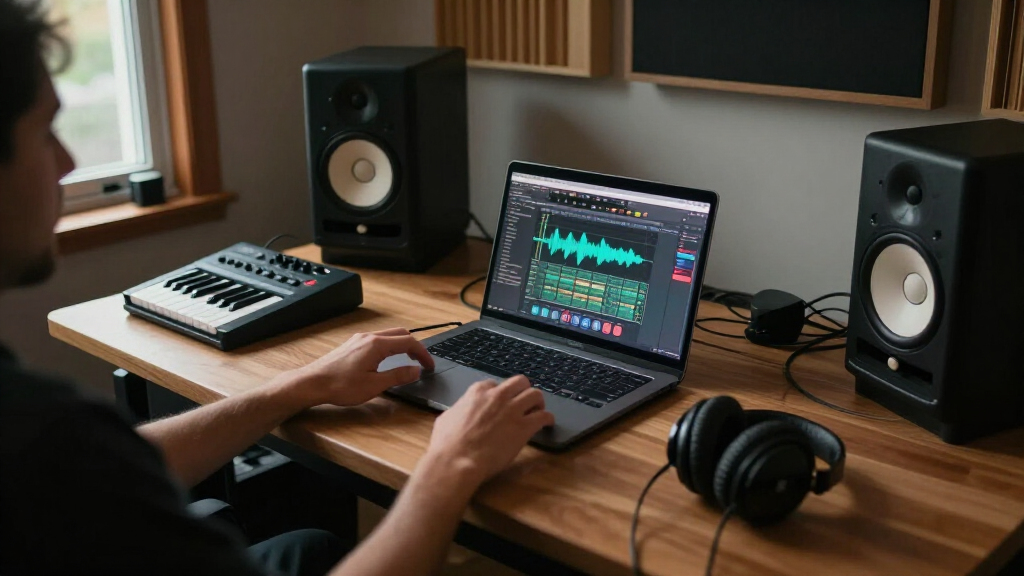
How We Picked
I ranked these laptops by how well their chip, memory, storage, display size, and overall configuration fit real music-production workloads: recording, arranging, mixing, running virtual instruments, and keeping several applications open at once. I gave more weight to memory and sustained headroom for large sessions than to graphics power alone, since audio production usually benefits more from a capable CPU and enough RAM than from a large GPU. I also considered whether a model’s size and configuration make sense for a fixed studio, a portable setup, or a beginner’s first production computer.
The ranking favors current MacBook Pro configurations with a useful balance of performance and memory, then separates specialist high-capacity systems from more accessible everyday options. MacBook Air models and the MacBook Neo are included as alternatives, not as direct replacements for higher-spec Pros: they may suit lighter work, but their lower memory configurations narrow their margin for demanding sessions. Renewed Intel and M1 models are ranked with their generation and condition in mind, rather than treated as equivalent to new M5 configurations.
Factors to Consider When Choosing Macbook Pro For Music Production
Choosing a production laptop is less about buying the most powerful chip and more about matching the machine to the way you make music. I would start with your typical session size, sample-library use, and need to work away from a desk, then weigh memory and storage against portability and long-term flexibility.
Match Memory to Your Session, Not Your Aspirations
RAM affects how comfortably a computer can keep sample instruments, plugins, and other apps available during a session. A project built around audio tracks and a modest set of effects can be less demanding than an orchestral arrangement with large sample libraries. Think about your busiest sessions, not just the projects you make today, because memory on these configurations is not a casual upgrade after purchase. Avoid treating a large SSD as a substitute for RAM: storage holds files, while memory supports active work. If your sessions are growing or you rely heavily on virtual instruments, prioritize a higher-memory configuration before paying extra for graphics capacity.
Choose the Chip for Sustained Work, Not the Biggest Number
Music software can tax the CPU when many virtual instruments or real-time effects run together, while the GPU often plays a smaller role in an audio-only setup. A higher-tier chip can give demanding projects more headroom, but it cannot fix a workflow built around too many live plugins or an overloaded session. Producers who mostly record and edit audio may not benefit from the same tier as someone running dense software-instrument arrangements. Compare the chip alongside memory and your DAW’s workload rather than treating processor branding as a complete performance forecast. If your projects are moderate, a well-configured standard M5 may be a more sensible fit than an M5 Max.
Treat Storage as Part of Your Studio Plan
Sample libraries, multitrack recordings, project versions, and backups can fill a drive faster than a new producer expects. Estimate how much content you want available when working offline, then decide whether internal capacity or a separate external drive better fits your setup. An external drive can add capacity, but it also adds another item to manage and may be less convenient when traveling. Keep room for active projects and applications rather than planning to use every gigabyte for archive storage. A larger internal SSD brings convenience; it does not make a lower-memory configuration a better choice for an intensive session.
Balance Screen Size Against Your Actual Workspace
A larger display gives a DAW timeline, mixer, and plugin windows more room, which can reduce window juggling during long sessions. That advantage matters most when the laptop is your primary studio screen and you do not plan to connect an external monitor. A 14-inch model is easier to carry and can fit a mobile recording setup, but some users will prefer a separate display for detailed editing. Consider where you record and whether you often work on trains, in rehearsal spaces, or at a fixed desk. Do not choose a larger laptop solely for its screen if portability is part of your daily workflow.
Check Your Audio Interface and Connection Needs
Before choosing a laptop, list the audio interface, MIDI devices, drives, controllers, and displays you expect to connect at once. Port availability affects how many adapters or hubs your studio needs, and a hub adds both cost and another point of failure. Also check compatibility with your DAW, plugins, interface drivers, and any older hardware; a capable computer cannot make unsupported software or equipment work. If you record on location, a simpler setup can matter as much as raw performance. Plan the whole signal chain, not just the computer purchase.
Decide Whether a Renewed or Air Model Fits Your Risk Tolerance
Renewed M1 Pro and M1 Max systems may offer substantial capability for established workflows, but buyers should check the seller’s condition terms, battery expectations, warranty, and return policy. Older Intel models call for extra caution because software support and battery condition may be less attractive for a machine intended to serve for years. The Air models are sensible candidates for portable, lighter production, though the listed 16GB memory leaves less room than higher-memory Pros for growth. The 8GB Neo is best treated as an entry-level or secondary computer rather than a long-term hub for large projects. Paying for a newer Pro makes the most sense when sustained workload, memory headroom, and studio connectivity justify the step up.
Frequently Asked Questions
Is 16GB of memory enough for music production?
It can be enough for recording, editing, and mixing projects that use a moderate number of tracks and plugins. The limit is more likely to show up when you keep large sample libraries loaded, run many virtual instruments, or work across several applications at once. In this lineup, the 16GB Air configurations make more sense for lighter or mobile work than for projects that are already pushing your current computer. If you expect your sessions to grow, the 24GB or higher configurations leave more room to work without changing habits. Choose based on your busiest typical session rather than the simplest project you make.
Should I choose an M5 Pro or an M5 Max for a DAW?
For many audio workflows, an M5 Pro configuration is the more balanced starting point because CPU capability and memory capacity matter more than a large GPU for most DAW tasks. The M5 Max with 128GB is better suited to unusually heavy work, such as very large sample-based projects or a setup with several demanding creative applications open together. A higher chip tier does not automatically improve every plugin or remove workflow bottlenecks. Check whether your current projects are limited by processing, memory, storage, or something outside the computer. If you cannot identify a specific workload that needs the Max configuration, the Pro options are likely easier to justify.
Is a renewed M1 Pro or M1 Max MacBook Pro still a sensible studio computer?
It can be a sensible choice if your DAW and plugins support the system and the machine’s condition, battery, and warranty meet your needs. The renewed 16-inch M1 Pro and M1 Max configurations both have 32GB of memory, which is a useful amount for many demanding sessions. Their age does matter: buyers seeking the longest runway for future software and hardware may prefer a current M5 model. The Intel 2019 option is harder to recommend as a long-term primary workstation because it is an older generation with 16GB of memory. Compare the complete condition and support terms, not just the chip name.
Can I use a MacBook Air instead of a MacBook Pro for music production?
Yes, an Air can suit a portable setup built around recording, editing, and moderate plugin use. The 13-inch model prioritizes compactness, while the 15-inch version gives you more screen space without moving to a Pro chassis. Both listed Air configurations have 16GB of memory, so they offer less headroom than the higher-memory Pro picks for large sample libraries or dense sessions. If you work for long stretches with demanding projects, a Pro configuration is the safer fit. Choose the Air when portability and a lighter workload matter more than maximum session capacity.
Which configuration makes the most sense for a beginner planning to grow?
A beginner should avoid paying for capacity that current projects will not use, but should also avoid a configuration that could feel restrictive as skills and sessions expand. In this group, the 14-inch M5 with 24GB memory is a more adaptable starting point than the 8GB Neo or a 16GB Air if you expect to add virtual instruments and plugins. The 14-inch M5 with 32GB and 1TB storage provides a larger buffer for active projects, while the M5 Pro options suit a more demanding long-term workload. Make room in your budget for an audio interface, headphones, and storage rather than spending everything on the highest-tier chip. Confirm that your preferred DAW and plugins run on the computer before buying.
Conclusion
For most producers seeking one primary studio laptop, my best overall pick is the 16-inch M5 Pro with 64GB memory: it combines ample session headroom with a large workspace. The best value for demanding work is the 14-inch M5 Pro with 48GB, which brings substantial memory capacity in a more portable size. For a premium specialist, the M5 Max with 128GB suits unusually large projects, though many producers will not need that much capacity. Beginners who want room to grow should look at the 14-inch M5 with 24GB or 32GB rather than the 8GB Neo. For specific needs, choose the 15-inch Air for a larger portable screen and lighter sessions, the 13-inch Air for compactness, or a renewed M1 Pro/M1 Max only after checking condition and support terms.
Halloween Picks
halloween
As an affiliate, we earn on qualifying purchases.