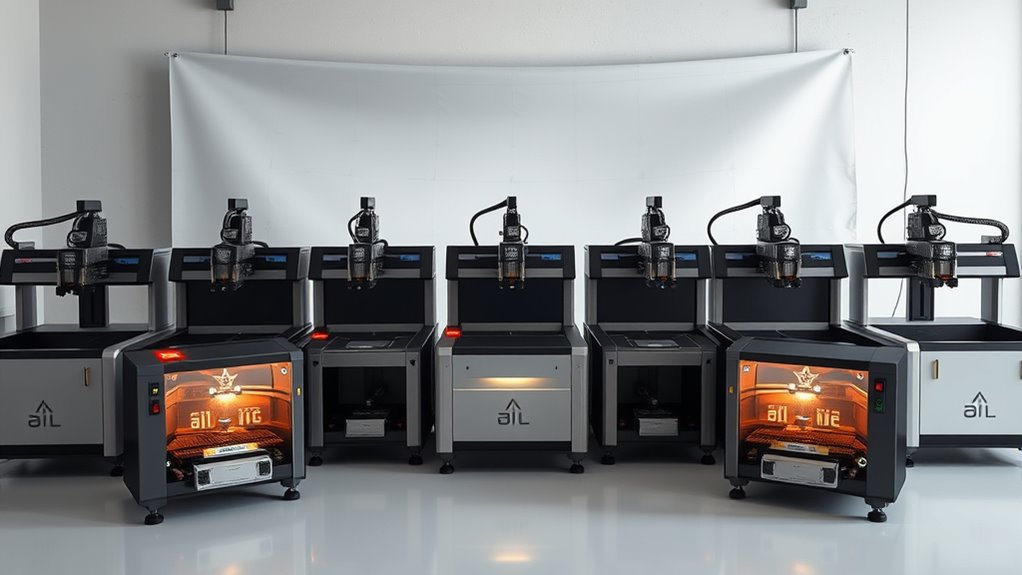
Laser engravers have become essential tools for artists, hobbyists, and small businesses alike, offering precise customization on a variety of materials. The best models balance power, usability, and safety, but choosing the right one depends heavily on your specific needs. The xTool P2S 55W CO2 Laser Cutter stands out as the best overall thanks to its versatility and power, while the Creality Falcon A1 10W offers a highly enclosed, safety-focused design ideal for beginners. Meanwhile, the Alienscell X1 40W provides impressive speed for experienced users. As you compare these options, face tradeoffs between power, cost, and complexity. Continue reading for a detailed breakdown of what each model offers and who it’s best suited for.

Get business pricing on tech for your team
- Business-only prices and quantity discounts
- Tax-exempt purchasing
- Multiple users, one account, clear invoices
Key Takeaways
- Power output varies significantly, affecting engraving speed and material compatibility.
- Enclosure and safety features are critical for beginners and home users.
- Camera and auto-focus capabilities streamline workflow but add cost.
- Price points range from affordable entry-level models to high-end professional machines.
- Additional features like rotary attachments and air assist improve versatility but often increase complexity and price.


More Details on Our Top Picks
xTool P2S 55W CO2 Laser Cutter, Smart Desktop Engraver and Cutter
The xTool P2S 55W stands out for its combination of high laser power, expansive work area, and advanced safety features, making it ideal for both professional and serious hobbyist projects. Compared to the TOOCAA 40W, it offers faster engraving speeds and a larger, more adaptable workspace, though this comes with a higher price tag and noise levels from its dual exhaust fans. The integrated AI fire detection and automatic lock enhance safety, which is essential for high-power CO2 lasers. Its ability to cut and engrave a variety of materials, including metals, makes it a flexible choice, but the Class 4 laser demands strict adherence to safety protocols. This model is better suited for users who need large-scale, high-precision work and are prepared for the safety considerations that come with a powerful laser cutter.
Pros:- Powerful 55W laser for precise cutting and engraving
- Large, expandable work area supports big projects
- High-resolution real-time previews with dual cameras
- Advanced safety features ensure secure operation
Cons:- Class 4 laser requires strict safety precautions
- Potentially high noise level from exhaust fans
- High price point may deter casual hobbyists
Best for: Professional workshops or advanced hobbyists seeking high power and large capacity
Not ideal for: Casual users or small home setups where space and safety enforcement are limited
- Laser Power:55W
- Working Area:26″ x 14″
- Max Material Length:118″
- Max Material Height:8.4″
- Engraving Speed:600mm/s
- Safety Features:AI fire detection, automatic lock, emergency stop
Our verdict“This laser is perfect for experienced users needing large-scale, high-power engraving with top safety features.”
xTool M2 10W Laser Engraver with Dual Cameras and Enclosed Design
The xTool M2 10W is tailored for users prioritizing safety and ease of use, with its fully enclosed design and dual cameras providing a precise workspace preview. Unlike the TOOCAA 40W, which offers higher power and thicker material cutting, the M2 emphasizes safety and user-friendliness, making it ideal for beginners or small craft businesses. Its support for a wide array of materials like wood, leather, and fabric, combined with customizable templates, makes it a flexible choice. However, its lower laser wattage limits cutting thicker metals or dense woods, and some features like full-color printing require additional purchases. This engraver makes the most sense for hobbyists or small-scale artisans who need a safe, reliable machine for detailed work on multiple materials.
Pros:- Dual cameras enable accurate material placement
- Fully enclosed safety design ideal for home use
- Supports diverse materials including fabric and leather
- Beginner-friendly with customizable templates
Cons:- Limited to 10W laser power, restricting thicker cuts
- Additional purchases needed for full-color and metal engraving
- CMYK inkjet module sold separately
Best for: Beginners or small business owners focusing on crafts and detailed engraving
Not ideal for: Users needing to cut or engrave thick metals or large, industrial projects
- Laser Power:10W
- Camera:Dual cameras with real-time preview
- Safety Class:Class 1
- Material Compatibility:Wood, leather, felt, fabric, paper
- Enclosure:Fully enclosed
Our verdict“This pick is best suited for safety-conscious beginners or small craft operators focusing on detailed, multi-material engraving.”
TOOCAA 40W Laser Engraving and Cutting Machine with Rotary Roller Set, Fume Extractor, HD Camera, Air Assist, Honeycomb Panel
The TOOCAA 40W offers a robust combination of safety, power, and flexibility, making it suitable for serious hobbyists and small business users who work with thicker materials. Its fully enclosed design and aerospace-grade aluminum frame provide durability and safety, but the extensive accessory options—such as rotary rollers and fume extractors—may increase overall costs. Compared with the xTool P2S, it’s less powerful but more affordable and easier to set up for smaller spaces. The high-speed engraving and ability to cut up to 18mm pinewood demonstrate its capacity for professional applications, though the learning curve for advanced software like LightBurn can be steep. This model appeals to users needing a high-performance machine with safety and versatility, but not necessarily the largest workspace or highest laser wattage.
Pros:- High safety standards with fully enclosed design
- Powerful 40W laser for thick material cutting
- Supports multiple software platforms and accessories
- Durable aerospace-grade aluminum frame
Cons:- Accessories sold separately, raising initial costs
- Large footprint requires ample workspace
- Steep learning curve for advanced software
Best for: Small workshops needing a safe, versatile machine capable of cutting thick materials
Not ideal for: Hobbyists seeking a compact, lightweight engraver or users with minimal space
- Laser Power:40W
- Engraving Area:16.34″ x 15.55″
- Cutting Thickness:18mm pinewood
- Speed:40,000mm/min
- Safety Certification:Class 1
- Additional Features:Fume extractor, HD camera, air assist
Our verdict“Ideal for users who want a professional-grade engraver capable of handling thick materials with safety and flexibility.”
xTool S1 40W Laser Cutter and Engraver with Rotary Bundle
The xTool S1 40W excels with its spacious bed, capable of handling large projects, and advanced safety features like flame sensors and an enclosed design. Unlike the TOOCAA 40W, which focuses more on versatility and safety, the S1 emphasizes large-scale work and precision on curved surfaces, aided by its rotary bundle. Its user-friendly software with AI design capabilities makes it accessible for both beginners and professionals. The size—over 118 inches in length—means it’s not suited for small spaces, and its complexity might challenge absolute novices. Still, the combination of high power and a large bed makes it a compelling choice for those tackling big projects or custom curved engravings regularly.
Pros:- Large bed size supports big projects
- High laser power for thick materials and fast cuts
- Safety features including flame sensors and enclosure
- Advanced software with AI design tools
Cons:- Size requires significant workspace
- Potentially complex for complete beginners
- Price may be high for casual users
Best for: Small businesses or serious hobbyists working on large or curved items
Not ideal for: Casual hobbyists or users with limited space who need a compact machine
- Laser Power:40W
- Bed Size:23.93″ x 15.16″
- Speed:600mm/s
- Material Compatibility:Wood, metal, acrylic, curved surfaces
- Safety Features:Enclosed, flame sensors
- Machine Length:118 inches (3000mm)
Our verdict“This engraver suits users who need large-format capabilities and precise curved surface engraving, with a readiness for its size and complexity.”
TOOCAA NOVA 20W Smart Laser Engraver with AI Camera and Rotary Kit
The TOOCAA NOVA 20W offers a streamlined, intelligent solution for newcomers and small businesses, featuring a 5MP AI camera for precise positioning and automatic material recognition. Compared with the xTool M2, it provides a more automated setup process, especially for cylindrical objects like tumblers, thanks to its rotary kit. While its 20W laser limits thicker material cuts, it excels at detailed engraving on a wide range of materials such as wood, acrylic, and jewelry. Its safety features, including flame detection and lid-open stop, make it suitable for indoor use. However, initial setup may require some learning, and the price might be a barrier for casual hobbyists. This engraver is best for users who want ease of use and automatic recognition for a variety of projects, especially on cylindrical objects.
Pros:- 5MP AI camera enables accurate placement and auto material recognition
- Supports a wide range of materials including jewelry and glass
- Rotary kit allows engraving on cylindrical objects
- Safety features suitable for home environments
Cons:- Limited to 20W laser power, restricting thicker cuts
- Requires initial setup and learning curve
- Price may be high for casual hobbyists
Best for: Beginners or small artisans working on personalized gifts and cylindrical items
Not ideal for: Users needing to cut or engrave very thick or dense materials or large flat surfaces
- Laser Power:20W
- Camera:5MP AI Camera
- Materials Supported:Tumbler, wood, acrylic, leather, glass
- Auto Focus:3 seconds
- Safety Features:Flame detection, emergency stop
- Rotary Kit:Yes, 360°
Our verdict“This model suits beginners and small-scale artisans focused on precise, automated engraving on cylindrical and detailed projects.”
Twotrees TTS-55 Pro Laser Engraver 5500mW
The Twotrees TTS-55 Pro stands out for its impressive 5500mW laser, enabling deep, precise cuts on materials like stainless steel and thick plywood, which sets it apart from lower-power options like the ACMER S1. Its wireless connectivity and user-friendly software support make it accessible for small businesses and hobbyists aiming for professional results. However, the high power demands careful safety precautions and may be overwhelming for beginners unfamiliar with laser safety. Compared to the lightweight, portable ACMER, this model is more suited to those with a dedicated workspace focused on larger or more demanding projects. Its main tradeoff involves complexity and the necessity for safety awareness, limiting quick setup for casual users.
Pros:- High-power laser for deep and precise cuts
- Supports multiple materials including metals
- Wireless control via Wi-Fi and mobile app
- Easy installation with comprehensive guides
Cons:- Requires strict safety precautions due to powerful laser
- Complex setup may challenge complete beginners
- Limited to small-scale projects
Best for: Hobbyists or small business owners needing deep, precise cuts on metals and thick materials
Not ideal for: Beginners seeking an easy-to-use, plug-and-play machine or those working on small, delicate projects
- Laser Power:5500mW (5.5W)
- Working Area:300x300mm
- Material Compatibility:Wood, leather, acrylic, paper, stainless steel, and more
- Cutting Thickness:5mm plywood, 3mm acrylic, 0.7mm leather
- Focus Spot:0.08*0.46mm
- Engraving Accuracy:up to 0.1mm
Our verdict“This laser engraver is best suited for experienced users needing powerful, versatile cutting capabilities on tough materials.”
TOOCAA 20W Laser Engraver and Cutter Machine with 5 in 1 Rotary Roller Set, Smart Camera,Air Assist,Honeycomb Panel,22″ x 22″ Bed Size,Enclosed Laser Engraving Machine for Tumbler Wood Metal
The TOOCAA L2 delivers a comprehensive package with a 20W laser, enclosures, and smart features like a 360° fully-enclosed lid and intelligent safety systems, making it ideal for users who prioritize safety without sacrificing performance. Its enclosed design and automatic features compare favorably to open-frame models like the ACMER S1, providing peace of mind and cleaner work environments. Still, the machine’s size and enclosure limit working on very large projects or reflective metals without additional precautions. Its extensive safety features, including child lock and flame detection, make it especially suitable for makers working around children or in shared spaces, though the complexity of its features may be daunting for casual hobbyists.
Pros:- Fully enclosed design enhances safety and reduces fumes
- Supports a wide range of materials and thicknesses
- Automatic safety features like child lock and flame detection
- Includes versatile rotary accessories for cylindrical objects
Cons:- Size and enclosure limit working on large or reflective projects
- Somewhat complex setup due to safety features
- Higher price point for the extensive safety and automation
Best for: Small business owners or educators seeking a safe, enclosed laser engraver for diverse materials
Not ideal for: Users needing ultra-large work areas or working primarily with highly reflective metals without modifications
Our verdict“This model excels for users prioritizing safety and versatility within a fully enclosed, professional-grade system.”
Creality Falcon A1 10W Laser Engraver with 80W Power, Fully Enclosed, 600mm/s Speed, HD Camera Auto Positioning, Pre-Assembled for Wood & Metal
The Creality Falcon A1 offers a powerful 80W laser with high-speed engraving up to 600mm/s, making it suitable for detailed work on wood and metal with impressive speed. Its fully enclosed design and auto-positioning camera simplify operation and enhance safety, especially compared to open-frame models like the ACMER S1. The pre-assembled nature accelerates setup, appealing to hobbyists and small shops eager to start immediately. However, the machine’s size and reflective material restrictions mean it’s less ideal for large or highly reflective projects. Its focus on speed and precision makes it a strong choice for those wanting quick turnaround times, though the high laser power requires diligent safety measures.
Pros:- High-precision engraving with fast speeds
- Fully enclosed for safety and reduced fumes
- Auto camera positioning for easy alignment
- Pre-assembled for quick setup
Cons:- Limited to certain material types and sizes
- Requires careful handling of reflective materials
- Higher power laser demands strict safety protocols
Best for: Hobbyists or small commercial users needing fast, precise engraving on wood and metal
Not ideal for: Beginners seeking a portable, lightweight device or those working with highly reflective or large projects
Our verdict“Ideal for users who want fast, precise results on wood and metal within a safe, enclosed system.”
BlazeX M3 10W Laser Engraver Machine, Ultra-Precision Desktop Laser Cutter and Engraver for Wood, Metal, Glass, Leather
The BlazeX M3 is a compact, versatile laser engraver with 10W power, designed for precise work on a variety of materials like jewelry, small wood pieces, and coated surfaces. Its high accuracy of 0.01mm makes it ideal for detailed craftsmanship, surpassing many larger machines in finesse. Compared to the Twotrees TTS-55 Pro, it offers a smaller footprint but at the expense of a more limited working area. Its included starter kit and compatibility with common software support hobbyists and small-scale producers. Nonetheless, its small size means it’s less suited for larger projects or industrial use, and setup can be slightly technical for complete newcomers.
Pros:- Ultra-high precision of 0.01mm
- Versatile for multiple small-scale projects
- Includes comprehensive starter kit
- Compatible with popular design software
Cons:- Limited working area restricts larger projects
- Requires some technical setup for optimal use
- Not suitable for heavy-duty or large-scale production
Best for: Artists, jewelers, and hobbyists needing ultra-precise engravings on small items
Not ideal for: Users requiring large working areas or heavy-duty cutting on thick materials
Our verdict“This machine is perfect for detailed artisans and small-scale creators demanding the highest precision.”
ACMER S1 Laser Engraver Machine, 2500mW Laser Cutter for Wood and Acrylic
The ACMER S1 offers a straightforward, portable solution with its 2500mW diode laser, making it accessible for beginners interested in simple engraving and cutting on wood, acrylic, and leather. Its compact size and lightweight design are advantageous for those needing mobility or limited workspace. Compared to more powerful or feature-rich models like the BlazeX M3, it sacrifices some detail and material versatility for ease of use and portability. Its smaller working area and lower power make it less suitable for larger or more intricate projects, and safety precautions are still necessary due to Class 4 laser classification. Still, for hobbyists starting out or on-the-go creators, it provides an easy entry point.
Pros:- Compact and lightweight for portability
- High-precision for small projects
- Simple setup suitable for beginners
- Supports multiple software platforms
Cons:- Limited working area restricts project size
- Lower power limits cutting thickness and depth
- Requires safety awareness with Class 4 laser
Best for: Hobbyists or students needing a portable, beginner-friendly laser for small projects
Not ideal for: Professionals requiring large-scale or high-precision work or working with reflective metals
Our verdict“This laser engraver is best for beginners seeking portability and ease of use for small-scale engraving tasks.”
TOOCAA 20W Laser Engraver and Cutter Machine with AI Camera, Auto Focus, Air Assist, and Rotary System
The TOOCAA 20W laser engraver stands out for its combination of high-precision AI camera positioning and a fully enclosed design, making it a top choice for both beginners and professionals. Unlike the 8W Laser Engraver with Touchscreen, which is more straightforward but limited in material compatibility and power, the TOOCAA offers detailed engravings on over 500 materials, including cylindrical objects thanks to its rotary system. While its safety features and auto-focus simplify complex projects, the lack of detailed connectivity options and the need for initial calibration could pose hurdles. This model balances safety, versatility, and user-friendliness, making it ideal for those who want an all-in-one solution for intricate work across diverse materials.
Pros:- High-precision AI camera for accurate positioning
- Enclosed design enhances safety during operation
- Versatile material compatibility on over 500 substrates
- Includes rotary system for cylindrical projects
Cons:- Limited details on connectivity options
- Requires calibration and setup, which might be complex for some users
Best for: Hobbyists and small business owners needing precise, multi-material engraving with safety features.
Not ideal for: Users seeking a low-cost, ultra-simple machine or those needing large-scale production without setup complexity.
- Power:20W
- Camera:5MP AI Camera
- Auto Focus:Yes
- Air Assist:Yes
- Material Compatibility:Tumblers, wood, acrylic, leather, glass, coated metal, jewelry, signs, personalized gifts
- Safety Features:Enclosed design, flame detection, emergency stop, lid-open stop, tilt protection, child lock
- Rotary System:Yes
- Templates Included:1,000+
Our verdict“This engraver suits users who prioritize safety, versatility, and detailed work on a variety of materials, including cylindrical objects.”
8W Laser Engraver Machine with 3.5″ Touchscreen, AI, AlgoOS, App, No PC
The 8W Laser Engraver with Touchscreen offers a straightforward entry point for newcomers thanks to its 3.5-inch touchscreen, smart presets, and quick assembly. Compared with the more powerful and feature-rich TOOCAA, this model is more limited in power, making it less suitable for heavy cutting or thick materials, but it excels at detailed engraving on wood, leather, and acrylic. Its large 400×400 mm workspace and app connectivity make it ideal for small projects and personalized gifts. However, the absence of a rotary roller means cylindrical objects are off-limits, and the laser’s lower power restricts the range of materials that can be processed. This pick makes the most sense for those starting out or working primarily on flat, thin materials.
Pros:- Intuitive touchscreen and app control simplify operation
- Pre-assembled for quick setup
- Large workspace suitable for multiple projects
- Good precision for detailed engraving
Cons:- Limited laser power restricts thicker materials and heavy cutting
- No rotary roller for cylindrical items
Best for: Beginners and hobbyists who want an easy-to-use, affordable engraver for detailed work on thin materials.
Not ideal for: Users needing to cut thick materials or engrave cylindrical objects without additional accessories.
- Laser Power:8W
- Touchscreen:3.5 inches
- Workspace Size:400×400 mm
- Max Speed:15000 mm/min
- Assembly:95% pre-assembled
- Compatibility:Wood, leather, acrylic, metal, glass, plastics
Our verdict“Ideal for newcomers focused on detailed flat engravings, but not suited for heavy-duty or cylindrical projects.”
Creality Falcon2 Pro 22W Laser Engraver, Enclosed Laser Cutter with Air Assist, HD Camera Positioning, Auto Fan, Class 1 Safety
The Creality Falcon2 Pro 22W combines safety with precision, featuring HD camera positioning and an enclosed design, making it suitable for small-scale commercial work or dedicated hobby studios. Its 3D virtual design capabilities and real-time preview distinguish it from more basic models like the 8W Laser Engraver, offering greater control over complex projects. While the relatively modest engraving area of 400*450mm limits large projects, its safety certification and integrated air assist make it a dependable choice for those working with a variety of materials. However, users needing larger working areas or more advanced automation may find it somewhat restrictive. This engraver fits well for those seeking a balance of safety, precision, and small-batch production.
Pros:- FDA Class 1 safety certification ensures safe operation
- HD camera positioning for precise project setup
- Versatile material support with air assist
- User-friendly with integrated safety features
Cons:- Limited engraving area size for large projects
- Requires some technical familiarity to maximize features
Best for: Small studios or hobbyists who prioritize safety and detailed, precise engraving on multiple materials.
Not ideal for: Large-scale production or users needing extensive working area without upgrading to larger models.
- Power:22W
- Engraving Area:400*450mm
- Safety Certification:FDA Class 1
- Features:HD Camera Positioning, Auto Fan, Air Assist
- Design:Drawer
- Material Compatibility:Wood, metal, acrylic
Our verdict“This machine caters to small-scale, safety-conscious creators needing precise, versatile engravings on a variety of materials.”
Aliencell X1 40W Laser Engraver & Cutter,20000mm/s² Accel, NO PC Needed
The Aliencell X1 40W Laser Engraver offers a massive 26×21-inch bed and high-speed operation, making it an excellent choice for small businesses and hobbyists tackling large projects. Its dual 8MP cameras and automatic distortion correction provide millimeter-accurate positioning, surpassing the precision of smaller, simpler models like the 8W Laser Engraver. The onboard Linux-based touchscreen allows offline operation, a significant advantage over models requiring PC connection. While its size and advanced features suggest it’s suited for serious work, the complexity of setup and higher price point could deter casual users. This machine primarily benefits those needing high speed, large-area engraving, and standalone operation, often at the expense of a steep learning curve.
Pros:- Large engraving surface for big projects
- Fast operation with 20,000 mm/s² acceleration
- Auto focus with AI-powered vision for precise placement
- Offline control via integrated touchscreen
Cons:- Higher cost and complexity compared to basic models
- Size may be impractical for small workspaces
Best for: Small businesses, batch producers, or hobbyists working on large-scale, high-precision projects.
Not ideal for: Users with limited space or those seeking a simple, entry-level engraver for occasional small tasks.
Our verdict“Perfect for those needing speed, large engraving areas, and autonomous operation, though it involves a higher investment and setup effort.”

How We Picked
The products in this roundup were selected based on multiple factors that matter to potential buyers. Performance was judged by engraving speed, precision, and compatibility with different materials. Usability included setup ease, interface design, and safety features. Build quality and reliability were also key, along with value for the price paid. Finally, versatility and additional features like cameras, auto-focus, and rotary systems helped differentiate higher-end options from simpler models. Rankings reflect the best balance of these criteria, prioritizing models suitable for a broad range of users from hobbyists to professionals.Factors to Consider When Choosing Laser Engravers
Choosing the right laser engraver involves understanding several key factors that influence performance, safety, and usability. Beyond looking at specs, buyers should consider how the machine fits their specific projects and workspace. Carefully evaluating these factors helps avoid pitfalls like overpaying for features you won’t use or ending up with a machine that’s too limited for your needs.Power and Material Compatibility
Power determines how quickly and effectively a laser engraves or cuts different materials. Higher wattage lasers can handle thicker or tougher substances like metal or hardwood, but they also tend to cost more and generate more heat. Assess your primary materials first—if you mainly work with paper or thin wood, a lower-wattage model might suffice. Keep in mind that higher power often means larger, more expensive systems, so match the wattage to your project scope.
Safety Features and Enclosure
Safety should be a top priority, especially for hobbyists or those working in shared spaces. Enclosed designs reduce exposure to fumes and laser radiation, and models with safety interlocks prevent accidental startup. Look for features like automatic shutoff, fume extraction, and certified safety standards. These not only protect you but also simplify compliance with local regulations, especially if you plan to use the device regularly or commercially.
Ease of Use and Workflow
Intuitive interfaces, auto-focus, and integrated cameras can dramatically improve your workflow. For beginners, a straightforward setup and user-friendly software matter more than advanced features. Conversely, experienced users might prioritize camera positioning for precision or auto-focus for faster operation. Consider whether you need features like rotary attachments for cylindrical objects or air assist for cleaner cuts, as these can add complexity but expand your creative options.
Price and Total Cost of Ownership
The initial price is only part of the total cost. Higher-end models may require more maintenance or consumables, such as specialized lenses or filters. Cheaper options might lack durability or safety features, leading to higher long-term expenses or risks. Balance your budget against your project needs—investing more upfront can save frustration later, especially if you need a reliable, versatile machine for professional work.
Additional Features and Accessories
Extras like rotary attachments, HD cameras, or auto-focus systems can considerably enhance versatility and precision. These features are especially valuable if you plan to engrave on cylindrical objects or need highly detailed work. However, they also tend to increase the machine’s complexity and cost. Think about which enhancements genuinely add value for your projects rather than being superficial upgrades that inflate the price without practical benefit.
Frequently Asked Questions
Can I engrave on metal with a laser engraver?
Most laser engravers designed for hobbyists and small businesses can engrave on coated or anodized metals, such as jewelry or tags, but not on bare metal surfaces without special coatings. CO2 lasers are better suited for non-metal materials like wood, acrylic, and leather. For engraving on uncoated metal, fiber or solid-state lasers are typically required, which tend to be more expensive and complex to operate.
What safety precautions should I take with a laser engraver?
Always operate your laser in a well-ventilated area, ideally with an enclosure that contains fumes and laser radiation. Wearing protective eyewear rated for the specific laser wavelength is crucial to prevent eye damage. Never leave the machine unattended during operation, and ensure all safety interlocks are functional. Regular maintenance and calibration also help prevent accidents and ensure consistent results.
How much space do I need for a laser engraver?
The space required depends on the size of the machine, but you should also account for ventilation, electrical outlets, and workspace for material handling. Compact desktop models can fit on a table, while larger systems may need dedicated benches or rooms. Always check the dimensions and clearance recommendations from the manufacturer to avoid cramped setups that could hinder operation or safety.
Is a higher wattage laser always better?
Higher wattage lasers can cut and engrave faster and thicker materials, but they also come with increased cost, size, and potential safety concerns. For most hobbyists or light commercial use, a mid-range wattage—around 20-40W—is often sufficient. Only opt for a more powerful laser if your projects regularly involve dense or thick materials or require high-speed production, and be prepared for the additional safety considerations.
Do I need software experience to operate a laser engraver?
Basic operation usually involves simple software that guides the engraving process, which many models support with user-friendly interfaces. However, more advanced projects benefit from familiarity with design software like Adobe Illustrator or CorelDRAW. If you’re new to design or CAD tools, look for models with intuitive interfaces or built-in templates. Invest time in learning the software to get the most out of your machine, especially for complex or detailed work.
Conclusion
For most users, the xTool P2S 55W CO2 Laser Cutter offers the best overall balance of power, safety, and versatility. Beginners or hobbyists on a budget will appreciate the Creality Falcon A1 10W for its safety features and ease of use. Professionals needing high speed and precision should consider the Aliencell X1 40W or Twotrees TTS-55 Pro for their robust capabilities. Budget-conscious buyers should focus on models with essential features without overpaying for extras they won’t use. Ultimately, your choice depends on your project scope, safety priorities, and experience level.
As an affiliate, we earn on qualifying purchases.Halloween Picks

Vexalify 11-Inch Halloween Pumpkin Fog Machine with 12-Color Lights

HOPOCO Halloween Pumpkin Fog Machine with 12 LED Colors and 4 Light Modes

Kalolary 12ft Halloween Witch Haunted House Inflatable Archway