
TL;DR
Signal says its mobile app now blocks screenshots and recordings by default on iPhones running iOS 27, and enables Android screen security when it detects an AI assistant trying to read the app. The protections have limits: they do not cover every device or data path, and users can turn them off.
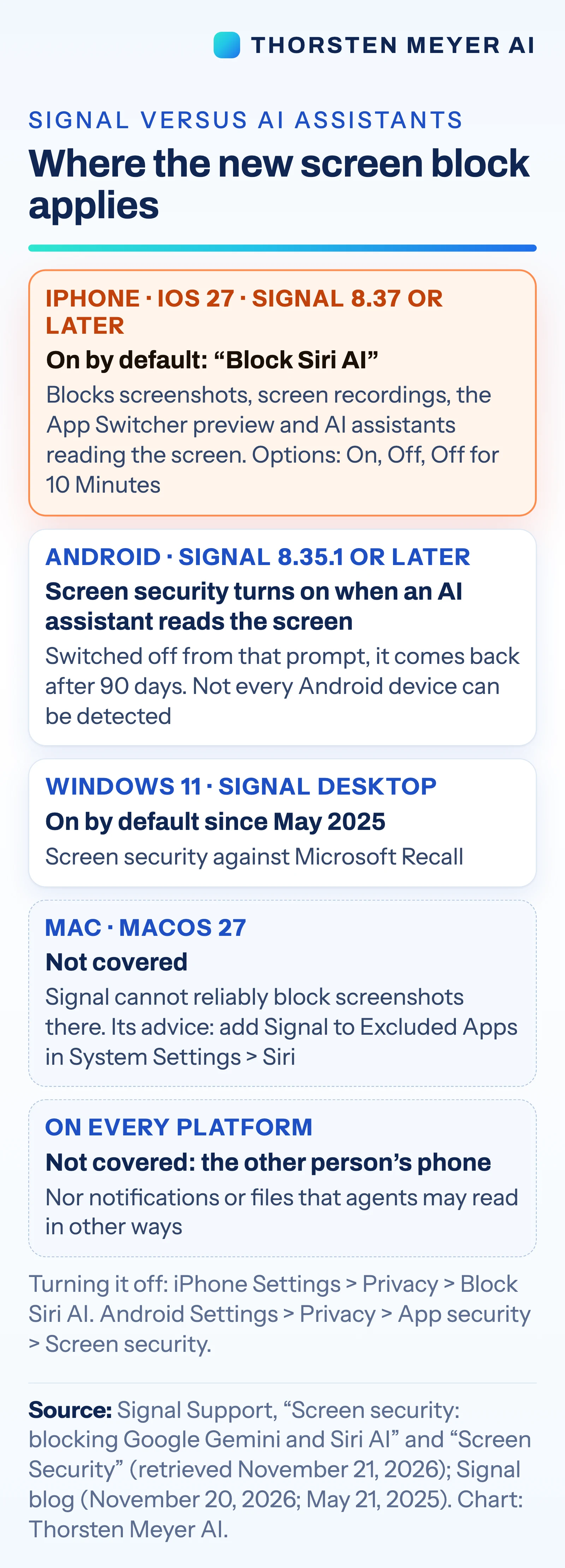
On iPhone, Signal 8.37 or later adds a “Block Siri AI” setting, enabled by default on iOS 27 or later. Signal’s support page says it blocks screenshots and screen recordings in the app, hides chats in the App Switcher and prevents on-device AI assistants from reading Signal’s screen. Users can change it under Settings → Privacy → Block Siri AI, including choosing to turn it off for 10 minutes.

Get business pricing on tech for your team
- Business-only prices and quantity discounts
- Tax-exempt purchasing
- Multiple users, one account, clear invoices
On Android, Signal 8.35.1 or later uses Screen security, which the company says turns on the first time it detects an AI assistant trying to read the screen. It can be managed under Settings → Privacy → App security → Screen security. Signal warns that disabling the feature could expose chats and messages from contacts to assistants that can access the display.
The protections have stated limits. Signal says it cannot reliably block screenshots on Mac computers; notifications and files are not covered, nor is the other participant’s phone. Android devices where Signal cannot detect an assistant may also fall outside the protection. These measures restrict particular capture routes on a user’s device; they do not change how end-to-end encryption works between phones.
The Screen Becomes a Privacy Boundary
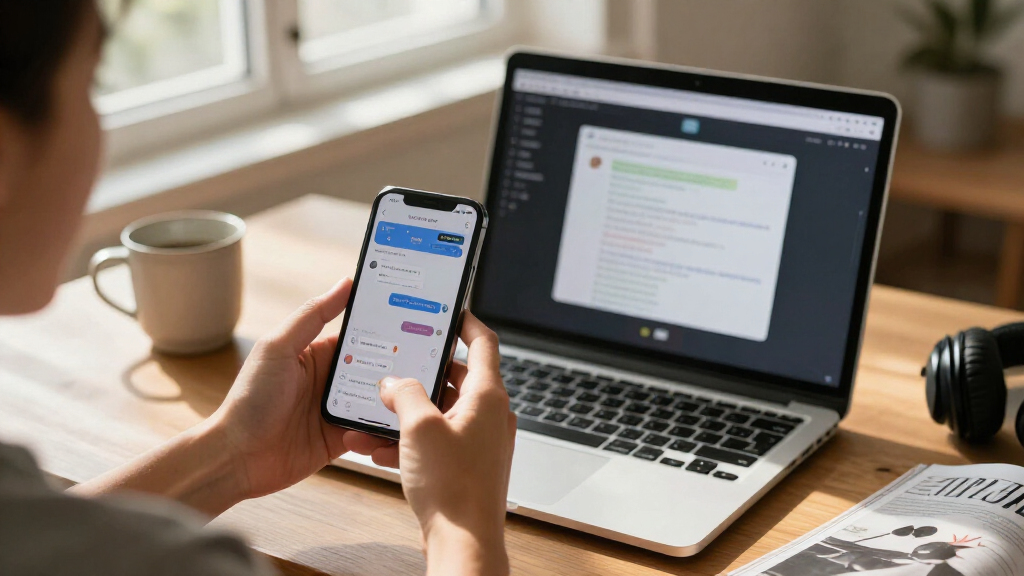
End-to-end encryption protects messages as they travel between devices, but a phone must decrypt a message to display it. An assistant with permission to inspect screen contents may be able to read what is visible after that point. Signal says captured content can then leave the controls it provides and reach a local database or remote server used by the assistant.
That creates a practical tension for people who use assistants to summarize or act on what is on screen, and for organizations deploying agents on employee devices. A screen-reading agent may encounter private conversations even when it is not directly connected to the messaging service. Signal’s change signals that apps may increasingly restrict access by default, while users and organizations weigh those protections against the convenience and accessibility of assistants.
Signal is also pressing Apple, Google and Microsoft to provide a documented opt-out for apps that do not want AI systems accessing their data. The company’s current approach depends on platform and device behavior, and its own account acknowledges that the fix is incomplete.
Products Worth Considering

Samsung Odyssey G55C 32-Inch QHD Curved Gaming Monitor

Bose Lifestyle Ultra Speaker

LG UltraGear 34-Inch Curved QHD Gaming Monitor, 160Hz, FreeSync Premium
As an affiliate, we earn on qualifying purchases.
From Recall to Mobile Assistants
The new mobile controls follow Signal’s earlier response to Microsoft Recall. On May 21, 2025, Signal enabled its Screen security setting by default in Signal Desktop on Windows 11 to guard against Recall capturing chats. Signal’s account describes Recall as periodically taking screen images, extracting text with optical character recognition and storing it in a searchable on-device database.
Signal now names Apple’s Siri AI and Google’s Gemini as the newer mobile concern. Apple announced Siri AI on September 14, 2026, describing screen awareness that can answer questions or take actions related to displayed content. Google announced Gemini Intelligence on May 12, 2026, according to the cited source material. Signal’s November 20 post framed the assistants’ ability to read screens as a threat to its privacy mission.
The dispute is part of a broader pushback against software agents acting through apps and interfaces. The source material says United Airlines announced restrictions on third-party AI agents booking flights nine days before Signal’s post. Reuters also reported that Meta’s Muse agent read Signal messages using permissions granted during setup. That report illustrates how screen or device permissions can expose content independently of a messaging service’s encryption.
Limits Depend on Device and Access
Signal’s announcement does not establish that every assistant, Android device or version will be detected, and the source material does not provide independent testing of the protections’ coverage. It is also unclear how the settings will behave as mobile operating systems and assistant capabilities change.
The controls do not address all routes by which information can be seen or stored: Signal identifies notifications, files and the recipient’s device as outside their coverage. On macOS, the company says it cannot reliably block screenshots. The announcement also does not quantify how often assistants capture Signal screens or how much data has been stored through such access.
Platform Opt-Outs Remain the Ask
Signal says it is asking Apple, Google and Microsoft for a simple, documented way for apps to opt out of AI data access. The source material does not give a response or timetable from those companies. For now, users can review the relevant privacy setting on supported iPhones and Android devices and decide whether to keep it enabled.
Further developments will depend on whether platform makers offer app-level controls and how Signal adapts its protections to new assistants and devices. Until then, the announced settings provide a limited barrier on supported mobile devices, with clear gaps that users and organizations will need to account for.
Key Questions
What did Signal change?
Signal added mobile settings intended to block some AI assistants from reading or capturing the app’s screen. The iPhone setting is on by default on iOS 27 or later; Android Screen security activates when Signal detects an assistant trying to read its screen.
How do I manage the setting on an iPhone?
In Signal 8.37 or later on iOS 27 or later, go to Settings → Privacy → Block Siri AI. Signal lists On, Off and “Off for 10 Minutes” as options.
Does the protection cover every copy of a message?
No. Signal says the measures do not cover notifications or files, cannot reliably block screenshots on Mac, and do not protect what appears on the other participant’s phone. Some Android devices where the assistant cannot be detected may also be outside the protection.
Why can an AI assistant see an encrypted message?
Encryption protects a message in transit. To display it, the phone decrypts it on the device; an assistant with access to screen contents may be able to read what is shown there.
Have Apple and Google responded to Signal’s request?
The source material does not report responses. Signal says it is asking Apple, Google and Microsoft for a documented way for apps to opt out of AI data access.
Source: Thorsten Meyer AI