Finding the right midrange GPU for VR in 2026 involves balancing performance, cost, and future-proofing. The MSI Gaming Radeon RX 6600 XT MECH 2X 8G OC stands out as the overall best choice for its solid performance and affordability. The ASUS Dual NVIDIA GeForce RTX 5060 8GB GDDR7 OC Edition offers a good mix of power and features, making it ideal for more demanding VR experiences. Buyers often face tradeoffs between raw performance and price, with some options offering more features but at a higher cost. Keep reading for a detailed breakdown of each option to help you make an informed decision.

Get business pricing on tech for your team
- Business-only prices and quantity discounts
- Tax-exempt purchasing
- Multiple users, one account, clear invoices
Key Takeaways
- The highest-performing options tend to come with a price premium, but offer smoother VR experiences at higher settings.
- Memory size (8GB vs 16GB) is less important for VR than overall GPU architecture and bandwidth.
- Rebranded or refreshed models, like the RTX 5060 series, often provide better value but may lag slightly behind top-tier options in raw power.
- Compact designs and cooling solutions vary greatly; choose based on your case size and airflow needs.
- Price-to-performance ratio is the key metric, with some older models still offering surprising value for VR use.
| MSI Gaming Radeon RX 6600 XT MECH 2X 8G OC Graphics Card |  | Best Overall for VR on a Midrange Budget | Model: Radeon RX 6600 XT MECH 2X 8G OC | Memory: 8GB GDDR6 | Interface: PCIe | VIEW ON AMAZON | See Our Full Breakdown |
| ASUS Dual NVIDIA GeForce RTX 5060 8GB GDDR7 OC Edition |  | Best for High AI Performance and Future-Proofing | Memory: 8GB GDDR7 | Architecture: NVIDIA Blackwell | Boost Clock: 2565 MHz (OC mode) | VIEW ON AMAZON | See Our Full Breakdown |
| ASUS Dual GeForce RTX 3050 6GB GDDR6 OC Edition Gaming Graphics Card | 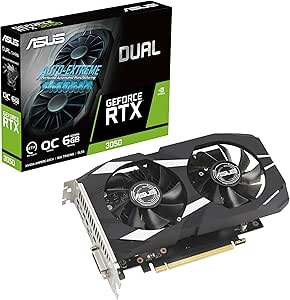 | Best for Compact Builds and Entry-Level VR | GPU: GeForce RTX 3050 | Memory: 6GB GDDR6 | Boost Clock: 1500 MHz (OC Mode) | VIEW ON AMAZON | See Our Full Breakdown |
| ASUS Dual GeForce RTX 5060 Ti 16GB GDDR7 OC Edition |  | Best for High-End VR and Creative Work | Memory: 16GB GDDR7 | Architecture: NVIDIA Blackwell | Clock Speed: 2632 MHz (OC mode) | VIEW ON AMAZON | See Our Full Breakdown |
| GIGABYTE GeForce RTX 5060 WINDFORCE OC 8G Graphics Card |  | Best for Balanced Performance and Cooling | Memory: 8GB GDDR7 | Memory Interface: 128-bit | Architecture: NVIDIA Blackwell | VIEW ON AMAZON | See Our Full Breakdown |
| MSI GeForce GTX 1660 Ti 6GB GDDR6 Gaming Graphics Card (Renewed) |  | Best Budget VR Card with Solid Performance | Memory: 6GB GDDR6 | Interface: 192-bit HDMI/DP | Cooling: Dual Fan | VIEW ON AMAZON | See Our Full Breakdown |
| GIGABYTE Radeon RX 9070 XT Gaming OC 16G Graphics Card |  | Best High-End VR Capacity for Future-Proofing | Memory: 16GB GDDR6 | Interface: PCIe 5.0 | Cooling System: WINDFORCE | VIEW ON AMAZON | See Our Full Breakdown |
| MSI GeForce GTX 1660 VENTUS XS 6G OC Gaming Graphics Card |  | Best Compact and Efficient VR Card | Chipset: NVIDIA GeForce GTX 1660 | Boost Clock: 1830 MHz | Memory Interface: 192 bit | VIEW ON AMAZON | See Our Full Breakdown |
| midrange gpu for vr | Memory | Interface |
|---|---|---|
| MSI Gaming Radeon RX 6600 XT M | 8GB GDDR6 | PCIe |
| ASUS Dual NVIDIA GeForce RTX 5 | 8GB GDDR7 | PCIe 5.0 |
| ASUS Dual GeForce RTX 3050 6GB | 6GB GDDR6 | — |
| ASUS Dual GeForce RTX 5060 Ti | 16GB GDDR7 | — |
| GIGABYTE GeForce RTX 5060 WIND | 8GB GDDR7 | — |
| MSI GeForce GTX 1660 Ti 6GB GD | 6GB GDDR6 | 192-bit HDMI/DP |
| GIGABYTE Radeon RX 9070 XT Gam | 16GB GDDR6 | PCIe 5.0 |
| MSI GeForce GTX 1660 VENTUS XS | — | — |
More Details on Our Top Picks
MSI Gaming Radeon RX 6600 XT MECH 2X 8G OC Graphics Card
This Radeon RX 6600 XT stands out for delivering reliable VR performance with 8GB GDDR6 memory, making it a versatile choice for gamers who want to enjoy immersive experiences without overspending. Compared to the ASUS Dual RTX 3050, it offers more VR-specific features and a more compact size, though it lacks the advanced AI capabilities of higher-end cards like the ASUS Dual RTX 5060 Ti. Its overclocking potential boosts frame rates, but the fact that it’s a renewed product could mean limited warranty coverage, and its large dimensions require a spacious PC case for proper fit. For those seeking a balanced mix of VR readiness and affordability, this card hits the sweet spot.
Pros:- Overclocking capabilities improve gaming performance
- VR ready for immersive experiences
- Supports FreeSync technology for tearless gameplay
Cons:- Renewed product may have limited warranty
- Large size may require a spacious PC case
Best for: Budget-conscious gamers who prioritize VR performance and have a spacious case.
Not ideal for: Small form factor builds or users seeking the latest AI-enhanced graphics features, as it lacks DLSS 4 and PCIe 5.0 support.
- Model:Radeon RX 6600 XT MECH 2X 8G OC
- Memory:8GB GDDR6
- Interface:PCIe
- VR Ready:Yes
- FreeSync:Yes
- Dimensions:8.2L x 26.8W x 35.41H cm
Our verdict“This card is well-suited for budget VR enthusiasts with ample case space who want dependable performance.”
ASUS Dual NVIDIA GeForce RTX 5060 8GB GDDR7 OC Edition
The ASUS Dual RTX 5060 OC offers cutting-edge AI performance with up to 623 AI TOPS and PCIe 5.0 support, making it an ideal pick for users who want a card capable of both immersive VR and advanced content creation. When compared to the MSI RX 6600 XT, it provides superior AI capabilities and better future-proofing, though it consumes more power and may require a larger case to accommodate its 2.5-slot design. Its cooling system and three-year warranty add to its appeal, but the higher performance comes with increased costs and potential power supply demands. If AI-driven features and readiness for upcoming technologies matter, this is the best choice.
Pros:- High AI performance with up to 623 AI TOPS
- Supports DLSS 4 for enhanced graphics
- Advanced cooling with Axial-tech fan design
Cons:- Potentially high power consumption
- Large size may require a spacious case
Best for: Power users seeking high AI performance, VR, and future-proofing in a midrange setup.
Not ideal for: Budget builders or those with small cases, due to its size and power consumption needs.
- Memory:8GB GDDR7
- Architecture:NVIDIA Blackwell
- Boost Clock:2565 MHz (OC mode)
- Interface:PCIe 5.0
- Cooling:Axial-tech fan design
- Warranty:3 years
Our verdict“This GPU is designed for users who need top-tier AI and VR capabilities in a midrange package with room for future upgrades.”
ASUS Dual GeForce RTX 3050 6GB GDDR6 OC Edition Gaming Graphics Card
This RTX 3050 OC model offers solid ray-tracing and AI features with a compact 2-slot design, making it perfect for smaller cases or budget-conscious gamers entering VR. Compared to the ASUS RTX 5060, it provides less VR and AI performance, but its smaller size and dust resistance make it more practical for tighter setups. Its OC mode boosts clock speeds, though this may lead to increased noise and power consumption. While 6GB VRAM may limit high-end gaming or very demanding VR titles, it remains a dependable choice for those starting with VR or limited space.
Pros:- Compact 2-slot design for small PCs
- Enhanced ray-tracing and AI capabilities with Ampere architecture
- Durable stainless steel bracket and dust resistance
Cons:- Limited VRAM for demanding VR titles
- OC mode can increase power use and noise
Best for: Gamers with small cases looking for a reliable, entry-level VR card with good ray-tracing features.
Not ideal for: High-end VR users or those needing more VRAM for intensive titles, as 6GB may be restrictive.
- GPU:GeForce RTX 3050
- Memory:6GB GDDR6
- Boost Clock:1500 MHz (OC Mode)
- Fan Design:Axial-tech
- Design:2-slot
- Dust Resistance:IP5X
Our verdict“Best suited for compact builds and newcomers to VR who want a reliable, space-saving GPU.”
ASUS Dual GeForce RTX 5060 Ti 16GB GDDR7 OC Edition
The ASUS RTX 5060 Ti with 16GB GDDR7 handsomely balances gaming and creative tasks, offering ample VR performance with 767 AI TOPS and dual BIOS options for tuning. Compared to the RTX 3050, it provides significantly more VRAM and AI power, but its 2.5-slot design and high performance mean it’s less suited for smaller cases or budget builds. Its cooling system and long-lasting dual ball bearings enhance durability, though the larger size could be a limiting factor for some setups. This card makes sense for users who want a future-proof VR experience combined with demanding content creation.
Pros:- Ample 16GB GDDR7 memory for demanding VR and creative projects
- High AI TOPS performance for advanced AI applications
- Dual BIOS for optimized performance and noise levels
Cons:- Size may restrict installation in smaller cases
- Higher power consumption and potential cost
Best for: Enthusiasts looking for top-tier VR performance and high VRAM capacity in a midrange card.
Not ideal for: Budget-oriented users or those with limited space, due to size and cost considerations.
- Memory:16GB GDDR7
- Architecture:NVIDIA Blackwell
- Clock Speed:2632 MHz (OC mode)
- Design:2.5-slot
- Cooling:Axial-tech fan, 0dB technology
- BIOS:Dual BIOS
Our verdict“Ideal for high-end VR users and creators who need maximum VRAM and AI performance without stepping into the premium tier.”
GIGABYTE GeForce RTX 5060 WINDFORCE OC 8G Graphics Card
The GIGABYTE RTX 5060 WINDFORCE delivers strong VR performance with DLSS 4 support and PCIe 5.0, making it a solid midrange choice for gamers who value cooling efficiency. It’s comparable to the MSI RX 6600 XT in VR readiness but offers better data transfer speeds and DLSS 4 for improved visuals. Its WINDFORCE cooling system keeps temps in check, though it might lack some of the AI power found in the ASUS RTX 5060 Ti. Its 8GB VRAM is suitable for most VR titles, but system compatibility with PCIe 5.0 can be a limiting factor for older builds. It’s a balanced option for those wanting reliable performance without excessive size or cost.
Pros:- NVIDIA Blackwell architecture with DLSS 4
- Effective WINDFORCE cooling system
- Supports PCIe 5.0 for faster data transfer
Cons:- Limited details on additional features
- Requires PCIe 5.0 support, which may not be present in older systems
Best for: VR gamers seeking a well-rounded card with effective cooling and PCIe 5.0 support.
Not ideal for: Systems without PCIe 5.0 or users needing extensive AI features, as DLSS 4 and PCIe 5.0 are key advantages here.
- Memory:8GB GDDR7
- Memory Interface:128-bit
- Architecture:NVIDIA Blackwell
- DLSS:4
- PCIe:5.0
- Cooling System:WINDFORCE
Our verdict“This card offers a balanced mix of cooling, VR readiness, and future connectivity for midrange VR users with compatible systems.”
MSI GeForce GTX 1660 Ti 6GB GDDR6 Gaming Graphics Card (Renewed)
The MSI GeForce GTX 1660 Ti 6GB stands out for delivering reliable VR experiences at a lower price point, making it ideal for budget-conscious gamers who want smooth gameplay without the latest high-end specs. Compared to the MSI GTX 1660 VENTUS XS, it offers similar core performance but with a slightly better cooling setup thanks to dual fans, which helps maintain stable VR sessions. However, being a renewed product raises concerns about warranty and longevity, and its 6GB VRAM may struggle with future AAA titles or more demanding VR titles. The card supports DirectX 12 and VR ready, providing a good balance between affordability and performance for midrange VR needs. The main tradeoff here is limited future-proofing, but it remains a practical choice for entry-level VR users on a budget.
Pros:- Reliable performance for most VR applications
- Efficient dual fan cooling system
- Supports DirectX 12 and VR ready
Cons:- Renewed product may have limited warranty
- Limited to 6GB VRAM, potentially restrictive for future titles
Best for: Budget-conscious gamers seeking reliable VR performance without breaking the bank
Not ideal for: Enthusiasts aiming for the highest VR fidelity or planning to run very demanding titles at ultra settings
- Memory:6GB GDDR6
- Interface:192-bit HDMI/DP
- Cooling:Dual Fan
- VR Ready:Yes
- Technology:DirectX 12
Our verdict“This card is best for budget-focused VR users who prioritize dependable performance over future-proofing.”
GIGABYTE Radeon RX 9070 XT Gaming OC 16G Graphics Card
The GIGABYTE Radeon RX 9070 XT Gaming OC makes a compelling case for those who want exceptional VR performance and future-proofing, especially compared with the GTX 1660 Ti options. Its 16GB GDDR6 memory exceeds typical midrange needs, providing ample overhead for demanding VR titles or multitasking. The PCIe 5.0 support and advanced cooling with WINDFORCE and thermal gel ensure stable performance even during extended VR sessions. Nonetheless, this card’s high power consumption and the need for a PCIe 5.0 slot limit its compatibility with older systems, and detailed specifications like core clock speeds are less emphasized. This pick makes the most sense for users who already have or plan to upgrade their system to high-performance standards, prioritizing longevity and raw power over initial cost savings.
Pros:- Massive 16GB GDDR6 memory for demanding VR titles
- Advanced cooling system with WINDFORCE
- Supports PCIe 5.0 for high bandwidth
Cons:- Requires PCIe 5.0 slot, limiting compatibility
- High power consumption may increase energy costs
Best for: Advanced VR users with modern systems looking for maximum performance and future-proofing
Not ideal for: Casual gamers or those with older PCs lacking PCIe 5.0 support, due to high power demands and compatibility issues
- Memory:16GB GDDR6
- Interface:PCIe 5.0
- Cooling System:WINDFORCE
- Lighting:RGB
- Thermal Conductive Gel:Server-grade
Our verdict“This card is best suited for high-end VR setups where future-proofing and performance are priorities, not initial cost or system compatibility.”
MSI GeForce GTX 1660 VENTUS XS 6G OC Gaming Graphics Card
The MSI GeForce GTX 1660 VENTUS XS 6G OC offers a balanced mix of performance and size, making it ideal for smaller PC builds or those with limited space. Its 6GB GDDR5 memory might lag behind newer cards in demanding titles, but for VR, it’s generally sufficient to deliver smooth experiences at midsettings. Compared to the GTX 1660 Ti, it provides slightly lower performance, but it still supports VR and DirectX 12 effectively. Its dual fan cooling system ensures good heat dissipation without adding bulk, which makes it suitable for compact cases. The main drawback is that, like others in this range, it’s a renewed product, risking limited warranty and longevity. This card is best for users who need a space-saving, reliable VR card that doesn’t require the latest features.
Pros:- Compact size fits small cases
- Good cooling with dual fans
- Supports VR and DirectX 12
Cons:- Limited to 6GB GDDR5, less future-proof
- Renewed product may have warranty limitations
Best for: Small form factor PC builders seeking dependable VR performance without expansion headaches
Not ideal for: High-end VR gamers wanting maximum graphics settings or future-proofing for upcoming titles
- Chipset:NVIDIA GeForce GTX 1660
- Boost Clock:1830 MHz
- Memory Interface:192 bit
- Video Memory:6GB GDDR5
- Outputs:DisplayPort x 3, HDMI 2.0b
Our verdict“This card is ideal for space-constrained systems that still want solid VR support and efficient cooling.”

How We Picked
The GPUs included in this roundup were selected based on their ability to deliver stable, high-quality VR performance within a midrange budget. We evaluated each card’s raw performance, VR-specific benchmarks, and compatibility with current VR headsets. Build quality, power consumption, and cooling solutions also played a role, alongside value factors like price and availability. Products were ranked primarily on their performance-to-price ratio, ensuring that readers get the best balance of capabilities for their investment. This approach highlights options suitable for a range of users, from casual VR hobbyists to more demanding gamers.Factors to Consider When Choosing Midrange Gpu For Vr
Choosing the right midrange GPU for VR requires understanding several key factors that influence performance and value. Beyond raw power, considerations like VR-specific performance, compatibility, and future-proofing can significantly impact your experience. Recognizing common pitfalls, such as overpaying for features you don’t need or underestimating system requirements, helps ensure you get the best setup for your budget. The following factors will guide you in making an informed choice that balances performance, cost, and longevity.VR Performance Benchmarks
Performance in VR is different from standard gaming benchmarks, emphasizing frame rates and latency. Look for GPUs that can consistently deliver 90Hz or higher in VR, as lower frame rates can cause discomfort or motion sickness. Pay attention to benchmarks specific to VR titles, which better reflect real-world experience than generic gaming scores. The difference between an 8GB and 16GB card may be minimal in VR performance, but architecture improvements can provide more noticeable benefits.
Compatibility and Connectivity
Ensure your chosen GPU has the right outputs for your VR headset, typically HDMI 2.0 or DisplayPort 1.4/2.0. Also, verify that your system’s power supply and case can support the card’s size and power demands. Some midrange cards are more compact, fitting better into smaller builds, but they may sacrifice cooling efficiency. Compatibility issues are common, so double-check the specific model’s requirements before purchasing.
Price-to-Performance Ratio
Finding a balance between cost and performance is vital. Many older or rebadged models offer excellent performance for VR at significantly lower prices, but they might lack new features or future-proofing. Conversely, slightly more expensive cards with newer architectures can extend usability but may overpay if your VR needs are modest. Focus on what delivers the best performance within your budget, especially since VR apps are often more sensitive to frame rates than raw graphical fidelity.
Future-Proofing and Longevity
While midrange GPUs are designed for current needs, consider how long they will remain capable as VR technology evolves. Features like ray tracing and DLSS can improve future VR experiences, but only if supported by the GPU. Investing slightly more in a newer architecture can extend the lifespan of your setup, avoiding early obsolescence. Keep an eye on upcoming VR titles and hardware standards to ensure your GPU will meet future demands.
Cooling, Size, and Power Consumption
Thermal performance impacts long-term reliability and noise levels. Larger, well-cooled cards tend to run more quietly and stay cooler under load, but they may not fit in smaller cases. Power efficiency is also worth considering, especially if you’re upgrading an older system. A midrange GPU with efficient cooling can provide a good balance, but be prepared for potential tradeoffs if you opt for smaller or more budget-oriented designs.
Frequently Asked Questions
Will a midrange GPU provide smooth VR experiences at high settings?
Most midrange GPUs can handle VR comfortably at high settings, provided they meet the recommended specifications for your headset. They are designed to deliver stable frame rates above 90Hz, which is essential for comfortable VR. However, extremely demanding titles or future updates may push some midrange cards to their limits, so balancing settings and expectations is key.
Is 8GB of VRAM enough for current VR games?
For most current VR titles, 8GB of VRAM is sufficient, especially in midrange cards. VR applications are more dependent on GPU architecture and bandwidth than VRAM size, but having enough memory helps ensure stability during intensive sessions. Future titles may demand more VRAM, so if you’re planning for longevity, a 16GB model might offer more headroom, though at a higher cost.
Should I prioritize newer architectures over raw performance?
Yes, newer architectures generally come with improvements in efficiency, support for upcoming features, and better performance per watt. While older cards may offer comparable performance for current VR, investing in a recent architecture can extend the usefulness of your setup as VR technology advances. Consider your budget and how long you plan to use the hardware when making this decision.
Can I upgrade my existing system with a midrange GPU for VR?
Upgrading to a midrange GPU is often one of the most straightforward ways to boost VR performance if your system’s other components are compatible. Make sure your power supply, case size, and motherboard support the new card. Also, check for compatibility with your VR headset’s outputs. Upgrading can significantly improve your experience without the need for a full system overhaul.
How important is cooling and size when choosing a midrange GPU for VR?
Cooling and size are critical factors, especially if your case has limited space or poor airflow. A well-cooled GPU maintains performance and longevity, reducing noise and thermal throttling. Larger cards often feature better cooling solutions but may not fit in compact cases. Balance your case dimensions, airflow, and noise preferences to pick a model that stays cool during extended VR sessions.
Conclusion
For most users seeking a reliable VR experience without breaking the bank, the MSI Gaming Radeon RX 6600 XT MECH 2X 8G OC offers an excellent balance of performance and affordability, making it the best overall choice. If you’re willing to spend a bit more for future-proofing and extra features, the ASUS Dual NVIDIA GeForce RTX 5060 8GB GDDR7 OC Edition is a solid pick. Beginners should consider more compact, easy-to-install options, while power users demanding the best performance should look at higher-tier or upcoming models for longer-term investment. Budget-conscious buyers will find value in older or less feature-rich options that still deliver satisfying VR experiences.
As an affiliate, we earn on qualifying purchases.Halloween Picks
halloween