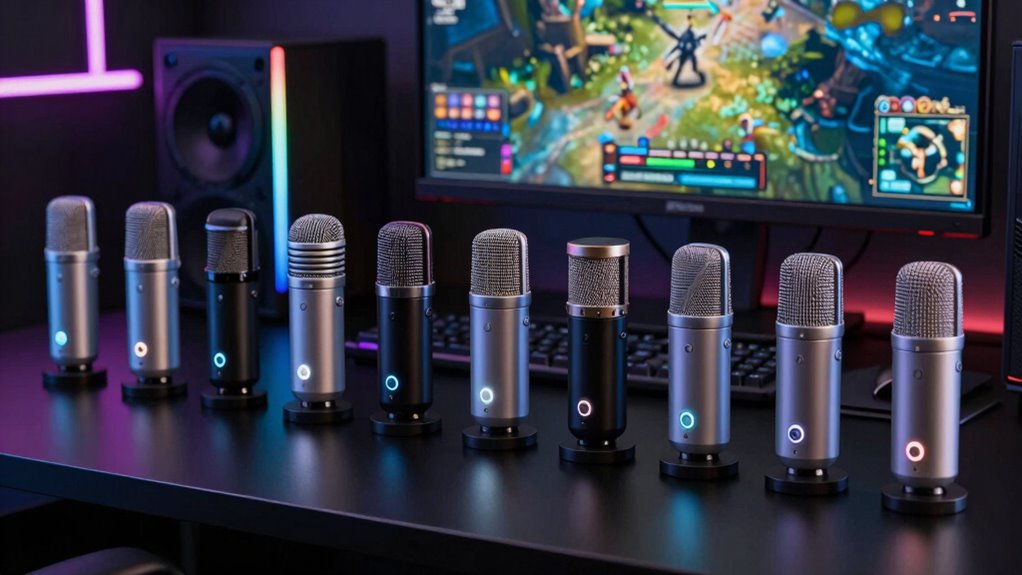

For most players, the FIFINE AmpliGame AM8 USB/XLR is the best overall microphone for gaming, pairing a dynamic pickup with USB simplicity and room to expand to XLR. The TONOR TD510 stands out for buyers who want a boom arm and noise-cancellation features in one kit, while the FIFINE AmpliGame A6V offers a simpler USB-first setup. Your main tradeoff is between a more focused voice pickup and easy placement, lighting, and controls; a kit can save setup effort but take up more desk space. Read on for all 15 picks, how they differ, and which one fits your room and gaming habits.

Get business pricing on tech for your team
- Business-only prices and quantity discounts
- Tax-exempt purchasing
- Multiple users, one account, clear invoices
Complete the kit



Key Takeaways
- USB/XLR flexibility separates the AM8 family and amazon.com/dp/B0CCV74CL7?tag=technocapture-20&ascsubtag=dc-635158″ target=”_blank” rel=”nofollow sponsored noopener”>TONOR TD510 from the USB-only picks: it offers an upgrade path, but XLR use requires additional audio gear.
- Dynamic microphones such as the AM8 and TD510 are better suited to players who want less room sound in their voice; USB condenser models can be easier desk options but may pick up more nearby noise.
- Included boom arms change the setup equation. The AM8T, TONOR kits, and MAONO DGM20S can free desk space, though an arm needs room to clamp and position.
- Convenience features vary more than the product names suggest. Mute and gain controls, RGB lighting, and noise-reduction features may simplify use, but they do not replace good mic placement.
- The best fit depends on the room and workflow. A beginner may prefer a USB-only mic with onboard controls, while a streamer planning to upgrade may value dual connectivity over lighting or bundled accessories.
| FIFINE AmpliGame AM8 USB/XLR Dynamic Microphone |  | Best Overall for Gaming | Microphone type: Dynamic | Connectivity: USB, XLR | Polar pattern: Cardioid (unidirectional) | VIEW ON AMAZON | See Our Full Breakdown |
| ZealSound K66 USB Podcast Microphone with Noise Reduction, Gain and Mute Controls |  | Best for Multi-Device Beginners | Microphone type: Condenser | Pickup pattern: Cardioid | Frequency response: 40 Hz–18 kHz | VIEW ON AMAZON | See Our Full Breakdown |
| COCONISE USB Condenser Gaming Microphone with RGB Lighting |  | Best Complete Desktop Setup | Microphone type: Condenser | Connectivity: USB | Polar pattern: Unidirectional (cardioid) | VIEW ON AMAZON | See Our Full Breakdown |
| FIFINE AmpliGame AM8W USB/XLR Dynamic Gaming Microphone |  | Best White Gaming Setup Pick | Microphone type: Dynamic | Connectivity: USB, XLR | Pickup pattern: Unidirectional | VIEW ON AMAZON | See Our Full Breakdown |
| Logitech Blue Yeti USB Microphone, Blackout |  | Best for Flexible Recording and Group Chat | Connectivity: USB | Microphone array: Three capsules | Pickup patterns: Cardioid, omnidirectional, bidirectional, stereo | VIEW ON AMAZON | See Our Full Breakdown |
| MRSDY USB Gaming Microphone with Noise Reduction, Mute, Gain Control, and RGB Lighting |  | Best for Simple Desktop Setup | Connectivity: USB Type-A | Microphone type: Desktop condenser | Polar pattern: Unidirectional | VIEW ON AMAZON | See Our Full Breakdown |
| FIFINE AmpliGame AM8T Dynamic USB/XLR Gaming Microphone Kit with Boom Arm |  | Best Complete USB/XLR Kit | Connectivity: USB, XLR | Microphone type: Dynamic | Polar pattern: Unidirectional (cardioid) | VIEW ON AMAZON | See Our Full Breakdown |
| FIFINE AmpliGame AM8P USB/XLR Dynamic Microphone |  | Best Pink USB/XLR Pick | Connectivity: USB, XLR | Microphone type: Dynamic | Form factor: Desktop | VIEW ON AMAZON | See Our Full Breakdown |
| TONOR TC310+ USB Gaming Microphone Kit with Boom Arm | 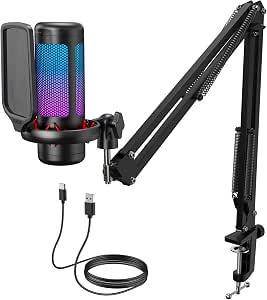 | Best Accessory-Rich USB Kit | Model: TC310+ | Connectivity: USB-A | Polar pattern: Unidirectional | VIEW ON AMAZON | See Our Full Breakdown |
| TONOR TD510 Dynamic Gaming Microphone with USB and XLR, AI Noise Cancellation, RGB Lighting, and Boom Arm |  | Best for Noise-Reduction Features | Connectivity: USB, XLR | Microphone type: Dynamic | Form factor: Desktop | VIEW ON AMAZON | See Our Full Breakdown |
| USB Condenser Microphone with RGB Lighting and Stand |  | Best for Multi-Platform Flexibility | Connectivity: USB | Connector: USB Type-C | Polar pattern: Unidirectional | VIEW ON AMAZON | See Our Full Breakdown |
| FIFINE AmpliGame A6V USB Gaming Microphone |  | Best for Simple Desk Setups | Connectivity: USB | Microphone type: Condenser | Polar pattern: Cardioid | VIEW ON AMAZON | See Our Full Breakdown |
| FIFINE AmpliGame A6T USB Gaming Microphone Kit |  | Best for a Boom-Arm Starter Setup | Connectivity: USB | Polar pattern: Unidirectional cardioid | Frequency range: 60 Hz–18 kHz | VIEW ON AMAZON | See Our Full Breakdown |
| Amazon Basics USB Condenser Microphone with Cardioid Pickup and Adjustable Stand |  | Best for No-Frills PC Voice Chat | Connectivity: USB | Microphone type: Condenser, large diaphragm | Pickup pattern: Cardioid (unidirectional) | VIEW ON AMAZON | See Our Full Breakdown |
| MAONO DGM20S USB Gaming Microphone with Boom Arm |  | Best for Monitoring and On-Mic Controls | Connectivity: USB, USB-C | Polar pattern: Unidirectional | Frequency range: 50 Hz–20 kHz | VIEW ON AMAZON | See Our Full Breakdown |
| microphone for gaming | Connectivity | Microphone type | Signal-to-noise ratio | Polar pattern |
|---|---|---|---|---|
| FIFINE AmpliGame AM8 USB/XLR D | USB, XLR | Dynamic | 80 dB | Cardioid (unidirectional) |
| ZealSound K66 USB Podcast Micr | USB; USB-C and Lightning adapters included | Condenser | — | — |
| COCONISE USB Condenser Gaming | USB | Condenser | 78 dB | Unidirectional (cardioid) |
| FIFINE AmpliGame AM8W USB/XLR | USB, XLR | Dynamic | 80 dB | — |
| Logitech Blue Yeti USB Microph | USB | — | 100 dB | — |
| MRSDY USB Gaming Microphone wi | USB Type-A | Desktop condenser | — | Unidirectional |
| FIFINE AmpliGame AM8T Dynamic | USB, XLR | Dynamic | — | Unidirectional (cardioid) |
| FIFINE AmpliGame AM8P USB/XLR | USB, XLR | Dynamic | 80 dB | — |
| TONOR TC310+ USB Gaming Microp | USB-A | — | 78 dB | Unidirectional |
| TONOR TD510 Dynamic Gaming Mic | USB, XLR | Dynamic | — | — |
| USB Condenser Microphone with | USB | — | 96 dB | Unidirectional |
| FIFINE AmpliGame A6V USB Gamin | USB | Condenser | 70 dB | Cardioid |
| FIFINE AmpliGame A6T USB Gamin | USB | — | 70 dB | Unidirectional cardioid |
| Amazon Basics USB Condenser Mi | USB | Condenser, large diaphragm | — | — |
| MAONO DGM20S USB Gaming Microp | USB, USB-C | — | 78 dB | Unidirectional |
More Details on Our Top Picks
FIFINE AmpliGame AM8 USB/XLR Dynamic Microphone
The AM8 is my strongest all-around pick for a player who wants a straightforward USB setup now and the option to move to an XLR interface later. Its dynamic capsule and cardioid pickup suit close-range voice chat, while USB adds tap-to-mute, headphone monitoring, gain and monitoring controls, and RGB lighting. Compared with the ZealSound K66, it lacks the K66’s included phone adapters and noise-reduction mode, but offers XLR connectivity for a more expandable desk setup. That flexibility has limits: the RGB and onboard functions work only over USB, and XLR users need to supply a cable. FIFINE suggests speaking from 2–6 inches away, so this is a better fit for someone willing to keep the mic close than for a player who wants to sit back from the desk.
Pros:- USB and XLR connectivity support a simple setup now and an interface-based setup later
- Tap-to-mute with an indicator makes quick chat muting easy
- USB mode includes headphone monitoring, gain controls, and RGB lighting
- 3/8-inch and 5/8-inch mounting threads and an included windscreen add setup flexibility
Cons:- XLR cable is not included
- RGB lighting and USB function keys are inactive in XLR mode
- Suggested 2–6-inch speaking distance may not suit players who lean back from the desk
Best for: PC gamers who want close-miked voice chat, USB controls today, and an XLR upgrade path for a later streaming setup.
Not ideal for: Players who sit far from their microphone or want all onboard controls and RGB to remain available through an XLR connection.
- Microphone type:Dynamic
- Connectivity:USB, XLR
- Polar pattern:Cardioid (unidirectional)
- Frequency response:50 Hz–16 kHz
- Signal-to-noise ratio:80 dB
- USB features:Tap-to-mute, RGB lighting, headphone monitoring, gain and monitoring volume controls
- Mounting threads:3/8 inch and 5/8 inch
- Included accessory:Windscreen
Our verdict“Choose the AM8 if you want gaming-ready USB controls with the option to add XLR gear later, and are comfortable keeping it close.”
ZealSound K66 USB Podcast Microphone with Noise Reduction, Gain and Mute Controls
The K66 is the most approachable choice here for a gamer who wants one plug-and-play mic for several devices. Its USB connection and included USB-C and Lightning adapters make it easier to move between a computer, compatible console, tablet, or phone than the PC-and-Mac-focused Blue Yeti. Physical controls for mic gain, monitoring volume, echo, and mute also let beginners adjust their setup without hunting through software. The cardioid pattern and noise-reduction mode are useful for voice chat, though the noise feature is described as reducing common background sounds, not removing them entirely. Compared with the dynamic FIFINE AM8, this condenser option puts broader device compatibility ahead of XLR expansion; it has no XLR connection, and its listed 46 kHz sampling rate may not suit buyers building a more demanding recording setup.
Pros:- Plug-and-play USB setup with included USB-C and Lightning adapters
- Compatible with Windows PC, Mac, PS4, PS5, iPhone, iPad, and compatible USB-C devices
- Physical controls cover mic volume, monitoring volume, echo, and mute
- Zero-latency headphone monitoring helps users hear their mic while speaking
Cons:- Noise reduction is described as reducing, not eliminating, background sounds
- The listed 46 kHz sampling rate may limit some recording workflows
- No XLR connection for adding an audio interface later
Best for: New streamers and voice-chat users who want a simple mic that can connect to a computer and compatible USB-C or Lightning devices.
Not ideal for: Players planning an XLR-based audio setup or buyers who need noise reduction to fully suppress a loud, uncontrolled room.
- Microphone type:Condenser
- Pickup pattern:Cardioid
- Frequency response:40 Hz–18 kHz
- Sampling rate:46 kHz
- Sensitivity:–45 dB ±3 dB
- Connectivity:USB; USB-C and Lightning adapters included
- Monitoring:3.5 mm headphone jack; zero-latency
- Controls:Mic volume, monitoring volume, echo, mute
- Compatibility:Windows PC, Mac, PS4, PS5, iPhone, iPad, and compatible USB-C devices
Our verdict“Pick the K66 if easy setup across several compatible devices matters more than XLR expansion or advanced recording flexibility.”
COCONISE USB Condenser Gaming Microphone with RGB Lighting
The COCONISE makes sense for a gamer who wants a ready-to-place desktop setup rather than a microphone alone. It combines a weighted metal base, shock mount, and metal pop filter, giving it more included desk support than the Blue Yeti’s desktop-stand setup. Touch mute, a visible RGB change when muted, adjustable volume, and a headphone jack cover useful everyday gaming controls. Its USB-only connection keeps setup simple, but leaves no XLR upgrade route like the FIFINE AM8 offers. I’d also treat the listed 20–2000 Hz frequency range as a substantial limitation for voice reproduction; despite the separately listed sampling rate of up to 192 kHz, that frequency range is unusually narrow on paper. Choose this for its included physical setup and mute feedback, not for future-proofing or a spec-led recording build.
Pros:- Weighted metal base and shock mount help limit movement and vibration noise
- Included metal pop filter adds a layer of protection against plosive sounds
- Touch mute has a visual RGB indicator, and the lighting turns off when muted
- Headphone jack supports real-time monitoring
Cons:- USB-only connectivity does not provide an XLR upgrade path
- Listed 20–2000 Hz frequency range is limited for a gaming voice microphone
- Requires a wired USB connection
Best for: PC and PS4/PS5 gamers who want a desktop mic with a weighted base, shock mount, pop filter, and clear mute feedback included.
Not ideal for: Streamers planning to add an XLR interface or buyers who need a broad stated frequency range for voice recording.
- Microphone type:Condenser
- Connectivity:USB
- Polar pattern:Unidirectional (cardioid)
- Frequency range:20–2000 Hz
- Sampling rate:Up to 192 kHz
- Signal-to-noise ratio:78 dB
- Cable length:180 cm detachable USB cable
- Included accessories:Weighted metal base, shock mount, metal pop filter
- Compatibility:PC, laptop, PS4, PS4 Pro, PS5
Our verdict“Choose the COCONISE for a bundled desktop setup and visible mute status, but skip it if its stated frequency range or USB-only design is a concern.”
FIFINE AmpliGame AM8W USB/XLR Dynamic Gaming Microphone
The AM8W is the gaming-focused choice for a player building a white desk setup who still wants a dynamic mic and an XLR path. Its USB mode includes RGB, tap-to-mute, gain adjustment, and headphone monitoring, so it covers the essentials without an interface. Against the black FIFINE AmpliGame AM8, the main distinction in the supplied details is its white finish and stated 20 Hz–20 kHz frequency range; both offer USB/XLR flexibility and share the practical downside that onboard controls and lighting are USB-only. The AM8W also includes a 6.5-foot USB-C-to-USB cable, but does not include an XLR cable. FIFINE’s suggested 2–6-inch recording distance means this is best for close voice chat, not someone who wants to place a mic across the desk and forget about it.
Pros:- White finish suits coordinated light-colored gaming setups
- USB and XLR connectivity allow a later move to an audio interface
- USB mode includes tap-to-mute, gain control, RGB lighting, and headphone monitoring
- Includes a 6.5-foot USB-C-to-USB cable
Cons:- XLR cable is not included
- RGB lighting and onboard controls are available only in USB mode
- Suggested 2–6-inch recording distance may be inconvenient for players who sit back
Best for: Gamers coordinating a white PC or desk setup who want USB controls now and the option to connect through XLR later.
Not ideal for: Players who need onboard RGB and controls while using XLR, or who prefer speaking from farther than a close-mic position.
- Microphone type:Dynamic
- Connectivity:USB, XLR
- Pickup pattern:Unidirectional
- Color:White
- Frequency range:20 Hz–20 kHz
- Signal-to-noise ratio:80 dB
- Impedance:32 ohm
- Included cable:6.5 ft USB-C to USB cable
- Weight:1.3 pounds
Our verdict“Choose the AM8W if a white finish and USB/XLR flexibility fit your setup, provided you can keep the mic close and supply an XLR cable if needed.”
Logitech Blue Yeti USB Microphone, Blackout
The Blue Yeti stands apart from the close-voice-chat focus of the FIFINE AM8: its four pickup patterns let one USB mic handle solo gaming, two-person conversation, group audio, or stereo capture. Onboard pattern selection, gain, mute, and headphone volume controls make those changes accessible at the desk, while zero-latency monitoring helps with live voice chat. That flexibility is useful for streamers who record more than gameplay, but it is less targeted than the AM8’s dynamic design for a player who mainly needs one close-miked voice. The Yeti connects by USB only, so there is no XLR route for an interface-based setup, and full functionality requires Logitech G HUB. Buyers who want a simple gaming mic with fewer modes may prefer the AM8; the Yeti is for those who will use its broader recording patterns.
Pros:- Four pickup patterns support solo voice, group conversation, and stereo recording
- Onboard controls include gain, pattern selection, headphone volume, and mute
- Zero-latency headphone monitoring supports live mic checks
- USB setup includes a desktop stand and works with PC and Mac
Cons:- USB-only connectivity does not support an XLR interface
- Full functionality requires downloading and installing Logitech G HUB
- Its range of pickup patterns may be unnecessary for players who only need solo voice chat
Best for: PC and Mac gamers who also record interviews, group conversations, music, or other content that benefits from multiple pickup patterns.
Not ideal for: Players seeking a dynamic USB/XLR mic for focused, close-range gaming chat or anyone who wants to avoid installing Logitech G HUB.
- Connectivity:USB
- Microphone array:Three capsules
- Pickup patterns:Cardioid, omnidirectional, bidirectional, stereo
- Frequency response:20 Hz–20 kHz
- Signal-to-noise ratio:100 dB
- Channels:2
- Monitoring:Zero-latency headphone monitoring
- Compatibility:PC and Mac
- Color:Blackout
Our verdict“Choose the Blue Yeti if you want one USB mic for gaming plus varied recording setups, but pick the AM8 for a simpler dynamic USB/XLR path.”
MRSDY USB Gaming Microphone with Noise Reduction, Mute, Gain Control, and RGB Lighting
The MRSDY suits gamers who want a straightforward USB mic with the key controls close at hand. Its unidirectional condenser pickup, noise reduction, and adjustable gain offer a practical starting point for clearer chat, while the quick-mute button makes it easy to cut the mic between matches. A headphone jack supports real-time monitoring, a useful feature not specified for the TONOR TC310+ kit. Setup is simple on listed PCs, laptops, PS4, PS5, and Mac devices, though the product details do not explain any device-specific steps. Compared with the FIFINE AM8T, the MRSDY skips XLR expansion and a boom arm, so it’s less adaptable as a streaming setup grows. Its included stand and 2 m cable keep the initial arrangement uncomplicated, but the enclosure mixes plastic and metal.
Pros:- Noise reduction and unidirectional pickup are aimed at limiting unwanted background sound.
- 3.5 mm headphone output supports real-time monitoring.
- Quick mute and adjustable gain provide convenient on-mic control.
- Includes a 2 m USB cable and supports plug-and-play setup.
Cons:- USB-only connectivity offers less room to expand than the FIFINE AM8T’s USB/XLR design.
- The listed details do not explain setup for each compatible device.
- The enclosure combines plastic and metal rather than an all-metal build.
Best for: PC, Mac, and PlayStation gamers who want a plug-and-play desktop mic with mute, gain, and headphone monitoring controls.
Not ideal for: Streamers planning to add an audio interface or position a mic on a boom arm; this model lists USB connectivity and an included desktop stand only.
- Connectivity:USB Type-A
- Microphone type:Desktop condenser
- Polar pattern:Unidirectional
- Headphone output:3.5 mm
- Compatible devices:PC, laptop, PS4, PS5, Mac
- Cable length:2 m (78 in)
- Weight:8.8 oz
- Dimensions:3.54 × 3.54 × 6.3 in
Our verdict“Choose the MRSDY for a simple desktop gaming setup with monitoring and quick controls, but pick the FIFINE AM8T if you need XLR expansion or boom-arm positioning.”
FIFINE AmpliGame AM8T Dynamic USB/XLR Gaming Microphone Kit with Boom Arm
The AM8T is the most ready-to-position option in this group for gamers who want a dynamic mic and a path beyond USB. Its USB and XLR connections let you start directly on a computer, then connect to a mixer or interface later; the included boom arm and clamp also free up desk space compared with the stand-mounted MRSDY. On-mic mute, gain, and headphone volume controls make routine chat adjustments accessible without reaching for software. The cardioid pickup pattern focuses on sound from the front, which suits a player speaking close to the mic. This kit does ask for more desk setup than a compact desktop unit, and the clamp fits surfaces only up to 2 inches thick. An XLR cable is not included, so that connection requires a separate purchase.
Pros:- USB supports direct computer connection, with XLR available for compatible audio gear.
- Boom arm and desk clamp allow flexible placement and clear desk space.
- Onboard mute, gain, headphone volume, and monitoring controls.
- RGB lighting can be customized or switched off.
Cons:- XLR cable is not included.
- Desk clamp fits desks only up to 2 inches thick.
- The 2.6 lb kit takes more space and setup than a simple desktop mic such as the MRSDY.
Best for: Gamers and streamers who want a dynamic mic on a boom arm now and the option to move from USB to an XLR interface later.
Not ideal for: Players with desks thicker than 2 inches, or buyers who need an XLR cable included for an immediate interface connection.
- Connectivity:USB, XLR
- Microphone type:Dynamic
- Polar pattern:Unidirectional (cardioid)
- Frequency range:50 Hz–16 kHz
- Included accessories:Boom arm, C-clamp, windscreen, 8.2 ft USB-to-USB-C cable, user manual
- XLR cable:Not included
- Desk clamp compatibility:Desktops up to 2 inches thick
- Weight:2.6 lbs
Our verdict“Pick the AM8T if you want a boom-arm kit with both USB convenience and XLR upgrade potential, provided your desk fits the clamp.”
FIFINE AmpliGame AM8P USB/XLR Dynamic Microphone
The AM8P gives gamers who want a color-forward setup the practical flexibility of a dynamic USB/XLR microphone. USB supports a direct computer connection, while XLR provides an option for a mixer or audio interface; that upgrade path is similar to the AM8T, though the AM8P listing does not include a boom arm or cable kit. Its mute and gain controls, plus a headphone jack with monitoring volume control, help keep common adjustments within reach during a game. The pink finish and controllable RGB lighting distinguish it from the black AM8T and TONOR TD510, without changing the core appeal: a desktop dynamic mic with multiple connection options. The tradeoff is that the listed USB compatibility is limited to PC, and its corded power requirement does not suit anyone seeking a wireless setup.
Pros:- USB and XLR connectivity support both direct computer use and compatible audio equipment.
- Dynamic mic design with onboard mute and gain controls.
- Headphone output includes monitoring volume control.
- Pink color and controllable RGB lighting suit a coordinated gaming setup.
Cons:- USB compatibility is listed for PC, with no specific PlayStation or Xbox support stated.
- No boom arm or other mounting accessories are listed.
- Corded electric power means it is not a wireless option.
Best for: PC gamers who want a pink desktop microphone, onboard monitoring and controls, and the option to use XLR audio gear.
Not ideal for: Console-first buyers or anyone expecting a full boom-arm kit; the listed compatibility centers on computers, mixers, and audio interfaces, and no arm is specified.
- Connectivity:USB, XLR
- Microphone type:Dynamic
- Form factor:Desktop
- Compatible devices:Computer, mixer, audio interface
- Features:Controllable RGB lighting, mute, gain control, headphone monitoring
- Signal-to-noise ratio:80 dB
- Weight:1.3 lb
- Color:Pink
Our verdict“Choose the AM8P for a pink, control-rich USB/XLR desktop mic, but favor the AM8T if an included boom arm matters more than color.”
TONOR TC310+ USB Gaming Microphone Kit with Boom Arm
The TC310+ is a useful pick for gamers who want the mounting and sound-control accessories in one USB kit. It includes a boom arm, desk clamp, pop filter, and shock mount, covering more of the physical setup than the stand-included MRSDY. Tap-to-mute and adjustable gain give quick access to basic chat controls, while four RGB modes and brightness adjustment let you tone down the lighting if it distracts. Its USB-A connection and listed desktop, laptop, PS4, and PS5 compatibility keep the setup aimed at gaming rather than interface-based expansion. Unlike the FIFINE AM8T, it does not offer XLR, so it is less suited to a future mixer setup. The clamp supports desks up to 2.36 inches thick, but buyers should check desk fit and confirm the USB connection requirements before setup.
Pros:- Includes boom arm, desk clamp, pop filter, and shock mount.
- Tap-to-mute and gain control provide quick access to voice settings.
- Four RGB modes include brightness control.
- Lists compatibility with desktop computers, laptops, PS4, and PS5.
Cons:- USB-only connectivity does not offer the XLR expansion available on the FIFINE AM8T.
- Clamp fits desks only up to 2.36 inches thick.
- Requires a USB 2.0 or 3.0 port and a fully connected Type-C plug.
Best for: PC and PlayStation gamers who want a single USB kit with boom-arm mounting, pop filter, shock mount, and tap-to-mute.
Not ideal for: Streamers who plan to connect through an XLR interface, or owners of desks thicker than 2.36 inches.
- Model:TC310+
- Connectivity:USB-A
- Polar pattern:Unidirectional
- Compatible devices:Desktop computers, laptops, PS4, PS5
- Features:Tap-to-mute, gain control, four RGB modes, brightness control
- Desk clamp compatibility:Desks up to 2.36 inches thick
- Included components:Microphone, pop filter, boom arm stand, shock mount, USB cable, manual
- Signal-to-noise ratio:78 dB
Our verdict“Choose the TC310+ for an accessory-rich USB gaming setup, but choose the AM8T if adding XLR connectivity matters more than the included pop filter and shock mount.”
TONOR TD510 Dynamic Gaming Microphone with USB and XLR, AI Noise Cancellation, RGB Lighting, and Boom Arm
The TD510 brings a combination that is less common in this group: a dynamic microphone with AI noise cancellation, USB/XLR connectivity, and a boom arm. For gaming voice chat, the noise-cancellation feature is aimed at reducing distracting background sounds, while the headphone jack and separate microphone and headphone volume controls help manage monitoring without relying entirely on computer settings. It offers more connection flexibility than the USB-only TONOR TC310+, and unlike the MRSDY, it includes a boom arm and lists a dynamic capsule. The tradeoffs are compatibility and setup details: it supports listed computer and PlayStation devices but not Xbox, and an XLR cable is not included. Choose it for a PC or PlayStation desk where noise control and future XLR use matter; look elsewhere if Xbox support is required.
Pros:- USB and XLR connections cover direct computer use and compatible audio setups.
- AI noise cancellation is designed to reduce background sounds.
- Headphone jack and volume controls support real-time monitoring.
- Includes a boom arm and customizable RGB lighting.
Cons:- Not compatible with Xbox.
- XLR cable is not included.
- The listed device support is limited to computers and PS4/PS5.
Best for: PC and PlayStation gamers seeking a dynamic USB/XLR mic with noise-cancellation features, a boom arm, and headphone monitoring controls.
Not ideal for: Xbox players or buyers who need an XLR cable supplied for connection to an audio interface.
- Connectivity:USB, XLR
- Microphone type:Dynamic
- Form factor:Desktop
- Special feature:AI noise cancellation
- Compatible devices:Laptop, personal computer, PS4, PS5; not Xbox
- Included features:Boom arm, RGB lighting, tap mute, 3.5 mm jack, gain control
- Weight:850 g
- Warranty:Two years
Our verdict“Pick the TD510 for a PC or PlayStation setup that prioritizes noise-cancellation features and USB/XLR flexibility, but skip it if you game on Xbox.”
USB Condenser Microphone with RGB Lighting and Stand
This is the most adaptable pick here for players who move between a computer, PlayStation, and Android phone: it includes both a USB cable and Type-C adapter, plus a stand and pop filter. Real-time monitoring and a rotary volume control let you check and adjust your voice without digging through software, while one-touch mute is handy during calls and matches. Its three reverb modes and 10 RGB effects add options for a more styled setup, though neither is as central to clear team chat as its noise reduction and unidirectional pickup. Compared with the FIFINE AmpliGame A6T, it comes ready for more device types but lacks a boom arm, so it takes up desk space. It is wired and does not work with Xbox.
Pros:- Supports computers, PS4, PS5, and Android phones with included USB and Type-C connections
- Real-time monitoring and rotary volume control help with quick voice checks and adjustments
- Includes a stand, metal mesh pop filter, and 2-meter USB cable
- One-touch mute, noise reduction, and 10 RGB effects
Cons:- Not compatible with Xbox
- Wired connection limits placement and requires a cable across the setup
- Included stand occupies desk space compared with the boom-arm kits
Best for: Gamers who switch among Windows or Mac computers, PS4 or PS5, and compatible Android phones and want monitoring included.
Not ideal for: Xbox players or anyone seeking a boom-arm setup that keeps the microphone and stand off the desk.
- Connectivity:USB
- Connector:USB Type-C
- Polar pattern:Unidirectional
- Frequency range:20 Hz–20 kHz
- Signal-to-noise ratio:96 dB
- Lighting:10 RGB effects
- Included accessories:Stand, metal mesh pop filter, 2-meter USB cable, OTG adapter
- Compatibility:Mac, Windows, PS4, PS5, laptops, PCs, Android phones; not compatible with Xbox
Our verdict“Choose this if you want one wired microphone for compatible computers, PlayStation, and Android, but skip it if you game on Xbox.”
FIFINE AmpliGame A6V USB Gaming Microphone
The A6V keeps gaming audio controls straightforward: its tap-to-mute button and gain knob are easy to reach, and gradient RGB lighting signals mute status. The included shock mount, pop filter, and tripod mean a new PC or PlayStation setup needs little extra gear. Its cardioid pattern is aimed at capturing the player in front of the mic, which suits voice chat better than a pickup pattern meant to gather sound from around a room. Compared with the FIFINE AmpliGame A6T, though, this model uses a desktop tripod rather than a boom arm, so it takes up more desk space and may sit farther from the speaker. The A6V is a practical wired choice for a compact feature set, not for players who need flexible mic positioning or wireless freedom.
Pros:- Tap-to-mute control and gain knob provide quick access during gameplay
- RGB lighting indicates mute status
- Includes a shock mount, pop filter, tripod stand, and detachable USB cable
- Cardioid pickup focuses on sound from in front of the microphone
Cons:- Desktop tripod takes up desk space
- Wired USB connection limits placement
- Listed compatibility covers computers and PlayStation, not Xbox
Best for: PC and PS4 or PS5 players who want accessible mute and gain controls with basic mounting accessories in the box.
Not ideal for: Gamers with crowded desks or players who want a boom arm to bring the mic closer without using tabletop space.
- Connectivity:USB
- Microphone type:Condenser
- Polar pattern:Cardioid
- Frequency range:60 Hz–18 kHz
- Signal-to-noise ratio:70 dB
- Controls:Tap-to-mute button and gain knob
- Cable length:6.6 ft
- Included accessories:Shock mount, pop filter, tripod stand, USB cable
Our verdict“Pick the A6V for a simple, accessory-rich PC or PlayStation setup, but choose the A6T if a boom arm would free up valuable desk space.”
FIFINE AmpliGame A6T USB Gaming Microphone Kit
Unlike the A6V’s tabletop tripod, the A6T arrives with an adjustable boom arm, C-clamp, shock mount, and detachable pop filter. That kit lets players position the mic near their mouth while keeping the center of the desk clearer, a useful advantage during keyboard-heavy gaming. Its cardioid pickup is aimed toward the speaker, and touch mute and volume control put basic adjustments within reach. It connects to Windows, Mac, PS4, and PS5 without a complicated setup. Compared with the MAONO DGM20S, the A6T also includes a boom arm but does not list headphone monitoring or noise-reduction controls. The clamp fits desks only up to two inches thick, and the setup remains wired, so desk compatibility and cable routing are part of the decision.
Pros:- Boom arm and C-clamp position the mic without a tabletop tripod
- Touch mute and volume control are accessible during play
- Includes a shock mount and detachable pop filter
- Plug-and-play compatibility with Windows, Mac, PS4, and PS5
Cons:- C-clamp fits desks up to two inches thick
- Wired USB connection requires cable management
- No headphone monitoring or noise-reduction control is listed
Best for: PC and PlayStation gamers starting a streaming or voice-chat setup who want an included boom arm and have a desk compatible with its clamp.
Not ideal for: Players with desks thicker than two inches, Xbox users, or anyone who wants wireless operation or listed headphone monitoring.
- Connectivity:USB
- Polar pattern:Unidirectional cardioid
- Frequency range:60 Hz–18 kHz
- Signal-to-noise ratio:70 dB
- Controls:Touch mute and volume control
- Cable length:8.2 ft (2.5 m)
- Included accessories:Boom arm stand, shock mount, pop filter, C-clamp, USB-C to USB-A/C cable
- Compatibility:Desktop, laptop, computer, PS4, PS5, Mac OS, Windows
Our verdict“Choose the A6T for an easy boom-arm setup on a compatible PC or PlayStation desk, and favor the MAONO DGM20S if headphone monitoring is a priority.”
Amazon Basics USB Condenser Microphone with Cardioid Pickup and Adjustable Stand
This is the straightforward choice for players who want a USB mic without a stack of gaming effects or extra controls. Its cardioid pickup pattern is designed to favor sound from the front, while the one-tap mute and 360° adjustable stand cover the essentials for calls and team chat. Plug-and-play support for Windows and Mac keeps setup simple, and the stand can be replaced with a tripod, boom arm, or microphone stand using its mounting thread. Compared with the RGB-equipped FIFINE AmpliGame A6V, this model gives up lighting and a gain knob for a more restrained feature set; unlike the A6V, its listed compatibility is limited to Windows and Mac. It is a single-channel, wired microphone, so console players and those seeking richer onboard controls should look elsewhere.
Pros:- Plug-and-play USB connection for supported Windows and Mac computers
- Cardioid pickup is designed to reduce sound from behind the mic
- One-tap mute and 360° adjustable stand
- Can mount to a tripod, boom arm, or microphone stand
Cons:- Single-channel audio
- Wired USB connection
- No gain knob or RGB lighting is listed
Best for: Windows or Mac players who want a simple USB microphone with mute and flexible stand mounting for voice chat.
Not ideal for: Console gamers, players who want onboard gain adjustment or RGB features, and anyone seeking wireless audio.
- Connectivity:USB
- Microphone type:Condenser, large diaphragm
- Pickup pattern:Cardioid (unidirectional)
- Diaphragm size:14 mm
- Mute function:One-tap mute
- Stand:360° adjustable
- Mounting thread:5/8 inch
- Compatibility:Windows 7 or higher; Mac OS 10.10 or higher
Our verdict“Pick this for basic Windows or Mac voice chat and flexible mounting, but choose the FIFINE A6V for console support and onboard gain control.”
MAONO DGM20S USB Gaming Microphone with Boom Arm
The DGM20S combines the desk-clearing convenience of a boom arm with a feature the FIFINE AmpliGame A6T does not list: zero-latency headphone monitoring through a 3.5 mm jack. That helps players hear their voice as they adjust mic position or gain, while one-touch mute and a gain knob keep common changes on the microphone. It also includes a shock mount and removable pop filter, and its cardioid-style unidirectional pickup is suited to voice aimed from the front. One-key noise cancellation and controllable RGB add gaming-focused controls, but the noise-cancellation software is available only for Windows. The DGM20S supports PC, Mac, PS4, and PS5—not Xbox—and uses a wired connection. Choose it over the A6T for monitoring and control; choose another model for Xbox play.
Pros:- Zero-latency headphone monitoring via a 3.5 mm jack
- Includes a metal boom arm, shock mount, and removable pop filter
- One-touch mute, gain control, and one-key noise cancellation
- Controllable RGB lighting and USB or USB-C connectivity
Cons:- Not compatible with Xbox
- Noise-cancellation software is available only for Windows
- Wired connection requires cable management
Best for: PC, Mac, PS4, and PS5 gamers who want headphone monitoring, hands-on gain and mute controls, and a boom-arm kit.
Not ideal for: Xbox players, wireless seekers, or Mac and console users who need the listed Windows-only noise-cancellation software.
- Connectivity:USB, USB-C
- Polar pattern:Unidirectional
- Frequency range:50 Hz–20 kHz
- Signal-to-noise ratio:78 dB
- Monitoring:Zero-latency headphone monitoring via 3.5 mm jack
- Controls:One-tap mute, gain control, one-key noise cancellation
- Lighting:Controllable RGB
- Compatibility:PC, computer, laptop, Mac, PS4, PS5; not compatible with Xbox
Our verdict“Choose the DGM20S over the FIFINE A6T if headphone monitoring and on-mic controls matter, but skip it if you game on Xbox.”
How We Picked
I ranked these microphones around gaming needs: clear voice chat, practical placement, simple mute and gain access, connection options, and how much setup the buyer must handle. I gave more weight to usable voice capture and straightforward controls than to RGB effects, since lighting does not improve how teammates hear you. Included stands and boom arms mattered when they reduced setup friction, but they also count as a drawback when they take up space or limit placement.
The order reflects the balance of those factors, not a claim that one mic suits every room. The FIFINE AM8 leads for its dynamic pickup and USB/XLR flexibility; the TONOR TD510 earns attention for a feature-rich arm kit; and simpler USB options rank well for buyers who value ease over expansion. Closely related AM8 and A6 variants are separated by their included configuration and intended setup, while compact or less specified models rank lower when buyers have fewer details to guide a confident choice.
| microphone for gaming | Microphone type | Connectivity | Polar pattern |
|---|---|---|---|
| FIFINE AmpliGame AM8 USB/XLR D | Dynamic | USB, XLR | Cardioid (unidirectional) |
| ZealSound K66 USB Podcast Micr | Condenser | USB; USB-C and Lightning adapters included | — |
| COCONISE USB Condenser Gaming | Condenser | USB | Unidirectional (cardioid) |
| FIFINE AmpliGame AM8W USB/XLR | Dynamic | USB, XLR | — |
| Logitech Blue Yeti USB Microph | — | USB | — |
| MRSDY USB Gaming Microphone wi | Desktop condenser | USB Type-A | Unidirectional |
| FIFINE AmpliGame AM8T Dynamic | Dynamic | USB, XLR | Unidirectional (cardioid) |
| FIFINE AmpliGame AM8P USB/XLR | Dynamic | USB, XLR | — |
| TONOR TC310+ USB Gaming Microp | — | USB-A | Unidirectional |
| TONOR TD510 Dynamic Gaming Mic | Dynamic | USB, XLR | — |
| USB Condenser Microphone with | — | USB | Unidirectional |
| FIFINE AmpliGame A6V USB Gamin | Condenser | USB | Cardioid |
| FIFINE AmpliGame A6T USB Gamin | — | USB | Unidirectional cardioid |
| Amazon Basics USB Condenser Mi | Condenser, large diaphragm | USB | — |
| MAONO DGM20S USB Gaming Microp | — | USB, USB-C | Unidirectional |
Factors to Consider When Choosing Microphone For Gaming
Before choosing a gaming mic, match the hardware to your room, desk, and communication habits. A spec list can make very different setups look alike, so focus on the compromises you will notice every session.
Choose a pickup style for your room
Your room can matter as much as the microphone. A dynamic mic is often a sensible choice for a shared space or a room with keyboard and fan noise, because it is generally used close to the mouth and can limit how much surrounding sound reaches the recording. A condenser model can suit a quieter room and a player who wants an easy USB setup, but placement and input level need care. Do not assume a feature labeled noise reduction will remove every click or conversation without affecting your voice. Sit close enough for a strong voice level and test the mic with your usual headset and game audio. If you cannot control room noise, favor placement and pickup pattern over lighting or bundled extras.
Decide whether USB is enough or XLR matters
USB is the simpler path for gaming: connect the mic to a computer or compatible device and use its controls and software settings. XLR can be useful if you later add an audio interface or mixer, but the connector alone does not improve sound; it adds equipment, cabling, and setup decisions. Some dual-connection models offer both routes, letting a buyer start with USB and expand later. Check whether the needed cable and any stand or arm are included rather than assuming every configuration has the same contents. For voice chat and casual streaming, a well-placed USB mic is often enough. Choose XLR for a planned audio setup, not just because it sounds like a higher tier.
Plan placement before buying an arm or stand
A microphone that sits too far away can sound thin or make you raise the gain, which may bring up more room noise. A desk stand is quick to set up, but it can occupy space and transmit desk bumps or keyboard vibration. A boom arm moves the mic closer and clears the surface, though it needs a sturdy clamp point and room to swing without blocking a monitor. Bundled arms are convenient, but check your desk thickness and layout before relying on one. A headset boom remains the least intrusive option for players who move around or have little desk space. Pick a mount based on where the mic can stay during actual play, not just how it looks in a product photo.
Prioritize controls you will use mid-game
A physical mute button is useful when you need to silence a cough, conversation, or background sound without switching windows. Gain controls help adjust voice level, but frequent changes can make your audio inconsistent if you have not set a stable speaking distance. Some microphones offer both controls, while others emphasize lighting or software features instead. Check whether mute status is visible at a glance, especially if you play with push-to-talk or switch between voice chat and streaming. RGB is a personal desk preference, not a substitute for a reliable mute workflow. Choose controls that match your habits so you can keep attention on the game.
Match the mic to your upgrade plans
It is easy to pay for expandability you may never use, or to buy a basic mic that you outgrow once you begin streaming. If you only need clear team chat, prioritize simple USB operation, a stable mount, and accessible mute controls. If you expect to build a recording setup, USB/XLR flexibility can reduce the need to replace the microphone later, though an interface adds cost and complexity outside the mic itself. Bundled kits can be appealing when they include the arm and accessories you already need, but duplicated gear has little value. Think about your likely setup over the next year, not every possible future use. Spend for a feature you can name and will use.
Frequently Asked Questions
Is a dynamic microphone better for gaming in a noisy room?
A dynamic mic can be a good fit for a noisy room because it is commonly used close to the speaker and can make voice placement easier to control. It will not automatically remove keyboard sounds, fans, or people nearby, so distance and gain still matter. A condenser mic may work well in a quiet, treated space, but it can capture more of the room if positioned poorly. Start with the microphone close to your mouth and set the input level so your voice is clear without clipping. If room noise remains a problem, adjust the room or microphone position before relying only on software processing.
Should I buy a USB/XLR gaming mic if I do not own an audio interface?
It can still make sense if the model supports USB, since you can use that connection without buying extra audio hardware. The XLR option is an upgrade path rather than a requirement, and it will not improve your sound by itself. An XLR setup usually calls for an interface or mixer, plus the right cable and additional configuration. If you expect to keep a simple gaming setup, a USB-only mic may be the more straightforward choice. Compare the actual controls and included accessories before paying for flexibility you may not use.
Do I need a boom arm for gaming, or is a desk stand enough?
A desk stand is enough if it places the microphone close to your mouth without blocking your screen or keyboard. A boom arm can make that position easier to reach and free up desk space, particularly for streaming or a crowded setup. It also needs a suitable desk edge and can transmit movement if bumped or poorly mounted. Bundled-arm kits reduce the need to shop for a mount separately, but they do not fit every desk layout. Check clamp clearance and arm reach before choosing a kit based on the included mount alone.
Will RGB lighting or noise reduction improve my voice chat?
RGB lighting affects appearance, not voice clarity. Noise-reduction features can help manage some background sound, but their results depend on the noise, software, and microphone position, and aggressive processing may affect the voice too. A mic placed near your mouth at a sensible gain often gives a better starting point than relying on a processing label. Treat mute and gain controls as practical conveniences, while judging audio features by how they work in your room. If clear communication is the goal, prioritize pickup style and placement over lighting.
Which features should I prioritize if I only use a mic for team chat?
For team chat, prioritize intelligible voice pickup, a stable position, and a mute control you can reach quickly. USB is usually the simpler connection when you do not need a separate audio chain. A boom arm can help if a desk stand is too far away or gets in the way, but it is not required for good communication. You can place lower value on XLR expansion, decorative lighting, and streaming-focused extras unless you expect your setup to change. Choose the model that fits your room and play routine rather than the one with the longest feature list.
Conclusion
For the broadest mix of gaming practicality and future flexibility, I recommend the FIFINE AmpliGame AM8 USB/XLR as best overall. The FIFINE AmpliGame AM8P is a strong value direction for buyers who want the AM8 family’s dynamic, dual-connection approach without making a boom-arm kit the priority. For a more feature-rich bundled setup, the TONOR TD510 is my premium pick, while the FIFINE AmpliGame A6V suits beginners who want a straightforward USB gaming mic. Choose the AM8T if an included boom arm is central to your desk plan; choose a compact USB condenser option if you have little room and prefer a simpler setup. The right choice is the one that puts the mic close, gives you the controls you need, and fits the noise level and space you actually have.
Evergreen bestsellers Picks
bestsellers
As an affiliate, we earn on qualifying purchases.