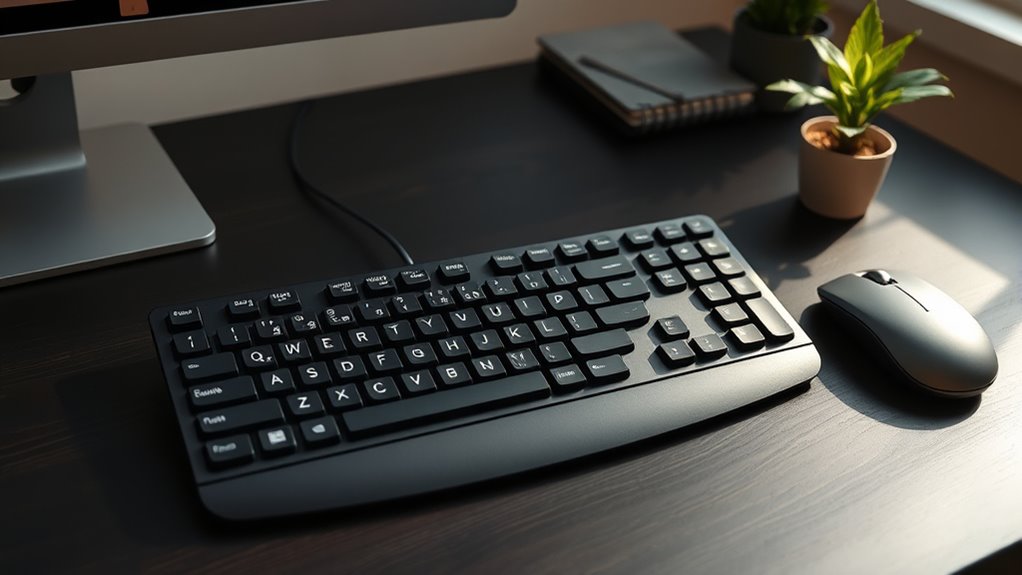

When choosing an ergonomic split keyboard for programmers, comfort, flexibility, and build quality are key. The Logitech Ergo K860 stands out as the best overall thanks to its thoughtful design and wrist support, while the Arteck Split Keyboard offers a budget-friendly option with reliable wireless connectivity. These keyboards help prevent repetitive strain injuries but often require tradeoffs in size, features, or price. Continue reading for a detailed breakdown of the best options to suit different needs and budgets.

Get business pricing on tech for your team
- Business-only prices and quantity discounts
- Tax-exempt purchasing
- Multiple users, one account, clear invoices
Key Takeaways
- The top-ranked keyboards balance comfort features like wrist rests with reliable connectivity options.
- Wireless models tend to be more versatile but may introduce slight latency or battery concerns.
- Build quality and key switch type greatly influence long-term comfort and durability.
- Price often correlates with advanced features like backlighting, programmable keys, and premium materials.
- Different user needs mean some should prioritize simplicity and ease of setup over extensive features.
| Logitech Ergo K860 Wireless Ergonomic Split Keyboard with Wrist Rest |  | Best Overall for Comfort and Adjustability | Type: Wireless ergonomic keyboard | Connectivity: USB receiver, Bluetooth | Wrist Rest: Pillowed with memory foam | VIEW ON AMAZON | See Our Full Breakdown |
| Arteck Ergonomic Split Keyboard with Cushioned Wrist Rest, Wireless Bluetooth & USB Receiver, Compatible with Windows, Laptop, PC, Tablet |  | Best for Multi-Device Use and Budget-Friendly Comfort | Connectivity: Bluetooth, USB-A, USB-C | Compatible Devices: PC, desktop, laptop, tablet | Power Source: Rechargeable battery | VIEW ON AMAZON | See Our Full Breakdown |
| OMOTON USB-A Type-C Ergonomic Keyboard with Cushioned Wrist Rest |  | Best Wired Ergonomic Keyboard with Dual Interface | Interface: USB-A & USB-C | Wrist Rest: Sweat-proof leather with soft sponge core | Tilt Adjustment: Back 4.8°, Front 1.8°, four-leg stability | VIEW ON AMAZON | See Our Full Breakdown |
| Perixx PERIBOARD-512B Wired Ergonomic Keyboard – Split Design with Wrist Rest |  | Best Budget Wired Ergonomic Keyboard | Connectivity: Wired USB | Layout: US English | Color options: Black, Beige, White | VIEW ON AMAZON | See Our Full Breakdown |
| Wired Ergonomic Split Keyboard with RGB Backlight & Numpad |  | Best for Aesthetic and Functional Customization | Design: Split ergonomic with wrist rest and adjustable kickstands | Backlight: RGB with 10 rainbow modes, 7 solid colors, 17 effects | Connectivity: Wired USB-A with USB-C adapter | VIEW ON AMAZON | See Our Full Breakdown |
| ProtoArc EK01 Plus Backlit Bluetooth Ergonomic Keyboard, Full Size, Grey |  | Best Overall | Design: Full-size ergonomic split-frame | Backlighting: Adjustable white LED (Low, Mid, High, Off) | Battery Capacity: 2000mAh rechargeable | VIEW ON AMAZON | See Our Full Breakdown |
| Micropack Split Ergonomic Wireless Keyboard with Wrist Rest, Bluetooth & 2.4G, Rechargeable, USB-C, Quiet Scissor Switch, for Mac & Windows, Black |  | Best for Beginners | Compatibility: Windows and Mac | Connectivity: Bluetooth and 2.4G USB | Switch Type: Quiet Scissor Switch | VIEW ON AMAZON | See Our Full Breakdown |
| Incase Sculpt Ergonomic Keyboard, Split Layout, Palm Rest, Black |  | Best for Customizable Comfort | Layout: Split with standalone numeric keypad | Palm Rest: Integrated cushioned | Adjustability: Removable elevator mechanism | VIEW ON AMAZON | See Our Full Breakdown |
| Arteck Split Ergonomic Keyboard with Palm Rest, USB Wired Backlit Keyboard |  | Best Wired Backlit Model | Connectivity Technology: USB Wired | Backlit: Yes | Backlight Color Support: Single Color | VIEW ON AMAZON | See Our Full Breakdown |
| Nulea Ergonomic Split Wireless Keyboard with Cushioned Wrist Rest |  | Best Long Battery Life | Compatible Devices: Laptop, PC | Connectivity Technology: 2.4G, Bluetooth | Additional Features: Ergonomic, Wrist Rest | VIEW ON AMAZON | See Our Full Breakdown |
| Adesso WKB-7500CB Wireless Ergonomic Keyboard and Mouse Combo |  | Best Overall for Wireless Flexibility and AI Integration | Connectivity Technology: Radio Frequency | Special Features: Copilot AI Hotkey, Ergonomic, Scissor Switch Keys | Compatible Devices: Laptop, Personal Computer | VIEW ON AMAZON | See Our Full Breakdown |
| X9 Wired Ergonomic Keyboard with Cushioned Wrist Rest – USB Split Keyboard for Laptop, PC & Chrome | 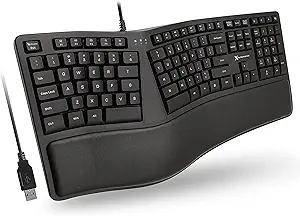 | Best for Long Hours and Focused Work | Compatibility: Laptop, PC, ChromeOS, Amazon Fire tablets | Connectivity Technology: USB-A, Wired | Number of Keys: 110 | VIEW ON AMAZON | See Our Full Breakdown |
| ProtoArc EKM01 Plus Wireless Ergonomic Keyboard Mouse Combo – Gray Black |  | Best for Multi-Device Seamless Switching and Long Battery Life | Keyboard Dimensions: 20.75″ L x 11″ W | Connectivity: Bluetooth and USB receiver | DPI: 2000 | VIEW ON AMAZON | See Our Full Breakdown |
| Arteck Split Ergonomic Keyboard with Palm Rest, 2.4G USB Wireless |  | Best Long Battery Life and Wireless Convenience | Connectivity Technology: USB Wireless | Power Source: Battery Powered | Battery Life: 6 months | VIEW ON AMAZON | See Our Full Breakdown |
| ergonomic split keyboards for programmer | Connectivity |
|---|---|
| Logitech Ergo K860 Wireless Er | USB receiver, Bluetooth |
| Arteck Ergonomic Split Keyboar | Bluetooth, USB-A, USB-C |
| OMOTON USB-A Type-C Ergonomic | USB wired |
| Perixx PERIBOARD-512B Wired Er | Wired USB |
| Wired Ergonomic Split Keyboard | Wired USB-A with USB-C adapter |
| ProtoArc EK01 Plus Backlit Blu | Bluetooth and 2.4G USB |
| Micropack Split Ergonomic Wire | Bluetooth and 2.4G USB |
| Incase Sculpt Ergonomic Keyboa | Wireless |
| Arteck Split Ergonomic Keyboar | — |
| Nulea Ergonomic Split Wireless | — |
| Adesso WKB-7500CB Wireless Erg | — |
| X9 Wired Ergonomic Keyboard wi | — |
| ProtoArc EKM01 Plus Wireless E | Bluetooth and USB receiver |
| Arteck Split Ergonomic Keyboar | — |
More Details on Our Top Picks
Logitech Ergo K860 Wireless Ergonomic Split Keyboard with Wrist Rest
This option stands out for its well-balanced combination of ergonomic features and user comfort, making it the best all-around choice. Compared to the Arteck split keyboard, the Logitech Ergo K860 offers a more adjustable tilt and a larger, more supportive wrist rest, which can help reduce muscle tension during long sessions. Its wireless connectivity adds convenience, but the higher price and larger footprint may not suit every workspace. The full-size layout with a numpad is ideal for users who need data entry capabilities and prefer a stable, cable-free setup. The adjustable tilt and long battery life ensure a customizable, low-maintenance experience for dedicated programmers seeking comfort without sacrificing functionality.
Pros:- Reduces wrist strain with split, curved design and supportive wrist rest
- Adjustable tilt for personalized ergonomic positioning
- Long battery life of up to two years
- Quiet, comfortable keys suitable for extended typing
Cons:- Higher price point may be a barrier for some users
- Larger footprint might not fit small desks
- Requires Bluetooth or USB receiver for connection
Best for: Programmers who prioritize ergonomic adjustability and long-term comfort in a wireless setup
Not ideal for: Desk workers with limited space or those on a tight budget, due to its size and higher cost
- Type:Wireless ergonomic keyboard
- Connectivity:USB receiver, Bluetooth
- Wrist Rest:Pillowed with memory foam
- Wrist Support Increase:54%
- Wrist Bending Reduction:25%
- Key Layout:Full-size with numpad
- Battery Life:Two years
- Adjustable Tilt:0, -4, -7 degrees
- Materials:71% post-consumer recycled plastic, FSC-certified packaging
Our verdict“This keyboard is best for users seeking a premium, customizable wireless ergonomic solution with long-lasting comfort.”
Arteck Ergonomic Split Keyboard with Cushioned Wrist Rest, Wireless Bluetooth & USB Receiver, Compatible with Windows, Laptop, PC, Tablet
This model makes the most sense for users who need a versatile, budget-conscious ergonomic keyboard capable of connecting to multiple devices simultaneously. Unlike the Logitech K860, the Arteck offers a more affordable option with wireless connectivity supporting three devices via Bluetooth, USB-A, and USB-C, but its lack of adjustable tilt and less plush wrist support mean it may not be as customizable. The mechanical Cherry MX Brown switches appeal to those who prefer tactile feedback, yet this may not suit users who favor quieter, membrane keys. Its ambidextrous design and multi-device support make it a practical choice for multi-platform programmers, though the absence of backlit keys could hinder use in low-light environments.
Pros:- Ergonomic split design reduces wrist strain
- Supports connection to three devices simultaneously
- Rechargeable battery lasts up to six months
- Ambidextrous layout suits both left- and right-handed users
Cons:- Mechanical switches may not suit users preferring silent keys
- No backlit keys, reducing visibility in dim settings
- Limited tilt adjustability
Best for: Programmers who switch between devices frequently and want an affordable ergonomic solution
Not ideal for: Users requiring extensive ergonomic customization or silent typing, as switches are mechanical and tilt options limited
- Connectivity:Bluetooth, USB-A, USB-C
- Compatible Devices:PC, desktop, laptop, tablet
- Power Source:Rechargeable battery
- Design:Split ergonomic with wrist rest
- Switch Type:Cherry MX Brown
- Layout:QWERTY
Our verdict“This keyboard offers solid ergonomic features for multi-device users seeking affordability and flexibility.”
OMOTON USB-A Type-C Ergonomic Keyboard with Cushioned Wrist Rest
This wired keyboard emphasizes simplicity and compatibility, making it suitable for users who prefer a reliable, no-latency connection. Its dual USB-A and USB-C interface allows seamless switching between devices, unlike wireless options that can introduce lag or connectivity issues. The curved split layout promotes natural arm positioning, but the wired design may be limiting for those who want a clutter-free workspace or need mobility. The sweat-proof leather wrist rest adds comfort and easy maintenance, yet its size might be less suitable for small desks. Compared to the Perixx wired model, the OMOTON’s dual interface offers greater flexibility in device management.
Pros:- Ergonomic design reduces wrist and forearm fatigue
- Dual USB interface for easy device switching
- Sweat-proof leather wrist rest for comfort and cleaning
- Adjustable tilt for ergonomic customization
Cons:- Wired connection limits mobility
- Bulky for small or cluttered desks
- No wireless option available
Best for: Professionals who need a dependable, wired ergonomic keyboard for extended use at a fixed station
Not ideal for: Mobile users or those who prefer wireless setups, as it lacks wireless connectivity
- Interface:USB-A & USB-C
- Wrist Rest:Sweat-proof leather with soft sponge core
- Tilt Adjustment:Back 4.8°, Front 1.8°, four-leg stability
- Layout:Curved split with numeric keypad
- Connectivity:USB wired
Our verdict“Ideal for users prioritizing reliable wired connection and ergonomic comfort in a stationary workstation.”
Perixx PERIBOARD-512B Wired Ergonomic Keyboard – Split Design with Wrist Rest
The Perixx PERIBOARD-512B is a straightforward, cost-effective ergonomic solution, especially suited for those new to split keyboards. Its wired USB connection ensures stable operation but limits portability. The long key travel and tactile membrane switches provide a responsive feel, though they may not satisfy users accustomed to mechanical switches. The curved keycaps and split layout promote natural hand positioning, which can significantly reduce wrist discomfort over extended typing. Compared with the Omoton, its lower price makes it accessible, but the tradeoff is a less premium build and fewer ergonomic adjustments.
Pros:- Ergonomic split design reduces wrist strain
- Long key travel offers responsive feedback
- Curved keycaps improve comfort and control
- Affordable price point
Cons:- Requires adjustment period for new users
- Membrane switches may feel less premium than mechanical
Best for: Beginners or budget-conscious users seeking an ergonomic wired keyboard with fundamental comfort features
Not ideal for: Users seeking extensive customization or wireless convenience, as it’s a basic wired model
- Connectivity:Wired USB
- Layout:US English
- Color options:Black, Beige, White
- Key travel:4.2 mm
- Switch type:Membrane
- Durability:Up to 20 million keystrokes
Our verdict“This keyboard suits entry-level users or those on a budget wanting a reliable ergonomic wired option.”
Wired Ergonomic Split Keyboard with RGB Backlight & Numpad
This full-size wired ergonomic keyboard emphasizes visual customization and multimedia convenience, making it ideal for those who want both comfort and style. Its split layout and wrist rest promote natural arm alignment, comparable to the Perixx but with added flair through customizable RGB backlighting and effects. The broad OS compatibility and included USB-C adapter enhance versatility, but the wired setup means less freedom of movement. For users who value aesthetics and a full feature set over portability, this keyboard provides a compelling balance—though it may require some adjustment to the bright lighting modes.
Pros:- Ergonomic split design reduces wrist strain
- Customizable RGB lighting and effects
- Full-size layout with dedicated shortcut keys
- Broad OS compatibility with USB-C connectivity
Cons:- Wired connection limits mobility
- RGB lighting may be distracting in low-light work environments
- Requires adjustment to multiple lighting modes
Best for: Design-conscious programmers and professionals who want a feature-rich ergonomic keyboard with visual flair
Not ideal for: Mobile users or those seeking wireless simplicity, as it’s strictly wired and may be bulky
- Design:Split ergonomic with wrist rest and adjustable kickstands
- Backlight:RGB with 10 rainbow modes, 7 solid colors, 17 effects
- Connectivity:Wired USB-A with USB-C adapter
- Cable Length:5.6 ft
- Key Lifespan:10 million keystrokes
- Compatibility:Windows, macOS, Chrome OS, Linux
Our verdict“This keyboard appeals to users who want ergonomic comfort combined with vibrant aesthetics and multimedia controls.”
ProtoArc EK01 Plus Backlit Bluetooth Ergonomic Keyboard, Full Size, Grey
The ProtoArc EK01 Plus stands out for its comprehensive full-size layout combined with ergonomic split framing that minimizes wrist strain. Compared to the Incase Sculpt, it offers more device connectivity options and adjustable backlighting, which benefits multi-device users working in varying lighting conditions. However, the lack of a wired option means less reliability in environments with unstable Bluetooth connections. Its adjustable tilt and long battery life make it versatile for prolonged use, though its larger footprint may be less ideal for smaller desks. This pick makes the most sense for programmers who prioritize multi-device flexibility and backlit comfort without sacrificing ergonomic benefits.
Pros:- Reduces wrist strain with ergonomic split design
- Supports seamless switching among up to 3 devices
- Long-lasting 2000mAh battery with adjustable backlight
Cons:- No wired connection option for scenarios requiring maximum reliability
- Full-size design can occupy more desk space
Best for: Programmers who need a full-featured, multi-device ergonomic keyboard with customizable lighting.
Not ideal for: Users with limited desk space or those who prefer wired connections for maximum reliability.
- Design:Full-size ergonomic split-frame
- Backlighting:Adjustable white LED (Low, Mid, High, Off)
- Battery Capacity:2000mAh rechargeable
- Battery Life:Up to 100 days with backlight off
- Wrist Support:Cushioned wrist rest
- Connectivity:Bluetooth and 2.4G USB
Our verdict“Ideal for multi-device users who want ergonomic comfort and adjustable lighting in a wireless full-size layout.”
Micropack Split Ergonomic Wireless Keyboard with Wrist Rest, Bluetooth & 2.4G, Rechargeable, USB-C, Quiet Scissor Switch, for Mac & Windows, Black
The Micropack Split Ergonomic Wireless Keyboard offers an accessible entry point into ergonomic typing, with its straightforward split layout and integrated wrist rest that help reduce wrist fatigue. Compared with the Arteck Split Ergonomic Keyboard, it provides multi-device connectivity and a broader compatibility range, including Mac and Windows. Its quiet scissor switches support longer typing sessions in shared spaces, although it’s limited to Windows and Mac, which might restrict some users. The absence of backlit keys means less distraction and power consumption, making it suitable for those new to ergonomic setups who want simplicity and comfort. This model is perfect for beginners seeking an ergonomic wireless option without complicated features.
Pros:- Split layout reduces wrist strain
- Supports multi-device switching with Bluetooth and 2.4G
- Quiet, responsive scissor switches ideal for shared spaces
Cons:- Limited to Windows and Mac compatibility
- No backlit keys, which may be a drawback in low-light environments
Best for: New users or those seeking an easy-to-use ergonomic wireless keyboard for daily work.
Not ideal for: Power users who need customizable backlighting or extensive OS support beyond Windows and Mac.
- Compatibility:Windows and Mac
- Connectivity:Bluetooth and 2.4G USB
- Switch Type:Quiet Scissor Switch
- Power:Rechargeable USB-C
- Layout:Split with wrist rest
- Number of Keys:110
Our verdict“A great starter ergonomic wireless keyboard for users prioritizing straightforward comfort and multi-device support.”
Incase Sculpt Ergonomic Keyboard, Split Layout, Palm Rest, Black
The Incase Sculpt emphasizes personalized ergonomic setup with its removable elevator mechanism and standalone numeric keypad, catering to users who want tailored comfort. Its split layout and cushioned palm rest help alleviate wrist tension during extended sessions. Compared with the Arteck Split Ergonomic Keyboard, it offers more customizable options and a focus on security with AES 128-bit encryption, suitable for privacy-sensitive tasks. The wireless connection can be prone to latency, and its design may not appeal to users preferring traditional, non-split keyboards. The removable parts pose a risk of misplacement, but overall, it’s a strong choice for those who need adaptable ergonomic features for daily programming workflows.
Pros:- Removable elevator for adjustable height
- Split layout with cushioned palm rest for wrist comfort
- Extra standalone numeric keypad for workflow flexibility
- Secure AES 128-bit encryption for data protection
Cons:- Wireless connection might introduce latency issues
- Removable parts could be misplaced or lost
Best for: Programmers who value highly customizable ergonomic setups and enhanced security features.
Not ideal for: Users seeking a simple, plug-and-play solution or those concerned about potential latency with wireless connections.
- Layout:Split with standalone numeric keypad
- Palm Rest:Integrated cushioned
- Adjustability:Removable elevator mechanism
- Connectivity:Wireless
- Encryption:AES 128-bit
- Color:Black
Our verdict“Best suited for users who want a highly customizable ergonomic keyboard with added security features.”
Arteck Split Ergonomic Keyboard with Palm Rest, USB Wired Backlit Keyboard
The Arteck Split Ergonomic Keyboard offers a compact, wired solution emphasizing simplicity with its backlit keys and cushioned palm rest. Compared with the ProtoArc EK01 Plus, it lacks wireless flexibility but provides a straightforward, plug-and-play experience for Windows users who prefer wired reliability. Its backlit feature, although limited to a single color, enhances visibility in dim settings, but may drain power faster, especially in prolonged use. The ergonomic split design reduces wrist strain, making it suitable for desktop setups where minimal latency and power efficiency are priorities. This keyboard makes sense for users who want a wired, backlit ergonomic option for day-to-day typing needs.
Pros:- Reduces wrist strain with ergonomic split design
- Backlit keys with customizable brightness
- Plug-and-play USB connection for reliable performance
Cons:- Limited to Windows operating system
- No wireless options, restricting mobility
Best for: Wired setup enthusiasts who need backlit keys for low-light work environments.
Not ideal for: Users requiring wireless connectivity or multi-device switching in a single ergonomic package.
- Connectivity Technology:USB Wired
- Backlit:Yes
- Backlight Color Support:Single Color
- Power Source:Corded Electric
- Switch Type:Scissor
- Number of Keys:104
Our verdict“Ideal for wired workspace setups where backlit visibility and ergonomic comfort are priorities.”
Nulea Ergonomic Split Wireless Keyboard with Cushioned Wrist Rest
The Nulea Ergonomic Split Wireless Keyboard is designed for extended use, with its long-lasting 200-hour battery and dual Bluetooth and 2.4G connectivity. Its split layout and soft wrist rest help minimize muscle tension during long programming sessions. Compared to the Micropack, it offers a longer battery life and broader device compatibility, including tablets like the Amazon Fire series. However, its limited OS support and the somewhat basic design may not appeal to users seeking premium features or a more traditional aesthetic. The soft palm rest and dual connectivity make it especially suitable for users who need a reliable, ergonomic wireless keyboard for multi-device work over extended periods.
Pros:- Ergonomic split design reduces muscle strain
- Long battery life up to 200 hours
- Supports dual Bluetooth and 2.4G connections
- Soft wrist rest for added comfort
Cons:- Limited OS compatibility, mainly Windows
- Basic design with no backlit features
Best for: Programmers and power users who prioritize long battery life and multi-device wireless flexibility.
Not ideal for: Users wanting extensive customization, backlit keys, or Windows-only environments.
- Compatible Devices:Laptop, PC
- Connectivity Technology:2.4G, Bluetooth
- Additional Features:Ergonomic, Wrist Rest
- Power Source:Battery Powered
- Switch Type:Scissor
- Number of Keys:104
Our verdict“Perfect for users needing a durable, long-lasting ergonomic wireless keyboard for multiple devices and extended use.”
Adesso WKB-7500CB Wireless Ergonomic Keyboard and Mouse Combo
This wireless combo stands out for offering a quiet, tactile typing experience thanks to its scissor switch keys, a feature that isn’t as common among split keyboards like the ProtoArc EKM01 Plus. Its dedicated Copilot AI hotkey provides quick access to AI tools, making it ideal for programmers who need integrated assistance. Compared with wired options, this set offers impressive freedom of movement with a range of up to 30 feet, although it requires 4 AAA batteries, adding ongoing maintenance. The multi-OS compatibility supports both Windows and macOS, but the design can feel bulky for minimalists who prefer cleaner setups. This choice suits remote developers or those who prioritize wireless convenience combined with AI shortcuts, but might be less appealing for users seeking a minimalist aesthetic or longer-lasting battery without replacements.
Pros:- Quiet, tactile scissor switch keys for comfortable typing
- Dedicated Copilot AI hotkey for quick AI access
- Wireless connection with a 30-foot range for flexible workspace setup
- Multi-OS compatibility with adjustable mouse DPI
Cons:- Requires 4 AAA batteries, which need replacement over time
- Limited to Windows and macOS, excluding other OS
- Design may feel bulky for those with minimal desk setups
Best for: Programmers who need a versatile, wireless setup with quick AI access for multitasking.
Not ideal for: Minimalists or users who prefer battery-free, wired solutions with a slim profile.
- Connectivity Technology:Radio Frequency
- Special Features:Copilot AI Hotkey, Ergonomic, Scissor Switch Keys
- Compatible Devices:Laptop, Personal Computer
- Keyboard Layout:QWERTY
- Number of Keys:104
- Color:Black
- Item Weight:2 pounds
Our verdict“This pick is best for programmers who want wireless freedom combined with integrated AI shortcuts and don’t mind occasional battery changes.”
X9 Wired Ergonomic Keyboard with Cushioned Wrist Rest – USB Split Keyboard for Laptop, PC & Chrome
The X9 Wired Ergonomic Keyboard prioritizes comfort with its split wave design and cushioned wrist rest, making it ideal for extended typing sessions. Its full-sized 110-key layout, including shortcuts and a numeric keypad, offers functionality comparable to the Arteck Split Ergonomic Keyboard, but with the advantage of a wired connection that eliminates latency concerns. While lacking backlit keys, its plug-and-play simplicity appeals to users who prefer straightforward, distraction-free setups. The wired design means less flexibility in positioning, which could be a drawback for those with dynamic workspaces. This model is well-suited for office environments or home setups where stability and reduced fatigue are more critical than wireless freedom.
Pros:- Ergonomic split design reduces wrist strain
- Includes cushioned wrist rest for added comfort
- Full-sized layout with shortcuts and numeric keypad
- Plug-and-play with no driver setup
Cons:- No backlit keys for low-light environments
- Wired connection limits workspace flexibility
- Lacks additional customization features
Best for: Programmers who spend long hours at their desk and prefer a reliable, wired ergonomic keyboard with a full layout.
Not ideal for: Mobile or remote workers who need wireless and portability or those working in low-light conditions requiring backlit keys.
- Compatibility:Laptop, PC, ChromeOS, Amazon Fire tablets
- Connectivity Technology:USB-A, Wired
- Number of Keys:110
- Power Source:USB
- Keyboard Layout:QWERTY
- Hand Orientation:Ambidextrous
- Additional Features:Ergonomic, Integrated Stand, Split Keyset, Wrist Rest
Our verdict“Ideal for users seeking a stable, comfortable wired keyboard for long coding sessions without the need for backlit keys or wireless setup.”
ProtoArc EKM01 Plus Wireless Ergonomic Keyboard Mouse Combo – Gray Black
The ProtoArc EKM01 Plus offers a full-size split keyframe design that enhances comfort and wrist positioning, similar to the Arteck Split Ergonomic Keyboard. Its support for up to three devices via Bluetooth or USB makes it a standout for multitasking across multiple machines, a feature less emphasized by other options like the Adesso WKB-7500CB. The rechargeable battery with a standby time of 250 hours reduces the need for frequent replacements, although its full size requires more desk space. While lacking backlit keys, the long battery life and seamless device switching make this ideal for busy programmers who juggle multiple systems and need comfort over extended periods. The absence of backlighting can be a drawback in dim environments, but overall, it excels in multi-device workflows.
Pros:- Ergonomic split design with cushioned palm rest for comfort
- Supports connection to up to three devices for easy switching
- Long battery life with fast charging and auto sleep mode
- Rechargeable battery reduces ongoing costs
Cons:- Full-size keyboard may require more desk space
- No backlit keys, limiting use in dark environments
- Potentially larger footprint than more compact models
Best for: Programmers working on multiple devices who value long battery life and seamless switching.
Not ideal for: Users with limited desk space or those who prefer backlit keys for working in low light.
- Keyboard Dimensions:20.75″ L x 11″ W
- Connectivity:Bluetooth and USB receiver
- DPI:2000
- Battery:500mAh rechargeable lithium
- Standby Time:250 hours
- Auto Sleep Mode:Yes
Our verdict“Best suited for multi-device users who prioritize comfort and long battery life over backlit features.”
Arteck Split Ergonomic Keyboard with Palm Rest, 2.4G USB Wireless
The Arteck Split Ergonomic Keyboard combines a split design with a long-lasting rechargeable battery, making it a practical choice for those who want wireless freedom without sacrificing comfort. Its cushioned wrist rest and split layout reduce wrist strain, comparable to the X9 Wired Ergonomic Keyboard, but with the added benefit of wireless connectivity via 2.4G USB. While it lacks backlit keys, this model’s six-month battery life minimizes interruptions, especially for users who work in well-lit environments. Its plug-and-play setup simplifies installation, though it’s limited to Windows systems, which could be restrictive for some users. This keyboard makes sense for those prioritizing long-term wireless use and comfort, but less so for low-light or multi-OS workflows.
Pros:- Ergonomic split design reduces wrist strain
- Cushioned wrist rest for added comfort
- Wireless connectivity with easy setup
- Rechargeable battery lasting up to 6 months
Cons:- No backlit keys for low-light work
- Limited to Windows, reducing cross-platform flexibility
- No additional customization options
Best for: Programmers who need long battery life and wireless convenience, primarily working in well-lit environments.
Not ideal for: Users who require backlit keys or need compatibility with operating systems other than Windows.
- Connectivity Technology:USB Wireless
- Power Source:Battery Powered
- Battery Life:6 months
- Number of Keys:102
- Keyboard Layout:QWERTY
- Hand Orientation:Ambidextrous
- Additional Features:Hotkeys and Media Keys, Rechargeable, Split Keyset, Wrist Rest
Our verdict“Ideal for Windows users seeking a comfortable, long-lasting wireless keyboard with ergonomic benefits and minimal setup hassle.”

How We Picked
In evaluating these ergonomic split keyboards, I focused on factors that directly impact a programmer’s daily experience: typing comfort, ergonomic design, build quality, connectivity options, and value for money. We prioritized models with proven ergonomic benefits, such as split layouts and wrist support, while also considering ease of use, compatibility, and durability. Our ranking reflects a balance between high-performance features and affordability, highlighting options suitable for beginners as well as seasoned users. Products were selected based on a combination of user reviews, feature sets, and overall design quality, ensuring each offers a meaningful benefit for programming workflows.Factors to Consider When Choosing Ergonomic Split Keyboards For Programmers
Choosing the right ergonomic split keyboard involves understanding several key factors that influence comfort, usability, and long-term health benefits. Beyond price, consider how the layout, connectivity, and build quality align with your workspace and typing habits. Making an informed choice prevents frustration and ensures your investment supports your productivity.Ergonomic Design and Layout
Look for a split layout that naturally positions your hands and wrists, reducing strain during long coding sessions. Some models feature tenting or adjustable angles, which can help find a more natural hand position. Remember, a design that feels comfortable initially may require some adjustment, so consider models with adjustable features to personalize your setup.
Build Quality and Key Switches
Durability matters when investing in an ergonomic keyboard, especially if you type for hours daily. High-quality materials and sturdy construction prevent flexing and wear. Additionally, the choice of key switches—mechanical or membrane—affects typing feel and noise level. Mechanical switches often offer better feedback but may be noisier, while membrane switches tend to be quieter and softer.
Connectivity and Compatibility
Wireless options like Bluetooth or 2.4G USB dongles provide flexibility but check for reliable connectivity and battery life. Wired keyboards eliminate latency concerns, which can be crucial for fast-paced coding environments. Compatibility with your operating system and ease of setup also influence overall usability, especially if you work across multiple devices.
Additional Features and Customization
Features like backlit keys, programmable macros, and wrist rests enhance usability but may add cost or complexity. Decide what features genuinely improve your workflow—extra keys might benefit power users, while minimalistic designs suit those preferring simplicity. Be wary of overpaying for features you won’t use regularly.
Price and Value
Higher-priced models often include premium materials, better ergonomics, and additional features. However, a well-chosen mid-range keyboard can provide excellent comfort without a hefty price tag. Balance your budget with the features that matter most for your daily comfort and health, avoiding overspending on bells and whistles that won’t improve your typing experience.
Frequently Asked Questions
Is a split keyboard really better for preventing repetitive strain injuries?
Yes, a split keyboard can significantly reduce strain by allowing your hands and wrists to adopt a more natural position. This design minimizes ulnar deviation and encourages a more neutral wrist posture, which can help prevent conditions like carpal tunnel syndrome. However, the benefits depend on choosing a model that fits your body and typing habits, and consistent ergonomic practices are essential for long-term health.
Can I switch to an ergonomic split keyboard if I already have wrist pain?
Switching to an ergonomic split keyboard often alleviates wrist pain by reducing strain and promoting better alignment. It’s advisable to introduce the new keyboard gradually, giving your hands time to adapt. Additionally, pairing the keyboard with proper ergonomic accessories and maintaining good typing habits will maximize the benefits and help prevent future discomfort.
Are wireless split keyboards reliable enough for programming work?
Most modern wireless split keyboards offer reliable connectivity, especially those with Bluetooth or dedicated 2.4G dongles. They provide freedom of movement and reduce cable clutter, which can improve your workspace ergonomics. However, ensure the model you choose has good battery life and stable connection ratings, particularly if you work in environments with potential interference or require high responsiveness.
Is it worth paying extra for features like backlighting or programmability?
Features like backlighting and programmable keys can enhance usability but are mostly beneficial for specific workflows or low-light environments. If your priority is comfort and health, these extras should come secondary to ergonomic design and build quality. Investing in a well-designed, comfortable keyboard often provides more long-term value than focusing solely on feature sets.
How important is key switch type in an ergonomic split keyboard?
The switch type influences typing feel, noise level, and durability. Mechanical switches typically offer a more tactile and responsive experience, which many programmers prefer, but can be noisier. Membrane switches tend to be softer and quieter but may wear out faster. Choosing the right switch depends on your typing preferences and environment, but overall, a quality switch enhances comfort during extended use.
Conclusion
For those seeking the best overall experience, the Logitech Ergo K860 stands out thanks to its thoughtful design and comfort features, making it ideal for long coding sessions. Budget-conscious users should consider the Arteck Split Keyboard, which offers reliable wireless connectivity at a lower price point. Beginners or those new to ergonomic setups will find the Incase Sculpt a simple, straightforward choice. For users with specific needs like programmable keys or backlit designs, premium options like the ProtoArc EK01 Plus provide advanced features. Ultimately, choosing the right model depends on your budget, workspace, and how much you prioritize comfort versus features.Halloween Picks

10.5 ft Lighted Pumpkin and Ghost Halloween Inflatable Archway

Max Fun 10-Foot Halloween Dragon and Pumpkin Inflatable Archway with LED Lights

11.2-Foot Halloween Inflatable Pumpkin with LED Lights
As an affiliate, we earn on qualifying purchases.