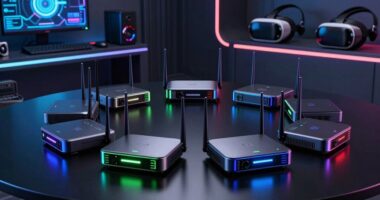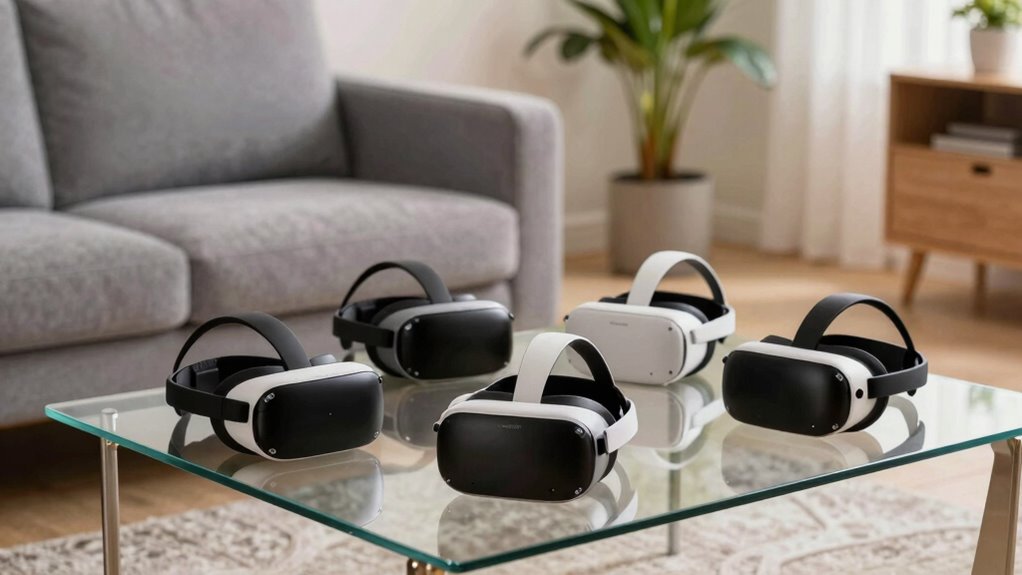

VR headsets for small spaces range from standalone systems with room-scale features to simpler smartphone viewers suited to seated use. I’d put the Meta Quest 3 512GB first for its standalone design and broad flexibility, while the Meta Quest 2 is a lower-cost route into standalone VR and the DESTEK V5 is a simpler choice for phone-based viewing. The key tradeoff is between richer VR experiences that need more setup and basic viewers that take less effort but depend on a compatible phone. A compact room still needs safe clearance for movement, even if you plan to play mostly in place. Read on for the full comparison and guidance on choosing for your room and routine.

Get business pricing on tech for your team
- Business-only prices and quantity discounts
- Tax-exempt purchasing
- Multiple users, one account, clear invoices
Complete the kit



Key Takeaways
- The Meta Quest 3 is the strongest all-around fit for buyers who want standalone VR without relying on a smartphone or PC, though its play area still needs to be cleared for movement.
- The Meta Quest 2 offers a standalone alternative for buyers who do not need the newest model; it is more capable than phone viewers but does not remove the need for safe play space.
- Phone-based viewers favor seated, simple use over interactive standalone experiences, and their usefulness depends on smartphone size, fit, and available content.
- The DESTEK V5 and adjustable-pupil-distance smartphone viewer address comfort and fit needs, while the foldable viewer prioritizes storage and portability.
- The smartphone compatibility range matters before purchase: the 3D VR headset listing specifies phones from 5.0 to 7.0 inches, while other phone viewers still require buyers to check fit and device support.
| Foldable Smartphone VR Headset with Bluetooth Headphones |  | Best Compact Smartphone Pick | Compatible screen size: 4.7–6.5 inches | Platform compatibility: Android and iOS | Connectivity: Bluetooth | VIEW ON AMAZON | See Our Full Breakdown |
| Meta Quest 3 512GB VR Headset with Gorilla Tag Bundle |  | Best Overall for Small Rooms | Storage: 512GB | Memory: 8GB RAM | Processor: Snapdragon XR2 Gen 2 | VIEW ON AMAZON | See Our Full Breakdown |
| 3D VR Headset with Controller – Compatible with 5.0‑7.0 inch Smartphones (Black) |  | Best for Larger Phones | Phone size compatibility: 5.0–7.0 inches | Field of view: 95–120° | Focal distance: Adjustable | VIEW ON AMAZON | See Our Full Breakdown |
| DESTEK V5 VR Headset for Smartphones |  | Best Smartphone Pick for Android Controls | Compatible screen size: 5.5–7.0 inches | Field of view: 110° | Lens feature: Anti-blue-light | VIEW ON AMAZON | See Our Full Breakdown |
| Meta Quest 2 All-in-One VR Headset, 128 GB |  | Best Standalone Entry Point | Storage: 128 GB | Connectivity: Wireless | Audio: 3D positional audio | VIEW ON AMAZON | See Our Full Breakdown |
| Smartphone VR Headset with Adjustable Pupil Distance |  | Best Compact Phone-Based Pick | Compatible phone screen size: 4.7–7 inches | Field of view: 90 degrees | Maximum resolution: 1920 × 1080 | VIEW ON AMAZON | See Our Full Breakdown |
| vr headsets for small space | Connectivity | Field of view |
|---|---|---|
| Foldable Smartphone VR Headset | Bluetooth | 120 degrees |
| Meta Quest 3 512GB VR Headset | Wireless, untethered | — |
| 3D VR Headset with Controller | — | 95–120° |
| DESTEK V5 VR Headset for Smart | — | 110° |
| Meta Quest 2 All-in-One VR Hea | Wireless | — |
| Smartphone VR Headset with Adj | Bluetooth | 90 degrees |
More Details on Our Top Picks
Foldable Smartphone VR Headset with Bluetooth Headphones
For a small room, this phone-powered viewer keeps the setup simple: it needs no console or separate VR computer, and its foldable Bluetooth headphones pack away with the headset. Adjustable focal settings and a head strap let users tune the fit without rearranging furniture. Compared with the DESTEK V5, this model claims a wider 120-degree field of view, while the DESTEK offers a controller and an app library. Its main limitation is the phone itself: compatibility is restricted to supported devices with 4.7–6.5-inch screens, so larger phones may not fit. The listed resolution and refresh rate describe the headset data, but the viewing experience still depends on the inserted phone and compatible content. I’d choose it for seated movie viewing or casual smartphone VR, not room-scale games.
Pros:- Foldable Bluetooth headphones are integrated into the headset.
- Adjustable focal settings allow users to tune the viewing setup.
- Adjustable head strap supports a more customizable fit.
- Supports compatible iPhone and Android smartphones.
Cons:- Requires a compatible smartphone to provide the display and VR content.
- Phone compatibility is limited to 4.7–6.5-inch screens.
- Smartphone-based viewing is not a substitute for a standalone room-scale VR system.
Best for: Phone owners with a supported 4.7–6.5-inch iPhone or Android device who want a compact viewer for seated movies and casual VR.
Not ideal for: People with phones outside the stated screen-size range, or buyers seeking standalone, room-scale VR without a smartphone.
- Compatible screen size:4.7–6.5 inches
- Platform compatibility:Android and iOS
- Connectivity:Bluetooth
- Field of view:120 degrees
- Resolution:1920 × 1080 per eye
- Refresh rate:60 Hz
- Sensors:Gyroscope and accelerometer
- Screen size:5.5 inches
Our verdict“Choose this compact phone viewer if your smartphone fits its size range and you mainly want seated video or casual VR.”
Meta Quest 3 512GB VR Headset with Gorilla Tag Bundle
I rank the Meta Quest 3 first because it is the clearest fit for buyers who want actual standalone VR without dedicating a large area to setup. Its wireless design avoids a PC tether, while full-color passthrough and mixed reality let users keep sight of their surroundings in a confined space. The 4K+ display, Snapdragon XR2 Gen 2 processor, and 8GB of RAM distinguish it from the older Meta Quest 2 in this lineup, though the Quest 2 also works without a PC or console. This bundle adds Gorilla Tag items, but the headset’s more lasting appeal is its general VR and mixed-reality capability. The tradeoff is session length: listed battery life is just over two hours, so extended play may call for charging breaks. Its standalone freedom also comes with more hardware than a simple phone viewer.
Pros:- Wireless standalone operation avoids a PC or console tether.
- Full-color passthrough supports mixed reality while keeping the room visible.
- 4K+ Infinite Display and Snapdragon XR2 Gen 2 processor provide a more capable platform than the listed Quest 2.
- Gorilla Tag bundle includes exclusive in-game items and 2,000 shiny rocks.
Cons:- Listed battery life is over two hours, which can limit uninterrupted sessions.
- More involved hardware than a basic smartphone VR viewer.
- The bundle’s Gorilla Tag extras may hold little value for buyers who do not play that game.
Best for: Buyers who want standalone games and mixed reality in a compact room, with no PC tether and enough space to play while monitoring their surroundings.
Not ideal for: People who only want an inexpensive, seated smartphone movie viewer or who need long sessions without charging breaks.
- Storage:512GB
- Memory:8GB RAM
- Processor:Snapdragon XR2 Gen 2
- Display:4K+ Infinite Display
- Battery life:2+ hours
- Cameras:Dual RGB color cameras
- Connectivity:Wireless, untethered
- Bundle:Gorilla Tag items and 2,000 shiny rocks
Our verdict“Pick the Quest 3 for the strongest standalone and mixed-reality option here if your small room can accommodate active play and regular charging.”
3D VR Headset with Controller – Compatible with 5.0‑7.0 inch Smartphones (Black)
This smartphone headset earns its place through broad phone-size compatibility: its stated 5.0–7.0-inch range reaches beyond the Foldable Smartphone VR Headset’s 4.7–6.5-inch limit. The included remote controller can make media control easier without reaching for the phone, a useful detail when seated in a tight space. Adjustable lenses and a 95°–120° field of view give it some flexibility, though the range does not establish one fixed viewing angle. Unlike the standalone Meta Quest 2, it relies on a compatible phone and is aimed at simple 3D viewing rather than a full untethered VR library. There are practical compromises: the phone must sit horizontally, and the button operation can require pressing both buttons at once. I’d favor it over the narrower phone viewer when phone fit is the deciding factor, but skip it for active, room-scale play.
Pros:- Fits stated smartphone screen sizes from 5.0 to 7.0 inches.
- Adjustable lenses allow users to tune the focal distance.
- Remote controller provides media-control functions.
- Adjustable strap and soft nose piece support a customizable fit.
Cons:- Requires a compatible smartphone for its display and content.
- Phone must be placed horizontally, which may be inconvenient.
- Button operation can be tricky and may require simultaneous presses.
Best for: Smartphone owners with 6.5–7.0-inch screens who want a basic 3D viewer and remote media control in a small, mostly seated setup.
Not ideal for: Buyers who want standalone VR, dislike fiddly controls, or cannot position their phone horizontally inside the headset.
- Phone size compatibility:5.0–7.0 inches
- Field of view:95–120°
- Focal distance:Adjustable
- Material:ABS + PC
- Dimensions:22.5 × 12.5 × 12 cm
- Weight:430 g
- Included items:VR glasses, remote controller, cleaning cloth, English user manual
Our verdict“Choose this model over the narrower Foldable Smartphone VR Headset if you need support for a larger phone and accept basic, phone-dependent viewing.”
DESTEK V5 VR Headset for Smartphones
The DESTEK V5 suits buyers who want more than a bare phone holder but still need a compact, smartphone-based setup. It combines a 110-degree field of view with touch buttons, a Bluetooth controller, and access to more than 100 apps, giving it a more accessory-rich proposition than the Foldable Smartphone VR Headset. Its fit range of 5.5–7.0-inch phones also accommodates some larger devices, though it will not cover every phone. The key split is operating system: Android users get navigation, motion control, and virtual interaction, while iOS controller support is limited to music playback and YouTube controls. That makes it a weaker choice for iPhone owners who expect full controller input. Like other phone viewers, it depends on smartphone content and should not be mistaken for the standalone room-scale experience of the Meta Quest 3.
Pros:- Fits compatible smartphones with 5.5–7.0-inch screens.
- 110-degree field of view offers a broad viewing angle.
- Includes a Bluetooth controller and touch buttons.
- Anti-blue-light lenses and breathable materials are included in the design.
Cons:- Full controller functions are available on Android, while iOS controls are limited.
- Requires a compatible smartphone and depends on phone-based VR content.
- The smartphone viewer format may not meet expectations for a full standalone VR experience.
Best for: Android users with a 5.5–7.0-inch phone who want a smartphone viewer with controller input, touch buttons, and access to an app library.
Not ideal for: iPhone owners seeking broad controller functionality, or buyers who want standalone VR games and mixed reality.
- Compatible screen size:5.5–7.0 inches
- Field of view:110°
- Lens feature:Anti-blue-light
- Included accessory:Bluetooth controller
- App library:More than 100 apps
- Android controller support:Navigation, motion control, and virtual interaction
- iOS controller support:Music playback and YouTube controls only
- Support:1 year
Our verdict“Choose the DESTEK V5 if you have a compatible Android phone and want more input options than a basic phone viewer provides.”
Meta Quest 2 All-in-One VR Headset, 128 GB
The Meta Quest 2 is the straightforward alternative for someone who wants wireless VR without buying into a phone-based viewer. It needs no PC or console, has a built-in battery, and supports hand tracking alongside intuitive controllers—useful in a small room where a cable could snag or limit movement. Its listed library of more than 500 titles gives it a broader standalone use case than the DESTEK V5, which depends on a compatible phone and has limited controller functions on iOS. Compared with the newer Meta Quest 3, though, the Quest 2 listing does not include full-color passthrough or the newer processor and display details. The 128GB storage is also lower than the Quest 3’s 512GB. This is a better fit for buyers prioritizing wireless basics over newer mixed-reality features, and less suited to households needing careful age-appropriate content selection.
Pros:- Operates wirelessly without a PC or console.
- Hand tracking and intuitive controllers offer different ways to interact.
- Built-in battery supports a portable, untethered setup.
- Access to more than 500 games, fitness, social, and entertainment titles.
Cons:- Its 128GB storage is less than the Quest 3’s listed 512GB.
- The provided product data does not list full-color passthrough or newer Quest 3 display and processor features.
- Some apps and experiences may be intended for a more mature audience.
Best for: New VR buyers who want a wireless, self-contained headset for games, fitness, social, and entertainment in a small room without a PC or console.
Not ideal for: Buyers who want the newer Quest 3 mixed-reality features, greater listed storage, or a phone-only viewer for seated media.
- Storage:128 GB
- Connectivity:Wireless
- Audio:3D positional audio
- Tracking:Hand tracking
- Power:Built-in battery
- PC or console required:No
- Content library:More than 500 games, fitness, social, and entertainment titles
- Age guidance:Accounts for ages 10+
Our verdict“Choose the Quest 2 for wireless standalone VR basics if you do not need the Quest 3’s newer mixed-reality features or higher listed storage.”
Smartphone VR Headset with Adjustable Pupil Distance
For a small room, this phone-powered headset keeps the setup simple: it needs no separate console or dedicated VR system, and its adjustable headband supports a seated viewing setup for 3D videos and smartphone games. The adjustable interpupillary distance lets users tune lens spacing, while the 90-degree field of view gives a contained VR experience rather than the room-filling feel of a standalone headset. Compared with the Meta Quest 2 All-in-One VR Headset, this model takes up less storage and relies on a phone you already own, but it also depends on phone compatibility and offers less clearly documented setup and control details. Its main tradeoff is convenience versus capability: the listing describes basic phone-based viewing, not the broader standalone VR experience. Choose it for occasional seated use; skip it if you want robust tracking or a self-contained system.
Pros:- Fits compatible smartphones with 4.7–7-inch screens
- Adjustable interpupillary distance helps users set lens spacing
- Designed for 3D videos and smartphone games
- Adjustable headband and lightweight design suit seated use and compact storage
Cons:- Requires a compatible smartphone, unlike the standalone Meta Quest 2
- Setup and control details are limited in the listing
- Phone-based design and listed sensors do not establish the room-scale tracking available from standalone VR headsets
Best for: Phone owners who want an inexpensive-to-store headset for seated 3D videos or casual smartphone VR in a bedroom or other compact room.
Not ideal for: Buyers seeking standalone VR, clearly documented controls, or room-scale play; this headset requires a compatible smartphone and the listing gives limited setup detail.
- Compatible phone screen size:4.7–7 inches
- Field of view:90 degrees
- Maximum resolution:1920 × 1080
- Platform compatibility:Android, smartphone
- Connectivity:Bluetooth
- Sensors:Accelerometer, gyroscope, proximity
- Headband:Adjustable
- Color:Black
Our verdict“Choose this compact phone-based headset for seated videos and casual VR with a compatible smartphone, but pick a standalone model for more capable tracking and play.”

How We Picked
I ranked these for limited-room use, not by feature count alone. The main criteria were whether a headset works independently or relies on a phone, how much setup and movement its typical use calls for, the practical fit and adjustment features described in the product names, and how easily it can be stored or used in a seated position. I also considered the tradeoff between interactive VR and simpler phone-based viewing.
The Meta Quest 3 ranks first because a standalone system gives small-space buyers more flexibility than a phone viewer, while the Quest 2 remains a distinct alternative for buyers who want standalone use without choosing the newest model. Smartphone viewers rank below them for broader VR use, but can make sense when compact storage, seated viewing, or low-complexity phone use matters more. Within that group, foldability, stated phone-size compatibility, and pupil-distance adjustment help distinguish specific needs; none of those features alone makes a viewer suitable for every phone or face.
| vr headsets for small space | Connectivity |
|---|---|
| Foldable Smartphone VR Headset | Bluetooth |
| Meta Quest 3 512GB VR Headset | Wireless, untethered |
| 3D VR Headset with Controller | — |
| DESTEK V5 VR Headset for Smart | — |
| Meta Quest 2 All-in-One VR Hea | Wireless |
| Smartphone VR Headset with Adj | Bluetooth |
Factors to Consider When Choosing Vr Headsets For Small Spaces
For a small room, the right headset depends as much on how you plan to use it as on the device itself. Think about movement, seating, phone compatibility, storage, and who will share the headset before choosing a model.
Decide Whether You Need Standalone VR
A standalone headset runs its VR experience without a phone sitting in front of the lenses, which gives you access to a different style of use than a basic smartphone viewer. That does not mean every experience requires a large room, but interactive content can involve turning, reaching, or stepping. Phone viewers are usually a simpler match for seated video and other low-movement use, though their content and controls depend on the phone and the viewer. A common mistake is treating all headsets as interchangeable because they cover the eyes. Choose the device type based on what you want to do, then match that use to the room you can safely clear.
Measure the Play Area You Can Actually Clear
Measure the usable floor area after moving chairs, tables, pets, and other obstacles—not just the room’s overall dimensions. Check whether you can stand, turn, and reach without striking a wall or furniture, and favor seated experiences if that clearance is limited. A headset’s small physical size does not mean its content is safe to use in a cramped spot. Leave room to set the headset down and remove it without knocking into nearby objects. If the available area changes between sessions, a routine for clearing and checking the space can matter more than a particular headset feature.
Check Phone Fit Before Choosing a Smartphone Viewer
Phone-based viewers vary in the phone sizes and shapes they can hold, so compare the device’s dimensions with the headset’s stated compatibility range. Screen size alone may not settle the question: a case, camera bump, button placement, or unusual proportions can affect how the phone sits. Do not assume that a viewer advertised for a range of screen sizes will fit every model within that range equally well. Also check whether your phone’s software and the apps you want support the viewing method. If compatibility is uncertain, a standalone headset avoids making the phone your central hardware dependency.
Prioritize Fit and Adjustment for Shared Use
When several people will share one headset, adjustable fit can reduce the time spent repositioning it between users. Pupil-distance adjustment is relevant because users’ eyes are not all spaced the same way, but that feature does not guarantee a comfortable fit for every face. Consider whether the headset can be adjusted quickly and whether the user can see clearly through both lenses without forcing the headset into place. Younger users or people who wear glasses may have different fit needs, so check the maker’s guidance rather than assuming one design suits everyone. The buyer mistake here is choosing by compatibility alone and overlooking how comfortably another person can actually wear the device.
Think About Storage and Setup Between Sessions
In a small home, a headset that is easy to put away can be more practical than one that stays on a table between sessions. Foldable phone viewers may suit a drawer or travel bag, while standalone devices call for a storage spot that protects the headset and keeps its accessories together. Also account for the space needed to put the headset on, adjust it, and manage its controller or phone before use. A compact viewer can still create clutter if its phone or accessories have no regular place. Choose a setup that fits your actual routine, not just the amount of floor space available during play.
Match Spending to the Experience You Want
Paying more makes sense when you want a standalone system and expect to use interactive VR regularly; it is harder to justify if your main goal is occasional seated viewing. A phone viewer may have a lower barrier to entry, but it relies on a compatible smartphone and does not offer the same kind of independent system. Compare the complete setup you will need, including your existing phone, controllers, and any accessories, rather than judging a headset by its name alone. Another common mistake is paying for capabilities that your room or routine will not support. Let the experience you will use most often—not the biggest feature list—set your spending priorities.
Frequently Asked Questions
Can I use a VR headset safely in a very small bedroom?
Yes, if you choose experiences suited to the room and remove hazards before putting the headset on. Seated viewing or stationary content is a better match for a cramped area than experiences that call for reaching or stepping. Even while seated, leave enough space to handle the headset and any controller without hitting a nearby surface. A standalone headset can support varied experiences, but it does not make a small room automatically safe. When you cannot clear a safe area, limit use to stationary or seated activities.
Should I buy a standalone headset or a smartphone VR viewer for a small space?
Choose standalone if you want a self-contained VR system and a wider range of interactive use; choose a phone viewer if simple seated viewing and compact storage are your priorities. A small room does not by itself favor one type, since movement depends on the experience rather than the headset’s physical size. Smartphone viewers also depend on a compatible phone and the content available for it. Standalone models avoid that phone-fit question but still need room and safe setup for active use. Decide first whether you want interactive VR or basic phone-based viewing.
Is the Meta Quest 2 a sensible choice if I do not need the newest headset?
It can make sense if you want a standalone headset and do not need the latest model in this roundup. Compared with smartphone viewers, it offers a self-contained route to VR rather than relying on your phone as the display source. Compared with the Quest 3, the main decision is whether the newer model’s added capabilities matter to your intended use. Check current software and content support before buying, since that can affect how long a headset remains useful for your needs. Whichever you choose, plan for safe clearance if you expect to use movement-based experiences.
What should I check before buying a phone-based VR headset?
Confirm that the exact phone model fits the viewer, not just that its screen size appears to fall within a listed range. Cases, camera bumps, and phone proportions can affect how securely it sits. Check that your phone supports the apps or video format you expect to use, and consider whether you can comfortably adjust the viewer for your eyes. Think about whether your main use is seated, since a simple phone viewer may not suit interactive play as well as a standalone system. If phone compatibility is uncertain, compare that risk with choosing a headset that does not rely on your phone.
Does an adjustable pupil distance make a headset comfortable for everyone?
No. Pupil-distance adjustment can help align the lenses with different users’ eyes, but comfort also depends on face shape, headset placement, weight, and whether the device accommodates glasses. Treat adjustment as one useful fit feature rather than a guarantee. For a shared headset, check how easy it is to change settings between users and whether each person can get a clear view without uncomfortable pressure. If several people will use it, fit should influence the choice alongside phone compatibility or standalone features.
Conclusion
For the best overall fit, choose the Meta Quest 3 if you want standalone VR and can clear a safe area for the experiences you plan to use. The Meta Quest 2 is the value-minded standalone pick for buyers who do not need the newest model, while the Quest 3 is the premium choice for those who prioritize the more current standalone option. For beginners focused on simple, seated phone viewing, start with the DESTEK V5 or another phone viewer only after checking phone fit and app support. Choose the foldable smartphone viewer when easy storage is your main need, or the adjustable-pupil-distance model when lens alignment is a priority. If your phone is between sizes or you want controller-based use, compare the listed compatibility of the 3D VR Headset for 5.0–7.0-inch phones before deciding.
Halloween Picks
halloween
As an affiliate, we earn on qualifying purchases.