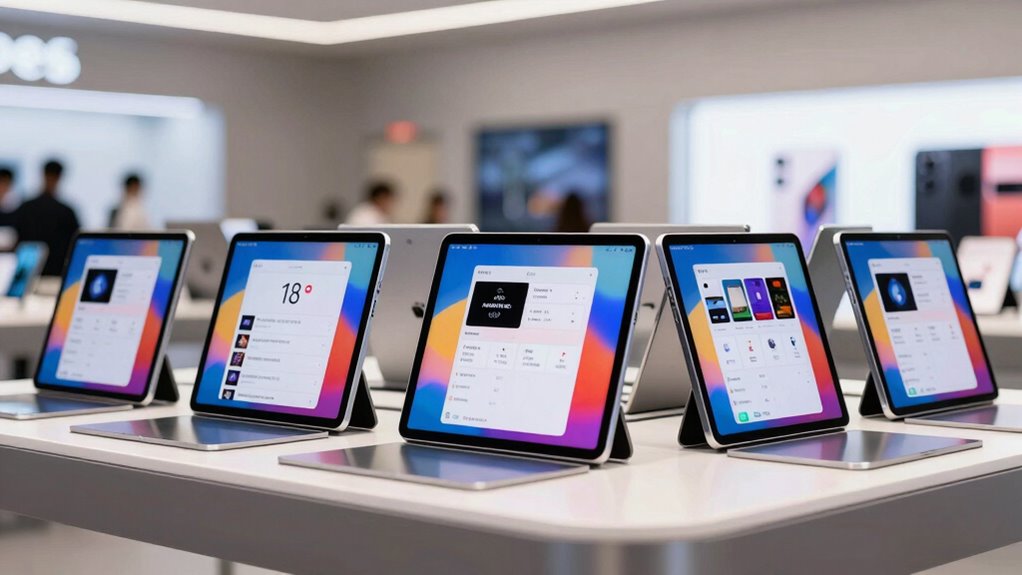

For in-store event signups, the best tablet is the one that keeps your form easy to read, quick to complete, and reliable through a busy shift. I rank the Samsung Galaxy Tab S10+ first for its expansive screen, included S Pen, and IP68 protection; the Zebra ET45 is the better fit when rugged handling and barcode scanning matter more than a large display. For teams tied to Windows software, the Surface Pro for Business (2025) brings a lightweight, managed-work-device approach.

Get business pricing on tech for your team
- Business-only prices and quantity discounts
- Tax-exempt purchasing
- Multiple users, one account, clear invoices
The tradeoffs are practical: a large tablet gives customers more room to complete forms but takes up more counter space, while an 8-inch rugged model is easier to carry and scan with but feels cramped for longer forms. I also separate a new business-focused Surface from a renewed older Surface, and weigh the Lenovo’s vivid display against missing battery details. These picks are judged for shared, face-to-face lead capture, not as interchangeable general-purpose tablets.
Key Takeaways
- The Samsung Galaxy Tab S10+ is my strongest all-around signup choice for a large AMOLED touchscreen, included S Pen, and IP68 water and dust resistance.
- The Zebra ET45 is the specialized pick for stores that scan product or event barcodes and need an IP65-rated, rugged Android device with a replaceable battery.
- The 2025 Surface Pro for Business suits Windows-based forms and managed fleets, but its supplied details do not state display resolution.
- The renewed Surface Pro 7+ offers LTE Advanced, USB-A, and microSDXC, but its keyboard is separate and its warranty is limited to 90 days.
- The Lenovo Idea Tab Pro Gen 2 pairs a bright 13-inch display with a pen and folio, though the listing does not provide battery-life or charging information.
| Samsung Galaxy Tab S10+ 12.4-Inch Tablet, 12GB RAM, 256GB Storage with 256GB SD Card |  | Best Overall for Customer-Facing Signups | Display: 12.4-inch WUXGA+ AMOLED 2X touchscreen, 2800 x 1752, 120Hz | Processor: MT6989 | Memory: 12GB RAM | VIEW ON AMAZON | See Our Full Breakdown |
| Zebra ET45 8-Inch Rugged Android Tablet, 5G, Wi-Fi 6, 1D/2D Scanner, 8GB RAM, 128GB Storage |  | Best for Rugged, Scan-Heavy Retail Work | Display: 8 inches | Operating system: Android with GMS | Connectivity: 5G, Wi-Fi 6, GPS | VIEW ON AMAZON | See Our Full Breakdown |
| Microsoft Surface Pro for Business (2025), 12-Inch 2-in-1 Laptop/Tablet, Snapdragon X Plus, 16GB RAM, 256GB SSD, Platinum |  | Best for Managed Windows Workflows | Display: 12-inch LCD touchscreen; resolution not specified | Processor: Qualcomm Snapdragon X Plus, octa-core, 3.20 GHz | Memory: 16GB | VIEW ON AMAZON | See Our Full Breakdown |
| Lenovo Idea Tab Pro Gen 2 13-Inch Tablet with Pen and Folio Case |  | Best for a Bright, Spacious Android Display | Display: 13-inch 3.5K LTPS touchscreen | Refresh rate: 144Hz | Brightness: 800 nits | VIEW ON AMAZON | See Our Full Breakdown |
| Microsoft Surface Pro 7+ 12.3-Inch 2-in-1 Tablet, Core i5, 16GB RAM, 256GB SSD, LTE Advanced, Windows 11 Pro (Renewed) |  | Best for LTE and Legacy Windows Connectivity | Display: 12.3-inch PixelSense LCD touchscreen, 2736 x 1824, 3:2 | Processor: Intel Core i5-1135G7, 4 cores and 8 threads | Memory and storage: 16GB RAM, 256GB SSD | VIEW ON AMAZON | See Our Full Breakdown |
| professional tablet for event signups for in store lead capture | Display | Processor | Connectivity | Operating system |
|---|---|---|---|---|
| Samsung Galaxy Tab S10+ 12.4-I | 12.4-inch WUXGA+ AMOLED 2X touchscreen, 2800 x 1752, 120Hz | MT6989 | Wi-Fi, Bluetooth 5.3, USB Type-C | — |
| Zebra ET45 8-Inch Rugged Andro | 8 inches | — | 5G, Wi-Fi 6, GPS | Android with GMS |
| Microsoft Surface Pro for Busi | 12-inch LCD touchscreen; resolution not specified | Qualcomm Snapdragon X Plus, octa-core, 3.20 GHz | — | Windows 11 Pro |
| Lenovo Idea Tab Pro Gen 2 13-I | 13-inch 3.5K LTPS touchscreen | Qualcomm Snapdragon 8s Gen 4 Mobile Platform | — | — |
| Microsoft Surface Pro 7+ 12.3- | 12.3-inch PixelSense LCD touchscreen, 2736 x 1824, 3:2 | Intel Core i5-1135G7, 4 cores and 8 threads | LTE Advanced, Wi-Fi 6, Bluetooth 5.0 | Windows 11 Professional |
More Details on Our Top Picks
Samsung Galaxy Tab S10+ 12.4-Inch Tablet, 12GB RAM, 256GB Storage with 256GB SD Card
I put the Galaxy Tab S10+ first because its 12.4-inch AMOLED touchscreen gives visitors room to read and enter information without making the tablet feel like a laptop. The included magnetic S Pen can help staff capture handwritten notes or guide a visitor through a form, while IP68 water and dust resistance adds reassurance around busy counters and event areas. Wi-Fi and Bluetooth 5.3 cover typical local connections; the listing does not describe cellular service.
Compared with the compact Zebra ET45, Samsung is a more comfortable choice for longer signup forms and product presentations, but it gives up the Zebra’s integrated barcode scanner and ruggedized business design. It also has a larger footprint than the 12-inch Surface models. I would choose Samsung for a shared counter where display quality and customer interaction take priority over scanning workflows or Windows-specific applications.
The storage claim needs a careful read: the listed 512GB total combines 256GB built-in storage and a 256GB SD card. Its battery is listed for up to 16 hours, but actual runtime depends on the workload, screen brightness, and wireless use. The tablet has useful productivity features, yet no stand or dedicated kiosk configuration is listed, so a secure counter mount and locked-down signup setup may need to be sourced separately.
Pros:- Large 12.4-inch AMOLED display gives customers room to read and complete forms.
- Magnetic S Pen is included for staff notes and stylus-friendly interaction.
- IP68 water and dust resistance suits shared retail environments.
- Wi-Fi, Bluetooth 5.3, and Samsung DeX support varied work setups.
Cons:- Listed 512GB storage includes an SD card rather than all built-in storage.
- Up to 16 hours of battery life can vary with use.
- No integrated barcode scanner or included counter stand is specified.
Best for: Retail teams that want a large, polished Android signup screen with a stylus and water- and dust-resistant construction.
Not ideal for: Stores that depend on a built-in barcode scanner, need a compact one-handed device, or require Windows-only signup software.
- Display:12.4-inch WUXGA+ AMOLED 2X touchscreen, 2800 x 1752, 120Hz
- Processor:MT6989
- Memory:12GB RAM
- Storage:512GB total: 256GB built-in plus 256GB SD card
- Cameras:13MP and 8MP rear; 12MP front
- Connectivity:Wi-Fi, Bluetooth 5.3, USB Type-C
- Protection:IP68 water and dust resistance
- Battery:Up to 16 hours
- Included accessory:Magnetic S Pen
Our verdict“I recommend the Galaxy Tab S10+ as the most balanced customer-facing signup tablet here, provided you do not need integrated scanning or Windows.”
Zebra ET45 8-Inch Rugged Android Tablet, 5G, Wi-Fi 6, 1D/2D Scanner, 8GB RAM, 128GB Storage
The Zebra ET45 earns its place near the top by addressing a different store problem: it is built for staff moving around a floor, scanning items, and handing a device through a busy operation. Its integrated SE4710 1D/2D scanner can connect an event signup to a product or printed code without relying on a separate scanner. The IP65 rating and MIL-STD-810H drop standards also make it a more purpose-built choice for rougher handling than the consumer-style Samsung or Lenovo tablets.
That specialization comes with a clear compromise. At 8 inches, the display is much smaller than the Galaxy Tab S10+ or the 13-inch Lenovo, so visitors may find long forms and dense text less comfortable. I would use the ET45 for short forms, staff-led signups, and scan-at-entry workflows rather than a self-service station asking customers to write detailed responses. Android with GMS keeps it within a familiar app environment, while 5G and Wi-Fi 6 offer flexible connectivity.
A user-replaceable 6100mAh battery and a stated nine-hour runtime are useful operational details, particularly for shifts where battery swaps are easier than waiting for a charge. The tradeoff is that nine hours is less generous on paper than the up-to-16-hour claims for the Samsung and newer Surface, and the USB-C charging cable is not included. I would pick Zebra over the larger tablets only when scanning and ruggedness outweigh screen comfort.
Pros:- Integrated SE4710 scanner reads 1D and 2D barcodes.
- IP65 and MIL-STD-810H ratings suit demanding shared use.
- 5G, Wi-Fi 6, and GPS support mobile workflows.
- 6100mAh battery is user-replaceable.
Cons:- Eight-inch display is less comfortable for long customer-entered forms.
- Listed battery life is nine hours.
- USB-C charging cable is not included.
Best for: Retail and event staff who need to scan barcodes, carry a compact tablet around a venue, and work with equipment exposed to drops or dust.
Not ideal for: Self-service signup stations with long forms, buyers wanting a large presentation screen, or teams that do not need scanning or rugged protection.
- Display:8 inches
- Operating system:Android with GMS
- Connectivity:5G, Wi-Fi 6, GPS
- Scanner:SE4710 1D/2D
- Memory and storage:8GB RAM, 128GB flash
- Battery:6100mAh user-replaceable lithium polymer; listed life of 9 hours
- Cameras:13MP rear, 5MP front
- Ruggedness:MIL-STD-810H drop standards, IP65
- Charging:USB-C cable required; cable not included
Our verdict“I would choose the ET45 over the larger tablets when barcode scanning and rugged handling are core requirements, not optional extras.”
Microsoft Surface Pro for Business (2025), 12-Inch 2-in-1 Laptop/Tablet, Snapdragon X Plus, 16GB RAM, 256GB SSD, Platinum
For a business whose signup process already lives in Windows software, the 2025 Surface Pro for Business is my strongest fit. It pairs a Snapdragon X Plus processor with 16GB memory and Windows 11 Pro, giving teams a tablet-class device that can also support a broader workplace workflow. Its 1.51-pound weight makes it easier to move between a counter, registration table, and back office than a conventional laptop.
Compared with the renewed Surface Pro 7+, this is the newer business-oriented pick, with a lighter listed weight and a stated battery life of up to 16 hours. The older model, however, specifies LTE Advanced, Wi-Fi 6, USB-A, and microSDXC, while the supplied 2025 listing does not detail those ports or wireless standards. I would not assume those connections are interchangeable without checking the exact configuration. Remote management support is a useful point for teams deploying several devices, but the product details do not name specific management tools.
The main uncertainty for customer-facing use is the display: its size is stated as 12 inches, but no resolution is provided. That makes it harder to compare form sharpness with the Samsung’s specified AMOLED panel or the older Surface’s detailed PixelSense resolution. The tablet is a good candidate for existing Windows applications and centrally managed deployments, but the listing does not say that a keyboard, stylus, or counter stand is included. Buyers should plan their kiosk accessories and confirm app compatibility before choosing it.
Pros:- Windows 11 Pro fits business software and workflows.
- 16GB memory supports multitasking.
- Lightweight 1.51-pound design is easier to move between stations.
- Battery life is listed as up to 16 hours, with remote management support noted.
Cons:- Display resolution is not specified in the supplied details.
- Ports and wireless standards are not detailed in the listing information.
- No keyboard, stylus, or stand is listed as included.
Best for: Businesses using Windows-based signup tools that want a lightweight tablet with Windows 11 Pro and remote-management support.
Not ideal for: Teams that need a specified high-resolution display, an integrated scanner, or a clearly listed set of ports and included kiosk accessories.
- Display:12-inch LCD touchscreen; resolution not specified
- Processor:Qualcomm Snapdragon X Plus, octa-core, 3.20 GHz
- Memory:16GB
- Storage:256GB SSD
- Operating system:Windows 11 Pro
- Weight:1.51 lb
- Battery life:Up to 16 hours
- Business features:Remote management support listed
Our verdict“I favor this Surface for Windows-based, managed deployments, but I would verify display details, connectivity, and kiosk accessories before ordering.”
Lenovo Idea Tab Pro Gen 2 13-Inch Tablet with Pen and Folio Case
The Lenovo Idea Tab Pro Gen 2 is the display-first alternative in this group. Its 13-inch 3.5K LTPS screen, 800-nit brightness, and 144Hz refresh rate give signup forms and event information plenty of room, with brightness that may help when a counter is not ideally positioned away from ambient light. An included pen and folio case also make it easier to protect and handle than a tablet sold without those listed accessories.
Against the Samsung Galaxy Tab S10+, Lenovo offers a larger stated display and faster refresh rate, while Samsung supplies more clearly stated signup-friendly extras such as IP68 resistance, a front camera specification, and a stated battery-life figure. Lenovo’s Snapdragon 8s Gen 4 platform and 8GB of memory are presented alongside AI note-taking, transcription, and image-capture tools, but those capabilities are secondary to the form workflow: buyers should check that the actual signup app supports their chosen Android setup.
The biggest purchasing gap is operational rather than visual. Battery life and charging details are not specified, so I would be cautious about making it the only device at a full-day event without a charging plan. JBL speakers with Dolby Atmos are pleasant for media or demonstrations, but they matter less for silent customer forms. This makes Lenovo a strong large-screen option when visibility and the included folio matter, but a less predictable choice for all-day untethered use than models with stated battery figures.
Pros:- Large 13-inch 3.5K touchscreen with 800-nit brightness.
- 144Hz refresh rate supports smooth on-screen interaction.
- Pen and folio case are included.
- AI features cover note-taking, transcription, and image capture.
Cons:- Battery life and charging details are not specified.
- No ruggedness rating or integrated barcode scanner is listed.
- 8GB memory is lower than the 12GB Samsung and 16GB Surface models.
Best for: Teams that want a large, bright Android display with a pen and folio included for a signup counter or event presentation area.
Not ideal for: All-day mobile teams that need documented battery runtime, rugged protection, or an integrated barcode scanner.
- Display:13-inch 3.5K LTPS touchscreen
- Refresh rate:144Hz
- Brightness:800 nits
- Processor:Qualcomm Snapdragon 8s Gen 4 Mobile Platform
- Memory and storage:8GB RAM, 128GB storage
- Included accessories:Pen and folio case
- Audio:JBL speakers tuned with Dolby Atmos
- Eye-comfort certifications:TÜV Rheinland Low Blue Light and Flicker Free
Our verdict“I would choose Lenovo for a bright, spacious Android signup station with included accessories, but not where documented all-day battery performance is a priority.”
Microsoft Surface Pro 7+ 12.3-Inch 2-in-1 Tablet, Core i5, 16GB RAM, 256GB SSD, LTE Advanced, Windows 11 Pro (Renewed)
The Surface Pro 7+ is the connectivity-and-ports choice for a business that wants a Windows tablet with LTE Advanced and a wider selection of physical connections. Its 12.3-inch PixelSense screen has a stated 2736 x 1824 resolution and 3:2 aspect ratio, while the Core i5 processor, 16GB RAM, and 256GB SSD provide a conventional Windows foundation for compatible signup software. USB-C, USB-A, and microSDXC can be useful when a team needs to connect peripherals or move files without relying only on wireless links.
Compared with the 2025 Surface Pro for Business, this older model gives more specific details about its screen, ports, and LTE. That makes it easier to plan around a barcode reader, storage card, or cellular connection, though the Zebra ET45 remains the only option here with an integrated scanner and rugged ratings. For a fixed counter, the Surface may make sense when existing Windows tools depend on its ports or mobile connection; for frequent public handoffs, I would weigh its renewed condition against the newer business Surface and the protected Samsung.
The significant compromise is the purchase condition. This is a renewed device with a 90-day warranty, and the keyboard is compatible but not included. The 1.70-pound tablet is also heavier than the newer Surface listed at 1.51 pounds. Its USB-C adapter is included, but buyers still need to check the device’s condition and decide how to secure it at a station. I would shortlist it when LTE and legacy ports are specific requirements, not simply because it runs Windows.
Pros:- LTE Advanced can support signups away from dependable venue Wi-Fi.
- 16GB RAM and a 256GB SSD suit Windows multitasking.
- USB-C, USB-A, and microSDXC provide useful connectivity options.
- PixelSense display resolution and aspect ratio are specified.
Cons:- Renewed condition comes with a 90-day warranty.
- Keyboard is compatible but not included.
- At 1.70 pounds, it is heavier than the 2025 Surface Pro for Business.
Best for: Organizations that need a Windows 11 Pro tablet with LTE Advanced, USB-A, and a detailed display specification, and can accept a renewed unit.
Not ideal for: Buyers who want a new device, a longer stated warranty, an included keyboard, or rugged protection for frequent public handling.
- Display:12.3-inch PixelSense LCD touchscreen, 2736 x 1824, 3:2
- Processor:Intel Core i5-1135G7, 4 cores and 8 threads
- Memory and storage:16GB RAM, 256GB SSD
- Operating system:Windows 11 Professional
- Connectivity:LTE Advanced, Wi-Fi 6, Bluetooth 5.0
- Ports:USB-C, USB-A, 3.5mm headphone jack, Surface Connect, microSDXC
- Weight:1.70 lb
- Condition and warranty:Renewed; 90-day warranty
- Included component:65W USB-C adapter
Our verdict“I would choose the renewed Surface Pro 7+ only when LTE Advanced or its ports solve a real workflow need and the shorter warranty is acceptable.”

How We Picked
I ranked these tablets around the job in the title: helping a store or event team collect leads in person. My priorities are form readability, comfortable customer interaction, practical connectivity, and the ability to live with shared-device handling. I also looked at whether each model has a clear workplace advantage, such as Windows compatibility, rugged construction, barcode scanning, a stylus, or useful ports.
The order reflects how broadly each tablet can serve as a signup station, not a claim that every business needs the same hardware. A large, legible screen and a pen make the Galaxy Tab S10+ a strong default for customer-facing forms. The Zebra ET45 ranks highly for tougher venues and scan-based workflows, but its smaller screen makes it less comfortable for lengthy questionnaires. The newer Surface is a capable Windows choice, while the renewed Surface is held back by its condition and short warranty. Lenovo’s generous display and included folio are attractive, but the missing battery details leave a meaningful planning gap.
I use only the supplied product information and do not assume that a tablet includes a stand, keyboard, protective case, signup application, or mobile-data plan unless specified. Buyers should check that their forms run on the listed operating system, that the chosen connectivity fits the venue, and that a secure mounting or charging setup is available. Durability and manageability matter for devices handled by many people; screen size and touch comfort matter when visitors fill out their own details.
| professional tablet for event signups for in store lead capture | Processor | Operating system |
|---|---|---|
| Samsung Galaxy Tab S10+ 12.4-I | MT6989 | — |
| Zebra ET45 8-Inch Rugged Andro | — | Android with GMS |
| Microsoft Surface Pro for Busi | Qualcomm Snapdragon X Plus, octa-core, 3.20 GHz | Windows 11 Pro |
| Lenovo Idea Tab Pro Gen 2 13-I | Qualcomm Snapdragon 8s Gen 4 Mobile Platform | — |
| Microsoft Surface Pro 7+ 12.3- | Intel Core i5-1135G7, 4 cores and 8 threads | Windows 11 Professional |
Factors to Consider When Choosing Professional Tablet For Event Signups For In Store Lead Capture
Before choosing, I would map the tablet to the actual signup flow: where it sits, who touches it, whether staff scan codes, and which app collects the lead. A device that looks capable on paper can still be a poor station fit if the form is cramped, the software is incompatible, or the tablet cannot stay charged through the event.
Match screen size to the form
For visitors entering their own contact details, screen space affects legibility and ease of use. The 13-inch Lenovo and 12.4-inch Samsung offer the most room here; the 12-inch Surface models are still substantial, while the Zebra’s 8-inch screen makes more sense for short forms or staff-led entry. If the form includes several fields, consent text, or product choices, favor a larger screen. If staff are carrying the device and asking a few quick questions, portability may matter more.
Choose the right operating system
Check the signup platform before choosing hardware. The Surface models run Windows 11 Pro, which may suit a business tied to desktop software or remote management. The Samsung, Lenovo, and Zebra use Android-based environments; the ET45 lists Android with GMS. Do not assume an application behaves identically across systems, or that features such as kiosk mode, customer consent prompts, or offline capture are included with the tablet. Confirm app compatibility and any device-management requirements with your software provider.
Plan for shared handling and venue conditions
A tablet passed between staff and visitors benefits from a protective case, dependable mounting, and a plan for cleaning and charging. The Zebra ET45 has the clearest rugged credentials, with IP65 and MIL-STD-810H details; Samsung lists IP68 water and dust resistance. The Lenovo includes a folio, but no ruggedness rating is supplied. The Surface listings do not specify rugged protection. For a fixed counter, a secure stand can matter as much as the tablet’s own weight; none of the product details here lists a dedicated signup stand.
Decide whether scanning or cellular service is needed
If lead capture includes scanning event passes, product labels, or printed codes, the ET45’s integrated 1D/2D scanner is a distinct advantage. A camera or separate accessory should not be treated as an equivalent without checking the workflow. For connectivity away from reliable venue Wi-Fi, the renewed Surface specifically lists LTE Advanced and the Zebra lists 5G. The Samsung and Lenovo descriptions do not list cellular service, and the 2025 Surface details supplied here do not specify a cellular configuration. Confirm that a plan and coverage are available if mobile data is part of the setup.
Check battery, accessories, and ownership details
For a full-day event, compare stated runtime and identify how the device will recharge between sessions. Samsung and the 2025 Surface list up to 16 hours, while Zebra lists nine hours; Lenovo does not specify battery life or charging details. Those figures are not a guarantee of runtime with a bright screen, active wireless use, or continuous customer interaction. Also account for what is not included: the renewed Surface has no keyboard, the Zebra’s USB-C cable is not included, and no counter stand is specified for these options. The renewed Surface’s 90-day warranty also sets it apart from the newer models in the lineup.
Frequently Asked Questions
Which tablet is the best all-around choice for in-store lead capture?
I rank the Samsung Galaxy Tab S10+ first for a typical customer-facing signup station. Its 12.4-inch AMOLED screen gives visitors room to read, the included S Pen supports stylus interaction, and IP68 resistance is a useful safeguard in a shared retail setting. Choose the Zebra ET45 instead if barcode scanning and rugged construction are more important than screen size.
Which option should I choose if my signup software requires Windows?
I would start with the Surface Pro for Business (2025) if you want a newer business-focused Windows 11 Pro tablet with remote-management support. The renewed Surface Pro 7+ may suit a workflow that specifically benefits from its listed LTE Advanced or USB-A and microSDXC ports, but it comes with a 90-day warranty and its keyboard is not included. Check the app and accessory requirements before selecting either model.
Which tablet is best for scanning event or product barcodes?
The Zebra ET45 is the direct choice because it lists an integrated SE4710 1D/2D barcode scanner. That is more purpose-built than choosing a general-purpose tablet and assuming its camera will handle the same workflow. Its smaller 8-inch display is a compromise, so I would use it for quick entries, staff-assisted signups, or scan-first processes rather than lengthy self-service forms.
Can these tablets run all-day signup sessions without charging?
The supplied information lists up to 16 hours for the Samsung Galaxy Tab S10+ and the 2025 Surface Pro for Business, and nine hours for the Zebra ET45. The Lenovo does not have battery-life or charging details in its listing, while the renewed Surface Pro 7+ details provided here do not state runtime. Actual battery life depends on screen brightness, wireless use, and workload, so I would plan charging or spare power for any long event.
What accessories should I plan for a self-service signup station?
I would plan for a secure stand or mount, a charging arrangement, and a way to keep the signup app ready for visitors. The Lenovo includes a pen and folio, and the Samsung includes a magnetic S Pen, but neither listing specifies a dedicated counter stand. The renewed Surface lists a USB-C adapter but not a keyboard; the Zebra requires a USB-C cable that is not included. Confirm whether your app supports kiosk operation and whether a case or lock is needed at the venue.
Conclusion
For most stores setting up a customer-facing signup counter, I recommend the Samsung Galaxy Tab S10+ for its spacious AMOLED screen, included S Pen, and IP68 protection. Choose the Zebra ET45 if staff need integrated barcode scanning and rugged construction more than a large form area. For Windows software and managed business workflows, the Surface Pro for Business (2025) is my first Surface pick, subject to checking its unspecified display resolution and connection details.
The Lenovo Idea Tab Pro Gen 2 is a sensible fit for buyers prioritizing a bright, large Android display with a folio and pen, but its unspecified battery information calls for a charging plan. The renewed Surface Pro 7+ makes sense when LTE Advanced or its physical ports are specific needs and its renewed condition, separate keyboard, and 90-day warranty are acceptable. In every case, I would verify app compatibility and arrange a secure stand before making the tablet the public face of an event signup.
Halloween Picks
halloween
As an affiliate, we earn on qualifying purchases.