
If you’re looking to boost productivity in 2025, I recommend considering ultrawide monitors like the SANSUI 34-inch curved gaming model, Monoprice’s 40-inch ultrawide, Samsung’s Viewfinity S65UA, and the ultra-wide 49-inch Samsung curve. LG’s QHD 34-inch adds color accuracy, while the SANSUI 240Hz display offers superb gaming and multitasking. Each screen has unique features, so exploring further can help you find the perfect fit for your work.
Key Takeaways
- Ultrawide monitors with high resolutions (3440×1440 or 5120×1440) maximize screen real estate for multitasking and complex workflows.
- Features like USB-C with power delivery and multiple ports streamline device connectivity and reduce cable clutter.
- Curved screens (1500R or 1000R) enhance comfort and reduce eye strain during extended work sessions.
- High refresh rates (up to 240Hz) and HDR support improve visual clarity and multimedia productivity.
- Adjustable ergonomics and VESA compatibility ensure personalized setup for long-term comfort.

SANSUI 34-Inch Curved Gaming Monitor UWQHD 3440 x 1440 Up to 165Hz Curved 1500R - PIP/PBP, 1ms(MPRT), HDR, 300nits, sRGB 125%, DCI-P3 95%,FreeSync,HDMIx2,DP1.4(Cable Included)
34 inch Curved 1500R UWQHD(3440 x 1440) @ 165Hz Fast VA Ultrawide Gaming Monitor.
As an affiliate, we earn on qualifying purchases.
SANSUI 34-Inch Curved Gaming Monitor (ES-G34C5)
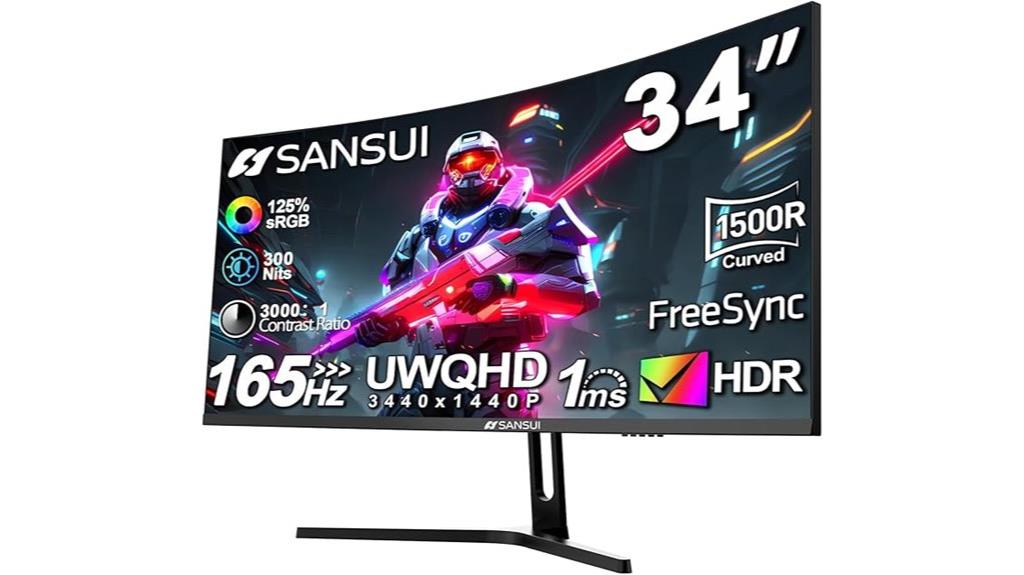
If you’re looking for an ultrawide monitor that doubles as a high-performance gaming display, the SANSUI 34-Inch Curved Gaming Monitor (ES-G34C5) is an excellent choice. Its 1500R curved screen offers immersive visuals with a sharp 3440 x 1440 resolution and a 21:9 aspect ratio. The 165Hz refresh rate and 1ms response time ensure smooth gameplay, while HDR support enhances image quality. With extensive connectivity options like HDMI and DisplayPort, plus ergonomic features such as tilt adjustment and VESA compatibility, this monitor balances performance and comfort. It’s perfect for gamers and multitaskers seeking a versatile, high-quality ultrawide display.
Best For: gamers and multitaskers seeking an immersive ultrawide display with high refresh rates, fast response times, and versatile connectivity.
Pros:
- 34-inch curved ultrawide screen with 3440 x 1440 resolution for immersive visuals
- High 165Hz refresh rate and 1ms response time for smooth gaming performance
- Extensive connectivity options including HDMI and DisplayPort, along with ergonomic tilt adjustment
Cons:
- No built-in speakers, requiring external audio solutions
- Limited to tilt adjustment; no height or swivel adjustments available
- Slightly heavier weight may require sturdy mounting or placement considerations

Monoprice 40in Ultrawide 1440P Productivity Monitor, 3440x1440P (UWQHD) Maximum Resolution, 144Hz Refresh Rate, IPS Panel, HDMI, DP, USB A - CrystalPro Series
Immersive 40‑inch Ultrawide Quad HD display for enhanced productivity and seamless multitasking
As an affiliate, we earn on qualifying purchases.
Monoprice 40in Ultrawide 1440P Monitor
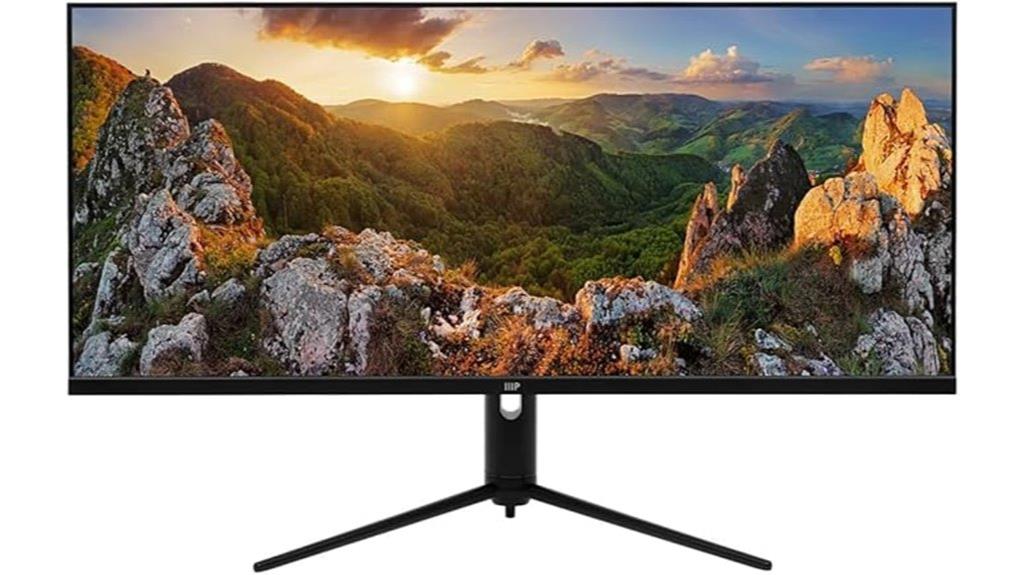
The Monoprice 40in Ultrawide 1440P Monitor stands out as an ideal choice for creative professionals and multitaskers who need extensive screen real estate. Its 3440x1440P resolution and IPS panel deliver accurate colors, wide viewing angles, and vibrant visuals, making it perfect for detailed work. HDR600 support enhances contrast and brightness, creating lifelike images. The 144Hz refresh rate ensures smooth motion, whether you’re editing videos or scrolling through content. With multiple connectivity options, a sleek design, and a large screen, this monitor boosts productivity by simplifying multitasking and reducing eye strain. It’s a robust, versatile tool for any demanding workflow.
Best For: creative professionals and multitaskers seeking a large, high-resolution ultrawide monitor for detailed work, gaming, and seamless productivity.
Pros:
- Ultra-wide 3440x1440P resolution enhances multitasking and workspace efficiency.
- IPS panel provides accurate color reproduction and wide viewing angles.
- HDR600 support offers vibrant visuals with improved contrast and brightness.
Cons:
- Relatively heavy at 31.9 pounds, which may require sturdy mounting solutions.
- Limited to a single USB 2.0 port, which might be insufficient for some users.
- No built-in speakers or additional multimedia features, requiring external audio solutions.

SAMSUNG Viewfinity S65UA Series 34-Inch Ultrawide QHD Curved Monitor, 100Hz, USB-C, HDR10 (1 Billion Colors), Height Adjustable Stand, TUV-certified Intelligent Eye Care (LS34A654UBNXGO),Black
FEEL FULLY IMMERSED: Immerse yourself in gaming, movies or design projects while surrounding yourself with the 34 inch...
As an affiliate, we earn on qualifying purchases.
SAMSUNG Viewfinity S65UA Series 34-Inch Ultrawide Curved Monitor

Designed for professionals seeking seamless multitasking, the Samsung Viewfinity S65UA Series 34-Inch Ultrawide Curved Monitor stands out with its expansive 34-inch Ultra WQHD display and 21:9 aspect ratio. The curved screen with a 100Hz refresh rate delivers smooth visuals, while HDR10 and a billion colors guarantee vibrant images. Its 1000R curvature matches the eye’s natural shape, reducing fatigue. Connectivity is simplified with a USB-C port supporting 90W charging, plus multiple USB ports for devices. The monitor’s minimal design, ergonomic height adjustment, and eye care features make it ideal for long work sessions, gaming, or entertainment, all while maintaining a clutter-free workspace.
Best For: professionals, gamers, and multimedia enthusiasts seeking an expansive, high-quality ultrawide curved monitor for multitasking, immersive entertainment, and detailed design work.
Pros:
- Large 34-inch Ultra WQHD curved display with immersive 21:9 aspect ratio for multitasking and entertainment
- USB-C port supporting 90W charging simplifies connections and reduces desk clutter
- Features like HDR10, 100Hz refresh rate, and eye care technology enhance visual quality and user comfort
Cons:
- Some users report issues with shipping damage or dead pixels, requiring warranty support
- Limited to a 100Hz refresh rate, which may be less ideal for competitive gaming compared to higher refresh rates
- Lack of true KVM switch functionality for seamless device switching

Samsung 49” Business Curved Ultrawide Dual QHD Computer Monitor, USB-C, DisplayPort, HDMI, 120Hz, VESA DisplayHDR 400, Built-in Speakers, Height Adjustable Stand, Eye Care, LS49C954UANXZA, 2024
PANORAMIC PRODUCTIVITY: Immerse yourself in enhanced productivity for all your projects; A 49" 1000R curved display wraps around...
As an affiliate, we earn on qualifying purchases.
Samsung 49” Ultrawide Curved Business Monitor (LS49C954UANXZA)

For professionals seeking to maximize productivity, the Samsung 49” Ultrawide Curved Business Monitor (LS49C954UANXZA) stands out with its expansive 32:9 aspect ratio and 5120×1440 Dual QHD resolution, offering a panoramic workspace that replaces multiple monitors. Its 1000R curvature matches the human eye’s natural field of view, reducing strain during long hours. The ergonomic stand is height-adjustable, and TÜV-certified Eye Care tech minimizes flickering and eye fatigue. With built-in speakers, VESA DisplayHDR 400 support, and versatile connectivity—including USB-C with 90W charging—this monitor streamlines multitasking and keeps your desk clutter-free.
Best For: professionals and gamers seeking an immersive, panoramic ultrawide display to boost productivity, multitasking, and entertainment experiences.
Pros:
- Ultra-wide 32:9 aspect ratio with 5120×1440 resolution for expansive, detailed workspace
- 1000R curvature closely matches the human eye, reducing eye strain during extended use
- Versatile connectivity options including USB-C with 90W charging and VESA DisplayHDR 400 support
Cons:
- KVM switch controls can be awkward and poorly documented, impacting multi-device management
- Power management and control functionality may be inconsistent or challenging to operate
- Some users experience a learning curve with the curved display positioning for optimal viewing
LG UltraWide QHD 34-Inch Curved Monitor (34WQ73A-B)
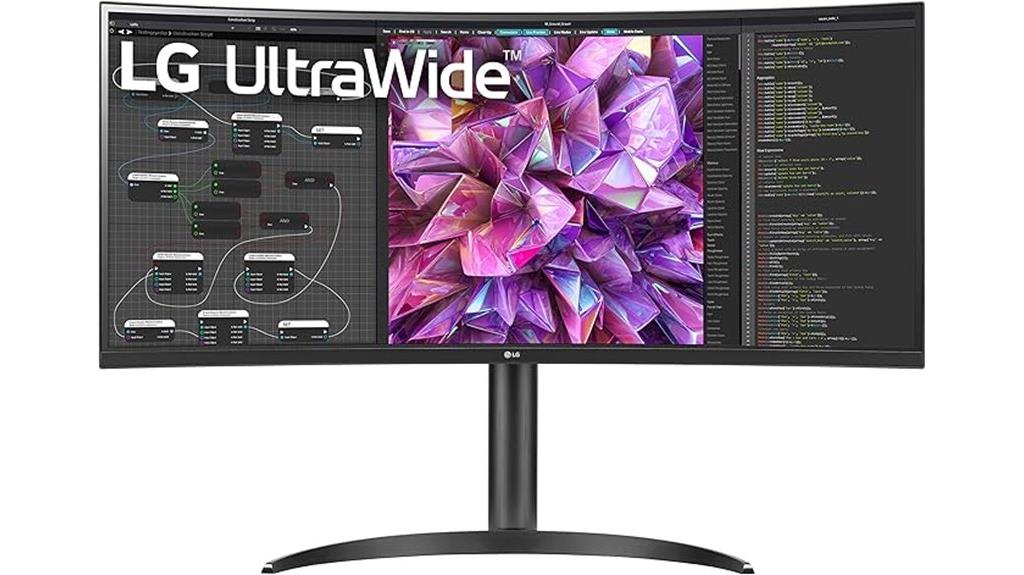
If you’re looking to maximize productivity with a single monitor, the LG UltraWide QHD 34-Inch Curved Monitor (34WQ73A-B) stands out thanks to its expansive 34-inch curved display and high-resolution 3440 x 1440 pixels. Its 21:9 aspect ratio and IPS panel deliver wide viewing angles and sharp visuals, supported by HDR 10 for richer colors and contrast. With 99% sRGB coverage and professional calibration, it’s perfect for detailed work like photo editing or design. The USB-C port reduces cable clutter, and features like the KVM switch and dual controller streamline multitasking. Eye comfort tech guarantees long work sessions remain comfortable and fatigue-free.
Best For: professionals and creatives seeking a large, high-resolution monitor for multitasking, photo editing, graphic design, and extended work sessions with comfort and color accuracy.
Pros:
- Expansive 34-inch curved UltraWide display enhances multitasking and productivity
- High-resolution 3440 x 1440 QHD with 99% sRGB coverage ensures sharp, color-accurate visuals
- Features like USB-C, KVM switch, and dual controller streamline connectivity and workflow
Cons:
- Larger size may require significant desk space and ergonomic adjustments
- Premium features and high resolution can come with a higher price point
- Limited to professional and office use, potentially less suitable for gaming or casual users
SANSUI 34-Inch Curved Ultrawide Gaming Monitor (3440×1440, 240Hz, HDR, HDMI2.1, DP)

Looking to elevate your gaming and multitasking experience with a single screen? The SANSUI 34-Inch Curved Ultrawide Gaming Monitor delivers stunning UWQHD visuals with a 3440×1440 resolution, 240Hz refresh rate, and HDR support, ensuring smooth, vibrant gameplay. Its 1500R curvature and wide viewing angles create an immersive experience, while AI features like AI Crosshair and Blue Light reduce eye strain. Multiple ports—including HDMI 2.1 and DisplayPort 1.4—offer versatile connectivity. Though the stand lacks height adjustment, VESA compatibility allows for customization. Overall, it’s a powerful option for gamers and multitaskers seeking high performance in a sleek, curved design.
Best For: gamers and multitaskers seeking an immersive ultrawide curved display with high refresh rate and vibrant visuals.
Pros:
- Ultra-wide 3440×1440 UWQHD resolution with vibrant color support (130% sRGB, 97% DCI-P3)
- 240Hz refresh rate and 1ms response time for smooth, responsive gaming
- Versatile connectivity options including HDMI 2.1 and DisplayPort 1.4, along with VESA compatibility
Cons:
- Stand lacks height adjustment, limiting ergonomic flexibility
- Potential cable compatibility issues, especially with DisplayPort cables causing boot problems
- No built-in speakers, requiring separate audio solutions
Factors to Consider When Choosing Ultrawide Monitors for Productivity

When selecting an ultrawide monitor for productivity, I focus on key factors like screen size and curvature to guarantee comfort and immersion. I also consider resolution and connectivity options to match my workflow needs, along with ergonomic adjustments for long hours. Ultimately, color accuracy and gamut are vital for tasks requiring precision, so I evaluate these features carefully.
Screen Size and Curvature
Choosing the right screen size and curvature is essential for maximizing productivity with an ultrawide monitor. Larger screens, like 34 inches or more, give you plenty of workspace for multitasking, reducing the need to constantly switch between windows. Curved screens, usually with a 1500R or 1800R radius, help create an immersive experience by matching the natural curve of the human eye. This minimizes edge distortion and keeps your focus consistent across the display. The curvature also influences comfort—more pronounced curves like 1500R can feel more natural, while flatter screens might suit those who prefer a less dramatic look. Ultimately, balancing size and curvature is key to achieving ergonomic comfort and reducing eye strain during long work sessions.
Resolution and Clarity
Higher resolution monitors like 3440×1440 or greater are essential for sharp images and detailed visuals, making multitasking more efficient. With higher resolution, text appears crisper, reducing eye strain during long work sessions, and images look more lifelike. Ultrawide displays with aspect ratios like 21:9 maximize horizontal space, allowing multiple windows and applications to be viewed side by side without sacrificing clarity. Resolution directly influences image quality and text sharpness, which are critical for productivity tasks that demand precision. HDR support further enhances color accuracy and contrast, making visuals clearer, especially when color differentiation matters. Ultimately, the combination of resolution and screen size determines pixel density, ensuring your visuals remain sharp and clear, so you can work comfortably and efficiently.
Connectivity Options
Selecting the right ultrawide monitor requires careful attention to its connectivity options, as these determine how easily it integrates with your existing devices. Look for multiple input ports, such as HDMI, DisplayPort, and USB-C, to support various devices and future upgrades. Confirm the monitor is compatible with your hardware, especially if it offers power delivery via USB-C at 90W or higher, which can simplify your setup. Check the number and type of ports for peripherals, like USB-A or USB 3.0 slots, for easy device connections. Some monitors feature advanced options like KVM switches or multi-input modes, enabling seamless switching between multiple devices. Ultimately, verify that the connectivity options align with your workspace to avoid needing extra adapters or cables, keeping your setup clean and efficient.
Ergonomics and Adjustments
Ergonomics and adjustments play a crucial role in guaranteeing that your ultrawide monitor supports comfortable, long-term productivity. Features like height adjustment, tilt, and swivel allow you to customize the display to reduce neck and eye strain, which is essential during extended work sessions. A wide viewing angle, typically 178°, ensures consistent image quality from different positions, minimizing distortion. The curvature design, often 1500R or 1000R, aligns with the natural curve of your eyes, providing a more comfortable viewing experience. VESA compatibility enables mounting on adjustable arms or wall mounts, freeing up desk space and improving ergonomic positioning. Additionally, blue light reduction and flicker-safe technologies help decrease eye fatigue, making prolonged use more comfortable and sustainable.
Color Accuracy and Gamut
When choosing an ultrawide monitor for productivity, understanding color accuracy and gamut is vital because these factors directly impact how true-to-life and vibrant your visuals appear. High color accuracy is measured by sRGB, Adobe RGB, and DCI-P3 coverage percentages—higher values mean more precise color reproduction. A wider color gamut, like 99% sRGB or 105% NTSC, ensures colors are more vivid and accurate, which is essential for tasks like photo editing and graphic design. HDR support, such as HDR10 or DisplayHDR 400, enhances color depth and contrast for a more immersive experience. Monitors calibrated at the factory or supporting hardware calibration maintain consistent color performance over time. Additionally, panel technology, particularly IPS, offers better color accuracy and viewing angles, making it ideal for productivity.
Price and Warranty
Considering the investment in an ultrawide monitor, it’s important to evaluate both the price and warranty options. The overall cost includes not just the monitor itself but any accessories or upgrades you might need later. It’s wise to compare prices across brands and models to find the best value. Equally important is checking the warranty coverage; look for at least a one-year warranty that covers defects and malfunctions. Some brands offer extended support plans, which can provide peace of mind. Make sure the warranty includes repair, replacement, and technical assistance. Reading customer reviews on warranty reliability helps gauge how responsive and dependable the manufacturer or seller is. Balancing cost with solid warranty coverage guarantees you make a smarter, long-term investment.
Frequently Asked Questions
How Do Ultrawide Monitors Impact Eye Strain During Long Work Sessions?
Ultrawide monitors can reduce eye strain during long work sessions if used correctly. I find that their expansive screens lessen the need for constant head and eye movement, which helps prevent fatigue. However, I always adjust brightness and contrast to match my environment and take regular breaks to avoid eye discomfort. Proper positioning and using blue light filters also make a big difference in maintaining comfort over extended periods.
Are Ultrawide Monitors Compatible With All Operating Systems?
Yes, ultrawide monitors are generally compatible with most operating systems like Windows, macOS, and Linux. I’ve used them seamlessly across different platforms, thanks to standard connectivity options like HDMI, DisplayPort, and USB-C. However, I always double-check the monitor’s specifications to verify it supports your OS and graphics card. Compatibility isn’t usually an issue, but a quick review saves me from surprises later.
What Ergonomic Features Should I Look for in Ultrawide Monitors?
When choosing an ultrawide monitor, I look for adjustable height, tilt, and swivel to stay comfortable during long work sessions. A curved screen helps reduce eye strain and improve immersion. VESA compatibility allows for ergonomic mounts, and a matte finish cuts down on glare. I also prioritize monitors with good build quality, sturdy stands, and easy adjustments, so I can customize my setup to support my posture and keep productivity high.
Can Ultrawide Monitors Replace Multiple Monitors for Multitasking?
Yes, ultrawide monitors can replace multiple monitors for multitasking. I’ve found that they offer seamless screen space, which helps me switch between tasks smoothly without the clutter of multiple monitors. Plus, they reduce the bezels and distractions, making my workflow more efficient. However, confirm the ultrawide has the right resolution and ergonomic features to prevent neck strain and make multitasking truly comfortable.
How Do Ultrawide Monitors Affect System Performance and Graphics Card Requirements?
Did you know that ultrawide monitors can increase productivity by up to 30%? They do impact system performance and graphics card needs, especially at higher resolutions. I’ve found that a powerful GPU is essential to run these displays smoothly, particularly for gaming or design work. Upgrading your graphics card guarantees you won’t experience lag or stuttering, so you can enjoy the full benefits without sacrificing performance.
Conclusion
Choosing the right ultrawide monitor is like finding your perfect workspace buddy—steadfast, versatile, and ready to boost your productivity. Whether you need a curved gaming monitor or a professional-grade display, there’s something here for everyone. So, take your time, weigh the factors, and pick the one that fits your workflow like a glove. With the right screen, you’ll be conquering tasks faster than ever before.