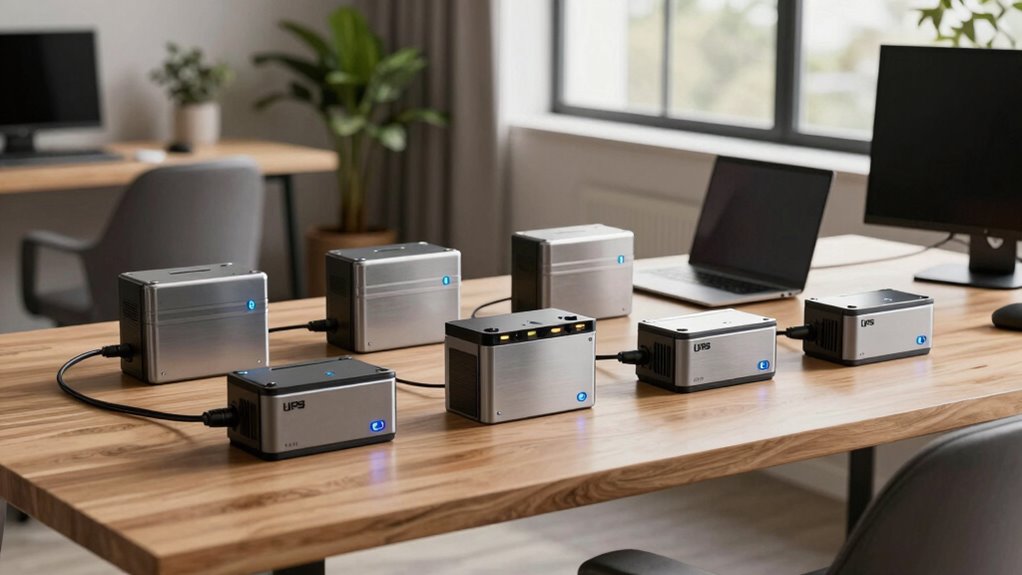

For a premium UPS battery backup for a home office, I’d start with the CyberPower CP1500PFCLCD: its pure sine-wave output and clear LCD make it a strong fit for modern computers and networking gear. The CyberPower PR1500RTXL2UC stands out for rack mounting and expandable runtime, while the APC BX1500M offers a simpler 1500VA desktop option. The central tradeoff is whether you need advanced power management and longer backup, or a more straightforward unit that covers a workstation through a short outage. Capacity, output type, outlet layout, and serviceability can matter more than a large VA number alone. Read on for how all eight picks compare and which one best matches your office.

Get business pricing on tech for your team
- Business-only prices and quantity discounts
- Tax-exempt purchasing
- Multiple users, one account, clear invoices
Key Takeaways
- The CP1500PFCLCD is the most balanced desktop choice: pure sine-wave output and an LCD suit a capable office setup without requiring rack installation.
- The PR1500RTXL2UC is the specialist pick: rack-mount form and external battery expansion favor offices that need a managed, longer-runtime installation.
- 1500VA models are not interchangeable: watt capacity and the combined load of computer, displays, router, and peripherals determine what a UPS can actually support.
- The APC BE600M1 fills a different role: its smaller capacity makes more sense for a modem, router, or compact workstation than a loaded desktop setup.
- Monitoring and serviceability separate premium options: LCD and app features can help with load and battery status, but they add little value if a simple shutdown buffer is all the office needs.
| APC BX1500M 1500VA Battery Backup and Surge Protector |  | Best for Long Low-Load Runtime | Capacity: 1500VA / 900W | Outlets: 10 total: 5 battery backup and surge protected, 5 surge only | Runtime: Up to 68 minutes at a 100W load | VIEW ON AMAZON | See Our Full Breakdown |
| CyberPower CP1500PFCLCD PFC Sinewave UPS Battery Backup and Surge Protector |  | Best Overall for Typical Home Offices | Capacity: 1500VA / 1000W | Output waveform: Sine wave | Outlets: 12 NEMA 5-15R: 6 battery backup and surge protected, 6 surge protected | VIEW ON AMAZON | See Our Full Breakdown |
| CyberPower PR1500LCD Smart App Sinewave UPS Battery Backup |  | Best for High-Wattage Workstations | Capacity: 1500VA / 1500W | Output waveform: Sine wave | Topology: Line-interactive | VIEW ON AMAZON | See Our Full Breakdown |
| APC Back-UPS Pro 1500VA Battery Backup and Surge Protector |  | Best for Expandable Runtime | Capacity: 1500VA / 865W | Runtime: Over 73 minutes at a 100W load | Outlets: 10 total: 5 battery backup and 5 surge-only | VIEW ON AMAZON | See Our Full Breakdown |
| CyberPower PR1500RTXL2UC Smart App Sinewave UPS Battery Backup |  | Best Rack-Mount Premium Pick | Capacity: 1500VA / 1500W | Form factor: Rack/tower convertible, 2U | Outlets: 8 NEMA 5-15R | VIEW ON AMAZON | See Our Full Breakdown |
| CyberPower PR1500LCDN 1500VA/1500W Smart App Sinewave UPS |  | Best for Managed Home Office Servers | Capacity: 1500VA/1500W | Output waveform: Sinewave | Form factor: Tower | VIEW ON AMAZON | See Our Full Breakdown |
| APC BE600M1 UPS Battery Backup and Surge Protector |  | Best Compact Backup for a Modest Desk Setup | Runtime: 23 minutes at 100W load | Battery-backed outlets: 5 | Surge-only outlets: 2 | VIEW ON AMAZON | See Our Full Breakdown |
| CyberPower CP1500AVRLCD3 1500VA/900W LCD UPS Battery Backup |  | Best for Outlet-Rich Everyday Setups | Capacity: 1500VA/900W | Output waveform: Simulated sine wave | Outlets: 12 NEMA 5-15R: 6 battery backup and surge protected; 6 surge protected | VIEW ON AMAZON | See Our Full Breakdown |
| premium ups battery backup for home office | Capacity | Outlets | Runtime | Output waveform |
|---|---|---|---|---|
| APC BX1500M 1500VA Battery Bac | 1500VA / 900W | 10 total: 5 battery backup and surge protected, 5 surge only | Up to 68 minutes at a 100W load | — |
| CyberPower CP1500PFCLCD PFC Si | 1500VA / 1000W | 12 NEMA 5-15R: 6 battery backup and surge protected, 6 surge protected | — | Sine wave |
| CyberPower PR1500LCD Smart App | 1500VA / 1500W | 8 NEMA 5-15R | 4 minutes | Sine wave |
| APC Back-UPS Pro 1500VA Batter | 1500VA / 865W | 10 total: 5 battery backup and 5 surge-only | Over 73 minutes at a 100W load | — |
| CyberPower PR1500RTXL2UC Smart | 1500VA / 1500W | 8 NEMA 5-15R | 6 minutes | — |
| CyberPower PR1500LCDN 1500VA/1 | 1500VA/1500W | — | — | Sinewave |
| APC BE600M1 UPS Battery Backup | — | — | 23 minutes at 100W load | — |
| CyberPower CP1500AVRLCD3 1500V | 1500VA/900W | 12 NEMA 5-15R: 6 battery backup and surge protected; 6 surge protected | — | Simulated sine wave |
More Details on Our Top Picks
APC BX1500M 1500VA Battery Backup and Surge Protector
I’d put the APC BX1500M high on the list for a home office that needs to keep a modest load running through longer interruptions. Its stated runtime reaches up to 68 minutes at 100W, and the LCD shows estimated runtime and load so you can judge what to keep connected. Automatic voltage regulation addresses some fluctuations without drawing on the battery, while coaxial and Ethernet protection add coverage for connected lines. Compared with the CyberPower CP1500PFCLCD, the APC has fewer battery-backed outlets and lower rated wattage, but it supplies useful low-load runtime information and a replaceable battery. The tradeoff is that only five outlets have battery backup, and the replacement battery is sold separately; the remaining five outlets provide surge protection only.
Pros:- Up to 68 minutes of stated runtime at a 100W load
- LCD reports estimated runtime, load, battery charge, and input voltage
- Automatic voltage regulation can correct some power fluctuations without using battery charge
- User-replaceable battery and coaxial/Ethernet surge protection
Cons:- Only five of the ten outlets provide battery backup
- Replacement battery is sold separately
- 900W capacity is below the 1000W CyberPower CP1500PFCLCD and 1500W CyberPower PR1500 models
Best for: Home-office users running a router, monitor, and computer at a modest combined load who want visible runtime estimates and a replaceable battery.
Not ideal for: Users who need battery backup for more than five devices or want sine-wave output specified for active-PFC equipment.
- Capacity:1500VA / 900W
- Outlets:10 total: 5 battery backup and surge protected, 5 surge only
- Runtime:Up to 68 minutes at a 100W load
- Voltage regulation:Corrects low voltage at 88V+ and surges of +/-13%; regulates to 120V
- Display:LCD with battery charge, estimated runtime, load capacity, and input voltage
- Battery:User-replaceable; APCRBC124 sold separately
- Efficiency:92%+; ENERGY STAR certified
- Additional protection:Coaxial and Ethernet surge protection
Our verdict“Choose the BX1500M for a modestly loaded office that values clear runtime information and long stated runtime at 100W over maximum output capacity or outlet count.”
CyberPower CP1500PFCLCD PFC Sinewave UPS Battery Backup and Surge Protector
The CyberPower CP1500PFCLCD is my strongest all-round fit for a home office that combines a computer, network gear, and several accessories. Its sine-wave output supports active-PFC as well as conventional power supplies, while 1000W capacity gives it more headroom than the 900W APC BX1500M. Six outlets offer battery backup, and six more handle surge protection, so the layout can separate essential equipment from peripherals. The tilting color LCD and USB-A and USB-C ports make status checks and device charging convenient. Compared with the CyberPower PR1500LCD, it has less rated wattage but includes a specified warranty and a more desk-friendly outlet mix. The main uncertainty is runtime: the supplied product data does not state it, making outage planning less precise.
Pros:- Sine-wave output supports active-PFC and conventional power supplies
- 1000W capacity exceeds the APC BX1500M’s 900W rating
- Six battery-backed outlets plus six surge-only outlets
- Tilting color LCD, USB-A and USB-C ports, and a three-year warranty including the battery
Cons:- Runtime is not specified in the supplied product data
- Only six of the twelve outlets provide battery backup
- The 1000W rating is below the 1500W CyberPower PR1500 models
Best for: Home-office owners with an active-PFC desktop or workstation, several peripherals, and a need for a balanced mix of battery-backed and surge-only outlets.
Not ideal for: Buyers who need a stated runtime estimate before choosing or need battery backup on more than six devices.
- Capacity:1500VA / 1000W
- Output waveform:Sine wave
- Outlets:12 NEMA 5-15R: 6 battery backup and surge protected, 6 surge protected
- USB ports:1 Type-A and 1 Type-C
- Display:Tilting color LCD, up to 22 degrees
- Voltage regulation:Automatic Voltage Regulation (AVR)
- Warranty:3 years, including the battery
- Power cord:5 feet; NEMA 5-15P right-angle plug with 45-degree offset
Our verdict“Pick the CP1500PFCLCD for a typical computer-centered office that benefits from sine-wave output, useful outlet variety, and an informative display without needing 1500W capacity.”
CyberPower PR1500LCD Smart App Sinewave UPS Battery Backup
For an office built around a power-hungry workstation, the CyberPower PR1500LCD stands apart with 1500W capacity—more output headroom than the 1000W CP1500PFCLCD or either APC 1500VA model listed here. Sine-wave output suits active-PFC supplies, and automatic voltage regulation can correct minor fluctuations without spending battery charge. Its eight battery-backed outlets keep more of a small workstation setup protected than the five battery outlets on the APC BX1500M. The removable LCD can be positioned for easier viewing, a practical touch when the UPS sits beneath or beside a desk. But the stated runtime is only four minutes, so this is better for saving work and shutting down than carrying an office through a long outage. Remote management also requires a separately purchased card.
Pros:- 1500VA / 1500W capacity is the highest specified wattage in this lineup
- Sine-wave output supports active-PFC and conventional power supplies
- Eight battery-backed and surge-protected outlets
- Removable LCD and automatic voltage regulation
Cons:- Listed runtime is four minutes, limiting it mainly to brief backup and orderly shutdown
- Remote management requires the separately sold RMCARD205
- At 17 inches long, it takes more placement space than a typical desk-side backup
Best for: Home-office owners with a high-draw workstation, storage appliance, or network setup who need 1500W capacity and sine-wave output.
Not ideal for: Buyers seeking extended outage runtime, a compact desktop unit, or remote management without buying an add-on card.
- Capacity:1500VA / 1500W
- Output waveform:Sine wave
- Topology:Line-interactive
- Outlets:8 NEMA 5-15R
- Runtime:4 minutes
- Form factor:Mini-tower
- Dimensions:17 x 6.7 x 8.7 inches
- Remote management:Requires optional RMCARD205 card
- Warranty:3 years, including the battery
Our verdict“Choose the PR1500LCD when workstation wattage and eight battery-backed outlets matter more than extended runtime or built-in remote management.”
APC Back-UPS Pro 1500VA Battery Backup and Surge Protector
The APC Back-UPS Pro 1500VA is the APC pick for buyers who may want to add runtime later. It provides over 73 minutes at a 100W load, slightly more stated low-load runtime than the BX1500M, and it can connect to the optional BR24BPG battery pack for additional backup time. Automatic voltage regulation and coaxial and Ethernet protection suit an office with a router and wired connections. Against the CyberPower CP1500PFCLCD, its key distinction is runtime expansion rather than sine-wave output or USB charging; the supplied data does not specify waveform. Like the BX1500M, it has ten outlets but only five are battery-backed. The external pack adds flexibility, though it is a separate purchase, and the 865W rating leaves less load headroom than the CyberPower 1000W model.
Pros:- Over 73 minutes of stated runtime at a 100W load
- Compatible with the BR24BPG supplemental battery pack for runtime expansion
- Automatic voltage regulation and user-replaceable battery
- Coaxial and Ethernet surge protection
Cons:- Only five of ten outlets provide battery backup
- Supplemental battery pack is sold separately
- 865W capacity is lower than the CP1500PFCLCD’s 1000W rating
Best for: Home-office users with a modest load who want a UPS that can be paired with an optional external battery pack to extend outage coverage.
Not ideal for: Buyers needing more than five battery-backed outlets, a stated sine-wave output, or higher wattage for a demanding workstation.
- Capacity:1500VA / 865W
- Runtime:Over 73 minutes at a 100W load
- Outlets:10 total: 5 battery backup and 5 surge-only
- Voltage regulation:Corrects low voltage at 88V+ and surges of +/-13%; regulates to 120V
- Expandable runtime:Compatible with BR24BPG supplemental battery pack
- Battery:User-replaceable
- Additional protection:Coaxial and Ethernet surge protection
Our verdict“Choose this APC model if low-load runtime and the option to add an external battery pack matter more than outlet count or higher wattage.”
CyberPower PR1500RTXL2UC Smart App Sinewave UPS Battery Backup
The CyberPower PR1500RTXL2UC is the most infrastructure-oriented choice here: its 2U rack/tower-convertible design fits a home office that also houses server, telecom, or network equipment. Like the PR1500LCD, it supplies 1500W and sine-wave output, but this model adds built-in cloud monitoring and a rotatable, tiltable LCD for flexible status checks. Eight outlets are battery-backed, and an optional BP48VP2U02 module can extend runtime. Compared with the CyberPower PR1500LCD, its six-minute listed runtime is longer than that model’s four minutes, though both are short-duration backups without an added battery module. The metal enclosure and rack format bring practical tradeoffs: it needs suitable installation space, and remote control requires a separate card.
Pros:- Rack/tower-convertible 2U form factor suits equipment cabinets
- 1500VA / 1500W capacity with sine-wave output
- Built-in cloud monitoring and rotatable, tiltable LCD
- Eight battery-backed outlets and support for an optional extended battery module
Cons:- Listed runtime is six minutes without added battery capacity
- Extended battery module is sold separately
- Remote management card is optional and sold separately
Best for: Home-office operators with a rack or equipment cabinet who need sine-wave backup, cloud monitoring, and 1500W capacity for servers or network gear.
Not ideal for: Desk-only users with limited space or buyers seeking long backup time without purchasing an optional battery module.
- Capacity:1500VA / 1500W
- Form factor:Rack/tower convertible, 2U
- Outlets:8 NEMA 5-15R
- Runtime:6 minutes
- Input / output voltage:120V / 120V
- Output current:12.5A
- Extended battery module:BP48VP2U02, optional
- Remote management:Optional RMCARD205 card
- Warranty:3 years, including batteries
Our verdict“Pick the PR1500RTXL2UC for a rack-equipped home office that values monitoring and expansion options more than a compact footprint or long runtime out of the box.”
CyberPower PR1500LCDN 1500VA/1500W Smart App Sinewave UPS
The PR1500LCDN is the most management-focused option in this group: its pre-installed remote management card lets an owner monitor and configure the UPS over a network, while the sinewave output suits Active PFC power supplies. Its 1500W capacity also gives it more wattage headroom than the 900W CyberPower CP1500AVRLCD3, which can matter when protecting a workstation alongside storage or networking equipment. Automatic voltage regulation handles minor fluctuations without spending battery charge, and the movable LCD offers flexible viewing. The tradeoff is substantial: the listed four-minute runtime leaves little time during a sustained outage, and at 54 pounds this tower is harder to position than a typical desk-side backup. I’d choose it for managed equipment, not for extended outage operation.
Pros:- Sinewave output supports Active PFC and conventional power supplies.
- Pre-installed RMCARD205 enables remote monitoring and configuration.
- Automatic voltage regulation addresses minor power fluctuations without using battery power.
- Eight battery-backed outlets and a relocatable LCD suit equipment-dense setups.
Cons:- Listed runtime is only four minutes, limiting time for an orderly response to an outage.
- At 54 pounds, moving and positioning the tower can be difficult.
- Its server-oriented management features may be unnecessary for a basic computer-and-router setup.
Best for: Home-office operators running a server, storage appliance, or network stack who want remote monitoring and sinewave output.
Not ideal for: Anyone prioritizing long outage runtime or easy placement; the listed runtime is four minutes and the unit weighs 54 pounds.
- Capacity:1500VA/1500W
- Output waveform:Sinewave
- Form factor:Tower
- Battery-backed outlets:8
- Input voltage:120V
- Input connector:NEMA 5-15P
- Listed runtime:4 minutes
- Weight:54 pounds
- Remote management:Pre-installed RMCARD205
Our verdict“Choose the PR1500LCDN for a managed home-office server or network setup that needs sinewave output, not for extended battery runtime.”
APC BE600M1 UPS Battery Backup and Surge Protector
The APC BE600M1 is the practical choice for a single computer-and-router station where a large tower would be excessive. APC specifies 23 minutes at a 100W load, giving a low-power setup time to ride out a brief interruption or shut down cleanly; that figure should not be read as the expected runtime for a larger workstation. Five battery-backed outlets cover core devices, while two surge-only outlets can handle equipment that does not need battery support. The outage-capable USB port can keep a small device charging. Compared with the 1500VA CyberPower CP1500AVRLCD3, this unit offers a much narrower capacity for demanding workstations, but it is better matched to a lightweight desk arrangement. Its key limitation is scope: runtime is tied to a 100W load, and the replacement battery is sold separately.
Pros:- Specified 23-minute runtime at a 100W load can support a modest computer-and-network setup through brief outages.
- Five battery-backed outlets plus two surge-only outlets separate essential devices from accessories.
- USB port continues to work during outages.
- Replaceable internal battery allows battery renewal without replacing the whole UPS.
Cons:- The runtime figure applies only to a 100W load, so heavier setups will have less backup time.
- Replacement battery APCRBC154 is sold separately.
- Its capacity and outlet count are a poor fit for a larger workstation or equipment-heavy home office.
Best for: A home-office user with a low-power computer, router, and Wi-Fi equipment who needs time for safe shutdown during brief outages.
Not ideal for: Owners of power-hungry workstations, multi-device office setups, or anyone expecting the capacity of a 1500VA tower.
- Runtime:23 minutes at 100W load
- Battery-backed outlets:5
- Surge-only outlets:2
- USB port:1.5A; works during outages
- Replacement battery:APCRBC154, sold separately
- Battery type:Replaceable internal battery
Our verdict“Pick the BE600M1 for a modest computer-and-router desk that needs shutdown time, and skip it if your setup needs 1500VA-class capacity.”
CyberPower CP1500AVRLCD3 1500VA/900W LCD UPS Battery Backup
The CP1500AVRLCD3 makes sense when a home office needs to plug in several devices and monitor power conditions without stepping up to the server-focused PR1500LCDN. Its 12 outlets include six battery-backed connections for essentials and six surge-only connections for peripherals, while USB-A and USB-C ports add convenient device charging. The color LCD shows battery and power information, and automatic voltage regulation corrects minor fluctuations without using battery charge. Against the PR1500LCDN, it gives up sinewave output and offers 900W rather than 1500W, so it is less suited to Active PFC-sensitive or higher-demand equipment. Its simulated sine wave is the central tradeoff: this is a capable general-purpose office backup, but buyers should check that their computer’s power supply is compatible.
Pros:- Twelve outlets provide six battery-backed connections and six surge-only connections.
- Automatic voltage regulation corrects minor fluctuations without drawing on the battery.
- LCD displays battery and power conditions.
- USB-A and USB-C charging ports add useful connections for personal devices.
Cons:- Simulated sine wave output may not suit equipment that requires sinewave power.
- The 900W rating provides less wattage headroom than the PR1500LCDN’s 1500W capacity.
- Only six of the 12 outlets provide battery backup.
Best for: Home-office users with a computer, router, monitor, and several accessories who value many outlets, status information, and USB charging.
Not ideal for: Owners of Active PFC equipment who specifically require sinewave output, or users whose connected load exceeds its 900W capacity.
- Capacity:1500VA/900W
- Output waveform:Simulated sine wave
- Outlets:12 NEMA 5-15R: 6 battery backup and surge protected; 6 surge protected
- USB charging ports:1 Type-A and 1 Type-C
- Input plug:NEMA 5-15P
- Voltage and amperage:120V, 15A
- Power cord length:6 feet
- Battery charge time:8 hours
- Warranty:3 years, including battery
Our verdict“Choose the CP1500AVRLCD3 for a multi-device home office that benefits from many outlets and an LCD, provided simulated sinewave output fits your equipment.”
How We Picked
I compared these UPS units as home-office equipment, focusing on usable watt capacity, output waveform, runtime flexibility, monitoring, outlet usefulness, and installation fit. A UPS needs enough capacity for the devices that must stay on—not just a headline VA figure—and pure sine-wave output can be a better match for computers with active power-factor-corrected supplies. I also weighed whether the unit’s display, app support, battery options, and form factor solve a real office problem.
The order favors balanced protection and practical usability first, then gives specialist units credit when their extra capabilities serve a clear setup. The CP1500PFCLCD leads as a versatile desktop pick; rack and high-management models rank well for specific needs but are less suitable for a typical desk. Smaller or more basic units rank lower for a full workstation, though they may be the better fit for networking equipment or a modest load.
| premium ups battery backup for home office | Output waveform |
|---|---|
| APC BX1500M 1500VA Battery Bac | — |
| CyberPower CP1500PFCLCD PFC Si | Sine wave |
| CyberPower PR1500LCD Smart App | Sine wave |
| APC Back-UPS Pro 1500VA Batter | — |
| CyberPower PR1500RTXL2UC Smart | — |
| CyberPower PR1500LCDN 1500VA/1 | Sinewave |
| APC BE600M1 UPS Battery Backup | — |
| CyberPower CP1500AVRLCD3 1500V | Simulated sine wave |
Factors to Consider When Choosing Premium Ups Battery Backup For Home Offices
Choosing a UPS is less about buying the largest unit and more about matching its limits to the equipment you need to keep working. I’d make the decision in this order: define the protected devices, estimate their combined draw, decide how long they must stay online, then choose features and a form factor.
Size for the Actual Load, Not the VA Label
List the devices that must remain powered during an outage, then check their watt draw rather than adding their adapter ratings blindly. A computer, two monitors, network gear, and a desk lamp can push a UPS much harder than a computer alone. The VA rating describes apparent power, while the watt limit sets a separate ceiling; the lower practical limit can decide whether the system overloads. Leave headroom for startup spikes and future equipment instead of sizing right to the limit. A common mistake is plugging every desk accessory into battery-backed outlets, including devices that do not need backup. Put only essential gear on battery outlets and use surge-only outlets for lower-priority loads where available.
Treat Runtime as a Shutdown Window
For most home offices, a UPS is meant to bridge a brief outage and give time to save work or shut down cleanly, not power a full workday. Runtime drops as the connected load rises, so a published estimate at a light load may not resemble your setup. Decide whether your goal is a few minutes for an orderly shutdown, continued internet access, or extended operation through frequent outages. External battery expansion can help with longer needs, but it adds cost, space, and battery maintenance. If outages last hours, compare the UPS plan with a generator or other backup-power approach rather than expecting a desktop unit to carry the whole office.
Match the Waveform to the Computer and Power Supply
Pure sine-wave output is often a sensible choice for modern desktop computers, especially systems with active power-factor-corrected power supplies. It can reduce compatibility concerns when the UPS switches to battery, though the benefit depends on the specific computer and power supply. Simulated sine-wave models may serve simpler equipment well, but buyers should check their computer manufacturer’s guidance and the UPS specifications. Do not assume that a premium label or a higher VA rating guarantees the output type you need. If the workstation is expensive or mission-critical, favor clear waveform specifications over a vague compatibility claim.
Choose Monitoring You Will Actually Use
An LCD can make load, battery condition, and operating status easier to check at the unit, while app features may help with remote alerts or shutdown management. Those tools matter more when the UPS sits in a closet, supports a server-like setup, or must coordinate with a computer during unattended operation. For a visible desk unit used only to save work during a brief outage, a screen or app may not change the decision. Check whether the monitoring software works with your operating system and whether automatic shutdown features require a direct USB connection. Paying extra for management features only makes sense when someone will configure and maintain them.
Plan the Physical Setup and Battery Service
UPS units can be heavy and occupy more floor or desk space than their product photos suggest. Measure the intended location, allow airflow, and check whether a tower or rack design suits the office furniture and cable path. Rack-mount units can make a tidy installation in a network cabinet, but they may be awkward and excessive beside a desk. Batteries are consumable parts, so check whether replacement batteries are available and whether the unit makes replacement practical. A model with expansion options is useful only if you have room for the added battery modules and are prepared for their upkeep.
Separate Battery-Backed Outlets From Surge-Only Outlets
Many UPS units provide a mix of battery-backed and surge-protected outlets, and the distinction affects what stays powered when utility power fails. Reserve battery outlets for the computer, monitor needed for shutdown, router, and modem; printers and speakers usually do not need to run during an outage. Laser printers can draw large bursts of power and are poor candidates for a typical battery-backed outlet. Check outlet spacing and plug orientation, since bulky adapters can block neighboring sockets. Before buying, map each required device to an outlet so capacity is not wasted on equipment that can simply turn off.
Frequently Asked Questions
Is a 1500VA UPS enough for a desktop computer and two monitors?
It may be, but the VA figure alone cannot confirm that. Add the real watt draw of the computer, both monitors, and any network equipment, then compare the total with the UPS’s watt limit. Leave headroom rather than planning to run at the maximum, since a fuller load reduces runtime and may leave little room for spikes. If the system is a high-performance workstation, measure its typical draw or check the manufacturer’s power data before choosing. A 1500VA label is a starting point, not a guarantee of fit.
Should I choose pure sine-wave output for my home-office PC?
Pure sine-wave output is a strong preference for many modern desktop systems, particularly those using active power-factor-corrected power supplies. It can reduce the chance of compatibility problems when the UPS switches to battery. That does not mean every computer requires it, so check the PC or power-supply guidance if you are unsure. In this roundup, the CP1500PFCLCD and several PR-series models provide sine-wave output, while the APC BX1500M and smaller basic picks suit buyers who prioritize simpler backup. Choose based on your equipment and stated needs, not the waveform label alone.
Can a UPS keep my home office running through a long power outage?
Most desktop UPS units are designed to provide a short bridge, not hours of full office operation. Runtime depends on the connected load, battery condition, and whether the model supports additional batteries. Reducing the load to a computer and router can stretch the available time, while keeping multiple displays and accessories on battery drains it faster. If extended operation is a regular requirement, compare expandable UPS systems with a generator or other backup source. A UPS still has value in that arrangement because it can cover the gap while backup power starts or give equipment time to shut down.
Is a rack-mount UPS worth choosing for a desk-based office?
A rack-mount model makes sense when the office already has a rack, network cabinet, or dedicated equipment area. It can also appeal to buyers who need external battery expansion or centralized monitoring. For a typical desk, the larger installation footprint and setup demands may outweigh those benefits. A desktop tower such as the CP1500PFCLCD is generally easier to place and access for ordinary workstation protection. Choose rack mounting because it solves a space, expansion, or management need—not simply because it appears more professional.
Should my router and modem be on the same UPS as my computer?
Keeping the modem and router powered can preserve internet access during an outage, provided the broadband service itself remains available. They draw relatively little power compared with a desktop PC, so a shared UPS can be practical when the unit has enough capacity and suitable outlets. If online access is more important than keeping the computer running, a smaller UPS such as the APC BE600M1 may suit the networking load better than a large workstation-focused unit. Check outlet placement and keep the network devices on battery-backed sockets. A UPS cannot maintain connectivity if the provider’s equipment or neighborhood network loses power.
Conclusion
I’d choose the CyberPower CP1500PFCLCD as the best overall for a home-office desktop that benefits from sine-wave output and at-unit status information. For a more straightforward, capable desktop backup, the APC BX1500M is the best value-oriented pick, while the CyberPower PR1500RTXL2UC is the best premium choice for rack mounting and expandable runtime. Beginners who want a smaller, less involved setup can start with the APC BE600M1 for networking gear or a modest load, but should not expect it to carry a demanding workstation. For advanced monitoring and managed office equipment, compare the PR1500LCD and PR1500LCDN; for a familiar desktop LCD setup, the CP1500AVRLCD3 is another option. Match the final choice to your watt load, required runtime, and installation space before deciding.
Halloween Picks
halloween
As an affiliate, we earn on qualifying purchases.