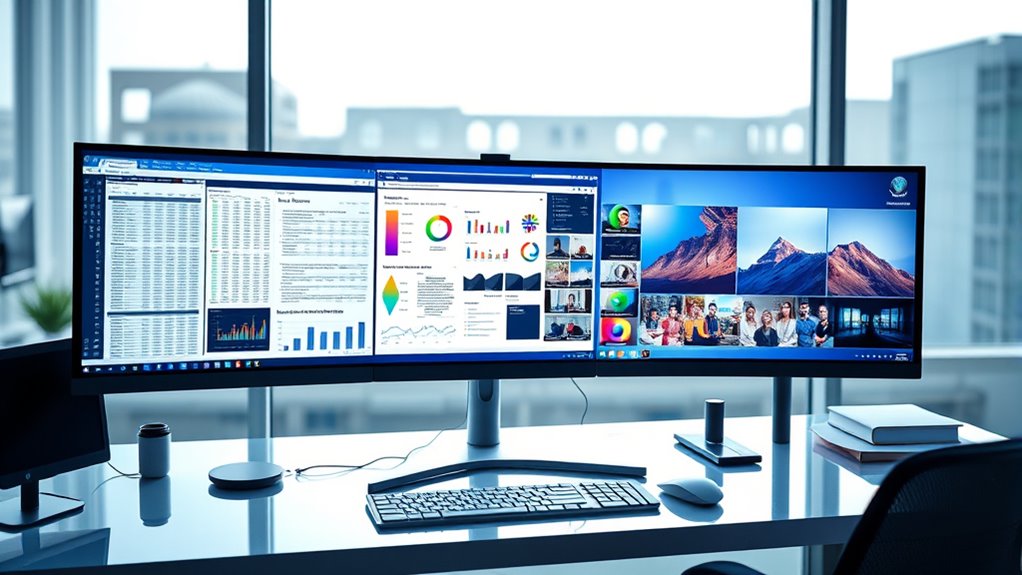

Ultra wide monitors have become essential for those who need expansive screen real estate, whether for gaming, productivity, or creative work. The best options blend size, resolution, and features, but these often come with tradeoffs like price or compatibility. The Samsung Odyssey G5 stands out as the best overall for its curved design and immersive experience. For gamers, the SANSUI 34-Inch Curved Gaming Monitor offers high refresh rates, while professionals may prefer the Samsung ViewFinity S50GC for accurate color and HDR support. Keep reading to explore these options and find the best ultra wide monitor for your needs.

Get business pricing on tech for your team
- Business-only prices and quantity discounts
- Tax-exempt purchasing
- Multiple users, one account, clear invoices
Key Takeaways
- Curved screens are nearly universal among top picks, enhancing immersion and reducing distortion.
- High refresh rates (120Hz and above) are common in gaming-focused models, improving smoothness.
- Resolution varies from WQHD to Dual QHD, with higher resolutions favored for professional clarity.
- Build quality and features like USB-C, HDR, and adjustable stands often distinguish premium models.
- Size range from 34 inches to 49 inches covers both desktop and multi-monitor replacement needs.


| ultra wide monitor | Resolution | Refresh Rate | Curvature | Response Time |
|---|---|---|---|---|
| Samsung 34′ Odyssey G5 Ultra-W | WQHD | 165Hz | 1000R | 1ms (MPRT) |
| SANSUI 34-Inch Curved Gaming M | 3440 x 1440P UWQHD | 200Hz | 1500R | 1ms |
| CRUA 49-Inch DQHD Ultrawide Cu | 5120×1440 (DQHD) | 165Hz | 1500R | — |
| Sceptre 34-Inch Curved Ultrawi | 3440 x 1440 | up to 180Hz/165Hz | 1500R | 1ms |
| Alienware 34 Curved Gaming Mon | WQHD | 180Hz | — | 1ms gray to gray |
| Samsung 40” Odyssey G7 | WUHD 4K | 180Hz | 1000R | 1ms (GtG) |
| Dell 34 Monitor S3425DW | WQHD | 120Hz | — | 0.03ms |
| Samsung 34" ViewFinity S50GC S | Ultra-WQHD | 100Hz | — | — |
| INNOCN 49-Inch Curved Ultrawid | 3840 x 1080 (FHD) | 144Hz | 1800R | — |
| Samsung 49” Business Curved Ul | Dual QHD | 120Hz | — | — |
More Details on Our Top Picks
Samsung 34′ Odyssey G5 Ultra-Wide Gaming Monitor with 1000R Curved Screen
The Samsung Odyssey G5 stands out for its ultra-wide 34-inch, 1000R curved display that maximizes immersion, especially compared to flatter screens like the Dell S3425DW. Its high 165Hz refresh rate and 1ms response time deliver smooth gameplay, making it ideal for fast-paced gaming. The HDR10 support adds vibrant color depth, but its focus on gaming means it isn’t optimized for productivity tasks like detailed document editing or multitasking with multiple windows. Tradeoffs include its size—it can be overwhelming in small spaces—and its limited appeal outside gaming and multimedia. If your priority is immersive gameplay and vibrant visuals, this monitor excels. However, if you need a monitor for general work or multitasking, it might feel restrictive.
Pros:- Immersive 1000R curved display enhances gaming experience
- High refresh rate and 1ms response time for smooth gameplay
- Vivid colors with HDR10 support for realistic visuals
Cons:- May be too large for small or cluttered desks
- Limited use case outside gaming and entertainment
Best for: Gamers seeking an immersive, curved experience with fast visuals
Not ideal for: Office workers or multitaskers who need a more versatile, flat display for productivity
- Screen Size:34 inches
- Curvature:1000R
- Resolution:WQHD
- Refresh Rate:165Hz
- Response Time:1ms (MPRT)
- HDR:HDR10
Our verdict“This monitor is best for gamers craving deep immersion and fast visuals, but less suited for general productivity.”
SANSUI 34-Inch Curved Gaming Monitor UWQHD 3440 x 1440P 200Hz Ultrawide
Compared to the Samsung Odyssey G5, the SANSUI 34-inch UWQHD offers a higher 200Hz refresh rate and AI-enhanced features like blue light reduction and crosshair overlays, making it more adaptable for extended gaming or even casual content creation. Its 1500R curvature provides a comfortable immersive experience without the extreme curve of the Odyssey. The monitor’s ergonomic stand and VESA compatibility support flexible setups, but its limited 30-day return policy and lack of built-in speakers may be drawbacks for some users. For those who want a responsive, feature-rich gaming monitor with eye care options, this model offers strong value. Yet, users needing long-term support or integrated audio might find its limitations frustrating.
Pros:- High 200Hz refresh rate for ultra-smooth gaming
- AI blue light reduction reduces eye strain during long sessions
- Ergonomic stand and VESA support for flexible mounting
Cons:- No built-in speakers, requiring external audio devices
- Limited 30-day return policy may be restrictive
Best for: Casual gamers and content creators seeking smooth visuals with eye comfort features
Not ideal for: Users needing integrated speakers or long-term purchase support
- Size:34 inches
- Resolution:3440 x 1440P UWQHD
- Refresh Rate:200Hz
- Response Time:1ms
- Curvature:1500R
- Features:AI Blue Light Reduction, Crosshair
Our verdict“Ideal for gamers and creators who prioritize high refresh rates and eye comfort, but not for those needing built-in audio or extended returns.”
CRUA 49-Inch DQHD Ultrawide Curved Gaming Monitor, 1500R, 165Hz, FreeSync, Black
The CRUA 49-inch monitor offers a vast 5120×1440 DQHD resolution on a 49-inch curved display, making it a standout for multitasking and immersive gaming compared to the smaller 34-inch options like the SANSUI. Its 165Hz refresh rate with FreeSync ensures tear-free, fluid visuals even in fast action. The wide color coverage and ergonomic stand support extended use, but its size can be challenging to fit in standard desks, and the higher price reflects its premium features. This monitor suits users who need serious screen real estate for gaming, content creation, or multitasking, but those with limited space or budget may want to consider smaller models.
Pros:- Massive 49-inch curved display for immersive multitasking
- High 165Hz refresh rate with FreeSync for smooth visuals
- Wide color coverage and ergonomic adjustments for comfort
Cons:- Requires substantial desk space and may be unwieldy
- Higher cost due to its size and features
Best for: Power users needing expansive workspace for gaming and multitasking
Not ideal for: Small office setups or users with limited desk space
- Size:49 inches
- Resolution:5120×1440 (DQHD)
- Refresh Rate:165Hz
- Curvature:1500R
- Color Coverage:120% sRGB
- Stand Adjustments:Height, tilt, lift
Our verdict“Best suited for users craving an expansive, immersive display for gaming and multitasking, but less ideal for compact workspaces.”
Sceptre 34-Inch Curved Ultrawide WQHD Monitor (3440 × 1440), R1500, up to 180Hz/165Hz, DisplayPort x2, 99% sRGB, 1ms, Built-in Speakers, Machine Black, 2025
The Sceptre 34-inch monitor combines a 3440×1440 resolution with a 180Hz refresh rate, making it a compelling choice for gamers and productivity users who want a stylish, modern display. Its curved 1500R design offers immersive visuals, comparable to the SANSUI but with added features like built-in speakers and LED backlighting. The high refresh rate and 99% sRGB coverage ensure vibrant, smooth visuals suitable for gaming and content editing. However, its limited port options and uncertain power consumption might be drawbacks for some. This model is well-suited for users who want a sleek, feature-rich ultrawide with good color and fast performance, but those needing extensive connectivity or long-term support should consider alternatives.
Pros:- High refresh rate up to 180Hz for smooth gameplay
- Vivid 99% sRGB color coverage for creative work
- Built-in speakers and LED backlight for modern aesthetics
Cons:- Limited port options may restrict connectivity
- Potentially high power consumption from LED lighting
Best for: Designers and gamers seeking a stylish, high-performance ultrawide monitor
Not ideal for: Users requiring extensive ports, or long-term durability assurances
- Screen Size:34 inches
- Resolution:3440 x 1440
- Refresh Rate:up to 180Hz/165Hz
- Response Time:1ms
- Curvature:1500R
- Color Coverage:99% sRGB
Our verdict“Great for users wanting a sleek, vivid ultrawide with fast visuals, but may fall short on connectivity for some setups.”
Alienware 34 Curved Gaming Monitor – AW3425DWM
The Alienware AW3425DWM earns its spot for blending a 34-inch curved display with a 180Hz refresh rate and 1ms response time, rivaling the Samsung Odyssey G5 but with enhanced color accuracy. Its 95% DCI-P3 coverage and VESA DisplayHDR 400 certification make it particularly appealing for gamers who also value color precision for creative tasks, unlike the more gaming-focused G5. The curved design enhances immersion, yet the higher price and potential desk space constraints might deter budget-conscious buyers. The monitor’s combination of high performance and color fidelity makes it ideal for long gaming sessions and creative work, though its premium price limits appeal for casual users or those with limited space.
Pros:- Vibrant 95% DCI-P3 coverage for accurate colors
- High 180Hz refresh rate with 1ms response for smooth gameplay
- VESA DisplayHDR 400 enhances visual depth
Cons:- Premium price may be prohibitive for some
- Curved design not suitable for all desk setups
Best for: High-end gamers and professionals needing accurate colors in an immersive display
Not ideal for: Budget-conscious buyers or users with small desks
- Size:34-inch
- Resolution:WQHD
- Refresh Rate:180Hz
- Response Time:1ms gray to gray
- Curve Radius:1500R
- Color Coverage:DCI-P3 95%
- HDR:VESA DisplayHDR 400
Our verdict“Perfect for gamers and creators seeking a premium, colorful curved monitor, but its cost and size may limit accessibility.”
Samsung 40” Odyssey G7 (G75F) Series WUHD Curved Gaming Monitor
The Samsung 40” Odyssey G7 G75 stands out for its enormous 40-inch curved display and 4K resolution, creating an intensely immersive experience that surpasses the 34-inch Dell S3425DW in sheer size and visual impact. Its 180Hz refresh rate and 1ms response time deliver ultra-smooth gameplay, ideal for competitive gamers who prioritize responsiveness. However, its large footprint limits compatibility with smaller desks and makes it less suitable for general productivity or multi-tasking. Compared to the Dell S3425DW’s vibrant colors and eye comfort features, the Odyssey G7’s focus is on high-end gaming performance, which comes at a premium price. It’s best suited for dedicated gamers with ample space who want the most immersive experience, but those seeking versatility or a more budget-friendly option may prefer alternatives.
Pros:- Immersive 40-inch curved display enhances gaming immersion
- High 180Hz refresh rate ensures ultra-smooth gameplay
- Excellent contrast with HDR600 support for dark scene clarity
Cons:- Large size may not fit smaller desks or setups
- Premium price point limits accessibility
- Limited to gaming and high-performance tasks, less suited for productivity
Best for: High-end gamers and enthusiasts seeking a large, immersive gaming monitor with top-tier refresh rates.
Not ideal for: Office workers or casual users with limited desk space who need a more versatile or affordable monitor.
- Display Size:40 inches
- Resolution:WUHD 4K
- Curvature:1000R
- Aspect Ratio:21:9
- Refresh Rate:180Hz
- Response Time:1ms (GtG)
Our verdict“This monitor is ideal for dedicated gamers who want a massive, ultra-responsive display and have space to accommodate it.”
Dell 34 Monitor S3425DW, WQHD VA, 120Hz, FreeSync Premium, Eye Comfort
The Dell S3425DW earns its place by combining vivid, true-to-life colors with a 34-inch ultrawide VA panel, making it an attractive option for content creators and general users who value high contrast and color accuracy. Its 120Hz refresh rate and FreeSync Premium support smooth visuals during gaming or fast-paced work tasks, outperforming slower, less capable monitors like the Samsung ViewFinity S50GC for motion clarity. While it offers eye comfort features like blue light reduction, it lacks detailed info on ergonomic adjustments, which could be a drawback for extended use. Compared to the Samsung ViewFinity, the Dell’s focus on color fidelity and comfort makes it better suited for multimedia work, but it might not appeal to those needing extensive ergonomic flexibility or higher refresh rates for serious gaming.
Pros:- Vivid, high-coverage color with 99% sRGB and 95% DCI-P3
- Smooth visuals with 120Hz and FreeSync Premium
- Eye comfort features reduce eye strain during prolonged use
Cons:- No information on built-in speaker quality
- Lack of detailed ergonomic adjustments
- Price may be higher for its feature set
Best for: Content creators, professionals, and general users seeking vibrant visuals and comfort for long sessions.
Not ideal for: Competitive gamers requiring ultra-high refresh rates and extensive ergonomic adjustments.
- Size:34 inches
- Resolution:WQHD
- Panel Type:VA
- Refresh Rate:120Hz
- Response Time:0.03ms
- Contrast Ratio:3000:1
Our verdict“This monitor suits those who prioritize vibrant visuals and eye comfort over ultra-high refresh rates or extensive ergonomic features.”
Samsung 34″ ViewFinity S50GC Series Ultra-WQHD Monitor, HDR10, AMD FreeSync
The Samsung ViewFinity S50GC makes a strong case for multitaskers and creative professionals thanks to its expansive 34-inch Ultra-WQHD display and borderless design. Its HDR10 support and 1 billion color support provide vibrant, high-contrast visuals that excel in multimedia tasks. Compared with the INNOCN 49-inch, the S50GC’s smaller size makes it more manageable for typical desks, but its 100Hz refresh rate isn’t suited for high-end gaming. Its multiple input options, including PIP and PBP, make it ideal for users juggling multiple workflows, although the lack of detailed info on built-in speakers could be a downside. Overall, it’s a compelling choice for users who need a balanced mix of productivity, color accuracy, and multimedia features.
Pros:- Wide 34-inch Ultra-WQHD display enhances multitasking
- Supports HDR10 and over 1 billion colors for vibrant visuals
- Multiple input options with PIP and PBP support multitasking
Cons:- Limited to 100Hz, not suitable for high-end gaming
- No explicit mention of built-in speaker quality
- Price may be higher due to multiple features
Best for: Professionals and multitaskers who need a vibrant, versatile ultrawide monitor for productivity and creative workflows.
Not ideal for: Gamers seeking ultra-high refresh rates or minimal latency for competitive play.
- Size:34 inches
- Resolution:Ultra-WQHD
- Refresh Rate:100Hz
- HDR:HDR10
- Color Support:Over 1 billion colors
- Inputs:2 x HDMI 2.2, 1 x DisplayPort 1.2
Our verdict“This monitor is geared toward productivity-focused users who want vibrant visuals and multitasking capabilities without needing the highest gaming refresh rates.”
INNOCN 49-Inch Curved Ultrawide Gaming Monitor 144Hz, 32:9, HDR400, USB-C, HDMI, DisplayPort, Built-in Speakers, Adjustable Height/Tilt
The INNOCN 49-inch curved ultrawide stands out for its enormous 32:9 aspect ratio and 144Hz refresh rate, making it a top choice for gamers and streamers who want a wide, responsive display. Its HDR400 support and 99% sRGB coverage improve color vibrancy, rivaling smaller but more color-accurate monitors like the Dell S3425DW. While its size offers unmatched immersion, it also demands significant desk space and a powerful GPU to run smoothly. Its adjustable height, tilt, and swivel add to user comfort, but details on built-in speaker quality are limited. This model is best for gaming enthusiasts and content creators wanting a massive workspace, but it’s less suitable for users needing a more compact or budget-conscious monitor.
Pros:- Huge 49-inch curved display enhances immersion
- High 144Hz refresh rate for smooth gaming
- Adjustable height, tilt, and swivel for comfort
Cons:- Large size requires significant desk space
- High GPU demand for optimal performance
- Limited details on speaker quality
Best for: Gamers, streamers, and content creators seeking an ultra-wide, high-refresh-rate display with strong color performance.
Not ideal for: Users with limited desk space or those requiring a more ergonomic or budget-friendly setup.
- Screen Size:49 inches
- Resolution:3840 x 1080 (FHD)
- Aspect Ratio:32:9
- Refresh Rate:144Hz
- HDR:HDR400
- Curvature:1800R
Our verdict“This monitor is perfect for gamers and creators who want a massive, responsive ultrawide experience and have space for it.”
Samsung 49” Business Curved Ultrawide Dual QHD Computer Monitor, USB-C, DisplayPort, HDMI, 120Hz, VESA DisplayHDR 400, Built-in Speakers, Height Adjustable Stand, Eye Care, LS49C954UANXZA, 2024
The Samsung LS49C954UANXZA excels as a productivity powerhouse, combining a 49-inch dual QHD curved display with a height-adjustable stand and multiple connectivity options, including USB-C with 90W charging. Its 120Hz refresh rate supports smooth scrolling and window switching, making it suitable for demanding multitasking environments. Compared to the INNOCN 49-inch, the Samsung’s focus on ergonomic adjustments and professional features makes it more suitable for office settings, though it comes at a higher price. The VESA DisplayHDR 400 support adds visual richness, but the size could be overwhelming for smaller desks. This monitor is best suited for professionals who need a large, versatile workspace and value ergonomic flexibility, but not for users primarily focused on gaming or casual use.
Pros:- Extensive ergonomic adjustments with height flexibility
- Large 49-inch curved dual QHD display enhances productivity
- Multiple connectivity options including USB-C with 90W power delivery
Cons:- Large size may be impractical for small desks
- Premium price reflects professional features
- Limited info on built-in speaker quality
Best for: Business professionals, multitaskers, and power users demanding a large, flexible ultrawide workspace.
Not ideal for: Casual users or gamers who prioritize ultra-high refresh rates or minimal ergonomic adjustments.
- Size:49 inches
- Aspect Ratio:32:9
- Resolution:Dual QHD
- Refresh Rate:120Hz
- HDR:VESA DisplayHDR 400
- Stand:Height adjustable
Our verdict“This monitor is ideal for professionals needing a massive, flexible workspace with ergonomic features and multiple connection options.”
How We Picked
The monitors in this roundup were selected based on a combination of performance, build quality, usability, and value. I prioritized models that offer substantial screen real estate with good resolution and color accuracy, especially for creative and professional tasks. Gaming performance was also considered, focusing on refresh rates and response times. Additionally, I looked at features like ergonomic adjustments, connectivity options, and overall user experience. The ranking reflects a balance between these criteria, aiming to recommend options for different budgets and use cases.| ultra wide monitor | HDR |
|---|---|
| Samsung 34′ Odyssey G5 Ultra-W | HDR10 |
| SANSUI 34-Inch Curved Gaming M | — |
| CRUA 49-Inch DQHD Ultrawide Cu | — |
| Sceptre 34-Inch Curved Ultrawi | — |
| Alienware 34 Curved Gaming Mon | VESA DisplayHDR 400 |
| Samsung 40” Odyssey G7 | — |
| Dell 34 Monitor S3425DW | — |
| Samsung 34" ViewFinity S50GC S | HDR10 |
| INNOCN 49-Inch Curved Ultrawid | HDR400 |
| Samsung 49” Business Curved Ul | VESA DisplayHDR 400 |
Factors to Consider When Choosing Ultra Wide Monitors
Choosing an ultra wide monitor involves weighing several key factors to match your specific needs. Size is important, but so is resolution and refresh rate, especially if gaming or professional work is involved. Connectivity options like USB-C can streamline desk setups, while ergonomic features ensure comfort during extended use. It’s also worth considering color accuracy and HDR support for creative tasks. Finally, budget and build quality often influence the final decision, so understanding these tradeoffs helps in making an informed purchase.Size and Resolution
Size determines how much screen real estate you get, with models ranging from 34 inches to 49 inches. Larger screens provide more workspace but require more desk space and stronger graphics hardware. Resolution impacts clarity; WQHD (3440 x 1440) is standard for 34-inch models, while 49-inch screens often come with Dual QHD (5120 x 1440) or higher. Higher resolutions improve detail but may demand more powerful GPUs, especially for gaming or high-res professional editing.
Refresh Rate and Response Time
Gamers should prioritize high refresh rates—120Hz or above—to ensure smooth motion and reduce motion blur. Response time also matters for gaming, with 1-4ms being ideal for fast-paced titles. For productivity or creative work, these specs are less critical, but a higher refresh rate can still make daily interactions feel more responsive. Be mindful that higher refresh rates often come with increased price tags and may require compatible hardware.
Connectivity and Ergonomics
Look for monitors with versatile ports like USB-C, HDMI, and DisplayPort to connect various devices easily. USB-C is especially valuable for streamlined setups and charging laptops. Ergonomic adjustments such as height, tilt, and swivel help maintain comfort during long sessions. Some models include VESA compatibility, allowing for custom mounting options. Neglecting these features can lead to discomfort or limited compatibility with your existing gear.
Color Accuracy and HDR Support
For creative professionals, color accuracy is paramount. Look for monitors with high sRGB or AdobeRGB coverage and factory calibration. HDR support enhances contrast and color depth, making media and images more vibrant. Not all high-resolution monitors have accurate colors or HDR, so verify these specs if color fidelity is a priority. These features often come at a premium but significantly improve visual quality for specific tasks.
Price and Build Quality
Ultra wide monitors span a broad price range, from budget-friendly to premium models. Cheaper options may cut corners on build quality, ports, or color accuracy, but can still serve basic needs. Higher-end models offer better materials, more features, and longer warranties. Consider your intended use—if professional work or gaming is frequent, investing in a durable, feature-rich monitor can be worthwhile. Balance your budget with the desired features to find the best fit.
Frequently Asked Questions
Is a curved ultra wide monitor better for gaming or productivity?
Curved ultra wide monitors tend to excel in both areas by providing an immersive experience and reducing distortion at the edges. For gaming, the curvature enhances the sense of depth and field of view, making fast-paced gameplay more engaging. For productivity, the curve helps keep all parts of the screen within a natural viewing angle, reducing eye strain and improving focus. However, the choice also depends on personal preference and desk setup—some users prefer flat screens for multi-monitor configurations or specific workflows.
Can my existing graphics card support a 49-inch ultra wide monitor?
Most modern high-end graphics cards can handle 49-inch ultra wide monitors, especially those with Dual QHD resolutions, but it’s essential to verify the specific model’s capabilities. These large screens demand significant GPU power to run high resolutions at acceptable frame rates, particularly for gaming. If you plan to use the monitor for demanding tasks like gaming or video editing, ensure your GPU has enough VRAM and supports the required resolutions and refresh rates. Upgrading your graphics hardware might be necessary to get the most out of these expansive displays.
Are ultra wide monitors suitable for multitasking and multiple application windows?
Absolutely. Ultra wide monitors provide ample space to open multiple windows side-by-side, reducing the need for multi-monitor setups. This is especially beneficial for workflows involving video editing, programming, or financial analysis, where multiple tools or data streams are needed simultaneously. The curved design further enhances this experience by keeping all areas within a comfortable viewing angle. Keep in mind, however, that very large screens may require more powerful hardware to handle multitasking smoothly.
What should I prioritize: resolution or refresh rate, if I mainly use the monitor for work?
If your primary use is productivity and professional work, resolution and color accuracy should take precedence over refresh rate. A higher resolution provides sharper text and imagery, which reduces eye strain during long sessions. Good color accuracy and HDR support help with creative tasks. While higher refresh rates are beneficial for gaming, they are less critical for work tasks, so focusing on resolution and ergonomics will typically yield better overall satisfaction and comfort.
How important is build quality and warranty when choosing an ultra wide monitor?
Build quality and warranty are significant factors, especially given the premium prices of many ultra wide monitors. A sturdy stand, quality materials, and VESA compatibility contribute to long-term durability and flexibility in your setup. A comprehensive warranty offers peace of mind against defects or issues that might arise, which can be costly to repair or replace. Investing in a well-built monitor with a solid warranty can save money and hassle in the long run, particularly if you plan to use the monitor extensively.
Conclusion
For general users seeking an all-around excellent experience, the Samsung Odyssey G5 offers compelling value with its curved design and immersive display. Creative professionals who need precise colors should consider the Samsung ViewFinity S50GC for its HDR and color accuracy. Gamers will benefit from the high refresh rates of options like the SANSUI 34-Inch Curved Gaming Monitor. Those with larger budgets or specific needs, such as multitasking or professional editing, should explore the premium models like the Alienware 34 or INNOCN 49-Inch. Ultimately, your choice depends on your priorities—whether it’s performance, budget, or versatility—and matching the monitor to your typical tasks will ensure satisfaction over the long term.