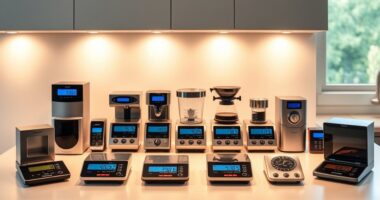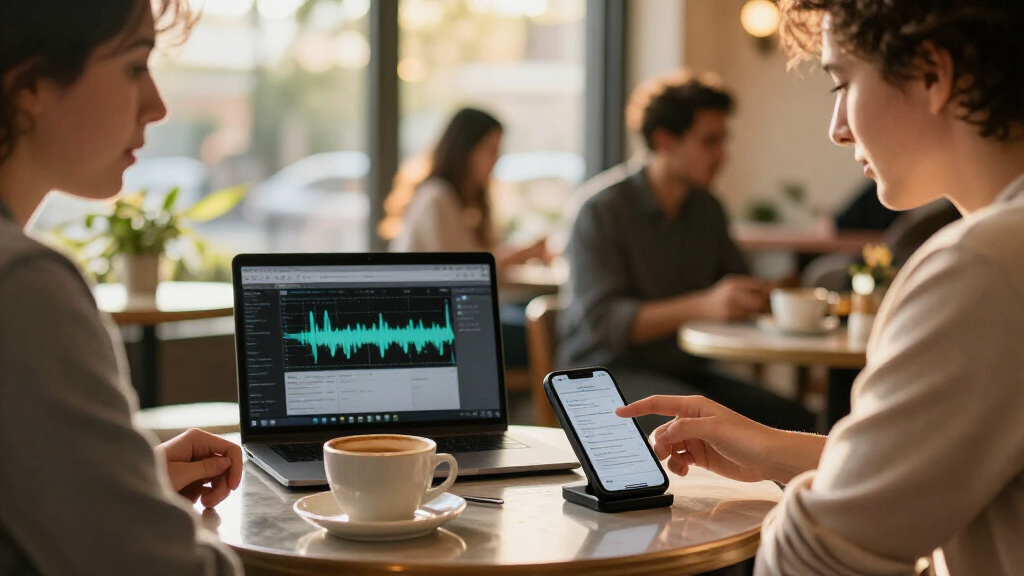

AI meeting note takers range from discreet wearables to dedicated voice recorders that transcribe and summarize conversations. I rank the Plaud Note Pro as the best overall because it combines a meeting-focused recorder format with transcription and summaries, while the Plaud NotePin S stands out for hands-free wearable use and the Comu Action Pro for its stated 70-hour battery. The main tradeoffs are wearability versus recording controls, and simple hardware versus the flexibility of its transcription and storage workflow. Product names and configurations overlap, so I also distinguish between variants rather than treating similar models as entirely different designs. Read on for the full breakdown, selection criteria, and advice on choosing a recorder that fits your meetings.

Get business pricing on tech for your team
- Business-only prices and quantity discounts
- Tax-exempt purchasing
- Multiple users, one account, clear invoices
Key Takeaways
- Plaud Note Pro leads the roundup for buyers who want a dedicated recorder paired with transcription and meeting summaries; the wearable NotePin S variants suit people who prefer hands-free capture instead.
- The NotePin S appears in three color variants—Purple, Silver, and Black—so the lineup presents more of a fit and finish choice than three separate feature profiles.
- Plaud Note and Plaud Note Pro are distinct named options; buyers should compare the precise model and included transcription workflow rather than assuming every Plaud listing offers the same package.
- Battery and storage claims can change the decision: the Comu Action Pro lists a 70-hour battery, while multiple Pocket and generic recorder listings specify 64 GB storage.
- Several entries have limited differentiation in their names, including multiple Pocket recorders and generic AI note takers, making verification of app support, transcription terms, and controls especially important before purchase.
| Plaud Note Pro AI Voice Recorder with Transcription and Summaries |  | Best Overall for Mixed Meeting Formats | Microphones: 4 MEMS + 1 VPU | Storage: 64 GB | Display: 0.95-inch AMOLED | VIEW LATEST PRICE | See Our Full Breakdown |
| Memoket Gem Wearable AI Voice Recorder |  | Best for Apple Watch Wearers | Compatible devices: Laptop, personal computer, smartphone, tablet | Hardware interface: Bluetooth 5 | Storage capacity: 4 GB | VIEW LATEST PRICE | See Our Full Breakdown |
| Plaud NotePin S AI Voice Recorder, Purple |  | Best Compact Wearable | Color: Purple | Storage: 64 GB | Battery life: Up to 20 hours | VIEW LATEST PRICE | See Our Full Breakdown |
| Pocket AI Voice Recorder – Auto Transcription, AI Note Taker (Baby Pink) |  | Best for Simple Phone-Based Capture | Compatible devices: Smartphones (iOS and Android) | Interface: Bluetooth | Storage: 64 GB | VIEW LATEST PRICE | See Our Full Breakdown |
| EurekaMind AI Voice Recorder and Note Taker, Lite |  | Best for Included Unlimited Transcription | Model: EurekaMind 1.0 Lite | Compatible devices: Smartphones | Recording modes: Ambient recording and call recording | VIEW LATEST PRICE | See Our Full Breakdown |
| Plaud NotePin S AI Voice Recorder, Silver |  | Best Wearable for Flexible Placement | Color: Silver | Storage: 64 GB | Recording time: Up to 20 hours | VIEW LATEST PRICE | See Our Full Breakdown |
| Pocket AI Voice Recorder with Transcription, 64 GB, Space Grey |  | Best for Searchable, Action-Oriented Notes | Brand: Pocket | Model: PKT 01 | Storage capacity: 64 GB | VIEW LATEST PRICE | See Our Full Breakdown |
| AI Voice Recorder and Note Taker with 64GB Storage |  | Best for Generous Included Transcription | Storage: 64 GB | Battery life: 30+ hours | Weight: 27.22 g (1.02 oz) | VIEW LATEST PRICE | See Our Full Breakdown |
| AI Meeting Note Taker – Transcribe & Summarize |  | Best for Multilingual Meetings | Model number: Note Pro | Dimensions: 51 × 21 × 11 mm | Form factor: Pouch | VIEW LATEST PRICE | See Our Full Breakdown |
| Plaud NotePin S Wearable AI Voice Recorder, Black |  | Best for Multilingual Wearable Capture | Storage capacity: 64 GB | Continuous recording time: 20 hours | Standby time: 40 days | VIEW LATEST PRICE | See Our Full Breakdown |
| Plaud Note AI Voice Recorder with Transcription and Summaries |  | Best for Multilingual Call and Meeting Capture | Recording modes: Phone calls and in-person meetings | Language support: 112 languages | Local storage: 64 GB | VIEW LATEST PRICE | See Our Full Breakdown |
| Plaud Note Pro AI Voice Recorder with Transcription and Meeting Summaries |  | Best for Mixed Online and In-Person Meetings | Microphones: 4 MEMS + 1 VPU | Display: 0.95-inch AMOLED | Storage: 64 GB | VIEW LATEST PRICE | See Our Full Breakdown |
| Pocket AI Voice Recorder with Auto Transcription, Sierra Blue |  | Best for AI-Assisted Review of Conversations | Storage capacity: 64 GB | Battery life: Up to 4 days | Compatible devices: Smartphones | VIEW LATEST PRICE | See Our Full Breakdown |
| Comulytic Note Pro AI Voice Recorder |  | Best for Long Recording with Included Transcription | Listed storage: 64 GB in description; 16 GB in product information | Battery life: Up to 45 hours of continuous recording | Standby time: Up to 107 days | VIEW LATEST PRICE | See Our Full Breakdown |
| Comu Action Pro AI Voice Recorder with 70-Hour Battery |  | Best for Long Battery Life and Multilingual Output | Microphones: Six: four omnidirectional, one directional, and one bone-conduction | Storage: 16 GB | Battery life: Up to 70 hours | VIEW LATEST PRICE | See Our Full Breakdown |
| AI meeting note taker | Dimensions | Battery life | Weight |
|---|---|---|---|
| Plaud Note Pro AI Voice Record | 3.74 × 0.27 × 2.56 in | Up to 30 hours | 30 g (1.06 oz) |
| Memoket Gem Wearable AI Voice | — | Up to 20 hours | — |
| Plaud NotePin S AI Voice Recor | 0.83 × 2.01 × 0.43 in | Up to 20 hours | 17.28 g |
| Pocket AI Voice Recorder | 1.77 × 3.2 × 7.4 in | Up to 4 days | — |
| EurekaMind AI Voice Recorder a | 3.39 × 0.12 × 2.13 in | — | 29 g (1.02 oz) |
| Plaud NotePin S AI Voice Recor | 0.83 × 2.01 × 0.43 inches | — | 17.28 g |
| Pocket AI Voice Recorder with | — | Up to 4 days | — |
| AI Voice Recorder and Note Tak | 0.12 × 2.17 × 3.35 inches | 30+ hours | 27.22 g (1.02 oz) |
| AI Meeting Note Taker | 51 × 21 × 11 mm | — | — |
| Plaud NotePin S Wearable AI Vo | 0.83 × 2.01 × 0.43 inches | — | 17.28 g (0.61 oz) |
| Plaud Note AI Voice Recorder w | 0.12 x 2.13 x 3.43 inches | — | 30 g (1.06 oz) |
| Plaud Note Pro AI Voice Record | 2.13 x 3.37 x 0.12 inches | — | 30 g (1.06 oz) |
| Pocket AI Voice Recorder with | 1.77 x 3.2 x 7.4 inches (D x W x H) | Up to 4 days | — |
| Comulytic Note Pro AI Voice Re | — | Up to 45 hours of continuous recording | — |
| Comu Action Pro AI Voice Recor | — | Up to 70 hours | 52 g |
More Details on Our Top Picks
Plaud Note Pro AI Voice Recorder with Transcription and Summaries
For people who move between conference rooms, phone calls, and online meetings, the Plaud Note Pro covers more recording situations than the wearable options here. Its four MEMS microphones and VPU support in-person capture, while Plaud Desktop can handle online meetings; the Memoket Gem, by comparison, is designed around wearable recording. The app can produce speaker labels, summaries, decisions, and action items, giving teams more than a plain transcript to work from. At 30 g, it remains slim enough to carry, and its 64 GB storage and 30-hour battery suit frequent recording. The tradeoff is that AI transcription depends on Plaud software, and the included plan caps transcription at 300 minutes monthly. Buyers with long recording schedules should check whether that allowance fits their routine.
Pros:- Supports in-person, phone-call, and online meeting recording through its device and Plaud Desktop
- Transcription supports 112 languages and includes speaker labels and AI-generated meeting outputs
- 64 GB storage and up to 30 hours of battery life support regular use between charges
- Compact 30 g body includes a 0.95-inch AMOLED display
Cons:- Free Starter Plan includes only 300 minutes of AI transcription per month
- Transcription and AI summaries depend on the Plaud app or desktop software
Best for: Professionals who regularly switch between in-person meetings, phone calls, and desktop meetings and want one recorder for all three.
Not ideal for: People who need transcription for hours of meetings every week without a usage limit, or who want AI features without companion software.
- Microphones:4 MEMS + 1 VPU
- Storage:64 GB
- Display:0.95-inch AMOLED
- Battery life:Up to 30 hours
- Weight:30 g (1.06 oz)
- Dimensions:3.74 × 0.27 × 2.56 in
- Audio format:WAV
- Free transcription plan:300 minutes per month
Our verdict“Choose the Plaud Note Pro if your meetings span several formats and its monthly transcription allowance fits your workload.”
Memoket Gem Wearable AI Voice Recorder
The Memoket Gem is the most wearable-first pick in this group: it is designed to fit alongside a compatible Apple Watch band, rather than sit on a table like the Plaud Note Pro. Its app can pair transcripts with typed notes and photos, which helps preserve context that spoken audio may miss, such as a slide or a detail written on a whiteboard. Support for 153 languages is the broadest stated language coverage among these five products. The tradeoff is a more specific setup: an Apple Watch is not included, and the recorder is intended to be worn with a compatible band. Its listed 4 GB storage and 20-hour recording capacity are less generous than the Plaud devices’ 64 GB, so buyers should distinguish the stated on-device storage from the 300 hours of recording storage noted in the description.
Pros:- Transcribes in 153 languages and generates AI summaries
- Lets users add typed notes and photos to recordings
- Offers up to 20 hours of recording and states 300 hours of on-device recording storage
- Includes a 300-minute monthly transcription plan without a mandatory subscription
Cons:- Apple Watch is not included, and the design is intended to work with a compatible watch band
- The listed 4 GB storage capacity is modest compared with the 64 GB Plaud options
- The 300-minute monthly transcription allowance may not cover frequent meeting schedules
Best for: Apple Watch owners who want a discreet wearable meeting recorder and like attaching photos or typed notes to audio.
Not ideal for: People without a compatible Apple Watch setup, or those who prefer a standalone recorder with clearly stated large local storage.
- Compatible devices:Laptop, personal computer, smartphone, tablet
- Hardware interface:Bluetooth 5
- Storage capacity:4 GB
- Battery life:Up to 20 hours
- Recording range:16.4 ft (5 m)
- Water resistance:IPX5
- Included transcription plan:300 minutes per month
- Package contents:Recorder, dedicated Apple Watch wristband, USB-C charging dock, quick setup guide
Our verdict“Pick the Memoket Gem if you already wear a compatible Apple Watch and want wearable capture with photo and note context.”
Plaud NotePin S AI Voice Recorder, Purple
For hands-free in-person note capture, the NotePin S is the lightest clearly specified option here, weighing 17.28 g and offering several ways to wear it: as a pin, clip, lanyard, or wristband. That flexibility makes it easier to keep the microphone near a conversation than a pocket recorder such as the Plaud Note Pro, especially when moving between rooms. It records people up to 3 m away and can also support online meeting recording through Plaud Desktop. Its 64 GB storage and 20-hour battery make it more capable than its tiny size suggests. The main compromise is reliance on the companion app for transcription and AI features; unlike the EurekaMind Lite, it does not list unlimited transcription on its Starter Plan. Recording others also calls for consent, so it is not a set-and-forget solution.
Pros:- Very light at 17.28 g, with pin, clip, lanyard, and wristband wearing options
- 64 GB storage and up to 20 hours of recording
- Captures in-person conversations from up to 3 m away
- Companion app creates transcripts, summaries, and structured documents
Cons:- Transcription and AI features require the companion app
- Starter Plan includes 300 minutes of transcription per month
- Recording other people requires attention to consent
Best for: People who move between in-person meetings and want a lightweight recorder they can wear in several ways.
Not ideal for: Buyers who want AI transcription without relying on a companion app, or who need a clearly stated unlimited transcription plan.
- Color:Purple
- Storage:64 GB
- Battery life:Up to 20 hours
- Weight:17.28 g
- Dimensions:0.83 × 2.01 × 0.43 in
- Audio format:MP3
- Recording range:Up to 3 m (9.8 ft)
- Included accessories:Magnetic pin, clip, lanyard, wristband, charging dock, USB-C cable
Our verdict“Choose the NotePin S if low-profile, hands-free recording matters more than standalone AI processing or unlimited transcription.”
Pocket AI Voice Recorder – Auto Transcription, AI Note Taker (Baby Pink)
One-tap capture is the Pocket AI recorder’s clearest advantage: it is aimed at people who want to start recording quickly from a smartphone rather than manage a separate wearable setup like the Plaud NotePin S. Its stated AI workflow can transcribe, summarize, organize conversations, and extract action items, turning a recording into follow-up material with less manual sorting. MagSafe compatibility adds a hands-free option for iPhone users, while the listing claims up to four days of battery life per charge. However, the product data gives limited detail on recording range, supported languages, and how its AI features work. Advanced features require an optional subscription, and full functionality is limited to iOS and Android smartphones. Compared with the Plaud Note Pro, it is more phone-centered and less clearly specified for desktop meeting workflows.
Pros:- One-tap recording supports quick capture of meetings, calls, and ideas
- AI features include transcription, summaries, and action-item extraction
- MagSafe compatibility offers hands-free use with an iPhone
- Listed battery life is up to four days per charge
Cons:- Advanced features require an optional subscription
- Full functionality is limited to iOS and Android smartphone platforms
- The provided product data does not specify supported languages or recording range
Best for: Smartphone-first users who want quick meeting capture, simple AI summaries, and MagSafe mounting for an iPhone.
Not ideal for: People who need desktop meeting recording, detailed technical documentation, or advanced AI features without an optional subscription.
- Compatible devices:Smartphones (iOS and Android)
- Interface:Bluetooth
- Storage:64 GB
- Battery life:Up to 4 days
- Audio format:RealAudio
- Microphone operation mode:Speech recognition
- Dimensions:1.77 × 3.2 × 7.4 in
- Battery:1 included
Our verdict“Choose this Pocket AI recorder if convenient smartphone capture matters more than desktop support and detailed recording specifications.”
EurekaMind AI Voice Recorder and Note Taker, Lite
The EurekaMind Lite stands apart on transcription allowance: its Starter Plan includes unlimited transcription and AI summaries, while the Plaud NotePin S and Memoket Gem list monthly minute limits. For people with a steady stream of meetings, that difference can matter more than a larger screen or wearable design. The card-sized 29 g recorder supports both ambient and phone-call recording, then produces speaker labels and action items, making it a versatile choice for a smartphone-centered workflow. Its compact magnetic form is easier to carry than a desktop-oriented setup, but the product data does not give battery life, storage capacity, recording range, or supported languages. Advanced tools such as reminders, calendar sync, and Ask Agent sit behind a premium plan, and there is no headphone jack. The listed security certifications may appeal to organizational buyers, but do not replace a review of data-handling terms.
Pros:- Starter Plan includes unlimited transcription and AI summaries
- Creates speaker labels and action items from recordings
- Supports both ambient recording and call recording
- Slim 29 g body is designed for portable, magnetic attachment
Cons:- Advanced features such as reminders, calendar sync, and Ask Agent require a premium plan
- Product data does not state battery life, storage capacity, or recording range
- No headphone jack is included
Best for: Smartphone users with frequent meetings who value unlimited included transcription and summaries over detailed hardware specifications.
Not ideal for: Buyers who need published battery, storage, or range figures, or who require reminders, calendar sync, and other premium tools on the included plan.
- Model:EurekaMind 1.0 Lite
- Compatible devices:Smartphones
- Recording modes:Ambient recording and call recording
- Microphone:Built-in
- Dimensions:3.39 × 0.12 × 2.13 in
- Weight:29 g (1.02 oz)
- Starter Plan:Unlimited transcription and AI summaries
- Security certifications:ISO 27001, ISO 27701, ISO 20000, ISO 9001
Our verdict“Choose the EurekaMind Lite if unlimited included transcription is your priority and you can accept gaps in the published hardware details.”
Plaud NotePin S AI Voice Recorder, Silver
The Plaud NotePin S suits people who want meeting notes without keeping a recorder in hand or on the table. Its magnetic pin, clip, lanyard, and wristband give it more placement options than the pocket-sized AI Voice Recorder and Note Taker with 64GB Storage, while its stated microphone reach of up to 3 meters helps capture small-group conversations. It can record for up to 20 hours and turns audio into transcripts, summaries, and structured work outputs. That wearable convenience comes with limits: the included plan covers 300 transcription minutes monthly, so frequent users may need a paid tier, and there is no headphone jack for wired listening. I’d choose it for mobile conversations, not as the most flexible choice for unlimited transcription.
Pros:- Multiple included wearing accessories make it adaptable to different settings.
- Captures voices from up to 3 meters away, according to the product data.
- Records for up to 20 hours per charge.
- Creates transcripts, summaries, and structured work outputs.
Cons:- The free transcription allowance is limited to 300 minutes per month.
- Advanced transcription plans may require an upgrade.
- No headphone jack for wired playback.
Best for: Consultants and team leads who move between in-person conversations and need a wearable recorder with several attachment options.
Not ideal for: People who transcribe many hours each month on a free plan or want to monitor recordings through wired headphones.
- Color:Silver
- Storage:64 GB
- Recording time:Up to 20 hours
- Microphone range:Up to 3 meters (9.8 feet)
- Weight:17.28 g
- Dimensions:0.83 × 2.01 × 0.43 inches
- Audio format:MP3
- Connectivity:Bluetooth 5
- Free transcription plan:300 minutes per month
Our verdict“Choose the silver NotePin S if wearable placement matters more than a generous included transcription allowance.”
Pocket AI Voice Recorder with Transcription, 64 GB, Space Grey
The Pocket AI Voice Recorder goes beyond a basic transcript by producing summaries, action items, and conversation maps, then letting users ask questions about saved recordings. That makes it more suited to revisiting decisions and follow-ups than the Plaud NotePin S AI Voice Recorder, Silver, whose appeal centers on wearable capture and structured outputs. One-tap recording and MagSafe-compatible attachment also make this a straightforward phone-centered option for quick meetings and calls. Its claimed battery life of up to four days and 64 GB storage reduce charging and file-management interruptions, though the listing doesn’t specify recording hours as clearly as some rivals. Some premium features require an optional subscription, so buyers should check which AI functions are included before relying on them for a regular workflow.
Pros:- Generates summaries, action items, and conversation maps.
- Supports questions about recorded conversations.
- One-tap recording simplifies quick capture.
- MagSafe-compatible attachment and 64 GB storage support phone-centered use.
Cons:- Some advanced features require an optional subscription.
- The listed battery life is given in days rather than specific recording hours.
- Uses a nonstandard included battery.
Best for: Phone-first professionals who want to search recordings for decisions, action items, and conversation context.
Not ideal for: Buyers who need clearly stated continuous recording hours or want every advanced AI feature without a subscription.
- Brand:Pocket
- Model:PKT 01
- Storage capacity:64 GB
- Battery life:Up to 4 days
- Microphone:Built-in
- Hardware interface:Bluetooth
- Compatible devices:Smartphones
- MagSafe compatible:Yes
- Color:Space Grey
Our verdict“Pick Pocket for interactive, action-focused review of recordings, provided its subscription tiers fit your workflow.”
AI Voice Recorder and Note Taker with 64GB Storage
For buyers wary of per-minute transcription limits, this AI Voice Recorder and Note Taker stands out: its free plan includes unlimited standard transcription and AI summaries. That is a different value proposition from the Plaud NotePin S Wearable AI Voice Recorder, Black, which lists 300 starter-plan minutes per month. This model also records for more than 30 hours, offers 64 GB of storage, and can export notes and recordings as Word, PDF, and MP3 files—useful when meeting notes need to move into existing documents or archives. The tradeoff is that advanced transcription and analysis still require the Pro plan, while cloud storage runs through the app. Its built-in stereo microphone and screen add device-level controls, but buyers seeking a wearable recorder may prefer the NotePin’s accessory-based placement.
Pros:- Free plan includes unlimited standard transcription and AI summaries.
- More than 30 hours of battery life and 64 GB of storage.
- Exports recordings and notes in Word, PDF, and MP3 formats.
- Wi-Fi syncing plus Bluetooth and USB Type-C connectivity.
Cons:- Advanced transcription and AI analysis require the Pro plan.
- Cloud storage is provided through the app.
- Less oriented to wearable placement than the Plaud NotePin S.
Best for: Frequent meeting note-takers who want unlimited standard transcription and summaries before paying for advanced analysis.
Not ideal for: People who need a wearable recorder, offline cloud-independent workflows, or advanced AI features on a free plan.
- Storage:64 GB
- Battery life:30+ hours
- Weight:27.22 g (1.02 oz)
- Dimensions:0.12 × 2.17 × 3.35 inches
- Screen size:2 inches
- Microphone:Built-in stereo
- Connectivity:Bluetooth, USB Type-C, Wi-Fi
- Recording modes:Ambient and phone call
- Encryption:AES-256
Our verdict“Choose this recorder for long sessions and generous standard transcription, but plan on app-based cloud storage and a paid tier for advanced analysis.”
AI Meeting Note Taker – Transcribe & Summarize
The AI Meeting Note Taker – Transcribe & Summarize earns its place through stated support for transcription and translation in 112 languages, a useful distinction for international calls and multilingual conferences. The Plaud NotePin S Wearable AI Voice Recorder, Black also supports 112 languages, but this device’s listed strength is its compact, pouch-style form and voice-activated recording rather than multiple wearing accessories. A high-sensitivity microphone with background-noise suppression is intended to help in less controlled rooms, though the listing provides no microphone range or external mic input. Its limits are more apparent for buyers who want recording flexibility: it saves in MP3 only, has no expandable memory, and does not support an external microphone. I’d shortlist it for language coverage, but compare its internal storage capacity and workflow details carefully before committing.
Pros:- Supports transcription and translation in 112 languages.
- Voice-activated recording can reduce manual start-and-stop work.
- Compact metal form is easy to carry.
- High-sensitivity microphone includes background-noise suppression.
Cons:- No external microphone input.
- Recording and playback are limited to MP3 formats.
- No expandable storage, and internal capacity is not specified in the supplied data.
Best for: Conference organizers and international teams that need transcription and translation across many languages in a small recorder.
Not ideal for: Users who need an external microphone, multiple recording formats, expandable storage, or clearly specified memory capacity.
- Model number:Note Pro
- Dimensions:51 × 21 × 11 mm
- Form factor:Pouch
- Voice-activated recording:Yes
- External microphone:No
- Recording audio format:MP3
- Playback format:MP3
- Material:Metal
- Item weight:1.76 ounces
Our verdict“Consider this model for multilingual capture, but skip it if your meetings need an external mic or flexible file formats.”
Plaud NotePin S Wearable AI Voice Recorder, Black
The black Plaud NotePin S pairs wearable recording with transcription and summaries in 112 languages, making it a stronger fit for multilingual conversations than the Pocket AI Voice Recorder with Transcription, 64 GB, Space Grey, which emphasizes searchable summaries and action items instead. Its four included wearing options—magnetic pin, clip, lanyard, and wristband—make it easier to position for different in-person settings, while 64 GB of local storage and 20 hours of continuous recording support longer stretches away from a charger. The main constraint is the transcription allowance: the starter plan provides 300 minutes per month, and plans have usage limits. Buyers also need to inform others and follow local privacy laws when recording. Choose it for portable language coverage, not unlimited transcription.
Pros:- Transcribes and summarizes in 112 languages.
- Four included wearing options support different recording setups.
- 64 GB of local storage.
- Up to 20 hours of continuous recording and 40 days of standby time.
Cons:- Starter plan includes 300 transcription minutes per month, with plan usage limits.
- Recording requires informing others and following local privacy laws.
- MP3 is the listed audio format.
Best for: Multilingual professionals who need a small wearable recorder for in-person conversations and can work within a monthly transcription allowance.
Not ideal for: People who record and transcribe many hours each month, or who need a device with no usage limits on its transcription plan.
- Storage capacity:64 GB
- Continuous recording time:20 hours
- Standby time:40 days
- Starter plan:300 transcription minutes per month
- Audio format:MP3
- Connectivity:Bluetooth 5
- Dimensions:0.83 × 2.01 × 0.43 inches
- Weight:17.28 g (0.61 oz)
- Microphone modes:Mono, stereo
Our verdict“Choose the black NotePin S for multilingual wearable recording, provided its transcription limits suit your meeting volume.”
Plaud Note AI Voice Recorder with Transcription and Summaries
The Plaud Note is a practical pick for people who need one recorder for both phone calls and face-to-face meetings. Its slim 30 g body and magnetic accessories make it easier to carry than a dedicated tabletop device, while 64 GB of local storage leaves room for audio even when transcription minutes run out. It supports 112 languages, matching the Plaud Note Pro, but this model’s appeal is a simpler capture setup rather than the Pro’s display and stated online-meeting support. The main compromise is the included 300 monthly transcription minutes: frequent users may need a paid plan or another workflow. There’s also no headphone jack, so monitoring options are limited. I’d choose it for flexible recording, not unlimited AI processing.
Pros:- Records both phone calls and in-person conversations
- Supports transcription in 112 languages
- 64 GB of local storage for recorded audio
- Slim 30 g design with magnetic case and ring
Cons:- Starter Plan includes only 300 transcription minutes per month
- No headphone jack
- Online meetings are not listed among its recording modes
Best for: Bilingual professionals who alternate between phone calls and in-person meetings and want compact local audio storage.
Not ideal for: People who transcribe hours of meetings each month or need a headphone jack for wired monitoring.
- Recording modes:Phone calls and in-person meetings
- Language support:112 languages
- Local storage:64 GB
- Recording time:Up to 30 hours
- Standby time:Up to 60 days
- Dimensions:0.12 x 2.13 x 3.43 inches
- Weight:30 g (1.06 oz)
- Included transcription:300 minutes per month with Starter Plan
Our verdict“Choose the Plaud Note if you want a lightweight recorder for calls and in-person meetings, but not a large monthly transcription allowance.”
Plaud Note Pro AI Voice Recorder with Transcription and Meeting Summaries
The Plaud Note Pro earns its place for people who switch between in-person conversations, calls, and online meetings. That broader capture range is its clearest advantage over the standard Plaud Note, which lists phone calls and in-person meetings but not online meetings. Its 0.95-inch AMOLED display adds at-a-glance device feedback, and the app can produce summaries, action items, and follow-ups rather than leaving users with a raw transcript. The tradeoff is familiar: the free AI transcription allowance is 300 minutes per month, so frequent meeting-heavy use may exceed it. Like the standard Plaud, it has 64 GB of storage and up to 30 hours of recording, but buyers seeking longer battery endurance should compare the Comu Action Pro’s stated 70 hours. This is the more flexible Plaud, not a no-limit transcription service.
Pros:- Supports in-person, phone-call, and online-meeting capture
- Creates summaries, action items, and follow-ups
- AMOLED display provides device-level feedback
- 64 GB storage and up to 30 hours of recording
Cons:- Free AI transcription is limited to 300 minutes per month
- No headphone jack
- Its 30-hour recording limit is shorter than the Comu Action Pro’s stated 70 hours
Best for: Hybrid workers who record online meetings as well as calls and in-person discussions and want action items from the same workflow.
Not ideal for: Heavy transcription users who routinely exceed 300 minutes monthly or buyers prioritizing long recording time over meeting-source flexibility.
- Microphones:4 MEMS + 1 VPU
- Display:0.95-inch AMOLED
- Storage:64 GB
- Recording time:Up to 30 hours
- Dimensions:2.13 x 3.37 x 0.12 inches
- Weight:30 g (1.06 oz)
- Connectivity:Bluetooth 5
- Transcription languages:112
- Free transcription plan:300 minutes per month
Our verdict“Pick the Plaud Note Pro if your meetings span online, phone, and in-person formats and you can work within its monthly transcription allowance.”
Pocket AI Voice Recorder with Auto Transcription, Sierra Blue
The Pocket AI Voice Recorder goes beyond producing a transcript: it can generate summaries, action items, and conversation maps, and lets users ask questions about recordings. That makes it a better fit for people who revisit discussions to find decisions or follow-ups than a recorder focused mainly on capture, such as the Plaud Note. Its MagSafe-compatible attachment also suits smartphone-centered workflows, while the stated battery life of up to four days is longer than the Plaud models’ recording-time figures. The tradeoff is that some advanced features require an optional subscription, so the advertised AI workflow may not be fully available without ongoing plan costs. The supplied data lists 64 GB storage and smartphone compatibility, but does not specify recording hours or transcription languages. I’d favor it for interactive retrieval, not buyers who want every capability spelled out upfront.
Pros:- Creates transcripts, summaries, action items, and conversation maps
- Supports questions about recordings
- MagSafe-compatible attachment for supported devices
- Listed battery life of up to four days
Cons:- Some advanced features require an optional subscription
- Recording duration and supported transcription languages are not specified in the supplied product data
- Smartphone compatibility may be less suitable for buyers seeking a standalone desktop meeting recorder
Best for: Smartphone-first professionals who need to ask questions about recorded conversations and turn them into searchable follow-ups.
Not ideal for: Buyers who want clearly stated recording-hour and language limits, or who prefer AI features without an optional subscription.
- Storage capacity:64 GB
- Battery life:Up to 4 days
- Compatible devices:Smartphones
- Hardware interface:Bluetooth
- Microphone:Built-in
- Compatibility:iOS and Android; MagSafe-compatible devices
- Dimensions:1.77 x 3.2 x 7.4 inches (D x W x H)
- Color:Sierra Blue
Our verdict“Choose Pocket if interactive questions and conversation maps matter more to your workflow than fully specified recording limits.”
Comulytic Note Pro AI Voice Recorder
The Comulytic Note Pro is the strongest fit here for buyers who want long recording sessions without a stated monthly cap on basic transcription. Its Starter Plan includes unlimited transcription and basic summaries, unlike the 300-minute monthly allowances listed for both Plaud models. A triple-microphone array, noise reduction, automatic recording modes, and up to 45 hours of continuous recording point toward lectures, interviews, and long meeting days. Its local-storage listing is less reassuring: the description says 64 GB, while other product information says 16 GB. I would treat that capacity as unconfirmed until the seller clarifies it. Advanced AI features require a paid Premium Plan, and cloud sync depends on the app plan. Compared with the Comu Action Pro, this offers longer listed recording than Plaud but less stated battery time and less clarity on storage.
Pros:- Starter Plan includes unlimited transcription and basic summaries
- Up to 45 hours of continuous recording
- Triple-microphone array, noise reduction, and automatic recording modes
- Wi-Fi sync and MP3 or WAV recording formats
Cons:- Storage is inconsistent in the listing: 64 GB in the description and 16 GB elsewhere
- Advanced AI features require an optional Premium Plan
- Cloud sync and storage depend on the app plan
Best for: People recording long interviews, lectures, or back-to-back meetings who value included basic transcription and summaries.
Not ideal for: Buyers who need a confirmed storage capacity or want advanced AI features and cloud syncing without a paid plan.
- Listed storage:64 GB in description; 16 GB in product information
- Battery life:Up to 45 hours of continuous recording
- Standby time:Up to 107 days
- Charging time:90 minutes
- Microphones:Triple-mic array
- Recording formats:MP3, WAV
- Transfer:Wi-Fi sync
- Screen size:0.78 inches
- Starter Plan:Unlimited transcription and basic summaries
Our verdict“Choose the Comulytic Note Pro for long recording sessions and included basic transcription, provided you can confirm the storage capacity and accept plan limits on advanced features.”
Comu Action Pro AI Voice Recorder with 70-Hour Battery
The Comu Action Pro is the battery-life pick: its stated up to 70 hours of recording exceeds the Comulytic Note Pro’s 45 hours and the Plaud models’ 30 hours. A six-microphone setup, including a directional mic and bone-conduction microphone, gives it a more elaborate capture array than the other recorders in this batch. Its AI workflow produces searchable transcripts, summaries, translations, and editable follow-up documents in 113 languages, one more than the Plaud options list. The catch is that these tools run through the Comu app or website, so it is not a self-contained note-taking system. It also has 16 GB of storage, less than the 64 GB stated for the Plaud and Pocket options. I’d choose it for endurance and language range, not maximum onboard capacity.
Pros:- Up to 70 hours of recording per charge
- Supports transcription and translation in 113 languages
- Six-microphone setup includes directional and bone-conduction microphones
- Creates summaries and editable follow-up documents
Cons:- AI features require the Comu app or website
- 16 GB storage is lower than the 64 GB listed for the Plaud and Pocket models
- No headphone jack
Best for: Multilingual field workers and frequent travelers who need long recording sessions and searchable translated notes through a phone or web app.
Not ideal for: People who want more local storage than 16 GB, avoid app-dependent AI processing, or need a headphone jack.
- Microphones:Six: four omnidirectional, one directional, and one bone-conduction
- Storage:16 GB
- Battery life:Up to 70 hours
- Weight:52 g
- Screen size:0.95 inches
- Audio format:MP3
- Connectivity:Bluetooth, Wi-Fi, USB-C
- Transcription and translation:113 languages
- Warranty:12-month limited warranty
Our verdict“Pick the Comu Action Pro if long battery life and multilingual output outweigh its smaller storage and app-dependent AI workflow.”

How We Picked
I ranked these AI meeting note takers by how clearly each option supports the full meeting workflow: capturing speech, turning it into usable notes, and making the result accessible afterward. I weighed the stated recording format, transcription and summary functions, battery or storage details where supplied, and whether the product is designed for desk use or wearable capture. I also treated specific model claims as stronger decision signals than broad phrases such as “AI note taker,” which do not explain how the transcription or summaries work.
The Plaud Note Pro ranks first because its listing directly connects a dedicated recorder with transcription and meeting summaries. I placed wearable choices such as the Plaud NotePin S higher for hands-free needs, but not above the overall pick because discreet placement can mean fewer direct controls. Models with explicit capacity or battery details serve buyers with those priorities, while less-differentiated listings rank lower until their app features, transcription arrangements, and hardware controls are verified. Similar color variants remain separate entries because they are separate listed products, though the naming alone does not establish meaningful performance differences.
Factors to Consider When Choosing AI Meeting Note Takers
Before choosing a recorder, I would map the decision to how meetings happen in your day, not just the promise of AI summaries. The product name may tell you whether a device is wearable or pocket-sized, but it rarely answers every question about the transcription workflow. These factors help uncover the tradeoffs that matter after the meeting ends.
Decide Whether You Need a Wearable or a Dedicated Recorder
A wearable can capture conversations without taking up desk space, which may suit interviews, walk-and-talks, or meetings where handling a device would be distracting. A dedicated recorder is usually easier to place deliberately and may offer more direct access to recording controls. Think about where the microphone will sit relative to each speaker; convenience does not help if placement muffles voices. A wearable may also attract less attention, but discreet recording can raise consent and workplace policy concerns. Confirm that your planned use is permitted and that participants know when recording is active. Pick the form factor around your usual meeting setting rather than choosing the smallest device by default.
Check What “AI Notes” Actually Includes
Transcription, summaries, action items, and searchable notes are separate outputs, even when listings group them under an AI label. Decide which result you need most: a searchable transcript for exact wording, a concise recap for quick review, or task extraction for follow-up. A summary can omit detail that matters in interviews, legal discussions, or technical reviews, so it should not replace the source recording or transcript when accuracy matters. Look for clear information about supported languages, speaker separation, editing, and export options. If those details are missing, treat the feature claim as incomplete rather than assuming every workflow is included. The best recorder is the one whose output fits the way you already share and store meeting notes.
Understand the Transcription and Data Workflow
A recorder’s hardware is only one part of the service: transcription may depend on a companion app, an account, an internet connection, or usage limits. Before buying, find out whether audio is processed locally or uploaded, how long recordings and transcripts remain available, and whether you can delete them. Business users should check employer rules and data handling requirements before capturing confidential discussions. Also verify whether transcription access is bundled, limited, or tied to a separate plan; do not infer terms from the word “AI.” A device that records reliably can still be a poor fit if its app makes notes difficult to retrieve or export. Privacy and workflow compatibility deserve the same attention as microphone placement.
Match Battery and Storage to Your Recording Habits
Battery claims matter most when you record long sessions or several meetings between charges, while storage capacity matters when files stay on the device. A stated capacity such as 64 GB is useful, but it does not reveal how many hours of audio it holds without knowing file formats and recording settings. Likewise, a long advertised battery figure may describe a particular mode rather than continuous recording under every condition. Think through your weekly pattern: occasional short calls, full-day interviews, or back-to-back sessions create different demands. Check charging time, file transfer options, and whether recordings can be moved off-device before storage fills. Avoid choosing on a single headline number without checking what conditions support it.
Compare Similar Listings by Model, Not Just Color
This roundup includes multiple color variants of the Plaud NotePin S and several similarly named Pocket recorders. A different color does not, by itself, indicate a different transcription engine, microphone, or battery. Compare the exact model identifier and included accessories, then check whether the app and recording features match across variants. Generic product titles can make capacity or workflow differences easy to miss, so read the listing details rather than relying on the headline. If two versions appear identical, choose based on confirmed fit, availability, and the included package—not an assumed performance advantage. This approach reduces the chance of paying for a name or color that does not solve a different meeting need.
Choose the Right Level of Control and Setup
Some buyers want a recorder they can start with a button and review later; others need speaker labels, searchable archives, and exports to a team workflow. More automation can save time, but it can also add setup steps and dependence on software. Beginners should prioritize clear recording status, straightforward transfers, and simple editing over a long list of AI features they may not use. Teams should check whether notes can be shared safely and whether multiple users can access them under the intended account setup. Consider how you will correct names, jargon, and misheard phrases, since even a strong transcript may need edits. A tool that fits your tolerance for setup is more useful than one with features that remain unused.
Frequently Asked Questions
Should I choose a wearable recorder or a pocket recorder for meetings?
Choose a wearable if you need hands-free capture and regularly move between locations, but check how it attaches and where its microphone sits during conversation. A pocket or dedicated recorder can be easier to position on a table and operate directly. Neither style guarantees clear speech if the device is far from participants or surrounded by noise. Consider whether you need a visible recording indicator and how you will handle consent. The right choice depends more on your meeting layout and recording habits than on size alone.
Are the Plaud NotePin S color versions different products in practice?
The lineup lists the Plaud NotePin S in Purple, Silver, and Black, but the names alone do not establish different recording or AI capabilities. I would treat them as color variants unless the specific listing states a hardware or package difference. Check included accessories, model identifiers, and app features before deciding. If those details match, choose based on the finish you prefer rather than expecting one color to perform better. This is especially useful when comparing color listings against a different model such as the Plaud Note or Note Pro.
What should I verify before relying on AI-generated meeting summaries?
Check whether the device provides a transcript alongside its summary, since the transcript lets you review details the recap may leave out. Confirm how it handles speaker labels, names, technical vocabulary, and the languages used in your meetings. Test the output against a low-stakes conversation before relying on it for commitments or sensitive decisions. Find out how to edit and export notes so corrections remain accessible to your team. For high-consequence discussions, retain the original recording where permitted and review the key points yourself.
How can I tell whether transcription is included or requires extra service access?
Read the exact product and app terms for the model you plan to buy; a title that says “transcription” does not explain usage limits or account requirements. Look for details about included transcription time, ongoing access, supported languages, and whether processing requires an internet connection. Check whether summaries, speaker separation, and exports have separate conditions from basic transcription. If the listing leaves these points unclear, consult the manufacturer’s current product information before purchase. This step can prevent a recorder from fitting your hardware needs but not your expected note-taking workflow.
Is a large storage capacity or a long battery claim more useful for meeting notes?
It depends on the constraint you face most often: storage helps when recordings accumulate on-device, while battery matters when sessions run long or charging opportunities are scarce. A capacity figure does not translate directly into recording hours without file settings, and a battery claim may depend on a specific use mode. Check whether files can be transferred or deleted easily, since that can reduce the pressure on internal storage. For frequent full-day recording, compare both figures alongside charging and file-management details. For occasional short meetings, ease of access and transcription workflow may matter more than either headline specification.
Conclusion
For most buyers, I recommend the Plaud Note Pro as the best overall because its listing pairs a dedicated recorder with transcription and meeting summaries. The best value depends on the exact package and service terms; among the more clearly specified alternatives, compare the 64 GB Pocket models against your storage needs before choosing. For a best premium-style pick, the NotePin S is the clearest fit when hands-free wearability matters more than table placement. Beginners should favor whichever option has the clearest app setup, recording controls, and transcription terms rather than choosing by AI claims alone. For long recording sessions, consider the Comu Action Pro’s stated 70-hour battery, and for buyers who want a classic recorder workflow, compare Plaud Note with Note Pro by their precise included features. Verify the current listing details for similar names and variants, then choose the device whose form and note workflow match your meetings.