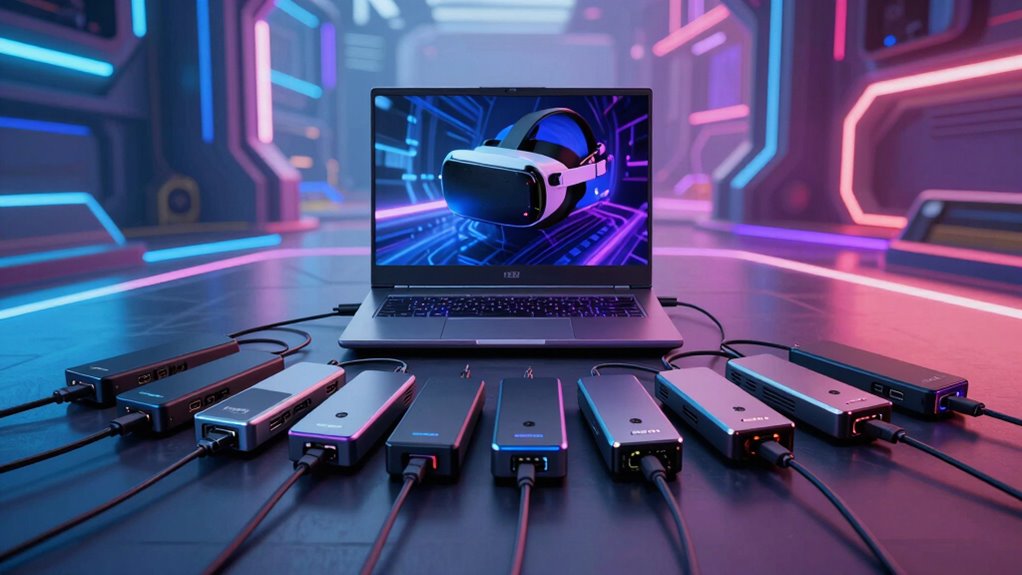
Finding the right Thunderbolt dock for a VR gaming laptop involves balancing high performance, multiple connectivity options, and future-proof features. The Yottamaster Thunderbolt 3 Docking Station stands out as the overall best for its robust 8K display support and broad compatibility with both Windows and Mac. For those prioritizing ultra-fast data transfer, the Razer Thunderbolt 5 Dock Chroma offers an impressive M.2 SSD slot and a sleek design. The main tradeoffs in this category revolve around port selection versus size, power delivery, and compatibility; higher-end docks often come with a premium price and added complexity. Continue reading for a detailed breakdown of each option to find the best fit for your VR setup.

Get business pricing on tech for your team
- Business-only prices and quantity discounts
- Tax-exempt purchasing
- Multiple users, one account, clear invoices
Key Takeaways
- The top-ranked docks excel in balancing port variety with power delivery, crucial for VR gaming setups.
- Compatibility with both Windows and Mac systems varies, influencing the best overall pick for diverse users.
- High data transfer speeds and multiple 4K/8K video outputs are common differentiators among premium options.
- Build quality and future-proof features such as M.2 SSD slots significantly impact long-term value.
- Tradeoffs often include size and price, with more feature-rich docks tending to be larger and more expensive.
| Yottamaster Thunderbolt 3 Docking Station 8K Display for Windows and Mac |  | Best Overall for Versatile High-Resolution Workflows | Ports: 15-in-1 including dual Thunderbolt 3, DisplayPort 1.4, USB-C, USB-A, Ethernet, SD/TF card readers, S/PDIF, audio | Data Transfer: Up to 40Gbps via Thunderbolt 3, 10Gbps via USB-C and USB-A | Display Support: Dual 4K@60Hz or 8K@30Hz via Thunderbolt 3 or DisplayPort | VIEW ON AMAZON | See Our Full Breakdown |
| WAVLINK Thunderbolt 4 Dock with 100W Charging and Quad 4K Support |  | Best for High-Resolution Multi-Display and Fast Charging | Ports: 1x Thunderbolt 4 upstream, 3x Thunderbolt 4 downstream, 2x HDMI/DisplayPort, Ethernet, SD card, USB-A | Max Display Resolution: Single 8K or Quad 4K | Data Transfer Speed: 40Gbps | VIEW ON AMAZON | See Our Full Breakdown |
| Razer Thunderbolt 5 Dock Chroma, 11 Ports + M.2 SSD Slot, White |  | Best for Gaming and Creative Power Users with High-Speed Storage | Ports: 11 including Thunderbolt 5, Ethernet, audio, SD card, USB | Thunderbolt: Yes, Thunderbolt 5 | M.2 SSD Slot: Yes, supports up to 8TB | VIEW ON AMAZON | See Our Full Breakdown |
| Thunderbolt 4 Dock – 21-Ports Laptop Docking Station Dual Monitor 90W USB-C |  | Best for Professional, Multi-Device Connectivity with High Power | Number of Ports: 21 | Display Support: Dual 4K@60Hz, 8K@60Hz | Power Delivery: 90W | VIEW ON AMAZON | See Our Full Breakdown |
| Lenovo ThinkPad Thunderbolt 5 Smart Dock 7500 |  | Best for Enterprise-Grade Performance and Multi-Display Power | Data Transfer Speed: 120Gbps | Power Delivery: 180W | Display Support: Up to three 8K 60Hz or four monitors with high refresh rates | VIEW ON AMAZON | See Our Full Breakdown |
| Lenovo Thunderbolt 3 Dock – Gen 2 Dual UHD 4K Display with 135W Power Adapter |  | Best Overall for Versatile High-Resolution Connectivity | HDMI ports: 2 | USB-C ports: 1 (Thunderbolt 3 compatible) | DisplayPort ports: 2 | VIEW ON AMAZON | See Our Full Breakdown |
| UGREEN 13-in-1 Thunderbolt 4 Docking Station with Dual 4K@60Hz and 2.5G Ethernet |  | Best for High-Speed Data and Multi-Device Support | Ports: 2 Thunderbolt 4, 1 DisplayPort 1.4, 1 2.5Gb Ethernet, SD/TF 4.0 card readers, 1 USB-C 3.2, 2 USB-A 3.2, 2 USB-A 3.0, 3.5mm audio, 1 DC power | Data Transfer Speed: 40Gbps | Display Support: Dual 4K@60Hz or 8K@30Hz | VIEW ON AMAZON | See Our Full Breakdown |
| Razer Thunderbolt 4 Dock, 10 Ports, USB-A, USB-C, 2.5 GbE, Black |  | Best for Versatile Workstations with High Display Support | Ports: 4 Thunderbolt 4 (1 Upstream, 3 Downstream), USB-A, USB-C, SD card, Ethernet, audio | Display Support: 2x 4K 120Hz or 1x 5K 60Hz | Ethernet: 2.5 GbE | VIEW ON AMAZON | See Our Full Breakdown |
| Razer Thunderbolt 5 Dock Chroma, 11 Ports + M.2 SSD Slot, Black |  | Best for Cutting-Edge Performance with Storage Expansion | Ports: 11 ports including USB-A, USB-C, Ethernet, audio, M.2 SSD slot | Display Support: up to 8K 60Hz, triple 4K 144Hz | Data Transfer Speed: 120 Gb/s | VIEW ON AMAZON | See Our Full Breakdown |
| thunderbolt dock for vr gaming laptop | Ports | Display Support | Power Delivery | Data Transfer Speed |
|---|---|---|---|---|
| Yottamaster Thunderbolt 3 Dock | 15-in-1 including dual Thunderbolt 3, DisplayPort 1.4, USB-C, USB-A, Ethernet, SD/TF card readers, S/PDIF, audio | Dual 4K@60Hz or 8K@30Hz via Thunderbolt 3 or DisplayPort | Up to 65W for laptop, 15W to downstream devices | — |
| WAVLINK Thunderbolt 4 Dock wit | 1x Thunderbolt 4 upstream, 3x Thunderbolt 4 downstream, 2x HDMI/DisplayPort, Ethernet, SD card, USB-A | — | Up to 98W | 40Gbps |
| Razer Thunderbolt 5 Dock Chrom | 11 including Thunderbolt 5, Ethernet, audio, SD card, USB | Up to 8K at 60Hz, triple 4K 144Hz | 180W | Up to 120Gbps |
| Thunderbolt 4 Dock | — | Dual 4K@60Hz, 8K@60Hz | 90W | — |
| Lenovo ThinkPad Thunderbolt 5 | Thunderbolt 5, HDMI 2.1, DisplayPort 2.1, USB-A/C, RJ45, audio | Up to three 8K 60Hz or four monitors with high refresh rates | 180W | 120Gbps |
| Lenovo Thunderbolt 3 Dock | — | — | — | — |
| UGREEN 13-in-1 Thunderbolt 4 D | 2 Thunderbolt 4, 1 DisplayPort 1.4, 1 2.5Gb Ethernet, SD/TF 4.0 card readers, 1 USB-C 3.2, 2 USB-A 3.2, 2 USB-A 3.0, 3.5mm audio, 1 DC power | Dual 4K@60Hz or 8K@30Hz | Up to 90W | 40Gbps |
| Razer Thunderbolt 4 Dock | 4 Thunderbolt 4 (1 Upstream, 3 Downstream), USB-A, USB-C, SD card, Ethernet, audio | 2x 4K 120Hz or 1x 5K 60Hz | — | — |
| Razer Thunderbolt 5 Dock Chrom | 11 ports including USB-A, USB-C, Ethernet, audio, M.2 SSD slot | up to 8K 60Hz, triple 4K 144Hz | — | 120 Gb/s |
More Details on Our Top Picks
Yottamaster Thunderbolt 3 Docking Station 8K Display for Windows and Mac
This dock stands out for offering exceptional display support with dual 4K or an 8K output, making it ideal for demanding VR setups that benefit from high visual fidelity. Compared with the Razer Thunderbolt 5 Dock Chroma, it provides broader compatibility with Windows and Mac, plus a comprehensive 15-in-1 port array, including SD/TF card readers and audio. However, it requires Thunderbolt 3 or 4 ports and supports only one external display on M1/M2/M3 MacBooks, which can limit high-end Mac users. The 40Gbps data transfer ensures rapid workflows, and its 65W power delivery covers most laptops comfortably. The wide port selection makes it suitable for creative professionals and gamers who need multiple peripherals simultaneously, but users with newer Thunderbolt 4 laptops should consider the WAVLINK Thunderbolt 4 Dock for slightly better future-proofing.
Pros:- Supports dual 4K or 8K displays for high-quality visuals
- High-speed 40Gbps data transfer for demanding workflows
- Wide compatibility across Windows and Mac systems with no driver installation
Cons:- Limited support for multiple displays on newer MacBooks with M1/M2/M3 chips
- Requires Thunderbolt 3 or 4 port for full functionality
Best for: Creative professionals and gamers needing high-resolution dual or 8K displays with extensive peripheral support on Windows or Mac
Not ideal for: MacBook users with M1/M2/M3 chips seeking full multiple display support, as they are limited to one external display
- Ports:15-in-1 including dual Thunderbolt 3, DisplayPort 1.4, USB-C, USB-A, Ethernet, SD/TF card readers, S/PDIF, audio
- Data Transfer:Up to 40Gbps via Thunderbolt 3, 10Gbps via USB-C and USB-A
- Display Support:Dual 4K@60Hz or 8K@30Hz via Thunderbolt 3 or DisplayPort
- Power Delivery:Up to 65W for laptop, 15W to downstream devices
- Compatibility:Thunderbolt 3/4 Windows laptops, MacBook Pro, MacBook Air, macOS, Windows
- Power Input:65W
Our verdict“This dock is best suited for users who need flexible, high-resolution display options and extensive port support, especially on Windows or older Macs.”
WAVLINK Thunderbolt 4 Dock with 100W Charging and Quad 4K Support
The WAVLINK Thunderbolt 4 Dock makes a strong case for users seeking a balance of high-resolution support and power. It supports a single 8K display or four 4K screens simultaneously, surpassing the Yottamaster’s dual 4K/8K capabilities with more flexible multi-display options. Its 40Gbps transfer speed guarantees quick data movement, and the 98W charging offers ample power for most high-performance laptops. Unlike the Razer Thunderbolt 5 Dock, it requires driver downloads for HDMI and DisplayPort functionalities and may not support multiple displays on M1 Macs, but it excels in delivering reliable, high-res output for creative workflows. The Ethernet and SD card options further enhance its appeal for professionals who need multiple peripherals connected seamlessly.
Pros:- Supports single 8K or quad 4K displays for maximum resolution
- Fast 40Gbps data transfer speeds for large files
- Provides up to 98W charging for laptops
Cons:- Requires driver installation for HDMI/DisplayPort functionality
- Limited multi-display support on newer M1/M2/M3 Macs
Best for: Content creators and professionals who need flexible multi-display setups with fast data transfer and robust charging power
Not ideal for: Mac users with M1/M2/M3 chips expecting multiple high-resolution outputs, since they are limited to one display
- Ports:1x Thunderbolt 4 upstream, 3x Thunderbolt 4 downstream, 2x HDMI/DisplayPort, Ethernet, SD card, USB-A
- Max Display Resolution:Single 8K or Quad 4K
- Data Transfer Speed:40Gbps
- Power Delivery:Up to 98W
- Compatibility:Windows 10/11, Mac OS 11 or later
- SD Card Speed:Up to 312MB/s
Our verdict“Ideal for users needing versatile high-resolution display support with fast data and ample charging, especially on Windows or Intel-based laptops.”
Razer Thunderbolt 5 Dock Chroma, 11 Ports + M.2 SSD Slot, White
The Razer Thunderbolt 5 Dock Chroma earns its place as the premium choice for gamers and creatives who demand the fastest connections and high-resolution displays. Its Thunderbolt 5 support and 11 ports, including an M.2 SSD slot, make it stand out for high-end workflows and gaming setups. It supports triple 4K displays at 144Hz and 8K at 60Hz, far exceeding the capabilities of the Yottamaster or WAVLINK for high-refresh-rate gaming and immersive VR experiences. However, its higher price and bulkier build may deter casual users or those with limited space. Compatibility is limited to Thunderbolt 5-enabled laptops, making it less suitable for older systems, but for those with the right hardware, it delivers unmatched performance.
Pros:- Supports triple 4K 144Hz and 8K 60Hz displays
- Built-in M.2 SSD slot for fast storage expansion
- High-speed Thunderbolt 5 connectivity for demanding workflows
Cons:- Expensive compared to other docks
- Bulkier size may not suit all setups
Best for: High-end gamers and power users requiring ultra-fast Thunderbolt 5 connectivity, multiple high-refresh-rate displays, and fast storage options
Not ideal for: Casual users or those on a tight budget, as it is costly and bulkier, and requires Thunderbolt 5 support
- Ports:11 including Thunderbolt 5, Ethernet, audio, SD card, USB
- Thunderbolt:Yes, Thunderbolt 5
- M.2 SSD Slot:Yes, supports up to 8TB
- Display Support:Up to 8K at 60Hz, triple 4K 144Hz
- Data Transfer Speed:Up to 120Gbps
- Power Delivery:180W
Our verdict“This dock is designed for users who need cutting-edge performance, multiple high-refresh-rate displays, and fast storage, primarily on Thunderbolt 5-compatible systems.”
Thunderbolt 4 Dock – 21-Ports Laptop Docking Station Dual Monitor 90W USB-C
This Thunderbolt 4 dock offers an impressive 21 ports, making it suitable for users who need a comprehensive array of connections. Supporting dual 4K displays at 60Hz and up to 90W charging, it surpasses many other docks in versatility, though it falls short of the ultra-high resolutions supported by the Razer or Lenovo Thunderbolt 5 models. Its wide compatibility with newer laptops makes it a versatile choice for professionals with complex setups. However, it’s less ideal for high-refresh-rate gaming or VR scenarios that require ultra-resolutions or multiple high-refresh displays. The array of ports may also be overkill for users with simpler needs, but for those who need maximum connectivity, it offers significant value despite its complexity.
Pros:- Supports dual 4K displays at 60Hz with high port variety
- Provides up to 90W charging for most laptops
- Extensive port selection for complex setups
Cons:- Limited support for ultra-high resolutions or high-refresh-rate gaming
- Complex setup for users unfamiliar with multiple device configurations
Best for: Professionals and power users needing extensive port options and reliable dual 4K display support on Windows or newer MacBooks
Not ideal for: Gamers or VR enthusiasts seeking support for multiple high-refresh-rate displays or 8K resolutions, as it focuses more on connectivity than high-end visuals
- Number of Ports:21
- Display Support:Dual 4K@60Hz, 8K@60Hz
- Power Delivery:90W
- Charging Power:20W for phones/tablets
- Compatibility:Most laptops with 8th Gen Intel or newer
- Ethernet:2.5Gbps
Our verdict“This dock caters to users who prioritize extensive peripheral connectivity and reliable dual 4K support over ultra-high-resolution gaming or VR use.”
Lenovo ThinkPad Thunderbolt 5 Smart Dock 7500
The Lenovo ThinkPad Thunderbolt 5 Dock 7500 stands out for its exceptional data transfer rates of 120Gbps and 180W power delivery, making it ideal for professional environments that demand high throughput and multiple high-resolution displays. It supports up to three 8K 60Hz monitors or four with high refresh rates, surpassing the Razer and WAVLINK docks in sheer performance. Its extensive port selection, including HDMI 2.1 and DisplayPort 2.1, caters to those with demanding multi-display setups. However, its complexity and high cost make it less suitable for casual users or those with less technical expertise. For enterprise or power user setups, this dock delivers unmatched speed and display capabilities, especially with Thunderbolt 5-enabled systems.
Pros:- High-speed 120Gbps data transfer for demanding tasks
- Supports multiple high-resolution displays, up to three 8K 60Hz screens
- 180W power delivery for fast charging of large laptops
Cons:- Premium price point may be prohibitive for casual users
- Complex setup requiring Thunderbolt 5 compatibility
Best for: Enterprise users and high-end professionals requiring ultra-fast data, multiple high-res displays, and robust power in a single dock
Not ideal for: Casual users or gamers on a budget, as it is complex to set up and priced accordingly
- Data Transfer Speed:120Gbps
- Power Delivery:180W
- Display Support:Up to three 8K 60Hz or four monitors with high refresh rates
- Ports:Thunderbolt 5, HDMI 2.1, DisplayPort 2.1, USB-A/C, RJ45, audio
Our verdict“This dock is best suited for enterprise environments or power users who need maximum throughput, multiple high-resolution displays, and extensive port options, primarily with Thunderbolt 5 systems.”
Lenovo Thunderbolt 3 Dock – Gen 2 Dual UHD 4K Display with 135W Power Adapter
This dock stands out for its robust support of dual 4K UHD displays, making it ideal for users who need high-resolution visuals for gaming, work, or creative tasks. Compared with the Razer Thunderbolt 4 Dock, it offers a more powerful 135W charger, ensuring faster device charging without sacrificing display support. Its multiple video outputs, including HDMI and DisplayPort, provide flexibility, though it requires a compatible Thunderbolt 3 or USB-C port, limiting its compatibility with some older laptops. Firmware updates may be necessary for seamless operation, but overall, this model balances power and connectivity effectively for demanding VR and productivity setups.
Pros:- Supports dual 4K UHD displays for crisp visuals
- Multiple I/O options including HDMI, DisplayPort, USB-C, and Thunderbolt
- Powerful 135W adapter for fast charging and device powering
- Includes cables and microfiber cloth for convenience
Cons:- Requires compatible Thunderbolt 3 or USB-C port on the laptop
- Primarily designed for Windows, limited Mac support
Best for: Power users who need dual 4K displays and high wattage charging for VR gaming laptops.
Not ideal for: Mac users with older macOS systems, as support is limited and firmware updates may be cumbersome.
- HDMI ports:2
- USB-C ports:1 (Thunderbolt 3 compatible)
- DisplayPort ports:2
- Thunderbolt ports:1 (Gen 2)
- USB ports:4 (USB 3.1 Gen 2)
- Power Adapter:135W
- Ethernet:10/100/1000Base-T
- Audio:3.5mm jack
Our verdict“This dock suits high-end Windows-based VR gaming laptops needing versatile video outputs and fast charging.”
UGREEN 13-in-1 Thunderbolt 4 Docking Station with Dual 4K@60Hz and 2.5G Ethernet
The UGREEN Thunderbolt 4 Dock offers impressive versatility with dual 4K@60Hz displays and a comprehensive array of ports. Compared to the Razer Thunderbolt 4 Dock, it provides higher data transfer speeds up to 40Gbps and a 90W power delivery, making it suitable for professional workflows and gaming setups requiring multiple peripherals. However, it needs active adapters for HDMI connections, which adds complexity and cost, and its DisplayPort does not support DisplayPort++, limiting some multi-display configurations. Its broad compatibility with Thunderbolt 4/3 and USB4 devices makes it a flexible choice for users with diverse hardware but demands some setup patience for optimal use.
Pros:- Supports dual 4K@60Hz displays for sharp visuals
- High-speed data transfer up to 40Gbps
- Provides up to 90W charging for laptops
- Extensive port selection including SD/TF card readers and Ethernet
Cons:- Requires active adapters for HDMI output
- DisplayPort does not support DisplayPort++, limiting some multi-monitor setups
Best for: Creative professionals and gamers who need extensive device support and reliable high-speed data transfer.
Not ideal for: Users with laptops lacking Thunderbolt 4 or USB4 support, as full functionality won’t be accessible.
- Ports:2 Thunderbolt 4, 1 DisplayPort 1.4, 1 2.5Gb Ethernet, SD/TF 4.0 card readers, 1 USB-C 3.2, 2 USB-A 3.2, 2 USB-A 3.0, 3.5mm audio, 1 DC power
- Data Transfer Speed:40Gbps
- Display Support:Dual 4K@60Hz or 8K@30Hz
- Power Delivery:Up to 90W
- Power Adapter:180W GaN charger
- Compatibility:Thunderbolt 4/3, USB4, USB-C
Our verdict“Best suited for professionals who need fast data transfer and multiple high-res displays with broad device compatibility.”
Razer Thunderbolt 4 Dock, 10 Ports, USB-A, USB-C, 2.5 GbE, Black
The Razer Thunderbolt 4 Dock offers an extensive port array, supporting dual 4K displays or even a 5K monitor, making it a strong choice for gamers and creators seeking high-resolution output. Its 10 ports, including multiple USB-A and USB-C options, Ethernet, SD card slot, and audio, make it very versatile. Compared to the Lenovo Thunderbolt 3 Dock, it provides more display flexibility and pass-through charging, but it requires compatible Thunderbolt 4 or USB4 devices to realize its full potential. Its premium price might deter casual users, but for a dedicated workstation, it delivers excellent connectivity and display options.
Pros:- Supports dual 4K displays or 5K at high refresh rates
- Multiple ports including SD card and audio for comprehensive device support
- Pass-through charging keeps laptops powered during use
- Supports high data transfer speeds for large files
Cons:- Requires Thunderbolt 4 or USB4 compatibility for full features
- Relatively expensive for casual users
Best for: High-end gaming or creative workstations that need extensive peripheral connections and high-res display support.
Not ideal for: Laptops without Thunderbolt 4 or USB4 support, as the dock’s full features won’t activate.
- Ports:4 Thunderbolt 4 (1 Upstream, 3 Downstream), USB-A, USB-C, SD card, Ethernet, audio
- Display Support:2x 4K 120Hz or 1x 5K 60Hz
- Ethernet:2.5 GbE
- Pass-Through Charging:Yes
- Color:Black
Our verdict“Ideal for power users with high-resolution needs and extensive peripheral requirements on compatible Thunderbolt 4 or USB4 laptops.”
Razer Thunderbolt 5 Dock Chroma, 11 Ports + M.2 SSD Slot, Black
The Razer Thunderbolt 5 Dock Chroma pushes the limits with lightning-fast 120 Gb/s transfer speeds, supporting multiple high-resolution displays including 8K and triple 4K at high refresh rates. Its standout feature is the built-in M.2 SSD slot supporting up to 8TB of NVMe storage, appealing to gamers and content creators who need fast local storage. Compared with the Lenovo Thunderbolt 3 Dock, it offers a significant leap in data speed and display flexibility, though its premium price and size may be prohibitive for casual users or minimalist setups. For those who demand maximum bandwidth and storage, this dock delivers unmatched performance.
Pros:- Ultra-fast 120 Gb/s transfer speeds for large data and gaming
- Supports up to 8K 60Hz and triple 4K 144Hz displays
- Includes M.2 slot for NVMe SSD up to 8TB
- Comprehensive port options for peripherals and network
Cons:- High price point limits accessibility
- Requires Thunderbolt 5 laptop for full functionality
- Bulkier design may suit dedicated setups better
Best for: Enthusiasts and professionals who require the fastest data transfer, multiple high-res displays, and onboard SSD expansion.
Not ideal for: Budget-conscious buyers or those with smaller laptops lacking Thunderbolt 5 support, as full features depend on compatible hardware.
- Ports:11 ports including USB-A, USB-C, Ethernet, audio, M.2 SSD slot
- Display Support:up to 8K 60Hz, triple 4K 144Hz
- Data Transfer Speed:120 Gb/s
- Storage Expansion:Supports up to 8TB NVMe SSD
- Ethernet:Gigabit Ethernet
Our verdict“Best suited for high-end gaming, content creation, and professional workflows demanding maximum bandwidth and storage expansion.”

How We Picked
I evaluated these Thunderbolt docks based on key factors that matter most to VR gamers and laptop users: performance, connectivity options, build quality, compatibility, and value. Each product was assessed for its ability to support high-resolution displays, fast data transfer, and reliable power delivery—essentials for a smooth VR experience. Port selection was also a major criterion, as VR setups often require multiple USB, Ethernet, and display outputs. The ranking reflects a combination of technical specs, user flexibility, and overall versatility, with a focus on models that provide the best balance of features for demanding VR gaming laptops.Factors to Consider When Choosing Thunderbolt Dock For Vr Gaming Laptop
Selecting the right Thunderbolt dock for your VR gaming laptop involves understanding how different features align with your setup needs. Not all docks are created equal, and a mismatch can lead to underperformance or limited compatibility. Consider your primary priorities—whether it’s maximum port variety, high-resolution display support, or fast data transfer—and weigh the tradeoffs in size, price, and future-proofing. A well-chosen dock should seamlessly integrate with your VR gear, provide enough power, and offer enough ports for peripherals without cluttering your workspace.Performance and Data Transfer Speed
For VR gaming, high data transfer rates are essential to prevent latency issues, especially when transferring large files or streaming high-resolution content. Look for docks supporting Thunderbolt 4 or 5, which offer up to 40 Gbps bandwidth—significantly reducing bottlenecks. Docks with integrated SSD slots or support for external NVMe drives can also boost performance. However, higher transfer speeds often come with increased cost and complexity, so balance your needs with your budget.
Display Support and Video Outputs
VR setups demand high-resolution, multi-monitor support, often requiring 4K or 8K output. Ensure your dock can handle dual or even triple 4K displays at 60Hz or higher. Some docks offer native support for HDMI, DisplayPort, or both, while others support daisy-chaining or multi-stream transport (MST). The key is verifying compatibility with your VR headset and GPU capabilities, avoiding docks that can’t sustain the high bandwidth needed for smooth VR visuals.
Power Delivery and Charging
Power delivery (PD) is critical, especially if you want to keep your VR laptop charged during extended gaming sessions. Look for docks offering at least 90W or higher PD to match or exceed your laptop’s power needs. An underpowered dock can lead to slower charging or degraded performance, which is frustrating during intensive VR use. Remember, some docks prioritize port variety over power, so choose based on your specific power requirements.
Build Quality and Compatibility
Durability matters, particularly if you move your VR laptop frequently or set up in different locations. Metal casings and sturdy connectors tend to last longer and resist wear. Compatibility isn’t just about your OS—verify that the dock supports your specific VR headset, GPU, and laptop model. Some docks may require firmware updates or specific drivers, so check the manufacturer’s support resources before purchasing.
Size and Future-Proofing
More feature-rich docks tend to be larger and more complex, which can be a drawback if space is limited. Conversely, compact docks may omit critical ports or future expansion options. Consider your long-term needs—if you plan to upgrade your VR hardware or add peripherals, opt for docks with extra slots or support for upcoming standards. Budgeting for a slightly larger or more expensive dock can save money later when expanding your setup.
Frequently Asked Questions
Will a Thunderbolt dock slow down my VR gaming performance?
Generally, a high-quality Thunderbolt dock won’t slow down your VR gaming performance if it supports the necessary bandwidth and video output standards. Docks with Thunderbolt 4 or 5 support up to 40 Gbps, which is more than enough for high-resolution VR content. The real concern is ensuring your GPU and VR headset are compatible with the dock’s video outputs and that the dock can deliver sufficient power. Mismatched or low-quality docks might introduce latency or display issues, so choosing a reputable model is key.
Can I connect multiple VR headsets to a single Thunderbolt dock?
Connecting multiple VR headsets simultaneously is technically possible but not straightforward. Most docks are designed for a single high-bandwidth video output, and VR headsets demand a lot of bandwidth and low latency. Using multiple docks or splitting outputs may cause performance degradation or compatibility issues. If multi-VR setups are a priority, look for docks with multiple high-quality video outputs and verify your GPU can handle the combined load without issues.
Is power delivery more important than port variety for VR gaming?
Both are essential but serve different needs. Power delivery ensures your laptop remains charged during long gaming sessions, preventing performance drops. Port variety allows you to connect peripherals like controllers, external storage, and VR sensors. For VR gaming, prioritizing power delivery is critical to avoid interruptions, but a good dock should also offer enough ports for your peripherals. Balancing both ensures a smoother, more versatile VR experience.
Should I choose a Thunderbolt 4 or Thunderbolt 5 dock for VR?
Thunderbolt 5 offers higher bandwidth and more advanced features, making it more future-proof and better suited for demanding VR setups with multiple high-resolution displays and fast data needs. However, Thunderbolt 4 docks are more widely compatible and often less expensive, making them a solid choice if you don’t need the absolute latest tech. The decision depends on your current hardware, budget, and how much you plan to upgrade in the future.
Are compact docks suitable for VR gaming laptops?
Compact docks can be appealing for saving space but may lack the number or quality of ports needed for a full VR setup. They often omit features like high-power delivery or multiple video outputs, which are crucial for VR. If portability is a priority and your setup is simple, a compact dock might suffice. However, for more demanding VR configurations, a larger, more capable dock will provide better performance and expandability.
Conclusion
For most users seeking a balanced experience, the Yottamaster Thunderbolt 3 Docking Station offers an excellent mix of performance, compatibility, and value, making it ideal as the best overall choice. Those prioritizing high-speed data transfer and premium features should consider the Razer Thunderbolt 5 Dock Chroma as the best premium pick. If you’re just starting with VR or have a limited budget, the WAVLINK Thunderbolt 4 Dock provides solid capabilities at a lower cost. For enterprise or advanced setups, the Lenovo ThinkPad Thunderbolt 5 Smart Dock offers extensive port options and future-proofing. Ultimately, your choice should align with your specific VR hardware needs, workspace constraints, and budget.
Halloween Picks
halloween
As an affiliate, we earn on qualifying purchases.