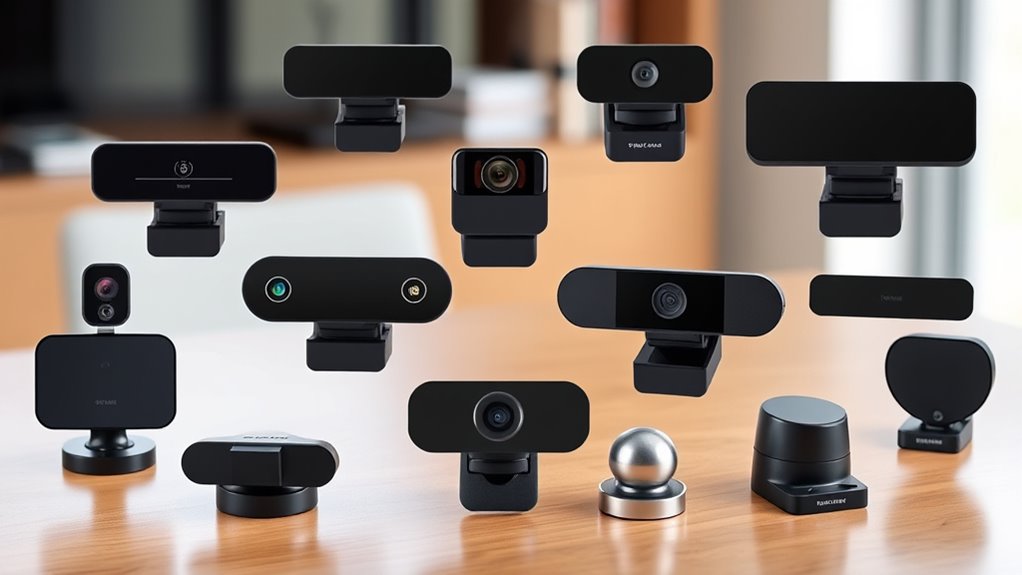

Webcam privacy shutters split into two camps: ultra-thin adhesive sliders that live on your laptop lid and clip-on lens caps built for external webcams like the Logitech C920 family. After comparing fit, build quality, and long-term usability, the CloudValley Ultra-Thin Metal Laptop Camera Covers earn the top spot for their durable metal sliding mechanism that won’t crack or lose tension over time. For external Logitech webcams, the CloudValley Webcam Cover for C920/C922/C930e is the most tailored fit, while the JOS California 9-Pack delivers the best value if you’re covering an entire household of devices. The main tradeoffs you’ll face are adhesive permanence versus repositionability, thinness versus slider durability, and universal fit versus model-specific precision. Read on for the full breakdown of all twelve options.

Get business pricing on tech for your team
- Business-only prices and quantity discounts
- Tax-exempt purchasing
- Multiple users, one account, clear invoices
Key Takeaways
- Model-specific covers for Logitech C920-series webcams consistently fit better than universal sliders, which can partially block the lens edge or sit crooked on rounded housings.
- Metal sliding mechanisms, like those on the CloudValley 2-pack, outlast plastic sliders that commonly crack at the slide rail after months of daily use.
- Multi-packs (the JOS 9-pack and Yilador 3-pack) are the clear value play — per-unit cost drops dramatically and spare covers cover mistakes during installation.
- Clip-on lens caps (LZYDD and Viecam) avoid adhesive entirely, making them the better choice for rented hardware or webcams you plan to resell.
- Ultra-thin designs around 0.025 inches matter mostly for laptops, where a thicker cover can prevent the lid from closing fully or press into the screen.
| 2 Pack Universal Webcam Privacy Cover Slide for External Webcams |  | Best Overall for External Webcams | Quantity: 2 pack | Material: High-strength plastic | Adhesive: 3M adhesive backing | VIEW ON AMAZON | See Our Full Breakdown |
| CloudValley Webcam Cover for Logitech C920x / C920 / C922x / C922 / C930e | 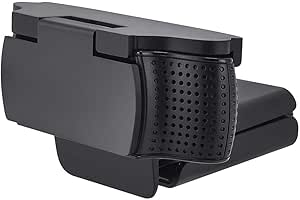 | Best Fit and Finish | Color: Black | Weight: 0.01 kg | Compatible Devices: Logitech C930e, C920, C922, C922x Pro Stream HD Camera | VIEW ON AMAZON | See Our Full Breakdown |
| LZYDD Privacy Shutter Lens Cap Hood for Logitech HD Pro Webcam C920 / C930e / C922 / C922x |  | Best Budget Single-Cover Option | Compatible Models: Logitech C920, C920x, C930e, C922, C922x Pro Stream | Not Compatible With: Logitech StreamCam | Form Factor: Flip | VIEW ON AMAZON | See Our Full Breakdown |
| Yilador Ultra-Thin Webcam Covers, 3 Pack |  | Best for Multi-Device Households | Quantity: 3 covers | Thickness: 0.027 inches | Closure: Sliding cover | VIEW ON AMAZON | See Our Full Breakdown |
| JOS California 9-Pack Ultra-Thin Webcam Covers, Black |  | Best Bulk Value for Families and Fleets | Quantity: 9 covers | Sizes and Shapes: 3 large ovals, 3 medium rectangles, 3 standard ovals | Thickness: 0.03 inches | VIEW ON AMAZON | See Our Full Breakdown |
| CloudValley Ultra-Thin Metal Laptop Camera Covers, 2-Pack |  | Best for Laptops That Must Close Flush | Material: Space aluminum alloy | Thickness: 0.6 mm (0.023 in) | Quantity: 2 covers | VIEW ON AMAZON | See Our Full Breakdown |
| MoimTech Webcam Privacy Cover for Logitech C920, C922, C922x, and C930e |  | Best Overall for Logitech Owners | Compatible devices: Logitech C920, C922, C922x, and C930e | Package dimensions: 4.25 x 4.13 x 0.67 inches | Item weight: 1.13 ounces | VIEW ON AMAZON | See Our Full Breakdown |
| JCWINY Webcam Covers, 2-Pack |  | Best Value Multi-Pack | Quantity: 2 covers | Material: High-strength plastic | Attachment: 3M adhesive | VIEW ON AMAZON | See Our Full Breakdown |
| HUYUN Webcam Privacy Shutter Lens Cap Cover |  | Best for Dust Protection | Compatible Devices: Logitech HD Pro Webcam C920, C930e, C922/C922x Pro | Color: Black | Weight: 0.01 kg | VIEW ON AMAZON | See Our Full Breakdown |
| Viecam Webcam Privacy Shutter Lens Cap |  | Best Minimalist Design | Brand: Viecam | Product Type: Webcam Privacy Shutter | Color: Black | VIEW ON AMAZON | See Our Full Breakdown |
| Webcam Cover for Logitech C920, C930e, and C922x Lens Privacy Shutter Slider |  | Best for Logitech Power Users | Brand: ienza | Product Type: Webcam privacy cover | Style: Lens shutter slider | VIEW ON AMAZON | See Our Full Breakdown |
| LZYDD Webcam Privacy Cover Clip, 2-Pack for Blink Mini, Logitech, Aukey, Emeet, Nexigo Webcams and Indoor Cameras |  | Best Multi-Camera Value | Brand: LZYDD | Product Type: Webcam privacy cover clip | Quantity: 2 pieces | VIEW ON AMAZON | See Our Full Breakdown |
| webcam privacy shutter | Quantity | Color |
|---|---|---|
| 2 Pack Universal Webcam Privac | 2 pack | — |
| CloudValley Webcam Cover for L | — | Black |
| LZYDD Privacy Shutter Lens Cap | 1 piece | Black |
| Yilador Ultra-Thin Webcam Cove | 3 covers | — |
| JOS California 9-Pack Ultra-Th | 9 covers | Black |
| CloudValley Ultra-Thin Metal L | 2 covers | — |
| MoimTech Webcam Privacy Cover | — | — |
| JCWINY Webcam Covers | 2 covers | — |
| HUYUN Webcam Privacy Shutter L | — | Black |
| Viecam Webcam Privacy Shutter | — | Black |
| Webcam Cover for Logitech C920 | — | — |
| LZYDD Webcam Privacy Cover Cli | 2 pieces | Black |
More Details on Our Top Picks
2 Pack Universal Webcam Privacy Cover Slide for External Webcams
This option stands out for broad compatibility across the Logitech C-series lineup, covering the C270 through the C922X in a single design. Unlike the CloudValley cover below it, which is fitted to a narrower set of premium models, this one uses a universal sliding form factor that works on most webcams with a flat bezel or protruding lens, making it the safer bet for households with mixed hardware. The 3M adhesive backing is the real differentiator here — it holds firm where generic adhesives peel off after a few months of desk handling. The tradeoff is installation discipline: the mounting surface needs a thorough cleaning beforehand or the cover will sit crooked and eventually lift.
Pros:- Fits a wide range of Logitech C-series and other flat-lens webcams
- Genuine 3M adhesive holds securely over long-term use
- Two covers included, so a spare is on hand if one is misplaced
- Doubles as a dust barrier to preserve lens clarity
Cons:- Requires meticulous surface cleaning before application or adhesion fails
- Won’t fit webcams without a flat area or protruding lens to mount on
Best for: Owners of multiple external webcams, especially Logitech C-series models, who want spare covers on hand
Not ideal for: Laptop users — this slide is sized for external webcam bodies, not built-in screens
- Quantity:2 pack
- Material:High-strength plastic
- Adhesive:3M adhesive backing
- Type:Sliding privacy cover
- Compatibility:Logitech C270, C615, C920, C930e, C922X; most webcams with flat or protruding lens
- Design:Ultra-thin, mini slide
Our verdict“This pick makes the most sense for anyone running external Logitech webcams who wants reliable, universal coverage with a backup unit.”
CloudValley Webcam Cover for Logitech C920x / C920 / C922x / C922 / C930e
Where the universal 2-pack above hedges on fit, this CloudValley cover commits to a model-specific design for the most popular Logitech streaming webcams, and that precision pays off in how cleanly it sits over the lens. The 180-degree flip mechanism is faster to operate one-handed than a slider, which matters for people who toggle their camera on and off constantly during calls. Compared with the LZYDD flip cover further down, this one adds an 18-month support window and residue-free removal, so experimenting with placement carries no risk. The obvious cost of that tailored approach: anyone outside the supported Logitech list has no reason to buy it.
Pros:- Tailored fit for the most widely used Logitech webcam models
- Fast 180-degree flip open and close
- Removes cleanly without adhesive residue
- Backed by 18-month after-sales support
Cons:- Strictly limited to a short list of Logitech models
- No water resistance for spill-prone desks or travel bags
Best for: Streamers and remote workers with a Logitech C920-series or C930e who want a precise, no-fuss fit
Not ideal for: Owners of non-Logitech or older C270/C615 webcams — the custom shape simply won’t mount correctly
- Color:Black
- Weight:0.01 kg
- Compatible Devices:Logitech C930e, C920, C922, C922x Pro Stream HD Camera
- Special Feature:Privacy protection, exclusive design for specific Logitech models
- Closure:180-degree flip
- Warranty:18 months
Our verdict“If a C920-series or C930e sits on the desk, this is the cleanest, best-supported shutter for that exact hardware.”
LZYDD Privacy Shutter Lens Cap Hood for Logitech HD Pro Webcam C920 / C930e / C922 / C922x
At just 18 grams and one cover per box, this LZYDD flip shutter is the no-frills choice for someone who needs exactly one webcam protected and nothing more. The flippable hood design mirrors the CloudValley approach but skips the longer support window, which is a fair exchange at this positioning. What it does share is coverage for the entire C920 family including the C920x, giving older HD Pro units a physical shutter they never shipped with. The flip action is quick, though compared with the sliding 2-pack that leads this roundup, a flip hood is slightly easier to knock askew when adjusting camera angle. One notable gap: StreamCam owners are out of luck.
Pros:- Adds a physical shutter to webcams that lack a built-in one
- Lightweight at 18 g, adding no noticeable bulk to the camera
- Flippable design allows instant open and close
- Fits the full Logitech C920-series range including the C920x
Cons:- Not compatible with the Logitech StreamCam
- Only one cover included, with no spare if it is lost
Best for: Buyers with a single Logitech HD Pro webcam who want the cheapest effective privacy fix
Not ideal for: StreamCam users or anyone wanting spares — this is a single cover with no backup
- Compatible Models:Logitech C920, C920x, C930e, C922, C922x Pro Stream
- Not Compatible With:Logitech StreamCam
- Form Factor:Flip
- Color:Black
- Quantity:1 piece
- Item Weight:18 g
Our verdict“A sensible minimal purchase for one C920-series webcam, though multi-webcam households should look at the 2-pack instead.”
Yilador Ultra-Thin Webcam Covers, 3 Pack
This is the pick that thinks beyond the webcam on the desk. With three covers at 0.027 inches thin, the Yilador set is built for households covering a laptop, a tablet, and a phone all at once — something no Logitech-specific option in this roundup can do. Compared with the JOS California 9-pack below, it trades variety for simplicity: every cover is identical, which removes the guesswork of matching sizes to devices. The sliding closure stays flush with the screen, though buyers should read the fine print carefully. Recent MacBooks with their camera notches, protruding front lenses, and full-screen protectors all break the fit, making this a better match for Windows laptops and standard-bezel devices.
Pros:- Three covers protect multiple devices from one purchase
- 0.027-inch profile stays nearly flush with screens
- Works across laptops, phones, tablets, and desktops
- Simple peel-and-stick installation
Cons:- Not suitable for newer MacBooks or devices with protruding cameras
- Incompatible with full-screen and notch-style screen protectors
Best for: Families or multi-device users covering several laptops, tablets, and phones with one purchase
Not ideal for: Recent MacBook owners or anyone using full-screen or notch-style screen protectors
- Quantity:3 covers
- Thickness:0.027 inches
- Closure:Sliding cover
- Adhesive:3.0 adhesive
- Compatibility:Many laptops, phones, tablets, and desktops
- Limitations:Not for post-2023 MacBooks, protruding front cameras, or full-screen/notch-style protectors
Our verdict“The most practical choice for covering a mix of everyday devices, provided none of them are recent MacBooks.”
JOS California 9-Pack Ultra-Thin Webcam Covers, Black
Nine covers in three sizes and shapes — large ovals, medium rectangles, and standard ovals — make this the most flexible set on this list. Where the Yilador 3-pack assumes all devices are alike, this kit acknowledges that a Tesla Model 3 cabin camera, an iPad, and a work laptop all have different lens footprints. At 0.03 inches it is a hair thicker than the Yilador, a difference that is invisible on laptops but could matter on tight-closing tablet cases. Installation asks for 15 seconds of firm pressure, and careful alignment is genuinely needed — the oval shapes give less margin for error than the rectangles do. Removal is clean, which suits IT teams outfitting shared or rotating hardware.
Pros:- Three sizes and shapes cover everything from phones to Tesla cabin cameras
- Removes without leaving traces, suiting shared or rotating devices
- Ultra-thin 0.03-inch profile stays discreet
- Nine covers eliminate repeat purchases
Cons:- Requires careful alignment during installation, especially with the oval shapes
- Far more covers than a single-device buyer needs
Best for: Large families, small offices, or Tesla owners covering many devices of varying sizes at once
Not ideal for: Anyone needing just one or two covers — most of the nine will sit unused
- Quantity:9 covers
- Sizes and Shapes:3 large ovals, 3 medium rectangles, 3 standard ovals
- Thickness:0.03 inches
- Color:Black
- Compatibility:Laptops, smartphones, tablets, desktops, and Tesla Model 3/Y interior cabin camera
- Installation:Adhesive backing; press for 15 seconds
Our verdict“The smart bulk buy when the goal is covering a whole household or device fleet in one order.”
CloudValley Ultra-Thin Metal Laptop Camera Covers, 2-Pack
Most webcam shutters in this roundup are built for external Logitech webcams, but this option stands out because it targets the built-in camera on laptops and tablets. The defining feature here is the 0.6 mm space-grade aluminum body, which is thin enough that a closed laptop lid shouldn’t press against the screen — the single biggest failure point for thicker covers. Compared with the Yilador or JOS California multi-packs, this two-pack trades quantity for a metal build that feels less likely to crack when slid repeatedly. Installation is simple but unforgiving: press firmly for 15 seconds and get the alignment right the first time, because repositioning weakens the adhesive.
Pros:- Ultra-thin 0.6 mm metal body allows most laptops to close normally
- Space aluminum alloy build is more durable than plastic sliders
- Works across laptops, all-in-one PCs, and tablets
- Does not block the camera indicator light
Cons:- Only two covers per pack versus larger multi-packs
- Alignment must be precise, and the adhesive loses grip if repositioned
Best for: Laptop and tablet owners who want a durable metal cover that won’t stop their screen from closing flush
Not ideal for: Owners of external Logitech webcams like the C920 — this is designed around built-in lenses, not standalone cameras
- Material:Space aluminum alloy
- Thickness:0.6 mm (0.023 in)
- Quantity:2 covers
- Compatibility:Most laptops, all-in-one PCs, and leading tablets
- Installation:Align with webcam, attach, press firmly for 15 seconds
Our verdict“This pick makes the most sense for anyone covering a built-in laptop camera who refuses to compromise on lid closure.”
MoimTech Webcam Privacy Cover for Logitech C920, C922, C922x, and C930e
If you own one of the big four Logitech webcams, this is the cover I would point to first among the external-camera options. The sliding mechanism feels like the core strength here: it opens and closes smoothly without blocking the indicator light, which cheaper hinged caps sometimes do. Compared with the HUYUN and Viecam shutters, which cover the same C920/C922/C930e family, the MoimTech lists the C922x explicitly, removing guesswork about fit. The honest tradeoff is narrowness — this is a purpose-built cover for four specific Logitech models, so anyone with a C270 or a non-Logitech camera gets nothing from it. Within that niche, though, the fit confidence is hard to beat.
Pros:- Purpose-built fit for the four most popular Logitech Pro webcams
- Slider design allows quick open and close without removing the cover
- Leaves the indicator light fully visible
- Lightweight at just over an ounce shipped
Cons:- No coverage for non-Logitech or older Logitech webcams
- Single cover per package
Best for: Owners of a Logitech C920, C922, C922x, or C930e who want a dedicated, precisely fitted slider
Not ideal for: Anyone with a different webcam brand or older Logitech models — the compatibility list is strict
- Compatible devices:Logitech C920, C922, C922x, and C930e
- Package dimensions:4.25 x 4.13 x 0.67 inches
- Item weight:1.13 ounces
- Manufacturer:MoimTech
- Model number:Case001
Our verdict“For C920-family owners, this dedicated slider delivers the most certain fit in the roundup.”
JCWINY Webcam Covers, 2-Pack
Value is the whole story with this two-pack. Where the MoimTech and HUYUN options give you a single cover, JCWINY includes two for roughly the same footprint of effort, making this the smarter buy for a household or office with multiple Logitech cameras. The 3M adhesive backing is a step above generic glue strips — provided you clean the mounting surface first, which the instructions rightly insist on. Fit is broader than the MoimTech’s four-model list, adding the budget-friendly C270 and C615, though the C910, B910, and C310 are explicitly out. A quirky bonus: the covers double as peephole blockers for apartment doors, which no other pick here can claim.
Pros:- Two covers per package for multi-camera setups
- 3M adhesive for reliable long-term attachment
- Broad model range including the affordable C270 and C615
- Doubles as a door peephole cover
Cons:- Requires a flat area around the lens and a cleaned surface to stick properly
- Plastic build is less premium than the CloudValley metal design
- Not compatible with C910, B910, or C310
Best for: Households or small offices covering two or more Logitech webcams, including budget models like the C270
Not ideal for: Owners of the Logitech C910, B910, or C310 — the cover simply isn’t shaped for those camera bodies
- Quantity:2 covers
- Material:High-strength plastic
- Attachment:3M adhesive
- Compatible models:Logitech C270, C615, C920, C920x, C930e, C922, and C922x
- Not compatible with:Logitech C910, B910, and C310
- Additional use:Door peephole cover
Our verdict“Two covers, trusted adhesive, and wide Logitech compatibility make this the value play of the batch.”
HUYUN Webcam Privacy Shutter Lens Cap Cover
Privacy is the headline of this roundup, but the HUYUN earns its spot by treating lens hygiene as an equal priority. The flat rectangular shutter sits over the C920/C930e/C922 lens and blocks dust and dirt continuously — not just when you remember to unclip something, since the slider lives on the camera permanently. Compared with the LZYDD lens cap hood elsewhere in this guide, the HUYUN’s sliding form factor means you never have a loose cap to lose. The tradeoff is strictly enforced compatibility: like the MoimTech, it rejects the C910 and B910 outright, and it ships as a single unit, so the JCWINY two-pack wins on per-cover value. At 10 grams, it adds essentially nothing to the camera’s footprint.
Pros:- Permanent sliding design doubles as ongoing dust protection
- Covers the three most popular Logitech HD Pro models
- Featherweight at 0.01 kg adds no noticeable bulk
- Blocks the full lens view rather than just partially
Cons:- Single cover per package
- Explicitly incompatible with C910, B910, and other models
- No water resistance for unusual mounting environments
Best for: Streamers and remote workers who want constant dust protection plus privacy on a C920-family webcam
Not ideal for: Buyers with mixed camera brands or anyone wanting spare covers — this is one unit for three Logitech models only
- Compatible Devices:Logitech HD Pro Webcam C920, C930e, C922/C922x Pro
- Color:Black
- Weight:0.01 kg
- Dimensions (D x W x H):1.4″ x 1.3″ x 0.4″
- Form Factor:Flat, rectangular plastic cover
- Water Resistance:Not water resistant
Our verdict“If dusty desks are as much a concern as prying eyes, this permanent slider covers both bases for Logitech HD Pro owners.”
Viecam Webcam Privacy Shutter Lens Cap
Weighing just 3.3 grams with a minimalist black profile, the Viecam is the least visually intrusive option in this batch — a real consideration if your webcam sits prominently on a monitor in frame during recordings. Its compatibility list is the broadest of the single-unit Logitech covers here, naming the C920X, C920S, and 1080p Pro Stream alongside the usual C922 and C930e, which the MoimTech and HUYUN don’t address. The compromise is restraint: one shutter, manual sliding only, and no smart features of any kind. Compared with the JCWINY two-pack, you’re paying a design premium rather than getting quantity, so this pick makes sense only when a clean, unobtrusive look on a Logitech camera matters to you.
Pros:- Ultra-light 3.3 g minimalist build is barely visible on camera
- Widest single-cover model list including C920X, C920S, and 1080p Pro Stream
- Blocks both prying eyes and lens dust
- Simple slider operation with nothing to misplace
Cons:- Only one shutter included
- Manual operation required for every open and close
- Logitech-only compatibility
Best for: Design-conscious users with a C920S, 1080p Pro Stream, or other listed Logitech model who want an unobtrusive cover
Not ideal for: Multi-camera households — a single manually operated shutter covers exactly one device
- Brand:Viecam
- Product Type:Webcam Privacy Shutter
- Color:Black
- Item Weight:3.3 g
- Style:Minimalist
- Compatible Models:Logitech C920, C920X, C920S, C922, C922X, C930e, 1080p Pro Stream
- Package Includes:1 x Black Viecam Webcam Privacy Shutter
Our verdict“The Viecam suits the Logitech owner who wants privacy hardware that disappears into the camera’s design.”
Webcam Cover for Logitech C920, C930e, and C922x Lens Privacy Shutter Slider
Among the many covers built for the C920 family, this ienza slider stands out for its tight focus on Logitech’s flagship models — the C920, C930e, and C922x. Compared with broader options like the LZYDD 2-Pack clip, this one trades universal fit for a tailored design that sits flush over those specific lens housings, which matters if you want the slider to glide smoothly rather than wobble on a mismatched surface.
The tradeoff is flexibility. Where the MoimTech cover and the CloudValley alternatives cover similar model lists, this pick is less forgiving if your household mixes Logitech gear with third-party webcams like Razer or Nexigo. The slider mechanism is the selling point: quick one-finger operation mid-call, no peeling adhesive.
Pros:- Tailored fit for the most popular Logitech C-series webcams
- Slider mechanism opens and closes instantly without adhesive fumbling
- Sits flush with the lens housing for a clean look
- Budget-friendly accessory priced well below replacing a webcam
Cons:- Compatibility stops at select Logitech models — no coverage for most other brands
- Adds nothing to video quality; it is purely a privacy accessory
Best for: Owners of a Logitech C920, C930e, or C922x who want a fitted slider cover rather than a generic stick-on
Not ideal for: Households with mixed webcam brands — the model-specific design won’t carry over to other cameras
- Brand:ienza
- Product Type:Webcam privacy cover
- Style:Lens shutter slider
- Compatible Models:Logitech C920, C920x HD Pro, C930e, C922 Pro Stream
- Function:Blocks webcam lens for privacy
- Mounting:Fits over existing lens housing
Our verdict“If your webcam is a Logitech C-series and you want a purpose-built slider, this fitted cover beats generic adhesive options for security and convenience.”
LZYDD Webcam Privacy Cover Clip, 2-Pack for Blink Mini, Logitech, Aukey, Emeet, Nexigo Webcams and Indoor Cameras
While most entries in this roundup chase Logitech owners, the LZYDD 2-Pack clip takes the opposite approach: one low-profile design that stretches across Blink Mini security cameras, Logitech models, Razer, Aukey, Emeet, and Nexigo. The two-pack is the real story — unlike the single-unit ienza slider, this covers your laptop-adjacent webcam and an indoor camera for the price of one purchase.
Its 1.5 mm thickness makes it one of the slimmest options here, thinner than the hood-style LZYDD lens cap aimed at C920 owners, so it disappears visually on a shelf camera. The catch is the adhesive-and-flat-lens requirement: curved housings or larger lenses can defeat the 3 cm footprint, and unlike the Yilador 3-Pack, you only get two units to work with.
Pros:- Two covers in one pack, covering both a webcam and an indoor security camera
- Remarkably broad compatibility across Logitech, Razer, Blink, and budget webcam brands
- 1.5 mm profile stays nearly invisible on compact cameras
- Simple peel-and-stick installation with no tools
Cons:- Flat-lens design only — curved or textured surfaces cause adhesion failures
- 3 cm diameter can leave larger lenses partially exposed
Best for: Buyers who want to cover multiple devices — a webcam plus a Blink Mini or similar indoor camera — with a single slim, universal design
Not ideal for: Owners of webcams with curved bezels or oversized lenses, where the flat adhesive clip won’t seat or cover fully
- Brand:LZYDD
- Product Type:Webcam privacy cover clip
- Quantity:2 pieces
- Diameter:3 cm
- Thickness:1.5 mm
- Color:Black
- Mounting Type:Adhesive clip
- Form Factor:Ultra compact
- Compatibility:Blink Mini, Blink Indoor, Logitech C270/C615/C920/C930e/C922/BRIO, Razer Kiyo, Aukey, Emeet, Nexigo and other flat-lens webcams
Our verdict“This is the smart pick for multi-device households that want discreet privacy coverage everywhere without buying brand-specific accessories.”

How We Picked
I evaluated each shutter against four buyer-facing criteria. Fit precision came first: covers designed for a specific webcam model were judged on how cleanly they aligned with the lens, while universal options were assessed on whether they could seat properly across different bezel shapes without sagging. Mechanism durability was next — a privacy shutter fails when its slider stiffens, cracks, or slides open on its own, so metal construction and a firm detent earned higher marks than loose plastic rails. Adhesive behavior separated the field further: covers that hold securely but release without gunk earned praise, and clip-on designs were credited for leaving no residue at all.
The ranking also reflects versatility and value. Multi-packs scored well when the per-unit quality matched single-pack leaders, and covers that accommodate a wider range of Logitech and third-party webcams ranked higher than narrowly fitted ones. Products lower in the lineup aren’t bad — they simply lose on fit precision, slider feel, or adhesive longevity compared with the leaders above them.
Factors to Consider When Choosing Webcam Privacy Shutters
Choosing a webcam privacy shutter is a small purchase with a few outsized pitfalls. These are the factors that actually change how satisfied you’ll be months after applying the cover.Adhesive vs. Clip-On: The Decision That Matters Most
The first fork in the road is whether the shutter attaches with adhesive or physically clips over the lens housing. Adhesive sliders are thinner, cheaper, and stay put, but they’re effectively permanent — removing one often means destroying it, and repeated repositioning kills the sticky pad. Clip-on lens caps like the LZYDD and Viecam models trade a chunkier profile for zero residue, which matters if you’re using a company-issued webcam or plan to resell hardware later. Buyers who frequently move a webcam between monitors also benefit from clips, since adhesive covers don’t survive repeated transfers. My advice: use adhesive for devices you own long-term, clips for anything temporary or borrowed.
Thickness and Laptop Lid Closure
On external webcams, thickness barely matters. On a laptop, it can be a real problem — a cover that’s too thick creates pressure points between the keyboard deck and screen when the lid closes, and over time that pressure can leave marks on the display. Look for covers in the 0.02–0.03 inch range for laptop use, which is where the Yilador and CloudValley metal options excel. A common mistake is buying a chunky clip-on cap for a laptop lid; that category belongs on external webcams only. If your laptop’s bezel is already tight against the keyboard when closed, measure before you buy anything.
Universal Fit vs. Model-Specific Design
Universal sliders are tempting because they work on everything, but the tradeoff is precision. External webcams like the Logitech C920 have rounded housings and specific lens diameters, and a generic rectangle cover can sit slightly off-center or overhang the bezel. Model-specific covers, such as those made explicitly for the C920/C922/C930e family, are cut to the exact lens area, which means cleaner aesthetics and less risk of the slider rail drifting over time. That said, universal covers win if you own multiple webcam brands or don’t know your exact model. Check your webcam’s model number before buying — the Logitech compatibility lists on model-specific covers are genuinely accurate, not marketing padding.
Slider Mechanism Quality
A privacy shutter only works if the slider stays where you leave it. The failure mode to watch for is a loose slide rail that creeps open inside a bag or after repeated toggling — at that point you’re getting false security, not privacy. Metal sliders with a firm detent, like the CloudValley metal 2-pack, hold their position far longer than basic plastic rails. Plastic isn’t disqualifying, but the cheaper single-rail designs show wear sooner. If you open and close your shutter multiple times a day, mechanism quality should weigh more heavily in your decision than pack count or price per unit.
Pack Size and Placement Mistakes
Installation is where most covers get ruined. Aligning a small adhesive square over a lens freehand is surprisingly easy to botch, and once the adhesive touches down, you usually get one shot at adjustment. This is the strongest argument for multi-packs: a 9-pack like the JOS option means a misaligned first attempt costs you nothing. Beyond webcams, think about your security cameras too — the LZYDD clip 2-pack covers devices like the Blink Mini that slide-on covers simply can’t grip. Buying one cover for one device is the most common purchasing mistake in this category; spares always get used eventually.
Frequently Asked Questions
Will an adhesive webcam cover damage my laptop screen or leave residue?
A properly thin cover — around 0.025 inches or less — should not affect lid closure or contact the screen on most modern laptops. The residue risk depends on adhesive quality: the metal CloudValley and Yilador covers use pads that release cleanly with gentle peeling, while bargain-bin covers can leave sticky residue that requires isopropyl alcohol to remove. The bigger risk is thickness, not adhesive: an oversized cover pressing against the display every time the lid closes can leave permanent keyboard-deck impressions. If your laptop is a premium ultrabook with a very tight lid tolerance, prioritize the thinnest metal option you can find, or skip adhesive entirely and use the built-in privacy shutter if your model has one.
Do webcam covers work on Logitech webcams that already have a privacy shutter?
Some newer Logitech models ship with an integrated shutter, and adding a third-party cover on top of one is redundant — you’d be sliding two mechanisms to open your camera. However, the popular C920, C922, and C930e models that most of these covers target do not include a built-in shutter, which is exactly why this accessory category exists around them. Before buying, check your webcam model against the compatibility list rather than assuming; Logitech’s naming is confusing, and covers cut for the C920 family won’t necessarily fit the Brio or C270 correctly. If your webcam does have a built-in shutter, spend the money on a cover for your laptop lid or security cameras instead.
Are clip-on lens caps better than sliding covers for external webcams?
Neither is universally better — they solve different problems. Sliding covers are faster to toggle mid-call, stay attached permanently, and keep a low profile on the webcam housing. Clip-on caps like the LZYDD and Viecam models are bulkier and require a deliberate motion to remove, but they leave zero adhesive residue and can be swapped between webcams, which suits shared or borrowed hardware. Clips also tend to cover the lens more completely since they enclose it rather than sliding across the surface. If your webcam lives on one monitor and you own it outright, a slide-on cover is more convenient; if flexibility matters more than convenience, go with a clip.
How many webcam covers should I actually buy?
More than you think you need right now. Most people who buy a single cover end up ordering more within months, because every laptop, external webcam, tablet, and indoor security camera in a household has a lens worth covering. Multi-packs also absorb installation mistakes — misaligning an adhesive cover on the first try is common, and a spare turns a frustration into a non-event. The JOS 9-pack and Yilador 3-pack exist for exactly this reason, and the per-unit quality matches their single-pack competitors. The only buyer who should buy one is someone covering a single model-specific external webcam with a precisely fitted cover like the CloudValley or MoimTech options.
Can these covers block other sensors or interfere with webcam function?
A well-fitted cover only sits over the lens, but oversized universal sliders can accidentally cover the ambient light sensor next to it, which affects auto-brightness on some setups, or partially shadow the lens edge and cause slight vignetting in the image. This is where model-specific covers justify themselves — they’re cut so the slider never intrudes into the optical path. Clip-on caps avoid this entirely by design, since they physically can’t sit flush against the sensor plane. After installing any cover, take a test photo or join a test call to confirm the image looks clean at the edges. If you notice dimming or shadowing, the cover is sitting too far toward one side and needs repositioning.
Conclusion
The right webcam privacy shutter depends less on price and more on where it’s going and how long it’ll stay there. For the best overall pick, the CloudValley Ultra-Thin Metal Laptop Camera Covers combine durable metal sliders with clean-release adhesive and a laptop-safe profile — the strongest all-around package in this lineup. For best value, the JOS California 9-Pack covers an entire household of devices at a per-unit cost nobody else here matches, with quality that doesn’t feel like a compromise. For external Logitech webcams, the model-specific CloudValley and MoimTech covers for the C920/C922/C930e family offer the tightest fit, while the LZYDD and Viecam clip-on caps are the picks for anyone who wants zero adhesive — renters, resellers, and users of shared hardware. Beginners should start with the Yilador 3-Pack: it’s thin, forgiving to install, and includes spares for a misaligned first attempt. And if your goal is covering security cameras rather than webcams, the LZYDD clip 2-pack for the Blink Mini and similar devices is the only option in this group built for the job. Whatever you choose, buy at least one spare — future you will find a use for it.
Fall Picks
fall essentials
As an affiliate, we earn on qualifying purchases.