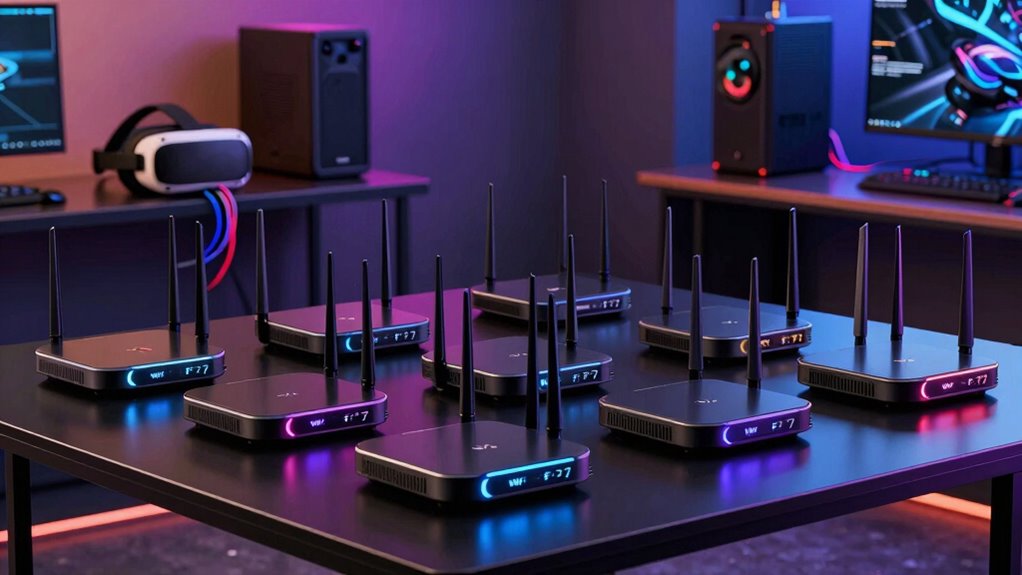

Choosing the right Wi Fi 7 router for VR is essential for smooth, lag-free virtual experiences. The eero 7 Dual-Band Mesh Wi-Fi 7 Router stands out as the best overall due to its reliable coverage and easy setup. The ASUS ZenWiFi BQ16 Pro offers advanced quad-band performance for demanding VR setups, while the TP-Link Archer BE12000 delivers top-tier speed. Tradeoffs in this category often involve balancing maximum speed, coverage, and ease of use. Continue reading for a detailed breakdown of these options and how to choose the best router for your VR needs.

Get business pricing on tech for your team
- Business-only prices and quantity discounts
- Tax-exempt purchasing
- Multiple users, one account, clear invoices
Key Takeaways
- Top-tier VR performance requires routers with robust Wi Fi 7 support and high bandwidth capacity.
- Mesh systems like the eero 7 provide excellent coverage for large or multi-room VR setups.
- Tri-band and quad-band options generally deliver better performance but come at higher costs.
- Ease of setup and management can be a decisive factor for less tech-savvy users.
- Price often correlates with features like multi-band support and advanced QoS for prioritizing VR traffic.
| eero 7 Dual-Band Mesh Wi-Fi 7 Router (2-Pack) |  | Best Value Mesh System for Large Homes | Coverage: 4,000 sq. ft. | Internet Speed Support: up to 2.5 Gbps | Number of Devices Supported: 120+ | VIEW ON AMAZON | See Our Full Breakdown |
| ASUS ZenWiFi BQ16 Pro Quad-Band WiFi 7 Mesh Router (1 Pack) |  | Best for Large, Smart Homes Needing High Security | Coverage: up to 8,000 sq. ft. | WiFi Standard: WiFi 7 | Bands: Quad-band | VIEW ON AMAZON | See Our Full Breakdown |
| TP-Link Archer BE12000 Tri-Band Wi-Fi 7 Router |  | Best for High-Speed Streaming and Gaming in Large Homes | Wi-Fi Bands: Tri-band (6 GHz, 5 GHz, 2.4 GHz) | Maximum Speed: up to 5,765 Mbps | Coverage: up to 3,000 sq. ft. | VIEW ON AMAZON | See Our Full Breakdown |
| NETGEAR Nighthawk Dual-Band WiFi 7 Router (RS140) |  | Best for Medium to Large Homes on a Budget | WiFi Speed: up to 5.0 Gbps | Coverage: up to 2,250 sq. ft. | Devices Supported: up to 80 | VIEW ON AMAZON | See Our Full Breakdown |
| eero 7 Dual-Band Mesh Wi-Fi 7 Router (3-Pack) |  | Best for Extensive Coverage in Large Homes | Coverage: 6,000 sq. ft. | Number of Units: 3 | Supported Internet Speed: up to 2.5 Gbps | VIEW ON AMAZON | See Our Full Breakdown |
| TP-Link Tri-Band WiFi 7 Router (Archer BE600) |  | Best Overall for Large Homes and Gaming | WiFi Technology: WiFi 7 | Speed: up to 5,765 Mbps | Coverage: up to 2,600 sq. ft. | VIEW ON AMAZON | See Our Full Breakdown |
| NETGEAR Nighthawk Dual-Band WiFi 7 Router (RS90) |  | Best for High-Speed Gaming and Streaming on a Budget | WiFi Standard: WiFi 7 Dual-Band | Max Speed: 3.6 Gbps | Coverage: up to 2,000 sq. ft. | VIEW ON AMAZON | See Our Full Breakdown |
| TP-Link Dual-Band Wi-Fi 7 Router, Archer BE3600 |  | Best for Seamless Whole-Home Coverage with Mesh Compatibility | Wi-Fi Technology: Wi-Fi 7 | Speed (5 GHz): 2882 Mbps | Speed (2.4 GHz): 688 Mbps | VIEW ON AMAZON | See Our Full Breakdown |
| TP-Link Tri-Band WiFi 7 Router (Archer BE550) |  | Best for Speed and Future-Proofing with Multiple Bands | WiFi Bands: Tri-Band | Max Speed: 5760 Mbps | 2.4 GHz Speed: 574 Mbps | VIEW ON AMAZON | See Our Full Breakdown |
| eero 7 Dual-Band Mesh Wi-Fi 7 Router – Supports Internet Plans up to 2.5 Gbps |  | Best for Easy Expansion and Reliable Coverage in Small to Medium Homes | Wi-Fi Technology: Wi-Fi 7 | Coverage: 2,000 sq. ft. | Internet Speed Support: up to 2.5 Gbps | VIEW ON AMAZON | See Our Full Breakdown |
| wi fi 7 router for vr | Coverage | Ports | Security |
|---|---|---|---|
| eero 7 Dual-Band Mesh Wi-Fi 7 | 4,000 sq. ft. | 2 auto-sensing 2.5 GbE ports | — |
| ASUS ZenWiFi BQ16 Pro Quad-Ban | up to 8,000 sq. ft. | — | AiProtection Pro |
| TP-Link Archer BE12000 Tri-Ban | up to 3,000 sq. ft. | 1x 10 Gbps WAN, 1x 2.5 Gbps WAN, 3x 1 Gbps LAN | Advanced security features |
| NETGEAR Nighthawk Dual-Band Wi | up to 2,250 sq. ft. | 1x 2.5 Gbps WAN, 3x 1 Gbps LAN | NETGEAR Armor (free trial) |
| eero 7 Dual-Band Mesh Wi-Fi 7 | 6,000 sq. ft. | 2 auto-sensing 2.5 GbE ports | — |
| TP-Link Tri-Band WiFi 7 Router | up to 2,600 sq. ft. | 1x 10 Gbps WAN/LAN, 1x 2.5 Gbps WAN/LAN, 3x 2.5 Gbps LAN | TP-Link HomeShield, Cybersecurity features |
| NETGEAR Nighthawk Dual-Band Wi | up to 2,000 sq. ft. | — | WPA3, NETGEAR Armor |
| TP-Link Dual-Band Wi-Fi 7 Rout | up to 2,000 sq. ft. | 1x 2.5 Gbps WAN/LAN, 1x 2.5 Gbps LAN, 3x 1 Gbps LAN | TP-Link HomeShield |
| TP-Link Tri-Band WiFi 7 Router | — | 1x 2.5G WAN, 4x 2.5G LAN | — |
| eero 7 Dual-Band Mesh Wi-Fi 7 | 2,000 sq. ft. | 2 auto-sensing 2.5 GbE | — |
More Details on Our Top Picks
eero 7 Dual-Band Mesh Wi-Fi 7 Router (2-Pack)
The eero 7 2-pack stands out for offering broad coverage of up to 4,000 sq. ft. while supporting internet speeds up to 2.5 Gbps, making it an attractive choice for those who want reliable Wi-Fi with minimal dead zones. Compared with the eero 7 3-pack, this duo offers less coverage but remains scalable, and it supports over 120 devices, ideal for busy smart homes. Its main tradeoff is the need for a subscription to unlock advanced security features, which could add ongoing costs. While setup is straightforward, some users might find the price for a 2-pack slightly high. This pick makes the most sense for users seeking budget-friendly mesh coverage without sacrificing speed or device support.
Pros:- Supports internet plans up to 2.5 Gbps for fast streaming and gaming
- Provides coverage up to 4,000 sq. ft. for larger homes
- Supports over 120 devices simultaneously
- Backward compatible with previous eero models for easy expansion
Cons:- Requires subscription for advanced security features
- Higher cost for a 2-pack compared to single units
Best for: Homeowners who need extensive Wi-Fi coverage and device support at a reasonable price
Not ideal for: Users seeking enterprise-level security features without additional subscription costs
- Coverage:4,000 sq. ft.
- Internet Speed Support:up to 2.5 Gbps
- Number of Devices Supported:120+
- Number of Units:2-pack
- Wireless Speed:up to 1.8 Gbps
- Ports:2 auto-sensing 2.5 GbE ports
Our verdict“This mesh system suits users who want reliable, broad coverage with easy scalability and are okay with subscription-based security.”
ASUS ZenWiFi BQ16 Pro Quad-Band WiFi 7 Mesh Router (1 Pack)
The ASUS ZenWiFi BQ16 Pro excels in delivering blazing fast speeds up to 30,000 Mbps across its quad-band setup, making it ideal for ultra-large homes up to 8,000 sq. ft. and smart home integrations. Its twelve internal antennas provide extensive coverage, and its multiple SSIDs, VPN, and parental controls make it a top choice for security-conscious users. Compared with the TP-Link Archer BE12000, the ASUS offers more advanced security features but involves a more complex setup process. Its high price point reflects its premium capabilities, which might be overkill for smaller homes or less tech-savvy users. This router makes the most sense for tech-savvy homeowners who need maximum speed, security, and coverage in a large space.
Pros:- Supports WiFi 7 with speeds up to 30,000 Mbps
- Provides coverage for up to 8,000 sq. ft.
- Quad-band connectivity ensures minimal interference and maximum speed
- Includes advanced security with AiProtection Pro
Cons:- Setup complexity may challenge less experienced users
- High price compared to other WiFi 7 routers
- Performance depends heavily on environmental factors
Best for: Large households with smart home devices and high security needs
Not ideal for: Casual users or those with smaller homes who prefer simple setups at lower costs
- Coverage:up to 8,000 sq. ft.
- WiFi Standard:WiFi 7
- Bands:Quad-band
- Maximum Speed:up to 30,000 Mbps
- Number of Ports:2x 10G ports
- Security:AiProtection Pro
Our verdict“This router suits those with large, demanding spaces and a need for top-tier security and speed, despite its complex setup and cost.”
TP-Link Archer BE12000 Tri-Band Wi-Fi 7 Router
The TP-Link Archer BE12000 delivers impressive speeds up to 5,765 Mbps on its 6 GHz and 5 GHz bands, making it suitable for demanding gaming, HD streaming, and multiple device use. Its tri-band setup provides solid coverage for homes up to 3,000 sq. ft., and the multiple high-speed ports, including 10 Gbps WAN and 2.5 Gbps WAN, give versatility for wired connections. Compared to the NETGEAR RS140, the Archer BE12000 offers higher speeds and more ports, but it does require a separate modem, which could add complexity. Setup via the Tether app is straightforward, although the actual performance can vary based on device placement and environmental factors. This router makes sense for gamers and streamers in medium to large homes who want top-tier WiFi 7 performance.
Pros:- High speeds up to 5,765 Mbps for gaming and streaming
- Tri-band setup with extensive coverage (up to 3,000 sq. ft.)
- Multiple high-speed ports for wired devices
- Easy management via mobile app
Cons:- Requires a separate modem for internet access
- Performance may vary based on environment
- Price is potentially high for average users
Best for: Gamers and high-bandwidth users needing fast, reliable Wi-Fi in medium-sized homes
Not ideal for: Users seeking an all-in-one solution with built-in modem functionality or smaller spaces
- Wi-Fi Bands:Tri-band (6 GHz, 5 GHz, 2.4 GHz)
- Maximum Speed:up to 5,765 Mbps
- Coverage:up to 3,000 sq. ft.
- Ports:1x 10 Gbps WAN, 1x 2.5 Gbps WAN, 3x 1 Gbps LAN
- Security:Advanced security features
Our verdict“Ideal for tech-savvy gamers and streamers looking for cutting-edge WiFi 7 speeds in a medium-sized home, despite needing a separate modem.”
NETGEAR Nighthawk Dual-Band WiFi 7 Router (RS140)
The NETGEAR Nighthawk RS140 offers reliable dual-band WiFi 7 speeds up to 5.0 Gbps, covering approximately 2,250 sq. ft., making it a practical choice for users who need strong performance without the complexity of tri- or quad-band setups. Its multiple Ethernet ports support wired connections, and the user-friendly app simplifies network management. Compared with the eero 7 mesh, this Nighthawk provides a more traditional, single-unit setup that might appeal to users who prefer simplicity. However, it doesn’t support mesh expansion, limiting flexibility for larger homes. Its security features, protected by a free trial of NETGEAR Armor, require additional subscription costs after the trial period. This router is best for budget-conscious users who want solid WiFi 7 speeds with straightforward setup.
Pros:- Fast WiFi 7 speeds up to 5.0 Gbps
- Supports coverage up to 2,250 sq. ft.
- Multiple Ethernet ports for wired devices
- Easy to set up and manage with the app
Cons:- Requires separate modem or ISP gateway
- Security subscription costs after free trial
- Limited coverage for very large homes
Best for: Small to medium-sized households seeking reliable WiFi without mesh complexity
Not ideal for: Large homes requiring extensive coverage or mesh expandability
- WiFi Speed:up to 5.0 Gbps
- Coverage:up to 2,250 sq. ft.
- Devices Supported:up to 80
- Ports:1x 2.5 Gbps WAN, 3x 1 Gbps LAN
- Security:NETGEAR Armor (free trial)
Our verdict“Best suited for users who want reliable WiFi 7 performance in a manageable size without mesh expansion complexity.”
eero 7 Dual-Band Mesh Wi-Fi 7 Router (3-Pack)
The eero 7 3-pack is designed to blanket large homes up to 6,000 sq. ft. with reliable Wi-Fi, supporting internet plans up to 2.5 Gbps. Its mesh setup ensures seamless connectivity across multiple rooms, with the added benefit of backward compatibility with previous eero models to extend coverage further. Compared with the 2-pack, this setup offers greater coverage but at a higher cost. While it supports over 120 devices and maintains fast speeds, the need for a subscription for advanced security features could be a turnoff for some. Setup is straightforward, making it suitable for users who need quick, reliable, large-area Wi-Fi without technical complexity. This is especially appealing for large households or multi-story homes.
Pros:- Supports internet plans up to 2.5 Gbps
- Provides coverage up to 6,000 sq. ft. with three units
- Supports over 120 devices simultaneously
- Seamless mesh connectivity for large areas
Cons:- Requires subscription for advanced security features
- Higher price point for a 3-pack compared to smaller setups
Best for: Large households or multi-story homes requiring extensive Wi-Fi coverage
Not ideal for: Users with small apartments or those unwilling to pay for subscription security
- Coverage:6,000 sq. ft.
- Number of Units:3
- Supported Internet Speed:up to 2.5 Gbps
- Wireless Speed:up to 1.8 Gbps
- Ports:2 auto-sensing 2.5 GbE ports
- Compatibility:Backward compatible with previous eero models
Our verdict“This mesh system is ideal for large homes needing extensive, reliable Wi-Fi coverage with easy expansion, despite the ongoing security costs.”
TP-Link Tri-Band WiFi 7 Router (Archer BE600)
The TP-Link Archer BE600 stands out for its impressive combination of high-speed WiFi 7 performance and extensive coverage, making it ideal for large households with heavy streaming or gaming needs. Compared with the TP-Link BE3600, the BE600’s tri-band setup delivers more bandwidth, reducing congestion when multiple devices are connected. However, its setup process can be challenging for less tech-savvy users, and its size requires significant space. This router’s advanced security features and multiple gigabit ports make it suitable for users who prioritize fast, secure connectivity across a large area, though it comes at a higher price point.
Pros:- High-speed WiFi 7 performance up to 5,765 Mbps
- Wide coverage up to 2,600 sq. ft.
- Multiple gigabit ports for wired devices
- Advanced security features
Cons:- Complex setup for non-technical users
- Premium price and large physical size
Best for: Large households or gamers needing fast, reliable internet over a wide area
Not ideal for: Small apartments or users with limited technical skills due to complex setup
- WiFi Technology:WiFi 7
- Speed:up to 5,765 Mbps
- Coverage:up to 2,600 sq. ft.
- Antennas:6
- Ports:1x 10 Gbps WAN/LAN, 1x 2.5 Gbps WAN/LAN, 3x 2.5 Gbps LAN
- Security:TP-Link HomeShield, Cybersecurity features
Our verdict“This router is best suited for those needing robust, high-speed coverage in large, demanding environments.”
NETGEAR Nighthawk Dual-Band WiFi 7 Router (RS90)
The NETGEAR Nighthawk RS90 offers solid WiFi 7 dual-band performance with speeds up to 3.6 Gbps, making it suitable for fast streaming and gaming. Unlike the TP-Link BE600, it requires a separate modem, which could complicate setup but allows more flexibility in choosing your internet provider’s equipment. Its coverage extends to about 2,000 sq. ft., somewhat less than the larger tri-band options, but its multiple Ethernet ports and security features like WPA3 and NETGEAR Armor make it a practical choice for tech-savvy users seeking reliable wired and wireless performance. The tradeoff here is that it might fall short in very large homes or those wanting an all-in-one solution.
Pros:- Fast WiFi 7 speeds up to 3.6 Gbps
- Multiple Ethernet ports for wired devices
- Strong security with WPA3 and Armor
- Easy setup via app or web
Cons:- Requires a separate modem
- Limited coverage in very large or multi-story homes
Best for: Gamers or streamers who want high performance without the premium price of tri-band routers
Not ideal for: Large multi-story homes or users seeking an all-in-one modem-router solution
- WiFi Standard:WiFi 7 Dual-Band
- Max Speed:3.6 Gbps
- Coverage:up to 2,000 sq. ft.
- Number of Devices:50
- Ethernet Ports:1x 2.5 Gig WAN, 4x Gigabit LAN
- Security:WPA3, NETGEAR Armor
Our verdict“This router offers excellent performance for gaming and streaming in medium-sized homes, especially for users willing to handle a separate modem setup.”
TP-Link Dual-Band Wi-Fi 7 Router, Archer BE3600
The TP-Link Archer BE3600’s dual-band WiFi 7 setup offers speeds up to 2,882 Mbps on 5 GHz, making it well-suited for streaming, gaming, and smart home devices. Compared to the tri-band BE550, it’s simpler and more budget-friendly, but it sacrifices the additional 6 GHz band that can further reduce congestion in dense device environments. Its compatibility with EasyMesh and robust security features make it a reliable choice for users wanting seamless, whole-home coverage without complex setup, though its performance may vary depending on home layout and obstacles. It’s a practical pick for users who don’t need the absolute fastest speeds but still want good coverage and security.
Pros:- Good WiFi 7 speeds up to 2,882 Mbps
- Seamless mesh support for whole-home coverage
- Multiple gigabit ports for wired connections
- Strong security features
Cons:- No 6 GHz band
- Performance depends on environment and layout
Best for: Home users seeking reliable, whole-house WiFi with easy setup
Not ideal for: Power users or large households with many devices requiring maximum speed
- Wi-Fi Technology:Wi-Fi 7
- Speed (5 GHz):2882 Mbps
- Speed (2.4 GHz):688 Mbps
- Coverage:up to 2,000 sq. ft.
- Ports:1x 2.5 Gbps WAN/LAN, 1x 2.5 Gbps LAN, 3x 1 Gbps LAN
- Security:TP-Link HomeShield
Our verdict“This router fits users needing dependable, whole-home WiFi with straightforward setup and moderate speeds.”
TP-Link Tri-Band WiFi 7 Router (Archer BE550)
The TP-Link Archer BE550 delivers high speeds up to 5,760 Mbps with tri-band support, making it ideal for heavy streaming, gaming, and large downloads. Its tri-band setup includes a dedicated 6 GHz band, which can significantly reduce network congestion, especially when compared with the BE3600. The EasyMesh compatibility ensures seamless whole-home coverage, and its multiple 2.5G ports add future-proofing for wired connections. However, it’s more complex to set up and may be overkill for casual users or smaller homes. This model appeals to those who demand maximum speed and coverage, but it requires a modem and some technical know-how to optimize its features.
Pros:- Tri-band WiFi 7 with speeds up to 5760 Mbps
- Supports EasyMesh for whole-home coverage
- Multiple 2.5G ports for fast wired connections
- Enhanced security with WPA3
Cons:- Requires a modem for most ISPs
- Complex setup for non-technical users
Best for: Power users and gamers demanding high-speed, multi-band networks
Not ideal for: Users with simple needs or those uncomfortable with advanced network setup
- WiFi Bands:Tri-Band
- Max Speed:5760 Mbps
- 2.4 GHz Speed:574 Mbps
- 5 GHz Speed:2880 Mbps
- 6 GHz Speed:5760 Mbps
- Ports:1x 2.5G WAN, 4x 2.5G LAN
Our verdict“This router is best for tech-savvy users seeking maximum speed, coverage, and future-proof features.”
eero 7 Dual-Band Mesh Wi-Fi 7 Router – Supports Internet Plans up to 2.5 Gbps
The eero 7 offers a balanced approach with WiFi 7 support, covering up to 2,000 sq. ft., and supporting internet plans up to 2.5 Gbps. Its main strength lies in its simplicity and expandability—adding more units easily scales coverage without complex configuration, unlike the more advanced but less user-friendly options like the BE600 or BE550. It supports over 120 devices simultaneously, making it suitable for busy households with many smart devices. The downsides are that it depends on a compatible internet plan to reach its maximum speed and might require additional units for larger homes. This makes it a practical choice for users who prioritize ease of use and reliable coverage over maximum raw speed.
Pros:- Supports WiFi 7 for future-proof performance
- Coverage up to 2,000 sq. ft.
- Supports over 120 devices
- Easy to expand with additional units
Cons:- Requires compatible internet plan for full speed
- Limited to a 1-pack, needing additional units for larger areas
Best for: Small to medium homes seeking simple, expandable WiFi 7 coverage
Not ideal for: Large, multi-story homes or users requiring the highest possible speed for demanding applications
- Wi-Fi Technology:Wi-Fi 7
- Coverage:2,000 sq. ft.
- Internet Speed Support:up to 2.5 Gbps
- Ports:2 auto-sensing 2.5 GbE
- Device Support:120+ devices
- Warranty:3 years
Our verdict“This mesh system works best for those wanting a straightforward, expandable WiFi 7 setup in smaller spaces.”

How We Picked
These routers were selected based on their Wi Fi 7 capabilities, speed, coverage, ease of setup, and reliability in high-demand environments like VR. We prioritized models that support the latest standards and demonstrated strong performance in real-world scenarios involving demanding data streams. The ranking considers value for money, build quality, and the ability to handle multiple connected devices without lag. By comparing these factors, I aimed to highlight options suitable for different user needs, from casual VR users to hardcore gamers and tech enthusiasts.| wi fi 7 router for vr | Security |
|---|---|
| eero 7 Dual-Band Mesh Wi-Fi 7 | — |
| ASUS ZenWiFi BQ16 Pro Quad-Ban | AiProtection Pro |
| TP-Link Archer BE12000 Tri-Ban | Advanced security features |
| NETGEAR Nighthawk Dual-Band Wi | NETGEAR Armor (free trial) |
| eero 7 Dual-Band Mesh Wi-Fi 7 | — |
| TP-Link Tri-Band WiFi 7 Router | TP-Link HomeShield, Cybersecurity features |
| NETGEAR Nighthawk Dual-Band Wi | WPA3, NETGEAR Armor |
| TP-Link Dual-Band Wi-Fi 7 Rout | TP-Link HomeShield |
| TP-Link Tri-Band WiFi 7 Router | — |
| eero 7 Dual-Band Mesh Wi-Fi 7 | — |
Factors to Consider When Choosing Wi Fi 7 Router For Vr
When choosing a Wi Fi 7 router for VR, several key factors influence your experience. VR applications demand high, stable bandwidth, low latency, and reliable coverage. Understanding these considerations can help you avoid common pitfalls like bottlenecks or frequent disconnections, especially in multi-room setups. Carefully evaluating your space, device load, and budget will lead to a more satisfying VR experience.Performance and Speed
VR streaming requires high data throughput to prevent lag and motion sickness. Look for routers with gigabit or multi-gigabit ports and support for Wi Fi 7’s advanced features like 320 MHz channels and 4K-QAM modulation. Cheaper or older models may struggle under heavy VR loads, so investing in a router with high maximum speeds ensures smoother visuals and lower latency, particularly for demanding applications.
Coverage and Mesh Capabilities
VR gaming often occurs in larger spaces or multiple rooms, making coverage a critical factor. Mesh systems like the eero 7 excel by providing seamless coverage and reducing dead zones. However, larger mesh setups tend to cost more and require more complex configuration. Consider your space size carefully to avoid coverage gaps that can cause interruptions during immersive experiences.
Ease of Setup and Management
Not all routers are equally user-friendly. Mesh systems often feature app-based setup for quick installation, which is ideal for beginners. Conversely, advanced users might prefer routers with customizable settings and QoS controls to prioritize VR traffic. Weigh your comfort with networking technology against the complexity of setup to find a router that fits your skill level and future upgrade plans.
Price and Value
More advanced features and higher speeds come with increased costs. While premium routers like the ASUS ZenWiFi BQ16 Pro justify their price with quad-band performance, budget options may suffice for casual VR users with less demanding needs. Consider your budget against the expected VR performance and coverage requirements to avoid overpaying or underperforming.
Future-Proofing and Compatibility
Wi Fi 7 is a new standard, but not all devices will support it immediately. Investing in a router with backward compatibility ensures your existing devices remain functional. Additionally, look for features like multi-gig ports and support for upcoming VR hardware standards to extend the lifespan of your investment and avoid needing an upgrade soon.
Frequently Asked Questions
Will a Wi Fi 7 router improve my VR experience over Wi Fi 6?
Yes, a Wi Fi 7 router can significantly improve your VR experience by offering higher speeds, lower latency, and better handling of multiple devices simultaneously. These improvements reduce lag and buffering, especially in complex, data-intensive VR environments. However, to fully benefit, your VR hardware must also support Wi Fi 7 or be compatible with the enhanced features.
Is mesh Wi Fi necessary for a good VR setup?
Mesh Wi Fi is highly recommended if your VR setup spans multiple rooms or larger spaces, as it provides seamless coverage and reduces dead zones. For smaller, single-room setups, a high-quality traditional router may suffice. Mesh systems also simplify management and scalability, making them a good choice for future expansion or multi-user households.
How do I prioritize VR traffic on my router?
Most modern routers offer QoS (Quality of Service) settings that allow you to prioritize VR traffic over other devices. Configuring QoS ensures that your VR headset or PC receives the necessary bandwidth during gameplay, minimizing lag and disconnections. Be sure to check if the router’s software provides easy-to-use QoS controls before purchasing.
Can I upgrade my current router to Wi Fi 7 later?
Upgrading to Wi Fi 7 typically requires purchasing a new router that supports the standard, as firmware updates generally do not add Wi Fi 7 capabilities to older hardware. If you’re planning to adopt Wi Fi 7 in the near future, choosing a compatible router now can save you from an additional upgrade soon, but ensure your devices will support the new standard for maximum benefit.
What is the average cost of a good Wi Fi 7 router for VR?
The price range for quality Wi Fi 7 routers suitable for VR varies widely, generally from around $300 to over $600. Cheaper models may lack advanced multi-band support or extensive coverage, while top-tier options offer multi-gig ports, advanced QoS, and mesh capabilities. Consider your specific needs and budget to find the right balance between cost and performance.
Halloween Picks
halloween
As an affiliate, we earn on qualifying purchases.