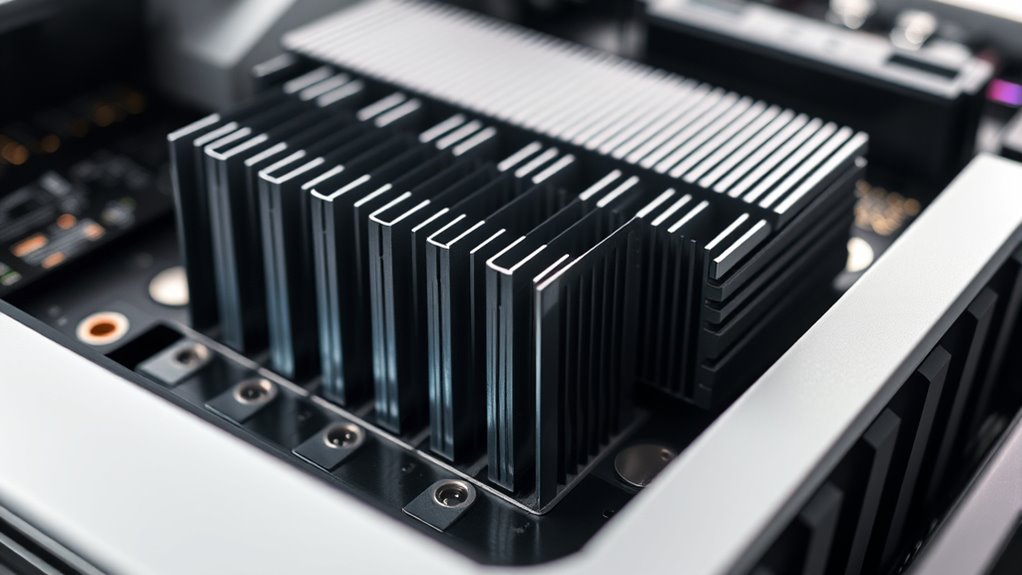

If you’re looking to keep your PS5 SSD cool and fast, I recommend checking out the top heatsinks like the WD_BLACK SN850X with built-in cooling, the Lexar NM790, and Samsung 990 PRO heatsink models. External heatsinks and cooling solutions with efficient materials such as copper or aluminum can prevent thermal throttling during extended gaming sessions. Want to find the best fit for your setup? Keep exploring for more options and tips.
Key Takeaways
- Heatsinks made from high thermal conductivity materials like copper and aluminum effectively dissipate heat, preventing thermal throttling.
- Built-in or external heatsinks with fins or increased surface area enhance airflow and cooling efficiency during extended gaming sessions.
- Compatibility with PS5’s M.2 slot and dimensions ensures easy installation and optimal thermal contact.
- High-quality heatsinks with durable construction and proper mounting improve SSD lifespan and maintain high performance.
- Many heatsinks are designed specifically for PS5 SSDs, offering optimized cooling solutions for demanding gaming workloads.
WD_BLACK 2TB SN850X NVMe Gaming SSD with Heatsink
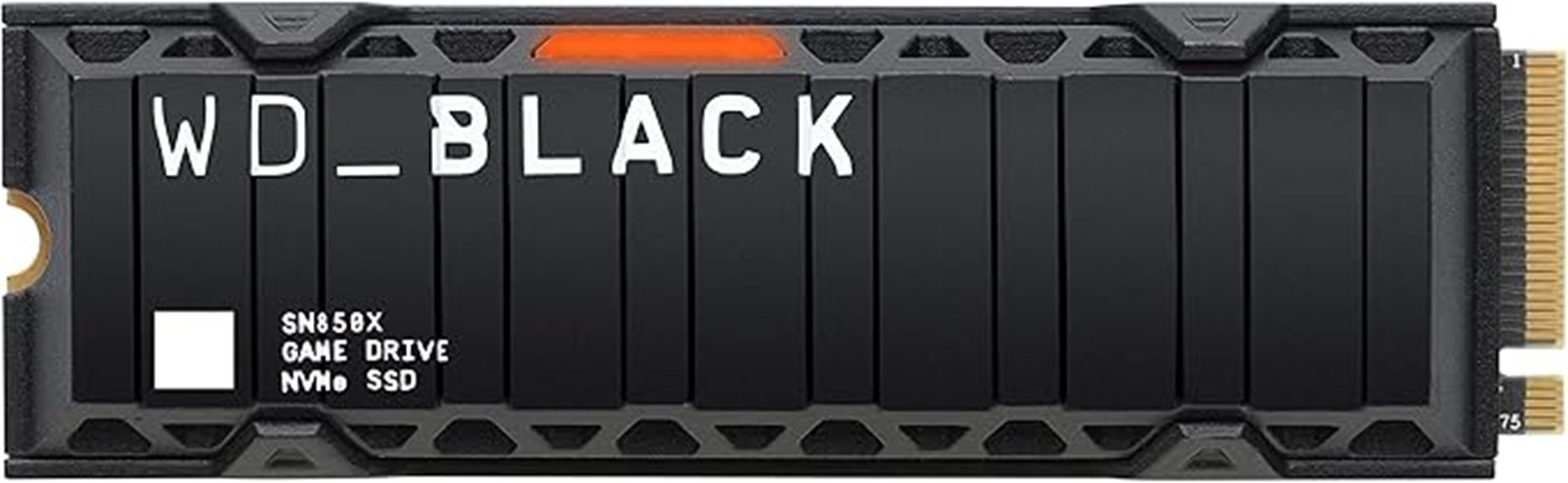
If you’re looking for a high-performance SSD that can handle intense gaming sessions without overheating, the WD_BLACK 2TB SN850X NVMe Gaming SSD with heatsink is an excellent choice. It delivers blazing speeds up to 7,300 MB/s, reducing load times and preventing lag. Designed specifically for gaming, it supports Microsoft DirectStorage and Game Mode 2.0, ensuring optimized performance. The included heatsink helps dissipate heat during prolonged use, maintaining consistent speeds. Its compact design fits seamlessly into various setups, and with capacities up to 8TB, you’ll have plenty of space for your favorite games and files.
Best For: gamers and high-performance users seeking fast load times, reliable thermal management, and ample storage capacity for demanding gaming and workstation tasks.
Pros:
- Speeds up to 7,300 MB/s for quick game load and transfer times
- Built-in heatsink to prevent overheating during extended use
- Supports Microsoft DirectStorage and Game Mode 2.0 for optimized performance
Cons:
- Limited to Windows for Dashboard features and customization options
- Slightly heavier and larger than non-heatsink models, which may affect compatibility with some setups
- Higher price point compared to standard SSDs without heatsinks
M.2 Heatsink Cooler for SSD (Black)
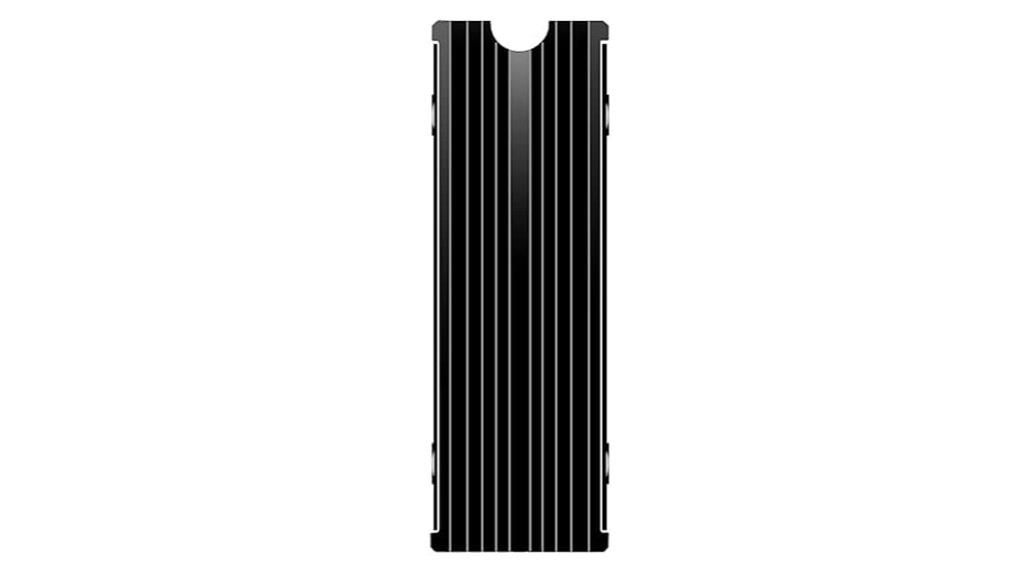
The M.2 Heatsink Cooler for SSD (Black) stands out as an ideal choice for gamers and PC builders who need reliable thermal management without sacrificing space or aesthetics. Made from durable aluminum alloy with silver plating, it effectively reduces SSD temperatures by 10°C to 30°C, preventing overheating and throttling. Its double-sided clip adapts to various SSD heights, ensuring a secure fit inside PS5, PCs, or desktops. Easy to install with included instructions, it fits under PCIe cards and around large components. This heatsink helps maintain excellent performance, extending SSD lifespan while maintaining a sleek, compact design that doesn’t interfere with other hardware.
Best For: gamers, PC builders, and system enthusiasts seeking efficient, space-saving SSD cooling solutions that prevent overheating and maintain optimal performance.
Pros:
- Effectively reduces SSD temperatures by up to 30°C, preventing thermal throttling.
- Easy to install with adjustable clips compatible with various SSD heights.
- Compact, durable aluminum design that fits under PCIe cards and around large components without interference.
Cons:
- Slight machining finish on fins may require cleaning before installation.
- Thermal pads are sticky but may need careful handling to avoid misalignment.
- Not suitable for SSDs larger than specified dimensions or non-standard form factors.
WD_BLACK 2TB SN850P NVMe M.2 SSD for PS5
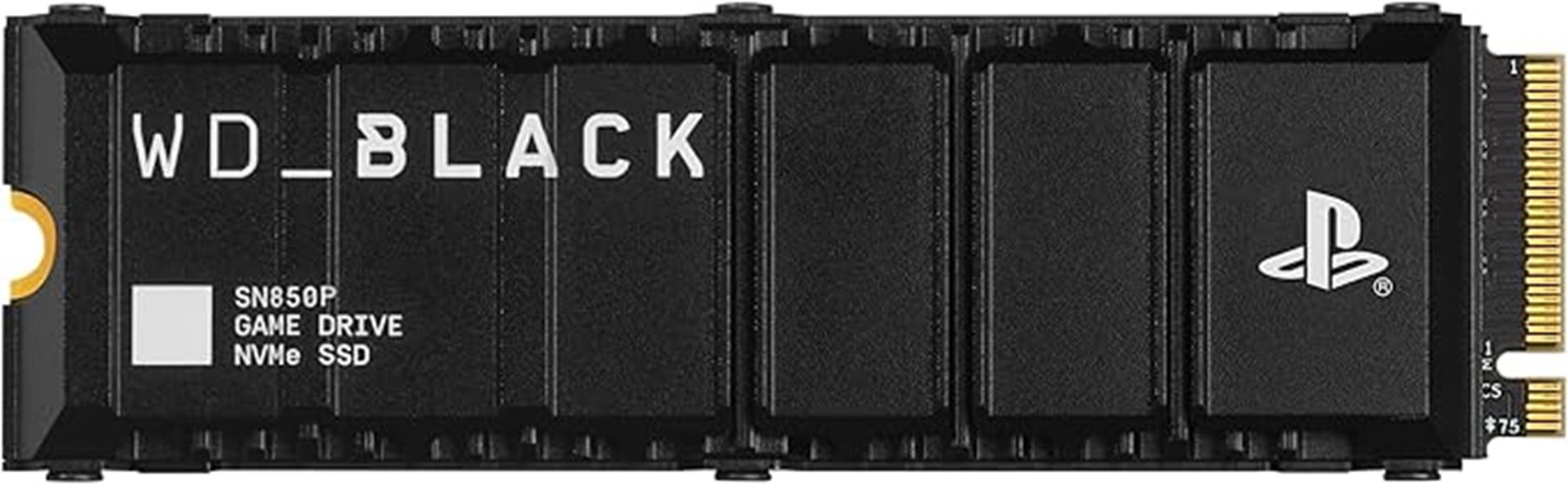
Gamers looking to expand their PS5 storage with high-speed performance should consider the WD_BLACK 2TB SN850P NVMe M.2 SSD, which is officially licensed for PlayStation 5. It features an optimized heatsink designed specifically for the PS5 M.2 slot, ensuring reliable thermal management during intense gaming sessions. With read speeds up to 7,300MB/s, it offers fast load times and seamless gameplay. The drive supports capacities from 1TB to 4TB, allowing you to store up to 100 games. Easy to install and compatible with system software, it’s a reliable choice for gamers seeking quick access and ample storage.
Best For: gamers seeking a high-speed, reliable storage expansion for their PS5 with easy installation and ample capacity.
Pros:
- Officially licensed and optimized for PS5 with a built-in heatsink for thermal management
- Exceptional read speeds up to 7,300MB/s for fast load times and seamless gameplay
- Supports capacities up to 4TB, allowing storage for approximately 100 games
Cons:
- Actual performance may vary depending on system environment and usage
- Requires compatible PS5 system software and proper installation procedures
- Limited to storage expansion within the supported capacity range (1TB–4TB)
Lexar 2TB NM790 SSD with Heatsink PCIe Gen4 NVMe M.2 2280 Internal Solid State Drive
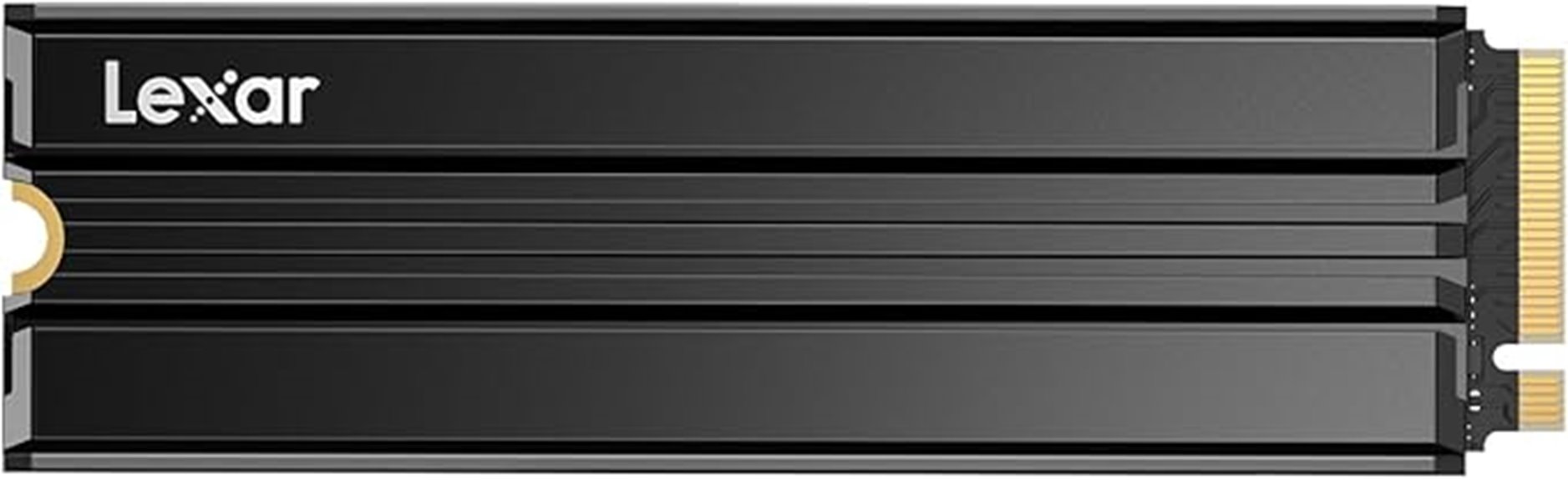
For those seeking high-performance storage tailored for demanding gaming setups, the Lexar 2TB NM790 SSD with Heatsink is an outstanding choice. It delivers blazing speeds up to 7400MB/s read and 6500MB/s write, doubling the performance of PCIe Gen 3 drives. The integrated heatsink keeps temperatures low during heavy use, ensuring consistent speeds and improved power efficiency. Compatible with PS5, desktops, and laptops, it’s easy to install and expand your storage effortlessly. With a durable build, a five-year warranty, and positive user reviews confirming its reliability, the NM790 offers excellent value for gamers and creators seeking fast, reliable, high-capacity SSD storage.
Best For: gamers, creators, and power users seeking ultra-fast, high-capacity SSD storage for demanding applications and gaming setups.
Pros:
- Exceptional read/write speeds up to 7400MB/s and 6500MB/s, significantly reducing load times and transfer durations
- Integrated heatsink ensures optimal thermal performance and power efficiency during heavy workloads
- Easy installation with broad compatibility for PS5, desktops, and laptops, plus a 5-year warranty for peace of mind
Cons:
- Premium price point compared to lower-speed SSDs, though justified by performance and features
- Limited to PCIe Gen 4 compatible systems; may not work with older hardware
- Slightly larger form factor may require compatible M.2 slots with sufficient space and cooling considerations
SAMSUNG 990 PRO Heatsink SSD 4TB (MZ-V9P4T0CW)
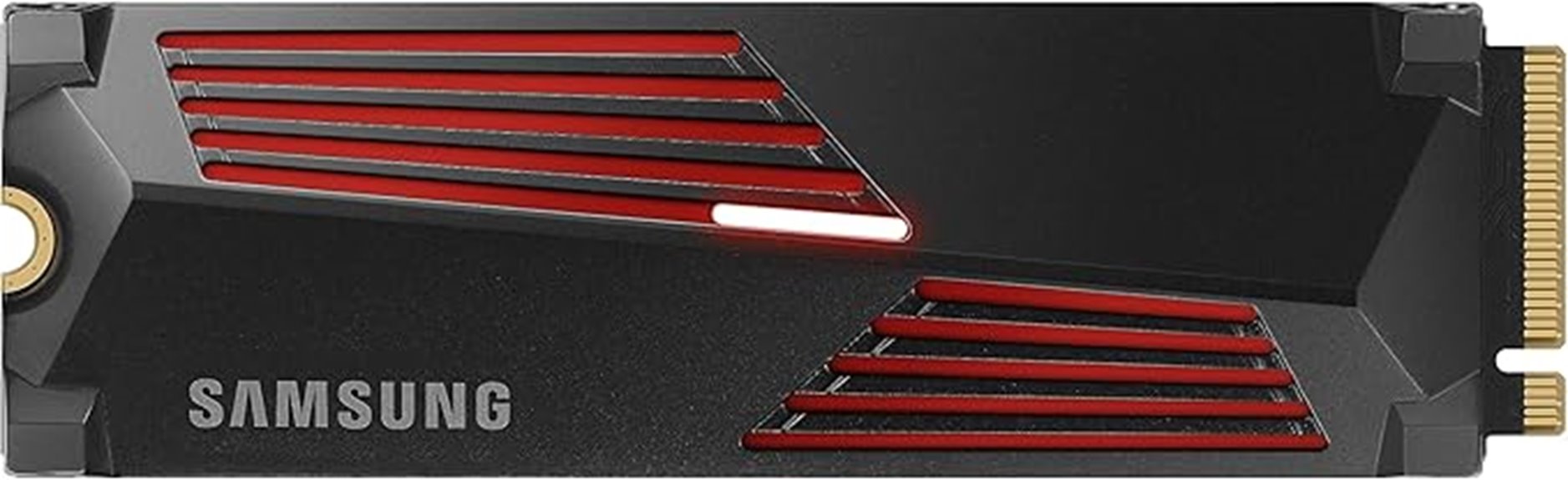
If you’re seeking a high-performance SSD that can handle demanding gaming sessions and intensive workloads, the Samsung 990 PRO Heatsink SSD 4TB is an excellent choice. It offers blazing-fast speeds up to 7,450 MB/s read and 6,900 MB/s write, approaching PCIe 4.0 limits, with an integrated heatsink to prevent overheating. Compatible with PS5, desktops, and laptops supporting PCI-SIG D8, it’s perfect for gaming, video editing, or data analysis. Its slim design ensures it fits easily into various setups, maintaining stability during prolonged use. With a solid reputation and a 4.7-star rating, it’s a reliable, high-capacity storage solution that keeps your system cool and performing at its best.
Best For: gamers, tech enthusiasts, and professionals seeking high-speed, reliable storage with excellent thermal management.
Pros:
- Ultra-fast read/write speeds up to 7,450/6,900 MB/s for quick data transfer and reduced load times
- Integrated heatsink ensures stable performance and prevents overheating during intensive tasks
- Compatible with PS5, desktops, and laptops supporting PCI-SIG D8, offering versatile installation options
Cons:
- May be more expensive compared to standard SSDs without heatsinks
- Requires PCIe 4.0 support for maximum performance, limiting compatibility with older systems
- Slightly larger or thicker design could pose fitting issues in ultra-compact setups
FX910 2TB NVMe SSD for PS5 & PC
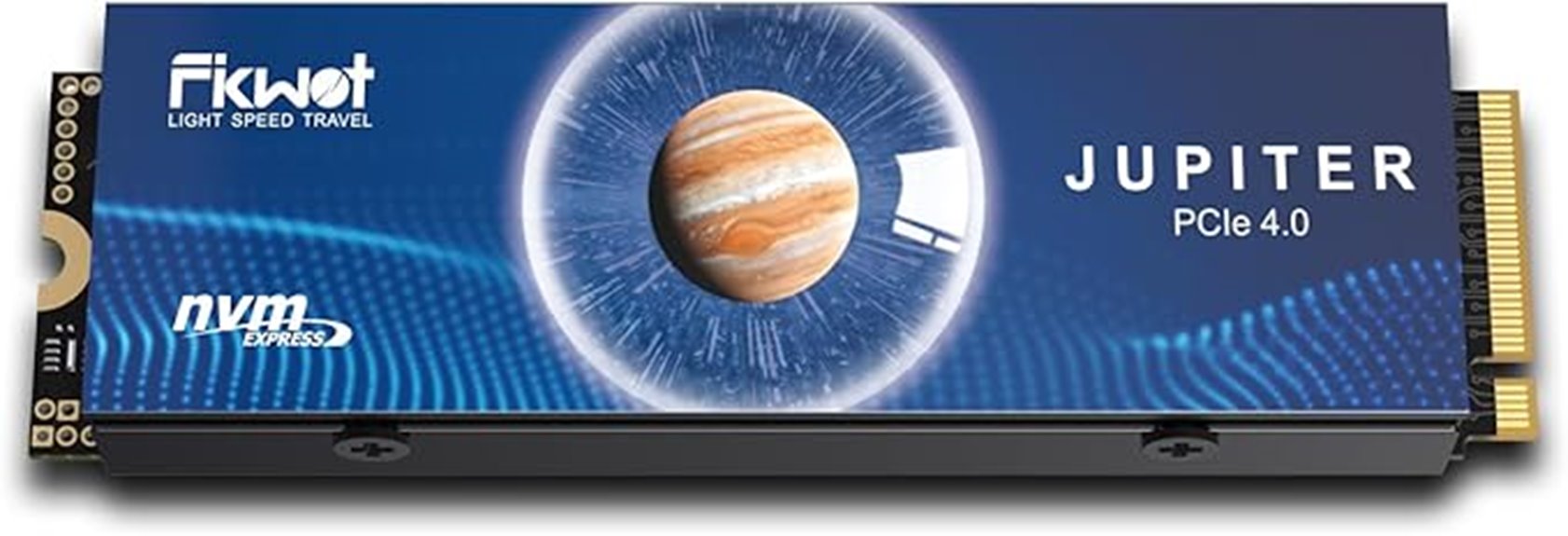
The FX910 2TB NVMe SSD stands out as an excellent choice for high-performance users who demand fast speeds and reliable stability. With read speeds up to 7300MB/s and write speeds of 6200MB/s via PCIe 4.0, it delivers quick boot-ups and smooth multitasking. Its built-in graphite heatsink keeps temperatures in check during heavy loads, preventing overheating and maintaining consistent performance. Compatibility with PS5 and PCs makes it versatile, supporting capacities up to 4TB for ample storage. Its plug-and-play design simplifies installation, while Fikwot’s 5-year warranty and 24/7 support guarantee peace of mind. It’s a powerful, reliable option for demanding users.
Best For: high-performance gamers and professionals who need fast, reliable storage for PS5 and PC systems.
Pros:
- Ultra-fast read/write speeds up to 7300MB/s and 6200MB/s for quick load times and multitasking
- Built-in graphite heatsink ensures stable performance and prevents overheating during heavy use
- Plug-and-play design allows for easy installation without driver requirements
Cons:
- Supports capacities only up to 4TB, which may be limiting for some users needing more storage
- Compatibility may vary depending on specific motherboard or console configurations
- Higher cost compared to traditional SATA SSDs due to advanced PCIe 4.0 technology
S660 PCIe 4.0 2TB SSD for PS5 with Heatsink
The S660 PCIe 4.0 2TB SSD with heatsink stands out as an excellent choice for gamers and power users who demand lightning-fast speeds combined with reliable cooling. It delivers up to 5000MB/s transfer speeds via PCIe 4.0 NVMe, ensuring rapid game loads and smooth performance. Compatible with PS5, it’s also suitable for PC and other platforms, offering versatile expansion. The sleek internal design includes a unique heatsink that keeps temperatures low during intensive use. With options up to 4TB, it provides ample storage for games and data. Backed by a five-year warranty, it combines speed, capacity, and durability for robust gaming and professional workloads.
Best For: gamers, power users, and professionals seeking high-speed storage with reliable cooling and ample capacity for PS5, PC, and other platforms.
Pros:
- Exceptional transfer speeds up to 5000MB/s for fast game loading and data transfer
- Compatible with PS5 and versatile for use in PCs and other devices
- Innovative heatsink design ensures low operating temperatures and reliable performance
Cons:
- Higher cost compared to standard SSDs without heatsinks
- Requires PCIe 4.0 slot for optimal performance, limiting compatibility with older systems
- May be physically larger due to heatsink, affecting installation in compact devices
MOVE SPEED HB7450 2TB SSD for PS5
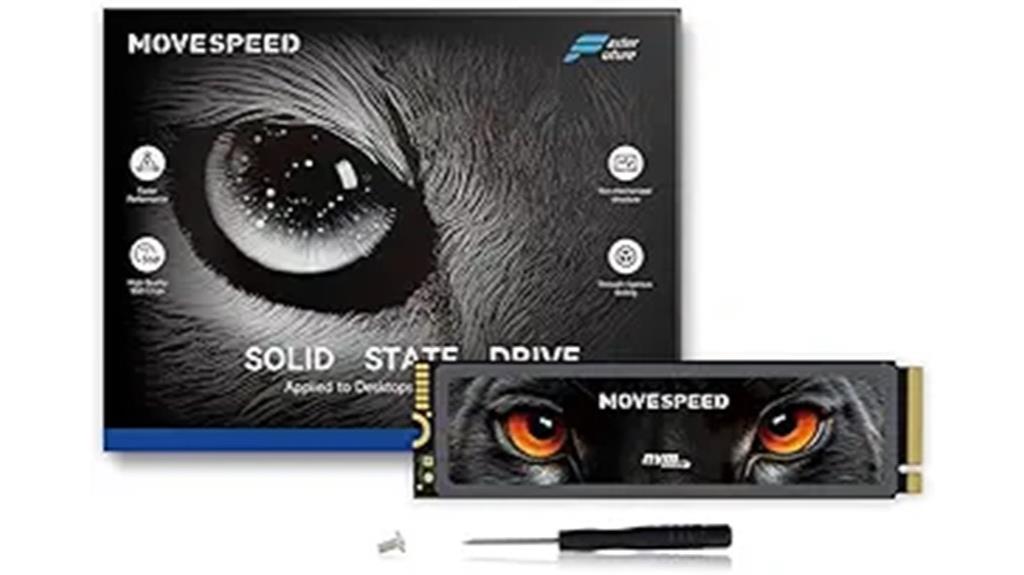
For gamers and power users seeking high-speed storage that minimizes load times, the MOVE SPEED HB7450 2TB SSD for PS5 stands out with its NVMe PCIe Gen4x4 technology, delivering blazing read speeds of up to 7450MB/s. Its impressive performance markedly reduces game load times and boosts responsiveness. Compatible with PS5, laptops, and desktops, it offers 2TB of storage, enough for around 50 games. The built-in 1mm graphene heat sink helps keep temperatures in check, preventing thermal slowdown. Easy to install with included screws and a screwdriver, it’s a reliable, high-performance choice for upgrading your gaming setup.
Best For: gamers and power users seeking ultra-fast storage solutions to reduce load times and enhance system responsiveness on PS5, laptops, or desktops.
Pros:
- Exceptional read speeds up to 7450MB/s for quick game load times and efficient data transfer
- Broad compatibility with PS5, laptops, and desktops in M.2 2280 form factor
- Built-in graphene heat sink reduces chip temperature by up to 10°C, preventing thermal slowdown
Cons:
- Uninstalled heatsink requires user installation, which may be challenging for some users
- Only available in 1TB and 2TB options, limiting smaller capacity needs
- Higher cost compared to SATA SSDs due to advanced PCIe Gen4 technology
SABRENT M.2 NVMe PS5 heatsink (SB-PSHS)
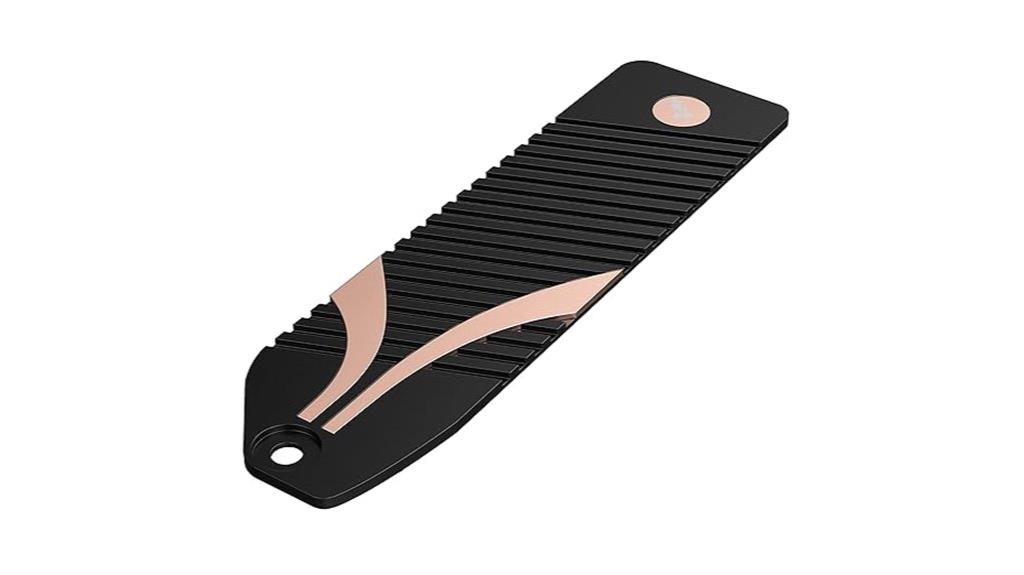
If you’re looking to upgrade your PS5’s cooling system with a sleek, easy-to-install heatsink, the SABRENT M.2 NVMe PS5 heatsink (SB-PSHS) is an excellent choice. It’s specifically engineered for PS5 consoles, fitting seamlessly into the SSD expansion slot and replacing the native cover. Made from CNC-machined aluminum, it offers superior heat dissipation and improved airflow. Its innovative Sandwich Design applies even pressure for efficient heat transfer, ensuring durability and consistent performance. With a straightforward installation process, including detailed guides and thermal tape, it’s perfect for enhancing cooling, preventing overheating, and extending your SSD’s lifespan without sacrificing aesthetics.
Best For: gamers and PS5 console owners seeking an easy, effective upgrade to their SSD cooling system for improved performance and longevity.
Pros:
- Seamless fit and easy installation, replacing the native PS5 cover effortlessly.
- Superior heat dissipation thanks to CNC-machined aluminum and innovative cooling design.
- Durable, industrial-grade construction ensures reliable long-term performance.
Cons:
- Compatibility limited strictly to PS5 consoles, not suitable for other devices.
- May require careful handling during installation to avoid damaging the aluminum or SSD.
- Slightly higher cost compared to standard heatsinks without advanced airflow features.
Corsair MP600 Elite 2TB M.2 NVMe SSD
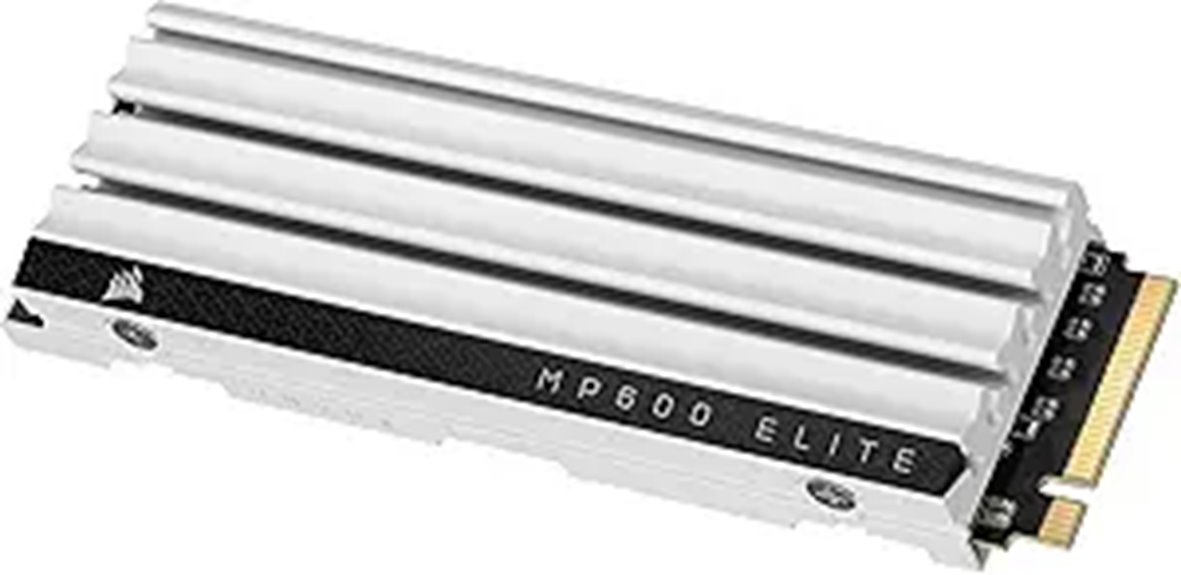
Gamers looking to maximize their PS5’s storage and performance should consider the Corsair MP600 Elite 2TB M.2 NVMe SSD, as it offers top-tier speeds and a compatible low-profile heatsink. This SSD supports M.2 2280 form factor and uses PCIe Gen4 technology, delivering up to 7,000MB/sec read and 6,500MB/sec write speeds. Its aluminum heatsink efficiently disperses heat, preventing throttling during extended gaming sessions. With 2TB of storage, it handles large game libraries and files effortlessly. Exceeding Sony’s performance requirements, it ensures faster load times and improved gameplay, making it an excellent choice for PS5 storage expansion.
Best For: gamers seeking high-speed, reliable storage expansion for their PS5 console with maximum performance and efficient heat management.
Pros:
- Supports PCIe Gen4 technology with up to 7,000MB/sec read and 6,500MB/sec write speeds for fast load times
- Compatible with M.2 2280 form factor and includes a low-profile aluminum heatsink for easy installation and heat dissipation
- Exceeds Sony’s PS5 performance requirements, ideal for large game libraries and extended gaming sessions
Cons:
- May be more expensive compared to lower-tier SSD options
- Requires compatible M.2 slot and proper installation inside the PS5 or compatible device
- Limited to gaming and high-performance storage expansion; not suitable for non-gaming data storage needs
S770 1TB NVMe M.2 SSD for PS5 with Heatsink and DRAM
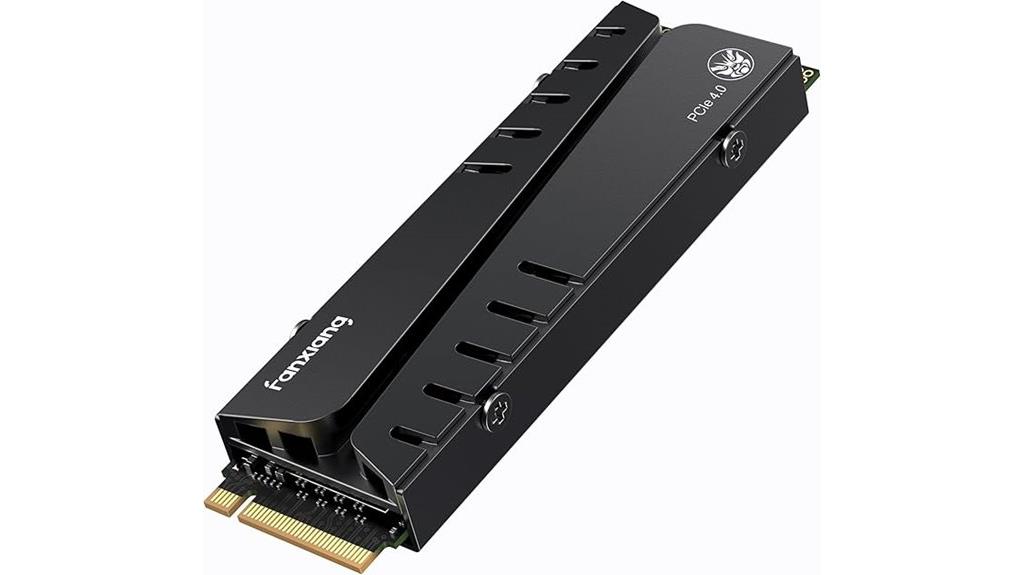
The S770 1TB NVMe M.2 SSD with heatsink and DRAM is an excellent choice for anyone looking to upgrade their PS5’s storage with fast, reliable performance. It features a PCIe 4.0 interface, delivering speeds up to 6300MB/s on the PS5, ensuring quick load times and smooth gameplay. Its built-in heatsink keeps temperatures low, maintaining stable performance during intensive use. Compatible with both PS5 and PC, it offers versatile storage expansion. With a compact design and durable build, plus a 5-year warranty, the S770 provides long-term confidence. This SSD has earned a strong reputation, rated 4.5 out of 5 stars by thousands of satisfied users.
Best For: gamers, PS5 owners, and professionals seeking high-speed, reliable storage expansion for gaming and intensive applications.
Pros:
- Fast read/write speeds up to 6300MB/s on PS5 for quick load times
- Built-in heatsink ensures low operating temperatures and stable performance
- Compatible with both PS5 and PC for versatile storage solutions
Cons:
- Slightly lower speed on PS5 (6300MB/s) compared to Windows (7300MB/s)
- Limited to 1TB capacity, which may be small for extensive game libraries
- Requires installation and compatible M.2 slot, which may be challenging for some users
Corsair MP600 PRO LPX 1TB M.2 NVMe PCIe x4 SSD
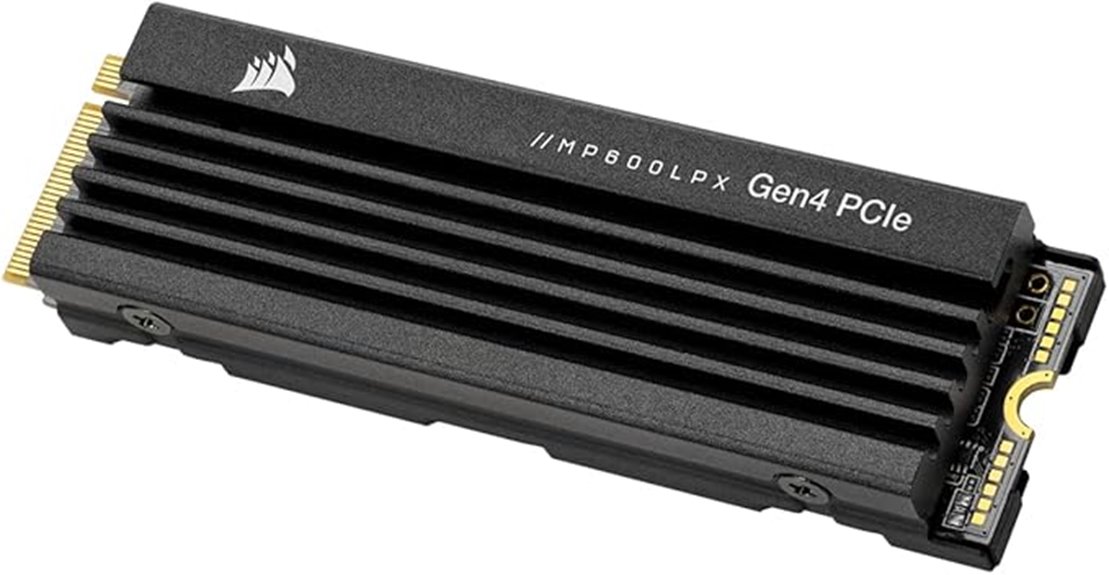
For anyone looking to upgrade their PS5 with a high-performance SSD, the Corsair MP600 PRO LPX 1TB M.2 NVMe PCIe x4 SSD stands out thanks to its impressive speeds and thermal design. It delivers up to 7,100MB/sec sequential read and 6,800MB/sec write speeds, exceeding Sony’s requirements for PS5 compatibility. Its compact black design fits seamlessly into gaming consoles. The pre-installed low-profile aluminum heatspreader helps dissipate heat, preventing throttling during intense gaming sessions. With options up to 4TB, it offers ample space for large game libraries. Overall, it combines speed, capacity, and thermal management, making it an excellent choice for a fast, reliable PS5 storage upgrade.
Best For: gamers and PS5 owners seeking high-speed, reliable storage with excellent thermal management for extended gaming sessions.
Pros:
- Exceptional read/write speeds up to 7,100MB/sec and 6,800MB/sec respectively, ensuring fast load times
- Compatible with PS5 and exceeds Sony’s performance requirements
- Comes with a pre-installed low-profile aluminum heatspreader for effective thermal dissipation
Cons:
- Limited to M.2 slot compatibility, requiring an available slot in your device
- Slightly higher cost compared to lower-capacity or less advanced SSDs
- May require technical knowledge for installation in certain systems
Addlink A93 2TB PCIe NVMe SSD for PS5
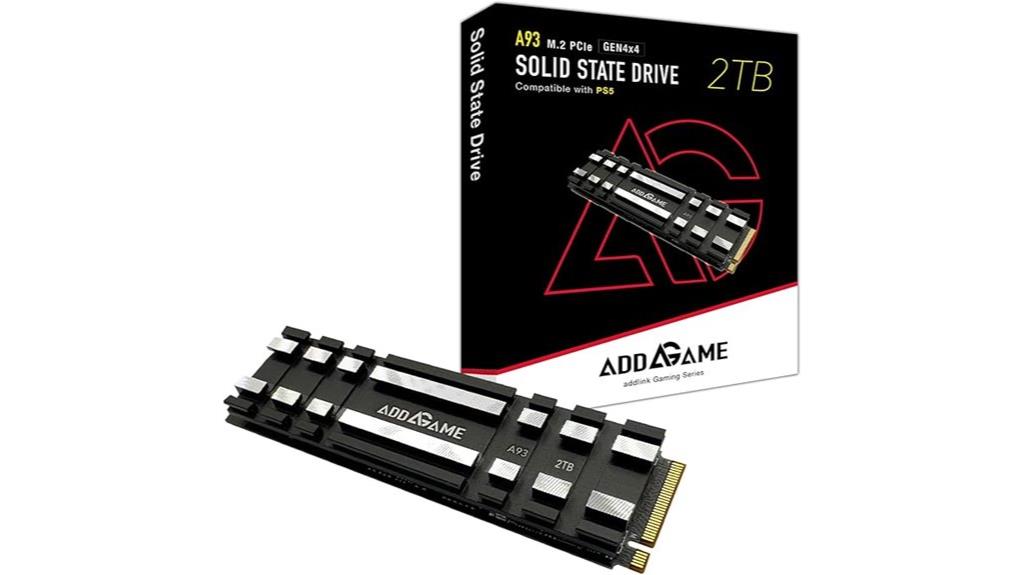
If you’re looking to expand your PS5 storage with high-speed performance, the Addlink A93 2TB PCIe NVMe SSD is an excellent choice thanks to its impressive read/write speeds of up to 7400/6500 MB/s. It’s compatible with PS5 System Software Version 21.02-04.00.00 or higher, as well as various gaming and PC hardware. Built with TLC NAND and advanced thermal management, it features a heat-conducting gel pad and aluminum heatsink to keep temperatures in check. Designed for durability, it supports wear leveling and data integrity features, backed by a 5-year warranty, making it reliable for gaming and intensive workloads.
Best For: gamers and high-performance PC users seeking fast, reliable storage expansion for their PS5 or compatible systems.
Pros:
- Exceptional read/write speeds up to 7400/6500 MB/s for quick game load times and data transfer
- Advanced thermal management with heat-conducting gel pad and aluminum heatsink prevents thermal throttling
- Durable with TLC NAND, wear leveling, bad block management, and a 5-year warranty for long-term reliability
Cons:
- Actual performance may vary depending on device and usage conditions
- Slightly larger dimensions may require compatibility checks with certain enclosures or setups
- Requires specific PS5 software version and compatible hardware for optimal performance
4TB NVMe Gaming SSD for PS5 with Heatsink
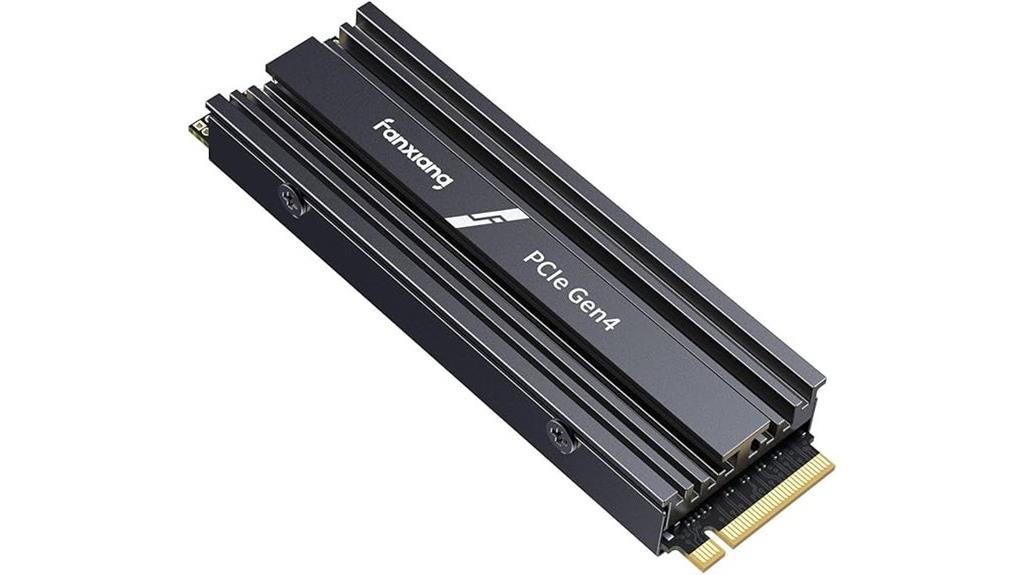
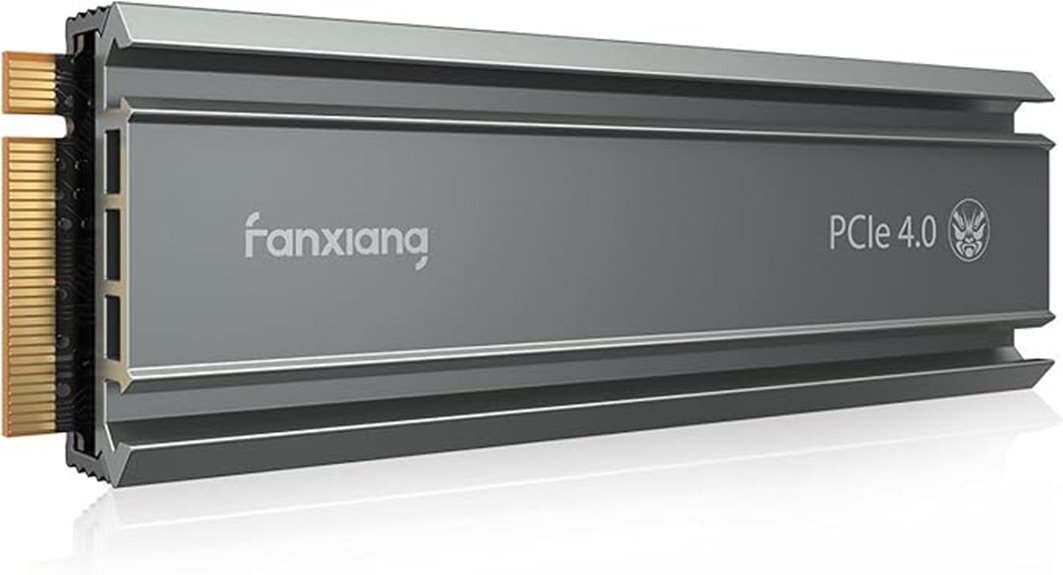
A 4TB NVMe gaming SSD with heatsink is an excellent choice for serious gamers and professionals who demand top-tier performance and reliable thermal management. This Fanxiang drive supports PCIe 4.0 x4 and NVMe 2.0 technology, delivering speeds up to 7300MB/s read and 6300MB/s write. Its built-in heatsink effectively keeps temperatures low during intense gaming or heavy data tasks, ensuring consistent high speeds. Compatible with PS5, desktops, and laptops, it’s praised for quick recognition and seamless installation without setup. With a 5-year warranty and positive user reviews, this SSD offers a reliable, high-performance upgrade that keeps your storage cool and fast.
Best For: serious gamers, professionals, and power users seeking high-speed, reliable storage expansion for PS5, PCs, and laptops with efficient thermal management.
Pros:
- Exceptional read/write speeds up to 7300MB/s and 6300MB/s, ideal for gaming and professional workloads
- Built-in heatsink ensures low temperatures during extended use, maintaining consistent performance
- Easy installation and quick recognition in PS5 and other compatible devices, with a 5-year warranty for added reliability
Cons:
- Not compatible with Mac OS systems
- Slightly larger dimensions may require compatible M.2 slots and clearances
- Rare failure risks suggest regular data backups are recommended
Crucial T500 1TB Gen4 NVMe M.2 SSD with Heatsink
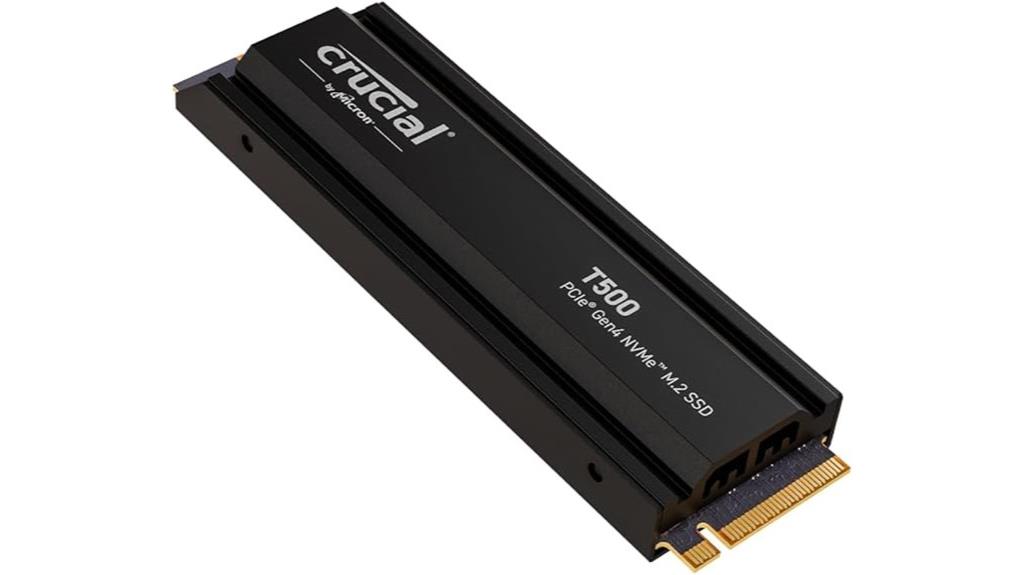
The Essential T500 1TB Gen4 NVMe M.2 SSD with Heatsink stands out as an excellent choice for gamers and power users who need rapid load times and reliable performance without worrying about overheating. It delivers blazing sequential read speeds up to 7,300MB/s and write speeds up to 6,800MB/s, supporting PCIe 4.0 x4 for maximum potential. Its sleek, single-sided design fits easily into PS5 and other compatible systems, even with the heatsink. Built with TLC NAND, it offers impressive endurance, faster game loads, and stable operation. The included heatsink helps keep temperatures down, ensuring consistent performance during demanding tasks.
Best For: gamers, content creators, and power users seeking high-speed, reliable NVMe SSD storage for gaming, video editing, and professional workloads.
Pros:
- Blazing fast read/write speeds up to 7,300MB/s and 6,800MB/s respectively for rapid data access
- Compatible with PS5 and supports PCIe 4.0 x4 interface for maximum performance potential
- Comes with a heatsink to maintain optimal temperatures during intensive use
Cons:
- Achieving top speeds requires PCIe 4.0 x4; performance may be limited if used with PCIe 3.0 slots
- Slightly higher cost compared to SATA SSDs, reflecting its high performance and features
- Some minor setup or recognition issues reported with open-box units or initial installation
Factors to Consider When Choosing PS5 SSD Heatsinks

When choosing a PS5 SSD heatsink, I focus on thermal conductivity to guarantee efficient heat dissipation and compatibility with my SSD size. I also consider how easy it is to install, along with the material’s durability and overall cooling performance. These factors help me pick a heatsink that keeps my drive running smoothly and reliably.
Thermal Conductivity Efficiency
Choosing a PS5 SSD heatsink with high thermal conductivity is essential for efficient heat dissipation. Materials like copper and aluminum excel here; copper’s thermal conductivity is about 401 W/m·K, while aluminum’s is around 237 W/m·K, making copper more effective at transferring heat away from the SSD. High-quality thermal pads and interface materials with thermal conductivity above 5 W/m·K further enhance heat transfer between the SSD and heatsink. Additionally, the heatsink’s design—such as fin structure and surface area—plays a critical role in how well heat is dispersed. Proper contact and pressure between the heatsink and SSD are crucial to minimize thermal resistance and maximize heat flow. Overall, prioritizing thermal conductivity ensures your SSD stays cool, maintains performance, and prolongs its lifespan.
Compatibility With SSD Size
Making certain your heatsink fits your SSD’s specific size is crucial for proper installation and effective cooling. First, check that the heatsink is compatible with your SSD’s physical dimensions, usually 80mm in length for M.2 drives. Confirm it supports your SSD’s key type, often M key, and matches the interface, whether NVMe PCIe Gen4 or Gen3. It’s also important to verify the width and height fit within your PS5’s available space, especially if you have a compact setup. Additionally, make sure the heatsink is designed for your SSD’s form factor—single-sided or double-sided—to ensure a proper fit. Always review manufacturer specifications to match the heatsink’s dimensions and mounting style with your specific SSD model for secure and effective compatibility.
Ease of Installation
Installing a PS5 SSD heatsink can be straightforward if you pick one designed for easy setup. Look for heatsinks that come with clear instructions and compatible mounting hardware to avoid any confusion. Many models replace the native cover, making the installation quick and simple without extra tools or complicated steps. Heatsinks with a straightforward clip or screw system can save you time and effort, especially if you’re new to upgrading. Pre-applied thermal pads and minimal assembly steps are also beneficial for a hassle-free experience. Additionally, make certain that the heatsink fits your specific M.2 slot and doesn’t block other console components. Choosing a heatsink that prioritizes ease of installation helps you upgrade your storage smoothly and confidently.
Material Durability and Quality
When selecting a PS5 SSD heatsink, material durability and quality are crucial factors that directly impact its performance and lifespan. High-quality heatsinks are typically made from durable materials like aluminum or copper, which excel at dissipating heat and preventing thermal degradation. Surfaces treated with anodization or plating, such as anodic oxidation on aluminum, boost corrosion resistance, ensuring the heatsink remains effective over time. Using static electricity-eliminating materials and surface treatments further enhances durability during installation and extended use. Materials with high thermal conductivity, like aluminum alloys, facilitate rapid heat transfer away from the SSD, maintaining stable operation. Choosing robust, wear-resistant materials ensures your heatsink can handle prolonged use without cracking or warping, offering reliable thermal management throughout its lifespan.
Cooling Performance Effectiveness
The cooling performance of a PS5 SSD heatsink depends largely on how well it can lower temperatures during intense workloads. A good heatsink should reduce SSD temperatures by at least 10°C to 30°C to prevent thermal throttling and extend lifespan. Materials like aluminum and copper with high thermal conductivity are essential for efficient heat transfer away from the drive. Ensuring proper contact between the heatsink’s thermal pad and the SSD chip maximizes heat dissipation. Larger surface areas and airflow channels also improve cooling, preventing overheating during demanding tasks. Ultimately, a heatsink’s ability to maintain lower operating temperatures directly influences sustained performance and durability of your SSD in gaming or professional use. Prioritizing these factors guarantees you get the best cooling effectiveness.
Frequently Asked Questions
How Do Heatsinks Impact SSD Performance and Longevity?
Heatsinks markedly boost SSD performance and longevity by dissipating heat efficiently. When my SSD stays cooler, it prevents thermal throttling that slows down data transfer. Plus, lower temperatures reduce wear and tear on the drive’s components, extending its lifespan. I’ve noticed my SSD runs smoother and lasts longer with a good heatsink. If you want consistent speed and durability, investing in a quality heatsink is definitely worth it.
Are Heatsinks Compatible With All PS5 SSD Models?
Absolutely, heatsinks are compatible with most PS5 SSD models, but you should double-check each heatsink’s specifications. I’ve found that many are designed to fit standard M.2 drives, which covers the majority of popular SSDs. Think of it like a jigsaw puzzle—some heatsinks might be a perfect fit, while others may need an adapter or special mounting. Always verify compatibility before purchasing to guarantee a snug, effective fit.
What Materials Are Best for Effective SSD Heatsinks?
I believe aluminum and copper are the best materials for effective SSD heatsinks. Aluminum is lightweight, affordable, and offers excellent heat dissipation, making it a popular choice. Copper, on the other hand, conducts heat more efficiently, helping keep your SSD cooler under load. I recommend choosing a heatsink with a good combination of these materials or a design that maximizes surface area for maximum cooling.
Can Heatsinks Cause Installation Issues or Fit Problems?
Heatsinks can sometimes be like trying to fit a puzzle piece where it doesn’t belong, causing installation issues or fit problems. I’ve seen cases where bulky heatsinks block access or don’t align properly with the SSD. To avoid this, I recommend checking dimensions carefully and choosing slim or compatible designs. Think of it like finding the right key—you want it to fit smoothly without forcing or damaging anything.
Do Heatsinks Void SSD or Console Warranties?
No, heatsinks typically don’t void your SSD or console warranty if they’re third-party but properly installed. I always recommend checking your warranty terms first, though, since some manufacturers might be strict. I’ve found that as long as the heatsink doesn’t physically damage the console or SSD, and you follow installation instructions carefully, your warranty should stay intact. Always keep proof of purchase and installation details, just in case.
Conclusion
Choosing the right heatsink can boost your PS5 SSD’s performance and longevity. Did you know that keeping your SSD cool can improve its lifespan by up to 30%? With options like WD_BLACK, Samsung, and Crucial, there’s a heatsink for every gamer’s needs. Investing in a quality heatsink not only keeps your storage cool but also guarantees your gaming sessions stay smooth and fast. Stay cool, stay ahead!