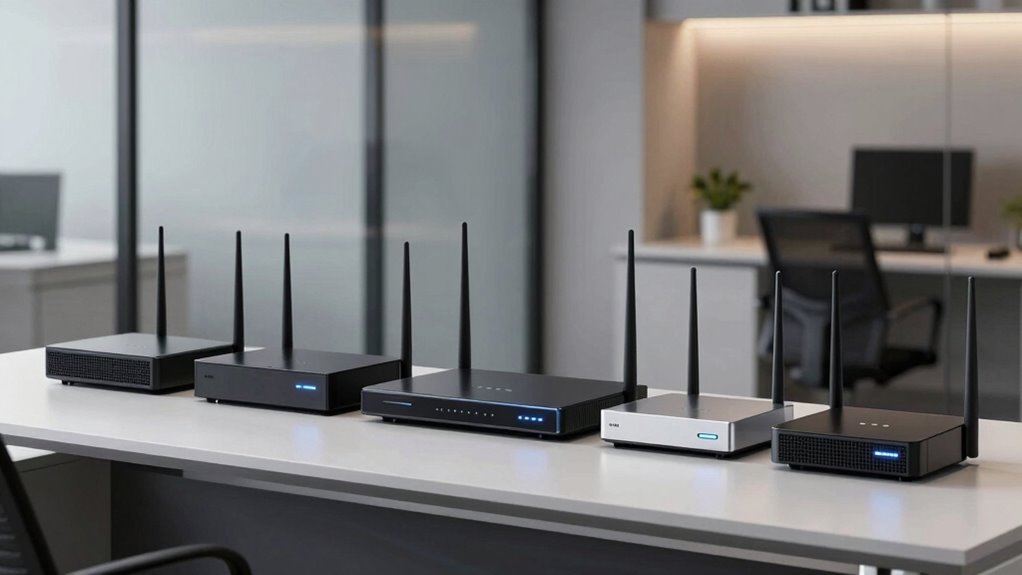

For small offices demanding reliable, high-performance networking, choosing the right premium business grade router is essential. The best models balance speed, security, and manageability, but often come with tradeoffs in price and complexity. The Cisco Small Business RV042G stands out for its robust security features, while the Ubiquiti EdgeRouter 4 offers advanced configurability for tech-savvy users. However, higher-tier options often mean increased costs and setup complexity. Keep reading to see how these models compare and find the perfect fit for your small office.

Get business pricing on tech for your team
- Business-only prices and quantity discounts
- Tax-exempt purchasing
- Multiple users, one account, clear invoices
Key Takeaways
- Performance and security features are the primary differentiators among top-tier routers for small offices.
- Ease of setup and management varies significantly, impacting suitability for different user skill levels.
- Higher price points generally mean more advanced features like multi-gigabit ports and VPN capabilities.
- Flexibility in WAN options and future-proofing are critical for growing small offices.
- Tradeoffs often involve balancing complexity and cost against the need for enterprise-grade reliability.
| Cisco Small Business RV042G Router |  | Best Overall for Small Businesses Needing Reliable Performance | Form Factor: Desktop | Networking Type: Wired | Security Features: Basic | VIEW ON AMAZON | See Our Full Breakdown |
| Ubiquiti EdgeRouter 4 |  | Best for Versatile Deployment and Silent Operation | Ethernet ports: 3 x 10/100/1000 Mbps | Serial port: 1 x RJ45 | SFP port: 1 | VIEW ON AMAZON | See Our Full Breakdown |
| ASUS ExpertWiFi EBG15 Gigabit VPN Wired Router |  | Best for Advanced Security and Load Balancing | Ethernet ports: Up to 3 WAN ports (1 gigabit, 2 gigabit WAN/LAN) | USB port: 1 USB for backup WAN | VLAN support: Yes | VIEW ON AMAZON | See Our Full Breakdown |
| TP-Link AX1800 WiFi 6 Router (Archer AX21 V5) |  | Best for High-Speed Wireless Connectivity | Technology: Wi-Fi 6 (802.11ax) | Bands: Dual-band | Total bandwidth: 1.8 Gbps | VIEW ON AMAZON | See Our Full Breakdown |
| NETGEAR 10G/Multi-Gigabit Dual WAN Cloud Managed Pro Router (PR60X) |  | Best for Enterprise-Grade Performance and Remote Management | LAN/WAN ports: one 10G/Multi-Gig, one 2.5G WAN, three 2.5G LAN, one 10G SFP+ | Dual WAN: Yes | VLAN support: Up to 32 | VIEW ON AMAZON | See Our Full Breakdown |
| TP-Link ER7206 Multi-WAN Professional Wired Gigabit VPN Router |  | Best for Advanced Network Management and High Capacity | WAN Ports: 1 Gigabit SFP, 1 Gigabit WAN, 2 Gigabit WAN/LAN, 1 Gigabit LAN | Maximum Clients: 700 | Maximum Associated Devices: 150,000 | VIEW ON AMAZON | See Our Full Breakdown |
| TP-Link ER605 V2 Wired Gigabit VPN Router |  | Best for Secure Remote Access and Flexible Bandwidth Management | Number of Gigabit Ports: 5 | WAN Ports: 1 Gigabit WAN, 2 WAN/LAN, 1 USB WAN | VPN Support: LAN-to-LAN IPsec, OpenVPN, L2TP, PPTP | VIEW ON AMAZON | See Our Full Breakdown |
| premium business grade router for small office | Security Features | Management |
|---|---|---|
| Cisco Small Business RV042G Ro | Basic | Standard |
| Ubiquiti EdgeRouter 4 | — | — |
| ASUS ExpertWiFi EBG15 Gigabit | IPS, Layer 7 Firewall, VPN | Remote via app/web |
| TP-Link AX1800 WiFi 6 Router | — | — |
| NETGEAR 10G/Multi-Gigabit Dual | — | — |
| TP-Link ER7206 Multi-WAN Profe | Firewall policies, DoS defense, IP/MAC/URL filtering | Cloud access, Omada SDN integration |
| TP-Link ER605 V2 Wired Gigabit | Firewall, DoS defense, filtering, VPN pass-through | Web interface, no cloud management |
More Details on Our Top Picks
Cisco Small Business RV042G Router
The Cisco Small Business RV042G stands out for its dependable build quality and straightforward performance, making it a solid choice for small offices that prioritize reliability over the latest features. Compared with the more advanced ASUS ExpertWiFi EBG15, the RV042G lacks extensive security options and flexible management but compensates with a simpler, cost-effective design. This router is ideal for small operations that need a durable, dependable device without complex configuration. Its limited specs and basic feature set mean it’s not suitable for networks requiring advanced security or high-speed multi-gigabit connections.
Pros:- High-quality build ensures durability over time
- Reliable performance suitable for small business networks
- Good value for the price, with no unnecessary extras
Cons:- Lacks detailed technical specifications and advanced features
- Limited to basic routing without modern security or management tools
Best for: Small business owners who need a reliable, no-frills router that ensures steady connectivity
Not ideal for: Businesses requiring advanced security features or integrated Wi-Fi, as this device is wired-only and lacks modern security options
- Form Factor:Desktop
- Networking Type:Wired
- Security Features:Basic
- Management:Standard
- Performance:Reliable for small networks
- Advanced Features:Limited
Our verdict“This router makes sense for small offices prioritizing straightforward, dependable wired connectivity without the need for complex features.”
Ubiquiti EdgeRouter 4
The Ubiquiti EdgeRouter 4 is tailored for environments where flexibility and silent operation are priorities, featuring multiple port options including fiber connectivity through SFP, and a fanless design. While it doesn’t boast the advanced security or management features found in the ASUS ExpertWiFi EBG15, it excels in offering a sturdy, flexible hardware platform suitable for small offices with diverse connectivity needs. Compared to the NETGEAR PR60X, it’s less feature-rich in terms of enterprise VPN options but provides a quieter, more adaptable setup. Its limited ports and basic software mean it’s less suitable for large, security-heavy networks.
Pros:- Multiple ports including SFP for fiber connections
- Fanless design ensures silent operation
- Flexible mounting options for diverse deployment environments
Cons:- Limited to basic Ethernet ports without advanced features
- Lacks detailed software or performance specifications
- No included power supply info, requiring extra planning
Best for: IT managers or tech-savvy small business owners needing flexible, silent routers for varied physical setups
Not ideal for: Less technical users or those seeking integrated Wi-Fi or advanced security features, as this device is primarily hardware-focused and lacks comprehensive management tools
- Ethernet ports:3 x 10/100/1000 Mbps
- Serial port:1 x RJ45
- SFP port:1
- Fanless:Yes
- Mounting options:Desk, wall, rack
- Power supply:Internal
Our verdict“Ideal for technically skilled users who need a quiet, adaptable router with multiple physical connection options.”
ASUS ExpertWiFi EBG15 Gigabit VPN Wired Router
The ASUS ExpertWiFi EBG15 delivers a comprehensive wired networking solution equipped with up to 3 WAN ports, VLAN support, and robust security features like IPS and Layer 7 Firewall, making it suitable for small offices with demanding security needs. While it surpasses the Cisco RV042G in security, it’s more complex to configure and may be overkill for simpler setups. Compared to the NETGEAR PR60X, it offers easier setup but lacks the same level of high-speed multi-gigabit ports and enterprise VPN options. Its focus on security and management makes it less ideal for casual users or smaller teams without dedicated IT staff.
Pros:- Easy setup via mobile app or web browser
- Supports load balancing across multiple WAN connections
- Enhanced security with IPS, VLAN, and VPN support
- Remote management capabilities
Cons:- Designed primarily for business use, possibly too complex for casual users
- No integrated Wi-Fi, focusing solely on wired connections
- Potentially higher cost due to advanced features
Best for: Small offices requiring advanced security, load balancing, and remote management capabilities
Not ideal for: Organizations with limited technical expertise or those seeking a simple, plug-and-play wired router, as setup and management can be complex
- Ethernet ports:Up to 3 WAN ports (1 gigabit, 2 gigabit WAN/LAN)
- USB port:1 USB for backup WAN
- VLAN support:Yes
- Security features:IPS, Layer 7 Firewall, VPN
- Management:Remote via app/web
- Performance focus:Wired, security, load balancing
Our verdict“Best suited for small offices that need enterprise-level security and load balancing with remote management options.”
TP-Link AX1800 WiFi 6 Router (Archer AX21 V5)
The TP-Link AX1800 WiFi 6 Router is designed for small offices aiming to support numerous wireless devices with fast, reliable Wi-Fi 6 speeds. Its dual-band setup delivers up to 1.8 Gbps, making it ideal for streaming, video calls, and general office productivity. Compared with the ASUS ExpertWiFi EBG15, it offers broader wireless coverage but lacks the security suite and wired management capabilities. This router is best for environments where wireless performance is critical, though it doesn’t support the 6 GHz band, which could limit future-proofing. Its performance can vary depending on physical obstacles and device density.
Pros:- Wi-Fi 6 speeds support multiple high-bandwidth devices
- Extensive coverage with beamforming and high-gain antennas
- Supports simultaneous dual-band connectivity
- Built-in cybersecurity features and VPN support
Cons:- Does not support the 6 GHz band for future expansion
- Performance may decline with obstacles or dense device environments
Best for: Small offices needing fast, reliable Wi-Fi for multiple devices and high-bandwidth applications
Not ideal for: Networks that rely heavily on wired connections or require advanced security and management features, as this device focuses on Wi-Fi performance
- Technology:Wi-Fi 6 (802.11ax)
- Bands:Dual-band
- Total bandwidth:1.8 Gbps
- 5 GHz speed:up to 1200 Mbps
- 2.4 GHz speed:up to 574 Mbps
- Antennas:4 high-gain
- Security:Advanced, VPN support
Our verdict“A strong choice for small offices prioritizing high-speed wireless connectivity and extensive device support.”
NETGEAR 10G/Multi-Gigabit Dual WAN Cloud Managed Pro Router (PR60X)
The NETGEAR PR60X offers a level of performance tailored to medium-sized offices and small enterprises, featuring multiple multi-gigabit ports, dual WAN failover, and extensive VPN support. It excels in environments demanding high bandwidth and remote management, surpassing the other options in port variety and speed. However, its complexity and the need for a subscription to access full remote management features mean it’s better suited for IT teams rather than casual users. Compared to the ASUS EBG15, its focus on high-speed ports and multi-gigabit connectivity makes it more future-proof for demanding network setups, but it may be overkill for small, simple networks.
Pros:- High-speed, multi-gigabit ports for flexible connectivity
- Dual WAN with automatic failover and load balancing
- Robust VPN options supporting multiple tunnels
- Seamless cloud-based remote management
Cons:- Designed for more complex networks, not small or simple setups
- Requires subscription for full management features
- Limited public pricing details available
Best for: Small to medium-sized enterprises needing high-speed, multi-gigabit connectivity with enterprise VPN and remote management
Not ideal for: Small offices with minimal technical staff or those seeking simple plug-and-play routers, due to its complexity and subscription requirements
- LAN/WAN ports:one 10G/Multi-Gig, one 2.5G WAN, three 2.5G LAN, one 10G SFP+
- Dual WAN:Yes
- VLAN support:Up to 32
- VPN support:IPSec, OpenVPN, WireGuard
- Client connections:Up to 100
- VPN tunnels:Up to 30
Our verdict“This router makes the most sense for organizations that need enterprise-level speed, redundancy, and remote control in a compact form.”
TP-Link ER7206 Multi-WAN Professional Wired Gigabit VPN Router
The TP-Link ER7206 excels in environments where managing multiple high-bandwidth connections is critical, thanks to its multiple WAN ports and support for up to 700 clients. Compared to the TP-Link ER605 V2, which offers solid security and VPN options, the ER7206 provides more advanced cloud management and SDN compatibility, making it ideal for scalable, complex networks. However, its setup can be daunting for those without technical expertise, and SDN features require compatible hardware. This router is well-suited for small offices with dedicated IT staff or those needing high network capacity and flexible control, but it might be overkill for simpler setups.
Pros:- Multiple WAN ports optimize bandwidth and ensure redundancy
- Supports up to 700 clients, suitable for busy networks
- Cloud management and SDN integration for flexible control
- Robust security including firewall policies and DoS defense
Cons:- Complex setup may demand technical expertise
- SDN features require compatible devices and firmware
- Higher price point without specific cost details
Best for: Small offices requiring high-capacity, flexible management, and advanced security features with dedicated technical support
Not ideal for: Small teams or startups without dedicated IT staff, due to complex setup and management requirements
- WAN Ports:1 Gigabit SFP, 1 Gigabit WAN, 2 Gigabit WAN/LAN, 1 Gigabit LAN
- Maximum Clients:700
- Maximum Associated Devices:150,000
- VPN Support:Up to 100 LAN-to-LAN IPsec, 50 OpenVPN, 50 L2TP, 50 PPTP
- Security Features:Firewall policies, DoS defense, IP/MAC/URL filtering
- Management:Cloud access, Omada SDN integration
Our verdict“This model is best for small offices with advanced networking needs and technical resources, looking for scalability and security.”
TP-Link ER605 V2 Wired Gigabit VPN Router
The TP-Link ER605 V2 offers a reliable wired solution for small offices that prioritize security and remote connectivity, featuring multiple WAN ports and support for various VPN protocols. Compared with the TP-Link ER7206, it lacks Wi-Fi, which makes it less suitable for office environments needing wireless access, but it compensates with straightforward security features and multiple WAN options for bandwidth optimization. Its setup can be challenging for beginners, especially those unfamiliar with network configurations. This router makes the most sense for small teams needing secure remote access and stable wired connections, but it isn’t suitable for those seeking integrated Wi-Fi or simplicity.
Pros:- Multiple WAN ports for optimized bandwidth and redundancy
- Supports diverse VPN protocols like IPsec, OpenVPN, L2TP, PPTP
- Advanced security features including firewall and DoS defense
- Reliable wired connections suited for fixed office setups
Cons:- No built-in Wi-Fi limits flexibility for wireless device connections
- Setup complexity may be a barrier for non-technical users
- Lacks cloud management features found in higher-end models
Best for: Small offices with existing wired infrastructure seeking secure VPN access and advanced security without Wi-Fi needs
Not ideal for: Startups or offices needing wireless connectivity, or users seeking plug-and-play simplicity
- Number of Gigabit Ports:5
- WAN Ports:1 Gigabit WAN, 2 WAN/LAN, 1 USB WAN
- VPN Support:LAN-to-LAN IPsec, OpenVPN, L2TP, PPTP
- Security Features:Firewall, DoS defense, filtering, VPN pass-through
- Standards and Protocols:IEEE 802.3, 802.3u, 802.3ab, 802.3x, 802.1q
- Management:Web interface, no cloud management
Our verdict“This router is ideal for security-conscious small offices with wired networks and remote work needs, but less suited for wireless or easy setup requirements.”

How We Picked
These routers were selected based on their ability to deliver enterprise-level performance, security, and manageability in small office environments. We prioritized devices with robust hardware, advanced security features, flexible connectivity options, and user-friendly management interfaces. Cost-effectiveness was also considered, focusing on models that offer strong value without unnecessary features that small offices do not require. The ranking reflects a balance between raw performance, ease of use, and suitability for business-critical networks.| premium business grade router for small office | Security Features | Management |
|---|---|---|
| Cisco Small Business RV042G Ro | Basic | Standard |
| Ubiquiti EdgeRouter 4 | — | — |
| ASUS ExpertWiFi EBG15 Gigabit | IPS, Layer 7 Firewall, VPN | Remote via app/web |
| TP-Link AX1800 WiFi 6 Router | — | — |
| NETGEAR 10G/Multi-Gigabit Dual | — | — |
| TP-Link ER7206 Multi-WAN Profe | Firewall policies, DoS defense, IP/MAC/URL filtering | Cloud access, Omada SDN integration |
| TP-Link ER605 V2 Wired Gigabit | Firewall, DoS defense, filtering, VPN pass-through | Web interface, no cloud management |
Factors to Consider When Choosing Premium Business Grade Router For Small Offices
When choosing a premium router for a small office, several factors should influence your decision. Performance needs, security features, ease of management, and future scalability are key considerations. Avoiding common pitfalls like underestimating your bandwidth requirements or overpaying for unnecessary features can save costs and reduce frustration. A well-chosen router ensures your business network remains fast, secure, and adaptable as your needs evolve.Performance and Speed
Look for routers that support multi-gigabit speeds and modern Wi-Fi standards like Wi-Fi 6 or Wi-Fi 6E. These ensure your network can handle high data loads and multiple devices simultaneously. However, higher speeds often come with increased costs, so assess your actual bandwidth needs based on your office size and usage patterns. Opting for a router with a scalable architecture can prevent bottlenecks as your team grows.
Security Features
Enterprise-grade security is non-negotiable for small offices handling sensitive data. Prioritize routers with advanced VPN support, intrusion detection, and regular firmware updates. Some models include integrated firewalls and threat management tools that add layers of protection. Skipping these features can leave your network vulnerable, especially when remote work and cloud services are involved.
Management and Usability
Ease of setup and ongoing management varies widely. Some routers come with user-friendly dashboards and remote management capabilities, making it easier for non-technical staff to maintain. Others require more advanced network knowledge, which could increase setup time and ongoing troubleshooting. Consider your team’s technical skill level when choosing a model to avoid unnecessary complexity.
Connectivity and WAN Options
Ensure the router supports your preferred WAN configurations, such as dual WAN for redundancy or multi-gigabit ports for future-proofing. Small offices planning to upgrade their internet connection should prioritize models with flexible port configurations. Limitations here can lead to bottlenecks or additional hardware costs later on.
Cost and Scalability
Premium routers often come with a premium price tag. It’s important to evaluate whether the added features justify the cost for your specific environment. Investing in a scalable architecture that supports future upgrades can save money in the long run, but it requires careful planning to avoid overspending on unnecessary capabilities.
Frequently Asked Questions
Is a higher-priced router always better for small offices?
Not necessarily. While higher-priced routers typically offer more advanced features, they may include capabilities that your small office doesn’t need, leading to unnecessary costs. It’s important to evaluate your actual requirements—such as speed, security, and management—and choose a model that offers the best value for your specific situation. A well-matched router provides reliable performance without overspending on features you won’t use.
Do I need a multi-gigabit port for my small office?
If your office has or plans to upgrade to internet connections faster than 1 Gbps, a router with multi-gigabit ports becomes valuable. It ensures your internal network can fully utilize multi-gig internet speeds and handle large data transfers efficiently. For offices with standard broadband, a single-gigabit port usually suffices, but future-proofing with multi-gigabit support can be a wise investment.
How important is Wi-Fi 6 support in a business router?
Wi-Fi 6 support provides faster wireless speeds, better handling of multiple devices, and improved network efficiency, which are significant benefits in busy small offices. If your team relies heavily on Wi-Fi devices or plans to expand wireless capacity, choosing a Wi-Fi 6-enabled router makes sense. However, note that all connected devices must also support Wi-Fi 6 to experience these benefits.
Should I prioritize security features over performance?
Security should be a priority, especially if your office handles sensitive data or uses remote VPN access regularly. While high performance is important, it doesn’t compensate for vulnerabilities. Look for routers with built-in security tools, regular firmware updates, and features like VPN support. Balancing security and speed ensures your network remains both fast and protected.
Is management complexity a concern for small offices?
Yes, management complexity varies widely. Some advanced routers require significant network expertise, which can increase setup time and ongoing maintenance costs. For small offices without dedicated IT staff, choosing a model with intuitive management interfaces and remote control features reduces operational headaches. Conversely, highly customizable routers offer more control but may be overwhelming for less experienced users.
Conclusion
For small offices prioritizing overall reliability and security, the Cisco Small Business RV042G stands out as the best overall choice. Those seeking a balance of performance and affordability might prefer the TP-Link ER7206 for its versatile WAN options. If budget is a concern but security remains important, the TP-Link ER605 V2 offers solid features at a lower cost. For tech-savvy teams needing advanced configurability, the Ubiquiti EdgeRouter 4 provides granular control. Beginners or offices with simple needs may opt for models with easier management, while growing businesses should consider future-proofing with multi-gigabit ports and Wi-Fi 6 support.
As an affiliate, we earn on qualifying purchases.Halloween Picks
halloween