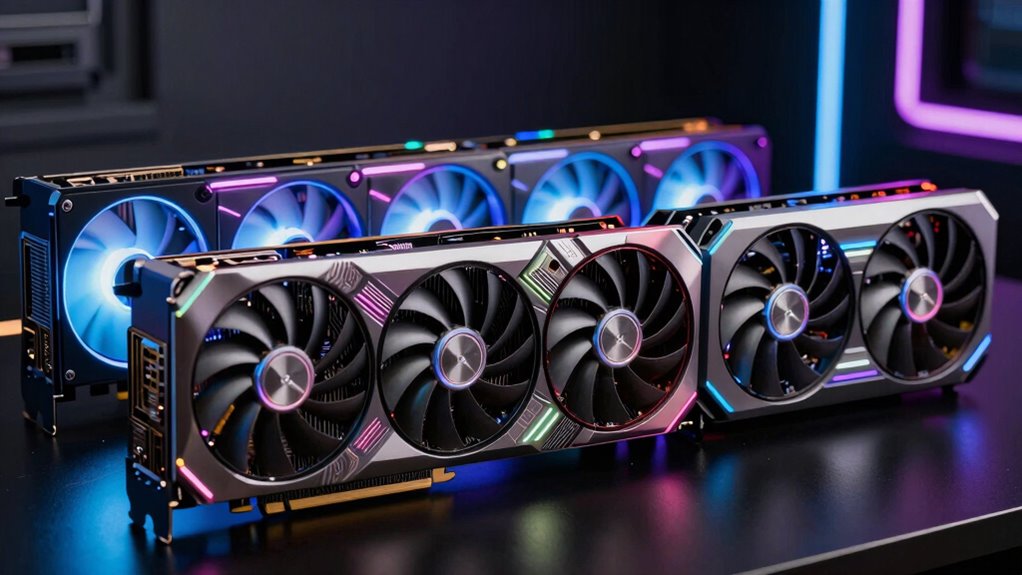

If you’re choosing an NVIDIA GPU for VR, I’d start with the ASUS Dual GeForce RTX 5060 Ti 16GB for its newer architecture and generous memory headroom. The RTX 3060 12GB is my value-focused alternative, while the two RTX 3050 6GB cards suit modest setups with lower expectations. The main tradeoff is between smoother performance and room for demanding headsets on one side, and older, less capable hardware on the other. A graphics card’s VRAM alone does not predict how well it will handle high resolutions or maintain steady frame delivery. Continue reading for my rankings, buying advice, and recommendations by headset and buyer type.

Get business pricing on tech for your team
- Business-only prices and quantity discounts
- Tax-exempt purchasing
- Multiple users, one account, clear invoices
Key Takeaways
- The RTX 5060 Ti 16GB leads this group for buyers who want the most headroom for demanding VR games and higher-resolution headsets.
- The RTX 3060 12GB is the value-oriented middle ground: it has twice the memory of the 6GB RTX 3050 models and is a more flexible choice for varied VR workloads.
- The two RTX 3050 6GB cards are close alternatives, not major performance tiers. Chassis fit, cooling design, and the exact card dimensions matter more than their small model differences.
- The renewed GTX 1660 and GTX 1060 are legacy choices. They may suit older headsets or less demanding titles, but their age and lack of newer RTX features limit their appeal for current VR.
- VRAM capacity is only part of the decision. GPU rendering power, headset resolution, game settings, and stable frame delivery all affect the experience.
| ASUS Dual GeForce RTX 5060 Ti 16GB GDDR7 OC Edition Graphics Card |  | Best Overall | GPU: NVIDIA GeForce RTX 5060 Ti | Architecture: NVIDIA Blackwell | Memory: 16GB GDDR7 | VIEW ON AMAZON | See Our Full Breakdown |
| GIGABYTE GeForce RTX 3060 Gaming OC 12G (Rev. 2.0) Graphics Card |  | Best for Extra Memory on an Older RTX Platform | GPU: NVIDIA GeForce RTX 3060 | Memory: 12GB GDDR6 | Memory interface: 192-bit | VIEW ON AMAZON | See Our Full Breakdown |
| Gigabyte GeForce RTX 3050 Windforce OC V2 6G Graphics Card |  | Best Entry-Level RTX Pick | GPU: GeForce RTX 3050 | Memory: 6GB GDDR6 | Memory interface: 96-bit | VIEW ON AMAZON | See Our Full Breakdown |
| ASUS Dual GeForce RTX 3050 6GB GDDR6 OC Edition Graphics Card |  | Best Compact VR Card | GPU: NVIDIA GeForce RTX 3050 | Memory: 6GB GDDR6 | Boost clock: 1,500 MHz (OC mode); 1,470 MHz (default mode) | VIEW ON AMAZON | See Our Full Breakdown |
| MSI GeForce GTX 1660 VENTUS XS 6G OC Graphics Card (Renewed) |  | Best for Older VR Setups | GPU: NVIDIA GeForce GTX 1660 | Boost clock: 1,830 MHz | Memory: 6GB GDDR5 | VIEW ON AMAZON | See Our Full Breakdown |
| ASUS GeForce GTX 1060 6GB Dual-Fan OC Edition Graphics Card (Renewed) |  | Best for Legacy VR Setups | GPU: NVIDIA GeForce GTX 1060 | Memory: 6GB GDDR5 | Boost Clock: 1809 MHz (OC mode) | VIEW ON AMAZON | See Our Full Breakdown |
| nvidia gpu for vr | GPU | Memory | Interface | Video outputs |
|---|---|---|---|---|
| ASUS Dual GeForce RTX 5060 Ti | NVIDIA GeForce RTX 5060 Ti | 16GB GDDR7 | PCI-Express x16; PCIe 5.0 | 3 x DisplayPort 2.1b, 1 x HDMI 2.1b |
| GIGABYTE GeForce RTX 3060 Gami | NVIDIA GeForce RTX 3060 | 12GB GDDR6 | PCI-Express x16 | 2 x HDMI 2.1, 2 x DisplayPort 1.4 |
| Gigabyte GeForce RTX 3050 Wind | GeForce RTX 3050 | 6GB GDDR6 | — | — |
| ASUS Dual GeForce RTX 3050 6GB | NVIDIA GeForce RTX 3050 | 6GB GDDR6 | PCI-Express x16; PCIe 4.0 | HDMI 2.1, DisplayPort 1.4a, DVI-D |
| MSI GeForce GTX 1660 VENTUS XS | NVIDIA GeForce GTX 1660 | 6GB GDDR5 | PCI Express x16 | — |
| ASUS GeForce GTX 1060 6GB Dual | NVIDIA GeForce GTX 1060 | 6GB GDDR5 | — | — |
More Details on Our Top Picks
ASUS Dual GeForce RTX 5060 Ti 16GB GDDR7 OC Edition Graphics Card
I rank this first because its 16GB of GDDR7 memory and newer Blackwell architecture give VR buyers more headroom than the older RTX 3060 and 6GB RTX 3050 cards here. That extra memory can help with demanding headset resolutions and detailed scenes, while DLSS 4 offers supported games another way to manage rendering load. Its 2.5-slot, 9-inch design is easier to fit than the long GIGABYTE RTX 3060 Gaming OC, and the two fans can stop during light use. A Dual BIOS switch also lets you choose a quieter or performance-focused profile. The tradeoff is that this is still a dual-fan card, not a large cooler built for every case or workload, and DLSS features depend on game support. It is my strongest all-round choice in this group for a modern VR build.
Pros:- 16GB of GDDR7 memory provides more capacity for demanding VR scenes than the 6GB cards in this roundup.
- Blackwell architecture and DLSS 4 add newer NVIDIA features for supported games.
- Compact 2.5-slot design is shorter than the GIGABYTE RTX 3060 Gaming OC.
- 0dB operation and a Dual BIOS switch offer quieter light-load use and profile choice.
Cons:- The 2.5-slot cooler still needs more case room than a standard two-slot card.
- DLSS 4 benefits depend on support in the games being played.
- A dual-fan design may be less suited to buyers prioritizing a larger cooling assembly.
Best for: VR buyers building a modern desktop who want newer NVIDIA features, 16GB of memory, and a card shorter than the GIGABYTE RTX 3060 Gaming OC.
Not ideal for: Buyers with very tight budgets or cases that cannot accommodate a 2.5-slot card; the RTX 3050 options are physically smaller, while this model’s newer features may be unnecessary for basic headset use.
- GPU:NVIDIA GeForce RTX 5060 Ti
- Architecture:NVIDIA Blackwell
- Memory:16GB GDDR7
- GPU clock speed:Up to 2,632 MHz (OC mode); 2,602 MHz (default mode)
- AI performance:767 AI TOPS
- Interface:PCI-Express x16; PCIe 5.0
- Video outputs:3 x DisplayPort 2.1b, 1 x HDMI 2.1b
- Design:2.5-slot; 9 x 4.7 inches
- Features:DLSS 4, 0dB technology, Dual BIOS
Our verdict“Choose this for a newer VR-focused desktop that benefits from 16GB of memory and current NVIDIA features.”
GIGABYTE GeForce RTX 3060 Gaming OC 12G (Rev. 2.0) Graphics Card
The RTX 3060 Gaming OC is a middle-ground pick for VR buyers who want an RTX card with more memory than the 6GB RTX 3050 models, without stepping up to the newer ASUS RTX 5060 Ti. Its 12GB of GDDR6 gives it a useful capacity advantage for games with detailed assets, while the three-fan WINDFORCE cooler is designed around sustained desktop gaming. Compared with the RTX 5060 Ti, though, this is an older GPU generation with less memory and older display outputs, so it is not the forward-looking choice in this lineup. Its 11.1-inch length also makes case fit more demanding than either compact ASUS card. The metal backplate and RGB lighting are extras rather than VR advantages. I would choose it for a roomy desktop built around existing RTX 3060 needs, not a compact system or a new high-end VR setup.
Pros:- 12GB of GDDR6 memory exceeds the capacity of the RTX 3050 cards listed here.
- Three-fan WINDFORCE 3X cooling is suited to desktop gaming loads.
- Includes two HDMI 2.1 and two DisplayPort 1.4 outputs.
- Metal backplate adds structure to the card.
Cons:- Its 11.1-inch length requires more case clearance than the compact ASUS cards.
- Uses an older GPU generation than the RTX 5060 Ti.
- DisplayPort 1.4 is an older interface than the RTX 5060 Ti’s DisplayPort 2.1b.
Best for: VR desktop owners seeking 12GB of graphics memory and a three-fan RTX card, with a case that can fit an 11.1-inch GPU.
Not ideal for: Small-form-factor builders or buyers prioritizing the newest generation and display connectivity; the ASUS RTX 5060 Ti is newer and physically shorter.
- GPU:NVIDIA GeForce RTX 3060
- Memory:12GB GDDR6
- Memory interface:192-bit
- Core clock:1,837 MHz
- Cooling:WINDFORCE 3X with alternate-spinning fans
- Video outputs:2 x HDMI 2.1, 2 x DisplayPort 1.4
- Interface:PCI-Express x16
- Dimensions:11.1 x 4.6 inches
Our verdict“Pick this for a roomy RTX 3060 desktop where 12GB of memory matters more than having the newest GPU generation.”
Gigabyte GeForce RTX 3050 Windforce OC V2 6G Graphics Card
This Windforce RTX 3050 is the basic RTX option in the group: it supplies ray-tracing and Tensor-core hardware, but its 6GB of GDDR6 and 96-bit memory interface put a clear limit on how much room it has for demanding VR workloads. Compared with the 12GB RTX 3060 Gaming OC, it offers far less memory capacity; compared with the ASUS RTX 3050, the provided specifications do not establish a meaningful performance lead. Its two Windforce fans give it active cooling, but the product details offer little else to help buyers judge case fit or display connections. I would treat it as an entry point for lighter VR use, rather than a card for high-resolution headsets or elaborate settings. The lower memory capacity is the central compromise, so buyers who can use more headroom should look at the RTX 3060 or RTX 5060 Ti.
Pros:- Includes second-generation RT cores and third-generation Tensor cores.
- Two Windforce fans provide active card cooling.
- GDDR6 memory and RTX-series features support a newer feature set than the GTX 1660.
Cons:- 6GB of memory is restrictive compared with the 12GB RTX 3060 and 16GB RTX 5060 Ti.
- The 96-bit memory interface is narrower than the 192-bit interface on the RTX 3060 and GTX 1660.
- Product details do not specify dimensions or video outputs, making fit and headset connection planning harder.
Best for: First-time VR desktop builders targeting lighter headset use who want RTX-series features and are comfortable with a 6GB card.
Not ideal for: VR players using high-resolution headsets or demanding games; the RTX 3060 Gaming OC’s 12GB memory offers more capacity for those workloads.
- GPU:GeForce RTX 3050
- Memory:6GB GDDR6
- Memory interface:96-bit
- Cooling:2 Windforce fans
- RT cores:Second-generation
- Tensor cores:Third-generation
- Model:GV-N3050WF2OCV2-6GD
Our verdict“Choose this as an entry-level RTX card for lighter VR use, but move up to the RTX 3060 or RTX 5060 Ti for more memory headroom.”
ASUS Dual GeForce RTX 3050 6GB GDDR6 OC Edition Graphics Card
For a small desktop, this ASUS RTX 3050 has the clearest fit advantage among the newer cards here: its two-slot, 20 cm design is shorter and slimmer than the GIGABYTE RTX 3060 Gaming OC and the ASUS RTX 5060 Ti. That makes it a more plausible choice for a constrained case, while its dual fans, dust resistance, and stainless steel bracket address practical build concerns. It supports ray tracing and DLSS, but 6GB of memory puts a ceiling on its appeal for demanding VR scenes; the RTX 3060 offers twice the capacity, and the RTX 5060 Ti offers more still. The listed maximum resolution and port details are also less compelling for buyers planning around newer displays. I see it as a compact, lighter-duty option, not a substitute for a stronger VR GPU.
Pros:- Two-slot, 20 cm length suits smaller cases better than the longer RTX 3060 Gaming OC.
- Dual Axial-tech fans move air through the heatsink.
- Supports ray tracing and DLSS.
- IP5X dust resistance and a stainless steel bracket suit a practical compact build.
Cons:- 6GB of GDDR6 leaves less memory headroom than the RTX 3060 and RTX 5060 Ti.
- Maximum resolution is listed as 3840 x 2160, below the higher figure supplied for the GIGABYTE RTX 3060.
- Manufacturer warranty details are incomplete.
Best for: Small-case desktop builders who need a compact NVIDIA card for lighter VR gaming and value a two-slot footprint.
Not ideal for: Buyers with high-resolution headsets or demanding VR games; the RTX 3060 Gaming OC and RTX 5060 Ti offer more memory capacity.
- GPU:NVIDIA GeForce RTX 3050
- Memory:6GB GDDR6
- Boost clock:1,500 MHz (OC mode); 1,470 MHz (default mode)
- Interface:PCI-Express x16; PCIe 4.0
- Design:2-slot; 20 cm long
- Video outputs:HDMI 2.1, DisplayPort 1.4a, DVI-D
- Maximum resolution:3840 x 2160
- Features:DLSS 3, IP5X dust resistance
Our verdict“Choose this when a compact two-slot card matters more than memory headroom for demanding VR.”
MSI GeForce GTX 1660 VENTUS XS 6G OC Graphics Card (Renewed)
The GTX 1660 VENTUS XS makes sense mainly for a buyer keeping an older VR desktop running, rather than someone assembling a system around current RTX features. Its three DisplayPort 1.4 outputs suit a desktop with DisplayPort-based equipment, and the product is listed as VR ready. But unlike the RTX 3050 options, it does not offer the RTX-series ray-tracing and Tensor-core feature set, and its 6GB of GDDR5 trails the GDDR6 memory on those cards. The 192-bit interface is wider than the 6GB RTX 3050 cards’ 96-bit interface, but that alone does not make this the stronger choice for modern VR. Renewed condition and a 90-day limited warranty add buyer risk. I would choose it only when the existing setup is compatible and a newer RTX card is not the goal.
Pros:- Listed as VR ready.
- Three DisplayPort 1.4 outputs support DisplayPort-based headset connections.
- 192-bit memory interface is wider than the 96-bit interface on the RTX 3050 models.
- Dual-fan design and DirectX 12 support.
Cons:- Renewed condition carries more uncertainty than a new card.
- 90-day limited warranty is shorter than the GIGABYTE RTX 3060’s listed three-year warranty.
- 6GB of GDDR5 and the GTX 1660 GPU lack the newer RTX feature set found on the RTX 3050 cards.
Best for: Owners of older VR desktops seeking a listed VR-ready card with multiple DisplayPort outputs and who accept renewed condition.
Not ideal for: Buyers building a modern VR system, wanting RTX features, or expecting a longer warranty; the RTX 3050 cards provide newer NVIDIA features.
- GPU:NVIDIA GeForce GTX 1660
- Boost clock:1,830 MHz
- Memory:6GB GDDR5
- Memory interface:192-bit
- Outputs:3 x DisplayPort 1.4, 1 x HDMI 2.0b
- Interface:PCI Express x16
- Dimensions:8.1 x 5.1 inches
- Warranty:90-day limited warranty
Our verdict“Choose this only to extend an older VR desktop where its ports and renewed status fit your needs.”
ASUS GeForce GTX 1060 6GB Dual-Fan OC Edition Graphics Card (Renewed)
This renewed GTX 1060 is a modest fit for older or entry-level VR setups, especially if you want a dedicated headset connection without replacing an existing monitor arrangement. Its dual HDMI 2.0 ports let you connect both at once, while 6GB of memory and the 1809 MHz OC-mode boost clock suit less demanding VR games better than newer, graphics-intensive titles. Compared with the MSI GeForce GTX 1660 VENTUS XS 6G OC Graphics Card (Renewed), this is an older-generation choice; the RTX 3050 models in the roundup offer a newer alternative. The dual-fan cooler and included monitoring software are useful extras, but they cannot make up for the GTX 1060’s age. The main tradeoff is renewed condition, alongside limited headroom for demanding headsets and games.
Pros:- 6GB GDDR5 memory supports entry-level VR workloads.
- Dual HDMI 2.0 ports allow a headset and monitor to connect simultaneously.
- Dual-fan cooling is designed for quieter gameplay.
- GPU Tweak II includes performance monitoring and streaming software.
Cons:- Renewed condition may not suit buyers who prefer a new card.
- Older GPU generation offers less headroom for demanding VR games than newer RTX options.
- 6GB of memory can limit suitability for higher-resolution VR experiences.
Best for: VR newcomers using an older headset and less demanding games who need dual HDMI connections for a headset and monitor.
Not ideal for: Buyers building a newer, high-resolution VR setup or seeking ample room for demanding games; the older GTX 1060 and renewed condition are poor fits.
- GPU:NVIDIA GeForce GTX 1060
- Memory:6GB GDDR5
- Boost Clock:1809 MHz (OC mode)
- Cooling:Dual-fan
- Ports:Dual HDMI 2.0, DisplayPort 1.4
- VR Ready:Yes
- Condition:Renewed
Our verdict“Choose this renewed GTX 1060 for a basic legacy VR setup with dual HDMI connections, but pick a newer RTX card for more demanding games or headsets.”

How We Picked
I ranked these six cards around VR rendering headroom, memory capacity, generation, and likely fit for current versus older headsets. I gave more weight to the ability to handle demanding scenes and higher resolutions than to a feature label alone: a card’s RTX branding or VRAM figure cannot guarantee smooth performance. I also accounted for product condition, since the GTX 1660 and GTX 1060 listings are renewed models rather than new cards.
The ranking puts the RTX 5060 Ti 16GB first for its stronger mix of generation and memory, followed by the RTX 3060 12GB as a more attainable capability tier. The GTX 1660 and RTX 3050 6GB cards occupy a limited-use middle group: the 3050s offer newer RTX features, while the 1660 can still appeal for older games and headsets. I place the GTX 1060 last because it has the least headroom here. Actual results vary with the headset, game, settings, and the rest of the PC.
| nvidia gpu for vr | GPU | Interface |
|---|---|---|
| ASUS Dual GeForce RTX 5060 Ti | NVIDIA GeForce RTX 5060 Ti | PCI-Express x16; PCIe 5.0 |
| GIGABYTE GeForce RTX 3060 Gami | NVIDIA GeForce RTX 3060 | PCI-Express x16 |
| Gigabyte GeForce RTX 3050 Wind | GeForce RTX 3050 | — |
| ASUS Dual GeForce RTX 3050 6GB | NVIDIA GeForce RTX 3050 | PCI-Express x16; PCIe 4.0 |
| MSI GeForce GTX 1660 VENTUS XS | NVIDIA GeForce GTX 1660 | PCI Express x16 |
| ASUS GeForce GTX 1060 6GB Dual | NVIDIA GeForce GTX 1060 | — |
Factors to Consider When Choosing Nvidia Gpu For Vr
Choosing a VR graphics card is about matching the whole setup, not chasing a single spec. I’d start with the headset and the games you play, then weigh performance, memory, fit, and how much risk you’ll accept from older hardware.
Match the GPU to the Headset Resolution
A headset’s display resolution sets the amount of work each frame asks from the GPU. Higher-resolution models can look sharper, but they also leave less performance headroom for complex scenes and demanding games. Check the headset’s recommended PC specifications and look for the requirements of the titles you actually play. A card that suits an older headset may struggle when paired with a newer, sharper one. Don’t assume that lowering in-game settings will fully compensate for a large jump in resolution. If you plan to upgrade your headset soon, prioritize more GPU headroom now.
Balance VRAM With Rendering Power
VRAM holds textures and other graphics data, but extra memory does not make a GPU faster by itself. The RTX 3060’s 12GB and the RTX 5060 Ti’s 16GB give more capacity than the 6GB cards in this list, which can help with demanding assets and future game requirements. Yet the RTX 3050 6GB can still fall short because its overall rendering capability is more limited. Don’t choose a card based on memory capacity alone. Look for a balance between GPU performance and VRAM that fits your headset and software. For a higher-resolution setup, both parts of that balance matter.
Prioritize Steady Frame Delivery
VR comfort depends on consistent frame delivery, not just a high average frame rate. A demanding scene can cause uneven performance even if a card seems adequate in lighter parts of a game. Reprojection and similar headset features can help when the GPU misses its target, but they are not a substitute for enough rendering capacity. Leave room for background apps and game updates rather than planning around a best-case benchmark. If you mainly play visually complex VR games, put more weight on headroom than on features you may rarely use. For less demanding games, a lower-tier card may be a reasonable compromise.
Check Power, Space, and Cooling Before Buying
A card can be a poor fit even when its graphics performance suits your headset. Check its length, thickness, power connectors, and the recommended power supply for your exact PC before ordering. Compact dual-fan designs may fit more cases than larger cards, but case airflow still affects temperatures and fan noise. A cramped case can also make installation and cable routing harder. Confirm that your system has the right display connections or supports the headset’s connection method through its adapters. These checks matter especially when replacing an older card in a prebuilt PC.
Treat Older and Renewed Cards as a Different Kind of Choice
The GTX 1660 and GTX 1060 can make sense for a PC dedicated to older VR hardware or less demanding games, but they leave less room for newer titles. A renewed listing also calls for more attention to the seller’s return terms, warranty, and what condition checks are included. Older cards may have less remaining support for current software features, and a used card’s past workload is hard to know. Compare the complete system cost of keeping an older card against moving to a newer model, including any power supply or case changes. Don’t treat a low starting specification as a reliable guide to future compatibility. If you need broad flexibility, the newer RTX options are safer picks.
Frequently Asked Questions
Is 6GB of VRAM enough for PC VR?
It can be enough for older headsets, lighter games, and reduced graphics settings, but it leaves limited room for demanding scenes. The 6GB RTX 3050 models are newer than the GTX options here, yet their memory capacity and overall performance still set a firm ceiling. The GTX 1660 may suit some older VR libraries, but its renewed condition adds uncertainty. For higher-resolution headsets or a wider mix of current games, I’d favor the RTX 3060 12GB or RTX 5060 Ti 16GB. Check the specific headset and game requirements before treating 6GB as sufficient.
Should I choose the RTX 3060 12GB or an RTX 3050 6GB for VR?
I’d choose the RTX 3060 12GB for a broader range of headsets and games because it pairs more memory with a higher performance tier. The RTX 3050 6GB cards make more sense for a modest setup where expectations and settings stay restrained. Neither card’s memory figure tells the full story, so check game requirements and headset resolution as well. The two 3050 models are close enough that case fit and the card’s specific design may guide the choice. If you can’t accept a narrow performance margin, favor the 3060.
Will upgrading to an RTX 5060 Ti fix VR stutter?
It may help if the stutter comes from the current GPU falling behind, and the 16GB model offers more headroom than the older options in this roundup. But stutter can also come from a CPU bottleneck, insufficient system memory, storage delays, driver issues, or background software. Check system use during the problem and compare it with the game’s requirements before replacing the card. A new GPU cannot correct every cause of uneven frame delivery. The RTX 5060 Ti is my strongest pick here, not a guarantee that every PC will run smoothly.
Are the renewed GTX 1660 or GTX 1060 sensible for a first VR PC?
They can suit a limited setup built around older hardware and less demanding VR titles, but I would not make either my default choice for a new VR PC. Both offer less headroom than the newer RTX models in this roundup, and the renewed condition makes warranty and return terms worth checking. The GTX 1660 is the more capable of the two legacy picks, while the GTX 1060 is best kept for especially modest use. Confirm that your target headset and games support the card before buying. For a first system meant to cover a broad library, the RTX 3060 is a more flexible starting point.
How should my headset plans affect which GPU I buy?
If you already own a headset, start with its resolution, refresh options, and the system requirements for your favorite games. If you expect to move to a sharper headset, leave more performance headroom rather than choosing only for your current device. The RTX 5060 Ti 16GB is the strongest fit in this lineup for that kind of upgrade path, while the RTX 3060 12GB is a more restrained middle option. A 6GB card is harder to recommend when your headset plans are uncertain. Also check the connection requirements, since GPU performance alone does not confirm that the card will connect to your headset.
Conclusion
My best overall recommendation is the ASUS Dual GeForce RTX 5060 Ti 16GB for buyers seeking the most headroom in this group; it is also my best premium choice for demanding headsets and games. For best value and best for beginners, I’d pick the GIGABYTE RTX 3060 12GB: its memory capacity and broader capability make it a more forgiving starting point than either RTX 3050 6GB card. Choose the Gigabyte RTX 3050 or ASUS RTX 3050 only for a modest setup where lower settings are acceptable, with case fit helping break the tie. For specific legacy needs, the renewed GTX 1660 is the better of the two older GTX options, while the GTX 1060 is best reserved for an older headset and undemanding titles. If your headset plans are still open, I’d stay with the RTX 3060 or RTX 5060 Ti rather than buying around a narrow use case.
Fall Picks
fall essentials
As an affiliate, we earn on qualifying purchases.