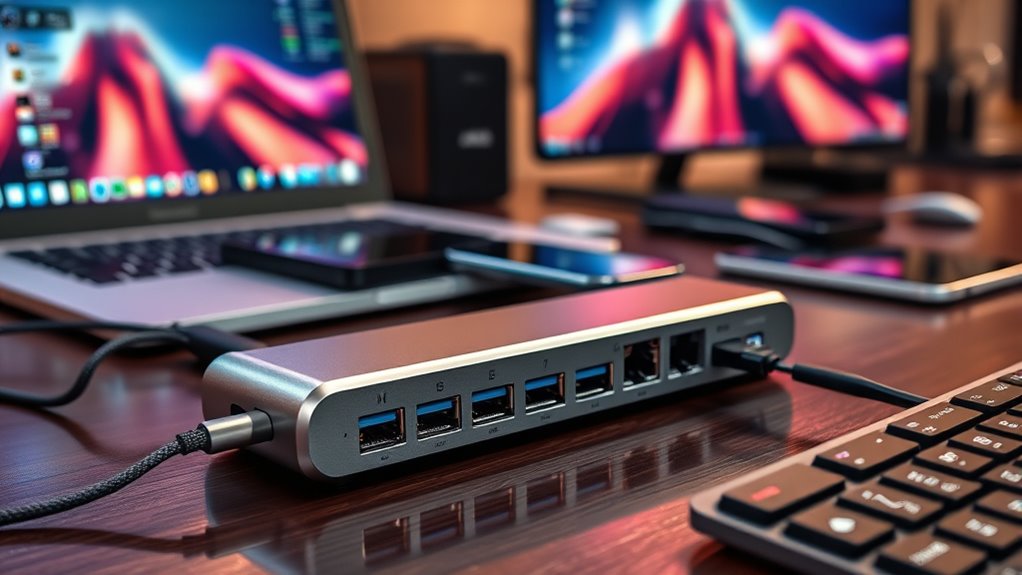

If you’re searching for multiport USB hubs, you’re looking to expand a single USB port into multiple connections to connect your devices easily. The best options balance speed, build quality, and versatility, with some offering 4K video output, fast data transfer, or multiple charging ports. The main tradeoffs often involve size, power delivery, and the number of ports—more ports can mean bulk, while higher power capacity can come at a higher price. Whether you need a compact hub for travel or a robust dock for your workspace, this guide breaks down the top choices. Keep reading for detailed insights into each model to find your perfect match.

Get business pricing on tech for your team
- Business-only prices and quantity discounts
- Tax-exempt purchasing
- Multiple users, one account, clear invoices
Key Takeaways
- The best multiport USB hubs balance port variety with build quality, often prioritizing durability for frequent use.
- Models with Power Delivery (PD) are ideal for charging laptops and devices simultaneously, but tend to cost more.
- Longer cables improve flexibility but may introduce signal degradation or clutter, making shorter, sturdy cables preferable for desktops.
- Multi-function hubs combining HDMI, SD card readers, and multiple USB ports provide added value for creators and professionals.
- Budget options often sacrifice some features like fast charging or 4K video output, so choosing a hub depends on specific needs.


| multiport usb hub | Compatibility | Data transfer rate | Cable length |
|---|---|---|---|
| 4Ft 7-Port USB 3.0 Hub for Des | Windows, Mac, Linux | 5Gbps | 4 feet |
| Acer USB C Hub | MacBook, Windows, ChromeOS | 5Gbps | — |
| VIENON 4-Port USB 3.0 Hub [90° | — | 5Gbps | — |
| Anker USB C Hub | MacBook, Windows, Chromebook | 5Gbps | — |
| Anker USB Hub 4 Ports | Windows, Linux, macOS | 5Gbps | 2 feet |
| Powered USB Hub | Windows, Mac, Linux | — | — |
| 【Upgrade】 USB C/USB Hub | MacBook, Windows, Android | — | — |
| UGREEN USB 3.0 Hub | Windows, Mac, Linux, Chrome OS | — | 0.5ft |
| USB 3.0 Hub | Windows, Mac, Linux | — | 3ft |
| Anker USB C Hub | Type-C devices, MacBook, Windows laptops | — | — |
| Powered USB Hub 3.0 | Windows, Mac, Linux | 5Gbps | 100cm |
| USB C Hub USB Hub 3.0 for Lapt | Windows, Mac, Linux, Chrome OS | 5Gbps | Approx. 15cm |
| USB Hub 7 Port | Windows, Mac, Linux | 5Gbps | 3.3ft |
| Acer USB Hub 4 Ports | Windows, Mac, Linux | 5Gbps | 2ft |
| UGREEN USB C Hub 5 in 1 Multip | MacBook, iPad Pro, XPS, Thinkpad | 5Gbps | — |
More Details on Our Top Picks
4Ft 7-Port USB 3.0 Hub for Desktop – Aluminium USB Extender Hub 5Gbps, USB Multiport Adapter, USB Splitter, USB Hub Long Cable for Desktop, PC, Flash Drive, Mobile HDD, Windows/XPS, 1.2m
This aluminum 7-Port USB 3.0 hub stands out for its robust build quality, heat dissipation, and a notably long 4-foot cable, making it ideal for users who need extensive reach and a stable desktop setup. Its dual-chip processor enhances compatibility across Windows, Mac, and Linux, ensuring reliable data transfers for multiple devices. Compared to the Anker 4-Port Hub, it offers more ports and a longer cable but at the cost of a lack of charging support, which might limit its use for power-hungry peripherals. The high-speed 5Gbps transfer rate makes large file movement effortless, yet the absence of charging capability can be a drawback for users wanting all-in-one solutions. This hub is perfect for professionals or gamers needing multiple connections and flexible placement without sacrificing speed.
Pros:- Durable aluminum construction with excellent heat dissipation
- Extra-long 4-foot cable for flexible placement
- Dual-chip processor for broad compatibility
Cons:- Does not support device charging or power output
- No built-in power supply; relies solely on host device power
Best for: Desktop users seeking maximum port availability and a long, stable cable for flexible placement.
Not ideal for: Mobile users or those needing charging capabilities, since this hub only supports data transfer.
- Number of USB ports:7
- Cable length:4 feet
- Data transfer rate:5Gbps
- Material:Aluminum
- Power support:Data only, no charging
- Compatibility:Windows, Mac, Linux
Our verdict“This hub is ideal for desktop setups where long cable reach and stability are priorities over charging features.”
Acer USB C Hub, 7 in 1 Multi-Port Adapter for Laptop/Mac Type C Devices | 4K USB C to HDMI Splitter Hub, 100W Max PD Port, 2 USB 3.0 & 1 USB C Data Ports 5Gbps, SD/TF Card Reader
This Acer USB-C hub is tailored for laptop users, especially those with MacBook or ultrabooks, offering a versatile array of ports including 4K HDMI, SD/TF card slots, and a high-wattage PD port for fast charging. Its sleek aluminum design complements modern laptops and supports high-resolution video streaming up to 4K@30Hz, making it ideal for presentations or media consumption. Compared with the Anker USB C Hub, it provides a dedicated HDMI port and SD card reader, but it only supports data transfer, not video/audio for USB-C. The 100W power delivery ensures your device stays charged during intensive use, yet the HDMI output is limited to 4K@30Hz, not 60Hz, which might matter to gamers or designers. This product suits professionals who need reliable port expansion without sacrificing portability.
Pros:- Supports 4K HDMI output at 30Hz for high-quality video
- Includes SD/TF card readers for quick media access
- Provides 100W Power Delivery for fast charging
Cons:- Limited to 4K@30Hz; not suitable for 60Hz gaming or professional editing
- Does not support video/audio transfer over USB-C
Best for: Laptop users who need high-quality video output and fast charging in a compact, stylish hub.
Not ideal for: Users who require high-refresh-rate video or audio support via USB-C, as this hub only transmits video via HDMI and supports data transfer only.
- Ports:HDMI, 2 USB 3.1, 1 USB-C, SD/TF card slots
- Maximum Power Delivery:100W
- Video resolution:4K@30Hz
- Material:Aluminum
- Data transfer rate:5Gbps
- Compatibility:MacBook, Windows, ChromeOS
Our verdict“Best suited for laptop users who prioritize reliable connection, media output, and fast charging in a portable form factor.”
VIENON 4-Port USB 3.0 Hub [90°/180° Degree Rotatable], USB Splitter with PD-in 5W USB C Port, USB Extender for Laptop, Car, iMac, MacBook Air, MacBook Pro, and More
, USB Splitter with PD-in 5W USB C Port, USB Extender for Laptop, Car, iMac, MacBook Air, MacBook Pro, and More” image=”https://m.media-amazon.com/images/I/61fkBkpG-GL._AC_SY300_SX300_QL70_FMwebp_.jpg” link=”0″]Best for Flexible Angled Connectivity in Multi-Device Environments
View on AmazonThe VIENON 4-Port USB 3.0 hub stands out for its rotatable design, allowing users to adjust ports at 90° or 180°, which is especially useful in tight spaces or in cars. Its compact form and support for both USB-A and USB-C devices make it versatile for laptops, desktops, and automotive use, including compatibility with Tesla models. Unlike the powered hubs, it relies on host power, and its 5W PD-in port only supplies power, not charging, limiting its use for power-hungry peripherals. The hub’s 5Gbps data transfer speed is standard, but the rotatable ports provide unique flexibility for positioning peripherals in constrained setups. This makes it ideal for mobile professionals or automotive enthusiasts needing adaptable connectivity options.
Pros:- Rotatable ports at 90°/180° for flexible positioning
- Supports multiple device types with USB-A and USB-C
- Compact and portable design
Cons:- Limited to data transfer; no device charging support
- Dependent on host power, not suitable for power-intensive peripherals
Best for: Mobile professionals or car owners who need flexible, space-efficient USB expansion.
Not ideal for: Power users requiring charging capability or high-power device support, as it only provides power input and not output.
- Number of ports:4
- Rotation angle:90°/180°
- Data transfer rate:5Gbps
- Power support:PD-in 5W, no charging output
- Supported device types:USB-A, USB-C
- Application:Laptop, car, iMac
Our verdict“Ideal for users needing adaptable, space-saving USB connectivity in mobile or automotive settings.”
Anker USB C Hub, 5-in-1 USBC to HDMI Splitter with 4K Display, 1 x Powered USB-C 5Gbps & 2×Powered USB-A 3.0 5Gbps Data Ports for MacBook Pro, MacBook Air, Dell and More
The Anker 5-in-1 USB-C hub combines a 4K HDMI port, multiple data ports, and robust power delivery, making it a well-rounded accessory for MacBook and ultrabook users. Its HDMI port supports 4K at 30Hz, suitable for streaming or presentations, while the 3 Gbps USB-A ports quickly transfer files. The 85W pass-through charging keeps your device powered during use, unlike some hubs that lack charging support. Compared to the simpler 4-port Anker hub, this model adds HDMI and more power features but sacrifices some data transfer speed on the USB-C port, which is limited to 5Gbps. It’s a good choice for users juggling media, data, and charging in a compact form, though it doesn’t support audio over HDMI or high-refresh-rate video.
Pros:- Supports 4K@30Hz HDMI output for media needs
- Includes 85W pass-through charging for seamless power
- Multiple USB-A ports for quick data transfer
Cons:- USB-C data port limited to 5Gbps, not suitable for high-speed data transfers
- No support for audio transmission over HDMI
Best for: Laptop users needing a compact hub with 4K video, fast data, and pass-through charging for everyday productivity.
Not ideal for: Power users requiring high-refresh-rate video or extensive media editing, as HDMI is limited to 30Hz and data transfer is capped at 5Gbps.
- Ports:HDMI, 1 USB-C, 2 USB-A
- Maximum Power Delivery:85W
- Video resolution:4K@30Hz
- Data transfer rate:5Gbps
- Size:Compact
- Compatibility:MacBook, Windows, Chromebook
Our verdict“Best suited for everyday users who want reliable media output, data transfer, and charging in a portable hub.”
Anker USB Hub 4 Ports, Multiple USB 3.0 Hub, USB Splitter for Laptop, Extender for A Port Laptop, PC, Desktop and More [Charging Not Supported](2ft USB-A)
(2ft USB-A)” image=”https://m.media-amazon.com/images/I/51+U60trRlL._AC_SX300_SY300_QL70_FMwebp_.jpg” link=”0″]Best Budget Option for Basic USB Expansion
View on AmazonThe Anker 4-Port USB 3.0 hub offers straightforward expansion for users who primarily need additional USB ports without charging or advanced features. Its compact 2-foot cable makes it easy to position on a desk, and its sturdy plastic enclosure ensures durability. The 5Gbps transfer rate makes it suitable for transferring HD videos or large files quickly. Compared to higher-end hubs, it lacks charging capabilities and advanced power management, which limits its use for power-hungry peripherals or multiple high-power devices. Still, it provides reliable data transfer and simple plug-and-play operation, making it a practical choice for budget-conscious users or those who need basic port expansion for peripherals like mice, keyboards, or flash drives.
Pros:- Affordable price point
- Reliable 5Gbps data transfer speeds
- Compact and portable design
Cons:- No charging support or power management features
- Limited to data transfer only
Best for: Basic users seeking affordable, reliable USB expansion for everyday peripherals.
Not ideal for: Power users or those needing device charging or multiple high-power device support.
- Number of ports:4
- Cable length:2 feet
- Data transfer rate:5Gbps
- Build material:Plastic
- Power support:Data only
- Compatibility:Windows, Linux, macOS
Our verdict“A solid choice for budget-conscious users who need simple, reliable USB port expansion without charging features.”
Powered USB Hub, Wenter 11-Port USB Splitter Hub (10 Faster Data Transfer Ports+ 1 Smart Charging Port) with Individual LED On/Off Switches, USB Hub 3.0 Powered with Power Adapter for Mac, PC
This Wenter 11-Port USB Hub excels at expanding multiple USB connections while providing dedicated charging, making it ideal for busy setups with many peripherals. Its 10 data ports support speeds up to 5Gbps, comparable to other high-performance hubs like the Anker 7-in-1, but with the added benefit of individual on/off switches and a smart charging port. The inclusion of a 12V/3A power adapter ensures the hub can handle multiple devices simultaneously without power dips. However, its bulkiness and reliance on external power may be less appealing for those seeking a compact or portable solution. Compared with smaller hubs like the UGREEN 4-Port, this model prioritizes capacity over portability, which is perfect for desktop use but less so for travel. The 120cm cables offer flexibility in arranging your workspace, but the size and weight could be drawbacks for mobile users.
Pros:- Supports 10 USB 3.0 data ports at 5Gbps for rapid data transfer
- Dedicated smart charging port delivers up to 2.4A per port
- Individual LED switches allow control over each port
Cons:- Relatively bulky and less portable due to external power supply
- No built-in Ethernet or video output options
Best for: Professionals or home offices needing reliable, high-speed data transfer and multiple device connections with charging capabilities.
Not ideal for: Travelers or users with limited desk space who need a lightweight, portable hub without external power requirements.
- Number of Ports:11
- Data Transfer Speed:Up to 5Gbps
- Charging Power:Up to 2.4A per port
- Power Adapter:12V/3A
- Cable Lengths:120cm (power), 100cm (USB)
- Compatibility:Windows, Mac, Linux
Our verdict“This hub is best suited for users needing extensive port capacity with reliable charging and data transfer, not for mobile or space-constrained environments.”
【Upgrade】 USB C/USB Hub, BERLAT Aluminum 7 in 1 USB C & USB Hub with USB 3.0, USB 2.0 Ports for PC/Laptops/MacBook Pro/Air/iMac/iPad and More Devices
The BERLAT 7-in-1 USB C Hub offers a sleek, space-efficient solution for expanding USB and video connections on modern laptops, especially MacBooks and other Type-C devices. Its combination of 1 USB 3.0 port and 4 USB 2.0 ports ensures compatibility with a range of peripherals, with data speeds up to 5Gbps on the USB 3.0 port, matching the performance of other hubs like the Anker 7-in-1. The inclusion of a USB-C 2.0 port adds flexibility for newer devices. While its compact aluminum design makes it highly portable and durable, it lacks dedicated charging capability, unlike the UGREEN 4-Port hub which offers charging options. This makes it ideal for users who need additional ports on the go without bulk, but less suitable for those requiring power delivery or extensive data transfer bandwidth.
Pros:- Compact, lightweight, and durable aluminum case
- Supports multiple USB peripherals with USB 3.0 and 2.0 ports
- Compatible with a wide range of devices including MacBook and Windows laptops
Cons:- Lacks power delivery for charging devices
- Limited to 5Gbps maximum transfer speed on the USB 3.0 port
Best for: Travelers and professionals needing a lightweight, stylish hub for light data transfer and multiple peripherals on Type-C laptops.
Not ideal for: Power users who require charging or high-bandwidth data transfer for large files, as this hub does not support power delivery or heavy data loads.
- Ports:1 USB 3.0, 4 USB 2.0, 2 USB-C
- Transfer Speed:Up to 5Gbps
- Material:Aluminum
- Compatibility:MacBook, Windows, Android
- Size:Compact
- Power Delivery:Not supported
Our verdict“This hub is ideal for users who need a portable, multi-port expansion for everyday tasks on Type-C devices without the need for charging or high-speed data transfer.”
UGREEN USB 3.0 Hub, 4 Ports USB A Splitter Ultra-Slim USB Expander for Mouse, Keyboard, Flash Drive, U Disk, Printer Compatible with Laptop, Desktop PC, Xbox, PS5, and More 0.5FT
The UGREEN 4-Port USB 3.0 Hub provides a straightforward solution for adding multiple USB-A peripherals to a laptop or desktop. Its ultra-slim design makes it highly portable, ideal for users who need a simple extension on the go. While it offers a solid 5Gbps data transfer speed comparable to other hubs like the Anker 4-Port, it lacks individual port switches or charging capabilities, making it less flexible for managing power or device control. The compact size and plug-and-play setup make it an excellent choice for minimal setups, but it’s not suitable for users needing to power or charge devices through the hub or for intensive data transfer tasks involving large files.
Pros:- Extremely compact and portable design
- Supports data transfer speeds up to 5Gbps
- Plug-and-play with broad device compatibility
Cons:- No charging or individual port control
- Limited to basic expansion without additional features
Best for: Travelers or students seeking a lightweight, easy-to-carry hub for occasional peripheral connections.
Not ideal for: Power users or professionals who need to charge devices or control individual ports, as this hub doesn’t support charging or switching.
- Ports:4 USB 3.0
- Transfer Speed:Up to 5Gbps
- Cable Length:0.5ft
- Size:Ultra-slim
- Compatibility:Windows, Mac, Linux, Chrome OS
- Power:Bus-powered, no external power
Our verdict“This hub is best for lightweight, portable expansion needs without demanding power or device management features.”
USB 3.0 Hub, PANPEO 7-Port USB Data Hub Splitter with 3ft Long Cable USB Extension for Laptop,PC Computer,Surface Pro, PS4/5, Flash Drive, Mobile HDD – with LED Individual On/Off
The PANPEO 7-Port USB Hub stands out for its long 3ft cable and individual LED on/off switches for each port, offering enhanced control and flexibility during use. Its 7 ports support data speeds up to 5Gbps, matching other high-capacity hubs like the Anker 7-in-1 but with the added advantage of a longer cable for more versatile placement. The presence of individual switches makes it easier to manage multiple devices without unplugging, a feature not found in many comparable hubs. However, it doesn’t support charging, limiting its use for powering devices. Its size and reliance on external power make it less ideal for mobile use but perfect for desktop setups where control and reach are priorities.
Pros:- Long 3ft cable for flexible placement
- Individual LED on/off switches for each port
- Supports high-speed data transfer up to 5Gbps
Cons:- No charging support for devices
- Larger size and dependency on external power limit portability
Best for: Users who need to connect multiple peripherals with convenient control over each device in a fixed workspace.
Not ideal for: On-the-go users or those needing a compact, portable hub with charging capabilities, as this model is better suited to stationary setups.
- Ports:7 USB 3.0
- Transfer Speed:Up to 5Gbps
- Cable Length:3ft
- Switches:Individual LED on/off
- Power:Requires external power
- Compatibility:Windows, Mac, Linux
Our verdict“This hub is well-suited for users who prioritize control and extended reach over portability, without the need for device charging.”
Anker USB C Hub, 7in1 Multi-Port USB Adapter for Laptop/Mac, 4K@60Hz USB C to HDMI Splitter, 85W Max PD, 2 USB 3.0 & 1 USBC Data Ports, SD/TF Card Reader, for Type C Devices (Charger Not Included)
The Anker 7-in-1 USB C Hub combines high-quality 4K@60Hz HDMI output with fast data transfer and charging, making it ideal for professionals who need reliable video and power delivery. Its HDMI port supports crisp, smooth visuals, outperforming simpler hubs like the BERLAT 7-in-1 in video capability. The hub also includes two USB 3.0 ports and a USB-C data port with transfer speeds up to 5Gbps, matching other high-speed hubs, but with the added benefit of 85W power delivery for charging laptops. While it excels in multimedia and power, it doesn’t feature a dedicated SD/TF card reader, which could be a drawback for photographers. Its sleek design and robust build make it suitable for both travel and desktop use, but the lack of a dedicated charging port for peripherals can limit its flexibility for some users.
Pros:- Supports 4K@60Hz HDMI output for high-quality video
- Provides up to 85W power delivery for fast charging
- Includes multiple USB-A ports for peripherals
Cons:- No SD/TF card reader
- Charger not included, external power required
Best for: Creative professionals and remote workers needing high-quality 4K video output and reliable power delivery for their laptops.
Not ideal for: Users primarily looking for a hub for basic data transfer or those requiring multiple USB-A ports for heavy-duty peripherals, as this hub focuses more on video and charging.
- Ports:1 HDMI, 2 USB 3.0, 1 USB-C, SD/TF card slots
- Video Output:4K@60Hz
- Power Delivery:Up to 85W
- Data Transfer Speed:Up to 5Gbps
- Build Material:Aluminum
- Compatibility:Type-C devices, MacBook, Windows laptops
Our verdict“This hub is an excellent choice for users who prioritize high-definition video output and fast charging in a sleek, compact design.”
Powered USB Hub 3.0, Atolla 7-Port USB Data Hub Splitter with One Smart Charging Port and Individual On/Off Switches and 5V/4A Power Adapter USB Extension for MacBook, Mac Pro/Mini and More
This Atolla 7-port USB 3.0 hub stands out for its combination of high-speed data transfer, dedicated charging port, and individual on/off switches, making it ideal for users who need reliable, organized connectivity. Compared to the UGREEN USB C Hub, it offers more ports and a robust power supply, ideal for powering multiple peripherals simultaneously. The tradeoff is its larger size and plastic enclosure, which may not suit minimalists or portable needs. Its compatibility across Windows, Mac, Linux, and hot-swapping support make it highly adaptable for varied setups. The 5V/4A power adapter ensures stable operation even with power-hungry devices, a feature missing in smaller hubs like the ONFINIO 7-Port USB 3.0 Hub. This hub makes the most sense for home offices or setups where multiple devices must be powered and controlled independently.
Pros:- Seven high-speed USB 3.0 ports with transfer speeds up to 5Gbps
- Dedicated smart charging port for faster device recharge
- Individual on/off switches for each port for better device management
- Includes a 5V/4A power adapter supporting power-hungry peripherals
Cons:- Larger size and plastic build may reduce portability
- Requires external power supply, adding to desk clutter
- No USB-C compatibility, limiting use with newer ultrabooks
Best for: Users needing a reliable, high-capacity hub with individual control and fast charging, such as small business setups or multi-device home offices.
Not ideal for: Travelers or minimalists who prioritize small size and lightweight design over extensive port and power options, as this hub is relatively bulky.
- Total USB Ports:7
- Data Transfer Rate:5Gbps
- Power Output:5V/4A
- Compatibility:Windows, Mac, Linux
- Cable Length:100cm
- Enclosure Material:Plastic
Our verdict“This hub is ideal for users who need extensive port options, power, and control in a stationary workspace.”
USB C Hub USB Hub 3.0 for Laptop, Upgrade 8 in 2 USB Splitter with USB-C/4 USB A Port Extender, TF/SD Card Slot, 3.5mm Audio Adapter, USBC USB Dongle for PC/Mac/MacBook/Laptop/iPad/Tablet
This Denlane 8-in-2 USB-C hub excels at bridging multiple devices with a mix of USB-A, USB-C, SD, TF, and audio ports, making it perfect for users with diverse peripherals. Unlike the UGREEN USB C Hub, it offers a broader array of ports, including SD and TF card slots, which are invaluable for photographers or content creators. The tradeoff is its slightly bulkier profile and the inclusion of multiple ports that may be overkill for simple setups. The hub’s plug-and-play design and compatibility with various OS including Windows, Mac, and Chrome OS make it highly flexible. The 5Gbps data transfer speed supports high-performance peripherals, but the hub’s build quality, primarily plastic, might be less durable under frequent travel. It’s best suited for professionals needing comprehensive port options at their workstation or studio.
Pros:- Includes USB-A, USB-C, SD, TF, and 3.5mm audio ports for broad compatibility
- Supports data transfer speeds up to 5Gbps
- Plug-and-play with no driver installation required
- Compatible with various OS including Windows, Mac, Linux, and Chrome OS
Cons:- Bulkier design may reduce portability for travel
- Plastic enclosure may lack durability under rough handling
- No dedicated power supply, limiting high-power peripheral support
Best for: Photographers, videographers, or professionals needing multiple card readers and device connections in one portable hub.
Not ideal for: Minimalists or frequent travelers seeking ultra-compact, lightweight hubs with fewer ports, as this is larger and more feature-rich.
- Total Usb Ports:8
- Data Transfer Rate:5Gbps
- Ports Included:USB-A, USB-C, SD, TF, 3.5mm
- Compatibility:Windows, Mac, Linux, Chrome OS
- Cable Length:Approx. 15cm
- Power Supply:None (bus-powered)
Our verdict“This hub suits users who need a versatile, all-in-one port solution for multimedia and professional devices.”
USB Hub 7 Port, USB Splitter with Individual On/Off Switches and Lights. | USB 3.0 Hub with 3.3ft Cable, Extender for A Port Laptop, PC, Desktop
The Onfinio 7-port USB 3.0 hub is designed for users who want straightforward expansion with individual control over each port and a relatively compact footprint. Compared to the Atolla Hub, it offers fewer features but emphasizes ease of use, especially with its built-in switches and indicator lights. The tradeoff is its lack of a dedicated power supply, which limits the support for power-hungry devices, making it less suitable for external hard drives or charging. Its compatibility with Windows, Mac, and Linux ensures broad usability, and the 3.3ft cable provides flexible placement. The hub’s simple design and decent transfer speeds make it ideal for everyday peripherals like keyboards, mice, or flash drives, but not for high-power or data-intensive devices.
Pros:- Seven USB 3.0 ports with transfer speeds up to 5Gbps
- Individual on/off switches for each port for easy device management
- LED indicators for port activity
- Includes a 3.3ft cable for flexible setup
Cons:- No external power supply, limiting high-power device support
- Plastic construction may reduce durability
- Limited to bus power, which could cause device disconnects under load
Best for: Office workers or students needing simple device expansion with control over individual ports without high power demands.
Not ideal for: Power users with multiple external drives or high-demand peripherals, as it lacks a power adapter and may not sustain large devices.
- Total Usb Ports:7
- Data Transfer Rate:5Gbps
- Cable Length:3.3ft
- Power Supply:Bus-powered
- Compatibility:Windows, Mac, Linux
- Enclosure Material:Plastic
Our verdict“This hub is best for users who want simple, controlled port expansion for everyday peripherals without needing to power external drives.”
Acer USB Hub 4 Ports, Multiple USB 3.0 Hub, USBA Splitter for Laptop with Type C Power Port, Extender for A Port Laptop, PC, Desktop and More (2ft)
The Acer 4-port USB 3.0 hub provides a slim, reliable expansion solution with four high-speed ports and a 2ft cable, making it suitable for portable setups. Unlike larger hubs such as the Atolla, it prioritizes a compact size and includes a dedicated Type C power port that supplies power to connected devices but does not support data transfer or charging via that port. This makes it ideal for expanding USB-A peripherals without adding bulk but limits its use for charging or high-power devices. Its advanced thermal design and LED indicator enhance durability and usability. The limited number of ports and absence of a dedicated external power supply mean it’s best for low-power peripherals like mice, keyboards, or flash drives, especially when portability is desired.
Pros:- Four USB 3.0 ports with speeds up to 5Gbps
- Slim, lightweight design with a 2ft cable for portability
- Built-in thermal management for durability
- Supports power pass-through for connected devices
Cons:- Limited to four ports, fewer than larger hubs
- Cannot support charging or data transfer on the Type C port
- No external power supply, limiting high-power device support
Best for: Travelers or remote workers needing a portable, high-speed USB expansion for basic peripherals.
Not ideal for: Power users or those needing to connect multiple external drives or charge devices simultaneously, as it lacks a power adapter and has limited ports.
- Total Usb Ports:4
- Data Transfer Rate:5Gbps
- Cable Length:2ft
- Power Supply:Bus-powered
- Compatibility:Windows, Mac, Linux
- Enclosure Material:Metal
Our verdict“This hub is ideal for those needing quick, portable access to multiple USB peripherals with reliable high-speed data transfer.”
UGREEN USB C Hub 5 in 1 Multiport USB Adapter 4K HDMI, 100W Power Delivery, 3 USB-A Data Ports, USB C Dongle for MacBook Pro/Air M5/M4/M3/M2/M1, iPad Pro, iMac, iPhone 16 Pro/Pro Max, XPS, Thinkpad
The UGREEN USB C Hub excels in providing a sleek, multi-function solution combining 4K HDMI output, 100W power delivery, and multiple USB-A ports in a compact form factor. Compared to larger hubs like the Atolla, it emphasizes portability without sacrificing performance, ideal for on-the-go professionals. Its 4K HDMI supports vivid display output, while 100W Power Delivery allows fast charging of laptops like MacBook Pro or XPS. The tradeoff is that with only 3 USB-A ports, it may not support extensive peripherals simultaneously. The aluminum enclosure enhances durability and heat dissipation, making it suitable for travel or small workspaces. It’s perfect for users who want a high-quality, all-in-one USB-C hub for media, power, and data in a minimal footprint.
Pros:- Supports 4K HDMI output at 30Hz for vivid visuals
- 100W Power Delivery for fast laptop charging
- Includes 3 USB-A data ports with 5Gbps speeds
- Compact, lightweight aluminum design for portability
Cons:- Limited number of USB-A ports for extensive peripherals
- No SD or TF card slots, less multimedia flexibility
- Price premium compared to multi-port hubs with more ports
Best for: Travelers, remote workers, or professionals who need a portable, high-performance hub for media and laptop charging.
Not ideal for: Power users with multiple external drives or those needing many USB-A ports for extensive peripheral setups, as it offers only three USB-A ports.
- Total Usb Ports:5
- Data Transfer Rate:5Gbps
- HDMI Output:4K @30Hz
- Power Delivery:100W
- Material:Aluminum
- Compatibility:MacBook, iPad Pro, XPS, Thinkpad
Our verdict“This hub is well-suited for users who prioritize media output, fast charging, and portability in a sleek design.”

How We Picked
The products in this roundup were selected based on their connectivity options, build quality, power delivery capabilities, and user versatility. We prioritized hubs with reliable data transfer speeds, durable construction, and compatibility across multiple platforms like Windows, Mac, and tablets. Cost-effectiveness was also a key factor, ensuring options suit a range of budgets without sacrificing essential features. Our ranking emphasizes real-world usability, with an eye on brands known for longevity and consistent performance. We aimed to include a range of options from basic to premium to help buyers find the best fit for their specific setups.Factors to Consider When Choosing Multiport Usb Hubs
Choosing the right multiport USB hub involves balancing your device requirements, port needs, and budget. Understanding key factors can help avoid common pitfalls such as underpowered hubs, incompatible ports, or excessive bulk. This guide covers critical considerations to help you make an informed decision and avoid costly mistakes.Number and Types of Ports
Assess how many devices you’ll connect regularly, including USB-A, USB-C, HDMI, SD cards, or Ethernet. Hubs vary widely in port options; some focus on data transfer, while others include video output or charging. Matching your device needs with the hub’s port types ensures seamless compatibility and future-proofing your setup. Remember, a hub with too few ports limits expansion, but too many might add unnecessary bulk.
Power Delivery and Charging
If you plan to charge laptops or power-hungry devices through your hub, prioritize models with Power Delivery (PD). These hubs can supply enough wattage to keep your devices charged while connected, reducing the need for separate chargers. However, hubs with high wattage PD tend to be more expensive and bulkier. Consider your device’s power requirements carefully to avoid underpowered hubs that can’t support your charging needs.
Build Quality and Durability
Since hubs often sit on desks or travel with you, durability is key. Aluminum or metal casings typically offer better longevity than plastic. Flexible cables can add convenience but may also be prone to wear. Check for features like reinforced connectors or braided cables if you expect frequent movement or transport. Investing in a well-built hub reduces the risk of connection issues or device damage over time.
Size and Portability
Size matters if you need a hub for travel or limited space. Compact models are easier to carry but might sacrifice port count or features. Larger, desktop-style hubs often include additional ports like Ethernet or multiple video outputs, suited for a stationary setup. Balance your portability needs with the number of ports and features required to avoid a device that’s either too bulky or too limited for your use case.
Compatibility and Future-Proofing
Ensure the hub supports your device’s standards, whether USB 3.0, USB-C, or Thunderbolt. Compatibility with your operating system is essential for plug-and-play use. Additionally, consider future device upgrades; a hub with higher data transfer speeds or more versatile ports can extend its usefulness. Checking manufacturer support and firmware updates can also help maintain long-term compatibility and performance.
Frequently Asked Questions
Can I connect multiple high-power devices to a USB hub without overloading it?
Most multiport hubs with Power Delivery are designed to handle multiple devices, but it’s important to check their total wattage capacity. High-power devices like external drives or laptops draw significant power, so using a hub with a sufficient power supply or dedicated charging ports minimizes the risk of overload or insufficient charging. Avoid daisy-chaining hubs, which can lead to power distribution issues, and always verify the hub’s maximum wattage rating against your device needs.
Will a multiport USB hub slow down my data transfer speeds?
While a hub can introduce some latency, most modern USB 3.0 or USB-C hubs maintain high data transfer speeds if they are well-designed and connected to a compatible port. Problems usually arise with hubs that are underpowered, have poor quality components, or connect via a shared bandwidth port. Selecting a hub with dedicated high-speed ports and ensuring your computer’s port supports the hub’s standards helps maintain optimal speeds.
Is it better to get a hub with HDMI and SD card readers or separate dedicated devices?
Combining multiple functions into a single hub offers convenience and saves space, especially for portable setups. However, dedicated devices often perform better in their specific roles, like higher-resolution video or faster card transfer speeds. Consider your primary needs—if you frequently use HDMI or SD cards, a hub with these features may suffice, but for professional workflows, separate, high-quality devices might be more reliable.
Should I prioritize a hub with a longer cable or one with a shorter, sturdier cable?
Longer cables provide flexibility in arranging your workspace or travel setup, but they can sometimes degrade signal quality or add clutter. Shorter, more durable cables tend to offer more reliable connections and less clutter, especially on desktops. The best choice depends on your environment; if you need flexible placement, select a high-quality longer cable, but for stable, everyday use, a shorter, reinforced cable is often better.
Are powered hubs always necessary for multiple device connections?
Powered hubs are beneficial when connecting multiple high-power devices or charging laptops simultaneously. They supply additional power, preventing devices from underperforming or disconnecting unexpectedly. That said, if your usage involves only low-power peripherals like mice or keyboards, unpowered hubs may suffice. Always match your hub’s power capabilities with your device requirements to avoid connectivity issues.
Conclusion
For general desktop setups where performance and reliability matter most, the best overall pick is the Anker USB C Hub, 7in1 Multi-Port USB Adapter due to its balanced mix of ports, 4K video support, and solid build quality. If you’re on a budget but still want a versatile hub, the UGREEN USB 3.0 Hub, 4 Ports offers excellent value. Power users or professionals needing to charge multiple devices will appreciate the Powered USB Hub, Wenter 11-Port with dedicated charging ports and individual switches. Beginners or casual users should consider compact, user-friendly options like the UGREEN USB C Hub 5 in 1 for straightforward connectivity. Tailor your choice based on your port needs, portability, and power requirements to get the best experience.
Halloween Picks
halloween
As an affiliate, we earn on qualifying purchases.