For high-end Fire TV streaming, I’d start with the Amazon Fire TV Cube (3rd Gen) with Wi-Fi 6E: its hands-free Alexa and fuller connectivity make it the most capable hub in this lineup. The Fire TV Stick 4K Max (2nd Gen) is a strong fit when you want advanced 4K streaming in a compact stick, while the Fire TV Stick 4K Plus offers a simpler route to 4K and Wi-Fi 6. The main tradeoffs are hub features versus discreet size, and premium connectivity versus features you may not use. Refurbished and bundle versions add more choices, but their extras matter only when they suit your setup. Read on for my full comparison and picks by buyer type.

Get business pricing on tech for your team
- Business-only prices and quantity discounts
- Tax-exempt purchasing
- Multiple users, one account, clear invoices
Key Takeaways
- The 3rd Gen amazon.com/dp/B0FLJJ81K3?tag=technocapture-20&ascsubtag=dc-616686″ target=”_blank” rel=”nofollow sponsored noopener”>amazon.com/dp/B09BZZ3MM7?tag=technocapture-20&ascsubtag=dc-616686″ target=”_blank” rel=”nofollow sponsored noopener”>amazon.com/dp/B0H6C5KW2D?tag=technocapture-20&ascsubtag=dc-616686″ target=”_blank” rel=”nofollow sponsored noopener”>Fire TV Cube leads on hub features: Wi-Fi 6E and hands-free Alexa set it apart from the sticks, while its larger footprint and more involved setup may not suit every room.
- The 2nd Gen Fire TV Stick 4K Max is the high-end stick pick: it brings advanced streaming features in a compact form, without the Cube’s hands-free control.
- Fire TV Stick 4K Plus models target practical 4K setups: Wi-Fi 6 and familiar remote control make them a sensible fit when a streaming hub would be more than you need.
- Bundles are situational: Luna controller packages add a gaming path, while USB power cables and Voice Remote Pro bundles matter only if those accessories address a need in your setup.
- Like-New and refurbished listings need careful comparison: check the exact generation, included remote, cable and connectivity details before choosing them over a standard model.
| Amazon Fire TV Cube Streaming Media Player (Like-New, Wi-Fi 6E, 4K Ultra HD) |  | Best Premium Pick | Condition: Refurbished, certified to look and work like new | Processor: Octa-core | Connectivity: Wi-Fi 6E | VIEW ON AMAZON | See Our Full Breakdown |
| Amazon Fire TV Stick 4K Max Streaming Device with USB Power Cable |  | Best Overall | Resolution: 4K Ultra HD | HDR Formats: Dolby Vision, HDR10+ | Audio: Dolby Atmos | VIEW ON AMAZON | See Our Full Breakdown |
| Amazon Fire TV Stick 4K Max Streaming Device (Like-New/Refurbished) |  | Best Value Pick | Condition: Like-New (Certified Refurbished) | Resolution: 4K Ultra HD | HDR Support: Dolby Vision, HDR10+ | VIEW ON AMAZON | See Our Full Breakdown |
| Amazon Fire TV Stick 4K Select (Newest Model) with Alexa Voice Remote |  | Best Entry-Level 4K Pick | Resolution: 4K Ultra HD, up to 2160p at 60 fps | HDR Formats: HDR10, HDR10+, HLG | Processor: Quad-core 1.7 GHz | VIEW ON AMAZON | See Our Full Breakdown |
| Amazon Fire TV Stick HD with Alexa Voice Remote |  | Best for Secondary TVs | Resolution: Full HD (1080p) | Connectivity: Wi-Fi 6, Bluetooth | Power: Powered by TV via included USB-C cable | VIEW ON AMAZON | See Our Full Breakdown |
| Amazon Fire TV Cube (3rd Gen) with Alexa Voice Remote Pro |  | Best Overall Flagship | Generation: 3rd Gen | Processor: Octa-core (4 × 2.2 GHz, 4 × 2.0 GHz) | Storage / Memory: 16 GB / 2 GB | VIEW ON AMAZON | See Our Full Breakdown |
| Amazon Fire TV Stick 4K Max (2nd Gen) Streaming Device |  | Best Premium Stick | Model: 2nd Gen | Processor: Quad-core 2.0 GHz with 850 MHz GPU | Storage: 16 GB | VIEW ON AMAZON | See Our Full Breakdown |
| Amazon Fire TV Stick 4K Plus with Wi-Fi 6 and USB Power Cable |  | Best Value for 4K Households | Resolution: 4K Ultra HD | Video formats: Dolby Vision, HDR10+ | Audio: Dolby Atmos | VIEW ON AMAZON | See Our Full Breakdown |
| Fire TV Stick 4K Select + Luna Controller Game Streaming Bundle |  | Best for Cloud Gaming Starters | Includes: Fire TV Stick 4K Select and Luna Controller | Resolution: 4K streaming | Connectivity: Wi-Fi with Cloud Direct; Bluetooth | VIEW ON AMAZON | See Our Full Breakdown |
| Amazon Fire TV Cube (3rd Gen) 4K Streaming Media Player with Alexa, Wi-Fi 6E |  | Best Hands-Free Hub | Processor: Octa-core: 4 × 2.2 GHz and 4 × 2.0 GHz | Storage / Memory: 16 GB / 2 GB | Wi-Fi: Wi-Fi 6E tri-band | VIEW ON AMAZON | See Our Full Breakdown |
| Amazon Fire TV Stick 4K Plus Bundle with Alexa Voice Remote Pro | 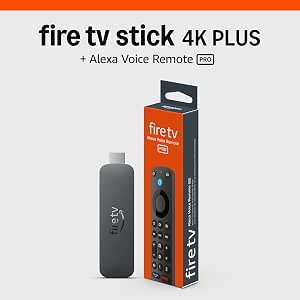 | Best Premium Remote Experience | Resolution: 2160p up to 60 fps (4K Ultra HD) | HDR Support: Dolby Vision, HDR10+, HDR10, HLG | Audio: Dolby Atmos, 7.1 surround, 2-channel stereo | VIEW ON AMAZON | See Our Full Breakdown |
| Amazon Fire TV Stick 4K Plus with Alexa Voice Remote |  | Best Balanced 4K Streamer | Resolution: 2160p up to 60 fps (4K Ultra HD) | HDR Support: Dolby Vision, HDR10+, HDR10, HLG | Audio: Dolby Atmos, 7.1 surround, 2-channel stereo | VIEW ON AMAZON | See Our Full Breakdown |
| Fire TV Stick 4K Plus and Luna Controller Game Streaming Bundle |  | Best for Cloud Gamers | Included items: Fire TV Stick 4K Plus and Luna Controller | Streaming resolution: 4K Ultra HD with Dolby Vision and HDR10+ | Wi-Fi: Wi-Fi 6 dual-band | VIEW ON AMAZON | See Our Full Breakdown |
| highend fire tv streaming device | Audio | Resolution | Wi-Fi | Processor |
|---|---|---|---|---|
| Amazon Fire TV Cube Streaming | Dolby Atmos | — | — | Octa-core |
| Amazon Fire TV Stick 4K Max St | Dolby Atmos | 4K Ultra HD | — | — |
| Amazon Fire TV Stick 4K Max St | Dolby Atmos | 4K Ultra HD | Wi-Fi 6E | — |
| Amazon Fire TV Stick 4K Select | Dolby pass-through (AC-3, E-AC-3, E-AC3_JOC) | 4K Ultra HD, up to 2160p at 60 fps | Dual-band dual-antenna MIMO, 802.11a/b/g/n/ac | Quad-core 1.7 GHz |
| Amazon Fire TV Stick HD with A | Bluetooth headphone support for private listening | Full HD (1080p) | — | — |
| Amazon Fire TV Cube | Dolby Atmos, 7.1 surround, HDMI passthrough up to 5.1 | — | Wi-Fi 6E tri-band | Octa-core (4 × 2.2 GHz, 4 × 2.0 GHz) |
| Amazon Fire TV Stick 4K Max | Dolby Atmos, 7.1 surround, passthrough up to 5.1 | — | Wi-Fi 6E tri-band (2.4, 5, 6 GHz) | Quad-core 2.0 GHz with 850 MHz GPU |
| Amazon Fire TV Stick 4K Plus w | Dolby Atmos | 4K Ultra HD | — | — |
| Fire TV Stick 4K Select + Luna | — | 4K streaming | — | — |
| Amazon Fire TV Cube | Dolby Atmos, 7.1 surround, HDMI passthrough up to 5.1 | — | Wi-Fi 6E tri-band | Octa-core: 4 × 2.2 GHz and 4 × 2.0 GHz |
| Amazon Fire TV Stick 4K Plus B | Dolby Atmos, 7.1 surround, 2-channel stereo | 2160p up to 60 fps (4K Ultra HD) | Wi-Fi 6 dual-band (2.4GHz / 5GHz) | Quad-core 1.7GHz with 650MHz GPU |
| Amazon Fire TV Stick 4K Plus w | Dolby Atmos, 7.1 surround, 2-channel stereo | 2160p up to 60 fps (4K Ultra HD) | Wi-Fi 6 dual-band (2.4 GHz / 5 GHz) | Quad-core 1.7 GHz with 650 MHz GPU |
| Fire TV Stick 4K Plus and Luna | — | — | Wi-Fi 6 dual-band | — |
More Details on Our Top Picks
Amazon Fire TV Cube Streaming Media Player (Like-New, Wi-Fi 6E, 4K Ultra HD)
The refurbished Fire TV Cube earns the premium spot because it is the only device in this lineup that replaces both a streaming stick and an entertainment hub. Its octa-core processor means apps launch faster than on any stick here, including the Fire TV Stick 4K Max, and the built-in microphones and speaker let you talk to Alexa hands-free — even with the TV off. Wi-Fi 6E keeps 4K Dolby Vision and Dolby Atmos streams stable on crowded networks. Compared with the Fire TV Stick 4K Select, the Cube adds far-field voice control and the ability to command compatible TVs, soundbars, and cable boxes by voice. The tradeoff is size: it is a set-top box, not a hidden stick, and the refurbished condition means generic packaging.
Pros:- Octa-core processor delivers noticeably faster app launches than any Fire TV stick
- Hands-free Alexa with built-in microphones and speaker works even when the TV is off
- Full 4K format support including Dolby Vision, HDR, and Dolby Atmos
- Wi-Fi 6E holds up on congested home networks
Cons:- Refurbished unit may arrive in generic packaging rather than retail box
- Set-top box form factor takes up shelf space unlike HDMI sticks
- Streaming service subscriptions cost extra
Best for: Home theater owners who want one device that streams in 4K and voice-controls their whole entertainment setup
Not ideal for: Minimalists who want an invisible stick behind the TV — the Cube sits on a shelf by design
- Condition:Refurbished, certified to look and work like new
- Processor:Octa-core
- Connectivity:Wi-Fi 6E
- Video:4K Ultra HD, Dolby Vision, HDR
- Audio:Dolby Atmos
- Voice Assistant:Hands-free Alexa with built-in microphones and speaker
- Warranty:Same limited warranty as new device
Our verdict“If you want the most powerful, most capable Fire TV experience and accept a refurbished unit to get it, the Cube is the clear flagship choice.”
Amazon Fire TV Stick 4K Max Streaming Device with USB Power Cable
This new Fire TV Stick 4K Max is the pick I would point most buyers toward, because it hits the sweet spot the others orbit around. It carries 16GB of storage — double what the Fire TV Stick 4K Select offers — which matters if you install many apps or download content. The full HDR stack (Dolby Vision and HDR10+) puts it ahead of the Select’s HDR10+-only playback, and Wi-Fi 6E matches the Cube’s wireless speed in a stick that hides behind the TV. Xbox cloud gaming support adds console-style play without extra hardware, though a Game Pass subscription and controller are required. The main compromise versus the refurbished Cube is raw processing power and hands-free voice.
Pros:- 16GB of storage, double the capacity of standard Fire TV sticks
- Supports both Dolby Vision and HDR10+ for maximum TV compatibility
- Wi-Fi 6E for fast, stable 4K streaming
- USB power cable can draw power directly from a TV USB port
Cons:- Xbox cloud gaming requires a paid Xbox Game Pass subscription
- No hands-free voice control — Alexa is remote-based only
Best for: 4K TV owners who want flagship picture formats and ample app storage in a discreet, plug-in stick
Not ideal for: Buyers who want hands-free Alexa — this relies on the remote’s microphone, unlike the Cube
- Resolution:4K Ultra HD
- HDR Formats:Dolby Vision, HDR10+
- Audio:Dolby Atmos
- Storage:16GB
- Connectivity:Wi-Fi 6E
- Gaming:Xbox cloud gaming via Xbox Game Pass
- Included Accessory:USB power cable
Our verdict“The most complete 4K stick in this lineup, and the default recommendation unless you specifically need hands-free Alexa or a rock-bottom price.”
Amazon Fire TV Stick 4K Max Streaming Device (Like-New/Refurbished)
Functionally, this refurbished Fire TV Stick 4K Max is the same hardware as the new 4K Max above — the same 16GB storage, Wi-Fi 6E, and Dolby Vision/HDR10+ playback — but in certified like-new condition with the same limited warranty as a new device. That makes it the value play for anyone comfortable skipping the unboxing experience. Compared with the Fire TV Stick 4K Select, it doubles storage and adds Dolby Vision, which Dolby-equipped TVs will put to immediate use. The Ambient Experience turns an idle TV into a rotating gallery of over 2,000 artworks, a feature the HD stick lacks entirely. Realistically, expect generic Amazon packaging and the same subscription caveats as every Fire TV device.
Pros:- Identical flagship hardware to the new 4K Max, backed by the same limited warranty
- 16GB storage doubles most Fire TV sticks for apps and downloads
- Ambient Experience displays over 2,000 artworks when the TV is idle
- Cloud gaming through both Xbox Game Pass and Amazon Luna
Cons:- Refurbished units may arrive in generic Amazon-branded packaging
- Gaming requires a separate subscription and a controller sold separately
Best for: Deal-hunting 4K TV owners who want flagship stick performance and the same warranty at a lower cost
Not ideal for: Gift-givers or buyers who want sealed retail packaging — refurbished units ship in generic boxes
- Condition:Like-New (Certified Refurbished)
- Resolution:4K Ultra HD
- HDR Support:Dolby Vision, HDR10+
- Audio:Dolby Atmos
- Wi-Fi:Wi-Fi 6E
- Storage:16GB
- Cloud Gaming:Xbox Game Pass and Amazon Luna (subscriptions and controller required)
- Ambient Experience:Over 2,000 pieces of art and photography
Our verdict“The smartest spend in the lineup: near-flagship 4K streaming with a full warranty, provided a like-new label doesn’t bother you.”
Amazon Fire TV Stick 4K Select (Newest Model) with Alexa Voice Remote
The Fire TV Stick 4K Select is the cheapest route into 4K streaming in this batch, and it makes real cuts to get there rather than pretending otherwise. Storage drops to 8GB — half of what the Fire TV Stick 4K Max offers — and Dolby Vision is absent, leaving HDR10+ as the sole premium HDR format. For Samsung TVs (which favor HDR10+) that barely matters; for LG screens tuned to Dolby Vision, the Max is worth the step up. What the Select does deliver is the redesigned 2026 Fire TV interface, AI-powered Alexa+ search, and even Xbox cloud gaming in a 1.5-ounce stick that plugs into any HDMI port. Just note the short 90-day warranty and the fact that 4K output demands a compatible Ultra HD TV.
Pros:- Genuine 4K HDR10+ streaming at the lowest cost in this lineup
- Alexa+ AI-powered natural voice search speeds up content discovery
- Xbox cloud gaming support built in
- Ultra-compact 1.5 oz design with plug-and-play setup
Cons:- Only 8GB of internal storage fills up quickly with apps
- No Dolby Vision support unlike the 4K Max models
- Short 90-day limited warranty
Best for: First-time streamers or secondary TVs where 4K on a budget matters more than storage or Dolby Vision
Not ideal for: Heavy app installers and LG Dolby Vision TV owners — the 8GB ceiling and missing Dolby format will chafe
- Resolution:4K Ultra HD, up to 2160p at 60 fps
- HDR Formats:HDR10, HDR10+, HLG
- Processor:Quad-core 1.7 GHz
- Storage:8GB internal
- Wi-Fi:Dual-band dual-antenna MIMO, 802.11a/b/g/n/ac
- Bluetooth:Bluetooth 5.0 and Bluetooth Low Energy
- Ports:HDMI output, micro-USB (power only)
- Audio:Dolby pass-through (AC-3, E-AC-3, E-AC3_JOC)
- Warranty:90-day limited warranty
Our verdict“A sensible budget 4K entry point, provided your TV favors HDR10+ and you don’t hoard apps.”
Amazon Fire TV Stick HD with Alexa Voice Remote
The Fire TV Stick HD is the honest 1080p option in a roundup full of 4K hardware, and that is exactly its strength. On a bedroom or kitchen television, paying for Dolby Vision and Wi-Fi 6E — hallmarks of the Fire TV Stick 4K Max — buys nothing visible. What this stick does right are the fundamentals: Wi-Fi 6 for dependable Full HD streams, an Alexa Voice Remote with power and volume buttons so it can replace a TV remote, and Bluetooth headphone pairing for private late-night viewing. It draws power from the TV itself via USB-C, so there is one less wall outlet claimed. The gap versus the 4K Select is simple: if that TV is ever upgraded to 4K, this stick becomes the bottleneck.
Pros:- Wi-Fi 6 keeps Full HD streams smooth even on busy networks
- Alexa Voice Remote controls TV power, volume, and soundbars
- Bluetooth headphone support enables private listening
- Powers directly from the TV’s USB port via included USB-C cable
Cons:- Limited to Full HD — no 4K or HDR output at all
- Requires an HDMI-equipped TV and subscriptions for most apps
Best for: Owners of 1080p bedroom, kitchen, or guest-room TVs who want smart features without paying for 4K they can’t display
Not ideal for: Anyone with a 4K or HDR television — this stick caps output at Full HD
- Resolution:Full HD (1080p)
- Connectivity:Wi-Fi 6, Bluetooth
- Power:Powered by TV via included USB-C cable
- Remote:Alexa Voice Remote with power and volume buttons
- Compatibility:Any TV with an HDMI port
- Audio:Bluetooth headphone support for private listening
Our verdict“The right tool for older or secondary screens where Full HD is the ceiling and simplicity is the goal.”
Amazon Fire TV Cube (3rd Gen) with Alexa Voice Remote Pro
This bundle represents the ceiling of the Fire TV lineup, pairing the speediest hardware Amazon makes with its most capable remote. The octa-core processor makes app launches feel instant compared with the Fire TV Stick 4K Max, and the Cube’s HDMI input lets it sit between a cable box or console and your TV so Alexa can control everything. The Alexa Voice Remote Pro adds backlit buttons and a remote-finder feature — genuine quality-of-life upgrades over the standard remote bundled with the standalone Cube. The tradeoff is size and complexity: this is a set-top box, not a hidden stick, and its Wi-Fi 6E and Dolby Vision benefits only materialize with matching router and TV hardware.
Pros:- Fastest app launches in the Fire TV lineup with an octa-core processor
- HDMI 2.1 input allows control of cable boxes and consoles
- Voice Remote Pro adds backlit buttons, custom shortcuts, and a remote finder
- Wi-Fi 6E and Dolby Vision support for high-end setups
Cons:- Wi-Fi 6E and 4K HDR features require compatible network and TV equipment
- A visible set-top box rather than a discreet stick behind the TV
- Some HDR formats and services require separate subscriptions
Best for: Home theater owners who want the fastest Fire TV experience and whole-system voice control over TVs, soundbars, and cable boxes
Not ideal for: Casual viewers with 1080p TVs or older routers — most of what you’re paying for will go unused
- Generation:3rd Gen
- Processor:Octa-core (4 × 2.2 GHz, 4 × 2.0 GHz)
- Storage / Memory:16 GB / 2 GB
- Wi-Fi:Wi-Fi 6E tri-band
- Video:Up to 2160p at 60 fps; Dolby Vision, HDR10, HDR10+, HLG
- Audio:Dolby Atmos, 7.1 surround, HDMI passthrough up to 5.1
- Ports:HDMI 2.1 in/out, USB-A 2.0, Ethernet (10/100 Mbps), IR extender
- Remote:Alexa Voice Remote Pro with backlight and remote finder
Our verdict“Buy this if you want the most powerful, most controllable Fire TV setup and already own gear that can keep up with it.”
Amazon Fire TV Stick 4K Max (2nd Gen) Streaming Device
If the Fire TV Cube is overkill for your shelf, the 4K Max is the stick that gets closest to it. It matches the Cube’s Wi-Fi 6E and 16 GB of storage in a housing the size of a chocolate bar, and it adds AV1 codec support plus cloud gaming through Xbox Game Pass and Luna. Compared with the Fire TV Stick 4K Plus, the Max’s stronger processor and tri-band Wi-Fi mean smoother navigation and better performance on crowded networks. The compromise is power: there’s no HDMI passthrough, no Ethernet port without an adapter, and no hands-free Alexa — you must press the remote to talk. Buyers with 4K TVs and busy households get the most from it; anyone on an older Wi-Fi 5 router is paying for headroom they can’t use.
Pros:- Wi-Fi 6E and 16 GB storage match the flagship Cube in stick form
- Supports cloud gaming via Xbox Game Pass and Amazon Luna
- AV1 codec support for efficient 4K streaming
- Enhanced remote controls compatible TVs and audio devices
Cons:- No hands-free Alexa or HDMI input for controlling other sources
- Wi-Fi 6E benefit requires a compatible tri-band router
- Some features and services require separate subscriptions
Best for: Streamers with 4K Dolby Vision TVs who want near-Cube performance hidden behind the screen
Not ideal for: Households wanting hands-free Alexa or wired Ethernet — those features require stepping up to the Cube
- Model:2nd Gen
- Processor:Quad-core 2.0 GHz with 850 MHz GPU
- Storage:16 GB
- Wi-Fi:Wi-Fi 6E tri-band (2.4, 5, 6 GHz)
- Video:2160p up to 60 fps; Dolby Vision, HDR10+, HLG, AV1
- Audio:Dolby Atmos, 7.1 surround, passthrough up to 5.1
- Ports:HDMI 2.1 output with ARC input support; micro USB
- Remote:Alexa Voice Remote Enhanced
Our verdict“The 4K Max makes the most sense for buyers who want flagship-tier streaming in the smallest possible package.”
Amazon Fire TV Stick 4K Plus with Wi-Fi 6 and USB Power Cable
This option occupies the sweet spot between the cheaper Fire TV Stick 4K Select and the pricier 4K Max. You still get full Dolby Vision, HDR10+, and Dolby Atmos, and Wi-Fi 6 keeps streaming steady even when phones and laptops are hammering the network. The bundled USB power cable is the quiet differentiator: power the stick straight from your TV’s USB port and you eliminate one wall outlet and enable true one-cable tidiness behind the set. What you give up versus the Max is Wi-Fi 6E’s 6 GHz band, AV1 support, and some processing headroom — differences most viewers won’t notice on typical streaming bitrates. Just confirm your TV’s USB port delivers adequate power, or the stick will behave erratically.
Pros:- Full 4K Dolby Vision, HDR10+, and Dolby Atmos support
- Wi-Fi 6 holds up well on busy shared networks
- USB power cable lets the TV’s USB port replace a wall adapter
- Meaningfully cheaper path to premium streaming than the 4K Max
Cons:- Lacks Wi-Fi 6E and AV1 codec support found on the 4K Max
- TV USB port must supply sufficient power or a wall adapter is still needed
- Streaming services may require separate subscriptions
Best for: Value-focused buyers with 4K HDR TVs who want a clean, cable-free installation powered by the TV itself
Not ideal for: Heavy cloud gamers or owners of tri-band routers who would benefit more from the 4K Max’s extra power
- Resolution:4K Ultra HD
- Video formats:Dolby Vision, HDR10+
- Audio:Dolby Atmos
- Wireless:Wi-Fi 6
- Power:USB power cable; can draw power from TV USB port
- Form factor:HDMI streaming stick
Our verdict“This pick makes the most sense for buyers who want flagship picture formats without the flagship price or clutter.”
Fire TV Stick 4K Select + Luna Controller Game Streaming Bundle
This bundle is the only option in this lineup aimed at players rather than pure streamers. Pairing the Fire TV Stick 4K Select with a Luna Controller gives you everything needed for console-free cloud gaming in one box, and the controller’s Cloud Direct technology routes inputs straight to Luna’s servers to cut controller latency. Compared with loading games onto a Fire TV Stick 4K Max and pairing a third-party Bluetooth pad, this feels more cohesive — the controller also works as a standard Bluetooth gamepad elsewhere. The catch is the subscription wall: without Prime or a paid Luna plan, the gaming half of the bundle is decorative. As a pure streaming device, the Select stick also trails the Max and Plus in Wi-Fi and processing specs.
Pros:- Complete cloud gaming starter kit with no console required
- Cloud Direct technology reduces controller-to-server latency
- Controller doubles as a Bluetooth gamepad for other devices
- Prime members get a rotating selection of games at no added cost
Cons:- Prime or Luna subscription required and sold separately
- Full game library requires a paid Luna Premium subscription
- The 4K Select stick is a step below the Max for general streaming
Best for: Prime members curious about cloud gaming who want an all-in-one starter kit with no console purchase
Not ideal for: Buyers with no interest in Luna — the standard 4K Plus or Max delivers a better pure-streaming experience for similar money
- Includes:Fire TV Stick 4K Select and Luna Controller
- Resolution:4K streaming
- Connectivity:Wi-Fi with Cloud Direct; Bluetooth
- Console required:None — games stream from the cloud
- Subscription:Prime or Luna subscription required (sold separately)
- Controller compatibility:Also works as a Bluetooth controller with compatible devices
Our verdict“Choose this bundle only if cloud gaming is the draw — as a streamer alone, other picks here do more for less.”
Amazon Fire TV Cube (3rd Gen) 4K Streaming Media Player with Alexa, Wi-Fi 6E
This is the same third-generation Cube hardware as the bundle with the Voice Remote Pro, but with the standard Alexa Voice Remote included — which makes it the smarter buy if backlit buttons and a remote finder don’t matter to you. The appeal here is the hands-free Alexa experience: far-field microphones let you start shows, adjust volume, or dim compatible lights without touching anything, and the IR and HDMI connections let the Cube boss around soundbars and cable boxes the way sticks simply can’t. Versus the Fire TV Stick 4K Max, you gain an Ethernet port for rock-solid wired streaming, at the cost of visible shelf space and a larger footprint. The same caveats apply: 4K HDR and Wi-Fi 6E need supporting gear to shine.
Pros:- Hands-free Alexa with far-field mics for whole-room voice control
- Built-in Ethernet port for wired streaming reliability
- Octa-core processor delivers the fastest Fire TV app launches
- Controls compatible TVs, soundbars, and cable boxes via HDMI and IR
Cons:- Standard remote lacks the backlight and finder features of the Pro model
- Set-top box form factor takes up shelf space
- 4K HDR and Wi-Fi 6E require compatible TVs, services, and routers
Best for: Smart-home owners who want a voice-first entertainment hub that controls the whole rack hands-free
Not ideal for: Minimalists who want zero visible boxes — a Fire TV Stick tucked behind the TV fits better
- Processor:Octa-core: 4 × 2.2 GHz and 4 × 2.0 GHz
- Storage / Memory:16 GB / 2 GB
- Wi-Fi:Wi-Fi 6E tri-band
- Video:Up to 2160p at 60 fps; Dolby Vision, HDR10, HDR10+, HLG
- Audio:Dolby Atmos, 7.1 surround, HDMI passthrough up to 5.1
- Ports:HDMI 2.1 in/out, USB-A 2.0, 10/100 Mbps Ethernet, IR extender
- Voice control:Hands-free Alexa; Alexa Voice Remote included
Our verdict“This model suits buyers who want full Cube power and hands-free control while skipping the premium remote’s extras.”
Amazon Fire TV Stick 4K Plus Bundle with Alexa Voice Remote Pro
This bundle is really about the remote. The stick itself matches the standard Fire TV Stick 4K Plus — same quad-core chip, same Dolby Vision and Atmos support — but the Alexa Voice Remote Pro adds backlit buttons, a remote finder, and two programmable shortcut keys that the base remote lacks. For anyone who streams in a dim living room or constantly loses the remote in the couch, those upgrades change daily use more than any spec sheet suggests. Compared with the Fire TV Cube, you give up the hands-free far-field microphones and faster processor, but you pay less and get a stick that hides behind the TV. The redesigned 2026 interface with Alexa+ recommendations is the same on both.
Pros:- Alexa Voice Remote Pro with backlit buttons and remote finder
- Full 4K Ultra HD with Dolby Vision, HDR10+, and Dolby Atmos
- Wi-Fi 6 keeps streams stable on crowded home networks
- Two customizable shortcut buttons for one-press app launches
Cons:- Backlit and Wi-Fi 6 benefits require a compatible TV and router to matter
- Streaming apps still need their own subscriptions
- No hands-free Alexa like the Fire TV Cube offers
Best for: Movie-night households that stream in the dark and want backlit controls plus remote-finder convenience without paying Cube prices
Not ideal for: Buyers who want hands-free voice control without touching a remote — the Cube lineup is the better fit there
- Resolution:2160p up to 60 fps (4K Ultra HD)
- HDR Support:Dolby Vision, HDR10+, HDR10, HLG
- Audio:Dolby Atmos, 7.1 surround, 2-channel stereo
- Processor:Quad-core 1.7GHz with 650MHz GPU
- Wi-Fi:Wi-Fi 6 dual-band (2.4GHz / 5GHz)
- Storage:8GB
- Remote:Alexa Voice Remote Pro with backlight and remote finder
- Dimensions:99 x 30 x 14 mm (108 mm with connector)
Our verdict“The pick for viewers who value the remote experience as much as the stream itself.”
Amazon Fire TV Stick 4K Plus with Alexa Voice Remote
If the Pro remote bundle is the luxury trim, this is the sensible middle of the lineup. You get the identical streaming hardware — 4K Ultra HD, Dolby Vision, HDR10+, Dolby Atmos, and Wi-Fi 6 — with the standard Alexa Voice Remote instead. That tradeoff matters: compared with the 4K Plus bundle with the Voice Remote Pro, you lose backlit buttons and the remote finder, but nothing about picture or audio quality changes. Against the cheaper Fire TV Stick 4K Select, this model pulls ahead with Wi-Fi 6 and cloud gaming support, including Xbox cloud gaming with Game Pass. It also handles smart home controls through Alexa, which the entry-level HD stick handles less gracefully at 1080p limits.
Pros:- Flagship 4K picture with Dolby Vision, HDR10+, and Dolby Atmos
- Wi-Fi 6 for reliable streaming on busy networks
- Xbox cloud gaming support with Game Pass
- Alexa voice search and smart home controls built in
Cons:- Standard remote lacks backlighting and remote finder
- 4K and Wi-Fi 6 benefits require matching TV and router hardware
- Subscription services sold separately
Best for: Streamers who want full flagship picture quality and Wi-Fi 6 without paying extra for remote luxuries
Not ideal for: Households that lose remotes often or watch mostly in the dark — the Pro remote bundle solves both problems for a small premium
- Resolution:2160p up to 60 fps (4K Ultra HD)
- HDR Support:Dolby Vision, HDR10+, HDR10, HLG
- Audio:Dolby Atmos, 7.1 surround, 2-channel stereo
- Processor:Quad-core 1.7 GHz with 650 MHz GPU
- Wi-Fi:Wi-Fi 6 dual-band (2.4 GHz / 5 GHz)
- Storage:8 GB
- Remote:Alexa Voice Remote (standard)
- Weight:43.5 g
Our verdict“The smart default for most 4K TV owners — flagship streaming without paying for remote upgrades you may never use.”
Fire TV Stick 4K Plus and Luna Controller Game Streaming Bundle
This bundle reframes the 4K Plus stick as a casual gaming console replacement. Pairing the stick with Amazon’s Luna Controller gets you cloud gaming with no console hardware, and the controller’s Cloud Direct Wi-Fi connection sends button presses straight to Amazon’s servers rather than routing through the stick — a genuinely meaningful latency advantage over generic Bluetooth pads. It also doubles as a Bluetooth controller for phones and PCs. Compared with the Fire TV Stick 4K Select + Luna Controller bundle, this version carries the faster Wi-Fi 6 stick, which matters more for game streaming than for video. The obvious catch: Luna’s game library sits behind Prime or Luna subscriptions sold separately, so the true cost of gaming depends on what you already pay for.
Pros:- Bundles streaming device and controller in one purchase
- Cloud Direct Wi-Fi reduces controller latency versus Bluetooth
- Controller also works via Bluetooth with phones, tablets, and PCs
- Same 4K Dolby Vision and Atmos streaming as the standalone 4K Plus
Cons:- Prime or Luna subscription required for most game content, sold separately
- Cloud gaming depends heavily on internet quality
- No local game storage — everything streams
Best for: Casual gamers and families who want cloud gaming on the main TV without buying a console
Not ideal for: Competitive or serious gamers — cloud streaming can’t match a local console for responsiveness, and subscriptions add recurring cost
- Included items:Fire TV Stick 4K Plus and Luna Controller
- Streaming resolution:4K Ultra HD with Dolby Vision and HDR10+
- Wi-Fi:Wi-Fi 6 dual-band
- Gaming service:Amazon Luna cloud gaming
- Controller connections:Wi-Fi Cloud Direct and Bluetooth
- Subscription requirement:Prime or Luna subscription required for some content, sold separately
Our verdict“The easiest on-ramp to TV gaming without console money, provided you’re comfortable with a Luna subscription.”

How We Picked
I compared these 13 listings by the features that shape a high-end Fire TV setup: streaming capability, wireless connectivity, control options, form factor and included accessories. I gave more weight to capabilities that change how a device fits into a room or system, such as the Cube’s hands-free Alexa and Wi-Fi 6E, than to bundle extras that only help some buyers.
That puts the 3rd Gen Cube at the top for buyers seeking the broadest feature set, with the 2nd Gen 4K Max leading among compact sticks. The 4K Plus models follow as accessible 4K choices; HD and 4K Select versions suit narrower needs. Refurbished listings and bundles rank according to their specific tradeoffs, since a lower-complexity device or an extra controller is not automatically an upgrade for every buyer.
| highend fire tv streaming device | Audio |
|---|---|
| Amazon Fire TV Cube Streaming | Dolby Atmos |
| Amazon Fire TV Stick 4K Max St | Dolby Atmos |
| Amazon Fire TV Stick 4K Max St | Dolby Atmos |
| Amazon Fire TV Stick 4K Select | Dolby pass-through (AC-3, E-AC-3, E-AC3_JOC) |
| Amazon Fire TV Stick HD with A | Bluetooth headphone support for private listening |
| Amazon Fire TV Cube | Dolby Atmos, 7.1 surround, HDMI passthrough up to 5.1 |
| Amazon Fire TV Stick 4K Max | Dolby Atmos, 7.1 surround, passthrough up to 5.1 |
| Amazon Fire TV Stick 4K Plus w | Dolby Atmos |
| Fire TV Stick 4K Select + Luna | — |
| Amazon Fire TV Cube | Dolby Atmos, 7.1 surround, HDMI passthrough up to 5.1 |
| Amazon Fire TV Stick 4K Plus B | Dolby Atmos, 7.1 surround, 2-channel stereo |
| Amazon Fire TV Stick 4K Plus w | Dolby Atmos, 7.1 surround, 2-channel stereo |
| Fire TV Stick 4K Plus and Luna | — |
Factors to Consider When Choosing Highend Fire Tv Streaming Devices
Before choosing, I’d match the device to the TV, network and way you control your living room. A higher-tier model only helps when its particular features solve a real setup need.
Choose a Cube only if you want a streaming hub
The Cube’s hands-free Alexa and room-friendly hub role are most useful when you want voice control without reaching for a remote. That convenience can matter in a main living room where the device handles frequent viewing and smart-home commands. In a bedroom or secondary TV space, those functions may add little. A common mistake is treating the larger model as a universal upgrade just because it sits above the sticks in a lineup. I’d choose a stick when discreet placement and straightforward remote use matter more than hands-free control. Think about where the device will sit and how often you’ll speak to it before paying for hub-style features.
Match connectivity to your home network
Wi-Fi 6 and Wi-Fi 6E can be useful when the router and the room’s signal support them, but the label alone does not fix a weak connection. Distance, walls and congestion may affect streaming more than the difference between two device tiers. A Cube with Wi-Fi 6E makes the most sense when your network can make use of it and you value the Cube’s other features too. For an older router or a spot with poor reception, first consider improving router placement or network coverage. Avoid choosing a device solely for a wireless standard your setup cannot take advantage of. The better purchase is the one that fits the network you actually have.
Buy to match the TV, not the word premium
Start with the resolution and features your television supports, then decide how much capability you want for a future TV upgrade. A 4K stick can be a sensible match for a 4K screen, while an HD model may suit a secondary television that does not need 4K streaming. Paying for a higher-tier player will not change the panel’s native capabilities. Check the exact model name and generation, since several listings use similar 4K Max or 4K Plus wording. That distinction matters when comparing connectivity, included remotes and accessories. I’d buy for the screen you’ll use most, while factoring in any planned upgrade rather than assuming every TV needs the same device.
Treat bundles as accessory choices
A bundle can simplify a setup if it includes something you already planned to buy, such as a USB power cable, a Voice Remote Pro or a Luna controller. It is less compelling when the included item will stay in its packaging. Before choosing a bundle, compare its base streaming device with the standalone listing and check exactly which generation and remote are included. Controller bundles make sense for buyers who want to explore Luna game streaming, but they do not make the streaming stick itself more capable for movie viewing. Remote upgrades are most useful when their particular controls address a habit or accessibility need. I’d judge each extra by how it will be used, rather than by the number of items in the box.
Check what Like-New and refurbished mean for the listing
Like-New and refurbished versions can appear alongside standard listings, and similar names may conceal differences in condition, generation or included accessories. Read the complete listing details before comparing them with a new device. Confirm whether the remote, power cable and any advertised bundle item are included. Also check the seller’s stated condition and the applicable return terms, since those can vary by listing. A refurbished model is not automatically the same configuration as a current standalone version. If certainty about the exact contents matters most, favor the listing with the clearest specification and package details.
Frequently Asked Questions
Should I choose the Fire TV Cube or the 2nd Gen Fire TV Stick 4K Max?
I’d choose the Cube if hands-free Alexa, Wi-Fi 6E and a more hub-like role matter in your main viewing room. The 2nd Gen 4K Max is the better fit when you want a capable 4K player in a compact stick format. Both can serve a 4K streaming setup, so the choice rests on room control and form factor as much as streaming. Check that your network can use the Cube’s wireless capability before making that feature a deciding factor. If you mainly use the remote and want a low-profile device, the Max is the more direct match.
Is a Fire TV Stick 4K Plus enough for a high-end 4K TV?
It can be a good fit when your priority is 4K streaming with Wi-Fi 6 and remote-based control. The word “high-end” describes the TV as much as the streamer; the stick does not add display capabilities the television lacks. Choose a 4K Max if its additional features are relevant to your network or viewing setup. Choose a Cube if hands-free control and its hub role matter more. Check the television’s supported formats and the listing’s exact model details before deciding.
Do I need Wi-Fi 6E for Fire TV streaming?
Not every home needs Wi-Fi 6E for streaming. Its benefit depends on having a compatible router, suitable signal conditions and a reason to value that wireless capability. If your current connection already streams reliably, upgrading the player for Wi-Fi 6E alone may not change your experience. The Cube combines Wi-Fi 6E with other features, so judge the whole device rather than that one specification. If connection problems come from a distant router or blocked signal, addressing coverage may help more.
Is a Luna controller bundle a better choice than a standalone Fire TV Stick?
It is a better fit if you intend to use Luna game streaming and want the controller included with the device. For a buyer focused on watching films and shows, the controller may go unused, so a standalone listing can be simpler. Check the bundle’s exact stick model, since the package name alone does not tell you every hardware detail. Also confirm which accessories are included. I’d compare the bundle based on the gaming use you expect, not on the assumption that more accessories make a stronger streaming device.
What should I check before choosing a Like-New or refurbished Fire TV device?
Verify the exact generation and model first, especially among listings with similar 4K Max or Cube names. Then check the stated condition and whether the package includes the remote, power cable and advertised extras. Compare those details with the standard listing so you know whether you’re getting the same configuration. Read the seller’s return terms before choosing. If the listing leaves a key detail unclear, the more specific listing is easier to judge against your needs.
Conclusion
For the best overall high-end setup, I’d pick the 3rd Gen Fire TV Cube with Wi-Fi 6E when hands-free Alexa and hub features will see regular use. The 2nd Gen Fire TV Stick 4K Max is my choice for a premium compact stick, while the Fire TV Stick 4K Plus suits buyers who want straightforward 4K and Wi-Fi 6 without a Cube-style setup. For a beginner or a secondary TV, the 4K Select offers a simpler starting point; choose the HD Stick when that screen does not call for 4K. Pick a Luna bundle for game streaming, or a cable and remote bundle only when its included accessory fits your setup. Before ordering a Like-New or refurbished listing, verify the generation and package contents.
Halloween Picks
halloween
As an affiliate, we earn on qualifying purchases.