
For readers choosing AI data analysis software, these six picks are books and reference guides that teach ways to work with AI and data tools, rather than software platforms themselves. Claude AI for Data Analysts is my best overall starting point for readers focused on AI-assisted analysis, while Python for AI and Data Analysis stands out for hands-on coding and Excel with AI for quick spreadsheet reference. The main tradeoff is whether you need a focused workflow guide, a broad view of AI methods, or practical help with a familiar tool. No single title covers every skill level and workflow equally well. Read on for the full comparison and recommendations by buyer type.

Get business pricing on tech for your team
- Business-only prices and quantity discounts
- Tax-exempt purchasing
- Multiple users, one account, clear invoices
Key Takeaways
- Claude AI for Data Analysts has the clearest fit for readers who want to apply an AI assistant directly to analyst tasks; the Python guide is a better match when coding is the main goal.
- Python for AI and Data Analysis offers the strongest coding orientation in this lineup, with its focus on Pandas, NumPy, Matplotlib, wrangling, and automation.
- Excel with AI and AI Data Analysis and Excel Made Simple serve spreadsheet users, but one is a laminated quick reference while the other is framed as a simpler guide.
- Data Analysis with LLMs covers text, tables, images, and sound, making it the broadest modality-focused option rather than a narrow spreadsheet or Python manual.
- AI for Data Analytics focuses on applying machine learning and generative AI to decisions, so it suits readers seeking a wider analytics perspective over a single-tool workflow.
| Claude AI for Data Analysts: A Practical Guide |  | Best for Claude-Centered Workflows | Type: Practical guide | AI tool: Claude AI | Topics: Data cleaning, SQL, Python, Excel, statistical analysis, data visualization, business intelligence | VIEW LATEST PRICE | See Our Full Breakdown |
| Data Analysis with LLMs: Text, Tables, Images, and Sound (In Action) | 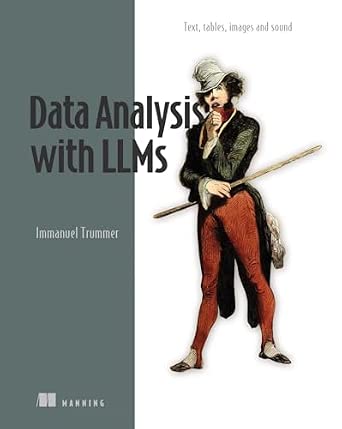 | Best for Multimodal Analysis Concepts | Format: Book | Subject: Data analysis with large language models | Data types: Text, tables, images, sound | VIEW LATEST PRICE | See Our Full Breakdown |
| Excel with AI: Data Management & Analysis QuickStudy Laminated Reference Guide |  | Best for Quick Excel Reference | Format: Laminated reference guide | Series: QuickStudy | Subject: Excel with AI; data management and analysis | VIEW LATEST PRICE | See Our Full Breakdown |
| AI for Data Analytics: A Practical Guide to Applying Machine Learning and Generative AI for Better Decisions |  | Best for Decision-Focused AI Analytics | Type: Practical guide | Subject: AI for data analytics | Methods: Machine learning and generative AI | VIEW LATEST PRICE | See Our Full Breakdown |
| Python for AI and Data Analysis: A Hands-On Guide to Data Wrangling, Machine Learning, and Automation with Pandas, NumPy, and Matplotlib |  | Best for Hands-On Python Analysis | Format: Hands-on guide | Publisher: Rheinwerk Computing | Programming language: Python | VIEW LATEST PRICE | See Our Full Breakdown |
| AI Data Analysis and Excel Made Simple |  | Best for Excel Users | Format: Guide | Primary software: Microsoft Excel | Topic: AI-assisted data analysis | VIEW LATEST PRICE | See Our Full Breakdown |
| AI data analysis software | ASIN | Format | Subject |
|---|---|---|---|
| Claude AI for Data Analysts: A | B0HRQTNLYG | — | — |
| Data Analysis with LLMs: Text | 1633437647 | Book | Data analysis with large language models |
| Excel with AI: Data Management | 1423254295 | Laminated reference guide | Excel with AI; data management and analysis |
| AI for Data Analytics: A Pract | B0GK1VYKYT | — | AI for data analytics |
| Python for AI and Data Analysi | 1493228927 | Hands-on guide | — |
| AI Data Analysis and Excel Mad | — | Guide | — |
More Details on Our Top Picks
Claude AI for Data Analysts: A Practical Guide
Claude AI for Data Analysts is the most tool-specific choice here: its coverage connects data cleaning, SQL, Python, and Excel with statistical analysis, visualization, and business intelligence. That breadth can help analysts think through where an AI assistant fits across a workflow, rather than treating it as a standalone chart or coding tool. Compared with Python for AI and Data Analysis, this guide centers on working with Claude across several familiar tools instead of building skills around Python libraries. Its tradeoff is that the description promises workflow guidance, not a software platform, and provides no detail on exercises, depth, or how current its examples are. Buyers looking for a general treatment of machine learning and generative AI may find AI for Data Analytics a broader fit.
Pros:- Covers several stages of data analysis, from cleaning to visualization
- Includes workflows involving SQL, Python, and Excel
- Connects Claude use to statistical analysis and business intelligence
Cons:- The available description does not specify the depth or format of its examples
- Its Claude focus may be limiting for readers comparing multiple AI tools
- It is a guide rather than an analysis software product
Best for: Analysts who already use Claude and want guidance spanning spreadsheet, SQL, Python, and BI tasks
Not ideal for: Readers seeking downloadable analysis software, detailed programming exercises, or a general machine learning textbook
- Type:Practical guide
- AI tool:Claude AI
- Topics:Data cleaning, SQL, Python, Excel, statistical analysis, data visualization, business intelligence
- ASIN:B0HRQTNLYG
- Software included:Not specified
- Publication format:Not specified
Our verdict“Choose this guide if you want Claude-oriented ideas for using AI across an existing analyst workflow.”
Data Analysis with LLMs: Text, Tables, Images, and Sound (In Action)
Data Analysis with LLMs stands apart by framing analysis around text, tables, images, and sound. That range makes it the most relevant pick for readers exploring how language models can work with mixed data types, while Claude AI for Data Analysts is described around a particular assistant and familiar analyst tools. The title signals a broader LLM perspective, but the supplied details do not identify specific models, workflows, prerequisites, or included examples, so I would not assume it is a ready-to-run software package. It is a book, which suits readers who want a learning resource; those who need a narrow Excel desk reference may prefer Excel with AI. The limited product information makes it harder to judge the book’s technical depth before choosing it.
Pros:- Explicitly covers text, tables, images, and sound
- Focuses on LLMs applied to data analysis
- Book format can support structured learning
Cons:- The supplied information does not name models, libraries, or technical prerequisites
- Specific projects and exercise depth are not described
- May be broader than needed for readers focused only on spreadsheets
Best for: Data practitioners and technically curious readers exploring LLM analysis across several kinds of media
Not ideal for: Readers who need a specific software tool, a Claude-only workflow, or confirmed hands-on exercises before buying
- Format:Book
- Subject:Data analysis with large language models
- Data types:Text, tables, images, sound
- Named software:Not specified
- Publisher:Not specified
- ASIN:1633437647
Our verdict“Pick this book if your interest is LLM analysis across mixed media and you can accept limited detail about its contents.”
Excel with AI: Data Management & Analysis QuickStudy Laminated Reference Guide
This laminated reference guide is the most desk-friendly, narrowly focused option in the group: its subject is Excel with AI, data management, and analysis. That makes it a different kind of purchase from Python for AI and Data Analysis, which centers on coding and named libraries, or the broader LLM book covering images and sound. A compact reference can suit someone who wants a prompt reminder while working in spreadsheets, but the supplied description does not say which Excel features, AI tools, or techniques appear. I would treat that missing detail as a real limitation: it is difficult to know whether the guide matches a particular version of Excel or workflow. It also offers less described depth than the practical books in this roundup.
Pros:- Laminated format is suited to frequent desk-side reference
- Focuses on Excel rather than requiring a Python workflow
- Combines AI with data management and analysis as its stated subject
Cons:- The listed information does not identify the Excel or AI topics covered
- No specific AI tool or Excel version is named
- A reference guide may offer less explanation than a practical book
Best for: Excel users who want a durable, nearby reference on AI-related data management and analysis
Not ideal for: Learners who need a detailed course, named AI integrations, or confirmed coverage of specific Excel features
- Format:Laminated reference guide
- Series:QuickStudy
- Subject:Excel with AI; data management and analysis
- Named AI tool:Not specified
- Excel version:Not specified
- ASIN:1423254295
Our verdict“Choose this guide for a physical Excel reference, provided its unspecified topic coverage meets your needs.”
AI for Data Analytics: A Practical Guide to Applying Machine Learning and Generative AI for Better Decisions
AI for Data Analytics takes the broadest decision-oriented framing among these picks: it pairs machine learning and generative AI with the goal of improving decisions. That makes it a better conceptual match for readers deciding where AI belongs in an analytics process than Excel with AI, whose described scope is a reference for spreadsheet work. It may also suit readers who want a general guide rather than the Claude-specific workflows in Claude AI for Data Analysts. The available description, however, does not name software, methods, examples, or prerequisites, so buyers cannot tell how much implementation detail it offers. It is guidance about applying AI, not identified analysis software, and readers seeking code-heavy practice may prefer the Python-focused book.
Pros:- Addresses both machine learning and generative AI
- Frames analytics around supporting better decisions
- Practical-guide positioning may appeal to applied readers
Cons:- No specific software, methods, or case studies are identified in the supplied details
- Technical level and prerequisites are not specified
- The description does not establish whether it includes coding exercises
Best for: Analytics leads and practitioners evaluating how machine learning and generative AI can inform business decisions
Not ideal for: Readers who need a named software package, step-by-step Python instruction, or documented coverage of particular techniques
- Type:Practical guide
- Subject:AI for data analytics
- Methods:Machine learning and generative AI
- Stated aim:Support better decisions
- Named software:Not specified
- ASIN:B0GK1VYKYT
Our verdict“Consider this guide if you want an applied, decision-centered overview of AI in analytics and do not require confirmed coding detail.”
Python for AI and Data Analysis: A Hands-On Guide to Data Wrangling, Machine Learning, and Automation with Pandas, NumPy, and Matplotlib
Python for AI and Data Analysis is the clearest choice for readers who want to work directly with code: it names Pandas, NumPy, and Matplotlib and describes hands-on coverage of data wrangling, machine learning, and automation. That makes its learning path more concrete than the descriptions for AI for Data Analytics or Data Analysis with LLMs, which do not name tools or libraries. In exchange, it is less suited to readers who want spreadsheet-first guidance or workflows built around a conversational assistant such as Claude. The scope also spans several technical areas, but the supplied details do not specify prerequisites, project examples, or the depth of its AI coverage. Its strongest case is practical Python skill building, rather than a general survey of AI analysis software.
Pros:- Hands-on positioning supports learning through practical work
- Names Pandas, NumPy, and Matplotlib
- Covers data wrangling, machine learning, and automation
Cons:- Requires interest in a Python-based workflow
- The supplied details do not specify programming prerequisites
- No particular AI software or generative AI workflow is identified
Best for: Learners and analysts ready to use Python libraries for wrangling data, machine learning, and automation
Not ideal for: Spreadsheet-only users or readers looking for a no-code AI analysis application
- Format:Hands-on guide
- Publisher:Rheinwerk Computing
- Programming language:Python
- Libraries:Pandas, NumPy, Matplotlib
- Topics:Data wrangling, machine learning, automation
- ASIN:1493228927
Our verdict“Choose this book if you want a code-centered path through Python data analysis and can work with its technical approach.”
AI Data Analysis and Excel Made Simple
AI Data Analysis and Excel Made Simple centers on a familiar tool: Excel. Its focus on formula guidance, spreadsheet automation, and business insights makes it a fit for readers who want AI to support work in spreadsheets without starting with a programming workflow. Compared with Python for AI and Data Analysis, this guide appears more accessible to Excel users, while offering less scope for custom data pipelines and coding. It also has a narrower focus than Data Analysis with LLMs: Text, Tables, Images, and Sound, which covers several data types. The tradeoff is limited detail: no information is provided about the specific AI tools, examples, or level of instruction. I would choose it for an Excel-centered learning path, but look elsewhere for a broader technical curriculum.
Pros:- Focuses on automating spreadsheet work with AI
- Includes guidance on Excel formulas
- Connects analysis to business insights
Cons:- Specific AI tools and workflows are not described
- The available details do not establish its depth or practical examples
Best for: Excel users who want guidance on applying AI to formulas, spreadsheet automation, and business insights
Not ideal for: Readers seeking detailed tool comparisons, verified hands-on projects, or coverage beyond Excel
- Format:Guide
- Primary software:Microsoft Excel
- Topic:AI-assisted data analysis
- Spreadsheet focus:Excel formulas
- Automation focus:Spreadsheet automation
- Business focus:Generating business insights with AI
Our verdict“Choose this guide if you want an Excel-focused introduction to AI-assisted analysis and automation.”

How We Picked
I compared these six titles by how clearly their stated subject matter maps to a buyer’s practical goal: using an AI assistant, working in spreadsheets, learning Python, exploring multiple data types, or applying AI methods to decisions. I also considered the apparent learning format and scope: a laminated reference can support quick lookups, while a hands-on guide signals a more involved learning path. Those distinctions matter because a useful resource for an Excel user may not help someone building a repeatable Python workflow.
The order gives priority to a direct, practical fit for AI-assisted data analysis, then to titles with clearly defined audiences or methods. Claude AI for Data Analysts leads for its focused analyst framing; the Python and Excel guides follow for readers with specific tool needs. Broader or more specialized titles rank lower for general-purpose selection, though they may be the better choice for readers whose work centers on their particular topic. These recommendations are based on the titles and described scope, so readers should check sample pages and current editions before choosing.
| AI data analysis software | Format | Subject |
|---|---|---|
| Claude AI for Data Analysts: A | — | — |
| Data Analysis with LLMs: Text | Book | Data analysis with large language models |
| Excel with AI: Data Management | Laminated reference guide | Excel with AI; data management and analysis |
| AI for Data Analytics: A Pract | — | AI for data analytics |
| Python for AI and Data Analysi | Hands-on guide | — |
| AI Data Analysis and Excel Mad | Guide | — |
Factors to Consider When Choosing AI Data Analysis Software
Choose a learning resource by matching its workflow to the work you need to do. The right fit depends on your current tools, how much technical depth you want, and whether you need a reference or a structured path for building skills.
Start With the Work You Need to Finish
Begin with a real task, such as summarizing a spreadsheet, cleaning a dataset, or automating a recurring report. That task points to the kind of resource likely to help: a spreadsheet reference, a coding guide, or an introduction to AI-assisted analysis. A common mistake is choosing the broadest-sounding title and expecting it to teach every workflow. Broad coverage can help you understand the field, but it may offer less detail on the exact task you perform each week. Write down the output you need and the tools you already have before comparing titles. Pick the guide whose stated scope comes closest to that work.
Match the Learning Format to Your Habits
A quick reference works best when you already know the basics and need reminders while working. A hands-on guide makes more sense when you want a sequence of concepts and practice, though it asks for more time and attention. These formats solve different problems, even when both cover the same tool. Buyers often choose a reference because it looks convenient, then find it too condensed for learning from scratch. If you are new to analysis, look for examples and a progression from basic tasks to more involved ones. If you mainly need a desk-side prompt, compact lookup material may be enough.
Check Whether You Need Code or Spreadsheets
Spreadsheets are accessible for familiar tables and manual review, while Python can support repeatable data preparation and automation. The better path depends on data volume, task frequency, and whether you need to hand work off to others. A frequent mistake is learning a programming tool for a task that a spreadsheet already handles well, or staying with manual steps that repeatedly consume time. AI assistance does not remove the need to understand how the underlying tool handles data. Consider who will maintain the workflow after you build it. Choose the resource that develops skills you can keep using with your actual files.
Treat AI Outputs as Work to Verify
AI can help draft code, summarize patterns, or suggest an analysis, but a plausible answer can still contain errors. Before relying on a workflow, check calculations against known results and inspect how missing values, unusual records, and ambiguous prompts affect the output. This matters especially when decisions depend on the analysis or when datasets contain sensitive information. A common mistake is judging a tool by how quickly it produces a chart or explanation. Learn to ask where the data came from, what was transformed, and what assumptions shape the result. Select learning material that leaves room for validation as well as speed.
Decide How Much Breadth You Actually Need
A guide spanning several data types or AI methods can help readers compare approaches and spot new possibilities. That breadth is useful when your role crosses text, tables, images, or other inputs. It can be less effective when you need step-by-step depth in one specific tool. More coverage is not automatically more useful; it can mean less time spent on the workflow you need to master. Check the topics and examples in the contents or a sample before committing. Pay for breadth when you expect to use it, and favor a narrow guide when your immediate goal is specific.
Check Edition Details and Examples
AI tools and interfaces change, so the date and edition of a guide can affect how directly its instructions transfer to current software. A foundational explanation may remain useful even when screenshots or interface steps have aged. For tool-specific tasks, confirm that examples use versions and features you can access. Another common mistake is assuming a title’s mention of AI means it covers every assistant or platform. Look for the named tools, sample projects, and any prerequisites before deciding. When those details are unclear, treat the guide as a learning aid and verify procedural steps against current documentation.
Frequently Asked Questions
Are these six picks software platforms or learning resources?
They are books and reference guides, not AI data analysis applications. They can help readers learn workflows for assistants, spreadsheets, Python, and analytics methods, but they do not replace software that connects to or processes your data. If you need a platform to analyze files, compare actual product capabilities, privacy terms, and integrations separately. Match the guide to the platform you plan to use. A book can build skill, but it cannot provide the platform’s access controls or data handling policies.
Which guide makes the most sense if I do not know Python?
If you want to avoid coding at first, the Excel-focused titles are the more natural place to start. Excel with AI is positioned as a laminated reference, while AI Data Analysis and Excel Made Simple signals an introductory approach. Compare a sample or contents page to see whether the explanations suit your level. You can move to the Python guide later if spreadsheet workflows begin to limit repeatability or automation. You do not need Python simply because a task involves AI.
Should I choose a Python guide or an Excel guide for recurring reports?
For reports that rely on stable, repeatable data preparation, Python may be worth learning because code can make steps easier to rerun and document. Excel can be more practical when the dataset is manageable and colleagues need to inspect or edit the workbook. Consider who will update the report and what tools your team already supports. A coding workflow also brings setup and maintenance work, so it is not automatically simpler. Choose the guide that fits the report’s frequency and the people responsible for it.
Is a guide about LLMs useful if my data is mostly spreadsheets?
It may be useful if you want to understand how language models work across tables as well as other inputs. Data Analysis with LLMs also covers text, images, and sound, so some of its scope may not match a spreadsheet-only need. If your priority is a specific Excel workflow, an Excel-focused guide is likely to use more of your study time directly. If you expect to handle mixed data or want a wider view of LLM analysis, the broader scope may pay off. Check the examples before choosing.
How can I tell whether a guide is current enough for my AI tools?
Check its publication date, edition, named tools, and sample pages before relying on interface-specific steps. Core ideas about data cleaning or analytical reasoning may last longer than instructions tied to a particular assistant feature. If the guide focuses on a named product, compare its coverage with the current product documentation. Be cautious about treating generated code or conclusions as correct without checking them against your data. A current guide is helpful, but verification remains part of the workflow.
Conclusion
Best overall: I recommend Claude AI for Data Analysts for readers who want a focused introduction to using an AI assistant in analyst work. Best value: Excel with AI is the compact choice for people who already know spreadsheets and want quick reference material. Best for beginners: AI Data Analysis and Excel Made Simple is the most approachable-sounding option for spreadsheet newcomers, though checking a sample will help confirm the teaching style. Best premium-style deep study: choose Python for AI and Data Analysis if you want a hands-on path into coding, wrangling, and automation. For broad LLM modalities, pick Data Analysis with LLMs; for decision-focused analytics, choose AI for Data Analytics. Match the title to the workflow you plan to use, since none of these guides serves every buyer equally well.