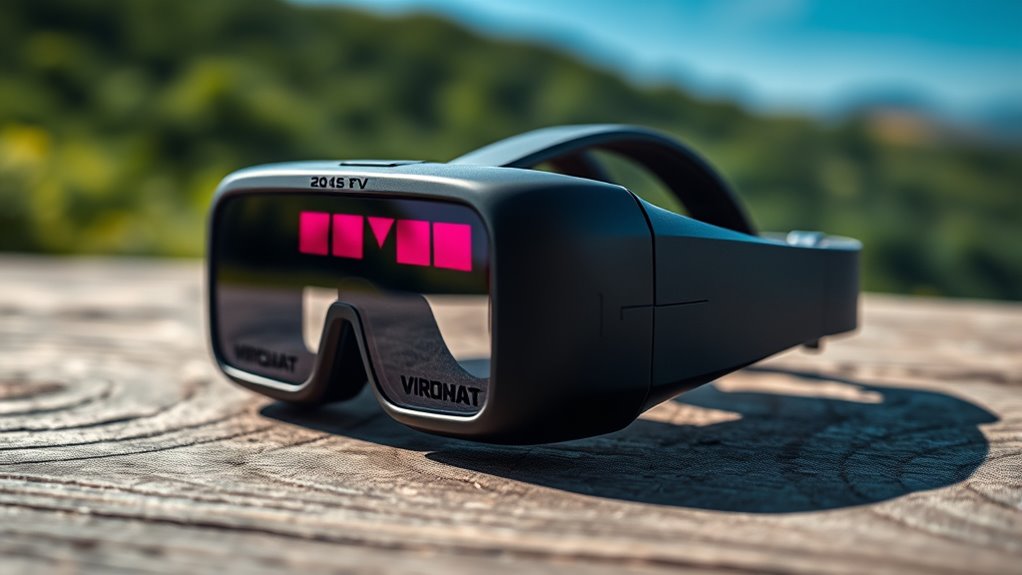
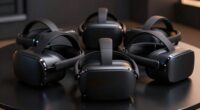
Choosing the right drone fpv goggles determines whether your flight feels like a video game or a real-world cockpit experience. The DJI Goggles 3 stands out as the best overall pick for most pilots due to its Micro-OLED clarity and seamless ecosystem integration. For budget-conscious racers, the Speedybee EV800D offers reliable analog reception without breaking the bank. The primary tradeoff in this category is between HD digital latency and analog compatibility; digital goggles provide stunning visuals but often lock you into specific camera brands, while analog options work with any 5.8GHz transmitter but suffer from lower resolution and static. Continue reading to see how these twelve models stack up against each other in terms of comfort, signal reliability, and value.

Get business pricing on tech for your team
- Business-only prices and quantity discounts
- Tax-exempt purchasing
- Multiple users, one account, clear invoices
Key Takeaways
- Digital HD goggles like the DJI Goggles 3 and CADDXFPV Walksnail X dominate the premium segment by offering 1080p clarity and low latency, but they require matching camera systems.
- Analog goggles such as the Speedybee EV800D remain relevant for pilots who fly multiple drone types or prioritize lowest possible latency over image quality.
- Comfort and weight distribution are often overlooked; heavier goggles like the DJI FPV V2 can cause neck strain during long sessions compared to lighter units.
- Head tracking features in models like the CADDXFPV Walksnail L add immersive value for cinematic pilots but are less useful for aggressive freestyle racing.
- Bundle deals involving drones and goggles, such as the APIZCUK or DJI Neo 2 combos, offer entry-level value but may limit future hardware upgrades.
| Speedybee 5.8 GHz FPV Goggles with 3-Inch Screen |  | Best Compact Analog Pick | Display: 3-inch LCD, 480 × 320 | Frequency: 5.8 GHz | Channels: 40 with auto-search | VIEW ON AMAZON | See Our Full Breakdown |
| APIZCUK FPV Brushless Quadcopter Drone with Camera and VR Goggles |  | Best Beginner Drone-and-Goggles Bundle | Model: x226 | Motor: Brushless | Positioning: Optical flow | VIEW ON AMAZON | See Our Full Breakdown |
| CADDXFPV Walksnail Avatar HD FPV Goggles X |  | Best Premium Walksnail Digital Goggles | Displays: Dual 1920 × 1080 OLED | Maximum frame rate: 100 FPS | Field of view: 50° | VIEW ON AMAZON | See Our Full Breakdown |
| Speedybee EV800D FPV Goggles with DVR, 5.8 GHz 40-Channel Receiver and 5-Inch Screen |  | Best Analog All-Rounder | Display: 5-inch LCD, 800 × 480 | Receiver: 5.8 GHz, 40 channels with auto-search | Antennas: Dual reception; RHCP clover and panel antennas included | VIEW ON AMAZON | See Our Full Breakdown |
| CADDXFPV Walksnail Goggles L 1080p FPV Goggles with Head Tracking |  | Best Walksnail Big-Screen Alternative | Display: 4.5-inch LCD, 1920 × 1080 | Video: 1080p at 60 fps | Maximum bitrate: 50 Mbps | VIEW ON AMAZON | See Our Full Breakdown |
| DroneMask 2 FPV Goggles for Camera Drones |  | Best for Smartphone-Based Camera Drone Flying | Model: DroneMask 2 | Weight: 1.3 kg | Dimensions: 3.2 × 2 × 3.2 in | VIEW ON AMAZON | See Our Full Breakdown |
| EV800D FPV Goggles with DVR, 5.8 GHz 40-Channel Receiver, 5-Inch 800×480 LCD |  | Best Value for Analog FPV and DVR Recording | Receiver: 5.8 GHz, 40 channels, diversity | Display: 5-inch LCD, 800×480 resolution | DVR recording: Up to 720×576 | VIEW ON AMAZON | See Our Full Breakdown |
| DJI FPV Goggles V2 for Drone Racing Immersive Experience, Black |  | Best for DJI FPV System Buyers Seeking a Named Goggles V2 Model | Product name: DJI FPV Goggles V2 | Color: Black | Package length: 200 mm | VIEW ON AMAZON | See Our Full Breakdown |
| DJI Goggles 3 FPV Goggles with Micro-OLED Screens and Lens Cleaning Kit |  | Best Premium DJI Display and Viewing Features | Display: Dual 1080p Micro-OLED screens | Refresh rate: Up to 100 fps | Video transmission: DJI O4 HD | VIEW ON AMAZON | See Our Full Breakdown |
| BETAFPV VR04 HD FPV Goggles with 1080p 4.5-Inch LCD Screen |  | Best for P1 Air Unit and Whoop Pilots | Screen: 4.5-inch LCD | Screen resolution: 1920×1080 | Recording: 1080p at 60 fps | VIEW ON AMAZON | See Our Full Breakdown |
| DJI Goggles 3 FPV Goggles with Micro-OLED Screens and Real View PiP |  | Best Premium Display for DJI Pilots | Display Type: 1080p Micro-OLED | Refresh Rate: Up to 100 Hz | Video Transmission: DJI O4 HD | VIEW ON AMAZON | See Our Full Breakdown |
| DJI Neo 2 Motion Fly More Combo with RC Motion 3 and Goggles N3 |  | Best Entry-Level FPV Bundle | Drone Weight: 151 g | Video Resolution: 4K | Battery Capacity: 1606 mAh | VIEW ON AMAZON | See Our Full Breakdown |
More Details on Our Top Picks
Speedybee 5.8 GHz FPV Goggles with 3-Inch Screen
For an analog FPV setup where low carry weight matters more than a large viewing area, I’d put the Speedybee 3-inch goggles ahead of the bulkier Speedybee EV800D. They weigh 180 g and include a rechargeable battery, so they suit pilots who want a self-contained option for casual sessions or a compact backup. The 40-channel auto-search and dual antennas simplify finding and receiving a compatible 5.8 GHz signal; DVR recording also lets pilots save flights, while AV input and output add flexibility for other video gear. The tradeoff is the 480 × 320 LCD, which gives a less detailed view than the EV800D’s 5-inch, 800 × 480 screen. This is an analog viewer, not a high-resolution digital headset, and the listed intermediate skill level may make it less appealing as a first FPV kit.
Pros:- Lightweight 180 g design with a built-in rechargeable battery
- 40-channel auto-search helps find an analog video feed
- Dual antennas support reception from compatible 5.8 GHz transmitters
- DVR recording plus AV input and output expands its video-use options
Cons:- 480 × 320 resolution is noticeably limited compared with the Speedybee EV800D’s 800 × 480 screen
- Analog-only 5.8 GHz reception does not support Walksnail Avatar digital video
- Listed for intermediate skill level rather than as a beginner-focused kit
Best for: Analog FPV pilots who want lightweight, battery-powered goggles for short sessions, travel, or use as a compact backup.
Not ideal for: Pilots who prioritize a large, detailed viewing area, or beginners who want a complete drone-and-goggles starter kit.
- Display:3-inch LCD, 480 × 320
- Frequency:5.8 GHz
- Channels:40 with auto-search
- Antennas:Dual
- Battery:1200 mAh, built-in rechargeable
- Weight:180 g
- Video recording:480p MP4 DVR
- Video connections:External video input and AV output
Our verdict“Choose this Speedybee when portability and analog DVR features matter more than screen size and resolution.”
APIZCUK FPV Brushless Quadcopter Drone with Camera and VR Goggles
I’d choose the APIZCUK x226 bundle for a beginner who wants a drone and goggles together, rather than standalone FPV goggles for an existing aircraft. Its VR glasses are part of a package with a brushless quadcopter, dual cameras, two modular batteries, and propeller guards, so there is less separate gear to assemble than with the Speedybee EV800D. Optical flow positioning and one-key takeoff and landing may help newcomers manage basic flights, while speed settings and headless mode offer accessible controls. Those conveniences do not establish how clear or responsive the FPV view will be: the available product data gives no camera resolution, flight-time figure, or detailed goggle display specifications. Buyers seeking goggles they can pair across different aircraft should instead look at a dedicated model with clearly stated video-system compatibility.
Pros:- Includes the drone, VR glasses, remote controller, and two modular batteries
- Optical flow positioning is intended to support steadier basic flight
- One-key takeoff and landing, speed settings, and headless mode offer approachable controls
- Propeller guards, spare propellers, and an 8GB microSD card are included
Cons:- Camera resolution and goggle display specifications are not provided
- Flight time is not specified, making session planning difficult
- The bundled VR glasses are tied to this drone package rather than described as versatile standalone goggles
Best for: First-time flyers who want an all-in-one toy-class drone, VR glasses, spare batteries, and basic assisted controls in one package.
Not ideal for: Experienced FPV pilots or buyers seeking standalone goggles for a known analog or digital video system, since compatibility and display details are not specified.
- Model:x226
- Motor:Brushless
- Positioning:Optical flow
- Camera:Dual cameras with adjustable angle and switching
- Flight controls:One-key takeoff and landing, speed switching, headless mode, six-channel gyroscope, and 360-degree rolling
- Batteries included:Two modular batteries
- Storage included:8GB microSD card
- Included FPV gear:VR glasses and remote controller
Our verdict“Pick this bundle for an accessible first drone-and-goggles setup, not for pilots who need defined headset specifications or broad compatibility.”
CADDXFPV Walksnail Avatar HD FPV Goggles X
Within this group, the Walksnail Avatar HD Goggles X make the strongest case for pilots already building around Walksnail’s digital system. Dual 1920 × 1080 OLED displays, support for up to 100 FPS, and average latency as low as 22 ms give the viewing experience a higher-resolution, smoother profile than the Speedybee EV800D, whose analog 5-inch LCD favors broad compatibility with analog setups over image detail. The Goggles X also bring DVR, HDMI and AV connections, head-tracking support, and wireless video sharing with compatible Avatar goggles. That flexibility has boundaries: they work with Walksnail Avatar HD VTX kits, not Ascent or third-party digital systems. Their 0.84 kg weight is substantial, and the required 2S–6S battery and microSD card are separate purchases, so this is a system-specific upgrade rather than an easy all-in-one start.
Pros:- Dual 1920 × 1080 OLED displays support video up to 100 FPS
- Average latency is specified as low as 22 ms
- DVR supports microSD cards up to 256GB, with HDMI and AV connections
- Adjustable IPD and diopters support a range of face and vision needs
Cons:- Compatible with Walksnail Avatar HD VTX kits, not Ascent or third-party digital systems
- 2S–6S battery and microSD card are sold separately
- At 0.84 kg, it weighs substantially more than the 180 g Speedybee 3-inch goggles
Best for: Walksnail Avatar HD pilots who want high-resolution OLED viewing, recording, and added video connections for a dedicated digital setup.
Not ideal for: Analog-first pilots, owners of Walksnail Ascent or other digital systems, and buyers who want a battery and recording card included.
- Displays:Dual 1920 × 1080 OLED
- Maximum frame rate:100 FPS
- Field of view:50°
- Average latency:As low as 22 ms
- Video bitrate:Up to 50 Mbps
- Compatibility:Walksnail Avatar HD VTX kits
- Connections:HDMI input and output; AV input
- Power:2S–6S battery, not included
- Weight:0.84 kg
Our verdict“Choose the Goggles X for a feature-rich Walksnail Avatar HD build if you accept its system lock-in and separate power and storage needs.”
Speedybee EV800D FPV Goggles with DVR, 5.8 GHz 40-Channel Receiver and 5-Inch Screen
For pilots who want a straightforward analog headset with a larger screen, I’d rank the Speedybee EV800D ahead of the smaller Speedybee 3-inch model. Its 5-inch, 800 × 480 LCD gives analog video more viewing area and detail, while the 40-channel receiver’s auto-search reduces manual tuning. Dual antennas, built-in MP4 DVR, external video input, and headphone output add practical uses for flying, recording, and checking compatible video sources. The included battery, antennas, cables, and protective case also make it more ready to use than the Walksnail Goggles X, which requires a separate battery and belongs to a digital system. The compromise is bulk: at 393 g, it is more than twice the weight of the 180 g Speedybee 3-inch goggles. It remains an analog-focused choice, not a route to Walksnail HD video.
Pros:- 5-inch, 800 × 480 LCD provides a larger and more detailed view than the Speedybee 3-inch model
- 40-channel auto-search and dual antennas support practical analog signal setup
- Built-in MP4 DVR, external video input, and headphone output add useful connections
- Battery, antennas, cables, and protective case are included
Cons:- At 393 g, it is much heavier than the Speedybee 3-inch goggles
- The 800 × 480 LCD does not match the detail of the Walksnail Goggles X’s 1080p OLED displays
- Its 5.8 GHz analog receiver does not support Walksnail Avatar HD digital video
Best for: Analog FPV pilots who want a larger built-in screen, channel auto-search, DVR, and a ready-to-use set of included accessories.
Not ideal for: Pilots seeking lightweight goggles for long wear or high-resolution digital video from a Walksnail Avatar system.
- Display:5-inch LCD, 800 × 480
- Receiver:5.8 GHz, 40 channels with auto-search
- Antennas:Dual reception; RHCP clover and panel antennas included
- Recording:Built-in DVR, MP4 format
- Battery:2000 mAh lithium polymer
- Connections:External video input and headphone output
- Weight:393 g
- Included accessories:Two antennas, charger cable, AV cable, manual, and protective case
Our verdict“Choose the EV800D for a larger, accessory-ready analog setup, but skip it if low weight or digital HD reception is your priority.”
CADDXFPV Walksnail Goggles L 1080p FPV Goggles with Head Tracking
The Walksnail Goggles L suit buyers who want a single large 1080p LCD rather than the Goggles X’s dual OLED displays. Its 4.5-inch screen runs at 1080p and up to 60 fps, with onboard DVR and replay for reviewing recorded flights. Head tracking with a nine-axis gyro and PPM output can also support compatible gimbals or controllers. Against the Speedybee EV800D, this is the digital-system option: it offers a stated average latency as low as 32 ms and a bitrate up to 50 Mbps, but it cannot receive analog video or take an HDMI input. Compatibility is limited to Walksnail Avatar HD air units, and, like the Goggles X, it arrives without a battery or microSD card. Its 1.3 lb weight also makes it a poor fit for buyers seeking a light headset.
Pros:- 4.5-inch 1920 × 1080 display supports video at up to 60 fps
- Built-in DVR records and replays MP4 footage from a microSD card
- Nine-axis gyro head tracking provides PPM output for compatible equipment
- Accepts a broad 2S–6S battery input range
Cons:- Works only with Walksnail Avatar HD air units and does not receive analog video
- No HDMI input is provided, unlike the Walksnail Goggles X
- External battery and microSD card are not included, and the headset weighs 1.3 lb
Best for: Walksnail Avatar HD owners who prefer a large 1080p LCD, onboard recording, and head tracking over analog or HDMI flexibility.
Not ideal for: Pilots who need analog reception, HDMI input, broad digital-system compatibility, or a lightweight headset for extended wear.
- Display:4.5-inch LCD, 1920 × 1080
- Video:1080p at 60 fps
- Maximum bitrate:50 Mbps
- Average latency:As low as 32 ms
- Compatibility:Walksnail Avatar HD air units only
- Head tracking:Nine-axis gyro with PPM output
- Recording:Built-in MP4 DVR; microSD up to 256GB
- Power input:6–25.2 V; 2S–6S batteries
- Weight:1.3 lb
Our verdict“Choose Goggles L for a large-screen Walksnail Avatar HD setup with recording and head tracking, but not for analog flexibility or lower weight.”
DroneMask 2 FPV Goggles for Camera Drones
DroneMask 2 takes a different approach from receiver-based FPV goggles: it uses your smartphone as the display, making it a fit for camera-drone pilots who want a shaded, more immersive view without changing their standard controller. Its unibody lens and glare-reducing design address a practical outdoor problem, while adjustable focal length, a flexible head strap, and eyeglass compatibility help with fit. Unlike the EV800D, it does not include its own 5.8 GHz receiver or DVR; your phone and drone’s usual video connection remain part of the setup. The listed compatibility covers many brands, but the product data does not specify supported phone screen sizes, so check your handset before buying. Its stated 1.3 kg weight is also a substantial tradeoff for extended wear.
Pros:- Uses a smartphone screen with a patented unibody lens system.
- Reduces sunlight and glare for outdoor viewing.
- Adjustable focal length and head strap, with eyeglass compatibility.
- Includes cables and an adapter for connecting compatible phones.
Cons:- Requires a smartphone and standard drone controller rather than providing a standalone FPV receiver.
- Supported smartphone screen sizes are not specified.
- Listed weight of 1.3 kg may be uncomfortable for long sessions.
Best for: Camera-drone pilots who already fly with a compatible smartphone and want a shaded headset view while keeping their usual controller.
Not ideal for: FPV racers who need a built-in analog receiver, or buyers who want a self-contained headset without checking phone fit and connection requirements.
- Model:DroneMask 2
- Weight:1.3 kg
- Dimensions:3.2 × 2 × 3.2 in
- Connectivity:HDMI
- Optics and fit:Patented unibody lens system; adjustable focal length and headband
- Compatibility:Smartphones and many camera drones, including DJI, Autel, Potensic, Fimi, Hubsan, Skydio, Xiaomi, and Parrot models
- Included components:USB-C to USB-C female adapter, Lightning cable, pouch, USB Type-C cable, and wipe cloth
Our verdict“Choose DroneMask 2 if you want to view compatible camera-drone footage through your phone in a shaded headset, not a self-contained racing goggle.”
EV800D FPV Goggles with DVR, 5.8 GHz 40-Channel Receiver, 5-Inch 800×480 LCD
EV800D is a straightforward choice for pilots using analog FPV gear: its 5.8 GHz diversity receiver scans 40 channels, and automatic frequency search can reduce setup friction when joining a compatible video feed. The built-in DVR adds a way to record flights, a useful distinction from the phone-dependent DroneMask 2, which does not list onboard recording. Its 5-inch, 800×480 LCD and 82-degree field of view favor a broad, accessible view over the finer image detail offered by the BETAFPV VR04 HD and its 1080p screen. Recording also has a caveat: full-frame capture calls for a C10 high-speed card. With listed battery life of two hours, it is less suited to long sessions than goggles rated for up to three hours.
Pros:- Built-in 5.8 GHz diversity receiver with 40 channels.
- Automatic frequency search simplifies finding a compatible video signal.
- DVR records video at up to 720×576.
- External video input and an 82-degree field of view add flexibility.
Cons:- 800×480 display offers less detail than the 1080p BETAFPV VR04 HD.
- Full-frame DVR recording requires a C10 high-speed card.
- Listed battery life is two hours.
Best for: Analog FPV beginners and hobby pilots who want an integrated 5.8 GHz receiver, automatic channel search, and onboard flight recording.
Not ideal for: Digital-system pilots seeking a 1080p view, or flyers who need longer sessions than the listed two-hour battery life allows.
- Receiver:5.8 GHz, 40 channels, diversity
- Display:5-inch LCD, 800×480 resolution
- DVR recording:Up to 720×576
- Field of view:82 degrees
- Video input:External video signal supported
- Battery:2000 mAh; listed life up to 2 hours
- Storage:64 GB capacity listed; full-frame recording requires a C10 high-speed card
- Connectors:Micro-B and DC 2.5 mm
Our verdict“Pick the EV800D for an accessible analog FPV setup with receiver and DVR built in, and accept its lower-resolution screen and shorter listed runtime.”
DJI FPV Goggles V2 for Drone Racing Immersive Experience, Black
DJI FPV Goggles V2 is the named DJI option here for buyers specifically seeking a headset associated with immersive drone racing. The supplied product information, however, gives little to judge beyond the model name and package dimensions. Unlike the DJI Goggles 3, this listing provides no display resolution, transmission specification, battery runtime, diopter range, or aircraft compatibility details, so I cannot rank it on image quality or fit against the newer model. The listed dimensions are packaging measurements, not confirmed headset dimensions. That gap matters if you are choosing goggles for an existing aircraft: verify the exact system compatibility and included contents before purchase. Compared with the more fully specified EV800D, this listing offers less information about receiver, recording, and connections.
Pros:- Identifies a specific DJI FPV Goggles V2 model.
- Positioned for an immersive drone-racing viewing experience.
- Package dimensions are provided for shipment planning.
Cons:- Product data does not provide display resolution or transmission specifications.
- Aircraft and controller compatibility are not specified.
- Battery life, headset weight, and included accessories are not listed.
Best for: DJI FPV owners who have confirmed that this exact Goggles V2 listing matches their aircraft and need this specific model.
Not ideal for: First-time buyers who need clear specifications on display, compatibility, battery life, or included accessories before choosing goggles.
- Product name:DJI FPV Goggles V2
- Color:Black
- Package length:200 mm
- Package width:122 mm
- Package height:168 mm
- Package quantity:1
- Country of origin:China
Our verdict“Consider this Goggles V2 listing only if you have verified its compatibility and contents, since the supplied details do not support a confident comparison on performance.”
DJI Goggles 3 FPV Goggles with Micro-OLED Screens and Lens Cleaning Kit
DJI Goggles 3 is the premium-leaning pick for pilots already using compatible DJI aircraft who want a high-detail view and helpful visibility features. Its dual 1080p Micro-OLED screens support refresh rates up to 100 fps, while adjustable diopters and one-tap defogging address focus and fog without relying on add-on lenses or removing the headset. Real View picture-in-picture also gives pilots a way to check their surroundings while wearing the goggles, a capability not listed for the more basic EV800D. This performance depends on staying within the compatible DJI ecosystem; the supplied data specifically excludes DJI RC Motion 2 and DJI FPV Remote Controller 2. Battery life is listed at up to three hours, and some playback features require an optional microSD card.
Pros:- Dual 1080p Micro-OLED displays with refresh rates up to 100 fps.
- Adjustable diopters from -6.0D to +2.0D and one-tap defogging.
- Real View picture-in-picture helps users check their surroundings without removing the goggles.
- Up to three hours of listed battery life.
Cons:- Not compatible with DJI RC Motion 2 or DJI FPV Remote Controller 2.
- Some playback features require an optional microSD card.
- Designed around compatible DJI equipment rather than analog FPV systems like the EV800D.
Best for: DJI pilots with a compatible O4 HD aircraft and controller who value high-resolution displays, adjustable focus, and an in-goggle view of their surroundings.
Not ideal for: Pilots using DJI RC Motion 2 or DJI FPV Remote Controller 2, or analog FPV flyers who need a 5.8 GHz receiver.
- Display:Dual 1080p Micro-OLED screens
- Refresh rate:Up to 100 fps
- Video transmission:DJI O4 HD
- Maximum range:Up to 8.1 miles under FCC conditions
- Diopter adjustment:-6.0D to +2.0D
- Battery life:Up to 3 hours
- Wireless communication:Wi-Fi
- Video capture:4K video; 48 MP effective still resolution; MP4 and MOV formats
- Included accessory:Lens cleaning kit
Our verdict“Choose DJI Goggles 3 for a compatible DJI setup when display clarity, focus adjustment, and Real View matter more than broad analog-system compatibility.”
BETAFPV VR04 HD FPV Goggles with 1080p 4.5-Inch LCD Screen
BETAFPV VR04 HD suits pilots building around the P1 Air Unit, especially those who want a 1080p display and 1080p60 recording in the goggles. That recording resolution is a step above the EV800D’s listed DVR ceiling of 720×576, while the VR04 HD’s stated compatibility is narrower: it names the P1 Air Unit and Meteor75 Pro P1 rather than a broad range of camera drones. Comfort details—including a glasses-friendly interior, padded cushion, and silicone nose bridge—make the fit more accommodating than a bare-bones setup. Two included batteries are rated for up to three hours of use, and the headset can also run from a compatible 2–6S whoop battery. The microSD card is not included, so recording requires an additional storage purchase.
Pros:- 4.5-inch 1920×1080 screen and 1080p recording at 60 fps.
- Glasses-friendly interior with padded face cushion and silicone nose bridge.
- Includes two 2600 mAh batteries with up to three hours of listed use.
- Can also run from a compatible 2–6S whoop battery.
Cons:- Compatibility is specified for P1 Air Unit setups, including Meteor75 Pro P1.
- microSD card is not included.
- Less suited to pilots seeking the broad 5.8 GHz receiver feature set listed for the EV800D.
Best for: Whoop pilots using the P1 Air Unit or Meteor75 Pro P1 who want higher-resolution onboard recording and a glasses-friendly fit.
Not ideal for: Camera-drone pilots or FPV builders outside the listed P1 Air Unit setups who need broader, clearly stated compatibility.
- Screen:4.5-inch LCD
- Screen resolution:1920×1080
- Recording:1080p at 60 fps
- Storage support:microSD card up to 1 TB
- Included batteries:2 × 2600 mAh
- Battery life:Up to 3 hours
- Power input:2–6S whoop battery
- Compatibility:P1 Air Unit and Meteor75 Pro P1
- Included accessories:Adjustable headband, two batteries, and user manual
Our verdict“Choose the VR04 HD if you fly a listed P1 Air Unit setup and want 1080p viewing and recording, but check compatibility before using it with other FPV systems.”
DJI Goggles 3 FPV Goggles with Micro-OLED Screens and Real View PiP
The DJI Goggles 3 stand out for their 1080p Micro-OLED screens and 100 Hz refresh rate, offering a visual clarity that analog options like the Speedybee 5.8 GHz FPV Goggles simply cannot match. This high frame rate reduces motion blur, making it easier to spot obstacles during fast maneuvers. The Real View picture-in-picture feature is a significant safety upgrade, allowing pilots to see their surroundings without removing the headset, a capability absent in most competitors. However, this premium experience comes with strict ecosystem lock-in. Unlike the Walksnail Avatar HD Goggles X, which supports multiple protocols, the Goggles 3 only work with specific DJI devices like the Avata 2 or Mini 4 Pro. If you are not invested in the DJI O4 transmission system, these goggles are likely an expensive misstep.
Pros:- Exceptional 1080p Micro-OLED visual quality
- 100 Hz refresh rate minimizes motion blur
- Real View PiP enhances situational awareness
- Wide diopter adjustment range for glasses-free viewing
Cons:- Limited compatibility restricted to DJI O4 ecosystem
- Higher cost compared to analog or budget digital options
- Wireless streaming features may face regional regulatory restrictions
Best for: Pilots already owning DJI O4-compatible drones who prioritize screen clarity and safety features.
Not ideal for: Users with mixed drone fleets or those who cannot use DJI Avata 2/Mini 4 Pro models.
- Display Type:1080p Micro-OLED
- Refresh Rate:Up to 100 Hz
- Video Transmission:DJI O4 HD
- Latency:24 ms (with Avata 2)
- Diopter Adjustment:-6.0 D to +2.0 D
- Operating Time:Up to 3 hours
- Key Feature:Real View Picture-in-Picture
Our verdict“Choose these goggles if you are deep in the DJI ecosystem and demand the highest visual fidelity.”
DJI Neo 2 Motion Fly More Combo with RC Motion 3 and Goggles N3
This combo removes the barrier to entry for FPV flying by bundling the DJI Neo 2 with the Goggles N3 and RC Motion 3. While the Goggles N3 lacks the premium OLED screen of the DJI Goggles 3, it provides a sufficient digital view for beginners learning to fly. The Neo 2’s 151 g weight and propeller guards make it forgiving for crashes, unlike the fragile frames of racing drones like those used with CADDXFPV Walksnail Goggles. The inclusion of gesture control and SelfieShot means users can capture footage without complex stick inputs. The tradeoff is performance; this is not a racing machine. It lacks the agility and speed of dedicated FPV setups, serving instead as a safe, easy-to-fledge camera drone that introduces users to the FPV format without the steep learning curve.
Pros:- Complete bundle includes drone, goggles, and controller
- Lightweight 151 g design with full propeller protection
- Automated features like SelfieShot and gesture control
- Omnidirectional obstacle sensing for safer indoor/outdoor flights
Cons:- Goggles N3 offer lower resolution than premium DJI goggles
- Limited flight range and speed compared to dedicated FPV drones
- DJI Fly app availability issues on some Android devices
Best for: Complete beginners seeking a safe, all-in-one FPV experience with automatic camera functions.
Not ideal for: Experienced pilots seeking high-speed racing performance or long-range exploration.
- Drone Weight:151 g
- Video Resolution:4K
- Battery Capacity:1606 mAh
- Maximum Range:10 km
- Included Goggles:DJI Goggles N3
- Included Controller:DJI RC Motion 3
- Safety Feature:Omnidirectional Obstacle Sensing
Our verdict“Ideal for newcomers who want a complete, crash-friendly FPV package without assembling components.”

How We Picked
I evaluated these twelve models by prioritizing visual fidelity, latency performance, and ergonomic design. In the FPV community, a millisecond of delay can mean the difference between a clean loop and a crash, so I weighed technical specs like refresh rates and signal stability heavily. I also considered ecosystem lock-in, noting which goggles restrict you to specific drone brands versus those offering universal compatibility.
Ranking was determined by balancing performance against practical usability. Premium models were judged on their ability to deliver an immersive, glitch-free experience, while budget options were assessed on their reliability and ease of use for beginners. I excluded products with widespread reports of overheating or poor antenna reception, ensuring that every pick represents a dependable choice for 2027.
Factors to Consider When Choosing Drone Fpv Goggles
Selecting the right FPV goggles involves more than just picking the highest resolution screen. You must align the goggles with your flying style, existing hardware, and budget constraints. Here are the critical factors that should drive your decision.Digital HD Versus Analog Signal Systems
The most significant divide in the FPV goggles market is between digital HD and analog systems. Digital goggles, like those from DJI and CADDXFPV, provide crisp 1080p images that make cinematic flying and long-range exploration much more enjoyable. However, they typically require you to buy cameras and video transmitters from the same brand, creating a closed ecosystem. Analog goggles, on the other hand, work with virtually any 5.8GHz video transmitter, offering maximum flexibility for pilots who build their own drones from scratch. If you value image quality and simplicity, go digital; if you value hardware freedom and lowest latency, analog remains a valid choice.
Latency and Refresh Rate Performance
In high-speed maneuvers, latency is the enemy. While marketing materials often cite sub-20ms figures, real-world performance varies based on interference and transmission power. Digital systems have improved dramatically, but analog still holds a slight edge in raw reaction time for competitive racing. When comparing specs, look for refresh rates of 60Hz or higher to prevent motion sickness and judder. Pilots flying freestyle or racing should prioritize models known for stable, low-latency transmission, whereas cinematic pilots can tolerate slightly higher latency for better image stability.
Ergonomics, Weight, and Comfort
FPV sessions can last for hours, and poor ergonomics lead to fatigue quickly. Heavy goggles put pressure on the bridge of your nose and strain your neck muscles. Models like the DJI Goggles 3 have improved weight distribution, but older units can feel unbalanced. Check for adjustable straps and replaceable foam pads, as hygiene and fit are personal. Pilots who wear glasses should specifically look for diopter adjustment capabilities or ample eye relief to avoid discomfort. Never buy goggles without verifying that they can be worn comfortably for at least 30 minutes.
Ecosystem Lock-In and Upgrade Paths
Buying into a proprietary system means your goggles, camera, and video transmitter must match. If you already own a DJI drone, sticking with DJI goggles is logical. However, if you plan to build custom quads, consider brands like CADDXFPV or Walksnail that are gaining traction for their open-source friendly hardware. Analog goggles offer the ultimate upgrade path flexibility, allowing you to swap cameras without changing goggles. Assess your long-term goals: are you a tinkerer who wants to mix and match components, or do you prefer a plug-and-play experience?
DVR Recording and Post-Flight Analysis
Many modern goggles include DVR (Digital Video Recording) capabilities, allowing you to save the feed directly from the goggles to an SD card. This feature is invaluable for analyzing crashes, sharing raw footage, or testing camera angles without pulling data from the drone itself. While the footage quality from goggles is often lower than the onboard camera recording, it provides a first-person perspective that is useful for debugging. If you race or learn new tricks, DVR is a practical feature that saves time in post-production.
Frequently Asked Questions
Can I use DJI FPV Goggles with non-DJI drones?
Generally, no. DJI FPV Goggles are designed to work exclusively with DJI video transmission systems. To use them with a custom-built drone, you need a DJI-compatible camera and video transmitter, such as the DJI O3 Air Unit. This requirement means you cannot use standard analog or other digital protocols like Walksnail or HDZero with DJI goggles without specific adapter hardware, which is often unreliable. If you want to fly multiple brands of drones, you might need separate goggles or a universal receiver module, which defeats the purpose of a single premium unit.
Is analog FPV still worth buying in 2027?
Yes, analog FPV remains a viable option for specific use cases. It offers the lowest latency, which is critical for competitive racing, and it is universally compatible with most 5.8GHz video transmitters. Analog goggles are also significantly cheaper, making them an excellent entry point for beginners who are unsure if they will stick with the hobby. However, the image quality is noticeably lower, with more noise and less detail than digital HD systems. If you prioritize visual immersion over raw speed and compatibility, digital is the better choice.
How important is head tracking for FPV flying?
Head tracking allows you to look around the environment without turning the drone, which is fantastic for cinematic flying and spotting obstacles. For freestyle and racing pilots, however, it is often considered a distraction or unnecessary weight. Most competitive pilots disable head tracking to maintain a fixed horizon view. If you plan to fly cinematic missions or explore complex environments, features like those in the CADDXFPV Walksnail L add significant value. For pure acrobatics, you can save money by skipping goggles that prioritize this feature.
What is the difference between the DJI Goggles V2 and Goggles 3?
The DJI Goggles V2 is an older model that uses LCD screens and is compatible with the DJI O3 and O4 systems. The DJI Goggles 3 represents a major generational leap, featuring Micro-OLED displays that offer deeper blacks and higher contrast. The Goggles 3 also includes a real-view picture-in-picture feature, allowing you to see the world around you while flying. If you are buying new in 2027, the Goggles 3 is the superior choice for image quality, but the V2 may still be found at a discount for those on a strict budget.
Do I need goggles with a built-in DVR?
A built-in DVR is not mandatory, but it is highly recommended for beginners and racers. It allows you to review your flights immediately to identify mistakes or near-misses. Without DVR, you must pull the SD card from your drone to view footage, which is less convenient. While the DVR footage is not as high-quality as the drone’s onboard recording, it serves as a quick diagnostic tool. If you are a casual flyer who doesn’t analyze crashes, you can save money by choosing a model without this feature.
Conclusion
Choosing the right drone fpv goggles depends largely on your flying discipline and existing gear. For the Best Overall experience, the DJI Goggles 3 offers unmatched clarity and ecosystem integration for most pilots. If you are on a Best Value budget and want reliable analog performance, the Speedybee EV800D is a proven workhorse that won’t let you down. Beginners looking for a simple entry point should consider the APIZCUK bundle, though be aware of its limited upgrade path. For those seeking a Best Premium alternative to DJI, the CADDXFPV Walksnail Avatar HD X delivers exceptional HD digital performance with a more open hardware philosophy. Finally, pilots prioritizing cinematic immersion will find the head-tracking capabilities of the CADDXFPV Walksnail L to be a worthwhile investment.
Halloween Picks

Halloween Inflatable Haunted House Maze – 20×20 ft with Removable Roof and Blower

6-Foot Jason Voorhees Animatronic Halloween Decoration

Panefright Halloween Window Projector – Scary Projector for Spooky Decor
As an affiliate, we earn on qualifying purchases.