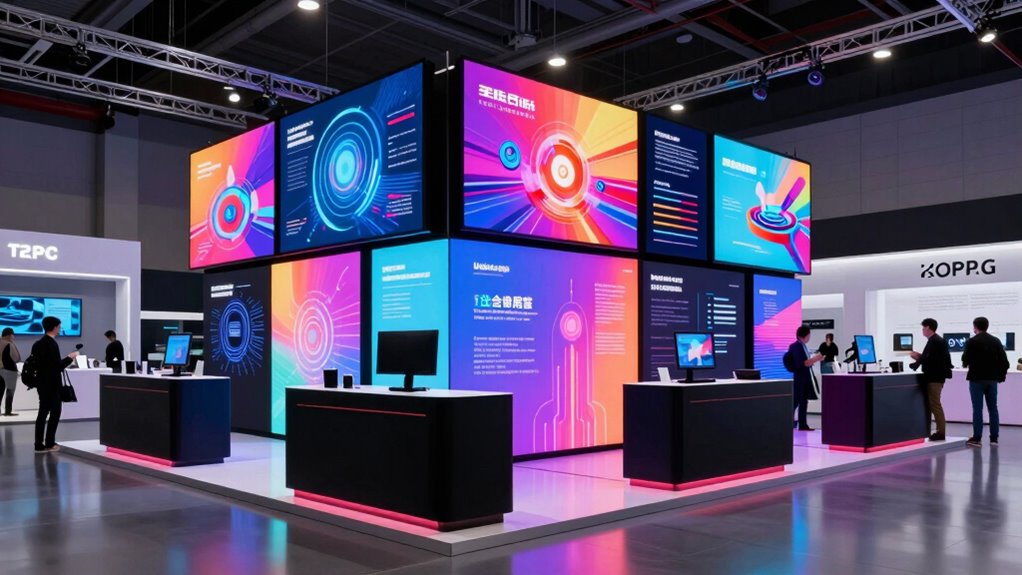
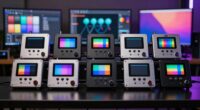
For a trade show booth, I’d start with the MWE 43-Inch Mobile Touchscreen Kiosk as the best overall balance of a visitor-facing screen, touch interaction, and a flight case for transport. The Thronicon Foldable LED Poster Display stands out for exhibitors who want a larger LED presentation that can expand, while the JIYANG 32-Inch wheeled kiosk is a more compact floor-standing option with Android and split-screen support. The main tradeoff is between visual scale and the space, power, and transport a larger display demands. Touch, portability, and content playback also matter: a display that suits a static brand loop may not suit product demos or lead capture. Read on for the full breakdown and help matching a screen to your booth plan.
Key Takeaways
- A 43-inch mobile touchscreen is the most balanced booth format: the MWE model pairs touch interaction with a flight case, while larger 80-inch LED posters favor visual scale over easy handling.
- The 80-inch foldable LED options serve a different job from LCD kiosks: Thronicon’s expandable design suits exhibitors planning a larger visual installation, while 32- and 43-inch LCD models fit more contained booth layouts.
- Portable does not mean the same thing across this lineup: the JIYANG 32-inch model has wheels, the MWE 43-inch touchscreen comes with a flight case, and the outdoor 43-inch model adds a rechargeable battery.
- Playback options vary in ways that affect show-day planning: several kiosks list Android, USB, or HDMI, but buyers should check how content is managed and what works without a network.
- Compact screens can be a deliberate choice: the 15.6-inch touchscreen and 18.5-inch 700-nit menu board suit close-up or focused messaging better than competing for attention across a large aisle.


| digital signage display for trade show booth | Screen size | Connectivity | Resolution |
|---|---|---|---|
| Thronicon Foldable LED Poster | 640 mm x 1920 mm | — | — |
| 15.6" Touchscreen Digital Sign | 15.6 inches | Wi-Fi, Bluetooth 2.0, Ethernet, HDMI | 1920 x 1080 |
| JASZDOT 80-Inch Foldable LED D | 80 inches | Wi-Fi, HDMI, USB | — |
| 80" LED Poster Screen | 80 inches | — | 344 x 1032 pixels |
| 65 Inch 4K Digital Signage Dis | 65 inches | Wi-Fi, HDMI, USB | 4K |
| JIYANG 32 Inch Indoor Digital | 32 inches | HDMI | 1920 × 1080 |
| MWE P1.86 LED Poster Screen wi | 80 inches | Wi-Fi, USB, HDMI | 344 × 1032 |
| 18.5" Digital Signage Display | 18.5 inches | HDMI, LAN, TF card, USB | 1366 × 768 |
| MWE 32-Inch Indoor Digital Sig | 32 inches | Wi-Fi, HDMI, USB | 1920 × 1080 |
| JIYANG 65-Inch 4K Digital Sign | 65 inches | HDMI, Ethernet, Wi-Fi, USB | 3840 × 2160 (4K UHD) |
| MWE 43‑Inch Mobile Digital Sig | 43 inches | — | 1920 × 1080 (FHD) |
| 80-Inch P1.86 GOB LED Poster D | 80 inches | Wi-Fi, USB, HDMI, LAN | — |
| 32/43/55/65 Inch Digital Signa | 43 inches | USB, HDMI, 5G Wi-Fi | — |
| 43-Inch Outdoor Mobile Digital | 43 inches | USB, Wi-Fi, wired connection | — |
| YIXZSWD 80-Inch P1.86 LED Digi | 80 inches | — | — |
More Details on Our Top Picks
Thronicon Foldable LED Poster Display (p1.86mm) – Portable Digital Signage Screen with Flight Case, Expandable up to 6 Displays
I rank the Thronicon Foldable LED Poster Display first for booths that need to scale beyond a single sign. Its fold-over format and included flight case make repeated event transport more practical, while linking as many as six displays lets exhibitors build a larger visual surface as their booth plan grows. Compared with the JASZDOT 80-Inch Foldable LED Digital Signage Display, Thronicon gives the clearest stated screen dimensions but not the same built-in wheels. The tradeoff is substantial: each unit weighs 45 kg, so moving it may take two people, and configuring a multi-screen wall can call for technical help. I’d choose it for a repeat exhibitor who values modular expansion over quick solo setup.
Pros:- Fold-over design supports more compact storage and quicker setup.
- Links with up to six displays for a scalable video wall.
- Heavy-duty flight case is included for event transport.
- High-brightness LED panel is suited to commercial venues.
Cons:- At 45 kg per unit, moving it may require two people.
- Linking and configuring several displays may require technical expertise.
Best for: Exhibitors and event rental teams building reusable LED displays that may expand to a video wall of up to six units.
Not ideal for: Solo exhibitors who need to move and set up a display without help, or teams that lack support for multi-screen configuration.
- Screen size:640 mm x 1920 mm
- Light type:LED
- Pixel pitch:P1.86 mm
- Weight:45 kg
- Expandable to:6 displays
- Material:Aluminum alloy, steel, and LED
- Color:Black
- Included transport protection:Heavy-duty flight case
Our verdict“Choose the Thronicon when modular video-wall expansion and a protective flight case matter more than lightweight handling.”
15.6″ Touchscreen Digital Signage Display – Portable Menu Board
For a booth where visitors need to browse, tap, or enter information, I’d pick the 15.6-inch touchscreen display over the larger, passive LED posters. Its 10-point capacitive panel and Android 14 support make it a compact option for product lookup, lead capture, or a digital menu, while the cloud-based CMS can simplify remote updates. Ethernet, Wi-Fi, HDMI, and Bluetooth give exhibitors several ways to connect it. By contrast, the MWE 65-inch 4K Digital Signage Display Kiosk has far more presence as a viewing screen, but it is not described as a touchscreen. The small panel and 500 cd/m² brightness are limiting factors: this is better as a secondary interactive station than a booth-wide attention grabber, especially under bright lights.
Pros:- 10-point capacitive touch supports visitor interaction.
- Android 14, 4 GB RAM, and 32 GB storage support on-device apps.
- Cloud CMS and Wi-Fi, Ethernet, Bluetooth, and HDMI provide flexible content and connection options.
- VESA 75 x 75 mm mounting supports landscape or portrait placement.
Cons:- The 15.6-inch screen is too small to serve as a distant booth focal point.
- 500 cd/m² brightness may be inadequate in very bright surroundings.
- The product is not compatible with macOS devices.
Best for: Exhibitors who want a compact interactive station for product browsing, visitor forms, or menu selection.
Not ideal for: Booths needing a large, highly visible display from across an aisle, or teams whose content workflow depends on macOS compatibility.
- Screen size:15.6 inches
- Resolution:1920 x 1080
- Brightness:500 cd/m²
- Touch:10-point capacitive
- Operating system:Android 14
- Memory and storage:4 GB RAM, 32 GB storage
- Connectivity:Wi-Fi, Bluetooth 2.0, Ethernet, HDMI
- Mounting:VESA 75 x 75 mm; landscape or portrait
Our verdict“Pick this display for close-up visitor interaction, not as the main screen meant to draw people across a trade show aisle.”
JASZDOT 80-Inch Foldable LED Digital Signage Display
The JASZDOT 80-Inch Foldable LED Digital Signage Display is my pick for exhibitors who want a large-format LED poster with transport features built into the package. Its integrated wheels and airline case make moving it between venues more practical than the Thronicon, whose listed 45 kg weight can call for a second person. Wi-Fi, HDMI, USB, and cloud content control give teams several playback and update routes, and the display can link with up to six screens. Its GOB construction is designed to resist moisture, dust, and vibration. The downside is that brightness and viewing angle have no specific measurements, making it harder to judge performance under trade show lighting. I’d favor it for mobile event crews, not buyers who need precise brightness figures before committing.
Pros:- Foldable design, built-in wheels, and airline case support event transport.
- Wi-Fi, HDMI, and USB allow multiple content connections.
- Cloud platform supports remote content control.
- GOB construction is designed to resist moisture, dust, and vibration.
Cons:- Brightness and viewing angle are not specified with measurements.
- An 80-inch display still needs substantial booth space and careful handling.
- The listed display and maximum resolution figures differ, which may complicate content planning.
Best for: Event teams that move an 80-inch LED sign between venues and value wheels, a transport case, and remote content control.
Not ideal for: Buyers who need published brightness and viewing-angle measurements to plan for challenging booth lighting.
- Screen size:80 inches
- Display type:LED
- Pixel pitch:P1.86
- Aspect ratio:21:9
- Refresh rate:60 Hz
- Connectivity:Wi-Fi, HDMI, USB
- Multi-screen support:Up to 6 screens
- Construction:GOB
Our verdict“Choose the JASZDOT for a large LED poster that is easier to roll between events, provided its unlisted brightness suits your venue.”
80″ LED Poster Screen, P1.86 Foldable LED Digital Signage Display
I’d put the PULIJAZ 80-inch LED poster on the shortlist when a booth needs a large, bright sign with published display figures. Its 600-nit brightness and 178-degree viewing angle offer more planning certainty than the JASZDOT, whose brightness and viewing angle are not quantified. PULIJAZ also lists GOB protection against splashes, scratches, and collisions, useful around busy exhibit traffic, plus a flight case and foldable construction for event use. The tradeoff is handling: at about 190 lb, it is a heavy unit, and its limited HDMI and USB connections leave less flexibility for several wired sources. The 1.86 mm pixel pitch also makes it a less convincing choice for viewers standing very close than a fine-pitch screen.
Pros:- 600-nit brightness and a 178-degree viewing angle are specified.
- GOB construction is described as splash-, scratch-, and collision-resistant.
- Foldable design and integrated flight case support event transport and setup.
- Cloud control, HDMI, USB, and Wi-Fi support content playback and updates.
Cons:- At approximately 190 lb, the display is difficult to move and reposition.
- Only one HDMI port and limited USB connections are listed.
- The 1.86 mm pixel pitch may not suit very close viewing.
Best for: Exhibitors seeking an 80-inch LED poster with stated brightness and protective construction for busy indoor events.
Not ideal for: Teams that need a lightweight display, several wired input options, or very fine detail for close-up viewing.
- Screen size:80 inches
- Resolution:344 x 1032 pixels
- Pixel pitch:1.86 mm
- Brightness:600 nits
- Viewing angle:178 degrees
- Contrast ratio:3000:1
- Weight:189.6 lb
- Warranty:12 months
Our verdict“Choose PULIJAZ if measured brightness and a more protected LED surface matter more than easy handling or abundant ports.”
65 Inch 4K Digital Signage Display Kiosk, Indoor Floor Standing Advertising Display Poster, LCD Commercial Display with Auto Media Player, Android System, HDMI/USB/WiFi
For a booth built around detailed video, product imagery, or presentations, I’d choose the MWE 65-inch 4K LCD kiosk over the foldable LED posters. Its 16:9 IPS screen and 178-degree viewing angle suit conventional video content and let visitors see consistent colors from varied positions. Android, an auto media player, Wi-Fi, HDMI, and USB give exhibitors a straightforward playback setup without requiring a separate computer for every loop. Compared with the PULIJAZ 80-inch LED poster, MWE offers 4K LCD detail rather than a larger LED poster format, but it does not have the same foldable event transport design. The floor-standing body needs room, and its weight is not listed, so moving it through a venue may take more planning. This is an indoor centerpiece, not an outdoor sign.
Pros:- 4K resolution is suited to detailed product imagery and video.
- IPS panel and 178-degree viewing angle support viewing from different booth positions.
- Android system and auto media player support standalone content playback.
- Wi-Fi, HDMI, and USB provide several playback connection options.
Cons:- Floor-standing dimensions require a substantial footprint.
- Weight is not specified, making transport planning less certain.
- Designed for indoor use rather than outdoor deployment.
Best for: Indoor exhibitors who need a floor-standing screen for detailed 4K video, product visuals, and unattended media playback.
Not ideal for: Booths with limited floor space, frequent moves between venues, or a need for outdoor signage.
- Screen size:65 inches
- Resolution:4K
- Display technology:LCD with IPS
- Aspect ratio:16:9
- Refresh rate:60 Hz
- Viewing angle:178 degrees
- Connectivity:Wi-Fi, HDMI, USB
- Operating system:Android
Our verdict“Pick the MWE for an indoor booth centerpiece that prioritizes detailed 4K LCD content over foldable portability.”
JIYANG 32 Inch Indoor Digital Signage Display, Floor Standing Advertising Digital Kiosk with Wheels
I’d choose this 32-inch wheeled kiosk when a booth needs a standing display but has little room for a large screen. Its 1080p resolution, portrait orientation, and split-screen modes give it flexibility for product highlights, schedules, or welcome messages. USB autoplay and looping also make basic playback approachable without relying on a network. Compared with the MWE 32-Inch Indoor Digital Signage Display Monitor, this model lists timed power scheduling and simple USB playback, while the MWE specifies Wi-Fi and remote CMS updates. That distinction matters if content will change during the show. The tradeoff is that remote management and brightness are not specified, and a 32-inch screen has less visual reach than the 65-inch JIYANG kiosk. It suits focused booth messaging, not a large aisle-facing centerpiece.
Pros:- Wheels support repositioning within an indoor booth.
- 1920 × 1080 resolution supports clear full-HD content.
- USB autoplay and looping simplify scheduled or unattended playback.
- Split-screen modes allow multiple types of content on one display.
Cons:- Remote CMS capabilities and Wi-Fi are not specified.
- The 32-inch screen has less presence than larger floor-standing options.
- Brightness and weight are not provided, making booth visibility and transport harder to plan.
Best for: Exhibitors with compact booth layouts who want a wheeled portrait display for looping product and welcome content.
Not ideal for: Teams needing remote CMS control, documented brightness, or a large screen visible across a busy aisle.
- Screen size:32 inches
- Resolution:1920 × 1080
- Mounting type:Floor standing
- Orientation:Portrait
- Playback:USB autoplay and looping
- Display features:Split screen and scrolling subtitles
- Connectivity:HDMI
- Operating system:Android
Our verdict“Choose this for flexible, compact booth messaging when USB playback matters more than remote content control.”
MWE P1.86 LED Poster Screen with Flight Case, 80-Inch Foldable Digital Signage Display
For a booth where screen scale is part of the draw, I’d put this 80-inch foldable LED poster ahead of the smaller LCD kiosks. Its 32:9 shape creates a long, attention-grabbing canvas, while Wi-Fi content management, scheduling, and split-screen support help a team coordinate messages without relying only on a USB stick. The included flight case and foldable design address the transport challenge more directly than the wheeled JIYANG 65-Inch 4K Digital Signage Display Kiosk, which is a conventional large floor display. The tradeoff is image detail: the listed 344 × 1032 resolution is modest for an 80-inch screen, so fine text and intricate graphics may be less suitable. Plan for substantial storage and handling space, even with the case, and favor bold visuals over dense information.
Pros:- 80-inch, 32:9 format creates a broad display surface for booth messaging.
- Foldable construction and included flight case support transport between events.
- Wi-Fi content management, scheduling, and split-screen functions support flexible playback.
- Three-year warranty for quality defects.
Cons:- Listed resolution of 344 × 1032 may limit fine detail on the large screen.
- The display and flight case require significant transport and storage space.
- Glossy finish may reflect booth lighting.
Best for: Exhibitors seeking a wide, high-impact LED backdrop who can manage a large case and use bold, simple graphics.
Not ideal for: Booths with limited storage or teams whose content depends on small text and fine image detail.
- Screen size:80 inches
- Resolution:344 × 1032
- Pixel pitch:1.86 mm
- Aspect ratio:32:9
- Display type:LED
- Connectivity:Wi-Fi, USB, HDMI
- Design:Foldable, floor-standing
- Included accessory:Flight case
- Warranty:3 years for quality defects
Our verdict“Pick this LED poster for a wide visual centerpiece when portability, case storage, and bold content suit your booth plan.”
18.5″ Digital Signage Display, 700 Nits Digital Menu Board
I’d use this 18.5-inch countertop display for a booth counter, registration desk, or product demo station rather than as the main attraction from the aisle. Its 700-nit brightness is a useful advantage in a brightly lit venue, and portrait or landscape placement lets it fit different counter setups. The included Android system, cloud CMS, and USB playback give exhibitors more ways to update a short menu, offer, or schedule than the USB-focused JIYANG 32 Inch Indoor Digital Signage Display. The tradeoff is scale: it cannot command attention like a floor-standing screen, and its 1366 × 768 resolution is less suited to detailed graphics than the 1080p JIYANG. At 10.8 pounds, it is also not especially light for frequent transport. Its strength is close-range messaging, not booth-wide visibility.
Pros:- 700-nit brightness is suited to brightly lit commercial spaces.
- Lifetime cloud CMS and USB updates offer multiple content-management options.
- Portrait and landscape orientations fit varied counter layouts.
- Android 12, 2 GB RAM, and 32 GB storage support standalone playback.
Cons:- 18.5-inch screen is too small to serve as a booth-wide focal display.
- 1366 × 768 resolution is limited for detailed promotional graphics.
- At 10.8 pounds, it may be awkward to move repeatedly between event locations.
Best for: Exhibitors who need a bright, remotely managed screen for a counter, demo table, or registration point.
Not ideal for: Booths needing a large aisle-facing screen or sharp, detailed graphics at larger viewing distances.
- Screen size:18.5 inches
- Resolution:1366 × 768
- Brightness:700 cd/m²
- Aspect ratio:16:9
- Operating system:Android 12
- Memory and storage:2 GB RAM, 32 GB storage
- Connectivity:HDMI, LAN, TF card, USB
- Weight:10.8 pounds
- Orientation:Landscape or portrait
Our verdict“Choose this for bright, close-range counter messaging with remote management, not for a large booth centerpiece.”
MWE 32-Inch Indoor Digital Signage Display Monitor – LCD Kiosk with Android Auto Media Player, HDMI/USB
I’d favor this 32-inch 1080p kiosk when booth content may need changes during an event. Its Android-based CMS supports remote updates and scheduled playback, while Wi-Fi, HDMI, and USB give teams several ways to feed content. The IPS panel’s 178-degree viewing angle is helpful when visitors approach from different directions. Compared with the JIYANG 32 Inch Indoor Digital Signage Display, this MWE model spells out Wi-Fi and CMS features, while the JIYANG emphasizes USB autoplay and timed power controls. Its foldable, wheeled design also helps reposition it, though the 21.55 kg weight makes solo loading less convenient than the compact size suggests. It offers less screen area than the JIYANG 65-Inch 4K kiosk, so this is better for a focused product message than a large-scale booth statement.
Pros:- Full HD IPS panel and 178-degree viewing angle suit varied visitor positions.
- Wi-Fi and Android CMS support remote updates and scheduled playback.
- Foldable design and wheels allow repositioning around the booth.
- USB and HDMI provide alternative playback connections.
Cons:- At 21.55 kg, it can be cumbersome for one person to load or move.
- 32-inch screen has less impact than larger booth-facing displays.
- Glossy finish may reflect nearby lighting.
Best for: Exhibitors who need a mid-size display with remote content updates and scheduled playback across a busy event.
Not ideal for: Solo operators seeking a lightweight unit, or brands wanting a large 4K screen as the booth’s main visual draw.
- Screen size:32 inches
- Resolution:1920 × 1080
- Display type:LCD IPS
- Viewing angle:178°
- Connectivity:Wi-Fi, HDMI, USB
- Dimensions:1.06″ D × 18.15″ W × 48.87″ H
- Weight:21.55 kg
- Design:Foldable, wheeled
- Warranty:3 years
Our verdict“Pick this for remotely managed, mid-size booth messaging if its weight is manageable for your setup crew.”
JIYANG 65-Inch 4K Digital Signage Display Kiosk – Floor-Standing LCD with Android Media Player and Auto Split Screen
When a booth needs one prominent screen for sharp product imagery and readable text, I’d rank this 65-inch 4K kiosk above the smaller 32-inch displays. Its 3840 × 2160 panel gives high-resolution visuals room to stand out, while Android playback, Wi-Fi, and split-screen modes can support rotating promos or simultaneous content areas. The 170-degree viewing angle also accommodates visitors approaching from off-center. Compared with the MWE P1.86 LED Poster Screen, this JIYANG favors detailed 16:9 LCD imagery over an extra-wide foldable LED format; the MWE is a more transport-focused choice, while this model prioritizes screen size and UHD resolution. The tradeoff is the large stated footprint, which can crowd a compact booth. Its glossy finish and 60 Hz refresh rate also make it a less natural fit for glare-prone spaces or fast-action video.
Pros:- 65-inch 4K UHD panel supports detailed, high-resolution promotional content.
- Android media player and split-screen modes support varied content layouts.
- HDMI, Ethernet, Wi-Fi, and USB offer several connection options.
- 170-degree viewing angle accommodates visitors approaching from the side.
Cons:- Large listed dimensions may take up substantial booth floor space.
- Glossy finish can reflect bright venue lights.
- 60 Hz refresh rate is less suited to fast-moving video than specialized high-refresh displays.
Best for: Brands with room for a large floor display that want detailed 4K product imagery and split-screen messaging.
Not ideal for: Small-booth exhibitors, frequent solo movers, or teams showing fast-action video under reflective lighting.
- Screen size:65 inches
- Resolution:3840 × 2160 (4K UHD)
- Aspect ratio:16:9
- Display type:LCD
- Viewing angle:170°
- Refresh rate:60 Hz
- Contrast ratio:>3000:1
- Connectivity:HDMI, Ethernet, Wi-Fi, USB
- Dimensions:81.7″ D × 40.9″ W × 7.5″ H
Our verdict“Choose this for a spacious booth where large, detailed 4K content matters more than easy transport or a compact footprint.”
MWE 43‑Inch Mobile Digital Signage Touchscreen Kiosk with Flight Case – Portable Android LCD Display
The MWE suits exhibitors who want visitors to browse or interact, rather than just watch a looping ad. Its 43-inch capacitive touchscreen and Android system support interactive content, while HDMI, USB, and screen mirroring give teams alternate ways to present. Compared with the larger 80-Inch P1.86 GOB LED Poster Display, it takes up less booth space and is easier to move between events, though it cannot create the same long-distance visual impact. A wheeled flight case and portrait-or-landscape mounting make transport and layout changes more practical. The tradeoff is that app publishing requires the controlling device to share its network, which can complicate venue setup. I’d choose it for indoor demos and product catalogs, not for a high-impact outdoor display.
Pros:- Capacitive multi-touch supports visitor-led browsing and interactive presentations.
- Flight case and four silent wheels help with event transport and repositioning.
- Android, HDMI, USB, and screen mirroring provide several content playback options.
- Portrait or landscape installation can fit different booth layouts.
Cons:- App-based publishing requires the controlling device to be on the same network.
- A 43-inch screen has less stand-out presence than the 80-inch LED displays in this roundup.
Best for: Exhibitors who need a portable indoor touchscreen for product catalogs, guided demos, or interactive presentations.
Not ideal for: Booths that need a very large viewing surface or outdoor visibility; this 43-inch LCD is smaller and not listed with outdoor protection.
- Screen size:43 inches
- Resolution:1920 × 1080 (FHD)
- Touch technology:Capacitive multi-touch
- Operating system:Android
- Inputs:HDMI, USB, screen mirroring adapter
- Orientation:Horizontal or vertical installation
- Portability:Flight case with four silent wheels
Our verdict“Choose the MWE if interactive indoor content and manageable transport matter more than a wall-sized image.”
80-Inch P1.86 GOB LED Poster Display with Flight Case
This 80-inch LED poster is built for booths where a tall, attention-grabbing screen matters more than compact transport. Its GOB-protected surface is described as resisting dust, splashes, scratches, and impacts, a useful buffer in busy event halls. Wi-Fi, USB, HDMI, and LAN cover several ways to load or manage content, and the frame can join up to six screens. Compared with the YIXZSWD 80-Inch P1.86 LED Digital Signage Display, this model gives a stated 240 Hz refresh rate and a listed 178-degree viewing angle, while both offer modular expansion and wheeled cases. The main caution is the 344 × 1032 native resolution, which may make fine text and detailed graphics less crisp than the maximum-resolution figure suggests. At 190 pounds, it also calls for planned handling and storage.
Pros:- GOB encapsulation is described as protecting the display from dust, splashes, scratches, and impacts.
- Can be spliced with up to six screens for a larger booth presentation.
- Rolling flight case and foldable frame are designed to aid event transport and setup.
- Wi-Fi, USB, HDMI, and LAN support multiple content workflows.
Cons:- At 190 pounds, moving it can require more than one person despite the wheels.
- The listed 344 × 1032 native resolution may limit fine detail and small text.
- Its large footprint and case demand substantial transport and storage space.
Best for: Exhibitors building a large, modular LED presentation area who can arrange suitable transport and handling.
Not ideal for: Small teams with limited storage or frequent solo setup; its 190-pound weight and listed native resolution may also be a poor fit for text-heavy content.
- Screen size:80 inches
- Pixel pitch:1.86 mm
- Native resolution:344 × 1032
- Maximum display resolution:3840 × 2160 pixels
- Connectivity:Wi-Fi, USB, HDMI, LAN
- Maximum spliced screens:6
- Weight:190 pounds
- Refresh rate:240 Hz
Our verdict“Pick this LED poster for a protected, expandable booth focal point if your crew can manage its weight and resolution tradeoff.”
32/43/55/65 Inch Digital Signage Display, LCD Screen Advertising Display Kiosk Interactive Totem Floor Standing Auto AD Player with USB/HDMI/WiFi Android OS (43” Touch Screen)
This freestanding 43-inch kiosk targets booths that need both promotional content and visitor interaction. The touch panel and split-screen mode can put a product video beside directions, offers, or event information, helping a compact booth serve several functions. Android, USB, HDMI, and Wi-Fi provide flexible playback routes. Compared with the MWE 43‑Inch Mobile Digital Signage Touchscreen Kiosk, this model lists a tall 100-inch overall height and a 4K UHD enhancement claim, which may suit a fixed, floor-standing information point; the MWE instead clearly specifies FHD resolution and a wheeled flight case. The data here has conflicting display details: the listing gives a 1920 × 1080 maximum resolution and 350-nit brightness, while its description claims 4K and 600 nits. I’d verify those figures before purchase. No flight case or battery is specified.
Pros:- Touch interaction can let visitors explore catalogs, offers, or information without staff assistance.
- Split-screen function can show multiple content types at once.
- Android, Wi-Fi, USB, and HDMI offer several content-management and playback paths.
- 178-degree viewing angle is listed for viewing from different positions around a booth.
Cons:- Resolution and brightness claims conflict across the supplied product information.
- The listed 100-inch height and floor-standing form may be awkward in compact booth layouts.
- No flight case or battery is specified for event transport or off-grid use.
Best for: Exhibitors who want a freestanding indoor kiosk for wayfinding, product browsing, and simultaneous promotional messages.
Not ideal for: Teams that need verified 4K or high-brightness performance, or a clearly documented transport case; the supplied display specifications conflict.
- Screen size:43 inches
- Display type:LCD with IPS technology
- Maximum resolution:1920 × 1080 pixels listed; description also claims 4K UHD
- Brightness:350 nits listed; description claims 600 nits
- Viewing angle:178 degrees
- Operating system:Android
- Connectivity:USB, HDMI, 5G Wi-Fi
- Dimensions:17 × 71 × 100 inches (D × W × H)
Our verdict“Consider this kiosk for indoor interactive information only after confirming its actual resolution, brightness, and transport arrangements.”
43-Inch Outdoor Mobile Digital Signage Display with Rechargeable Battery
For an exhibit positioned outdoors or in a bright, open event area, this model prioritizes visibility and weather protection over touch interaction. The 2,000-nit screen, automatic brightness adjustment, and IP65 rating are the standout combination; compared with the indoor JASZDOT 43-inch touchscreen kiosk, it is better suited to changing ambient light and exposure to dust or water. Impact-resistant laminated glass adds another layer for public-facing use, while the battery is specified for up to 10 hours of operation. The cost of that mobility is preparation: the battery ships separately, and a full charge takes 7–8 hours. It also lacks a listed touchscreen, so it works better as a content beacon than a visitor-operated catalog. I’d pick it for outdoor promotions, not as a plug-and-play interactive booth station.
Pros:- 2,000-nit brightness and automatic adjustment suit changing outdoor light.
- IP65 protection is specified for exposure to dust and water.
- Battery operation is listed for up to 10 hours.
- 6 mm AR tempered laminated glass is described as impact-resistant.
Cons:- The battery is shipped separately, requiring extra planning before an event.
- Charging takes 7–8 hours, limiting quick turnarounds between uses.
- No touchscreen capability is listed, unlike the indoor interactive kiosks.
Best for: Exhibitors running outdoor or semi-exposed promotions who need a bright display that can operate without a nearby power outlet.
Not ideal for: Booths focused on touchscreen interaction or teams expecting the battery to arrive installed; it is shipped separately and takes 7–8 hours to charge.
- Screen size:43 inches
- Brightness:2,000 nits
- Ingress protection:IP65
- Glass:6 mm AR tempered laminated glass
- Battery runtime:Up to 10 hours
- Charging time:7–8 hours
- Connectivity:USB, Wi-Fi, wired connection
- Mobility:Wheels and armrest
Our verdict“Choose this display for bright outdoor messaging if you can source and charge its separate battery ahead of the event.”
YIXZSWD 80-Inch P1.86 LED Digital Signage Display with Flight Case
The YIXZSWD makes sense when a booth needs a large branded backdrop that can grow beyond one panel. Its frameless design supports splicing two to six units, while app editing and PC cloud management give teams remote content-update options. USB playback also provides an offline route, and built-in speakers can cover basic event audio. Compared with the 80-Inch P1.86 GOB LED Poster Display, this model specifies spare modules and individual-module repair, plus a three-year warranty; the other display lists a higher refresh rate and a 178-degree viewing angle. Both are large, case-equipped LED options, so neither is a light, quick carry-in screen. The foldable aluminum body and wheeled case help with transport, but multi-unit walls still need booth space and technical setup. I’d favor it for a planned brand wall, not a small stand.
Pros:- Frameless design supports splicing two to six units into a larger display.
- App editing, PC cloud management, HDMI, Ethernet, Wi-Fi, and USB offer varied content options.
- Modular construction and included spare modules support component-level repairs.
- Wheeled flight case and foldable aluminum body are designed for transport.
Cons:- A large-format display and its case need substantial storage and transport space.
- Multi-unit configurations may require additional equipment and technical setup.
- Its 170-degree viewing angle is narrower than the 178-degree figure listed for the 80-Inch P1.86 GOB LED Poster Display.
Best for: Exhibitors planning a large, expandable LED brand wall and able to allocate crew time, storage, and booth space.
Not ideal for: Small booths or teams needing a simple one-person setup; multi-unit assembly and commercial operation may call for extra equipment and technical help.
- Screen size:80 inches
- Pixel pitch:P1.86
- Response time:6 ms
- Viewing angle:170 degrees
- Splicing:Supports 2–6 units
- Inputs and connectivity:HDMI, Ethernet, Wi-Fi
- Playback and control:USB offline playback; app editing and PC cloud management
- Warranty:3 years
Our verdict“Pick the YIXZSWD for an expandable event backdrop when modular repair and remote updates matter more than compact setup.”

How We Picked
I compared the listed displays for the demands of a trade show booth: visibility at a distance, practical transport, visitor interaction, content playback, and how easily a format can fit into different booth footprints. I gave weight to named features that can change show-day use, such as a flight case, wheels, touch input, Android, split-screen playback, 4K, or a rechargeable battery. I did not treat a large screen as an automatic advantage; its footprint and handling needs can make it a poor fit for a small booth or a frequent exhibitor.
The order favors displays that balance booth presence with usable portability and straightforward content options. The MWE 43-inch mobile touchscreen leads for its combination of interaction and a flight case; expandable LED displays rank higher for large-format impact, but suit a narrower set of booth plans. More compact kiosks rank well for controlled footprints and focused messaging, while models with limited listed details are harder to recommend without checking compatibility, brightness, and operating requirements before purchase.
Factors to Consider When Choosing Digital Signage Display For Trade Show Booths
Before choosing a screen, I’d plan around the booth and the visitor experience rather than the display specification alone. These factors can help you avoid a unit that looks right on a product page but proves awkward to move, power, or use at the show.
Match Screen Size to Viewing Distance
Think about where visitors will first see the screen: from the aisle, at the edge of the booth, or only after they step inside. Large 80-inch LED posters can command attention across open space, but they also take up more room and call for a booth plan built around them. A 32- or 43-inch kiosk can leave more floor area for conversations, samples, and staff. Compact displays such as the 15.6-inch touchscreen make more sense for close viewing than for a message meant to draw people in from afar. Before ordering, mark the screen footprint on your floor plan and check sightlines against booth walls, counters, and neighboring displays. A screen that fits physically can still be hard to see if its content sits behind a stand or faces away from the aisle.
Plan Transport and Setup as Separate Jobs
Trade show portability involves more than moving a display from a vehicle to a booth. A flight case can help with packing and storage, while wheels can make a floor-standing kiosk easier to reposition on site; neither tells you the full setup time or packed size. Ask the seller for the display’s packed dimensions, weight, assembly steps, and any stand or cable requirements. Foldable LED models may reduce the challenge of moving a large screen, but they still need a suitable vehicle and enough room to assemble. If your team travels often or works with tight load-in windows, favor a format that one or two people can handle within your schedule. Don’t assume that a case or wheels mean the display is easy to lift, carry, or set up.
Choose Playback Around Your Show-Day Workflow
Android, USB, and HDMI describe possible playback routes, but they do not tell you whether your exact content will play as intended. Check supported video and image formats, looping behavior, scheduling controls, and whether the player can run without Wi-Fi. If multiple staff members will update content, find out whether they can do so locally or need access to a specific app or account. Split-screen support can help present more than one message at once, though crowded layouts may be harder to read from the aisle. Bring a backup USB drive and a known-good HDMI source if the display supports those inputs. A few minutes spent checking files and connections before the event can prevent a stalled demo when the booth is busy.
Decide Whether Touch Adds a Useful Interaction
Touch is useful when visitors need to browse a product range, choose a configuration, or explore information at their own pace. It adds less value when the screen’s job is to play a short brand loop or show a headline from across the aisle. Interactive content needs clear prompts and a quick route back to the starting screen, or one visitor can leave the display on a page that makes little sense to the next person. Also check whether the touch function works with the software and content you plan to use. If staff will lead every demonstration, a passive display may keep the booth flow simpler. I’d pay for touch when it supports a specific visitor task, not just because the feature is available.
Check Brightness and Venue Conditions
Brightness needs depend on the booth’s lighting, screen placement, and distance from the audience. The 18.5-inch model lists 700 nits, but that figure alone does not establish how it will look under your venue’s lights or at an angle. Ask for viewing-angle information and confirm whether the screen is intended for indoor use, outdoor use, or both. For a booth near bright windows or a high-traffic aisle, request a demonstration or clear technical details before committing. Treat an outdoor label as a starting point, not proof that every component can handle weather or direct sun. Match the display to the conditions you expect rather than choosing on brightness numbers alone.
Account for Power, Network, and Booth Rules
Large displays and floor-standing kiosks need a power plan that works with the venue’s outlet locations and booth rules. The rechargeable-battery 43-inch outdoor model may appeal where a cord is inconvenient, but check its runtime, charging time, and whether it can play while charging. For other screens, find out what cables are included and whether they can be routed without crossing a walkway. Do not assume Wi-Fi will be reliable or permitted; confirm offline playback if your content depends on a local media player. Ask the organizer about height limits, electrical access, and restrictions on freestanding structures before shipping equipment. A quick venue check can rule out a display that would otherwise require a last-minute change to your booth layout.
Frequently Asked Questions
Is an 80-inch LED poster a better choice than a 43-inch kiosk for a trade show?
I’d choose the 80-inch format when aisle visibility and a large visual statement matter more than a compact footprint. The 43-inch kiosk is a better fit when visitors need to interact with content or the booth has limited floor space. Large foldable LED models also bring transport and setup questions that a smaller LCD kiosk may avoid. Compare packed dimensions, assembly needs, power requirements, and viewing distance before choosing. The best fit depends on the booth layout, not screen size alone.
Should I choose a touchscreen if I mainly want to show a looping video?
Probably not unless the touch function supports another task, such as browsing products or selecting a demo. For a video loop, a non-touch display can keep the visitor experience simple and may leave more of your budget for screen size or transport needs. Touch can be worthwhile if staff will invite visitors to explore content independently. Check how the display returns to its starting screen after someone interacts with it. A clear use for touch matters more than the feature by itself.
Can I rely on Android or Wi-Fi to play my booth content?
I would not plan a show around network access until the venue confirms what Wi-Fi is available and whether exhibitors can use it. Android support does not automatically confirm that a particular app, codec, or content-management tool will work. Ask the seller about supported file types and test your actual media before the event. If the model supports USB or HDMI, prepare a backup playback route and verify it in advance. Offline playback is especially helpful when a live demo cannot pause for a connection problem.
Is a rechargeable display worth choosing for an indoor booth?
A battery can help if the booth layout makes power access difficult or a cable would cross a busy route. For a fixed indoor position near an outlet, a standard powered display may be simpler to manage. Check the battery’s stated runtime, charging time, and performance while charging rather than relying on the word rechargeable. Also confirm whether brightness or other functions affect runtime. The 43-inch outdoor rechargeable model is a candidate for cord-free use, but its battery details should guide the decision.
What should I verify before shipping a digital signage display to a show?
Confirm the packed dimensions and weight, included case or stand, assembly steps, and delivery plan with the seller. Then check the venue’s rules for electrical access, display height, and freestanding equipment. Test your files, playback method, and any touch content before packing, and bring a backup source if the display supports one. Ask who will receive and move the shipment at the venue, since a large LED screen may need different handling from a compact kiosk. These checks help reveal practical issues that product names and feature lists do not settle.
Conclusion
For the broadest mix of booth visibility, interaction, and transport planning, I’d choose the MWE 43-Inch Mobile Touchscreen Kiosk as best overall. The JIYANG 32-Inch wheeled kiosk is my best-value fit for exhibitors who want Android playback and split-screen features in a more compact floor-standing format, while the MWE 32-Inch Android kiosk is a sensible beginner pick for buyers who want familiar USB and HDMI playback options. For a premium, expandable visual setup, I’d look at the Thronicon Foldable LED Poster Display; buyers focused on a large-format LED screen can also compare the other 80-inch P1.86 models. Choose the 15.6-inch touchscreen for close-up, compact messaging, the 18.5-inch 700-nit board for focused menu-style content, or the 43-inch rechargeable outdoor display when cord-free placement is a priority. Match the display to your booth footprint, content plan, and transport capacity before deciding.