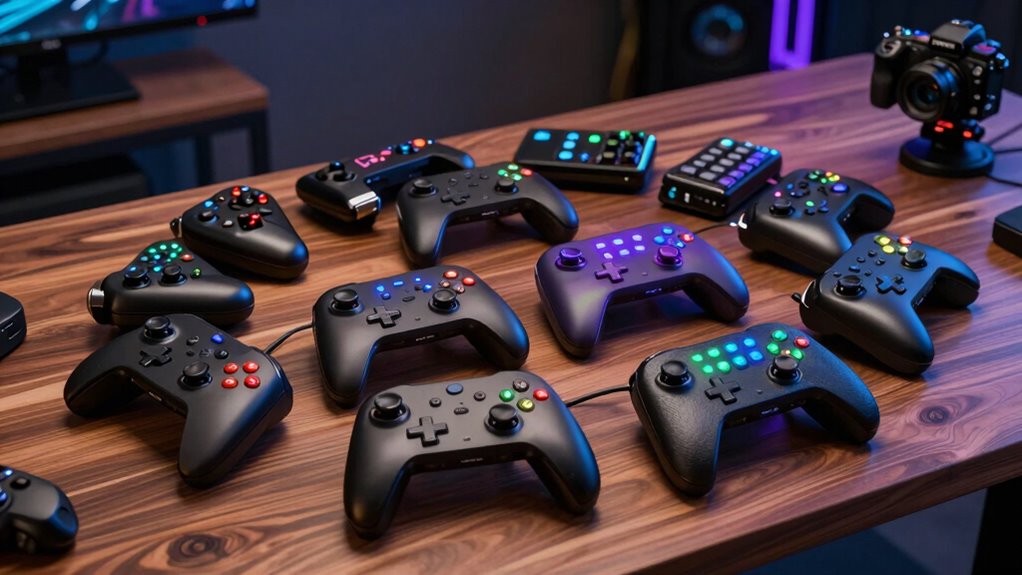
For serious live streamers seeking a professional-grade control surface, choosing the right stream deck can significantly enhance workflow and production quality. The market offers a variety of options, but the key is selecting a device that balances extensive customization, integration capabilities, and ease of use. Top picks include the Elgato Stream Deck XL for its massive 32-key layout, the Elgato Stream Deck+ for tactile controls, and the Streonor S15 for its versatile multi-workflow support. Each offers unique strengths and tradeoffs—whether it’s the sheer number of keys, hardware controls, or software flexibility—making your choice depend on your specific streaming needs and budget.

Get business pricing on tech for your team
- Business-only prices and quantity discounts
- Tax-exempt purchasing
- Multiple users, one account, clear invoices
Key Takeaways
- The Elgato Stream Deck XL offers the most keys and extensive customization for large-scale productions.
- The Stream Deck+ combines tactile controls with advanced audio and lighting management features.
- The Streonor S15 excels in multi-workflow management with real-time system displays and flexible presets.
- All options require some setup and configuration, especially for advanced features.
- Price differences reflect key count, control complexity, and integration options—higher cost often means more professional features.
| Elgato Stream Deck XL Advanced Studio Controller, 32 Keys |  | Best Overall for Large-Scale Live Production | Number of Keys: 32 | Compatibility: Elgato 4KCU, OBS, Twitch, YouTube, Twitter, Discord, Spotify, Philips Hue, vMix, VoiceMod | VIEW ON AMAZON | See Our Full Breakdown | |
| Streonor S15 Stream Controller, 15-Key LCD Studio Control Deck, Black |  | Best for Workflow Flexibility and Real-Time Monitoring | Number of Keys: 15 | Display Panels: 3 | Compatibility: Windows 10, macOS Big Sur | VIEW ON AMAZON | See Our Full Breakdown |
| Elgato Stream Deck+ Audio Mixer and Studio Controller |  | Best Tactile Control with Audio and Lighting Features | Control Interface: LCD keys, touch strip, dials | Compatibility: Audio mixer, studio controller, plugins support | VIEW ON AMAZON | See Our Full Breakdown | |
| Elgato Stream Deck + XL Control Platform |  | Best for Unlimited Profiles and Workflow Automation | Number of macro keys: 36 | Multifunction dials: 6 | Touch strip display: Yes | VIEW ON AMAZON | See Our Full Breakdown |
| Elgato Stream Deck Neo, 8 Customizable Keys, 2 Touch Points | 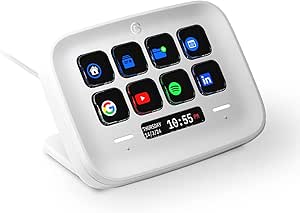 | Best Compact Control for Smart App Integration | Number of Keys: 8 | Touch Points: 2 | Compatibility: Zoom, Teams, PowerPoint, Photoshop, smart home devices | VIEW ON AMAZON | See Our Full Breakdown |
| premium stream deck controller for live streaming | Compatibility | Number of Keys |
|---|---|---|
| Elgato Stream Deck XL Advanced | Elgato 4KCU, OBS, Twitch, YouTube, Twitter, Discord, Spotify, Philips Hue, vMix, VoiceMod | 32 |
| Streonor S15 Stream Controller | Windows 10, macOS Big Sur | 15 |
| Elgato Stream Deck+ Audio Mixe | Audio mixer, studio controller, plugins support | — |
| Elgato Stream Deck + XL Contro | — | — |
| Elgato Stream Deck Neo | Zoom, Teams, PowerPoint, Photoshop, smart home devices | 8 |
More Details on Our Top Picks
Elgato Stream Deck XL Advanced Studio Controller, 32 Keys
The Elgato Stream Deck XL stands out for its massive 32 LCD keys, making it ideal for streamers who need quick access to a wide array of commands. Its deep integration with tools like OBS, Twitch, YouTube, and Philips Hue enables extensive control over scenes, media, lighting, and more—perfect for complex live setups. Compared to smaller controllers, the XL’s key count allows for more granular control without toggling between pages. However, its size and setup complexity may be daunting for casual users, and the price reflects its professional-grade capabilities. This model makes the most sense for streamers running large, multi-faceted productions or content creators managing multiple platforms simultaneously.
Pros:- Massive 32 LCD keys for detailed control
- Comprehensive software integrations
- Intuitive visual feedback for quick operation
Cons:- Expensive for entry-level users
- Requires time to configure effectively
Best for: Streamers with demanding, multi-layered production needs
Not ideal for: Casual streamers or those with limited desk space
- Number of Keys:32
- Compatibility:Elgato 4KCU, OBS, Twitch, YouTube, Twitter, Discord, Spotify, Philips Hue, vMix, VoiceMod
Our verdict“A top-tier choice for large, professional streaming setups that demand extensive control and customization.”
Streonor S15 Stream Controller, 15-Key LCD Studio Control Deck, Black
The Streonor S15 offers a versatile 15-key LCD panel setup combined with three status displays, making it well-suited for creators who prioritize real-time system monitoring alongside shortcut control. Its support for multiple preset pages allows switching between different workflows—be it streaming, editing, or gaming—without losing efficiency. While its software is robust and supports plugins, it’s limited to Windows 10 and macOS, which could be restrictive for some users. The setup process can be complex, but it pays off with a highly customizable interface tailored for multi-tasking content creators. This device is ideal for professionals who need a compact yet powerful control surface for diverse workflows.
Pros:- Customizable LCD keys for shortcuts
- Real-time system status panels
- Multiple preset pages for workflow switching
Cons:- Limited OS support
- Requires dedicated software setup
Best for: Content creators managing multiple workflows and real-time system info
Not ideal for: Linux users or those seeking a plug-and-play solution
- Number of Keys:15
- Display Panels:3
- Compatibility:Windows 10, macOS Big Sur
Our verdict“A flexible, workflow-centric controller suited for professionals balancing live streaming and production tasks.”
Elgato Stream Deck+ Audio Mixer and Studio Controller
The Stream Deck+ combines tactile LCD keys with a touch strip and dials, offering a more tactile experience than traditional button-based controllers. Its multi-action and smart profiles enable complex commands to be executed with a single press, while its support for plugins like Wave Link and Philips Hue makes it a comprehensive control hub for audio, lighting, and video. Compared to the XL, the Stream Deck+ provides fewer keys but adds physical controls that many professionals find more intuitive for managing audio levels or lighting adjustments. The setup can be intricate, especially when customizing profiles and plugins, and its higher price point reflects its all-in-one design. It suits streamers who want tactile feedback and integrated control over multiple production aspects.
Pros:- Tactile LCD keys, touch strip, and dials for physical control
- Multi-actions and smart profiles for complex workflows
- Supports a wide range of plugins
Cons:- Complex setup process
- Premium price for all features
Best for: Streamers needing tactile controls for audio, lighting, and multi-application workflows
Not ideal for: Streamers with minimal control needs or tight budgets
- Control Interface:LCD keys, touch strip, dials
- Compatibility:Audio mixer, studio controller, plugins support
Our verdict“A versatile, tactile controller ideal for streamers who require physical controls for comprehensive production management.”
Elgato Stream Deck + XL Control Platform
The Stream Deck + XL offers an expansive control surface with 36 macro keys, six multifunction dials, and a touch strip for real-time data. Its ability to create unlimited profiles makes it ideal for professionals who need distinct setups for different projects or live events. The multiple input options, including dials and touch strip, support complex automation and quick switching, making this a formidable tool for multi-tasking workflows. Its main drawback is that it can be overwhelming for newcomers due to the sheer number of controls, and setting up all profiles and automations requires time. This device is best suited for high-end streamers or production teams who demand maximum customization and control.
Pros:- 36 macro keys for extensive command setup
- Multiple input types for diverse control
- Unlimited profiles for different workflows
Cons:- Steep learning curve
- Requires significant setup time
Best for: Power users with complex workflows and automation needs
Not ideal for: Casual streamers or those new to control surfaces
- Number of macro keys:36
- Multifunction dials:6
- Touch strip display:Yes
Our verdict“A professional-grade, highly customizable platform for streamers managing complex, multi-profile workflows.”
Elgato Stream Deck Neo, 8 Customizable Keys, 2 Touch Points
The Stream Deck Neo offers a streamlined control surface with 8 customizable keys and 2 touch points, making it a compact yet capable option for streamers who prioritize simple automation. Its seamless integration with apps like Zoom, PowerPoint, Photoshop, and smart home devices makes it a versatile tool for productivity and smart control. While its limited number of keys and touch points restrict complex workflows, it excels in quick automation of common tasks and is ideal for users who want a smaller footprint without sacrificing connectivity. The setup is straightforward, but advanced users seeking deep control may find it limited. This makes it perfect for streamers or professionals who need quick, simple shortcuts rather than extensive control surfaces.
Pros:- Highly customizable shortcut keys
- Simple setup with drag-and-drop interface
- Seamless app and device integrations
Cons:- Limited control options for complex workflows
- Requires compatible software to unlock full potential
Best for: Streamers or professionals needing compact control over common apps
Not ideal for: Power users with complex multi-layer workflows
- Number of Keys:8
- Touch Points:2
- Compatibility:Zoom, Teams, PowerPoint, Photoshop, smart home devices
Our verdict“A compact, easy-to-use controller suited for quick automation and smart device management.”
How We Picked
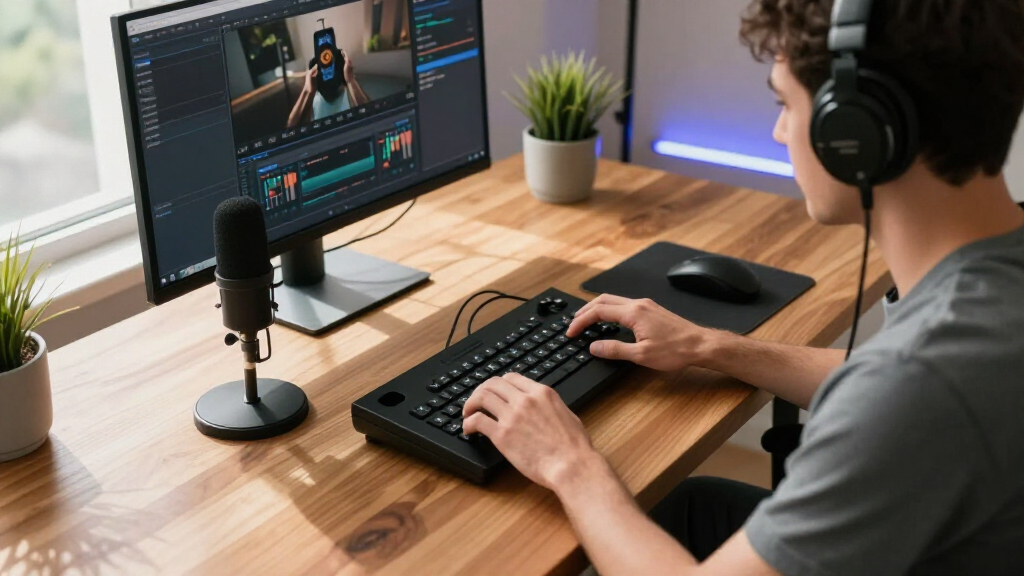
Our selection process focused on premium-grade stream deck controllers that excel in live streaming environments, emphasizing customization, integration, build quality, and workflow versatility. We analyzed features such as key and control counts, compatibility with popular streaming and production software, hardware controls, and user interface design. Each product was evaluated for its ability to support complex, professional streaming setups while considering tradeoffs like price, learning curve, and hardware limitations. Our goal was to identify devices that elevate live streaming into a seamless, efficient process for demanding users.
| premium stream deck controller for live streaming | Compatibility |
|---|---|
| Elgato Stream Deck XL Advanced | Elgato 4KCU, OBS, Twitch, YouTube, Twitter, Discord, Spotify, Philips Hue, vMix, VoiceMod |
| Streonor S15 Stream Controller | Windows 10, macOS Big Sur |
| Elgato Stream Deck+ Audio Mixe | Audio mixer, studio controller, plugins support |
| Elgato Stream Deck + XL Contro | — |
| Elgato Stream Deck Neo | Zoom, Teams, PowerPoint, Photoshop, smart home devices |
Factors to Consider When Choosing Premium Stream Deck Controller For Live Streaming
Choosing a premium stream deck controller for live streaming depends on your workflow complexity, control preferences, and budget. High-end options provide extensive customization and multi-application integration, but they come with a learning curve and higher price. Consider whether you need a large number of programmable keys, tactile controls, or system monitoring features. Compatibility with your existing setup and software ecosystem is essential, as is the ease of configuration and future scalability. Understanding your specific production needs will help narrow down the ideal device—whether you want a giant control surface or a compact, tactile interface.
Key Count and Layout
If you operate complex live streams with multiple scenes, sources, and overlays, a device with a large number of keys like the Elgato Stream Deck XL is ideal. Conversely, if your workflow involves fewer shortcuts and you prefer tactile controls, the Stream Deck+ or Neo may suit better. The number of keys directly impacts how many actions you can assign without switching profiles or pages, affecting overall efficiency.
Control Types and Customization
Some controllers focus on visual customization via LCD screens, such as the Streonor S15, which also adds real-time system info, or the Stream Deck+ with tactile dials and touch strips. Consider whether tactile feedback, multi-action support, or system status displays are more critical for your workflow. Additionally, check the software ecosystem for plugin support, profile management, and ease of setup.
Compatibility and Software
Ensure the device supports your preferred operating system and streaming software. Most premium controllers support Windows and Mac, but some, like the Streonor S15, lack Linux support. Compatibility with tools like OBS, Twitch, or lighting systems can streamline your workflow, while plugin support extends functionality. Also, consider how intuitive the setup process is and whether future updates will maintain compatibility.
Physical Controls and User Experience
Devices with tactile elements, such as dials and touch strips, tend to provide more immediate feedback and control, which can be crucial during live sessions. Look at ergonomics, build quality, and whether controls are programmable for multi-actions. The right balance depends on whether you prioritize visual feedback, tactile control, or a combination of both.
Frequently Asked Questions
What is the main difference between LCD key controllers and tactile control surfaces?
LCD key controllers like the Elgato Stream Deck XL primarily provide visual feedback and extensive customization through screens, making it easy to change labels and icons. Tactile control surfaces like the Stream Deck+ or Neo incorporate physical dials, touch strips, or buttons that offer immediate, tactile feedback, which can be more intuitive during live streams. The choice depends on whether you prefer visual customization or physical controls for quick, precise adjustments.
Are these premium controllers compatible with all streaming software?
Most of these controllers are designed to work seamlessly with popular streaming platforms like OBS, Twitch, and YouTube, supported by dedicated plugins and integrations. However, compatibility can vary for less common or proprietary software, so checking specific plugin support is essential. Devices like the Streonor S15 support multiple third-party apps but may require additional setup, while controllers like the Stream Deck+ have broad compatibility out of the box.
How much setup is involved with these devices?
Setup complexity varies. The Elgato Stream Deck XL and Stream Deck+ are relatively straightforward, with dedicated software guiding profile creation and key mapping. The Streonor S15 and Stream Deck + XL, with their advanced features, require more time for configuration, especially when integrating multiple plugins or custom workflows. Budget controllers like the Stream Deck Neo are simpler to set up but offer fewer customization options.
Can I use these controllers for purposes other than streaming?
Absolutely. Many of these controllers are versatile enough for video editing, gaming, productivity, and smart home management. For instance, the Stream Deck+ and XL can control lighting, audio, and other smart devices, making them useful for content creation beyond live streaming. Their customizable profiles and multi-action support enable a wide range of automation tasks across various applications.
Are premium stream deck controllers worth the investment?
For professional streamers or content creators with demanding workflows, investing in a premium device can significantly improve efficiency, organization, and production quality. These controllers offer extensive customization, robust software support, and tactile controls that enhance real-time management. However, for casual users or those just starting out, simpler or smaller devices may provide better value, as the premium features might not be fully utilized or necessary.
Conclusion
Choosing the right premium stream deck controller depends heavily on your specific streaming setup and control preferences. Large-scale streamers or production teams will benefit most from the Elgato Stream Deck XL or Stream Deck + XL for their extensive key counts and automation capabilities. Content creators who need a balance of tactile control and workflow flexibility may prefer the Stream Deck+. Meanwhile, users seeking a compact, quick-to-configure device with smart home integration should consider the Stream Deck Neo. Casual streamers or those on a tighter budget might be better served with simpler solutions, but for professional-grade live production, investing in one of these premium controllers will be a game-changer.
As an affiliate, we earn on qualifying purchases.Fall Picks
fall essentials