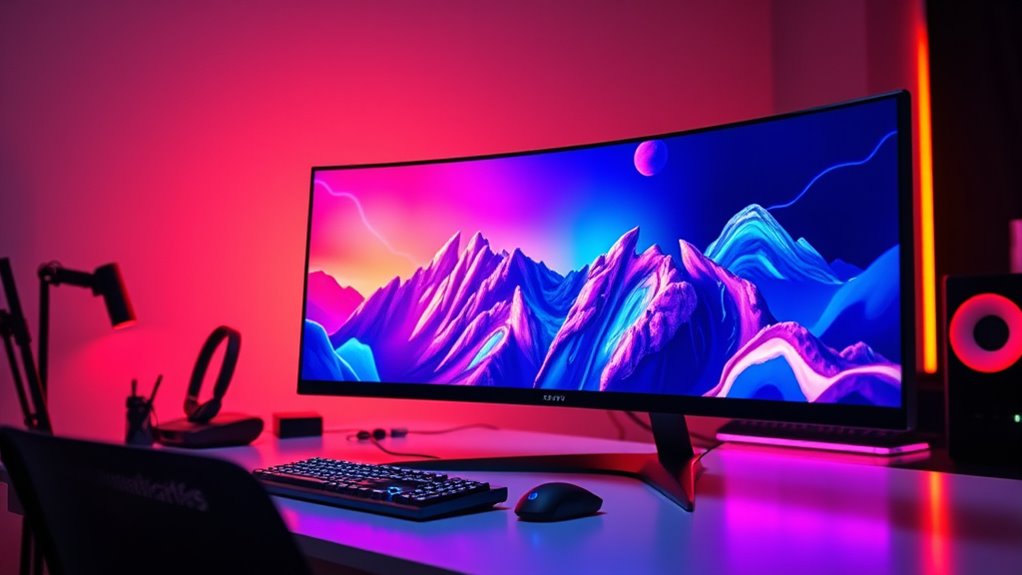

Curved monitors are designed to wrap around your field of view, creating a more immersive experience whether you’re gaming, working, or streaming. The best models combine high-quality panels, wide screens, and smooth performance, but they also come with tradeoffs like higher prices or limited portability. The Sceptre 34-Inch Ultrawide stands out as the overall top pick thanks to its high refresh rate and excellent color accuracy. For those focused on gaming, the Sceptre 34-inch Prime Gaming Monitor offers ultra-fast response times, while the LG 34SR60QC-W is a great option for casual use with streaming features. Keep reading to see how these options compare and which might be right for your setup.

Get business pricing on tech for your team
- Business-only prices and quantity discounts
- Tax-exempt purchasing
- Multiple users, one account, clear invoices
Key Takeaways
- High refresh rates (120Hz to 240Hz) significantly improve smoothness in fast-paced content like gaming or video editing.
- Ultrawide aspect ratios (21:9 or 32:9) enhance immersion but may require more powerful hardware to drive effectively.
- Curvature radius (like 1800R or 3800R) influences how enveloping the display feels; more aggressive curves create greater immersion.
- Built-in features such as speakers, streaming apps, or USB-C connectivity add convenience but can increase cost and complexity.
- Tradeoffs often involve balancing screen size, resolution, refresh rate, and price — the best choice depends on your primary use case.


| curved monitors for immersive viewing | Resolution | Refresh Rate | Display Size | Response Time |
|---|---|---|---|---|
| Sceptre 34-Inch Curved Ultrawi | 3440 x 1440 | 165 Hz | 34 inches | 1 ms |
| Dell 34 Monitor S3425DW | 3440 x 1440 | 120Hz | 34 inches | 0.03ms |
| ZZA 34 Inch Ultrawide Curved M | 3440 x 1440 | 100Hz | 34 inches | — |
| LG 34SR60QC-W 34-inch QHD Curv | 3440 x 1440 | 100Hz | 34 inches | — |
| LG 34WR55QK-B 34-inch UltraWid | 3440 x 1440 | 100Hz | 34 inches | 5ms |
| INNOCN 49-Inch Curved Ultrawid | 3840 x 1080P | 144Hz | — | — |
| LG 32MR50C-B Curved 32-Inch FH | 1920×1080 (FHD) | 100Hz | — | — |
| SANSUI 34-Inch Curved Gaming M | 3440 x 1440 pixels | 200Hz | — | 1 ms |
| Sceptre 34-inch Curved Prime G | 3440 x 1440 | 240Hz | — | 1ms |
| Samsung 49-Inch Business Curve | Dual QHD | 120Hz | — | — |
| LG 34U60ZB-B 34-inch UltraWide | 3440×1440 (WQHD) | 120Hz | 34 inches | 5ms |
| Samsung 32" S3 | Full HD | 100Hz | — | — |
| Samsung 34" ViewFinity S5 | QHD (3440×1440) | 120Hz | 34 inches | — |
| Alienware 34 Curved Gaming Mon | 3440×1440 | 180Hz | 34 inches | 1ms |
More Details on Our Top Picks
Sceptre 34-Inch Curved Ultrawide WQHD Monitor (3440 × 1440), R1500, up to 180Hz/165Hz, DisplayPort x2, 99% sRGB, 1ms, Built-in Speakers, Machine Black, 2025
This Sceptre model stands out for its combination of a large ultrawide display, a high 165Hz refresh rate, and a rapid 1ms response time, making it an excellent choice for gamers who want smooth visuals alongside productivity. Compared with the Dell S3425DW, it offers a higher refresh rate, which benefits fast-paced gaming, but it lacks the eye comfort features and USB-C port that the Dell provides. The wide 3440×1440 resolution maximizes screen real estate, ideal for multitasking, yet its size demands a substantial desk space and may be unwieldy in smaller setups. The inclusion of built-in speakers and luminous backcover lighting adds to its immersive appeal, though power consumption of 42 watts could be a concern for energy-conscious users.
Pros:- Ultra-wide 3440×1440 resolution boosts multitasking and immersive viewing
- High 165Hz refresh rate and 1ms response time excel in gaming performance
- Multiple connectivity options including HDMI and DisplayPort
Cons:- Large size may be impractical on smaller desks
- Limited ergonomic features or stand adjustability
Best for: Gamers and multitaskers who want a large, fast, and feature-rich ultrawide monitor for both work and play
Not ideal for: Small office setups or users prioritizing ergonomic adjustments, as the stand lacks detailed flexibility and the monitor size demands ample desk space
- Display Size:34 inches
- Resolution:3440 x 1440
- Aspect Ratio:21:9
- Refresh Rate:165 Hz
- Response Time:1 ms
- Panel Type:VA
Our verdict“This monitor is best suited for users who prioritize high refresh rates and wide screen real estate for gaming and productivity without heavy ergonomic needs.”
Dell 34 Monitor S3425DW, WQHD VA, 120Hz, FreeSync Premium, Eye Comfort
The Dell S3425DW offers a balanced mix of color fidelity and eye comfort, making it a good choice for long work sessions or streaming marathons. Its 120Hz refresh rate and AMD FreeSync Premium ensure smooth visuals, positioning it above standard 60Hz displays but below high-end gaming monitors like the Sceptre. The 99% sRGB and 95% DCI-P3 coverage deliver vivid, true-to-life colors, which are ideal for creative tasks, though it doesn’t include built-in speakers, requiring external audio. Its ergonomic design with tilt, height, and swivel adjustments makes it more adaptable for prolonged use compared to the less adjustable Sceptre. However, its smaller port selection and limited stand flexibility mean it’s less ideal for complex multi-device setups.
Pros:- Vivid, accurate colors with wide color coverage
- Eye comfort features reduce blue light for long sessions
- Ergonomic stand with tilt, height, and swivel adjustments
Cons:- Limited port selection (only 2 HDMI ports)
- No built-in speakers
Best for: Professionals and multimedia consumers seeking a comfortable, color-accurate display for extended use
Not ideal for: High-end gamers or users needing extensive connectivity options, as it has only 2 HDMI ports and limited stand adjustments
- Display Size:34 inches
- Resolution:3440 x 1440
- Refresh Rate:120Hz
- Response Time:0.03ms
- Panel Type:VA
- Color Gamut:99% sRGB, 95% DCI-P3
Our verdict“This monitor is ideal for users who prioritize color accuracy and ergonomic comfort over ultra-high refresh rates or extensive connectivity.”
ZZA 34 Inch Ultrawide Curved Monitor with Built-in Speakers, 4K Gaming Display, 100Hz, WQHD (3440×1440), 21:9, 3800R Curvature, 130% sRGB, HDMI & DisplayPort, VESA Mount Compatible
The ZZA 34-inch monitor features a distinctive 3800R curvature that truly enhances immersion, especially for gaming or cinematic viewing. Its WQHD resolution and vibrant 130% sRGB coverage deliver rich colors and detailed visuals, rivaling higher-priced options. The 100Hz refresh rate provides smooth gameplay, while the built-in speakers add convenience. The monitor’s VESA compatibility and multiple input options make it flexible for custom setups. Compared with the Sceptre, it offers a more aggressive curvature for deeper immersion, but its brightness of 250 nits may fall short in very bright environments. Its 45-watt power draw and lack of adjustable stand might be drawbacks for some users seeking more flexibility.
Pros:- Deep 3800R curvature enhances immersion in gaming and media
- Vivid colors with 130% sRGB coverage
- Built-in speakers and VESA mount support
Cons:- Brightness may be inadequate in very bright settings
- Lack of adjustable stand or ergonomic features
Best for: Gamers and creative professionals who want a deeply curved, vibrant display for immersive experiences
Not ideal for: Users with limited desk space or those requiring high brightness for bright rooms, as its brightness may be insufficient
- Display Size:34 inches
- Resolution:3440 x 1440
- Refresh Rate:100Hz
- Curvature:3800R
- Color Gamut:130% sRGB
- VESA Mount:Yes
Our verdict“This monitor is best for those seeking an ultra-immersive curved display with vibrant visuals for gaming and multimedia, accepting some brightness limitations.”
LG 34SR60QC-W 34-inch QHD Curved Smart Monitor with Streaming, webOS, HDR10, 100Hz, Built-in Speaker, AirPlay2, Screen Share, Bluetooth, ThinQ App
The LG 34SR60QC-W combines a curved display with smart TV functionalities, making it a versatile choice for entertainment-focused users who want more than a monitor. Its 100Hz refresh rate and HDR10 support enable immersive viewing of streaming content, while the webOS platform grants access to streaming apps directly on the monitor, similar to a smart TV. Its built-in speakers, AirPlay2, and screen sharing features make it convenient for multimedia, contrasting with more traditional monitors that lack smart features. However, it’s less suited for high-performance gaming or professional work that demands high refresh rates or color accuracy—its primary strength lies in entertainment and casual use. Its size and curvature may also not align with all desk setups.
Pros:- Immersive curved display ideal for cinematic viewing
- Built-in streaming apps and webOS platform
- Wireless casting and compatibility with AirPlay2 and HomeKit
Cons:- Limited high-refresh-rate performance for gaming
- Requires internet subscription services for full streaming experience
Best for: Home users seeking an entertainment hub with a large curved display and smart streaming capabilities
Not ideal for: High-end gamers or professional color grading, due to its 100Hz refresh rate and focus on streaming features
- Display Size:34 inches
- Resolution:3440 x 1440
- Refresh Rate:100Hz
- HDR:HDR10
- Smart Platform:webOS
- Connectivity:HDMI, USB, Bluetooth
Our verdict“This monitor is best for entertainment and casual viewing, especially for those who want integrated smart features in a curved display.”
LG 34WR55QK-B 34-inch UltraWide WQHD Curved Monitor with Adjustable Stand
The LG 34WR55QK-B offers a well-rounded package with its adjustable stand, making it suitable for users who need flexible ergonomics alongside a wide, immersive screen. Its 3440×1440 resolution and 100Hz refresh rate support smooth multitasking and media viewing, though it doesn’t match the ultra-high refresh rates of gaming-specific monitors like the Sceptre or ZZA. The stand’s height and tilt adjustments improve comfort during long sessions, addressing a common shortcoming in many curved monitors. Its 3-side borderless design enhances immersion, but the 100Hz limit makes it less ideal for competitive gaming. The monitor’s connectivity options, including USB Type-C with power delivery, make it versatile for modern setups.
Pros:- Adjustable stand with height and tilt for ergonomic comfort
- Multiple connectivity options including USB-C with power delivery
- Borderless design maximizes immersion
Cons:- Limited to 100Hz refresh rate, not suited for high-end gaming
- Curved design may not appeal to all users
Best for: Professionals and multitaskers seeking an ergonomic, large curved monitor for productivity and casual entertainment
Not ideal for: High-speed gaming enthusiasts or users requiring very high refresh rates, as it maxes out at 100Hz
- Display Size:34 inches
- Resolution:3440 x 1440
- Refresh Rate:100Hz
- Response Time:5ms
- Color Gamut:up to 99% sRGB
- Stand Adjustments:Height and tilt adjustable
Our verdict“This monitor is ideal for users who want a flexible, ergonomic setup for multitasking and multimedia consumption, accepting moderate gaming performance.”
INNOCN 49-Inch Curved Ultrawide Monitor, 3840 x 1080P, 144Hz, HDR400, USB-C, DisplayPort, HDMI, Speakers, Adjustable Stand, Black
This 49-inch ultrawide curved monitor stands out for its expansive 32:9 aspect ratio and 1800R curvature, creating an enveloping experience ideal for multitasking and gaming. Compared with the smaller 34-inch options like the SANSUI 34-Inch, the INNOCN offers a truly panoramic view that enhances immersion, but its large footprint requires a substantial desk space and may be less practical for tight setups. Its 144Hz refresh rate with adaptive sync ensures smooth gameplay, while vibrant HDR400 and 99% sRGB coverage deliver impressive color. The versatile connectivity, including USB-C with power delivery and adjustable stand, adds ergonomic flexibility, making it suitable for long sessions. However, HDR performance can vary depending on content, and USB-C wattage isn’t specified, which might limit charging power for connected laptops.
Pros:- Extremely immersive 32:9 ultra-wide view enhances multitasking and gaming
- High 144Hz refresh rate with adaptive sync for smooth visuals
- Versatile connectivity including USB-C with charging capabilities
- Adjustable stand for ergonomic comfort
Cons:- Large size demands significant desk space
- HDR400 performance may be inconsistent with some content
- USB-C power delivery wattage not specified, limiting charging options
Best for: Power users who want an immersive, multitasking-focused display for both work and gaming in a single ultrawide setup
Not ideal for: Small workspace users or those seeking a more compact monitor, as the size may be unwieldy and demanding in limited spaces
- Screen Size:49 inches
- Resolution:3840 x 1080P
- Refresh Rate:144Hz
- Curvature:1800R
- Aspect Ratio:32:9
- Color Gamut:99% sRGB
- HDR:VESA DisplayHDR 400
- Connectivity:USB-C, HDMI, DisplayPort
- Stand:Adjustable
Our verdict“This monitor is best suited for users seeking an expansive, immersive display that doubles as a productivity hub and gaming station, provided they have ample space.”
LG 32MR50C-B Curved 32-Inch FHD Monitor with 100Hz Refresh Rate and AMD FreeSync
This 32-inch curved monitor offers a solid balance of size and features, providing vibrant visuals on a VA panel with a 100Hz refresh rate. While it doesn’t match the 144Hz or ultra-wide aspect ratios of larger or more gaming-oriented models like the SANSUI 34-Inch, it excels in delivering clear, vivid images suitable for everyday use and casual gaming. Its ergonomic tilt stand and blue light reduction make long sessions more comfortable, yet it falls short for those seeking 4K resolution or a wider field of view. The lack of built-in speakers and limited connectivity options mean external peripherals are necessary, which could be a drawback for streamlined setups.
Pros:- Vivid color and contrast with VA panel
- Smooth 100Hz refresh rate improves gaming and video playback
- Tilt-adjustable stand for comfortable viewing
- Blue light reduction reduces eye strain
Cons:- Limited to Full HD resolution, not 4K or ultrawide
- No built-in speakers or high-end connectivity
Best for: Budget-conscious users who want a curved display with decent color and smooth visuals for general use or casual gaming
Not ideal for: Enthusiasts seeking ultra-wide immersion or high-end gaming features like 200Hz+ refresh rates or 4K resolution
- Screen Size:32 inches
- Resolution:1920×1080 (FHD)
- Refresh Rate:100Hz
- Panel Type:VA
- Features:Curved, AMD FreeSync, Tilt, Blue Light Reduction
- Connectivity:Not specified
Our verdict“This monitor is a practical choice for users who want a curved display with decent performance at a budget-friendly price point, but not for those craving ultra-wide or 4K clarity.”
SANSUI 34-Inch Curved Gaming Monitor UWQHD 3440 x 1440P 200Hz Ultrawide
The SANSUI 34-inch ultrawide monitor prioritizes gaming with its 3440×1440 resolution and 200Hz refresh rate, delivering exceptionally smooth and detailed gameplay. Its 1ms response time and VA panel ensure vibrant, fast-moving visuals, surpassing many competitors like the LG 32-inch in size and performance for gaming. The inclusion of AI-enhanced blue light reduction and VRR support with HDMI 2.1 makes it a compelling choice for immersive gaming marathons. However, it lacks built-in speakers, and its stand offers limited adjustment, which could be inconvenient for some users. Its high performance comes with a larger footprint, demanding a spacious setup.
Pros:- Ultrawide 3440×1440 resolution enhances immersion
- High 200Hz refresh rate with 1ms response time for smooth gameplay
- Supports VRR via HDMI 2.1 for tear-free gaming
- Vibrant color with high contrast ratio
Cons:- No built-in speakers, requiring external audio
- Limited stand adjustment options (tilt only)
- Requires ample desk space for optimal setup
Best for: Dedicated gamers who want a large, ultrawide display with high refresh rate and fast response times for immersive gameplay
Not ideal for: Users seeking a monitor for productivity or professional use, due to its focus on gaming features and limited stand adjustments
- Screen Size:34 inches
- Resolution:3440 x 1440 pixels
- Aspect Ratio:21:9
- Refresh Rate:200Hz
- Response Time:1 ms
- Connectivity:DisplayPort 1.4, HDMI 2.1 x 2
- Color Gamut:sRGB 131%, DCI-P3 96%
- Stand Adjustments:Tilt
Our verdict“This monitor is ideal for gamers who prioritize ultrawide immersion and high refresh rates, provided they have space and don’t mind external speakers.”
Sceptre 34-inch Curved Prime Gaming Monitor 3440 x 1440, 240Hz, 1ms, 100% sRGB, Built-in Speakers
The Sceptre 34-inch curved monitor targets gamers with its 3440×1440 resolution and impressive 240Hz refresh rate, complemented by a rapid 1ms response time for ultra-smooth gameplay. Its 100% sRGB color coverage ensures vibrant visuals, while built-in speakers add convenience without sacrificing desk space. Compared to the SANSUI model, it offers a higher refresh rate and integrated audio, but its curved design might not appeal to everyone, and its stand offers limited tilt adjustment. The monitor’s focus on gaming performance makes it less suited for productivity or color-critical tasks that demand wider adjustability or higher resolution.
Pros:- Extremely high 240Hz refresh rate with 1ms response time
- Vivid, accurate colors with 100% sRGB
- Built-in speakers for simplified setup
- Supports VRR for tear-free gaming
Cons:- Curved design may not suit all users
- Limited stand adjustments (tilt only)
- Size limited to 34 inches, less expansive than larger ultrawides
Best for: Competitive gamers seeking high refresh rates and integrated audio in a curved ultrawide for intense gaming sessions
Not ideal for: Content creators or professionals needing color accuracy or multiple stand adjustments
- Screen Size:34 inches
- Resolution:3440 x 1440
- Refresh Rate:240Hz
- Response Time:1ms
- Color Gamut:100% sRGB
- Connectivity:HDMI, DisplayPort
- Built-in Speakers:Yes
- Stand Adjustments:Tilt
Our verdict“This monitor is best for competitive gamers who want high refresh rates, color accuracy, and integrated audio in a curved ultrawide format.”
Samsung 49-Inch Business Curved Ultrawide Dual QHD Monitor with USB-C, HDMI, DisplayPort, 120Hz, HDR 400, Built-in Speakers, Height Adjustable Stand
The Samsung 49-inch ultrawide monitor is designed to serve as a comprehensive workspace, featuring dual QHD resolution across a 32:9 aspect ratio in a curved, immersive display. It supports a 120Hz refresh rate and HDR 400, making it suitable for both productivity and media consumption. Its multiple connectivity options, including USB-C with 90W charging, and built-in speakers streamline desk setup, while the height-adjustable stand provides ergonomic flexibility. Compared to the INNOCN, this model emphasizes a more professional, ergonomic design with slightly lower refresh rates but better connectivity options for docking multiple devices. The size and complexity, however, may be excessive for casual users or small desks.
Pros:- Large, curved 49-inch display enhances multitasking and immersion
- Multiple connectivity options including USB-C with 90W charging
- Height-adjustable stand for ergonomic comfort
- HDR 400 support for vibrant visuals
Cons:- Size may be overwhelming for small desks
- Higher price point compared to smaller or simpler monitors
- Lower refresh rate than some gaming models, at 120Hz
Best for: Professionals managing extensive multitasking, creative workflows, or large-scale data visualization in a single monitor
Not ideal for: Users with limited desk space or those seeking a more compact or budget-friendly monitor
- Screen Size:49 inches
- Resolution:Dual QHD
- Refresh Rate:120Hz
- HDR:DisplayHDR 400
- Connectivity:DisplayPort, HDMI, USB-C, USB
- Stand:Height adjustable
- Built-in Speakers:Yes
Our verdict“This monitor is best suited for professionals seeking an expansive, ergonomic workspace with versatile connectivity, accepting a slightly lower refresh rate for productivity gains.”
LG 34U60ZB-B 34-inch UltraWide WQHD Curved Monitor, Black
This LG 34-inch UltraWide monitor stands out for its expansive 3440×1440 resolution and 1800R curvature, offering a truly immersive experience whether multitasking or enjoying media. Compared with the Alienware 34, it provides a similar ultrawide size but with a more balanced mix of color accuracy and HDR support suitable for content creation. Its 120Hz refresh rate and 5ms response time ensure smooth visuals, ideal for both work and casual gaming. The adjustable stand enhances ergonomic comfort, making it a flexible workspace centerpiece. However, its refresh rate may be limited by hardware compatibility, and some advanced features require software installation. This monitor is best suited for professionals who need space for multiple windows and media enthusiasts who want high-quality visuals without the premium price of gaming-centric models. It’s less ideal for gamers seeking maximum refresh rates or those with limited desk space.
Pros:- Large, ultra-wide 34-inch display enhances multitasking
- High color accuracy with 99% sRGB and HDR10 support
- 120Hz refresh rate for smooth, fluid visuals
- Adjustable stand for ergonomic comfort
Cons:- Refresh rate may be hardware-limited depending on system
- Requires software installation for full feature set
- Limited connectivity options compared to higher-end gaming monitors
Best for: Creative professionals and multitaskers who value wide workspace and color accuracy
Not ideal for: Competitive gamers needing ultra-high refresh rates or minimal response times
- Display Size:34 inches
- Resolution:3440×1440 (WQHD)
- Curvature:1800R
- Refresh Rate:120Hz
- Response Time:5ms
- Color Coverage:99% sRGB
Our verdict“This monitor is a strong choice for users who prioritize productivity and media consumption over ultra-high gaming performance.”
Samsung 32″ S3 (S39GD) Series FHD Curved Monitor
This 32-inch curved monitor offers an immersive experience with its curved design and Full HD resolution, making it well-suited for casual gaming and multimedia use. Compared to the larger LG 34U60ZB-B, it sacrifices screen real estate but delivers a more affordable, space-efficient option with a high 100Hz refresh rate that reduces motion blur. Its built-in speakers and eye comfort technology add convenience for extended use, though the stand’s adjustability isn’t detailed, which could impact ergonomic setup. It’s best for users who want an engaging curved display without the need for ultra-wide or 4K resolution, especially in smaller spaces. Those seeking more precise color accuracy or multi-window multitasking might find it limiting. This model strikes a balance between affordability and immersive design, but lacks some of the advanced features of higher-end options.
Pros:- Immersive curved display enhances viewing depth
- High 100Hz refresh rate reduces motion blur
- Built-in speakers add convenience
- Eye comfort technology minimizes eye strain
Cons:- Limited stand adjustability details
- No detailed port specifications, limiting connectivity info
- Lower resolution than ultrawide options, less workspace
Best for: Budget-conscious users seeking an immersive curved display for casual gaming and media
Not ideal for: Professional content creators or users requiring extensive ergonomic adjustments
- Screen Size:32 inches
- Resolution:Full HD
- Curvature:Curved
- Refresh Rate:100Hz
- Built-in Speakers:Yes
- Eye Comfort Technology:Yes
Our verdict“Ideal for casual users wanting an affordable curved monitor with decent gaming performance and media features.”
Samsung 34″ ViewFinity S5 (S55GH) Ultrawide QHD Curved Monitor
This 34-inch ultrawide monitor excels in delivering vibrant, detailed visuals with QHD resolution, HDR10, and over 1 billion colors, making it ideal for creative professionals and multitaskers. Its 1800R curvature enhances immersion, comparable to the LG 34U60ZB-B but with a focus on color accuracy and visual quality. The 120Hz refresh rate combined with AMD FreeSync Premium ensures smooth motion, beneficial for video editing and design work. The limited port selection—HDMI and DisplayPort—may restrict connectivity, and its premium price could be a barrier for some users. Compared with the Alienware AW3425DWM, this display offers comparable immersion but with a stronger emphasis on color precision and visual fidelity. It’s best suited for users prioritizing detailed visuals and color accuracy over rapid response times or ultra-high gaming refresh rates.
Pros:- Large ultrawide curved display ideal for multitasking
- High-quality visuals with HDR10 and over 1 billion colors
- 120Hz refresh rate ensures smooth visual flow
- HDR support enhances dynamic range and contrast
Cons:- Premium price may be prohibitive
- Limited port options reduce connectivity flexibility
- Not designed for ultra-high refresh rate gaming
Best for: Creative professionals and multitaskers prioritizing color accuracy and visual detail
Not ideal for: High-end gamers seeking 180Hz+ refresh rates or minimal response times
- Display Size:34 inches
- Resolution:QHD (3440×1440)
- Curvature:1800R
- Refresh Rate:120Hz
- HDR:HDR10
- Color Gamut:Over 1 billion colors
Our verdict“This monitor suits creators and power users who need accurate colors and expansive workspace for demanding visual tasks.”
Alienware 34 Curved Gaming Monitor – AW3425DWM
The Alienware 34 Curved Gaming Monitor is designed for gamers who demand top-tier speed and immersion. It features a 34-inch WQHD display with a 1500R curvature, providing a more pronounced wraparound effect than most competitors, including the LG 34U60ZB-B. With a 180Hz refresh rate and 1ms response time, it excels at fast-paced gaming, reducing motion blur and input lag. Its vibrant color coverage with VESA DisplayHDR 400 certification adds stunning visual impact, especially during intense gaming sessions. The large size and high performance come with a tradeoff—its size may not fit smaller desks, and the power consumption is higher due to advanced features. Compared to the LG or Samsung ultrawides, it prioritizes speed and responsiveness over media versatility or color accuracy for professional tasks. It’s best for gamers seeking an immersive, high-speed experience in a large ultrawide format.
Pros:- Immersive 1500R curved display enhances gaming depth
- 180Hz high refresh rate with 1ms response time
- Vibrant colors with HDR support for stunning visuals
- Multiple ports for flexible connectivity
Cons:- Large size may not suit smaller spaces
- High-performance features increase power draw
- Premium price point limits accessibility
Best for: Competitive gamers seeking ultra-fast response times and maximum immersion
Not ideal for: Office users or creative professionals needing accurate color reproduction
- Display Size:34 inches
- Resolution:3440×1440
- Refresh Rate:180Hz
- Response Time:1ms
- Contrast Ratio:3000:1
- Color Coverage:95% DCI-P3
- VESA HDR:Yes
Our verdict“This monitor is best for gamers who want the most immersive and responsive ultrawide gaming experience, accepting a larger footprint and higher cost.”
How We Picked
These monitors were selected based on a combination of key factors that influence immersive viewing experience. First, display size and curvature were prioritized to maximize field of view and wrap-around effect. Next, resolution and panel type—such as WQHD or 4K—were considered for clarity and detail. Refresh rate and response time were evaluated to ensure smooth motion, especially for gaming or fast-paced media. Build quality, connectivity options, and additional features like speakers and smart functions also played a role. The ranking reflects a balance between performance, versatility, and value, focusing on models that truly enhance immersion without excessive compromises.Factors to Consider When Choosing Curved Monitors For Immersive Viewing
Choosing the right curved monitor for immersive viewing involves understanding several key factors that affect how you experience content. While larger screens and aggressive curves can boost immersion, they also demand more from your hardware and workspace. Balancing resolution and refresh rate ensures smooth, clear visuals, especially in gaming or high-definition work. Additional features like adjustable stands, connectivity options, and integrated speakers can enhance usability but may add to the cost. Being aware of these tradeoffs helps you select a monitor that genuinely elevates your viewing experience without unnecessary extras.Screen Size and Curvature
Size and curvature are the foundation of immersive viewing. Larger screens, especially ultrawide formats, create a panoramic effect, but they also require more desk space and powerful graphics cards. Curvature radius (like 1800R or 3800R) determines how wrapped around the viewer the display feels; more aggressive curves (closer to 1800R) produce a more enveloping experience but can distort images at the edges if not well-calibrated. Consider your viewing distance and room setup when selecting these dimensions, as a mismatch can diminish the intended effect or cause discomfort.
Resolution and Panel Type
Higher resolutions like 3440×1440 or 4K provide sharper images, which are vital for detailed work or media consumption. Panel type, such as IPS or VA, impacts color accuracy and contrast—IPS panels generally offer more vibrant colors and wider viewing angles, enhancing immersion. However, higher resolution and advanced panels tend to increase the price. Be mindful that your hardware must also support these resolutions smoothly, especially if you plan to game or edit high-definition content.
Refresh Rate and Response Time
For an immersive experience that feels fluid, especially in gaming or fast-paced videos, look for monitors with refresh rates of at least 120Hz and response times under 5ms. Ultra-fast refresh rates like 240Hz can eliminate motion blur and tearing, but they also tend to be more expensive and demand high-end GPUs. If your primary use is casual browsing or streaming, a standard 60Hz or 100Hz monitor may suffice. Understanding your typical workload helps prioritize these specs without overspending.
Additional Features
Features such as built-in speakers, USB-C hubs, and smart streaming apps can make daily use more convenient, especially if desk space is limited. Adjustable stands and VESA compatibility improve ergonomics, preventing discomfort during long sessions. However, each added feature increases the cost and complexity of the monitor. Consider which extras genuinely matter for your setup and avoid paying for bells and whistles that won’t be used often.
Price and Value Balance
While premium models deliver top-tier performance and features, they can also carry a steep price tag. Conversely, budget options often compromise on curvature, resolution, or build quality. Finding a model that offers the best performance for your budget involves identifying which features enhance your immersive experience most. For most users, focusing on size, curvature, resolution, and refresh rate will yield the greatest satisfaction without overspending.
Frequently Asked Questions
Do I need a high-end graphics card to run a curved ultrawide monitor?
In most cases, a high-end graphics card isn’t strictly necessary unless you plan to game at high resolutions or with very high refresh rates. For standard use, such as streaming, browsing, or casual gaming, mid-range GPUs can handle these monitors comfortably. However, for smooth performance in fast-paced games or professional content creation at 1440p or 4K resolutions, a more powerful GPU will be beneficial. Always check the recommended specifications for your chosen monitor to ensure compatibility.
Are curved monitors better for gaming or work?
Curved monitors excel in creating an immersive experience that benefits gaming and media consumption significantly. The wrap-around effect makes you feel more engaged in virtual environments, especially on ultrawide screens. For work, curved monitors can reduce eye strain by minimizing distortion at the edges and increase focus by providing a panoramic workspace. The best choice depends on your primary activity; gamers generally favor higher refresh rates and response times, while professionals may prioritize resolution and color accuracy.
What is the ideal curvature radius for immersive viewing?
The ideal curvature radius depends on screen size and personal preference but generally falls between 1800R and 2300R. A smaller radius like 1800R creates a more pronounced wrap, increasing immersion, especially on larger screens. However, more aggressive curves can sometimes distort images or cause discomfort if not aligned with your viewing distance. For most users, a radius around 1800R to 2000R strikes a good balance between immersion and comfort.
Is a curved monitor worth it if I only use my PC for work?
Curved monitors can be beneficial for work by reducing eye strain and providing a more natural viewing angle, especially on larger screens. They help minimize distortions at the edges and can improve focus by creating a more panoramic workspace. However, if your tasks involve precise color accuracy or you prefer multiple separate screens, a flat monitor or multiple monitors might be better. Ultimately, if you spend long hours at your desk and value immersion, a curved monitor can be a worthwhile upgrade.
How important is the curvature type for immersion?
The curvature type, such as 1800R versus 3800R, directly impacts how enveloping the display feels. More aggressive curvatures like 1800R wrap the display closer to your field of view, boosting immersion for gaming or cinematic viewing. Less aggressive curves (around 3000R or 3800R) provide a subtler wrap, suitable for general use or multitasking. The best choice depends on your intended use and how close you sit to the screen; more pronounced curves tend to be more immersive but may require a larger screen size to avoid distortion.
Conclusion
For general users seeking a well-rounded immersive experience, the Sceptre 34-Inch Curved Ultrawide offers excellent performance at a balanced price. Gamers prioritizing response times and ultra-smooth visuals should consider the Sceptre 34-inch Prime Gaming Monitor for its high refresh rate. Those who want a premium, versatile monitor with streaming features and a sleek design might lean toward the LG 34SR60QC-W. Beginners or casual users will find the LG or Samsung models easy to use, while professionals focused on color accuracy should prioritize IPS options. Ultimately, your choice depends on your primary activity, budget, and workspace setup—match these factors to the features highlighted to find your perfect immersive display.
As an affiliate, we earn on qualifying purchases.Halloween Picks
halloween