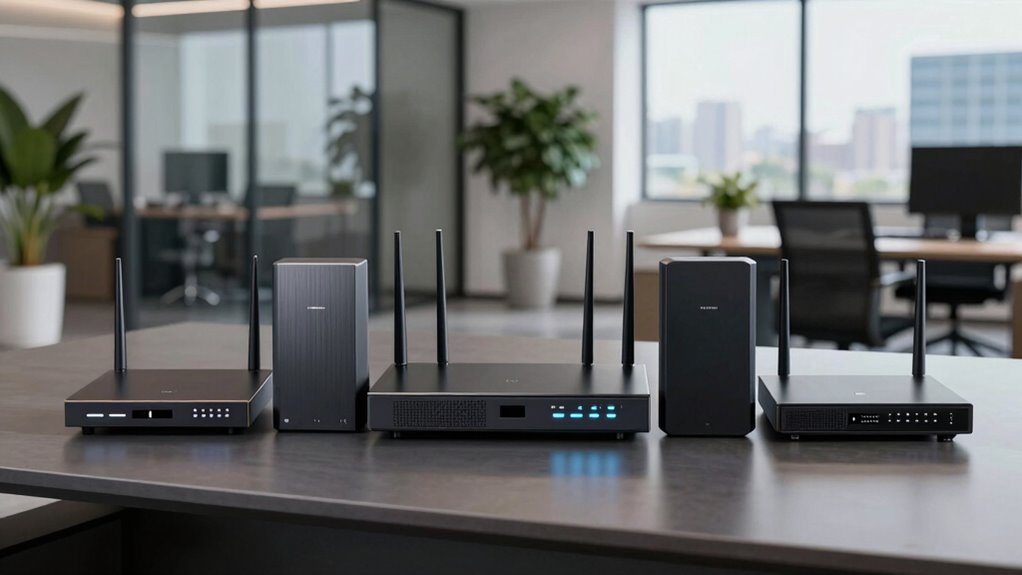

Choosing the right router for a small office involves balancing performance, security, and ease of management. For 2026, the market offers a variety of options, but three stand out: the TP-Link ER605 V2 for its robust wired security features, the ASUS ExpertWiFi AX3000 for its fast WiFi 6 capabilities and scalability, and the Ubiquiti EdgeRouter 4 for high performance at a lower cost. Each has unique strengths and tradeoffs: while the TP-Link lacks wireless, it excels in security; the ASUS offers wireless ease but may have limited warranty; and the Ubiquiti provides raw routing power but no Wi-Fi. Your choice depends on your specific network priorities and technical comfort level.

Get business pricing on tech for your team
- Business-only prices and quantity discounts
- Tax-exempt purchasing
- Multiple users, one account, clear invoices
Key Takeaways
- The TP-Link ER605 V2 is best suited for wired networks requiring advanced security and VPN support.
- The ASUS ExpertWiFi AX3000 is ideal for offices seeking fast, scalable Wi-Fi with easy management.
- The Ubiquiti EdgeRouter 4 offers high routing performance at a budget-friendly price but lacks wireless features.
- Complex setup and management vary across options, impacting suitability for less technical users.
- Choosing the right router depends largely on your office’s specific network needs, including wired vs. wireless priorities.
| TP-Link ER605 V2 Wired Gigabit VPN Router |  | Best for Secure Wired Networks | Number of Gigabit Ports: 5 | WAN Ports: 3 | LAN Ports: 2 | VIEW ON AMAZON | See Our Full Breakdown |
| ASUS ExpertWiFi AX3000 Business Router |  | Best for Wireless Speed and Scalability | Model: EBR63 | WiFi Standard: WiFi 6 (AX3000) | Features: Guest portal, SDN, remote management, scalable with AiMesh, security, VPN, VLAN | VIEW ON AMAZON | See Our Full Breakdown |
| Ubiquiti Networks EdgeRouter 4 Ethernet LAN Wired Router |  | Best for High Performance Wired Routing | Ports: 4 Gigabit Ethernet, 1 SFP | Routing Performance: 3.4 million packets/sec | Line Rate: up to 4 Gbps | VIEW ON AMAZON | See Our Full Breakdown |
| TP-Link ER7206 Multi-WAN Professional Wired Gigabit VPN Router |  | Best for Enterprise-Grade Networking | Port Configuration: 1 Gbps SFP WAN, 1 Gbps WAN, 2 Gbps WAN/LAN, 1 Gbps LAN | Maximum Clients: 700 | Maximum Devices: 150,000 | VIEW ON AMAZON | See Our Full Breakdown |
| Ubiquiti EdgeRouter 4 |  | Best for Cost-Effective High Performance | Ethernet Ports: 3 10/100/1000 Mbps | Serial Port: 1 RJ45 | SFP Port: 1 | VIEW ON AMAZON | See Our Full Breakdown |
More Details on Our Top Picks
TP-Link ER605 V2 Wired Gigabit VPN Router
The TP-Link ER605 V2 stands out for its robust security features and multiple WAN ports, making it ideal for offices that prioritize security and bandwidth management. Unlike the Ubiquiti EdgeRouter 4, it lacks Wi-Fi, focusing solely on wired connections, which can be a benefit or a downside depending on your network setup. Compared with the ASUS router, it doesn’t support Wi-Fi 6 but offers advanced VPN support, including IPsec and OpenVPN, for secure remote access. The complex setup might deter beginners, but for IT-savvy users, it’s a reliable choice for a wired, secure environment.
Pros:- Multiple WAN ports optimize bandwidth and redundancy
- Supports mobile broadband backup via USB
- Robust security features including firewall and DoS defense
Cons:- No wireless connectivity options
- Setup can be complex for beginners
Best for: Small offices needing secure wired VPN and multiple WAN options.
Not ideal for: Offices requiring built-in Wi-Fi or simple plug-and-play setup.
- Number of Gigabit Ports:5
- WAN Ports:3
- LAN Ports:2
- USB Port:Yes
- VPN Support:Yes
- VPN Types:IPsec, OpenVPN, L2TP, PPTP
Our verdict“A solid wired router with enterprise-grade VPN and security, best suited for security-focused small offices.”
ASUS ExpertWiFi AX3000 Business Router
The ASUS ExpertWiFi EBR63 makes a strong case for offices that need fast wireless connectivity and scalable coverage. Its WiFi 6 standard supports higher speeds and more simultaneous devices, which is useful for busy offices with many users. Compared with the TP-Link router, it offers built-in Wi-Fi but lacks the extensive VPN support and wired security features. Its remote management and support for AiMesh make expansion straightforward, though the renewed status may limit warranty coverage, and detailed user reviews are scarce, which could be a concern for some buyers.
Pros:- Supports WiFi 6 for faster wireless speeds
- Easy setup and remote management
- Expandable with AiMesh for larger coverage
Cons:- Renewed product may have limited warranty
- Limited user review data available
Best for: Offices seeking fast Wi-Fi, easy management, and scalability.
Not ideal for: Highly security-sensitive environments that require advanced VPN or wired-only setups.
- Model:EBR63
- WiFi Standard:WiFi 6 (AX3000)
- Features:Guest portal, SDN, remote management, scalable with AiMesh, security, VPN, VLAN
Our verdict“Ideal for offices prioritizing high-speed wireless connectivity and scalable network expansion with manageable setup.”
Ubiquiti Networks EdgeRouter 4 Ethernet LAN Wired Router
The Ubiquiti EdgeRouter 4 offers impressive routing performance with its ability to handle up to 3.4 million packets per second and line rates up to 4 Gbps. It’s a compelling choice for budget-conscious offices needing high throughput without Wi-Fi. Unlike the ASUS and TP-Link options, it’s limited to wired connections and requires a higher technical skill to configure, especially via the Ubiquiti Network Management System. Its rack-mounting capability and silent operation make it suitable for professional deployments, but it’s not the best pick for offices needing wireless or plug-and-play solutions.
Pros:- High routing performance with 3.4 million packets/sec
- Supports rack mounting for flexible deployment
- Fanless, silent operation
Cons:- Limited to wired Ethernet connections
- No Wi-Fi capability
- Setup complexity for non-technical users
Best for: Technical users needing high-performance wired routing at a budget.
Not ideal for: Offices needing integrated Wi-Fi or simple setup without technical expertise.
- Ports:4 Gigabit Ethernet, 1 SFP
- Routing Performance:3.4 million packets/sec
- Line Rate:up to 4 Gbps
- Management System:UNMS
- Rack Mountable:Yes
Our verdict“Best suited for technically skilled teams seeking a high-performance wired router without wireless features.”
TP-Link ER7206 Multi-WAN Professional Wired Gigabit VPN Router
The TP-Link ER7206 targets larger small offices or those with complex network needs. Its multi-WAN port configuration allows for bandwidth optimization and redundancy, making it suitable for offices with high traffic or requiring failover. It supports cloud management and extensive VPN options, similar to the ER605 but with higher capacity, supporting up to 700 clients and 150,000 connected devices. The setup can be complex, especially with SDN features, which might be overwhelming for less experienced users.
Pros:- Flexible port configuration for bandwidth management
- Supports high client and device capacity
- Cloud management for remote control
Cons:- Complex setup requiring technical knowledge
- SDN features may need compatible infrastructure
Best for: Growing offices needing high capacity and multi-WAN support.
Not ideal for: Small offices with simple needs or limited technical resources.
- Port Configuration:1 Gbps SFP WAN, 1 Gbps WAN, 2 Gbps WAN/LAN, 1 Gbps LAN
- Maximum Clients:700
- Maximum Devices:150,000
- SDN Compatibility:Yes
- VPN Support:LAN-to-LAN IPsec, OpenVPN, L2TP, PPTP
Our verdict“A powerful, scalable choice for offices with demanding network requirements and multi-WAN needs.”
Ubiquiti EdgeRouter 4
The Ubiquiti EdgeRouter 4 offers a budget-friendly way to achieve high routing throughput, especially suitable for offices with limited wired port needs. Its three Ethernet ports, combined with SFP and serial options, make it flexible for various deployment scenarios. While it lacks Wi-Fi and is more technical to configure, it provides excellent value for those comfortable with network setup. This router is ideal for offices that prioritize wired performance and have the technical expertise to manage it.
Pros:- Multiple ports including SFP for fiber connections
- Fanless design for silent operation
- Versatile mounting options
Cons:- Limited to wired connections
- Requires technical knowledge for setup
- No Wi-Fi built-in
Best for: Cost-conscious offices with technical skills prioritizing wired routing performance.
Not ideal for: Offices needing integrated Wi-Fi or plug-and-play simplicity.
- Ethernet Ports:3 10/100/1000 Mbps
- Serial Port:1 RJ45
- SFP Port:1
- Power Consumption:13 Watts
- Mounting:Desk, wall, rack
- Fan:Fanless
Our verdict“A high-performance wired router offering excellent value for technically skilled teams on a budget.”

How We Picked
In selecting these routers, I prioritized models that are explicitly designed for small office environments with business-grade features. I looked at performance metrics such as throughput and VPN capacity, security features like firewalls and filtering, management options including remote control, and scalability potential. I also considered user-friendliness, technical requirements, and value for money. Each product was chosen to fill a distinct role, providing a range of options for different office sizes and technical comfort levels.
Factors to Consider When Choosing Business Grade Router For Small Offices
When selecting a business-grade router for a small office, it’s essential to clarify your priorities: wired or wireless connectivity, security features, ease of setup, and future scalability. You should also consider your technical expertise—whether you want a simple plug-and-play device or are comfortable with advanced configuration. The right choice balances performance with management complexity and budget.
Wired vs. Wireless Capabilities
If your office relies heavily on wired connections for stability and security, focus on routers like the TP-Link ER605 V2 or Ubiquiti EdgeRouter 4. For wireless needs, especially with multiple mobile devices or guest access, the ASUS ExpertWiFi AX3000 offers the fastest Wi-Fi 6 speeds and easy scalability, making it suitable for dynamic environments.
Security and VPN Features
For offices with sensitive data, security features such as firewalls, VPN support, and filtering are non-negotiable. The TP-Link ER605 V2 and TP-Link ER7206 excel here, offering robust VPN options and security controls. The ASUS router also includes VPN but emphasizes wireless management, while the Ubiquiti EdgeRouter 4 focuses on raw performance and requires additional security configuration.
Ease of Setup and Management
If ease of use is your priority, the ASUS ExpertWiFi AX3000 is the simplest to deploy and manage remotely. The TP-Link models also offer user-friendly interfaces, but advanced features like SDN or multi-WAN require some technical skills. The Ubiquiti EdgeRouter 4 and TP-Link ER7206 are geared toward users comfortable with complex setup and network management systems.
Frequently Asked Questions
What is the difference between wired and wireless routers for small offices?
Wired routers, like the TP-Link ER605 V2 and Ubiquiti EdgeRouter 4, focus on high stability and security, ideal for office environments with fixed devices. Wireless routers, such as the ASUS ExpertWiFi AX3000, provide mobility and easier device connectivity but may introduce more security considerations. Your choice depends on whether your office network needs maximum stability or flexible mobility.
How important are VPN features in a small office router?
VPN features are crucial if remote workers or branch offices need secure access to the main network. The TP-Link ER605 V2 and ER7206 support multiple VPN protocols, ideal for secure remote access. The ASUS router also offers VPN support but is more geared toward wireless security. Consider your remote access needs before choosing a router with the right VPN capabilities.
Is Wi-Fi 6 necessary for a small office?
Wi-Fi 6, supported by the ASUS ExpertWiFi AX3000, offers faster speeds and better device handling, which benefits offices with many mobile or wireless devices. If your office relies primarily on wired connections, Wi-Fi 6 may be less critical. However, for future-proofing and supporting a growing number of wireless devices, Wi-Fi 6 adds significant value.
Do I need a managed router?
Managed routers like the TP-Link ER7206 or Ubiquiti EdgeRouter 4 provide advanced control over network traffic, security policies, and remote management, suited for offices with IT staff or those wanting granular control. Simpler models like the ASUS ExpertWiFi are more user-friendly but may lack advanced management features, making them better suited for smaller or less complex networks.
How much should I expect to spend on a business-grade router?
Prices vary based on features: basic wired routers with VPN support like the TP-Link ER605 V2 typically range from $150 to $250. More advanced, scalable, or Wi-Fi-enabled models like the ASUS ExpertWiFi AX3000 usually cost between $200 and $350. High-performance, multi-WAN options like the TP-Link ER7206 can be in the $300 to $400 range. Your budget should reflect your office’s specific needs for security, speed, and management.
Conclusion
For small offices with a focus on wired security and VPN, the TP-Link ER605 V2 is a reliable choice. Those prioritizing high-speed Wi-Fi and scalability should consider the ASUS ExpertWiFi AX3000. Cost-conscious teams needing high routing performance may find the Ubiquiti EdgeRouter 4 best, especially if they are comfortable with setup complexity. If your office has demanding network capacities and multi-WAN needs, the TP-Link ER7206 offers a scalable, enterprise-grade solution. Ultimately, matching your technical skill level, security requirements, and budget will guide you toward the best router for your small office in 2026.
Halloween Picks
halloween
As an affiliate, we earn on qualifying purchases.