The ScanSnap SV600 is my best overall auto book scanner for hands-free overhead capture, while the CZUR ET MAX stands out for buyers who need higher-resolution digitization and the CZUR Shine Ultra for a more portable setup. Across these 14 options, the main choice is between automated page handling and image correction, a larger capture area, and a compact design that is easier to store or carry. Higher megapixel counts can help with detailed pages, but they do not replace a suitable capture area or a workflow that fits your books. Handheld models prioritize portability over the convenience of overhead scanning. Read on for my full comparison and advice on choosing the right scanner for your books and workspace.

Get business pricing on tech for your team
- Business-only prices and quantity discounts
- Tax-exempt purchasing
- Multiple users, one account, clear invoices
Key Takeaways
- The ScanSnap SV600 is the strongest all-around fit when hands-free overhead capture matters more than portability.
- The CZUR ET MAX leads this group on stated resolution at 38MP, but its higher-resolution focus is most relevant to buyers digitizing detail-rich pages or larger collections.
- Large-format needs point toward the VIISAN S21, S21 Pro, or 23MP A2 scanner; the best choice depends on capture-area requirements, not just megapixels.
- Portable models trade scanning convenience for easier storage and transport: the CZUR Shine Ultra, Aura Pro options, IRIScan Book 7, and Lens 800 Pro suit different levels of portability.
- The lineup includes multiple near-name variants, especially the VIISAN S21 and S21 Pro and the two CZUR Aura Pro listings, so buyers should verify the exact model and included workflow before choosing.
| NetumScan 13MP Book Document Camera, A3/A4 Capture | 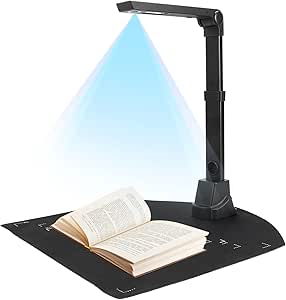 | Best for Flexible Desk Use | Scanner type: Document camera | Connection: USB | Optical sensor: 13MP CMOS | VIEW ON AMAZON | See Our Full Breakdown |
| ScanSnap SV600 Overhead Book and Document Scanner |  | Best for Delicate and Bound Books | Scanner type: Contactless document and photo scanner | Connection: USB | Optical sensor: CCD | VIEW ON AMAZON | See Our Full Breakdown |
| CZUR ET18 Pro 18MP A3 Document Scanner |  | Best for OCR-Heavy Book Projects | Scanner type: Document scanner | Connection: USB cable; no Wi-Fi | Camera: 18MP HD CMOS | VIEW ON AMAZON | See Our Full Breakdown |
| CZUR Shine Ultra Portable Document and Book Scanner |  | Best for Fast, Portable A3 Capture | Scanner type: Book and document scanner | Connection: USB | Camera resolution: 13MP (4160 × 3120) | VIEW ON AMAZON | See Our Full Breakdown |
| VIISAN S21 A2/A3 Book and Document Scanner, 26 MP |  | Best for Oversized Pages | Maximum capture size: A2 (594 × 420 mm) | Resolution: Up to 26MP (5888 × 4522 pixels) | Enhanced scanning resolution: Up to 600 DPI | VIEW ON AMAZON | See Our Full Breakdown |
| IRIScan Book 7 Portable Handheld Scanner |  | Best for Travel and Occasional Scanning | Scanner type: Document | Resolution: 300, 600, or 1050 dpi | Connection: USB-C | VIEW ON AMAZON | See Our Full Breakdown |
| CZUR ET MAX 38MP Book and Document Scanner |  | Best for High-Detail Large-Format Scanning | Sensor: 38MP CMOS | Resolution: 7168 × 5376 | Scanning resolution: 410 DPI | VIEW ON AMAZON | See Our Full Breakdown |
| VIISAN S21 Pro A2/A3 Book and Document Scanner, 26 MP |  | Best for Oversized Pages and Flexible Output | Sensor: 26 MP (5888 × 4522 pixels) | Software-enhanced output: Up to 600 DPI; sensor described as equivalent to 320 DPI optical | Supported formats: A2 and A3 | VIEW ON AMAZON | See Our Full Breakdown |
| CZUR ET16 Plus Book and Document Scanner, 16MP |  | Best for Everyday Book Digitizing | Camera resolution: 16MP | Scan resolution: 4608 × 3456 | Connection: USB | VIEW ON AMAZON | See Our Full Breakdown |
| CZUR Aura Pro A3/A4 Book and Document Scanner |  | Best Compact Desk Scanner | Scanner type: Document scanner | Supported formats: A3/A4 | Resolution: 4320 × 3240 | VIEW ON AMAZON | See Our Full Breakdown |
| CZUR Aura Pro A3 Portable Book and Document Scanner |  | Best for Hands-Free Book Scanning | Maximum scan size: A3 | Scanning speed: Up to 2 seconds per page | Resolution: 1300 | VIEW ON AMAZON | See Our Full Breakdown |
| VIISAN 23MP USB Document Scanner and Camera, A2 Capture |  | Best for Oversize Pages | Capture size: Up to A2 | Camera resolution: 23 MP | Page scan speed: Under 1.5 seconds | VIEW ON AMAZON | See Our Full Breakdown |
| CZUR ET24 Pro 24MP Book and Document Scanner |  | Best for Preview and Scan Control | Camera resolution: 24 MP | Scan resolution: 5696 × 4272 | Optical resolution: 320 DPI | VIEW ON AMAZON | See Our Full Breakdown |
| CZUR Lens 800 Pro Portable A4 Document Scanner |  | Best Compact Option | Camera resolution: 8 MP | Image resolution: 3264 × 2448 | Optical resolution: 270 DPI | VIEW ON AMAZON | See Our Full Breakdown |
| auto book scanner | Connection | Resolution | Weight | Scanning speed |
|---|---|---|---|---|
| NetumScan 13MP Book Document C | USB | 800 dpi | 0.5 kg | — |
| ScanSnap SV600 Overhead Book a | USB | 1200 (unit not specified) | 6.6 pounds | — |
| CZUR ET18 Pro 18MP A3 Document | USB cable; no Wi-Fi | 4896 × 3672; 275 DPI | 2 kg | — |
| CZUR Shine Ultra Portable Docu | USB | — | 4 lbs | About 1 second per page |
| VIISAN S21 A2/A3 Book and Docu | — | Up to 26MP (5888 × 4522 pixels) | — | — |
| IRIScan Book 7 Portable Handhe | USB-C | 300, 600, or 1050 dpi | — | A4 page: 4 seconds at 300 dpi, 7 seconds at 600 dpi, 11 seconds at 1050 dpi |
| CZUR ET MAX 38MP Book and Docu | — | 7168 × 5376 | — | 1.5 seconds per page with practiced operation |
| VIISAN S21 Pro A2/A3 Book and | — | — | 0.98 kg | — |
| CZUR ET16 Plus Book and Docume | USB | — | — | 1.5 seconds per page |
| CZUR Aura Pro A3/A4 Book and D | USB | 4320 × 3240 | — | About 2 seconds per page |
| CZUR Aura Pro A3 Portable Book | USB | 1300 | 3 kg | Up to 2 seconds per page |
| VIISAN 23MP USB Document Scann | USB | 300 dpi | 1 kg | — |
| CZUR ET24 Pro 24MP Book and Do | — | — | 4.5 kg | — |
| CZUR Lens 800 Pro Portable A4 | USB | — | 0.43 kg (0.93 lb) | About 1 second per page |
More Details on Our Top Picks
NetumScan 13MP Book Document Camera, A3/A4 Capture
The NetumScan 13MP is a good fit when a scanner also needs to work as a desk document camera. Its foldable stand, live projection, and video recording give it more uses than the dedicated overhead scanners here, including the ScanSnap SV600. Automatic image correction and multilingual OCR can reduce cleanup and make captured text editable, though the stated OCR accuracy is a claim rather than a guarantee for every page. Its A3/A4 capture area handles ordinary documents and larger sheets, but it is less suited to oversized books than the VIISAN S21, which reaches A2. The main compromise is workflow: this is not an automatic page-feeding system, so book scanning still means turning pages by hand. It also needs a computer, a USB connection, and installed software.
Pros:- Foldable adjustable stand suits storage and varied desk setups
- Automatic image correction can reduce manual straightening
- OCR offers multilingual editable-text export
- Live projection and video recording add document-camera uses
Cons:- Manual page turning makes large book projects slower
- Requires a computer, USB connection, and software installation
Best for: Students, teachers, and office users who want an adjustable USB document camera for occasional book pages, lessons, and A3/A4 paperwork.
Not ideal for: People digitizing many books or oversized A2 material, since pages must be turned manually and its capture range is smaller than the VIISAN S21’s.
- Scanner type:Document camera
- Connection:USB
- Optical sensor:13MP CMOS
- Resolution:800 dpi
- Capture size:A3/A4
- Lighting:6 LED lights
- Supported operating systems:Windows, macOS, Linux
- Weight:0.5 kg
- Warranty:2 years
Our verdict“Choose the NetumScan if you want a foldable scanner that doubles as a document camera, not a hands-off tool for high-volume book capture.”
ScanSnap SV600 Overhead Book and Document Scanner
The ScanSnap SV600 is the most book-focused choice in this group for readers who want to preserve bindings and fragile pages. Its contactless overhead design handles books up to 30 mm thick without cutting them, while book-curve correction and finger removal address common problems that basic document cameras leave for later editing. Page-turn detection can start captures as you work, giving it a more book-oriented workflow than the NetumScan 13MP, although you still turn pages yourself. It can also capture as many as 10 separate items in one scan, which suits mixed photos and papers better than a book-only setup. The tradeoffs are its specific Windows and macOS requirements and the A3 scan mat needed for documents larger than A4. Its 1200 resolution figure is listed without a unit in the supplied specifications.
Pros:- Contactless capture avoids cutting or damaging bound material
- Automatic book-curve correction improves curved-page capture
- Page-turn detection can trigger scans during a manual workflow
- Can capture and separate multiple items in one scan
Cons:- Documents larger than A4 require an A3 scan mat
- Listed system requirements are limited to specified Windows and macOS versions
Best for: Archivists, family historians, and readers digitizing bound, delicate, or valuable books without separating pages.
Not ideal for: Linux users, people with unsupported computer versions, or anyone regularly scanning larger-than-A4 documents without the required A3 mat.
- Scanner type:Contactless document and photo scanner
- Connection:USB
- Optical sensor:CCD
- Resolution:1200 (unit not specified)
- Maximum document thickness:30 mm
- Maximum items per scan:10
- Lighting:LED
- Dimensions:6.14 × 15.08 × 8.27 inches
- Weight:6.6 pounds
Our verdict“Pick the SV600 for careful, contactless digitization of bound or delicate books, especially when book handling matters more than portability.”
CZUR ET18 Pro 18MP A3 Document Scanner
For buyers who expect to search, edit, or reuse scanned text, the CZUR ET18 Pro makes OCR a central part of its appeal. It can create searchable PDFs and export to Word or Excel, with support listed for more than 180 languages, though some language and operating-system limits apply. Its A3 capture area and curved-page flattening also make it more capable with open books than a standard flat document camera. Compared with the CZUR Shine Ultra, the ET18 Pro offers a higher-resolution 18MP camera, while the Shine is listed as faster at about one second per page. The ET18 Pro’s stated pace is about two seconds per page once the operator is proficient. It remains a wired-only device, and glossy paper is not recommended, so it is a less flexible fit for wireless setups or reflective materials.
Pros:- OCR creates searchable PDFs and editable Word and Excel files
- Supports more than 180 OCR languages, subject to limitations
- A3 capture and curved-page flattening suit open books and large documents
- 18MP camera provides more listed image resolution than the CZUR Shine Ultra
Cons:- USB cable connection only, with no Wi-Fi
- Glossy paper is not recommended
- Some OCR languages depend on operating-system support
Best for: Researchers, educators, and office users who need searchable book scans and editable text across varied languages.
Not ideal for: Buyers who need Wi-Fi, frequently scan glossy pages, or prioritize the quickest stated capture speed over OCR workflows.
- Scanner type:Document scanner
- Connection:USB cable; no Wi-Fi
- Camera:18MP HD CMOS
- Resolution:4896 × 3672; 275 DPI
- Maximum document size:A3 (16.5 × 11.7 inches)
- Color depth:24 bits
- OCR language support:180+ languages, with some limitations
- Weight:2 kg
- Warranty:1 year
Our verdict“Choose the ET18 Pro when searchable, editable OCR output matters more than wireless operation or the fastest listed page capture.”
CZUR Shine Ultra Portable Document and Book Scanner
The CZUR Shine Ultra is the speed-and-portability pick: its listed capture time is about one second per page, and the foldable design is easier to store or move than a fixed scanning station. A 13MP camera captures up to A3, while automatic cropping, page combining, and curved-page flattening help turn captures into usable files. Like the NetumScan 13MP, it can also serve as a USB document camera, but the Shine is specifically listed for book and document scanning at A3 size. Against the CZUR ET18 Pro, it trades the ET18 Pro’s 18MP camera for a faster stated page time and a more portable form. That speed does not remove the need to turn pages, and flattening is intended for thinner books. It also excludes Thai, Hebrew, and Arabic OCR and does not support Android or iOS.
Pros:- About one second per page is the fastest stated capture time in this group
- Foldable design with two height settings is easier to store and reposition
- Captures documents up to A3
- Combines USB document-camera use with cropping, page combining, and OCR
Cons:- Curved-page flattening is intended for thinner books
- No Android or iOS compatibility
- OCR does not support Thai, Hebrew, or Arabic
Best for: Mobile professionals and students who need quick A3 captures, occasional thin-book scanning, and a compact USB document camera.
Not ideal for: People scanning thick books, using phones or tablets, or relying on OCR for Thai, Hebrew, or Arabic.
- Scanner type:Book and document scanner
- Connection:USB
- Camera resolution:13MP (4160 × 3120)
- Maximum capture size:A3
- Scanning speed:About 1 second per page
- OCR languages:180+; Thai, Hebrew, and Arabic not supported
- Compatibility:Windows XP/7/8/10/11 and macOS 10.13 or later
- Weight:4 lbs
- Design:Two-level height adjustment; folds 90 degrees
Our verdict“Choose the Shine Ultra for quick, portable A3 scanning of documents and thin books, rather than thick volumes or mobile-device-only workflows.”
VIISAN S21 A2/A3 Book and Document Scanner, 26 MP
The VIISAN S21 earns its place through sheer capture area: its A2 maximum reaches beyond the A3 limit of the CZUR ET18 Pro and CZUR Shine Ultra, making it the clearest fit for oversized books, plans, and artwork. The 26MP camera and software tools for flattening pages, removing fingers, repairing edges, and splitting pages target the extra cleanup that large overhead scans can need. OCR export to Word, Excel, and other listed formats adds flexibility beyond image capture. Its adjustable height and foldable hinge help adapt the setup between A2 and A3 work. This larger-format reach brings specific compromises: the software supports Windows and macOS on x86/x64 devices, not ARM-based systems, and its LEDs are not recommended in bright lighting. Glossy paper is also discouraged, so it is not a universal studio scanner.
Pros:- A2 capture area exceeds the A3 limit of the other reviewed models
- 26MP capture supports large-format image work
- Software includes page flattening, finger removal, edge repair, and page splitting
- OCR exports to common editable formats
Cons:- Bundled software does not support ARM-based devices
- Built-in LEDs are not recommended in bright lighting
- Glossy paper is not recommended
Best for: Architects, archivists, educators, and collectors who need to capture A2-sized books, plans, maps, or documents.
Not ideal for: ARM-based computer owners or buyers who regularly scan glossy materials or work in bright rooms where the built-in LEDs are discouraged.
- Maximum capture size:A2 (594 × 420 mm)
- Resolution:Up to 26MP (5888 × 4522 pixels)
- Enhanced scanning resolution:Up to 600 DPI
- Connectivity:USB 2.0
- Video capture:1080p at 30 fps
- Compatible operating systems:Windows and macOS on x86/x64 devices
- Lighting:Built-in LED with 3-level control
- Supported file formats:JPG, PDF, Excel, Word, text, EPUB, MP3, WAV, AVI, MP4, FLV
- Warranty:1 year
Our verdict“Choose the VIISAN S21 when A2 capture is the deciding need and your computer and lighting setup match its software requirements.”
IRIScan Book 7 Portable Handheld Scanner
The IRIScan Book 7 is the portable outlier here: rather than positioning a camera above an open book, you move this rechargeable handheld scanner across each page. That makes it easier to pack than the larger CZUR ET MAX, but less suited to quickly digitizing a stack of bound-book pages at a desk. It saves to a microSD card or computer over USB-C, so Wi-Fi is not needed to capture files, and selectable resolutions let you trade speed for detail. The included OCR and PDF tools add useful follow-up editing. The tradeoffs are hands-on page-by-page scanning, no Wi-Fi, and an AC adapter that is not included. Its instant-result software is Windows-only, even though the scanner supports Windows and Mac.
Pros:- Compact rechargeable design is easier to carry than the desktop book scanners in this lineup.
- Saves scans to an included microSD card or connects to a computer through USB-C.
- Three resolution settings let users choose between quicker capture and finer detail.
- Includes OCR and PDF editing software.
Cons:- Manual movement across each page is less convenient for scanning complete books or large batches.
- No Wi-Fi, and an AC adapter is not included.
- Instant-result software is Windows-only despite Windows and Mac scanner compatibility.
Best for: Readers, students, and researchers who need a compact scanner for occasional pages while traveling and can scan each page by hand.
Not ideal for: Anyone digitizing whole books or frequent batches, since handheld scanning takes more attention than an overhead scanner; also a poor fit if wireless transfer or Mac instant-result software is required.
- Scanner type:Document
- Resolution:300, 600, or 1050 dpi
- Connection:USB-C
- Image sensor:A4 color contact image sensor (CIS)
- File formats:JPEG, PDF
- Battery:Built-in rechargeable 900 mAh lithium-ion polymer
- Scanning speed:A4 page: 4 seconds at 300 dpi, 7 seconds at 600 dpi, 11 seconds at 1050 dpi
- Memory and software:MicroSD card included; Readiris OCR and Readiris PDF editor
- Compatibility:Windows and Mac; Wi-Fi not supported
Our verdict“Choose the IRIScan Book 7 for portable, occasional page capture, but pick an overhead model such as the CZUR ET16 Plus for more efficient book digitizing.”
CZUR ET MAX 38MP Book and Document Scanner
For buyers who need high-resolution capture across A3 pages, the CZUR ET MAX has the strongest detail-focused brief in this group. Its 38MP sensor, stated 410 DPI scanning resolution, and page-flattening technology target both large documents and curved book pages; the ET16 Plus is a lower-resolution alternative if that level of capture is unnecessary. CZUR lists scanning as fast as 1.5 seconds per page with practiced operation, which can help with large projects, though that speed depends on operating technique. OCR supports more than 180 languages, but language and operating-system limits matter: Thai and Hebrew are unsupported, and Arabic support is limited to Windows on ET Series. Reflective or glossy materials are also a weak match. This is a capable desk-oriented choice, not a universal scanner for every surface or language.
Pros:- 38MP sensor and 410 DPI scanning resolution suit detail-heavy capture.
- Page-flattening technology helps reduce distortion from curved book pages.
- Supports documents up to A3 and scans at a stated 1.5 seconds per page with practiced operation.
- OCR supports more than 180 languages, with searchable and editable output options.
Cons:- Glossy and highly reflective materials are not recommended.
- OCR support varies by language and operating system, including the Arabic limitation on ET Series.
- Its high-detail A3 capabilities may be unnecessary for users who only scan standard-size pages.
Best for: Archivists, researchers, and office users who scan large A3 documents or detailed book pages and need high-resolution image capture.
Not ideal for: Users who mainly scan glossy or reflective pages, or whose OCR workflow depends on Thai, Hebrew, or non-Windows Arabic support.
- Sensor:38MP CMOS
- Resolution:7168 × 5376
- Scanning resolution:410 DPI
- Scanning area:Up to A3 (16.5 × 11.7 in)
- Scanning speed:1.5 seconds per page with practiced operation
- OCR:180+ languages; Thai and Hebrew unsupported; Arabic support limited to Windows on ET Series
- Connection and output:USB; HDMI output
- Compatibility:Windows, macOS, Ubuntu 20.04–24.04
- Weight and warranty:1 kg; 1-year manufacturer warranty
Our verdict“Pick the ET MAX for demanding, large-format scans and curved books; the ET16 Plus is a more restrained choice when its extra resolution is not needed.”
VIISAN S21 Pro A2/A3 Book and Document Scanner, 26 MP
The VIISAN S21 Pro is the format-flexible pick: support for both A2 and A3 gives it room for oversized pages that the CZUR ET MAX, capped at A3, cannot accommodate. Its software also goes beyond basic capture with curved-page flattening, finger-mark removal, edge repair, spread splitting, and OCR exports to formats such as Word, Excel, and ePub. Those tools can reduce cleanup after scanning, though the stated up to 600 DPI output is software-enhanced; the sensor is described as equivalent to 320 DPI optical, so buyers should not treat the output figure as native optical resolution. The foldable body and integrated lighting suit a flexible workspace, while video and 3D capture add uses beyond books. Glossy pages can cause problems, and ARM-based devices such as Surface Pro X are unsupported.
Pros:- Supports A2 as well as A3, accommodating larger material than the ET MAX.
- Software includes curved-page flattening, finger-mark removal, edge repair, and spread splitting.
- OCR can export to PDF, Word, Excel, ePub, and TXT across more than 180 languages.
- Foldable design, integrated three-level LED lighting, and video and 3D capture add flexibility.
Cons:- The 600 DPI output is software-enhanced; the sensor is described as equivalent to 320 DPI optical.
- Not compatible with ARM-based devices such as Surface Pro X.
- Highly glossy or glare-prone paper is not recommended.
Best for: Researchers, designers, and document teams who regularly capture oversized A2 material and want OCR plus page-cleanup tools in one USB setup.
Not ideal for: Surface Pro X and other ARM-device owners, users needing true 600 DPI optical capture, or anyone scanning glare-prone glossy pages.
- Sensor:26 MP (5888 × 4522 pixels)
- Software-enhanced output:Up to 600 DPI; sensor described as equivalent to 320 DPI optical
- Supported formats:A2 and A3
- OCR:180+ languages; PDF, Word, Excel, ePub, and TXT output
- Connectivity:USB; UVC/UAC compliant
- Compatibility:Windows 7/8/10/11 (x64/x86); macOS 10.15 or later; not compatible with ARM-based devices such as Surface Pro X
- Lighting:Integrated 3-level LED
- Weight:0.98 kg
- Included accessories and warranty:USB cable, scan pad, user guidance, manual button; 1-year warranty
Our verdict“Choose the S21 Pro when A2 support and built-in page cleanup matter more than native optical resolution or ARM-device compatibility.”
CZUR ET16 Plus Book and Document Scanner, 16MP
The CZUR ET16 Plus is a practical middle ground for readers who want a dedicated overhead book scanner without the ET MAX’s 38MP focus on high-detail large-format work. Its 16MP camera and page-flattening and deskew tools are aimed at legible book and document captures, while the stated 1.5-second page speed can keep a scanning session moving. OCR across more than 180 languages can turn captured pages into searchable PDFs and other formats, with listed exceptions and operating-system limits for some languages. Unlike the handheld IRIScan Book 7, it does not require you to move a scanner across every page, but it is a heavier, desk-based setup at 4.4 pounds. It handles business cards, vouchers, and small objects too; glossy paper remains a poor fit.
Pros:- Page-flattening and deskew technology helps capture curved book pages more cleanly.
- 16MP camera and stated 1.5-second-per-page speed suit regular scanning sessions.
- Handles books, binder documents, business cards, vouchers, and physical objects.
- OCR supports more than 180 languages and can create searchable PDFs.
Cons:- At 4.4 pounds, it is less portable than the handheld IRIScan Book 7.
- Very glossy paper is not recommended.
- Thai and Hebrew OCR are unsupported, while Arabic support is limited to Windows.
Best for: Students, librarians, and home researchers who regularly digitize bound books and mixed documents at a desk.
Not ideal for: Travelers who need a pocketable scanner, users who scan mainly glossy pages, or anyone requiring Thai or Hebrew OCR or Arabic OCR on macOS.
- Camera resolution:16MP
- Scan resolution:4608 × 3456
- Connection:USB
- Color depth and sensor:24 bits; CIS
- Scanning speed:1.5 seconds per page
- Supported media:Books, binder documents, business cards, vouchers, and physical objects
- OCR:180+ languages; Thai and Hebrew unsupported; Arabic supported on Windows only
- Compatibility:Windows XP/7/8/10/11; macOS 12 or later (Intel); macOS 13 or later (Apple Silicon)
- Weight and warranty:4.4 pounds; 1-year manufacturer warranty
Our verdict“Pick the ET16 Plus for routine desk-based book scanning and OCR, rather than for travel or high-detail A3 work like the ET MAX.”
CZUR Aura Pro A3/A4 Book and Document Scanner
The CZUR Aura Pro suits readers who want an overhead book scanner that can share space with everyday desk tasks. It captures pages in about two seconds and combines three-laser page flattening with built-in adjustable LED lighting, helping manage curved pages without relying on the larger ET-series approach. Compared with the CZUR ET16 Plus, its foldable, 1.5 kg design is easier to put away, though the ET16 Plus lists broader media support and a faster stated page time. Aura Pro saves to JPG, Word, PDF, and searchable PDF, with OCR for more than 180 languages. Language limits are a clear drawback: Thai, Hebrew, and Arabic are unsupported. Its A3/A4 focus also makes it less compelling than the VIISAN S21 Pro for oversized A2 work.
Pros:- Three-laser technology helps flatten curved book pages.
- Scans in about two seconds per page and supports searchable PDF output.
- Foldable design and 1.5 kg weight suit a compact workspace.
- Built-in adjustable LED lighting supports scanning and reading.
Cons:- OCR does not support Thai, Hebrew, or Arabic.
- A3/A4 coverage is narrower than the VIISAN S21 Pro’s A2/A3 support.
- The ET16 Plus lists a broader range of supported media, including business cards, vouchers, and physical objects.
Best for: Home readers and compact-workspace users who scan books and standard A3/A4 documents, then want to fold the scanner away.
Not ideal for: Users scanning A2 pages, those who need Thai, Hebrew, or Arabic OCR, or buyers seeking the ET16 Plus’s broader listed media range.
- Scanner type:Document scanner
- Supported formats:A3/A4
- Resolution:4320 × 3240
- Connection:USB
- Scanning speed:About 2 seconds per page
- Output formats:JPG, Word, PDF, searchable PDF
- OCR:180+ languages; Thai, Hebrew, and Arabic unsupported
- Dimensions and weight:5.12 × 7.09 × 17.44 in (D × W × H); 1.5 kg
- Compatibility and warranty:Windows XP/7/8/10/11; macOS 12 or later (Intel), macOS 13 or later (Apple Silicon); 1-year warranty
Our verdict“Choose the Aura Pro for a foldable A3/A4 book scanner in a compact workspace, but look to the S21 Pro for A2 pages or the ET16 Plus for broader media types.”
CZUR Aura Pro A3 Portable Book and Document Scanner
The CZUR Aura Pro is a strong fit for readers digitizing bound books who want more help with page handling than a basic overhead camera provides. Its laser-assisted page flattening tackles curved text near the spine, while automatic page-turn detection and a foot pedal can reduce interruptions during long sessions. Scans take up to two seconds per page, so it is not as quick as the VIISAN 23MP, which claims under 1.5 seconds, but the Aura Pro adds an adjustable desk lamp that can serve a second purpose between scanning jobs. It captures up to A3 and offers OCR in more than 180 languages, though Thai, Hebrew, and Arabic are excluded. I would skip it if those languages are central to your workflow or if you need a highly portable unit: at 3 kg, it is less travel-friendly than the CZUR Lens 800 Pro.
Pros:- Laser-assisted processing helps flatten curved book pages
- Automatic page-turn detection and foot pedal support hands-free workflows
- OCR supports more than 180 languages
- A3 capture and adjustable lamp add flexibility beyond book scanning
Cons:- Scanning speed of up to two seconds per page is slower than the VIISAN 23MP’s stated under-1.5-second speed
- OCR does not support Thai, Hebrew, or Arabic
- At 3 kg, it is less convenient to carry than the CZUR Lens 800 Pro
Best for: Students, researchers, and home archivists scanning open books regularly who want page-turn detection, a foot pedal, and spine-flattening software.
Not ideal for: Buyers who need Thai, Hebrew, or Arabic OCR, or frequent travelers seeking a lightweight scanner.
- Maximum scan size:A3
- Scanning speed:Up to 2 seconds per page
- Resolution:1300
- Optical sensor:CMOS
- Connection:USB
- OCR languages:More than 180; Thai, Hebrew, and Arabic not supported
- Weight:3 kg
- Lamp settings:4 color modes and 6 brightness levels
Our verdict“Choose the Aura Pro for frequent bound-book scanning where page flattening and hands-free controls matter more than maximum portability or speed.”
VIISAN 23MP USB Document Scanner and Camera, A2 Capture
The VIISAN 23MP earns its place for buyers whose books, maps, or newspapers exceed the A3 range offered by the CZUR Aura Pro and ET24 Pro. Its A2 capture area opens up large-format work, while the foldable design and 1 kg weight make it easier to put away or move between workspaces than those larger CZUR models. Under-1.5-second page capture and automatic flattening, deskewing, and page-turn detection make it appealing for quick batches. The compromise is that it depends on a supported Windows or macOS computer; it is not a standalone scanner. Its listing identifies the scanner type as ID card despite the broad capture claims, so I would verify software and workflow details before relying on it for a specialized archive. OCR covers 130 languages, fewer than the 180-plus offered by the CZUR options.
Pros:- A2 capture accommodates oversized pages beyond the A3 limit of the CZUR Aura Pro and ET24 Pro
- Under-1.5-second page capture supports faster batch work
- Auto-flattening, deskewing, and page-turn detection are included
- Foldable design weighs 1 kg
Cons:- Requires a compatible Windows or macOS computer
- OCR language coverage is narrower than the 180-plus-language CZUR models
- Product data labels it as an ID card scanner, so buyers should confirm the intended book-scanning workflow
Best for: Archivists, map collectors, and researchers digitizing oversized books or documents who need a foldable USB unit and have a compatible computer.
Not ideal for: Buyers who need standalone operation, a clearly specified book-scanner workflow, or OCR beyond its listed 130 languages.
- Capture size:Up to A2
- Camera resolution:23 MP
- Page scan speed:Under 1.5 seconds
- Resolution:300 dpi
- Connection:USB
- OCR languages:130
- Weight:1 kg
- System requirements:Windows 7, 8, 10, or 11; macOS 10.12 or later
Our verdict“Pick the VIISAN 23MP if A2-sized material is the priority and you are comfortable running scans through a supported computer.”
CZUR ET24 Pro 24MP Book and Document Scanner
The CZUR ET24 Pro is the more control-oriented choice here: its 24MP camera, 2-inch live-preview screen, and HDMI connection give buyers more ways to frame and monitor a scan than the simpler CZUR Aura Pro. A3 capture and page-flattening technology suit bound books as well as loose documents, while three lights can help manage shadows and glare on ordinary paper. It also supports Windows, macOS, and select Ubuntu systems, a useful distinction for mixed-platform workspaces. The tradeoff is a larger, heavier setup at 4.5 kg, and the product is not recommended for highly reflective paper. Its OCR excludes Thai and Hebrew, with Arabic support limited by operating system, so the Aura Pro or Lens 800 Pro may be easier comparisons only if their language exclusions also fit your needs.
Pros:- 24MP camera and A3 capture suit detailed, large-format scanning
- Page-flattening technology helps with curved book pages
- Live-preview display and HDMI connection add monitoring options
- Supports Windows, macOS, and select Ubuntu systems
Cons:- At 4.5 kg, it is less portable than the 1 kg VIISAN 23MP
- Not recommended for highly reflective paper
- Thai and Hebrew OCR are unsupported, while Arabic support varies by operating system
Best for: Libraries, researchers, and office teams scanning A3 books and documents who want a live preview, HDMI output, and broad computer-system support.
Not ideal for: People scanning glossy or highly reflective pages, or buyers who need a lightweight portable scanner or dependable Arabic OCR across systems.
- Camera resolution:24 MP
- Scan resolution:5696 × 4272
- Optical resolution:320 DPI
- Maximum scan size:A3 (16.5 × 11.7 in)
- Connections:USB and HDMI
- OCR languages:More than 180
- Dimensions:14.76 × 8.66 × 15.35 in
- Weight:4.5 kg
Our verdict“Choose the ET24 Pro for a more monitorable A3 book-scanning setup, provided your pages are not highly reflective and its language support fits.”
CZUR Lens 800 Pro Portable A4 Document Scanner
For portability, the CZUR Lens 800 Pro is the clearest contrast to the A3-capable CZUR ET24 Pro and Aura Pro: it weighs just 0.43 kg, folds down, and handles pages up to A4. Its roughly one-page-per-second speed makes it the fastest stated option in this group, while OCR and tools such as intelligent cropping, watermarking, and combining front and back sides support everyday document work. The camera can also fold into a webcam, giving it use beyond scanning. Those conveniences come with a narrower capture area and an 8MP camera, so it is not the right pick for large books or demanding image-detail needs. Like the other CZUR models here, it lacks Thai, Hebrew, and Arabic OCR, and glossy paper is a poor match.
Pros:- Lightweight 0.43 kg foldable design is easy to carry
- About one second per page is the fastest stated scanning speed in this batch
- OCR supports more than 180 languages, with useful cropping and document-processing tools
- Can fold into a webcam for a second function
Cons:- A4 maximum capture size is smaller than the A3 and A2 options in this group
- 8MP camera offers less resolution than the 23MP and 24MP alternatives
- Thai, Hebrew, and Arabic OCR are unsupported, and very glossy paper is not recommended
Best for: Students, remote workers, and mobile professionals who scan A4 notes or documents at different locations and value a lightweight, foldable device.
Not ideal for: Book digitizers handling A3 or larger pages, buyers seeking higher camera resolution, or anyone scanning glossy paper or relying on Thai, Hebrew, or Arabic OCR.
- Camera resolution:8 MP
- Image resolution:3264 × 2448
- Optical resolution:270 DPI
- Maximum capture size:A4 (8.27 × 11.69 in)
- Scanning speed:About 1 second per page
- OCR languages:More than 180; Thai, Hebrew, and Arabic not supported
- Connection:USB
- Weight:0.43 kg (0.93 lb)
Our verdict“Choose the Lens 800 Pro for portable A4 scanning and quick document capture, not for large-format books or high-detail archival work.”

How We Picked
I compared these auto book scanners on the factors that most affect real digitization work: capture area, stated resolution, book-scanning automation, portability, and likely workflow demands. A scanner needs enough coverage for the page size a buyer actually owns; a larger megapixel number alone does not make it a better fit. I also weighed whether each design appears geared toward a fixed desk, frequent transport, or occasional handheld use, since those choices affect setup and page-to-page convenience.
The ranking favors options with a clear role and useful balance for their intended buyer, rather than treating every high-resolution model as interchangeable. The SV600 ranks first for its overhead book-scanning focus; the ET MAX and large-format VIISAN models rank well for specialized resolution or page-size needs. Portable and handheld picks come later for buyers whose priority is easy storage or travel, because they make a different compromise than a dedicated overhead scanner. Product names and specifications can vary by listing, so I would confirm the precise model and supported workflow before purchase.
Factors to Consider When Choosing Auto Book Scanners
Choosing among auto book scanners is less about finding the biggest number on a spec sheet and more about matching the scanner to your books, available space, and digitization routine. These factors can prevent an expensive mismatch, especially when comparing overhead, large-format, and portable designs.
Match the Capture Area to Your Largest Pages
Start with the largest book, ledger, or document you expect to scan, then allow some margin around the page. A scanner rated for A3 may work well for many books but can be limiting for oversized volumes, while A2 capture is intended for broader formats. Buyers often focus on resolution and only discover later that a page does not fit flat within the camera view. Remember that a larger capture area can also mean a larger scanner and a more permanent desk setup. If nearly all your material is standard book size, paying for oversized coverage may add bulk without improving everyday results. If you handle maps, large ledgers, or unusual folios, measuring first can narrow the shortlist quickly.
Choose How Much Page-by-Page Automation You Need
“Auto” can refer to different parts of the job, so check what the product automates rather than relying on the category label. Overhead systems can simplify capture without forcing a bound book through a sheet feeder, while software may handle page flattening, cropping, or file organization. Those tools matter most when scanning many pages, because small manual steps add up across a long project. For occasional chapters, a simpler camera-based workflow may be perfectly acceptable. A common mistake is assuming that a scanner will remove every trace of page curvature or automatically produce publication-ready files. Consider how much correction you are willing to do after capture and whether the software supports your preferred output process.
Treat Resolution as One Part of Image Quality
Megapixels indicate potential image detail, but they do not tell the whole story. Lighting, camera alignment, focus, page curvature, and the size of the text all affect whether a scan is readable. The 38MP CZUR ET MAX may appeal to detail-focused users, yet a lower-resolution model can be a more sensible fit for ordinary text and routine study notes. Larger files can also take up more storage and require more time to move, process, or back up. Before prioritizing maximum resolution, decide whether you need archival detail, searchable text, or simply clear reading copies. A consistent capture workflow often matters more than chasing the highest figure.
Balance Portability Against a Stable Scanning Setup
A compact scanner is easier to store, carry between rooms, or take to a library, but portable designs may involve more setup or hands-on positioning than a dedicated desk unit. Overhead scanners make more sense when a device can stay assembled and books are scanned in batches. Handheld options suit quick captures and limited storage, though they are a different proposition from automated overhead scanning. Think about where the scanner will live when it is not in use, not only where you plan to scan. Buyers sometimes choose the smallest model and then find its working area or setup less convenient for long sessions. If your scanning happens in bursts, portability may win; for regular large batches, a stable station is often easier to live with.
Check Book Handling and Your Bound-Book Needs
Bound books create problems that loose-paper scanners do not face: curved pages, tight gutters, delicate bindings, and the temptation to press a volume flat. An overhead approach can avoid feeding pages through a mechanism, which is helpful for fragile or valuable books. Still, the camera angle, page support, and correction tools influence how readable the inner margins will be. Do not assume every scanner handles thick books or narrow gutters equally well just because it is marketed for books. If you are digitizing a rare or fragile item, prioritize gentle handling and a workflow that does not require excessive pressure. For everyday paper stacks, a book-oriented overhead design may be more equipment than you need.
Compare the Full Workflow, Not Just the Scanner Body
Before buying, check what computer connections, operating systems, software functions, and file formats the exact listing supports. Optical character recognition can turn page images into searchable text, but its usefulness depends on print quality, language support, and how much correction you can tolerate. Also consider storage and backup: a large scanning project can create many image files even if each capture feels quick. Included accessories, software versions, and model names may differ across listings, especially where product names are similar. A low-friction workflow can save more time than a small increase in resolution. Confirm compatibility with your existing computer before choosing between otherwise similar scanners.
Frequently Asked Questions
Is an overhead scanner better than a handheld scanner for digitizing whole books?
For a full book, an overhead scanner is usually the more convenient format because it captures pages without requiring the scanner to travel by hand across each one. A handheld model can be useful for a few pages, travel, or situations where storage space is scarce, but it asks the user to manage each pass and page position. The choice also depends on the book’s condition: overhead capture avoids feeding a bound volume through a paper mechanism. If you expect to scan hundreds of pages, prioritize a repeatable page-by-page process. For occasional excerpts, a portable handheld option may be enough.
Do I need an A2 scanner if most of my books are standard size?
Probably not unless you also plan to scan oversized books, maps, ledgers, or other wide-format material. A larger capture area gives you flexibility, but the scanner may take up more workspace than a standard-size setup. Measure your largest likely item, including any margin needed around the page, before paying for broader coverage. If your collection is mostly ordinary books and documents, A3 or A4-class options may be easier to accommodate. Choose A2 for a real format requirement, not simply because the number sounds like an upgrade.
Should I choose the highest megapixel scanner for archival scans?
Not automatically. More megapixels can preserve additional detail when the page, optics, lighting, and capture process can make use of it, but they can also produce larger files that take longer to process and store. Archival work benefits from consistent focus, even lighting, careful book handling, and a reliable backup plan as well as resolution. If the material has fine print, illustrations, or details that may need close inspection, a higher-resolution model is easier to justify. For ordinary text intended for reading or searching, a balanced setup may be more practical.
Will a book scanner make curved pages and gutter text perfectly flat?
No scanner should be assumed to produce perfect flat pages from every bound book. Page curvature, binding depth, book thickness, and how close the text sits to the gutter all affect the result. Software correction can improve the appearance, but its performance depends on the page and capture conditions. Fragile books may also need gentle support rather than pressure to flatten them. If gutter readability matters, look for a model and workflow designed for book-page correction, then check how that process handles your specific type of book.
What should I verify before choosing between similarly named scanner models?
Check the exact model number and listing details rather than relying on a shared product-family name. Confirm the stated capture size, resolution, included software, supported operating systems, and any accessories needed for your setup. This matters in this roundup because the VIISAN S21 and S21 Pro are separate listings, and two CZUR Aura Pro entries appear with different descriptive wording. Seller pages can use overlapping names or vary by bundle, so compare the exact item being sold. If a feature is central to your decision, confirm it against the manufacturer’s documentation before ordering.
Conclusion
For most buyers, I recommend the ScanSnap SV600 as the best overall because its overhead book-scanning focus suits regular bound-book digitization. The best premium choice is the CZUR ET MAX for buyers who can use its 38MP resolution and want a detail-oriented setup; the VIISAN S21 or S21 Pro makes more sense when A2/A3 coverage is the priority. For a value-minded shortlist, I would compare the CZUR ET16 Plus and NetumScan 13MP against the pages and workflow you actually need rather than paying for unused capacity. Beginners who want a dedicated overhead setup can start with the SV600, while buyers prioritizing portability should compare the Shine Ultra, Aura Pro listings, and handheld options by storage and capture needs. Choose the scanner that fits your largest pages and your scanning routine first; resolution and extra features come after that.
Halloween Picks
halloween
As an affiliate, we earn on qualifying purchases.