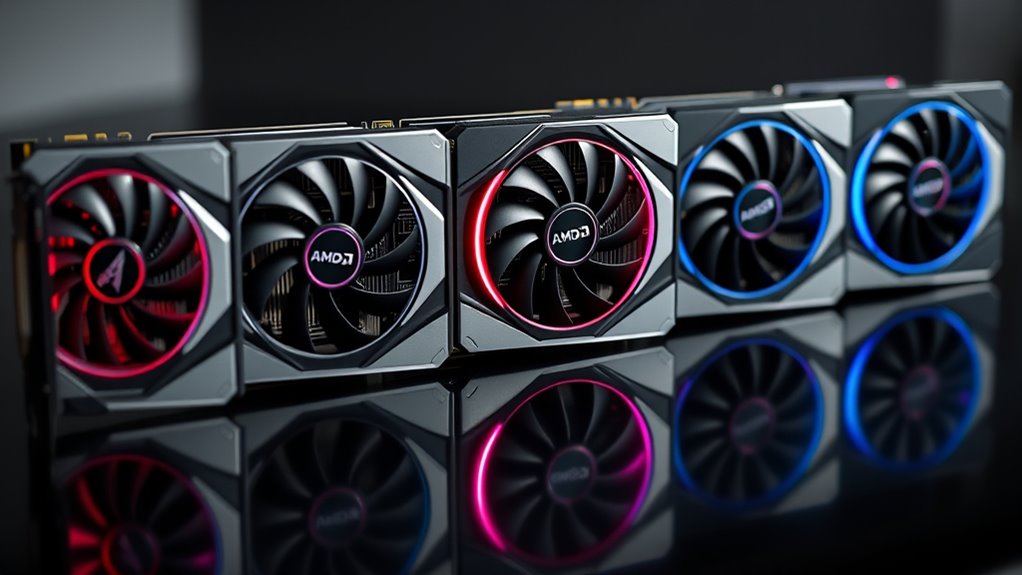

If you’re exploring AMD graphics cards in 2026, you’re faced with a wide range of options that balance performance, price, and features. The GIGABYTE Radeon RX 9070 XT Gaming OC 16G stands out as the best overall choice, offering strong gaming power and reliable build quality. For those prioritizing value, the ASRock Radeon RX 7700 XT Challenger 12GB OC provides solid performance without overspending. Meanwhile, the Sapphire Pulse AMD Radeon RX 9070 XT Gaming appeals to gamers seeking high frame rates at a competitive price. The main tradeoffs involve balancing raw power against budget constraints and feature sets. Continue reading for a detailed breakdown of each option to find the best fit for your gaming or creative needs.
Key Takeaways
- The RX 9070 XT models dominate the high-end segment with impressive performance and premium features.
- Price differences among models often reflect core GPU specs, cooling solutions, and factory overclocking.
- Compact designs like the RX 6600 Challenger offer good performance in smaller builds but generally lack high-end features.
- Brands like GIGABYTE and Sapphire tend to focus on cooling and durability, which can justify higher prices.
- Choosing the right AMD graphics card depends heavily on your intended use, whether gaming, professional work, or budget builds.
| GIGABYTE Radeon RX 9070 XT Gaming OC 16G Graphics Card |  | Best Overall High-Performance AMD GPU | Model: GV-R9070XTGAMING OC-16GD | Memory: 16GB GDDR6 | Interface: PCIe 5.0 | VIEW ON AMAZON | See Our Full Breakdown |
| ASUS Prime Radeon RX 9070 XT 16GB GDDR6 OC Edition Gaming Graphics Card |  | Best for Overclocking and Reliability | GPU Model: Radeon RX 9070 XT | Memory: 16GB GDDR6 | Clock Speeds: OC mode up to 3030 MHz | VIEW ON AMAZON | See Our Full Breakdown |
| GIGABYTE Radeon RX 9070 XT Gaming OC ICE 16G Graphics Card |  | Best for Creative and Gaming Performance Balance | Graphics Coprocessor: RX 9070XT | RAM: 16 GB | GPU Clock Speed: 2520 MHz | VIEW ON AMAZON | See Our Full Breakdown |
| ASRock Radeon RX 9070 Challenger 16GB OC Graphics Card, RDNA 4, 2520MHz Boost, 16GB GDDR6, PCIe 5.0, Triple Fans, 0dB Silent, LED Indicator |  | Best for Quiet High-Performance Gaming | Architecture: RDNA 4 | Stream Processors: 3584 | Boost Clock: 2520 MHz | VIEW ON AMAZON | See Our Full Breakdown |
| ASRock Radeon RX 7700 XT Challenger 12GB OC Graphics Card |  | Best for Balanced Gaming and Content Creation | Architecture: RDNA 3 | Compute Units: 54 | Boost Clock: 2584 MHz | VIEW ON AMAZON | See Our Full Breakdown |
| ASRock Radeon RX 7600 Challenger Pro 8GB OC Graphics Card |  | Best for High-Performance 1080p/1440p Gaming and Content Creation | Memory: 8GB GDDR6 | Memory Interface: 128-bit | Boost Clock: 2695MHz | VIEW ON AMAZON | See Our Full Breakdown |
| ASRock Radeon RX 9060 XT Challenger 16GB OC Graphics Card |  | Best for High-Resolution Gaming and Creative Work with Massive VRAM | Graphics Card Ram: 16 GB | GPU Clock Speed: 3290 MHz | Display Maximum Resolution: 7680 x 4320 | VIEW ON AMAZON | See Our Full Breakdown |
| ASRock AMD Radeon RX 6600 Challenger D 8GB GDDR6 Graphics Card |  | Best for 1080p Gaming and Budget-Conscious Builds | GPU Architecture: RDNA 2 | Memory: 8GB GDDR6 | Cooling: Dual-fan Challenger D | VIEW ON AMAZON | See Our Full Breakdown |
| Sapphire Pulse AMD Radeon RX 9070 XT Gaming Graphics Card with 16GB GDDR6 |  | Best for High-Performance Gaming and Graphics-Intensive Tasks | Memory Size: 16 GB | Memory Interface: 256-bit GDDR6 | Outputs: 2 x HDMI, 2 x DisplayPort | VIEW ON AMAZON | See Our Full Breakdown |
| ASUS Dual Radeon RX 9060 XT 16GB GDDR6 Gaming Graphics Card |  | Best for Overclocking and Quiet Gaming with Advanced Cooling | Memory: 16GB GDDR6 | Design: 2.5-slot | Boost Clock: up to 3250 MHz (OC mode) | VIEW ON AMAZON | See Our Full Breakdown |
| amd graphics card | Memory |
|---|---|
| GIGABYTE Radeon RX 9070 XT Gam | 16GB GDDR6 |
| ASUS Prime Radeon RX 9070 XT 1 | 16GB GDDR6 |
| GIGABYTE Radeon RX 9070 XT Gam | — |
| ASRock Radeon RX 9070 Challeng | 16GB GDDR6 |
| ASRock Radeon RX 7700 XT Chall | 12GB GDDR6 |
| ASRock Radeon RX 7600 Challeng | 8GB GDDR6 |
| ASRock Radeon RX 9060 XT Chall | — |
| ASRock AMD Radeon RX 6600 Chal | 8GB GDDR6 |
| Sapphire Pulse AMD Radeon RX 9 | — |
| ASUS Dual Radeon RX 9060 XT 16 | 16GB GDDR6 |
More Details on Our Top Picks
GIGABYTE Radeon RX 9070 XT Gaming OC 16G Graphics Card
The GIGABYTE Radeon RX 9070 XT Gaming OC 16G stands out for its powerful combination of PCIe 5.0 support and 16GB GDDR6 memory, making it a top choice for gamers seeking high frame rates and creative workflows. Compared with the ASUS Prime Radeon RX 9070 XT, it offers similar memory but emphasizes its advanced cooling with WINDFORCE technology, which can translate into more stable performance under load. Its potential drawback is high power consumption, which might require a robust PSU. The RGB lighting adds a customizable aesthetic for users who value style, but it isn’t a priority for those focused solely on performance. Overall, this pick is ideal for enthusiasts who want a blend of raw power and visual flair, provided their system can support its power needs.
Pros:- High-performance GPU with 16GB GDDR6 memory
- Advanced cooling system ensures thermal stability
- RGB lighting for customizable aesthetics
Cons:- Potentially high power consumption requiring a robust PSU
- Limited detailed specs available may raise questions about longevity
Best for: High-end gamers and content creators demanding maximum performance and aesthetic customization
Not ideal for: Budget-conscious buyers or those with limited power supply capacity
- Model:GV-R9070XTGAMING OC-16GD
- Memory:16GB GDDR6
- Interface:PCIe 5.0
- Cooling System:WINDFORCE
- Lighting:RGB
- Power Consumption:High
Our verdict“This card is best for power users who prioritize performance and style, and have the system capacity to support it.”
ASUS Prime Radeon RX 9070 XT 16GB GDDR6 OC Edition Gaming Graphics Card
The ASUS Prime Radeon RX 9070 XT OC Edition is designed for enthusiasts who want high boost clocks—up to 3030 MHz in OC mode—thanks to its axial-tech fans and phase-change thermal pads. Its effective cooling system outperforms standard dual-fan designs like the ASRock Radeon RX 9070 Challenger, making it ideal for overclockers and long gaming sessions. However, its size can be a challenge for smaller cases, and the array of features might overwhelm casual users looking for a straightforward GPU. While it offers durability via dual-ball bearings, its complexity and large footprint mean it’s best suited for users with spacious setups willing to tweak settings for maximum performance. If reliability under sustained load is your priority, this card makes a compelling choice.
Pros:- High boost clock speeds up to 3030 MHz in OC mode
- Effective axial-tech fan cooling system
- Durable dual-ball bearings enhance lifespan
- Dual BIOS for performance and silent modes
Cons:- Large size may limit compatibility in smaller cases
- Complex feature set may be overwhelming for casual users
Best for: Overclockers and users seeking a durable, high-boost AMD GPU
Not ideal for: Casual gamers or system builders with limited space or less experience with tuning
- GPU Model:Radeon RX 9070 XT
- Memory:16GB GDDR6
- Clock Speeds:OC mode up to 3030 MHz
- Design:2.5-slot
- Cooling:Axial-tech fans
- Dual BIOS:Yes
Our verdict“This card is ideal for enthusiasts who want maximum overclocking potential and reliable cooling, assuming their case can accommodate its size.”
GIGABYTE Radeon RX 9070 XT Gaming OC ICE 16G Graphics Card
The GIGABYTE Radeon RX 9070 XT Gaming OC ICE 16G offers a well-rounded package with 16GB GDDR6 memory and PCIe 5.0 support, making it suitable for both gaming and creative work. Its cooling system, similar to the non-ICE model, ensures thermal stability, but the ICE version emphasizes enhanced cooling efficiency, which benefits prolonged workloads. Compared to the Sapphire Pulse AMD Radeon RX 9070 XT, it provides more premium features like dual BIOS and customizable RGB lighting, catering to users who want both performance and aesthetic control. Its size may demand ample space, and the price can be on the higher side for some budgets. For those prioritizing versatile performance with a focus on stability and appearance, this is a solid choice.
Pros:- High-performance 16GB GDDR6 memory
- Advanced WINDFORCE cooling ensures thermal efficiency
- Customizable RGB lighting and dual BIOS options
- Supports PCIe 5.0 for future-proof connectivity
Cons:- Potentially large size requiring spacious PC cases
- Higher price point due to premium features
Best for: Gamers and creators seeking a balanced high-performance GPU with aesthetic features
Not ideal for: Users with small cases or tight budgets who need a more basic GPU
- Graphics Coprocessor:RX 9070XT
- RAM:16 GB
- GPU Clock Speed:2520 MHz
- Video Output Interface:DisplayPort, HDMI
- Graphics RAM Type:GDDR6
- Cooling System:WINDFORCE
Our verdict“Best suited for users wanting a versatile GPU that balances gaming, creative tasks, and aesthetic customization, with system space to support it.”
ASRock Radeon RX 9070 Challenger 16GB OC Graphics Card, RDNA 4, 2520MHz Boost, 16GB GDDR6, PCIe 5.0, Triple Fans, 0dB Silent, LED Indicator
The ASRock Radeon RX 9070 Challenger OC excels in offering high gaming and creative performance with RDNA 4 architecture and a boost clock of 2520 MHz. Its triple fan setup provides effective cooling, outperforming single or dual-fan designs like the ASRock RX 7700 Challenger, while maintaining near-silent operation thanks to its 0dB technology. It’s an excellent choice for those who want a powerful GPU that stays cool and quiet during intense gaming sessions or rendering tasks. However, its power requirements (two 8-pin connectors) and size—requiring a 700W PSU and ample clearance—make it less ideal for smaller or pre-built systems. For users seeking a quiet but capable AMD GPU, this model offers a compelling blend of performance and silence.
Pros:- High-performance RDNA 4 architecture
- Triple fan cooling with 0dB silent operation
- Large 16GB GDDR6 memory for demanding workloads
- Supports high-resolution gaming (1440p/4K)
Cons:- Requires a 700W power supply and significant chassis space
- Dual 8-pin power connectors may limit compatibility with some systems
Best for: Gamers and creators prioritizing silent operation without sacrificing performance
Not ideal for: Small-form-factor systems or users with limited PSU capacity
- Architecture:RDNA 4
- Stream Processors:3584
- Boost Clock:2520 MHz
- Memory:16GB GDDR6
- Memory Bus:256-bit
- Cooling:Triple Fans
Our verdict“This card is perfect for users who want high performance combined with quiet operation, assuming their system can meet power and space requirements.”
ASRock Radeon RX 7700 XT Challenger 12GB OC Graphics Card
The ASRock Radeon RX 7700 XT Challenger 12GB delivers solid performance with AMD RDNA 3 architecture and a boost clock of 2584 MHz, making it suitable for both gaming and creative tasks. Its dual fan with heatpipe technology efficiently manages heat, while the 12GB GDDR6 memory strikes a good balance for 1080p, 1440p, and some 4K gaming. Compared to larger, more expensive options like the GIGABYTE RX 9070 XT, it offers a more budget-friendly yet capable experience, though it may fall short of ultra-high-end performance or future-proofing. The necessity of dual 8-pin power connectors means it needs a capable power supply, but its size and features make it appealing for users wanting a reliable mainstream card without overpaying. It’s a smart choice for versatile gaming and content creation on a mid-range budget.
Pros:- Reliable RDNA 3 architecture with 2584 MHz boost
- Dual fan cooling with heatpipe technology
- Support for high-resolution displays with modern outputs
- Durable build with metal backplate
Cons:- Not compatible with all pre-built systems—verify size and power
- Limited VRAM for intensive professional workloads
Best for: Mid-range gamers and content creators seeking a capable, balanced GPU
Not ideal for: High-end gamers or users needing extreme performance for 4K or professional workloads
- Architecture:RDNA 3
- Compute Units:54
- Boost Clock:2584 MHz
- Memory:12GB GDDR6
- Memory Bus:192-bit
- Cooling:Dual Fans with Heatpipe
Our verdict“This card offers a balanced mix of performance and affordability, ideal for mainstream gaming and creative work on a mid-range budget.”
ASRock Radeon RX 7600 Challenger Pro 8GB OC Graphics Card
The ASRock Radeon RX 7600 Challenger Pro stands out for its solid gaming performance powered by AMD RDNA 3 architecture, with a high boost clock of 2695MHz that ensures smooth gameplay at 1080p and 1440p. Its triple-fan cooling system effectively manages thermals, allowing sustained performance without throttling. Compared to the RX 6600, it offers higher clock speeds and better future-proofing, though it demands a robust 550W PSU and ample case space given its size. Silent operation at low loads makes it suitable for quiet environments, but its size and power requirements could be barriers for smaller or pre-built systems. This pick makes the most sense for gamers who seek high performance without stepping into the ultra-premium tier, and content creators needing reliable acceleration for moderate workloads.
Pros:- High boost clock of 2695MHz for responsive gaming
- Triple-fan cooling system ensures stable thermals
- Silent operation during low loads
Cons:- Requires a 550W power supply and specific chassis clearance
- Large size may not fit in smaller cases
Best for: Gamers and creators who want strong 1080p or 1440p performance without premium pricing
Not ideal for: Users with small cases or limited power supplies, as the card’s size and 550W requirement may pose compatibility issues
- Memory:8GB GDDR6
- Memory Interface:128-bit
- Boost Clock:2695MHz
- Game Clock:2280MHz
- Stream Processors:2048
- Power Requirement:8-pin connector, 550W PSU recommended
Our verdict“This card is ideal for gamers and hobbyists who prioritize performance and quiet operation in mid-range builds.”
ASRock Radeon RX 9060 XT Challenger 16GB OC Graphics Card
The ASRock Radeon RX 9060 XT Challenger makes a compelling case for users needing extensive VRAM, with 16GB GDDR6 that supports demanding applications and 8K gaming. Its boost clock of up to 3290 MHz ensures snappy performance, comparable to or exceeding the RX 7600 in raw speed, but it’s tailored more towards high-end gaming and intensive tasks. The dual-fan cooling system manages heat well, though the 249mm length and requirement for a 550W power supply could limit compatibility with smaller cases. Unlike the RX 6600, which is more suited to 1080p gaming, this card is optimized for high-res workflows and future-proofing. The absence of bundled software or extra features might be a downside for some, but its high VRAM and PCIe 5.0 support make it ideal for demanding creative workflows.
Pros:- 16GB GDDR6 VRAM ideal for demanding applications
- High boost clock of 3290 MHz for smooth performance
- Supports 8K resolution and PCIe 5.0
Cons:- Requires a 550W PSU and a single 8-pin connector, limiting compatibility
- Longer dimensions may not fit all chassis
Best for: Power users engaged in high-resolution gaming or demanding creative tasks requiring lots of VRAM
Not ideal for: Budget-conscious gamers or users with small cases, due to size and power demands
- Graphics Card Ram:16 GB
- GPU Clock Speed:3290 MHz
- Display Maximum Resolution:7680 x 4320
- Graphics Card Interface:PCI-Express x16
- Memory Clock Speed:3290 MHz
- Number of Fans:2
Our verdict“This card suits high-end creative professionals and gamers aiming for high-res output and future-proof specs.”
ASRock AMD Radeon RX 6600 Challenger D 8GB GDDR6 Graphics Card
The ASRock Radeon RX 6600 Challenger D is a solid choice for gamers focused on 1080p performance, leveraging RDNA 2 architecture for efficient power use and good frame rates. Its dual-fan cooling system is quiet and effective, making it suitable for long gaming sessions. Compared to higher-tier cards like the RX 7600 or RX 9060 XT, it sacrifices some performance and future-proofing but remains a cost-effective solution for mainstream gamers. Its PCIe 4.0 support ensures high bandwidth, yet it’s limited to 1080p gaming, so users aiming for 1440p or higher should consider more powerful options. The card’s dimensions are manageable, but it requires a compatible PCIe slot and a capable power supply. It’s best for budget builds or casual gamers prioritizing value over raw power.
Pros:- Excellent 1080p gaming performance
- Quiet dual-fan cooling system
- Supports PCIe 4.0 for high bandwidth
Cons:- Limited to 1080p gaming; not suitable for higher resolutions
- Less future-proof compared to higher-end models
Best for: Casual gamers or budget builders prioritizing 1080p gaming performance
Not ideal for: Enthusiasts or users seeking high-resolution or high-refresh-rate gaming experiences
- GPU Architecture:RDNA 2
- Memory:8GB GDDR6
- Cooling:Dual-fan Challenger D
- Interface:PCI Express 4.0 x8
- Display Outputs:1x HDMI 2.1, 3x DisplayPort 1.4
- Dimensions:10.59 x 5.20 x 1.61 inches
Our verdict“This card offers great value for gamers who play primarily at 1080p and want reliable performance without overspending.”
Sapphire Pulse AMD Radeon RX 9070 XT Gaming Graphics Card with 16GB GDDR6
The Sapphire Pulse RX 9070 XT offers a substantial 16GB of GDDR6, making it well-suited for demanding gaming and professional workloads. Its 256-bit memory interface enhances bandwidth, especially useful for multi-monitor setups and high-res gaming. Although specific cooling details are sparse, the card’s design targets high performance with a focus on gaming, providing multiple outputs like HDMI and DisplayPort. While lacking detailed info on features such as cooling technology or overclocking, its high VRAM and versatile connectivity make it a compelling choice for serious users. Compared to the RX 9060 XT, it may not reach the same clock speeds but provides ample memory for multitasking and future-proofing. It’s ideal for gamers and creators who need maximum VRAM and multi-display support, but the absence of detailed specs might concern some buyers.
Pros:- 16GB GDDR6 VRAM supports demanding applications
- Multiple outputs for multi-monitor setups
- Designed for gaming and graphics-intensive tasks
Cons:- Limited info on cooling and overclocking features
- No price or user ratings available for immediate assessment
Best for: High-end gamers and professionals needing extensive VRAM for multitasking and high-res displays
Not ideal for: Casual gamers or users with modest performance needs or compact cases
- Memory Size:16 GB
- Memory Interface:256-bit GDDR6
- Outputs:2 x HDMI, 2 x DisplayPort
Our verdict“This card is best suited for users who need extensive VRAM and multi-display support for demanding workloads.”
ASUS Dual Radeon RX 9060 XT 16GB GDDR6 Gaming Graphics Card
The ASUS Dual Radeon RX 9060 XT emphasizes cooling efficiency and overclocking potential, thanks to its axial-tech fans with longer blades and a barrier ring that improve airflow. Its 2.5-slot design accommodates better cooling and overall compatibility, while the dual BIOS feature allows users to switch between performance and quiet modes. With overclocking capabilities reaching up to 3250 MHz, this card appeals to enthusiasts eager to push their hardware. However, the larger 2.5-slot profile demands more space in the case, which could limit compatibility in smaller builds. Compared to the RX 7600, it offers more overclocking headroom and quieter operation, yet at the cost of increased power consumption. This makes it a good choice for users seeking a balance of cooling, quietness, and overclocking potential.
Pros:- Enhanced axial-tech cooling fans for better airflow
- Quiet operation with 0dB technology
- Dual BIOS for flexible performance profiles
Cons:- Requires a 2.5-slot space, limiting compatibility
- Higher power consumption when overclocked
Best for: Overclockers and enthusiasts who want a quiet, well-cooled card with room for performance tuning
Not ideal for: Compact case builders or users who prioritize low-profile designs over overclocking
- Memory:16GB GDDR6
- Design:2.5-slot
- Boost Clock:up to 3250 MHz (OC mode)
- Cooling Technology:Axial-tech fans, dual ball bearings
Our verdict“This card is ideal for overclockers and enthusiasts who value cooling efficiency and quiet operation in larger cases.”
How We Picked
Our evaluation process centered on performance, build quality, value, and usability. We examined benchmark data across popular games and applications to gauge raw power and efficiency. Durability, cooling solutions, and overclocking potential also played key roles, especially for high-end models. Price-to-performance ratios helped differentiate models that deliver more for less, while considerations like size and noise levels influenced our rankings. By focusing on these factors, we aimed to identify options suited for a range of users—from gamers to content creators—ensuring each pick offers clear advantages within its intended role.
Factors to Consider When Choosing Amd Graphics Cards
When selecting an AMD graphics card, understanding the key factors that influence performance and value can help you make a smarter choice. Beyond raw specifications, considering your specific needs and potential tradeoffs will ensure your investment aligns with your expectations. Here are some important factors to keep in mind:
Performance and Use Case
Start by defining what you need the GPU for—gaming, professional work, or casual use. Higher-end models like the RX 9070 XT excel at 4K gaming and demanding creative tasks, but they come at a premium. For lighter workloads or 1080p gaming, lower-tier options like the RX 6600 Challenger provide sufficient power at a more accessible price. Matching your choice to your use case prevents overspending and ensures smooth performance.
VRAM and Memory
The amount of video memory directly impacts performance at higher resolutions and with complex textures. Models with 16GB VRAM, such as the RX 9070 XT and RX 9060 XT, are better suited for 4K gaming or professional editing. Conversely, 8GB cards like the RX 6600 Challenger are typically adequate for 1080p gaming but may struggle with future-proofing or intensive workloads.
Cooling and Size
Cooling solutions vary widely; premium cards often feature triple-fan setups and larger heatsinks, which improve thermal performance and longevity but may not fit smaller cases. Compact models are easier to install and better for small builds but may run hotter or quieter due to simpler cooling. Consider your case dimensions and noise tolerance when choosing a card.
Price and Value
It’s tempting to chase the highest specs, but many mid-range AMD cards offer excellent value, balancing performance with affordability. Be wary of overpaying for marginal improvements—evaluate whether the features justify the extra cost. For budget-conscious buyers, models like the RX 7700 XT Challenger strike a good balance by providing solid performance without unnecessary extras.
Features and Compatibility
Pay attention to features like PCIe 5.0 support, RGB lighting, and factory overclocking, which can enhance user experience but often add to the price. Compatibility with your existing system, especially power requirements and space, is essential. Always verify that your PSU can support the GPU’s power draw and that your case has enough room for larger models.
Frequently Asked Questions
How do AMD graphics cards compare to NVIDIA options?
AMD and NVIDIA graphics cards each have strengths; AMD often offers competitive performance at a lower price point, especially in the mid-range segment. AMD cards tend to excel in direct compute tasks and often feature more video memory for the price. However, NVIDIA cards may have advantages in ray tracing and proprietary features like DLSS. Your choice depends on your specific needs, budget, and preferred software ecosystem.
Is it worth paying extra for a factory-overclocked AMD GPU?
Factory-overclocked AMD GPUs typically deliver better performance out of the box, which can be beneficial for gamers wanting higher frame rates without manual tweaking. However, they usually come at a premium, and the performance gains might be marginal in some cases. If you are comfortable overclocking yourself, a non-overclocked version can save money while still offering room for tuning.
What should I consider if I want to upgrade from an older AMD card?
Ensure your system supports the latest PCIe standards and that your power supply can handle the new GPU’s requirements. Check whether your case has enough space for larger models, especially high-end cards with extensive cooling solutions. Also, consider whether your CPU might bottleneck the new GPU—sometimes, upgrading the CPU alongside the GPU can maximize performance gains.
Are higher VRAM models always better for gaming?
Higher VRAM can improve performance at higher resolutions and with detailed textures, but it doesn’t automatically mean better gaming performance at lower settings. For 1080p gaming, 8-12GB VRAM typically suffices. Investing in more VRAM makes sense if you’re gaming at 4K or doing content creation, but for most mainstream gaming, balance with core GPU performance offers better value.
How important is cooling for AMD graphics cards?
Cooling is vital for maintaining performance and longevity, especially with high-end or overclocked models. Effective cooling solutions reduce thermal throttling and noise levels, ensuring consistent performance during extended gaming sessions. If your case airflow is limited, choosing a card with a robust cooling system or considering aftermarket solutions can prevent overheating and extend the lifespan of your GPU.
Conclusion
The best choice depends on your specific needs. If you want the highest performance for 4K gaming or demanding workloads, the GIGABYTE Radeon RX 9070 XT Gaming OC 16G is the clear overall leader. For budget-conscious users who still want solid gaming power, the ASRock Radeon RX 7700 XT Challenger offers excellent value. Beginners or those with smaller cases should consider more compact models like the RX 6600 Challenger. For those seeking premium features and future-proofing, high-end options like the RX 9060 XT or Sapphire Pulse are worth the investment. Tailor your choice based on your gaming frequency, system compatibility, and budget constraints.