

AI-powered productivity tools for students are transforming how learners study, research, and organize their work. The best options, like the NotebookLM Companion, help you study smarter with AI-driven insights, while tools like the VYU iMark Digital Highlighter make annotating easier. However, balancing features with ease of use can be challenging—some tools are powerful but complex, while others are simpler but less versatile. Continue reading to explore the top nine options, how they compare, and which one fits your specific needs best.

Get business pricing on tech for your team
- Business-only prices and quantity discounts
- Tax-exempt purchasing
- Multiple users, one account, clear invoices
Key Takeaways
- The most effective tools combine AI-driven content understanding with seamless integration into existing study workflows.
- Top picks stand out by balancing advanced features with user-friendliness, avoiding overly complex interfaces for students.
- Price and accessibility vary widely; the best value options often include extensive free features or affordable subscriptions.
- Tools that emphasize research and note-taking tend to outperform generic study aids in boosting productivity.
- A common pattern is that the most comprehensive tools often require a learning curve, so beginners should prioritize intuitive options.




More Details on Our Top Picks
AI Chat Pen for Tests and Study Support (2 Set)
This AI Smart Pen stands out for its ability to convert physical books and notes into searchable digital files, making it ideal for students who prefer handwritten material but need digital access. Compared with NotebookLM Companion, which offers personalized study support, this pen emphasizes content digitization and translation, though it requires some digital literacy and has limited info on battery life. The wireless transfer and offline AI explanations support seamless, versatile use, but a learning curve exists for users unfamiliar with digital tools. In essence, this pen suits students who want to bridge analog and digital learning, especially in multilingual contexts.
Pros:- Converts physical content into searchable digital files easily
- Supports offline AI explanations and translations in over 100 languages
- Wireless transfer for secure syncing
- Includes AI chat for learning and brainstorming assistance
Cons:- Requires familiarity with digital devices
- Limited details on battery life and device compatibility
- Potential learning curve for new users
Best for: Students who need to digitize handwritten notes and work in multiple languages.
Not ideal for: Students seeking a comprehensive AI study assistant or those uncomfortable with digital devices.
- Display:3.5-inch
- Languages Supported:Over 100
- Includes:2 Set
- Connectivity:WiFi
Our verdict“This pick is ideal for students who want to digitize handwritten notes and access multilingual AI support offline.”
AI Tools for Students: The Ultimate Guide to 50+ AI Tools for Study, Writing, Research, Productivity & Side Income
This guide shines for its extensive coverage of over 50 AI tools tailored to various student needs, making it a valuable resource for those looking to diversify their tech toolkit. Unlike NotebookLM Companion, which offers personalized AI support, this guide provides an overview of multiple tools, helping students pick what suits their goals best. However, it lacks specific technical details or direct access to these tools, and no pricing info is provided, which might limit immediate application. It’s best suited for students eager to explore a wide array of AI resources and develop a future-facing skillset.
Pros:- Provides a wide range of AI tools for various student needs
- Helps improve study efficiency and writing quality
- Includes strategies for earning side income
- Encourages developing future-ready skills
Cons:- No specific product features or technical details provided
- No price or customer ratings available
- Could be overwhelming for students new to AI
Best for: Students seeking a broad overview and strategic understanding of AI tools for study and side income.
Not ideal for: Students looking for detailed, step-by-step instructions on specific AI applications or immediate tool access.
Our verdict“This guide is perfect for students wanting an expansive overview to inform their AI tool choices and strategic learning.”
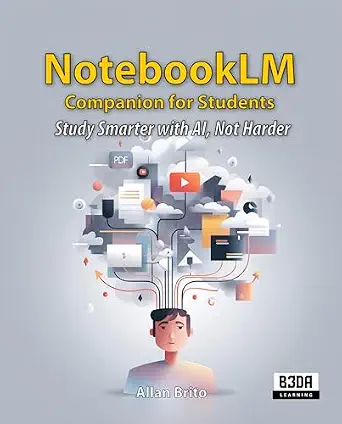
NotebookLM Companion for Students: Study Smarter with AI, Not Harder
This AI-powered tool offers personalized assistance aimed at boosting students’ study efficiency, making it a good fit for learners who benefit from tailored guidance. Compared with NotebookLM Made Simple, which introduces AI research, this companion provides a more interactive, personalized experience. Its main limitations are the lack of detailed feature descriptions and the need for an internet connection, which could hinder use in low-connectivity environments. It’s best suited for students who want an AI-supported, personalized study partner to clarify concepts and guide their learning path.
Pros:- Enhances study efficiency with AI assistance
- Personalized support for students
- User-friendly interface
- Helps clarify complex topics
Cons:- Limited information on features
- Requires internet connection for full functionality
- Potential dependency on AI for learning
Best for: Students who prefer personalized, AI-driven assistance to improve understanding and retention.
Not ideal for: Students in areas with unreliable internet or those who require comprehensive technical instructions.
Our verdict“This pick is ideal for students seeking a personalized AI study buddy to aid comprehension and learning.”
NotebookLM Made Simple: The Beginner’s Guide to AI-Powered Research, Podcasts & Smarter Study
This book provides a straightforward introduction to using NotebookLM for research, podcasts, and smarter studying, making it perfect for beginners. Compared to NotebookLM Companion, which offers direct AI assistance, this guide focuses on teaching users how to leverage AI tools effectively. Its simplicity is a strength, but it lacks detailed technical instructions and might be too basic for advanced users seeking in-depth strategies. The absence of pricing or availability details also limits immediate application. It’s best for students new to AI who want a gentle, practical start to integrating AI into their academic routines.
Pros:- Easy-to-understand guide for beginners
- Covers practical applications of AI in research and study
- Includes tips for maximizing AI tools
Cons:- Lacks detailed technical instructions
- No info on pricing or availability
- Content may be too basic for experienced users
Best for: Beginners interested in learning how to incorporate AI into research and study routines.
Not ideal for: Advanced students or those needing detailed technical guidance on AI tools.
Our verdict“This guide is perfect for students starting their AI journey and seeking a clear, accessible introduction.”
VYU iMark Digital Highlighter, AI Scanner Pen with OCR and Wireless Export
The VYU iMark stands out for its high-accuracy AI OCR scanning, ideal for students who need quick, reliable text capture in a portable format. When compared to AI Chat Pen for Tests and Study Support, which emphasizes content digitization and translation, this scanner pen focuses on speed and portability. Its small display and reliance on app synchronization could pose challenges for users who prefer standalone devices or larger screens. Wireless export via AirDrop makes it convenient for iOS users but limits cross-platform compatibility. This device is perfect for students on the move who need to digitize and organize texts efficiently, but it’s less suited for those requiring larger screens or extensive offline use.
Pros:- High-accuracy AI-enhanced scanning
- Wireless text export via AirDrop
- Portable and lightweight design
- Integrates with note organization apps
Cons:- Limited to iOS/Android devices
- Small display size may be restrictive
- Requires app synchronization for full functionality
Best for: Students and book lovers needing a portable, high-speed text scanner with easy wireless export.
Not ideal for: Users who prefer larger displays or need compatibility with non-iOS devices, or those seeking offline-only solutions.
- Scanning Speed:700 words per minute
- Display:1.46 inches
- Compatibility:iOS/Android
- Features:AI-enhanced OCR, wireless export, note organization
Our verdict“This scanner pen best serves students who need quick, portable text capture and easy wireless export on iOS devices.”
100 AI Prompts: A Complete AI Toolkit for the Modern Student
This toolkit stands out for offering a curated set of 100 AI prompts tailored specifically for students, making it a practical resource for those who want quick, actionable ways to boost learning and productivity. Unlike more comprehensive books that cover theory, such as The AI-Powered Student Operating System, this product focuses on immediate application—ideal for students who prefer hands-on prompts over deep technical explanations. The main tradeoff is that it lacks detailed content descriptions or technical specifications, which might leave more advanced users wanting. Still, its straightforward approach makes it accessible for beginners or students who need fast, effective AI prompts to integrate into their study routines.
Pros:- Provides a diverse set of 100 tailored AI prompts for various academic tasks
- Easy-to-use, no prior AI knowledge required
- Enhances productivity through practical, ready-to-use prompts
Cons:- No detailed overview or content explanation limits understanding of prompt scope
- Lacks technical specifications or guidance on prompt customization
- No pricing or user ratings available
Best for: Students seeking quick, practical prompts to enhance their learning sessions and productivity routines
Not ideal for: Students looking for in-depth technical knowledge or software tools, as this is a prompt-based resource without software integration
- Number of prompts:100
- Intended audience:Students
- Format:Printed book
- Ease of use:High
- Content focus:AI prompts for learning and productivity
- Price:Not specified
Our verdict“This prompt toolkit is ideal for students who want quick, actionable AI ideas without technical complexity.”
Master AI for Beginners: Develop Artificial Intelligence Basics, Understand Machine Learning, and Unlock the Power of Automation for Business Productivity
This book makes sense for students new to AI, offering a beginner-friendly overview of fundamental concepts, machine learning, and automation techniques. Compared to The AI-Powered Student Operating System, which covers a broader framework for research and career growth, this title zooms in on core AI principles, making it more accessible for those just starting out. Its main limitation is a lack of technical depth, which may frustrate students seeking hands-on tools or software. Nonetheless, it provides a solid foundation for understanding how AI can be applied to enhance study habits or small projects, especially for learners with little prior experience.
Pros:- Clear, accessible introduction to AI and machine learning
- Focuses on practical applications for improving productivity
- Suitable for students with no prior technical background
Cons:- Limited technical depth or software instructions
- No mention of supplementary tools or resources
- Lacks detailed content or advanced topics
Best for: Beginners interested in understanding AI fundamentals and how they can be applied to personal productivity or small-scale projects
Not ideal for: Advanced students or those seeking detailed technical tutorials and software guidance, as it emphasizes theory over implementation
- Target audience:Beginners
- Content focus:AI fundamentals and automation
- Format:Printed book
- Ease of understanding:High
- Application scope:Basic AI concepts for personal and academic use
- Price:Not specified
Our verdict“This book is a good starting point for students new to AI who want to understand its relevance to productivity and automation.”
Modern Business Applications: From Office Suite to AI-Powered Tools
This book offers a broad look at how business applications have evolved, including insights into AI integration, making it more suited for students interested in the bigger picture rather than specific tools. Unlike The AI-Powered Student Operating System or the prompt-focused 100 AI Prompts, this title covers the general trend of AI in business workflows, which may feel too abstract for students seeking immediate productivity tools. Its lack of specific product features or technical guidance makes it less practical for hands-on application but valuable for those wanting contextual understanding of AI’s role in modern work environments.
Pros:- Provides a comprehensive overview of AI’s role in business applications
- Includes insights into historical evolution and future trends
- Useful for understanding the context of AI in professional settings
Cons:- Does not detail specific AI tools or software
- Lacks practical instructions or technical specifications
- No user reviews or ratings available
Best for: Students studying business, management, or technology interested in the evolution and application of AI in workplaces
Not ideal for: Students looking for concrete AI tools or prompts to directly enhance their study routines, due to its broad focus and lack of specific implementations
- Focus area:Business applications and AI evolution
- Format:Printed book
- Content depth:Broad, strategic overview
- Intended audience:Students of business and management
- Price:Not specified
- Practical tools:None
Our verdict“This book is suited for students interested in the strategic and theoretical context of AI in business, not immediate productivity tools.”
The AI-Powered Student Operating System: A Practical Framework for Learning, Research, Writing, Productivity and Career Development in the Age of AI
This book offers a structured approach to integrating AI into nearly every aspect of student life, from research to career planning. Compared with 100 AI Prompts, which is more about specific tasks, this framework provides a holistic view that guides students in adopting AI tools systematically. However, it leans toward theoretical strategies rather than providing specific software or technical instructions, which may limit immediate hands-on application. It’s best suited for students who want a broad, adaptable plan to incorporate AI into their academic and professional routines rather than those seeking quick solutions.
Pros:- Provides a detailed, practical framework for AI integration in student workflows
- Covers research, writing, productivity, and career development topics
- Helps students navigate the evolving AI landscape with strategic insights
Cons:- No specific software tools or technical instructions included
- May feel more theoretical than immediately applicable for some users
- Lacks detailed content on implementation steps
Best for: Students aiming to develop a comprehensive, long-term AI integration plan for learning and career growth
Not ideal for: Students seeking quick, ready-to-use AI tools or prompts, as this book emphasizes strategic frameworks over specific applications
- Scope:Learning, research, writing, career development
- Format:Printed book
- Content style:Strategic, framework-based
- Target audience:Students wanting long-term AI integration
- Price:Not specified
- Tools included:None
Our verdict“This framework is ideal for students seeking a strategic, holistic approach to embedding AI into their educational and career paths.”

How We Picked
Our evaluation focused on how well each tool enhances student productivity through AI capabilities, ease of use, and versatility. We considered performance factors like accuracy, speed, and the depth of AI integration, as well as user interface design and setup complexity. Value was also key—tools offering robust free features or affordable pricing ranked higher. Additionally, we prioritized tools that serve multiple functions such as research, note-taking, and writing support, ensuring a well-rounded selection. The ranking reflects a balance between power and accessibility, favoring tools that can genuinely improve a student’s workflow without requiring extensive technical expertise.Factors to Consider When Choosing AI-powered Productivity Tools For Students
Choosing the right AI-powered productivity tools depends on several key factors. It’s important to balance features, ease of use, and cost to find an option that truly supports your study habits without becoming a distraction or a steep learning curve. Understanding these factors can help you avoid common pitfalls, like overpaying for unnecessary features or selecting tools that don’t integrate well with your existing setup.Functionality and Use Case
Identify what specific tasks you want the AI tool to support—whether it’s research, essay writing, note-taking, or exam prep. Some tools excel at understanding complex queries and summarizing content, while others are better for highlighting and organizing notes. Picking a tool that aligns with your primary needs ensures it becomes a genuine productivity booster rather than just an interesting gadget.Ease of Use and Learning Curve
A highly advanced tool can be tempting, but if it’s too complex to learn, it might hinder your progress. Look for intuitive interfaces and clear tutorials, especially if you’re new to AI-powered tools. Remember that a steeper learning curve often means more time spent mastering the tool, which could offset its productivity benefits.Price and Subscription Models
Many AI tools operate on subscription plans, with some offering free versions or trials. Consider your budget and whether the features offered justify the cost. Sometimes, investing in a premium version can save time and improve results, but for casual use, free or lower-cost options may suffice. Beware of tools that lock essential features behind expensive paywalls.Compatibility and Integration
Ensure the tool integrates smoothly with your existing devices, apps, and platforms—whether it’s a web-based app, a Chrome extension, or compatible with your preferred note-taking or research platforms. Compatibility can significantly influence how seamlessly the AI tool fits into your workflow, reducing frustration and maximizing efficiency.Privacy and Data Security
AI tools collect and process your data, so it’s vital to consider their privacy policies. Look for tools that prioritize data security and transparency about how your information is used. Avoid tools that store sensitive data without proper safeguards, especially if you’re working on confidential projects.Frequently Asked Questions
Will AI tools replace my traditional study methods?
AI tools are designed to complement your existing study methods rather than replace them entirely. They can automate certain tasks like summarizing information or organizing notes, freeing you to focus on deeper understanding and critical thinking. Relying solely on AI may limit your ability to develop foundational skills, so integrating these tools thoughtfully into your routine is the best approach.Are AI-powered tools suitable for all types of students?
Most AI tools can benefit a wide range of students, from those struggling with organization to advanced learners seeking research assistance. However, beginners might prefer more straightforward options with minimal setup, while advanced students may need tools with more comprehensive capabilities. Consider your current skills and goals when selecting a tool to ensure it matches your level of experience.How much should I budget for AI productivity tools?
Budgeting depends on your specific needs and how often you plan to use the tools. Many options offer free versions with core features, which can be enough for casual use. Paid plans often unlock advanced functionalities like detailed research summaries or real-time collaboration, which can be worth the investment if they significantly boost your productivity. Balancing cost with features is key.Can I use these tools across multiple devices?
Most modern AI tools support multi-device use through cloud-based platforms or synchronized apps. This flexibility allows you to work seamlessly on a laptop, tablet, or smartphone without losing your progress. Always verify compatibility and synchronization features before committing, especially if you switch between devices frequently.What should I do if I find an AI tool too complicated?
If an AI tool feels overwhelming, look for tutorials, user guides, or community support options to help you get started. Many tools also offer simplified modes or beginner settings that can ease your transition. Sometimes, choosing a more straightforward alternative with fewer features but easier usability is better, especially if your main goal is to improve productivity without added frustration.Conclusion
For students seeking the best overall experience, NotebookLM Companion offers powerful AI-driven research and study support. Those prioritizing value might prefer AI Tools for Students: The Ultimate Guide, which delivers extensive features at an affordable price. Beginners or casual learners should consider VYU iMark Digital Highlighter for easy annotation, while advanced users aiming for comprehensive automation might choose The AI-Powered Student Operating System. Ultimately, your choice depends on your specific study style and goals—select a tool that aligns with your workflow to maximize your productivity in 2026.Fall Picks
fall essentials
As an affiliate, we earn on qualifying purchases.