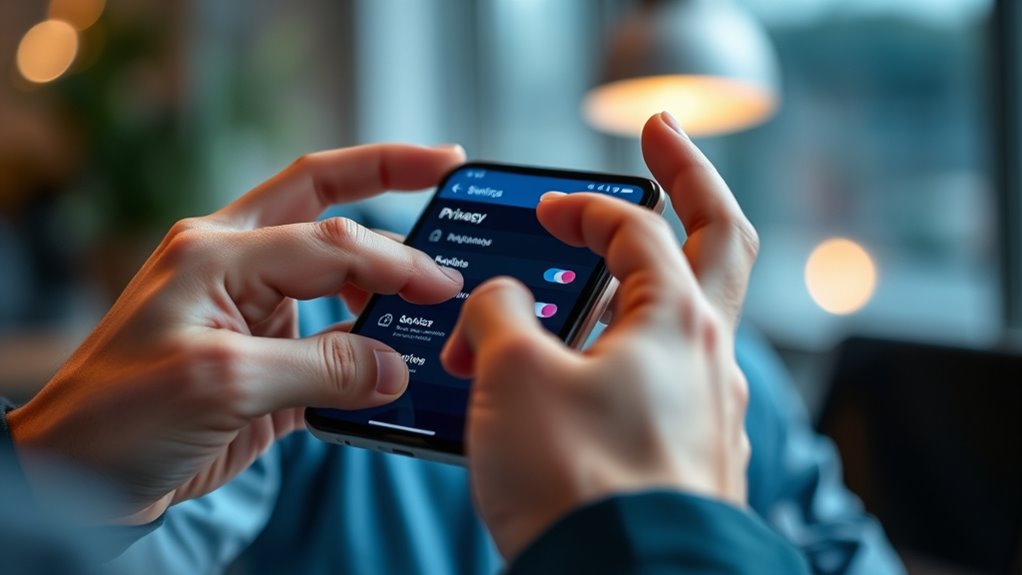

To protect your privacy on social video platforms, regularly review and adjust your privacy settings to control who can see your videos and profile. Use options to make your content private or restrict access and disable features like commenting from unknown users. Be cautious about sharing personal details, avoid linking accounts recklessly, and keep your app and device security updated with strong passwords and two-factor authentication. Staying aware of these practices will help you control your online presence more effectively.
Key Takeaways
- Regularly review and adjust privacy settings to control who can see your videos and profile.
- Enable data encryption and verify platform security features to protect your shared content.
- Avoid sharing personal details like address or phone number in videos or profiles.
- Keep your app and device software updated with the latest security patches.
- Be cautious with content sharing, think critically before posting sensitive information online.

Social video platforms have become central to how you share and consume content online, but safeguarding your privacy isn’t automatic. As you upload videos, comment, or even browse, your personal information and activity could be exposed if you’re not careful. To truly protect yourself, you need to understand and manage your privacy settings. Most platforms offer options to control who can see your videos, comment on them, or even find your profile. Regularly review these settings to ensure they align with your comfort level. For example, you can set your videos to private or restrict access to certain groups, preventing strangers from viewing your content without your permission.
Regularly review your privacy settings to control who can see your videos and profile.
Another vital step is to be aware of how data encryption plays a role in safeguarding your information. Data encryption is a security measure that encodes your data as it travels between your device and the platform’s servers. When a social video platform uses strong encryption protocols, it makes it considerably harder for hackers or third parties to intercept and misuse your data. Always check if the platform uses end-to-end encryption, especially when sharing sensitive content or personal details. This layer of security ensures that even if someone tries to access your data during transmission, they won’t be able to decipher it.
Beyond adjusting privacy settings and understanding encryption, you should also be cautious about the personal information you share. Avoid revealing details like your home address, phone number, or other identifiers in your videos or profile. Think twice before linking your social video account to other platforms or services, as this can create additional avenues for data collection and privacy breaches. Be mindful of the content you upload—once it’s online, it’s nearly impossible to remove completely, and it may be copied or shared beyond your control. Additionally, understanding content sharing practices can help you better manage how your information is distributed.
Additionally, keep your app and device software up to date. Updates often include security patches that protect against vulnerabilities. Use strong, unique passwords for your accounts, and enable two-factor authentication where possible. This extra layer of security can prevent unauthorized access if your login details are compromised.

QIXZOCV MWE 32 Inch Digital Signage Display, Portable LCD Digital Kiosk, Advertising Display Poster, Android Kiosk with Auto Media Player, HDMI/USB
【High-Quality Display】This MWE-QIXZOCV digital signage kiosk features an IPS display screen with FHD image and video quality, offering...
As an affiliate, we earn on qualifying purchases.
Frequently Asked Questions
Can I Completely Delete My Social Video Platform Account?
Yes, you can delete your social video platform account, but be aware that some platforms might retain your data even after deletion. To do this, initiate the account deletion process through your settings. Keep in mind, data recovery may be possible if you haven’t permanently erased your data or if backups exist. Always review the platform’s privacy policy to understand how your data is handled post-deletion.
How Do I Report Privacy Violations Effectively?
To report privacy violations effectively, start by reviewing the platform’s privacy complaint procedures to understand their process. Document the violation with clear evidence, such as screenshots or links, to strengthen your case. Then, submit a detailed report through the platform’s designated reporting channels. Follow up if necessary, and consider contacting relevant authorities if the violation is severe. Your proactive approach helps safeguard your privacy and encourages platform accountability.
Are There Legal Differences in Privacy Laws Across Countries?
The legal landscape is a patchwork quilt, with privacy laws varying widely across countries. You’ll find that cross border regulations and data transfer standards play a big role in this maze. Some nations have strict rules, while others are more lenient. So, when sharing personal info internationally, you must stay aware of these differences. You’re fundamentally steering a global privacy map—being cautious helps protect your rights everywhere you go.
What Are the Privacy Implications of Live Streaming?
When you live stream, audience engagement increases, but so do privacy risks. Your location, conversations, or personal details might unintentionally be shared with viewers. To protect yourself, check your privacy settings before going live and control who can see your streams. Be mindful of what you share in real-time, and remember that once streamed, it’s harder to control the spread or removal of your content.
How Can I Identify Third-Party Data Sharing?
You can identify third-party data sharing by reviewing the platform’s privacy policies and checking for data tracking practices. Look for mentions of data sharing with third parties and whether they collect your information through analytics or ads. Use consent management tools to control what data you permit to be shared. Regularly audit your privacy settings and stay informed about third-party integrations to guarantee your data isn’t being shared without your approval.

Amazon Signage Stick – Professional Digital Signage 4K Media Player – Designed for Businesses of All Sizes, Easy Setup with free Mobile App, and CMS Compatibility
Professional digital signage: The Amazon Signage Stick auto-launches your CMS in kiosk mode for seamless, unattended operation.
As an affiliate, we earn on qualifying purchases.
Conclusion
By staying aware of your privacy settings, being cautious about what you share, and regularly reviewing your account activity, you take control of your online presence. By adjusting your privacy options, by limiting your personal information, and by staying informed about platform updates, you protect yourself from unwanted exposure. Remember, safeguarding your privacy is an ongoing process, a continuous effort, and a crucial step in enjoying social video platforms safely and confidently.

Canlarriz 32 inch Digital Signage Kiosk 700 nits FHD Ultra-Bright Advertising Screen Floor Standing Digital Poster for Retail Displays and Trade Show Display Free Web Content Editor Android USB/HDMI
【Forward-Thinking Design】This digital signage features a hollow floating base for a visually transparent and lightweight appearance. Its sleek,...
As an affiliate, we earn on qualifying purchases.

YCKJNB 65 inch Indoor Digital Signage 4K Touchscreen,CMS Software,IPS Floor Standing Digital Kiosks Interactive Displays with WiFi HDMI/USB Input Auto AD Player, Android OS Black
Dynamic Multi-Screen Design: The upgraded screen playback design perfectly solves the problem of playing pictures and videos at...
As an affiliate, we earn on qualifying purchases.