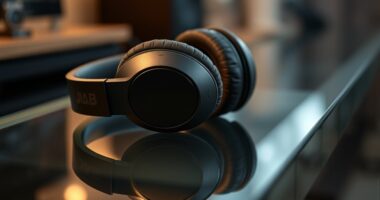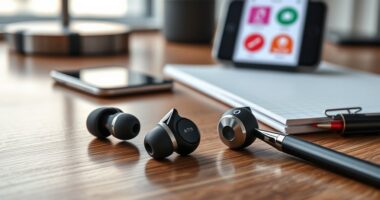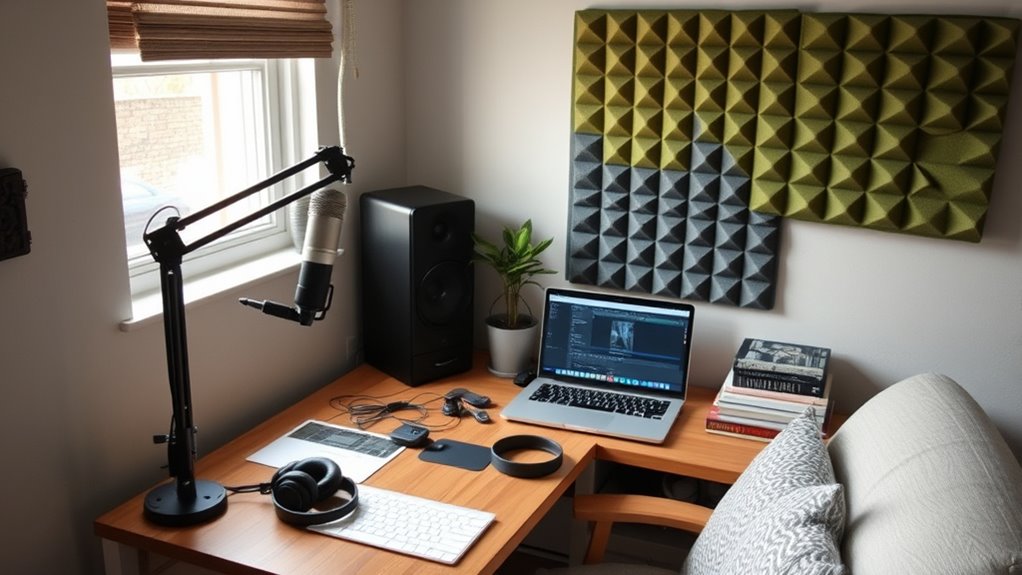

To set up a budget-friendly home podcast studio, start with a good-quality USB or dynamic microphone with a cardioid pattern to reduce background noise. Use simple soundproofing like hanging blankets, rugs, or foam panels to absorb reflections. Choose a small, enclosed space away from noisy appliances and seal gaps around windows and doors. Position your microphone close to your mouth for clear sound. Keep exploring for more affordable tips to improve your setup without breaking the bank.

Get business pricing on tech for your team
- Business-only prices and quantity discounts
- Tax-exempt purchasing
- Multiple users, one account, clear invoices
Key Takeaways
- Choose a budget-friendly USB or dynamic microphone with cardioid pattern for clear voice recording.
- Use DIY soundproofing techniques like hanging blankets and placing rugs to reduce echo and background noise.
- Select a small, enclosed space and position the microphone close to your mouth for optimal sound quality.
- Seal gaps around windows and doors to block external noise and improve acoustics.
- Regularly test recordings and adjust your setup with household items for continuous improvement.
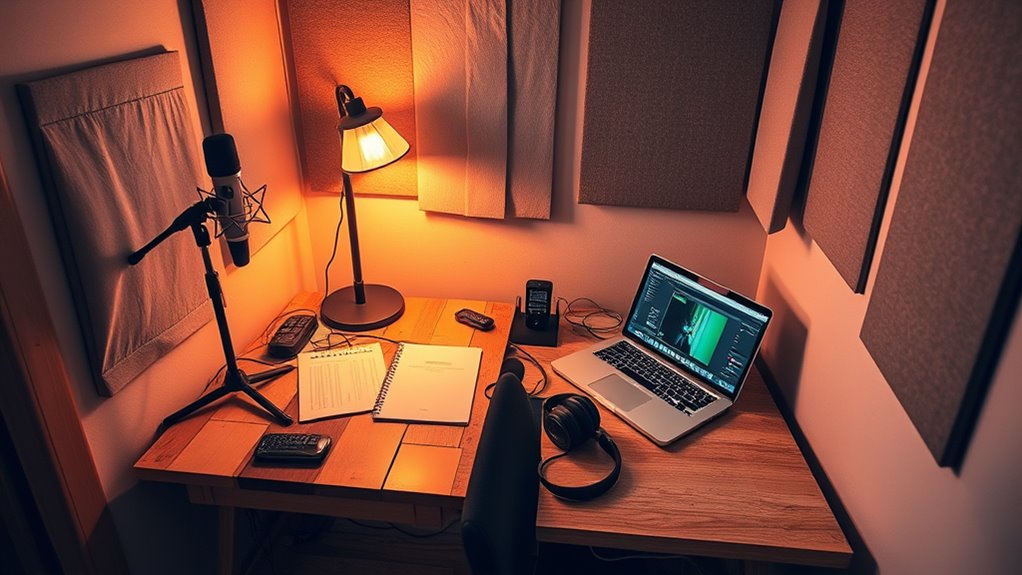
Ever wondered how to start a podcast without breaking the bank? The good news is, you don’t need expensive equipment or a fancy studio to produce quality audio. The key lies in smart choices, especially when it comes to microphone selection and soundproofing techniques. Your microphone is the backbone of your setup, so choosing the right one on a budget is essential. You don’t have to buy the most expensive model; instead, look for a good-quality USB microphone that offers clear sound and easy connectivity. Dynamic microphones are often more affordable and better at rejecting background noise, which is ideal if your recording space isn’t soundproofed yet. Remember, a microphone with a cardioid pickup pattern focuses on your voice and minimizes room noise, giving you cleaner recordings without extra noise-canceling gear.
Soundproofing your space doesn’t need to involve costly renovations. Simple soundproofing techniques can dramatically improve your audio quality and help you avoid unwanted echoes or background sounds. Start by identifying the most reflective surfaces in your room—bare walls, windows, or hard floors—and soften them. Hang thick blankets or quilts on walls to absorb sound, or use DIY panels made from inexpensive materials like foam or egg cartons. Placing a rug or carpet on the floor can reduce echo, especially if you have hardwood or tile. Positioning your microphone away from noisy appliances or windows can also help. When recording, try to choose a small, enclosed space where sound doesn’t bounce around as much. This naturally reduces echo and background noise, making your recordings sound more professional. Additionally, interior design principles can help you optimize your space for better acoustics without major upgrades.
Investing a little time and effort into your setup can make a noticeable difference. You don’t need to spend hundreds of dollars; instead, focus on selecting a decent microphone suited for home use and implementing affordable soundproofing techniques. Use DIY solutions like hanging blankets or sealing gaps around windows and doors to block out external noise. Keep your microphone close to you to capture your voice clearly and avoid picking up room noise. Regularly test your setup by recording samples and listening critically to identify problem areas. Over time, as your podcast grows, you can upgrade your equipment, but starting with these budget-friendly tips gives you a solid foundation for producing crisp, clear audio without overspending.
Frequently Asked Questions
How Can I Improve Sound Quality Without Expensive Equipment?
You can improve sound quality by using soundproofing techniques like sealing gaps around doors and windows, and adding DIY acoustic treatments such as hanging blankets or foam panels. These simple, affordable solutions reduce echo and unwanted noise. Place soft furnishings like rugs and cushions in your space to absorb sound further. With these strategies, you’ll get clearer, more professional audio without breaking the bank.
What Are the Best Free or Low-Cost Editing Software Options?
Think of free or low-cost editing software as your podcast’s secret garden—rich with potential. Try Audacity or GarageBand; they’re perfect DIY soundproofing allies. These budget editing tools let you trim, enhance, and polish your recordings without breaking the bank. With a little creativity, you’ll craft professional-sounding episodes, turning your humble setup into a broadcasting sanctuary. Immerse yourself and explore these free gems to elevate your podcast effortlessly.
How Do I Reduce Background Noise on a Budget?
To reduce background noise on a budget, start by using soundproof curtains to block out external sounds and add foam panels to absorb echo and noise inside your space. Position foam panels on walls around your recording area, especially near noise sources. Combining these affordable solutions helps create a quieter environment, improving your audio quality without breaking the bank. You’ll notice a significant difference in clarity and professionalism.
What Are Affordable Ways to Enhance Acoustics in My Space?
Did you know DIY acoustic panels can cut echo by up to 50%? To enhance acoustics affordably, try household soundproofing. Use thick blankets or foam mats on walls to absorb sound. Hang DIY acoustic panels made from insulation or egg cartons in key areas. These simple, budget-friendly solutions can markedly improve your recording quality without costly renovations, making your space soundproof and professional for less.
How Can I Ensure Good Microphone Placement at Home?
You should focus on proper microphone positioning by placing it about 6 to 12 inches from your mouth, slightly off-axis to reduce plosives. Keep your speaker placement consistent and avoid facing directly into the mic, which can cause distortion. Use a boom arm or adjustable stand to maintain a stable position, and experiment with angles to find the clearest sound. Regularly check your audio levels for ideal clarity.
Conclusion
Creating an at-home podcast studio on a budget proves you don’t need expensive gear to produce quality content. Remarkably, some experts believe that the acoustics of your space matter more than high-end equipment—so, consider using soft materials like blankets or curtains to improve sound. With a little creativity and DIY spirit, you can craft a professional-sounding studio without breaking the bank. So, trust the process, experiment, and let your voice be heard!
Fall Picks
fall essentials
As an affiliate, we earn on qualifying purchases.