

Thunderbolt 4 gear falls into two camps — docks that expand your port selection and certified cables that actually deliver 40Gbps and full power — and mixing up the two is where most buyers lose money. My top pick overall is the CalDigit TS4, which pairs 18 ports with 98W charging and outclasses every hub here for desk-bound setups. For travelers and minimalists, the OWC Thunderbolt Hub and the Belkin Connect 5-in-1 cover the essentials without the bulk, while budget-conscious shoppers can grab a Cable Matters certified cable instead of overpaying for a premium braided one. The main tradeoffs you will face are port count versus portability, passive versus active cables at longer lengths, and 60W hub charging versus 96W-plus dock charging. Keep reading for the full breakdown of all thirteen options.

Get business pricing on tech for your team
- Business-only prices and quantity discounts
- Tax-exempt purchasing
- Multiple users, one account, clear invoices
Key Takeaways
- The CalDigit TS4 leads this lineup because it is the only option that replaces a full desktop docking setup — 18 ports and 98W charging — while every hub here is a compromise on either power delivery or port variety.
- Cable length dictated certification choices: passive certified cables from Cable Matters and Plugable only made sense up to about 3 feet, while the 6.6-foot active Cable Matters cables earned their higher positioning by electronically boosting the signal.
- The Silkland 80Gbps USB4 cable stood out as the lone future-proof pick, offering Thunderbolt 5-class bandwidth for buyers upgrading machines in the next few years — a spec no other cable in this comparison matches.
- Charging wattage separated the hubs sharply: SABRENT‘s 60W is enough for a laptop but little else, while Belkin‘s 96W and the TS4’s 98W can power a 14-inch or 16-inch MacBook Pro under load.
- Shorter cables were consistently better value — the 1ft and 2.6ft Cable Matters options outperformed longer cables on signal reliability for close-to-host setups like travel docks and laptop stands.
| Cable Matters Certified Thunderbolt 4 Cable, 3.3 ft (1 m) |  | Best Overall Cable | Cable type: Certified Thunderbolt 4 | Length: 3.3 ft (1 m) | Data transfer rate: Up to 40 Gbps | VIEW ON AMAZON | See Our Full Breakdown |
| Plugable Thunderbolt 4 Cable, 240W, 1 m (3.3 ft) |  | Best Warranty and Support | Length: 1 m (3.3 ft) | Interface: Thunderbolt 4, USB-C | Max power: 240 W (48V/5A) | VIEW ON AMAZON | See Our Full Breakdown |
| Silkland 40Gbps USB4 Thunderbolt 4 Cable, 4 ft, 240W | 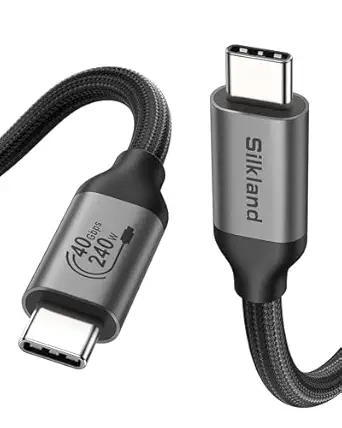 | Best Built Cable | Length: 4 ft | Data speed: Up to 40 Gbps | Charging power: Up to 240 W | VIEW ON AMAZON | See Our Full Breakdown |
| Plugable Thunderbolt 4 Dock with 100W Charging and Dual Monitor Support |  | Best Full Desktop Dock | Thunderbolt speed: 40 Gbps | Power delivery: 100W (96W certified) | Downstream TB charging: 15W | VIEW ON AMAZON | See Our Full Breakdown |
| Cable Matters Active Thunderbolt 4 Cable, 6.6 ft |  | Best Long-Reach Cable | Cable length: 6.6 ft | Cable type: Active Thunderbolt 4, Intel certified | Data transfer rate: 40 Gbps | VIEW ON AMAZON | See Our Full Breakdown |
| OWC Thunderbolt Hub with 4 Thunderbolt 4 Ports and 1 USB-A Port |  | Best for Daisy-Chaining | Thunderbolt ports: 4 x Thunderbolt 4 (including host) | USB ports: 1 x USB-A | Data speed: Up to 40Gbps per port | VIEW ON AMAZON | See Our Full Breakdown |
| SABRENT Thunderbolt 4 Hub with 60W Charging |  | Best Balanced Hub | Ports: 3 x Thunderbolt 4, 1 x USB-A | Data speed: Up to 40Gbps | Power delivery: Up to 60W (PD 3.0) | VIEW ON AMAZON | See Our Full Breakdown |
| CalDigit TS4 Thunderbolt 4 Dock with 18 Ports and 98W Charging | 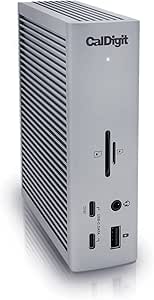 | Best Full Desktop Dock | Total ports: 18 | Thunderbolt 4 ports: 3, up to 40Gb/s | USB ports: 8, up to 10Gb/s | VIEW ON AMAZON | See Our Full Breakdown |
| Silkland 80Gbps USB4 / Thunderbolt 5 Cable, 4FT, 240W, USB-IF Certified Braided USB-C Cable | 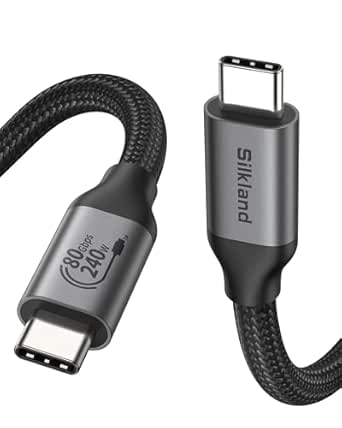 | Best Future-Proof Cable | Length: 4 ft | Data rate: 80Gbps bidirectional | Display bandwidth: 120Gbps unidirectional | VIEW ON AMAZON | See Our Full Breakdown |
| Cable Matters Intel Certified 40Gbps Thunderbolt 4 Cable, 2.6ft / 0.8m | 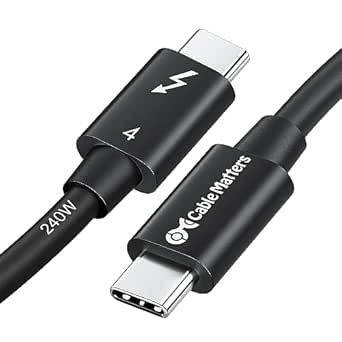 | Best Certified Cable Value | Connector: Thunderbolt 4 male-to-male | Length: 2.6 ft / 0.8 m | Data rate: 40 Gbps | VIEW ON AMAZON | See Our Full Breakdown |
| Cable Matters Intel Certified 40Gbps Thunderbolt 4 Cable (1ft / 0.3m), Black | | Best Short-Run Cable | Connector Type: Thunderbolt 4 (USB-C, Male-to-Male) | Cable Length: 1ft / 0.3m | Data Transfer Rate: 40 Gbps | VIEW ON AMAZON | See Our Full Breakdown |
| Cable Matters Active Thunderbolt 4 Cable, 6.6 ft, 40 Gbps |  | Best for Long-Distance Reach | Length: 6.6 ft | Connector Type: Thunderbolt 3 / Thunderbolt 4, Male-to-Male | Data Transfer Rate: 40 Gbps | VIEW ON AMAZON | See Our Full Breakdown |
| Belkin Connect Thunderbolt 4 Docking Station, 5-in-1 USB-C Multiport Core Hub with 96W Power Delivery |  | Best Compact Hub for Travel | Ports: 3x Thunderbolt 4 upstream, 1x Thunderbolt 4 downstream, 1x USB-A | Power Delivery: 96W (up to 15W downstream) | Data Transfer Speed: Up to 40Gbps | VIEW ON AMAZON | See Our Full Breakdown |
| thunderbolt 4 hubs and certified cable | Power delivery | Compatibility |
|---|---|---|
| Cable Matters Certified Thunde | Up to 240 W | Thunderbolt 4/3, USB4, USB-C 3.2/3.1/2.0 |
| Plugable Thunderbolt 4 Cable | — | — |
| Silkland 40Gbps USB4 Thunderbo | — | — |
| Plugable Thunderbolt 4 Dock wi | 100W (96W certified) | Thunderbolt 4/5 and USB4; Windows 10+, compatible macOS |
| Cable Matters Active Thunderbo | Up to 100 W (20V) | Thunderbolt 4, USB4, Thunderbolt 3, USB-C |
| OWC Thunderbolt Hub with 4 Thu | — | — |
| SABRENT Thunderbolt 4 Hub with | Up to 60W (PD 3.0) | — |
| CalDigit TS4 Thunderbolt 4 Doc | — | — |
| Silkland 80Gbps USB4 / Thunder | — | Thunderbolt 5/4/3, USB4, USB 3.2 devices |
| Cable Matters Intel Certified | 240W (USB PD 3.1) | — |
| Cable Matters Intel Certified | 240W (PD 3.1) | Thunderbolt 3/4, USB4, USB-C 3.2/3.1/2.0 |
| Cable Matters Active Thunderbo | — | Thunderbolt 4, Thunderbolt 3, USB4, USB-C |
| Belkin Connect Thunderbolt 4 D | 96W (up to 15W downstream) | Thunderbolt 4 Macs (macOS 11+), Windows 11 Thunderbolt 4 hosts |
More Details on Our Top Picks
Cable Matters Certified Thunderbolt 4 Cable, 3.3 ft (1 m)
This 1 m certified Thunderbolt 4 cable hits the sweet spot for most desk setups: full 40 Gbps throughput, 240 W Power Delivery, and the ability to drive one 8K or two 4K displays from a single connection. Compared with the Plugable 1 m cable, the spec sheet is nearly identical — the real differentiator here is broad backward compatibility stretching down to USB 2.0, which makes it a safer all-rounder if your household mixes older USB-C gear with modern Thunderbolt machines. The tradeoff is length: 3.3 ft works fine for a laptop-to-dock run, but anyone routing cable behind a desk or wall will want the Cable Matters Active 6.6 ft cable instead. Passive designs like this one also lose signal integrity quickly beyond a meter, so don’t expect a longer passive variant to behave the same way.
Pros:- Full 40 Gbps Thunderbolt 4 bandwidth
- 240 W charging covers even power-hungry workstations and future PD 3.1 laptops
- Single 8K or dual 4K display support
- Backward compatible with Thunderbolt 3, USB4, and older USB-C standards
Cons:- 3.3 ft length is restrictive for larger desk arrangements
- No braided jacket — less physical protection than the Silkland 4 ft cable
Best for: Laptop owners with a dock or hub within arm’s reach who want one certified cable that handles data, dual 4K video, and maximum-rate charging
Not ideal for: Anyone with a wall-mounted monitor or under-desk setup — the fixed 1 m length forces the computer to sit close to the dock
- Cable type:Certified Thunderbolt 4
- Length:3.3 ft (1 m)
- Data transfer rate:Up to 40 Gbps
- Power delivery:Up to 240 W
- Display support:One 8K or two 4K displays
- Compatibility:Thunderbolt 4/3, USB4, USB-C 3.2/3.1/2.0
Our verdict“The default choice for a standard dock-to-laptop connection where full Thunderbolt 4 speed and 240 W charging matter more than reach.”
Plugable Thunderbolt 4 Cable, 240W, 1 m (3.3 ft)
What separates this Plugable cable from the equally fast Cable Matters 1 m pick isn’t performance — both deliver 40 Gbps and 240 W charging — it’s the backing. A two-year defect warranty plus lifetime technical support from a vendor known for responsive help makes this the pick for buyers who value accountability over saving a few dollars, especially in office fleets where a dead cable means a support ticket. Display behavior is honestly documented too: two 4K screens at 60 Hz or one 8K at 30 Hz, with the caveat that output depends on your host and dock. The 8K frame rate cap is the main spec compromise compared with the Silkland 4 ft cable, which claims 8K at 60 Hz — a real distinction if you own an 8K panel. Like any passive 1 m cable, placement flexibility is limited.
Pros:- Full Thunderbolt 4 certification with 40 Gbps data
- 240 W (48V/5A) charging headroom
- Two-year warranty with lifetime support
- DisplayPort 1.4 Alt Mode for dual 4K at 60 Hz
Cons:- 8K output limited to 30 Hz
- 1 m length constrains setup flexibility
Best for: Office IT buyers and less technical users who want certified performance with long-term vendor support behind it
Not ideal for: 8K monitor owners — the 30 Hz cap at 8K makes the Silkland 4 ft cable the stronger video choice
- Length:1 m (3.3 ft)
- Interface:Thunderbolt 4, USB-C
- Max power:240 W (48V/5A)
- Max data speed:40 Gbps
- Display support:Two 4K at 60 Hz or one 8K at 30 Hz
- Video mode:DisplayPort 1.4 Alt Mode
- Warranty:2 years with lifetime support
Our verdict“The cable to buy when support and warranty matter as much as bandwidth — ideal for shared or managed equipment.”
Silkland 40Gbps USB4 Thunderbolt 4 Cable, 4 ft, 240W
This is the cable for people who treat their gear roughly. The braided jacket, aluminum shell, and stainless steel connectors put it a step above the rubber-sleeved Cable Matters and Plugable options in sheer durability, and the USB-IF certification means the 40 Gbps and 240 W claims are verified rather than aspirational. Video is the headline: 8K at 60 Hz, 4K at 144 Hz, or dual 4K at 60 Hz — a wider refresh-rate envelope than the Plugable cable, and useful for high-refresh gaming monitors. The extra foot of length over the 1 m picks helps with mid-size desks. Two honest caveats: real-world performance still depends entirely on your host and charger, and Silkland itself recommends staying under 5 ft for stable docking — a reminder that at this length you’re near the practical edge for a passive 40 Gbps cable.
Pros:- 8K at 60 Hz and 4K at 144 Hz video support
- USB-IF certified for verified 40 Gbps and 240 W operation
- Braided jacket and aluminum shell for durability
- Extra foot of length over typical 1 m cables
Cons:- Performance depends on host device and charger compatibility
- Approaching the 5 ft limit where passive Thunderbolt 4 stability becomes questionable
Best for: Owners of 8K or high-refresh 4K monitors who want a rugged, certified cable with a bit more reach than standard 1 m options
Not ideal for: Buyers who just need a basic charging-and-data link — the premium construction and video bandwidth are wasted money for that job
- Length:4 ft
- Data speed:Up to 40 Gbps
- Charging power:Up to 240 W
- Video support:8K@60Hz, 5K@60Hz, 4K@144Hz, or dual 4K@60Hz
- Charging standards:PD 3.1, QC 4.0, FCP, AFC
- Construction:Braided cable, aluminum shell, stainless steel connectors
- Certification:USB-IF certified
Our verdict“The most physically robust cable in this lineup, best paired with demanding displays rather than everyday charging duty.”
Plugable Thunderbolt 4 Dock with 100W Charging and Dual Monitor Support
This is the one product in this batch that replaces a cable rather than complementing one. With 13 ports including dual HDMI, SD/microSD readers, and Gigabit Ethernet, plus 96W certified charging, it turns a single Thunderbolt 4 cable into a complete desktop. Against the hub-style options elsewhere in this roundup — like the OWC Thunderbolt Hub, which is mostly Thunderbolt ports — this dock leans heavily into display output and legacy connections, making it the better fit for traditional two-monitor workstations. The catch is the messy world of host compatibility: dual-display support varies by computer and OS, and Thunderbolt 3 or plain USB-C hosts are limited to a single external screen. Buyers with an M-series MacBook should verify their exact chip before committing, since base models cap external displays regardless of dock capability.
Pros:- 13 ports covering displays, storage, networking, and audio
- 96W certified charging powers most laptops without a second brick
- Full 40 Gbps Thunderbolt 4 data with 15W downstream device charging
- Works with Thunderbolt 5 and USB4 systems for forward compatibility
Cons:- Dual-display output depends on host computer and operating system
- Only two HDMI video outputs — no native DisplayPort for high-refresh monitors
Best for: Desk-based Windows or Intel Mac users who want dual 4K monitors, card readers, and Ethernet from one Thunderbolt 4 connection
Not ideal for: Thunderbolt 3 or non-Thunderbolt USB-C laptop owners — dual-monitor support collapses to a single display, defeating the main reason to buy it
- Thunderbolt speed:40 Gbps
- Power delivery:100W (96W certified)
- Downstream TB charging:15W
- Display support:Dual 4K at 60 Hz or single 8K (host dependent)
- Total ports:13
- Video outputs:2× HDMI
- Other connections:SD/microSD readers, audio combo jack, Gigabit Ethernet
- Compatibility:Thunderbolt 4/5 and USB4; Windows 10+, compatible macOS
Our verdict“The right buy when you need a whole desk’s worth of connectivity rather than just extra ports, provided your laptop genuinely supports dual external displays.”
Cable Matters Active Thunderbolt 4 Cable, 6.6 ft
Length is the entire point here. Passive Thunderbolt 4 cables like the Cable Matters 1 m pick struggle to hold 40 Gbps much past a meter, but this active, Intel-certified design uses powered electronics to maintain full bandwidth across 6.6 ft — the right tool for wall-mounted displays, floor towers, or under-desk docks. The cost of that reach is power: charging tops out at 100 W, versus 240 W on the shorter passive cables, which is fine for virtually all current laptops but falls short of PD 3.1’s highest tiers. Compared with the Silkland 4 ft cable, you gain two feet of routing freedom but give up braided armor and the extra charging headroom. If your setup fits within 1 m, the passive options are simpler and cheaper; if it doesn’t, nothing else in this lineup solves the distance problem.
Pros:- Maintains full 40 Gbps over 6.6 ft thanks to active electronics
- Intel-certified Thunderbolt 4 reliability
- One 8K or two 4K display support at distance
- Backward compatible with Thunderbolt 3, USB4, and USB-C
Cons:- 100 W charging ceiling versus 240 W on shorter passive cables
- Active circuitry adds cost and one more potential point of failure
Best for: Owners of wall-mounted monitors or distant desktop towers who need full 40 Gbps bandwidth over more than a meter
Not ideal for: Power-hungry workstation laptops needing more than 100 W charge rates — the shorter 240 W passive cables are the better match
- Cable length:6.6 ft
- Cable type:Active Thunderbolt 4, Intel certified
- Data transfer rate:40 Gbps
- Power delivery:Up to 100 W (20V)
- Video support:One 8K or two 4K displays
- Compatibility:Thunderbolt 4, USB4, Thunderbolt 3, USB-C
Our verdict“The distance specialist — buy it only when a 1 m cable genuinely can’t reach, and accept the lower charging ceiling as the price.”
OWC Thunderbolt Hub with 4 Thunderbolt 4 Ports and 1 USB-A Port
Most Thunderbolt hubs in this roundup split their ports between Thunderbolt and USB-A, but the OWC Thunderbolt Hub takes a different approach: three downstream Thunderbolt 4 ports plus the host connection means every expansion slot can run at full 40Gbps. That matters if you own Thunderbolt SSDs, external GPUs, or a Thunderbolt display, because daisy-chaining through slower ports bottlenecks the whole chain. Compared with the Sabrent hub, you give up the bundled power supply and 60W laptop charging — the OWC is a pure port multiplier, not a charging station. The single USB-A port feels thin next to the CalDigit TS4’s eight, so this is not a general-purpose docking replacement. This pick makes the most sense for creators who already have a powerful charger and simply need more Thunderbolt lanes.
Pros:- Four Thunderbolt 4 ports, each capable of full 40Gbps throughput
- Ideal for daisy-chaining Thunderbolt storage and displays
- Compact footprint that fits easily on or under a desk
- Simple plug-and-play operation with no drivers needed
Cons:- No laptop charging — it’s an expansion hub, not a dock
- Only one USB-A port limits legacy accessory support
Best for: Owners of multiple Thunderbolt 4 drives or displays who need maximum high-bandwidth ports without paying for a full dock
Not ideal for: Buyers wanting one-cable docking with laptop charging — there’s no power delivery to the host, so you’ll still need your own charger
- Thunderbolt ports:4 x Thunderbolt 4 (including host)
- USB ports:1 x USB-A
- Data speed:Up to 40Gbps per port
- Host charging:Not provided
- Use case:Thunderbolt device expansion and daisy-chaining
Our verdict“A focused port-multiplier for Thunderbolt-heavy setups, best paired with a separate charger you already own.”
SABRENT Thunderbolt 4 Hub with 60W Charging
This is the middle ground between the bare-bones OWC hub and the desk-dominating CalDigit TS4. The Sabrent arrives complete: a certified Thunderbolt 4 cable, a 20V/6A power brick, and 60W of host charging, so one connection powers your laptop and expands your desk. Its display flexibility stands out — dual 4K at 60Hz for productivity, or a single 4K at 144Hz if you’re gaming on a Windows machine. The aluminum housing matches the premium feel of pricier docks. The tradeoffs are real, though: 60W won’t keep a power-hungry 16-inch MacBook Pro charged under heavy load the way the TS4’s 98W will, and hitting 8K requires DisplayPort Alt Mode and DSC support on your host. Compared with OWC’s offering, you trade one Thunderbolt port for charging and a complete accessory kit — a fair swap for most laptop users.
Pros:- 60W laptop charging eliminates the need for a separate charger at your desk
- Broad display support from dual 4K/60Hz up to 8K with DSC
- Includes both a certified Thunderbolt 4 cable and power supply
- Works across macOS and Windows with USB-C or Thunderbolt 3/4 hosts
Cons:- Highest resolutions require host support for DisplayPort Alt Mode and DSC
- 60W charging falls short for high-wattage performance laptops
- No KVM functionality for multi-computer setups
Best for: Laptop owners who want charging plus display and data expansion in one box, without a full desktop dock
Not ideal for: Power users running 16-inch performance laptops under load — 60W charging can slowly lose ground against heavy workloads
- Ports:3 x Thunderbolt 4, 1 x USB-A
- Data speed:Up to 40Gbps
- Power delivery:Up to 60W (PD 3.0)
- Display support:Dual 4K@60Hz, single 4K@144Hz, 5K/6K/8K@60Hz with DSC
- Material:Aluminum housing
- Included cable:15.7-inch certified Thunderbolt 4 cable
- Power supply:20V/6A
Our verdict“The most complete mid-range package here — ideal if you want charging, displays, and data without the TS4’s size or price.”
CalDigit TS4 Thunderbolt 4 Dock with 18 Ports and 98W Charging
If the Sabrent is a hub, the CalDigit TS4 is a docking station in the truest sense. Eighteen ports covers territory no other product here touches: 2.5GbE Ethernet for fast wired networking, UHS-II SD and microSD readers for photographers, eight USB ports, and DisplayPort 1.4 output. The 98W host charging handles even the largest MacBook Pro, and the included 0.8m certified cable means you’re not shopping for extras the way you might with the OWC. The tradeoffs are scale and price: at 1.4 pounds and over five inches deep, this anchors a desk rather than travels in a bag. Display output also depends heavily on your host — a single 8K or dual 6K at 60Hz requires a Thunderbolt 4 or fully equipped USB4 machine, so older USB-C laptops will see reduced capability. For a permanent single-cable workstation, nothing else in this lineup competes.
Pros:- 18 ports including 2.5GbE Ethernet and UHS-II SD/microSD card readers
- 98W charging powers even high-end 16-inch laptops over one cable
- Broad host compatibility across Thunderbolt 4/3, USB4, USB-C, Mac, Windows, and Chrome OS
- Includes a certified 0.8m Thunderbolt 4 cable
Cons:- Display support varies by host computer and operating system
- Bulky and heavy compared with portable hubs like the OWC or Sabrent
- Maximum performance requires a Thunderbolt 4 or fully equipped USB4 host
Best for: Desk-bound professionals who want one cable to deliver power, networking, storage, displays, and card readers
Not ideal for: Frequent travelers or casual users — it’s heavy, bulky, and far more dock than a simple hub buyer needs
- Total ports:18
- Thunderbolt 4 ports:3, up to 40Gb/s
- USB ports:8, up to 10Gb/s
- Display:DisplayPort 1.4; single 8K or dual 6K@60Hz (host dependent)
- Laptop charging:Up to 98W
- Ethernet:2.5GbE, backward compatible with 1GbE
- Card readers:SD and microSD 4.0 UHS-II
- Dimensions:4.46 x 1.65 x 5.55 inches, 1.4 lbs
Our verdict“The definitive single-cable desktop dock for power users who need every port type in one chassis.”
Silkland 80Gbps USB4 / Thunderbolt 5 Cable, 4FT, 240W, USB-IF Certified Braided USB-C Cable
While the Cable Matters Intel-certified cable tops out at Thunderbolt 4 speeds, this Silkland cable is built for the next generation: 80Gbps bidirectional data, 120Gbps of unidirectional display bandwidth for dual 8K or triple 4K/144Hz setups, and full Thunderbolt 5 compatibility. Its USB-IF certification (TID:12800) means compliance is verified rather than claimed — a genuine differentiator in a market full of unverified cables that throttle under load. The 4-foot length also gives it a reach advantage over the shorter 2.6ft Cable Matters option, making it better for desk-to-floor PC setups. The honest tradeoff: if your hardware is Thunderbolt 4 or USB 3.x, you’ll never touch that extra bandwidth, and the 240W PD 3.1 rating only helps with the newest high-power laptops. This is a cable you buy for the machine you’ll own in three years, not necessarily the one on your desk today.
Pros:- USB-IF certified 80Gbps bidirectional transfer with Thunderbolt 5 support
- 240W PD 3.1 charging with E-Marker chip safety
- 4-foot braided nylon build with triple shielding for signal integrity
- Full backward compatibility with Thunderbolt 4/3, USB4, and USB 3.2
Cons:- Real-world speeds are capped by your host device’s capabilities
- Overkill — and overpriced — for older USB 3.x devices
Best for: Owners of Thunderbolt 5 or USB4 v2 hardware — or upgraders who want one cable that outlasts several devices
Not ideal for: Users with older USB 3.x peripherals and standard laptops — the premium bandwidth goes unused and cheaper certified cables work identically
- Length:4 ft
- Data rate:80Gbps bidirectional
- Display bandwidth:120Gbps unidirectional
- Max charging:240W (PD 3.1)
- Certification:USB-IF Certified (TID: 12800)
- Material:Braided nylon, aluminum housing, stainless connectors
- Compatibility:Thunderbolt 5/4/3, USB4, USB 3.2 devices
Our verdict“The cable to buy if Thunderbolt 5 is in your future and you want certified headroom today.”
Cable Matters Intel Certified 40Gbps Thunderbolt 4 Cable, 2.6ft / 0.8m
For most people, this is the cable that actually matches their hardware. Intel certification guarantees full 40Gbps Thunderbolt 4 data, 240W PD 3.1 charging, and 8K or dual 4K video — everything a current MacBook Pro, Dell XPS, or HP Spectre can ask for, at a length that suits laptop-to-dock runs. Compared with the Silkland 80Gbps cable, you give up future Thunderbolt 5 headroom, but if your machine tops out at Thunderbolt 4, that extra bandwidth is money spent on nothing. The braided nylon jacket and 12A current rating make it more durable than the unbraided cables often bundled with hubs like the Sabrent. The obvious limitation is the 2.6ft length — fine for a docked laptop, frustrating for a tower PC under a desk, where the 6.6ft active Cable Matters cable makes more sense. Certified Thunderbolt 4 cables also cost more than generic USB-C, but that premium buys guaranteed performance rather than marketing claims.
Pros:- Intel-certified for guaranteed full 40Gbps Thunderbolt 4 performance
- 240W PD 3.1 charging handles even the most power-hungry laptops
- Supports 8K@60Hz or dual 4K@240Hz displays
- Nylon braided jacket with backward compatibility to Thunderbolt 3 and all USB-C standards
Cons:- 2.6ft length limits placement flexibility in larger setups
- Costs noticeably more than standard uncertified USB-C cables
Best for: Laptop owners connecting to a dock or SSD who want guaranteed full-speed Thunderbolt 4 without overspending on unused bandwidth
Not ideal for: Desk setups with distant towers or wall-mounted monitors — the 2.6ft length forces awkward placement
- Connector:Thunderbolt 4 male-to-male
- Length:2.6 ft / 0.8 m
- Data rate:40 Gbps
- Power delivery:240W (USB PD 3.1)
- Video support:8K@60Hz or dual 4K@240Hz
- Certification:Intel Certified
- Material:Nylon braided
Our verdict“The safest cable purchase for current Thunderbolt 4 hardware — certified, fully specified, and priced for what you’ll actually use.”
Cable Matters Intel Certified 40Gbps Thunderbolt 4 Cable (1ft / 0.3m), Black
Not every setup needs a long cable, and this is where a 1ft certified Thunderbolt 4 cable earns its keep. This option stands out for keeping a laptop-dock connection tidy, whether that’s a Mac Mini M4 sitting beside a monitor or a MacBook Pro resting on a dock. The full 40Gbps bandwidth and 240W PD 3.1 charging mean it can run an 8K display and power a demanding laptop at the same time — something the shorter generic USB-C cables in a drawer simply cannot do. Compared with the Cable Matters 2.6ft version, this one trades placement flexibility for a cleaner desk with zero slack. The tradeoff is real: anything more than a foot apart, like a tower PC under a desk, and this length becomes useless rather than convenient.
Pros:- Intel-certified Thunderbolt 4 with the full 40Gbps bandwidth
- 240W PD 3.1 charging handles even power-hungry laptops
- Drives an 8K display or dual 4K displays
- Broad backward compatibility with Thunderbolt 3, USB4, and older USB-C standards
Cons:- 1ft length severely limits where you can place devices
- Certified Thunderbolt 4 cables carry a premium over standard USB-C cables
Best for: Owners of Mac Minis, docked laptops, or daisy-chained monitors where devices sit within a foot of each other and cable clutter is the enemy
Not ideal for: Anyone connecting a desktop tower to a monitor across a desk — the 1ft length simply won’t reach
- Connector Type:Thunderbolt 4 (USB-C, Male-to-Male)
- Cable Length:1ft / 0.3m
- Data Transfer Rate:40 Gbps
- Power Delivery:240W (PD 3.1)
- Video Support:8K@60Hz or dual 4K displays
- Max Current:12 A
- Compatibility:Thunderbolt 3/4, USB4, USB-C 3.2/3.1/2.0
Our verdict“Buy this if your devices sit side by side and you want full Thunderbolt 4 speed and 240W charging with no cable spaghetti; skip it if you need any real reach.”
Cable Matters Active Thunderbolt 4 Cable, 6.6 ft, 40 Gbps
Passive Thunderbolt cables start losing full 40Gbps capability as they get longer, which is why an active cable with built-in signal amplification matters at 6.6ft. This model keeps full bandwidth across the entire run, letting you position a laptop on a desk while the dock or Thunderbolt 4 display lives elsewhere — a scenario where the Cable Matters 3.3ft certified cable or the 1ft version would force you to rearrange the whole room. It still handles an 8K display or dual 4Ks and charges at up to 100W. The tradeoff: that 100W ceiling is noticeably lower than the 240W Plugable cable offers, so high-power gaming laptops may not charge at full speed, and the extra length becomes excess coil in tight setups.
Pros:- Active electronics preserve the full 40Gbps speed over 6.6ft, where passive cables fall short
- Drives one 8K or two 4K displays at distance
- Up to 100W charging covers most mainstream laptops
- Backward compatible with Thunderbolt 3 and USB-C devices
Cons:- 100W charging ceiling is short of what 240W cables offer for power-hungry machines
- Active circuitry makes it overkill and less tidy for short runs
Best for: Buyers routing a connection across a desk or behind furniture — laptop-to-dock setups where devices are separated by several feet
Not ideal for: Compact desk setups with devices close together, where 6.6ft of active cable just becomes clutter to manage
- Length:6.6 ft
- Connector Type:Thunderbolt 3 / Thunderbolt 4, Male-to-Male
- Data Transfer Rate:40 Gbps
- Charging Power:Up to 100 W
- Max Current:5 A
- Video Support:One 8K display or two 4K displays
- Compatibility:Thunderbolt 4, Thunderbolt 3, USB4, USB-C
Our verdict“This is the pick when distance is your problem — full Thunderbolt 4 speed over 6.6ft — but choose a shorter or higher-wattage cable if your devices sit close or draw serious power.”
Belkin Connect Thunderbolt 4 Docking Station, 5-in-1 USB-C Multiport Core Hub with 96W Power Delivery
This Belkin occupies the sweet spot between a bare cable and a full desk dock. With four Thunderbolt 4 ports plus USB-A and 96W pass-through charging, it turns a single laptop port into a dual-4K workstation while keeping the brick small enough for a laptop bag. Compared with the CalDigit TS4, it gives up the sprawling 18-port array — there’s just one USB-A, and 8K is capped at 30Hz — but it also doesn’t anchor you to a desk. Next to the OWC Thunderbolt Hub, the included 0.8m Thunderbolt 4 cable and power supply give it an edge in out-of-box readiness. The 3-year warranty and recycled housing are welcome, though base M3 Mac users should note dual displays require clamshell mode.
Pros:- 96W power delivery charges a laptop while running peripherals
- Dual 4K 60Hz or single 8K display support
- Four Thunderbolt 4 ports with 40Gbps transfer and daisy-chaining up to 6 devices
- Includes both a Thunderbolt 4 cable and power supply, backed by a 3-year warranty
Cons:- Only five ports total, with a single USB-A slot
- 8K output limited to 30Hz, and base M3 Macs need clamshell mode for dual displays
Best for: Mobile professionals who want dual 4K monitors, laptop charging, and a few Thunderbolt peripherals from one portable hub
Not ideal for: Owners of USB-C-only laptops or anyone needing heavy USB-A connectivity — this hub demands a true Thunderbolt 4 host and offers just one USB-A port
- Ports:3x Thunderbolt 4 upstream, 1x Thunderbolt 4 downstream, 1x USB-A
- Power Delivery:96W (up to 15W downstream)
- Data Transfer Speed:Up to 40Gbps
- Display Support:Dual 4K @ 60Hz or single 8K @ 30Hz
- Daisy-Chained Devices:Up to 6
- Cable Included:0.8m Thunderbolt 4 cable
- Warranty:3-year limited
- Compatibility:Thunderbolt 4 Macs (macOS 11+), Windows 11 Thunderbolt 4 hosts
Our verdict“Choose this if you want a travel-friendly Thunderbolt 4 hub that charges your laptop and drives two 4K screens; pick the CalDigit TS4 instead if you need a full desktop port array.”

How We Picked
I ranked these thirteen products by separating them into their two real jobs: hubs and docks that expand connectivity, and cables that carry certified 40Gbps data and power. For hubs, the criteria were port count and variety, host charging wattage, dual-monitor support, and build and power-supply quality — a dock that charges a 16-inch MacBook Pro under full load ranks above one that only keeps a thin ultrabook topped up. For cables, I prioritized Intel or USB-IF certification, length-appropriate design (passive under roughly 1 meter, active beyond), power rating up to 240W, and physical durability.
The ranking logic reflects buyer priority rather than raw spec sheets. A future-proof 80Gbps cable ranks above a cheaper 40Gbps one because the price gap is small relative to the lifespan of the purchase. A dock with more ports ranks above a hub with fewer even at a higher cost, because the dock replaces more devices. Where two products tie on specs — such as the duplicated 6.6-foot active Cable Matters cables — I favored the configuration with the clearest certification and compatibility documentation.
Factors to Consider When Choosing Thunderbolt 4 Hubs And Certified Cables
Buying Thunderbolt 4 gear is deceptively easy to get wrong. Uncertified cables that look identical to certified ones silently throttle speeds, and hubs with matching port counts can behave completely differently under load. These are the factors that actually determined which products earned their place above.
Passive vs. Active Cables: Length Changes Everything
A passive Thunderbolt 4 cable relies on the raw signal strength from your devices, and that signal degrades fast. Below roughly 2.6 feet, passive cables from Cable Matters and Plugable perform flawlessly and cost less — this is why my short-length picks are all passive. Once you stretch past 1 meter, the physics stop cooperating, and a passive 40Gbps cable becomes unreliable or drops to lower speeds. Active cables, like the 6.6-foot Cable Matters options, include a signal-boosting chip that maintains full 40Gbps bandwidth at length. The common mistake is buying a long cheap cable and blaming the dock when transfers stutter. If your device sits more than a meter from your hub, active is not a luxury — it is the difference between the speeds you paid for and half of them.
Charging Wattage: Match the Hub to Your Machine
Hubs and docks in this category range from 60W to 98W passthrough charging, and the gap matters more than most buyers expect. A 60W hub like the SABRENT will charge a MacBook Air or most Windows ultrabooks comfortably, but a 14- or 16-inch MacBook Pro under heavy load draws more than that — the battery drains even while plugged in. The Belkin at 96W and the CalDigit TS4 at 98W exist specifically for that problem. My advice: check your laptop’s maximum draw under load, not its charger’s rating, and buy a hub that exceeds it. Overbuying wattage wastes money too — a 98W dock for a 30W Chromebook is spending dock money on a hub need. Also remember that passthrough charging means the hub’s own power supply must feed both your laptop and its downstream ports, so a hub rated at 60W rarely delivers all 60W to the host.
Certification Is Not Marketing Fluff
Intel-certified Thunderbolt 4 and USB-IF certified USB4 cables are tested for the full 40Gbps data rate, 100W-plus power delivery, and dual 4K display output. Uncertified cables frequently carry the Thunderbolt logo loosely or advertise ’40Gbps compatible’ while only sustaining USB 2.0 speeds on some lanes. Every cable in this lineup is certified for a reason: the certification is the only external guarantee you have before the package arrives. The mistake I see most often is buyers saving a few dollars on a generic cable, then spending hours troubleshooting flickering monitors and slow external SSDs. Check the listing for explicit ‘Intel Certified’ or USB-IF certification language, and treat ‘Thunderbolt ready’ or ‘compatible with’ as red flags rather than features.
Port Count vs. Port Type: Count What You Actually Use
An 18-port dock sounds superior to a 4-port hub until you audit your actual peripherals. The CalDigit TS4 wins for power users because it covers everything at once — multiple USB-A devices, SD cards, Ethernet, and downstream Thunderbolt — but a buyer with a mouse, a keyboard, and one external SSD gains nothing from the extra thirteen ports. Conversely, the OWC hub’s four Thunderbolt 4 ports are arguably more valuable than fifteen mixed ports if your peripherals are themselves Thunderbolt devices, because each downstream port supports daisy-chaining. Before choosing, write down what you plug in daily, including anything you charge. Hubs with only Thunderbolt ports force USB-A buyers into adapters, and docks heavy on USB-A shortchange buyers whose gear is all modern. The right port mix is personal, not universal.
Future-Proofing: When to Pay for Bandwidth You Don’t Need Yet
The Silkland 80Gbps USB4 cable costs more than a standard Thunderbolt 4 cable while delivering no benefit on current Thunderbolt 4 machines. That premium only makes sense under specific conditions: you plan to buy a Thunderbolt 5 or USB4 2.0 machine within the cable’s lifespan, or you want one cable that survives several device generations. Cables outlive computers — a quality braided cable easily lasts through two or three laptops — which is why I ranked the 80Gbps option highly despite its current redundancy. The same logic applies in reverse: buying a cheap cable today means rebuying when you upgrade. The mistake to avoid is paying for future bandwidth on short cables you will lose or replace anyway. Spend on longevity for your permanent desk cable; stay cheap and certified for travel cables.
Hub vs. Dock: The Form-Factor Decision That Comes First
Before comparing specs, decide whether you need a hub or a dock, because they solve different problems. A hub like the OWC or SABRENT is compact, bus-friendly, and meant for desks you reconfigure often or bags you travel with. A dock like the TS4 or Plugable is a semi-permanent desk centerpiece: it has its own beefy power supply, mounts under or behind your desk, and turns a single cable connection into a full workstation. The tradeoff is size, cost, and rigidity — a dock is awkward for anyone whose workspace moves weekly. A common mistake is buying a dock for portability because it has more ports, then resenting its bulk. Match the form factor to your workspace behavior first; port counts can then be compared within the right category.
Frequently Asked Questions
Do I need an active Thunderbolt 4 cable or is a passive one enough?
For runs under about 1 meter, a passive certified cable delivers the full 40Gbps without issue, which is why my shorter picks like the Cable Matters 2.6ft and Plugable 1m are passive. Beyond that length, passive cables struggle to maintain signal integrity at Thunderbolt speeds, and you will see dropped connections, flickering displays, or reduced transfer rates. Active cables such as the Cable Matters 6.6ft contain a re-driver chip that regenerates the signal, keeping full bandwidth intact over longer distances. If your laptop and hub sit side by side, save your money and go passive. If your dock is mounted under a desk or across the room, active is the only reliable choice.
Can a 60W hub charge a 16-inch MacBook Pro?
It can charge it, but not reliably under load. A 16-inch MacBook Pro can draw well over 90W during sustained workloads, so a 60W hub like the SABRENT will slowly charge it at idle or light use, then lose ground when the CPU and GPU are working hard. The battery will not drain instantly, but you may finish a heavy session with less charge than you started. For that machine, the Belkin at 96W or the CalDigit TS4 at 98W are the safer choices from this lineup. A 60W hub is genuinely well-suited to a MacBook Air, a 13-inch MacBook Pro, or most Windows ultrabooks, where the wattage exceeds what the machine draws.
Is a USB4 cable as good as a Thunderbolt 4 cable?
A USB-IF certified USB4 40Gbps cable is functionally equivalent to Thunderbolt 4 for almost every buyer, and certified USB4 cables like the Silkland often cost less than Intel-certified Thunderbolt equivalents. Both carry 40Gbps data, support dual 4K displays, and handle high-wattage power delivery. The differences are niche: Thunderbolt 4 mandates certain features like waking a sleeping computer and minimum daisy-chain support that USB4 makes optional, so a handful of edge-case setups behave slightly better with a Thunderbolt-branded cable. The Silkland 80Gbps USB4 cable actually exceeds Thunderbolt 4 bandwidth, making it the more future-proof purchase. Unless you have a specific Thunderbolt-only peripheral with strict requirements, certification matters more than the logo on the box.
Why does a Thunderbolt hub have so few USB-A ports?
Thunderbolt hubs like the OWC prioritize Thunderbolt ports because each one supports daisy-chaining up to six additional devices, effectively multiplying your connectivity far beyond the physical port count. A four-port Thunderbolt hub can theoretically host a dozen or more devices through chains of Thunderbolt monitors, drives, and docks. USB-A ports cannot daisy-chain, so adding many of them limits the hub’s ceiling. The tradeoff is that older peripherals — wired keyboards, mice, flash drives — need adapters or a mixed dock. If your desk is full of legacy USB-A gear, a dock like the CalDigit TS4 with its multiple USB-A ports will serve you better than a pure Thunderbolt hub. The right answer depends entirely on how modern your peripherals are.
Is it worth paying more for a braided cable?
Braided sleeving like on the Silkland cables protects against fraying at the connectors, which is where most cables actually fail, and it reduces tangling in a bag. For a permanent desk cable that gets plugged in once and stays, the premium is marginal — a well-built standard cable like the Plugable will last just as long in that role. For travel cables that get coiled, stuffed, and bent daily, braiding genuinely extends lifespan and justifies the extra cost. The one caution is that braiding adds thickness and stiffness, which can be awkward with a portable hub sitting close to a laptop. Match the build to the use: rugged and braided for the road, slim and certified for the desk.
Conclusion
After comparing all thirteen, my recommendations split cleanly by buyer type. For the best overall pick, the CalDigit TS4 is unmatched — 18 ports and 98W charging make it the only option here that can serve as a complete desktop replacement. The best value goes to the Cable Matters 2.6ft certified cable paired with the SABRENT hub for buyers who need certified performance without dock-level spending. For premium buyers, the CalDigit TS4 again leads, with the Silkland 80Gbps USB4 cable as the premium cable choice for anyone planning a Thunderbolt 5 upgrade. Beginners should start with the Belkin Connect 5-in-1 — it covers charging, displays, and USB-A in one simple, no-configuration package. For specific needs: travelers get the OWC Thunderbolt Hub for Thunderbolt-heavy setups, the Cable Matters 6.6ft active cables solve long-distance runs, and the Plugable 240W cable handles maximum power delivery. Whatever your setup, prioritize certification over price on cables and match charging wattage to your actual machine — those two decisions account for nearly every Thunderbolt 4 disappointment I see.
Fall Picks
fall essentials
As an affiliate, we earn on qualifying purchases.