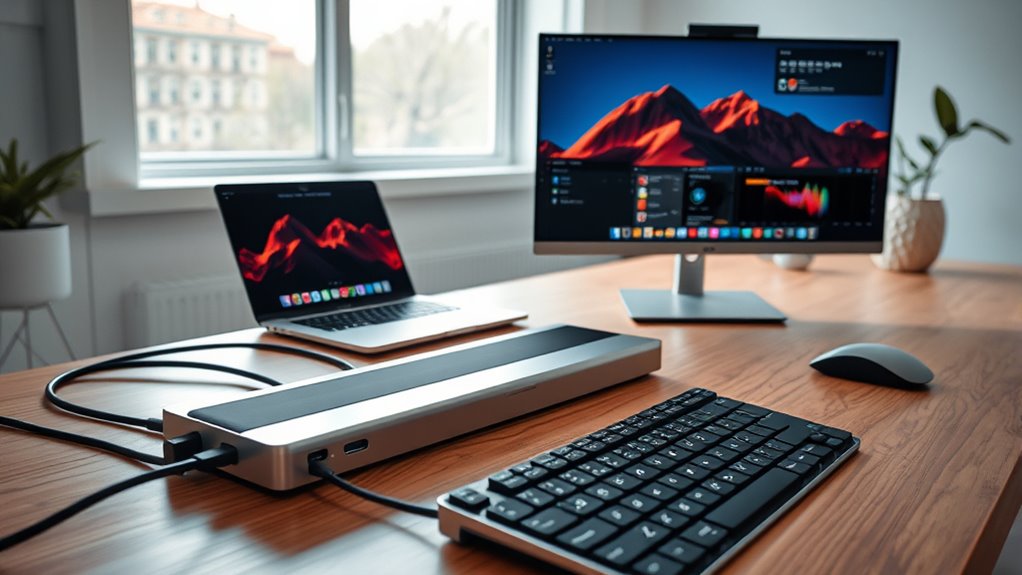

Thunderbolt 4 docks offer a powerful way to expand your laptop’s connectivity, supporting multiple 4K displays, fast data transfer, and high wattage charging in a single device. The best options like the Anker Prime Docking Station excel in versatility, providing a wide array of ports, while models like the StarTech Thunderbolt 4 Dock stand out for their high port count and driverless design. Choosing the right dock involves balancing features like port variety, performance, build quality, and price. Many buyers face tough tradeoffs between expandability and size, or premium features and affordability. Keep reading for a detailed breakdown of the top Thunderbolt 4 docks and how to pick the perfect one for your needs.
Key Takeaways
- The top-ranked docks combine extensive port options with reliable performance for multiple display setups.
- Price varies significantly, with premium models offering more ports and features but at a higher cost.
- Build quality and durability are key factors, especially for portable or frequently moved docks.
- Compatibility with various laptop brands and models can impact performance, making driverless operation a major advantage.
- Future-proofing through support for dual 4K or 8K displays and high wattage charging defines the best picks.
| Anker Prime Docking Station, 14-in-1 Laptop Docking Station with Dual 4K HDMI, 160W Power Output, 10Gbps Data Transfer, Ethernet and Audio Ports |  | Best Overall | Connectivity: 14-in-1 | Power Output: 160W | USB-C Ports: 3 ports at 100W max each | VIEW ON AMAZON | See Our Full Breakdown |
| Plugable 16-in-1 Thunderbolt 4 Dock for Dual 4K Monitors |  | Best Value | Number of USB ports: 7 | Ethernet: 2.5G | Display outputs: 2 HDMI, 2 DisplayPort | VIEW ON AMAZON | See Our Full Breakdown |
| Plugable Thunderbolt 4 Dock for M4/M5 MacBook Air & Pro, 13-in-1 Laptop Docking Station with 4K HDMI, Dual Monitor, 100W Charging, SD, Ethernet |  | Best for MacBook Users | Ports: 13 | Display Outputs: 2x 4K HDMI | Charging Power: 100W | VIEW ON AMAZON | See Our Full Breakdown |
| Satechi Thunderbolt 4 Dock Slim Hub Pro, USB-C 100W Charging, Dual 4K/8K Display, 4 Thunderbolt 4 Ports, USB 3.2 Gen2, for Mac/Windows |  | Best Premium | Number of Thunderbolt 4 ports: 4 | Display support: Dual 4K/60Hz or single 8K/30Hz | Power delivery: 100W | VIEW ON AMAZON | See Our Full Breakdown |
| UGREEN 8-in-1 Thunderbolt 4 Docking Station, Dual 4K@60Hz, 3xTBT4, 40Gbps, 85W Charging, Gigabit Ethernet, 3xUSB A 10Gbps, for Mac M1/M2/M3/M4 Pro/Max |  | Best for High-Speed Data and Versatile Connectivity | Number of Thunderbolt 4 ports: 3 | USB-A ports: 3 | Display support: Dual 4K@60Hz | VIEW ON AMAZON | See Our Full Breakdown |
| Plugable Thunderbolt 4 Dock, 100W Charging, Dual HDMI, 13 Ports, Ethernet, SD/microSD (TBT4-UD5) |  | Best Overall Thunderbolt 4 Dock for Versatility | Hardware Interface: Thunderbolt | Compatible Devices: Windows 11 Thunderbolt 4 hosts and Thunderbolt 4 Macs with macOS 11+ | Total Usb Ports: 13 | VIEW ON AMAZON | See Our Full Breakdown |
| OWC 11-Port Thunderbolt Dock for Mac/PC with 96W Power Delivery and 3 Thunderbolt 4 Ports |  | Best for High-Resolution Dual Display and Upgradability | Power Delivery: 96W | Display Support: Up to 8K @ 60Hz or 4K @ 120Hz | Ports: 3 Thunderbolt 4, 3 USB 3.2 Gen 2 Type-A, 1 USB 2.0, 1 GbE Ethernet, 1 SD UHS-II, 1 audio combo | VIEW ON AMAZON | See Our Full Breakdown |
| UGREEN 13-in-1 Thunderbolt 4 Docking Station with Dual 4K@60Hz Support |  | Best Quiet Operation and High-Resolution Support | Number of ports: 13 | Thunderbolt 4 ports: 3 | Display support: Dual 4K@60Hz or 8K | VIEW ON AMAZON | See Our Full Breakdown |
| Dell SD25TB4 Pro Thunderbolt 4 Smart Dock |  | Best for Modular and Upgradable High-End Setup | Ports: 2 x Thunderbolt 4, USB-C 3.2 Gen 2, USB-A 3.2 Gen 1, DisplayPort 1.4, HDMI 2.0, USB-C Multifunction DisplayPort, Gigabit Ethernet | Power Supply: 180W | Display support: 8K or multiple 4K displays | VIEW ON AMAZON | See Our Full Breakdown |
| StarTech Thunderbolt 4 Dock, Quad 4K Win, Dual 4K Mac, 16-Port 40Gbps, 100W, Driverless USB4 and Thunderbolt |  | Best for Enterprise-Grade Multi-Display Setups | Ports: 16 | Display Support: Quad 4K on Windows, Dual 4K on Mac | Power Delivery: 98W | VIEW ON AMAZON | See Our Full Breakdown |
| Belkin Connect Thunderbolt 4 Docking Station, 5-in-1 USB-C Multiport Hub with 96W Power Delivery |  | Best Compact Thunderbolt 4 Dock with Versatile Connectivity | Ports: 3x Thunderbolt 4 USB-C upstream, 1x Thunderbolt 4 USB-C downstream, 1x USB-C | Display Support: Dual 4K at 60Hz or 8K at 30Hz | Power Delivery: 96W | VIEW ON AMAZON | See Our Full Breakdown |
| Dell WD22TB4 Thunderbolt 4 Dock 180W – 40Gbps, 3-Year Warranty, 130W Power Delivery, USB-C Docking Station with Dual/Triple Monitor Support and 4K Displays |  | Best for Versatile Multi-Monitor Setups with Extensive Connectivity | Ports: 13 | Power Delivery: 130W | Display Support: Dual/Triple Monitors, 4K Displays | VIEW ON AMAZON | See Our Full Breakdown |
| Dell Pro Thunderbolt 4 Smart Dock SD25TB4 – USB-C Station 130W, 4 Displays 4K, 2X DP 1.4, HDMI 2.1, 2X Thunderbolt 4, 2.5GbE, Wi-Fi, Sustainable Design |  | Best Eco-Friendly Multi-Display Thunderbolt 4 Dock for Creatives | Power Output: 130W | Display Support: Up to 4x 4K at 60Hz | Video Ports: 2x DisplayPort 1.4, HDMI 2.1 | VIEW ON AMAZON | See Our Full Breakdown |
| thunderbolt 4 dock | Display Support | Power Delivery |
|---|---|---|
| Anker Prime Docking Station | Dual 4K HDMI, up to 2K@60Hz | — |
| Plugable 16-in-1 Thunderbolt 4 | — | 100W |
| Plugable Thunderbolt 4 Dock fo | — | — |
| Satechi Thunderbolt 4 Dock Sli | Dual 4K/60Hz or single 8K/30Hz | 100W |
| UGREEN 8-in-1 Thunderbolt 4 Do | Dual 4K@60Hz | 85W |
| Plugable Thunderbolt 4 Dock | — | — |
| OWC 11-Port Thunderbolt Dock f | Up to 8K @ 60Hz or 4K @ 120Hz | 96W |
| UGREEN 13-in-1 Thunderbolt 4 D | Dual 4K@60Hz or 8K | — |
| Dell SD25TB4 Pro Thunderbolt 4 | 8K or multiple 4K displays | — |
| StarTech Thunderbolt 4 Dock | Quad 4K on Windows, Dual 4K on Mac | 98W |
| Belkin Connect Thunderbolt 4 D | Dual 4K at 60Hz or 8K at 30Hz | 96W |
| Dell WD22TB4 Thunderbolt 4 Doc | Dual/Triple Monitors, 4K Displays | 130W |
| Dell Pro Thunderbolt 4 Smart D | Up to 4x 4K at 60Hz | — |
More Details on Our Top Picks
Anker Prime Docking Station, 14-in-1 Laptop Docking Station with Dual 4K HDMI, 160W Power Output, 10Gbps Data Transfer, Ethernet and Audio Ports
This Anker Prime Docking Station earns its place as the best overall option through its extensive 14-in-1 connectivity, supporting dual 4K displays and delivering a substantial 160W power output. Its ability to handle multiple devices simultaneously makes it ideal for users who need a one-stop hub, especially compared to the Plugable 16-in-1, which offers similar ports but supports only up to 2K displays. A key advantage is its high wattage charging—perfect for power-hungry laptops—although it falls short for those seeking 5120×1440 monitor support or full macOS compatibility for display mirroring. The tradeoff is complexity and size, making it less portable than more streamlined options. Overall, this dock suits professionals managing multiple peripherals and high-power devices.
Pros:- Supports dual 4K displays for crisp visuals
- Powerful 160W charging supports demanding laptops
- Multiple ports for versatile device connectivity
- Wide compatibility with Windows, ChromeOS, USB-C, USB4, Thunderbolt
Cons:- Lacks support for 5120×1440 monitor resolution
- Limited macOS display mirroring support
- Size and complexity may hinder portability
Best for: Power users and professionals needing multiple high-resolution displays and extensive device management.
Not ideal for: Casual users or those with limited desk space who prefer a smaller, simpler dock.
- Connectivity:14-in-1
- Power Output:160W
- USB-C Ports:3 ports at 100W max each
- USB-A Ports:1 port at 12W max
- Display Support:Dual 4K HDMI, up to 2K@60Hz
- Data Transfer Speed:up to 10Gbps
Our verdict“This dock is ideal for professionals who need maximum connectivity and high power output in a single, feature-rich package.”
Plugable 16-in-1 Thunderbolt 4 Dock for Dual 4K Monitors
Compared with the Anker Prime, the Plugable 16-in-1 offers a compelling value by supporting dual 4K displays at 60Hz and providing 100W charging, perfect for users seeking a balance of features and affordability. Its plug-and-play setup and broad compatibility with Mac and Windows systems make it a practical choice for office environments. However, unlike the Satechi Slim Hub Pro, it requires Thunderbolt 4 or USB4 ports for optimal performance, which may limit users with older hardware. The limited resolution support—no higher than 4K—might be a drawback for those needing 8K or ultra-wide monitors. The cable length may also restrict flexible placement. Overall, this dock is best suited to users who want reliable dual 4K support without breaking the bank.
Pros:- Supports dual 4K monitors at 60Hz without drivers
- Provides 100W power delivery for all-day use
- Universal compatibility with Mac and Windows
- Easy plug-and-play installation
Cons:- Requires Thunderbolt 4 or USB4 for best performance
- Limited to dual 4K resolution, no 8K support
- Cable length may be restrictive for some setups
Best for: Professionals and home office users who need dual 4K monitors with straightforward setup and reliable performance.
Not ideal for: Users with higher resolution needs like 8K or those with older laptops lacking Thunderbolt 4/USB4 ports.
- Number of USB ports:7
- Ethernet:2.5G
- Display outputs:2 HDMI, 2 DisplayPort
- Power Delivery:100W
- Supported resolutions:Dual 4K 60Hz
Our verdict“This dock delivers excellent value for users needing dual 4K displays and reliable charging in a straightforward package.”
Plugable Thunderbolt 4 Dock for M4/M5 MacBook Air & Pro, 13-in-1 Laptop Docking Station with 4K HDMI, Dual Monitor, 100W Charging, SD, Ethernet
This Plugable Thunderbolt 4 Dock excels at providing seamless, driverless connectivity tailored for MacBook Air and Pro users, with 13 ports including dual 4K HDMI outputs and 100W charging. Its plug-and-play nature ensures quick setup, and its compatibility across Mac and Windows systems makes it versatile. Unlike the Satechi Slim Hub Pro, which supports 8K, this dock is limited to dual 4K, but it offers a more compact, aluminum design that integrates well with MacBook aesthetics. However, the limited support for only one external display on base M1/M2 MacBooks could be a downside for some users needing extended desktop space. Its lack of extra firmware updates might also concern those seeking future-proofing. Overall, it’s a top choice for Mac users prioritizing compatibility and simplicity.
Pros:- Supports dual 4K monitors without drivers
- Provides 100W charging for MacBooks
- Full compatibility across Mac and Windows
- Compact, stylish aluminum design
Cons:- Base M1/M2 MacBooks support only one external display
- Limited to dual 4K resolution, no 8K support
- No mention of firmware or software updates
Best for: MacBook owners who need a sleek, reliable dock with dual 4K display support and easy setup.
Not ideal for: Users with older MacBooks or Windows laptops requiring higher display resolutions or more complex setups.
- Ports:13
- Display Outputs:2x 4K HDMI
- Charging Power:100W
- Compatibility:MacBook Air/Pro, Windows
- Material:Aluminum
Our verdict“This dock is perfect for MacBook users needing a straightforward, high-quality dual display solution with reliable charging.”
Satechi Thunderbolt 4 Dock Slim Hub Pro, USB-C 100W Charging, Dual 4K/8K Display, 4 Thunderbolt 4 Ports, USB 3.2 Gen2, for Mac/Windows
The Satechi Thunderbolt 4 Dock Slim Hub Pro stands out for supporting both dual 4K and single 8K displays, making it ideal for creative professionals and power users who need ultra-high-resolution visuals. Its four Thunderbolt 4 ports and 40Gbps data transfer speed set it apart from more basic docks like the UGREEN 8-in-1, which max out at 4K. The durable aluminum build and passive cooling design ensure stable operation during intensive tasks. However, its premium price might deter casual users, and full functionality depends on compatible Thunderbolt 4 or USB4 systems. Additionally, some users might find the need for specific system compatibility limits broader adoption. Overall, this dock suits those who demand top-tier display capabilities and high-speed data transfer in a sleek package.
Pros:- Supports dual 4K and 8K display output
- Four Thunderbolt 4 ports for maximum flexibility
- Fast 40Gbps data transfer speeds
- Premium aluminum design with passive cooling
Cons:- High price point may be prohibitive
- Requires compatible Thunderbolt 4 or USB4 systems
- Full feature set may be limited on older systems
Best for: Creative professionals and power users demanding 8K output and maximum data throughput.
Not ideal for: Budget-conscious users or those with older or less capable laptops lacking Thunderbolt 4/USB4 compatibility.
- Number of Thunderbolt 4 ports:4
- Display support:Dual 4K/60Hz or single 8K/30Hz
- Power delivery:100W
- Data transfer speed:40Gbps
- SD card reader:UHS-II up to 312MB/s
Our verdict“This dock is best suited for users who need the highest display resolutions and fastest data transfer with a premium build quality.”
UGREEN 8-in-1 Thunderbolt 4 Docking Station, Dual 4K@60Hz, 3xTBT4, 40Gbps, 85W Charging, Gigabit Ethernet, 3xUSB A 10Gbps, for Mac M1/M2/M3/M4 Pro/Max
The UGREEN 8-in-1 Thunderbolt 4 Dock delivers a balanced mix of high-speed data transfer, multiple ports, and dual 4K display support, making it a solid choice for demanding workflows. Its three Thunderbolt 4 ports combined with three USB-A ports provide extensive peripheral options, and the 85W charging supports most high-performance laptops. Compared with the Plugable 16-in-1, this dock offers a slightly more focused port selection tailored for speed and connectivity. However, its full display support is limited to certain MacBook models, and it requires the full 140W charging system to enable all charging features—potentially limiting some setups. Its price is justified by its performance, but users should verify compatibility with their specific device configuration. Overall, a versatile choice for high-speed data transfer and multiple device connections.
Pros:- Supports dual 4K displays at 60Hz
- High data transfer speed of 40Gbps
- Multiple Thunderbolt 4 and USB-A ports
- 85W charging supports most laptops
Cons:- Display support limited to certain MacBook models
- Requires connection to the 140W charger for full charging capability
- Compatibility may vary with non-standard USB-C devices
Best for: Power users needing high-speed data transfer, multiple Thunderbolt and USB-A ports, and dual 4K display support on Mac or Windows.
Not ideal for: Users with older laptops lacking Thunderbolt 4 or those requiring 8K display support.
- Number of Thunderbolt 4 ports:3
- USB-A ports:3
- Display support:Dual 4K@60Hz
- Power delivery:85W
- Maximum data transfer speed:40Gbps
Our verdict“This dock is well-suited for users who prioritize high-speed data and flexible port options in a compact form factor.”
Plugable Thunderbolt 4 Dock, 100W Charging, Dual HDMI, 13 Ports, Ethernet, SD/microSD (TBT4-UD5)
This model stands out for its impressive 40Gbps Thunderbolt 4 performance combined with a broad array of ports, making it a strong contender for users who need both high speed and extensive connectivity. Compared to the UGREEN 13-in-1, it offers more ports but slightly larger dimensions, which could matter for space-constrained setups. Its support for dual 4K displays at 60Hz is robust, although some Mac users might face limitations with dual monitor support depending on system specifics. The inclusion of Ethernet, SD/microSD slots, and a 100W power delivery makes it suitable for professional workflows that demand multiple peripherals. The main tradeoff is that it lacks detailed information about included power adapters and may require specific system configurations for dual monitor setups on Macs.
Pros:- High-speed 40Gbps Thunderbolt 4 performance
- Supports dual 4K 60Hz or single 8K display
- 13 versatile ports including Ethernet and SD card readers
- 100W power delivery for charging laptops
Cons:- Limited dual display support on some Mac models
- No detailed info about included power adapter
Best for: Power users needing a high-performance, all-in-one dock for home or office with multiple peripherals and dual 4K displays.
Not ideal for: Users with very limited space or those who prefer a more compact setup, as this dock is relatively sizable and may not fit in tight spaces.
- Hardware Interface:Thunderbolt
- Compatible Devices:Windows 11 Thunderbolt 4 hosts and Thunderbolt 4 Macs with macOS 11+
- Total Usb Ports:13
- Number of HDMI Ports:2
- Wattage:96W
- Item Dimensions:8.9″L x 3.3″W x 0.9″H
Our verdict“This dock is perfect for professionals who need extensive connectivity and high-speed performance in a versatile package.”
OWC 11-Port Thunderbolt Dock for Mac/PC with 96W Power Delivery and 3 Thunderbolt 4 Ports
The OWC 11-Port Thunderbolt Dock distinguishes itself with its support for up to 8K displays and a modular design that allows for easy upgrades, making it ideal for users who want future-proofing and high-res output. While the Plugable offers more ports overall, the OWC’s focus on display support and upgradeability makes it better suited for creative professionals or those with demanding visual workflows. Its 96W power delivery supports most laptops well, but under heavy peripheral loads, charging speeds could slow. Its compatibility across Mac, Windows, and Chromebook broadens its appeal, though the modular nature may add complexity for less technical users.
Pros:- Supports 8K display output at 60Hz
- Modular design allows easy upgrades and repairs
- Includes three Thunderbolt 4 ports and multiple USB-A options
- 96W power delivery supports fast charging
Cons:- May be more complex to set up and upgrade for novices
- Power delivery can be limited under heavy peripheral loads
Best for: Creative professionals or power users who need high-resolution dual display support and prefer a modular, upgradeable dock.
Not ideal for: Casual users or those with limited technical familiarity who prefer a simple, all-in-one solution without configuration considerations.
- Power Delivery:96W
- Display Support:Up to 8K @ 60Hz or 4K @ 120Hz
- Ports:3 Thunderbolt 4, 3 USB 3.2 Gen 2 Type-A, 1 USB 2.0, 1 GbE Ethernet, 1 SD UHS-II, 1 audio combo
- Dimensions:2.87 x 7.8 x 1.02 inches
Our verdict“Perfect for tech-savvy users seeking a high-resolution, upgradeable dock that can handle demanding visual tasks.”
UGREEN 13-in-1 Thunderbolt 4 Docking Station with Dual 4K@60Hz Support
The UGREEN 13-in-1 dock excels with its silent, fanless design, making it a strong choice for professional environments where noise matters. Its support for dual 4K@60Hz displays or a single 8K monitor provides flexibility for high-res workflows, similar to the Plugable but with a more sleek, aluminum build. The 180W power supply and 96W charging capacity mean devices stay powered during intensive use, but the DisplayPort port’s lack of DP++ means adapters are needed for HDMI connections, adding setup complexity. While the setup process might challenge less technical users, its passive cooling and quiet operation make it appealing for office settings or noise-sensitive spaces.
Pros:- Supports dual 4K displays or 8K resolution
- Fanless, passive cooling for silent operation
- Powerful 180W adapter with 96W charging
- Sleek aluminum construction
Cons:- Requires adapters for HDMI connections due to DP port limitations
- Setup may be complex for non-technical users
Best for: Professionals seeking a silent, high-resolution dock for multitasking in quiet work environments.
Not ideal for: Users who prefer docks with built-in HDMI ports or need straightforward, plug-and-play setup without adapters.
- Number of ports:13
- Thunderbolt 4 ports:3
- Display support:Dual 4K@60Hz or 8K
- Power supply:180W
Our verdict“Ideal for noise-sensitive environments where high-resolution output and silent operation are priorities.”
Dell SD25TB4 Pro Thunderbolt 4 Smart Dock
The Dell SD25TB4 Pro stands out for its modular design, allowing users to swap modules and upgrade their setup over time, which is rare among Thunderbolt docks. Its support for 8K displays and fast data transfer up to 40 Gb/s make it suitable for high-end workstations, especially where future expansion is desired. The array of ports, including multiple DisplayPort and HDMI options, provides excellent versatility, while its fast charging technology adds convenience. The main consideration is that the dock’s complexity might be overwhelming for users unfamiliar with modular systems, and pricing details are not specified, which could influence value assessment.
Pros:- Supports 8K display and high-speed data transfer
- Modular design allows easy upgrades and customization
- Multiple ports including DisplayPort, HDMI, and Ethernet
- Fast charging with SuperBoost technology
Cons:- Potentially complex for users unfamiliar with modular docks
- Price and availability not specified
Best for: Tech enthusiasts or professionals planning to upgrade their workspace over time with a modular, high-performance dock.
Not ideal for: Users who need a simple, all-in-one solution with minimal setup or those on a strict budget.
- Ports:2 x Thunderbolt 4, USB-C 3.2 Gen 2, USB-A 3.2 Gen 1, DisplayPort 1.4, HDMI 2.0, USB-C Multifunction DisplayPort, Gigabit Ethernet
- Power Supply:180W
- Display support:8K or multiple 4K displays
- Compatibility:macOS, Windows 10/11, Ubuntu
Our verdict“Best suited for users who want a high-end, upgradeable dock capable of supporting future display and data transfer needs.”
StarTech Thunderbolt 4 Dock, Quad 4K Win, Dual 4K Mac, 16-Port 40Gbps, 100W, Driverless USB4 and Thunderbolt
The StarTech Thunderbolt 4 Dock offers a comprehensive, driverless solution for enterprise environments, supporting up to four 4K displays on Windows and dual 4K on Mac, with a massive 16 ports for peripherals. Its driverless USB4 and Thunderbolt compatibility streamline deployment across various systems, making it a flexible choice for large-scale setups. Compared to the Plugable, it emphasizes multi-display capacity and extensive port options, though its setup complexity and system-specific configurations may pose challenges for less experienced users. Its 98W power delivery is sufficient for most laptops, but detailed port types beyond display support are not specified.
Pros:- Supports up to four 4K displays on Windows
- Driverless, universal compatibility
- 16 ports for peripherals and accessories
- Supports 98W power delivery
Cons:- Setup and configuration may be complex
- Limited details on port types and expansion options
Best for: Enterprises and IT departments deploying multiple high-resolution displays across diverse systems.
Not ideal for: Casual or home users who do not require extensive port arrays or multi-display configurations.
- Ports:16
- Display Support:Quad 4K on Windows, Dual 4K on Mac
- Power Delivery:98W
- Compatibility:USB4, Thunderbolt 4, Windows, macOS
Our verdict“Designed for large-scale, multi-display environments where flexibility and high throughput are essential.”
Belkin Connect Thunderbolt 4 Docking Station, 5-in-1 USB-C Multiport Hub with 96W Power Delivery
The Belkin Connect Thunderbolt 4 Docking Station stands out for its compact size combined with powerful features like dual 4K display support and a robust 96W charging capacity. Compared to larger options like the Dell WD22TB4, it offers a more streamlined setup that’s ideal for users with limited desk space. However, its fewer ports mean it’s less suited for those needing extensive peripherals or multiple displays beyond two. Its high-speed data transfer up to 40Gbps ensures quick file movement, and the multiple Thunderbolt ports facilitate daisy-chaining devices. The main tradeoff is that this dock requires Thunderbolt 4 compatibility, which might limit use with older laptops. Overall, this model makes the most sense for users seeking a portable, high-performance hub that doesn’t sacrifice display quality or charging power.
Pros:- Supports dual 4K displays or an 8K monitor for high-resolution productivity
- Fast data transfer speeds up to 40Gbps
- Powerful 96W charging for connected devices
- Multiple Thunderbolt 4 ports enable daisy-chaining and versatile connectivity
Cons:- Higher price point can deter casual or budget-conscious users
- Requires Thunderbolt 4 compatibility for full functionality, limiting older device support
Best for: MacBook or Windows laptop users who need a compact, reliable dock for dual monitors and fast data transfer.
Not ideal for: Users with extensive peripherals or multi-monitor setups beyond two displays, who might find the port selection limiting.
- Ports:3x Thunderbolt 4 USB-C upstream, 1x Thunderbolt 4 USB-C downstream, 1x USB-C
- Display Support:Dual 4K at 60Hz or 8K at 30Hz
- Power Delivery:96W
- Compatibility:Mac, Windows, laptops, displays
- Daisy-Chaining:Supports up to 6 devices
Our verdict“An excellent choice for users needing a compact Thunderbolt 4 dock with high-resolution display support and fast charging, provided their device is compatible.”
Dell WD22TB4 Thunderbolt 4 Dock 180W – 40Gbps, 3-Year Warranty, 130W Power Delivery, USB-C Docking Station with Dual/Triple Monitor Support and 4K Displays
The Dell WD22TB4 Thunderbolt 4 Dock offers a compelling mix of numerous ports, including HDMI, DisplayPort, Ethernet, and multiple USB connections, making it ideal for complex workstation needs. Its support for dual or triple 4K monitors surpasses many competitors like the Belkin, which is limited to two displays. The 130W power delivery ensures most laptops stay charged during intensive multitasking. The main tradeoff is that for some Macs, particularly M1 and M2 models, only one external display is supported, which could disappoint users expecting multi-monitor setups. The dock’s extensive port array can be overwhelming for casual users who prefer simplicity. Overall, this dock makes the most sense for professionals who require multiple peripherals and monitors in a single, reliable hub, despite the setup complexity.
Pros:- Supports dual or triple 4K monitors for extensive multitasking
- High 130W power delivery for laptops and peripherals
- Multiple connectivity options including HDMI, DisplayPort, Ethernet, and USB
- Reliable performance with a 3-year warranty
Cons:- Potential need for DisplayLink on some Macs limits plug-and-play simplicity
- Complex setup can be daunting for non-technical users
- Limited support for multiple displays on newer Mac models due to system constraints
Best for: Professionals with multi-monitor and peripheral-heavy workflows on Windows or macOS who need extensive connectivity.
Not ideal for: Casual users or those with simpler setups, as the multitude of ports and complexity may be unnecessary and intimidating.
- Ports:13
- Power Delivery:130W
- Display Support:Dual/Triple Monitors, 4K Displays
- Wattage:180W adapter
- Compatibility:Windows 10/11, macOS, Ubuntu, Chrome OS
- Connectivity:Thunderbolt 4, USB-C, HDMI 2.0, DisplayPort 1.4, Ethernet
Our verdict“Ideal for professionals needing a multi-port, multi-monitor Thunderbolt 4 dock with substantial power delivery, despite its setup complexity.”
Dell Pro Thunderbolt 4 Smart Dock SD25TB4 – USB-C Station 130W, 4 Displays 4K, 2X DP 1.4, HDMI 2.1, 2X Thunderbolt 4, 2.5GbE, Wi-Fi, Sustainable Design
The Dell Pro Thunderbolt 4 Smart Dock excels in supporting up to four 4K displays and offering 130W charging, making it well-suited for creative professionals and power users. Its ability to drive four 4K screens at 60Hz exceeds most docks like the Belkin and Dell WD22TB4, which typically support fewer displays or lower resolutions. The inclusion of HDMI 2.1 and DisplayPort 1.4 ensures broad compatibility with modern monitors. Its sustainable design, using recycled plastics, appeals to environmentally conscious buyers. The main tradeoff is the dock’s complex setup, which might be challenging for less technical users, and the premium price reflects its advanced features and eco-design. For those needing extensive multitasking, this dock delivers, though it may be overkill for simpler needs.
Pros:- Supports up to four 4K monitors at 60Hz for maximum multitasking
- Fast 130W charging for laptops and peripherals
- Versatile video ports including HDMI 2.1 and DisplayPort 1.4
- Eco-friendly design with recycled plastics and sustainable packaging
Cons:- Setup complexity may deter less experienced users
- Requires compatible devices for full multi-monitor support
- Price premium may be a barrier for some buyers
Best for: Creative professionals or power users who need multiple 4K displays and robust connectivity in a sustainable package.
Not ideal for: Casual or budget-conscious users who do not require four displays or advanced security features, as the higher price might not be justified.
- Power Output:130W
- Display Support:Up to 4x 4K at 60Hz
- Video Ports:2x DisplayPort 1.4, HDMI 2.1
- Data Ports:2x Thunderbolt 4, 6 USB ports
- Networking:2.5GbE, Wi-Fi
- Design:65% recycled plastic, sustainable materials
Our verdict“A top-tier, eco-conscious choice for demanding users who require four 4K displays, despite its setup and price considerations.”
How We Picked
Our evaluation focused on a combination of port variety, performance reliability, build quality, and value for money. We prioritized docks that support dual 4K or higher resolutions, high data transfer rates, and ample power delivery, ensuring they cater to professional workflows. Ease of use, compatibility with multiple operating systems, and design durability also played significant roles. Docks with driverless operation and advanced charging capabilities ranked higher, as these features simplify setup and enhance usability. Our ranking reflects the overall balance of these factors, aiming to guide different types of users from casual to professional, based on their specific needs and budgets.Factors to Consider When Choosing Thunderbolt 4 Docks
When selecting a Thunderbolt 4 dock, it’s essential to consider several key factors that affect compatibility, performance, and future-proofing. Understanding these considerations can help you avoid common pitfalls like underpowered docks or insufficient port options, ensuring your investment meets your current and future needs.Number and Type of Ports
Think about how many devices you’ll connect and what types of ports they require. While most docks support USB-C and Thunderbolt 4 ports, consider whether you need multiple HDMI or DisplayPort outputs, Ethernet, SD card readers, or audio jacks. Overloading a dock with ports it can’t handle efficiently can lead to performance issues, so balance your needs with the dock’s capabilities.
Display Support and Resolution
Check whether the dock supports dual 4K or 8K displays if you work with high-resolution content. Some docks handle 4K at 60Hz smoothly, while others may struggle with multiple displays or higher refresh rates. Consider your visual workflow and ensure the dock’s specifications match your monitor requirements to avoid lag or connectivity issues.
Power Delivery and Charging
High wattage charging (often 85W or more) is vital if you want your laptop to charge efficiently while connected. Docks with inadequate power output can cause slow charging or device shutdowns, especially with power-hungry laptops. Evaluate your device’s power needs and choose a dock that can deliver sufficient wattage without compromising performance.
Build Quality and Portability
If you plan to move your dock frequently, prioritize models with sturdy construction and a compact design. Lightweight docks or those with robust materials reduce the risk of damage and make setup easier. Conversely, stationary setups can benefit from larger, more durable docks with extensive port arrays.
Compatibility and Ease of Use
Ensure the dock supports your operating system and laptop model, especially if you use a Mac or a Windows device. Driverless operation simplifies setup, reducing troubleshooting time. Reading user reviews about real-world compatibility can save you from frustration caused by driver issues or limited support for certain hardware configurations.
Frequently Asked Questions
Can I connect multiple 4K monitors with a Thunderbolt 4 dock?
Yes, most Thunderbolt 4 docks support dual 4K monitors, with some even handling 8K resolutions. However, the total bandwidth and the dock’s specific specifications determine how well multiple high-resolution displays work simultaneously. Always verify the maximum supported resolution and refresh rate for the number of monitors you intend to connect to ensure smooth performance.
Will a Thunderbolt 4 dock charge my laptop at full speed?
Not necessarily. Many docks provide high wattage power delivery, often 85W or more, but some lower-cost models may only deliver around 60W or less. Check your laptop’s charging requirements and compare with the dock’s wattage output. Using a dock with insufficient power can result in slow charging or the laptop not charging at all during heavy use.
Are all Thunderbolt 4 docks compatible with Windows and Mac?
Most Thunderbolt 4 docks are designed to work with both Windows and Mac systems, often with minimal setup. However, some models may favor one platform due to driver support or firmware optimizations. Reading product specifications and user reviews can help confirm compatibility, especially for specialized workflows or hardware configurations.
Is it better to buy a dock with more ports or fewer, higher-quality ports?
Balancing port quantity with quality is key. While more ports increase flexibility, they can sometimes lead to reduced bandwidth per port, affecting performance. Fewer, well-implemented ports often offer better reliability, especially for high-bandwidth devices like external drives and high-resolution monitors. Choose based on your specific connectivity needs and workflow priorities.
Should I prioritize a premium dock or a more affordable option?
If you rely heavily on multiple peripherals, high-resolution displays, or require robust power delivery, investing in a premium dock makes sense. These models tend to offer better build quality, higher port counts, and more reliable performance. For casual use or light productivity, more affordable options can suffice, but be mindful of potential limitations like fewer ports or lower power output.