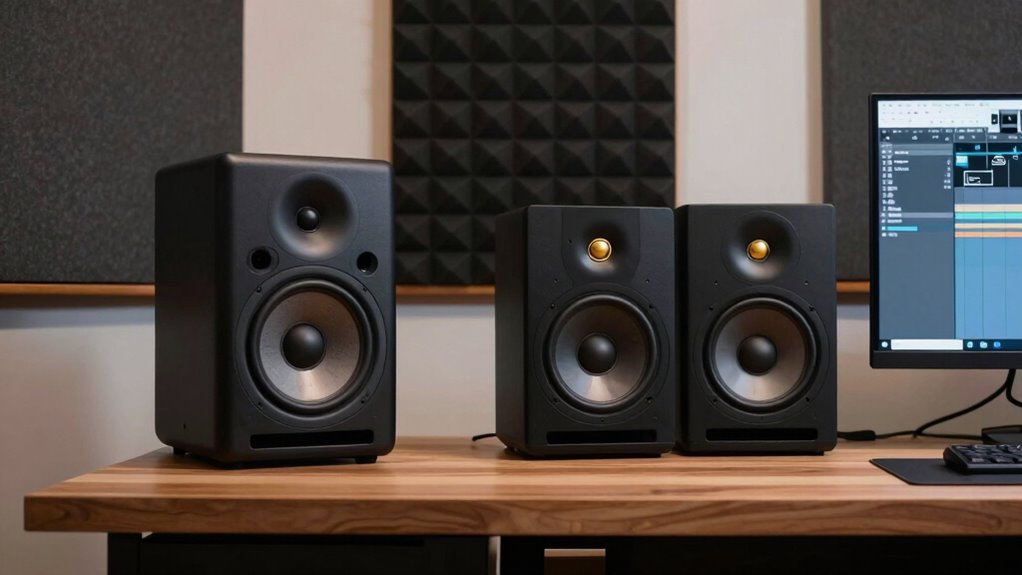

Finding the right studio monitors for a home studio can be a challenge, as balancing quality, size, and budget isn’t straightforward. The PreSonus Eris E4.5 stands out as the best overall for its clear sound and versatile features, while the Yamaha HS5 offers a premium, accurate response for critical mixing. Smaller options like the Mackie CR3.5 are ideal for tight spaces or beginners, but they may compromise on low-end depth. Larger models, such as the JBL 305P MkII, are better suited for more professional setups with bigger rooms. Keep in mind the tradeoffs: smaller monitors save space but might lack bass, and higher-end models cost more but deliver more precise sound. Continue reading for a detailed breakdown of each option and how to choose the best fit for your home studio.

Get business pricing on tech for your team
- Business-only prices and quantity discounts
- Tax-exempt purchasing
- Multiple users, one account, clear invoices
Key Takeaways
- Size and driver choice significantly impact low-frequency response, with larger monitors generally offering better bass reproduction.
- Price correlates with sound accuracy and build quality, but some budget options deliver surprisingly good clarity for small spaces.
- Room size and acoustics are critical — monitors that sound great in a demo can sound different in your actual environment.
- Connectivity options vary, so consider whether you need balanced inputs or additional features like USB or Bluetooth.
- For beginners, smaller and more forgiving monitors reduce the risk of mixing errors, while professionals should prioritize accuracy.
| Mackie CR3.5 Studio Monitors (Pair), 3.5″ Woofers, Tone Control, Black |  | Best for Versatile Desktop Use | Woofer Size: 3.5 inches | Color: Black | Inputs: TRS, RCA, 3.5 mm | VIEW ON AMAZON | See Our Full Breakdown |
| PreSonus Eris 3.5 Powered Studio Monitors, Pair |  | Best for Accurate Sound with Custom Tuning | Power: 50 watts | Woofer Size: 3.5 inches | Tweeter Size: 1 inch | VIEW ON AMAZON | See Our Full Breakdown |
| PreSonus Eris E4.5 2-Way 4.5-Inch Near Field Studio Monitor (Pair) |  | Best for Balanced Nearfield Monitoring | Woofer Size: 4.5 inches | Amplification: 50 W | Inputs: ¼-inch TRS, RCA, ⅛-inch TRS aux | VIEW ON AMAZON | See Our Full Breakdown |
| Yamaha HS3 Powered Studio Monitor (Pair) |  | Best for Critical Listening and Mixing | Type: 2-way bass-reflex powered speaker | Woofer: 3.5-inch cone | Tweeter: 0.75-inch dome | VIEW ON AMAZON | See Our Full Breakdown |
| Yamaha HS4 Powered Studio Monitor (Pair) |  | Best for Slightly Larger Rooms with More Bass | Type: 2-way bass-reflex powered speaker | Woofer: 4.5 inches | Tweeter: 1 inch | VIEW ON AMAZON | See Our Full Breakdown |
| JBL 305P MkII 5″ 2-Way Active Powered Studio Reference Monitors (Pair) |  | Best Overall for Versatile Home Studio Monitoring | Number of Speakers: 2 | Driver Size: 5 inches | Power: 2 x 41 Watts | VIEW ON AMAZON | See Our Full Breakdown |
| M-AUDIO BX3 3.5-inch Wired Studio Monitors Pair |  | Best Value for Compact, Professional Sound | Driver Size: 3.5 inches | Woofer Material: Kevlar | Tweeter Type: Silk dome | VIEW ON AMAZON | See Our Full Breakdown |
| Pioneer DJ DM-40D 4-inch Active Desktop Monitor Speakers, Pair, Black |  | Best for Compact DJ and Home Production Setups | Size: 4-inch | Type: Active desktop monitor | Color: Black | VIEW ON AMAZON | See Our Full Breakdown |
| PreSonus Eris E7 XT 2-Way Active Studio Monitor |  | Best for Accurate Professional Mixing | Low-frequency driver: 6.55-inch woven composite | High-frequency driver: 1.25-inch silk-dome | Waveguide: EBM, 100°(H) x 60°(V) | VIEW ON AMAZON | See Our Full Breakdown |
| Yamaha HS5 Powered Studio Monitor (Pair) |  | Best for Accurate Near-Field Monitoring in Small Spaces | Number of Monitors: 2 | Woofer Size: 5 inches | Tweeter Size: 1 inch | VIEW ON AMAZON | See Our Full Breakdown |
| PreSonus Eris 3.5 Powered Studio Monitors, Pair |  | Best Compact Studio Monitors for Small Spaces | Power: 50 watts | Woofer size: 3.5 inches | Frequency response: 80 Hz–20 kHz | VIEW ON AMAZON | See Our Full Breakdown |
| studio monitors for home studio | Inputs |
|---|---|
| Mackie CR3.5 Studio Monitors | TRS, RCA, 3.5 mm |
| PreSonus Eris 3.5 Powered Stud | TRS, RCA, aux |
| PreSonus Eris E4.5 2-Way 4.5-I | ¼-inch TRS, RCA, ⅛-inch TRS aux |
| Yamaha HS3 Powered Studio Moni | XLR/TRS combo, RCA, Stereo Mini |
| Yamaha HS4 Powered Studio Moni | XLR/TRS, RCA, Stereo Mini |
| JBL 305P MkII 5" 2-Way Active | XLR, TRS |
| M-AUDIO BX3 3.5-inch Wired Stu | 1/4-inch, 1/8-inch, RCA |
| Pioneer DJ DM-40D 4-inch Activ | — |
| PreSonus Eris E7 XT 2-Way Acti | — |
| Yamaha HS5 Powered Studio Moni | XLR and TRS |
| PreSonus Eris 3.5 Powered Stud | TRS, RCA, aux |
More Details on Our Top Picks
Mackie CR3.5 Studio Monitors (Pair), 3.5″ Woofers, Tone Control, Black
The Mackie CR3.5 stands out for its affordability and adaptable design, making it a solid choice for those who want decent sound without a hefty investment. Compared with the Yamaha HS3, it offers more input options and a mode switch, which is ideal for varied setups like gaming or casual music production. However, lacking a subwoofer or wireless features, it might fall short for those needing deep bass or wireless convenience. Its adjustable tone control and multiple inputs mean you can fine-tune the sound to your environment, but the 3.5-inch woofers limit bass depth, so it’s less suited for bass-heavy genres or large rooms. Overall, this model makes the most sense for users seeking flexible, desktop-friendly monitors that can handle multiple device types without breaking the bank.
Pros:- Multiple input options for flexible connectivity
- Adjustable tone control for customized sound
- Mode switch for desktop or bookshelf placement
- Clear sound with balanced highs and lows
Cons:- Subwoofer not included, limiting bass performance
- No wireless or Bluetooth connectivity
- Limited to 3.5-inch woofers, may lack deep bass
Best for: Beginners and casual producers who need versatile, space-efficient monitors for multiple setups
Not ideal for: Audio engineers or serious musicians requiring deep bass and wireless features
- Woofer Size:3.5 inches
- Color:Black
- Inputs:TRS, RCA, 3.5 mm
- Features:Tone knob, mode switch, headphone output
Our verdict“A flexible, budget-friendly choice for users who want decent sound with simple controls for multiple device connections.”
PreSonus Eris 3.5 Powered Studio Monitors, Pair
The PreSonus Eris 3.5 delivers impressive accuracy, making it suitable for those who want studio-quality sound in a compact form. Compared with the Yamaha HS3, it provides more powerful amplification (50W) and built-in tuning controls, allowing for fine adjustments to suit your room. Its 3.5-inch woofer, while small, manages to produce clear mids and highs, but it may not satisfy users needing deep bass in larger rooms. The wide sweet spot ensures consistent stereo imaging, ideal for mixing or multimedia use. However, without a subwoofer, it struggles with low-end performance, and its power might be insufficient for very large spaces. This monitor makes the most sense for producers or audio enthusiasts who prioritize accuracy and custom tuning over raw bass output.
Pros:- Accurate, studio-quality sound
- Built-in tuning controls for customized sound
- Wide stereo sweet spot for consistent imaging
- Multiple input options for versatile connectivity
Cons:- Limited low-end without a subwoofer
- Power output may be insufficient for large rooms
- Requires room tuning for optimal sound
Best for: Music producers or multimedia creators who need precise, adjustable sound in a small room
Not ideal for: Users requiring deep bass for large spaces or casual listeners seeking low-cost options
- Power:50 watts
- Woofer Size:3.5 inches
- Tweeter Size:1 inch
- Frequency Range:80 Hz–20 kHz
- Inputs:TRS, RCA, aux
- Includes:Stereo pair
Our verdict“A high-accuracy monitor ideal for small studios and detailed listening, with some bass limitations without additional subwoofers.”
PreSonus Eris E4.5 2-Way 4.5-Inch Near Field Studio Monitor (Pair)
The PreSonus Eris E4.5 offers a larger 4.5-inch woofer, providing better bass response than smaller models like the Yamaha HS3, making it suitable for more demanding multimedia or music production. Its multiple input options and 50W power make it flexible for different setups, and the wide sweet spot enhances stereo imaging for accurate mixing. Compared to the Mackie CR3.5, it provides a more balanced sound with less emphasis on the high end, though it still benefits from room tuning to reach its full potential. The main tradeoff is that it may require some room treatment for optimal sound, and additional equipment might be needed for deep bass, such as a subwoofer. It’s best for those who want professional-quality sound in a nearfield environment.
Pros:- Accurate, balanced sound for critical listening
- Multiple input options for versatile setups
- Wide sweet spot for consistent stereo imaging
- Customizable high and low controls
Cons:- May need room tuning for best sound
- Limited low-end without a subwoofer
- Power may be insufficient for very large rooms
Best for: Intermediate producers and multimedia editors seeking balanced, accurate sound with room tuning flexibility
Not ideal for: Casual listeners or users with very large rooms needing high volume or deep bass
- Woofer Size:4.5 inches
- Amplification:50 W
- Inputs:¼-inch TRS, RCA, ⅛-inch TRS aux
- Tweeter:1-inch silk-dome
- Power Saving Mode:Yes
- Subwoofer Compatibility:Eris Sub 8BT
Our verdict“A well-rounded nearfield monitor perfect for those who value accuracy and flexibility in small to medium rooms.”
Yamaha HS3 Powered Studio Monitor (Pair)
The Yamaha HS3 provides a straightforward, reliable sound for critical listening, especially when compared to the smaller Mackie CR3.5. Its 3.5-inch cone woofer and 0.75-inch dome tweeter deliver clear highs and balanced mids, with a frequency response from 70 Hz to 22 kHz. The inclusion of room control and high trim adjustments allows for precise tuning to your environment. While its 26W power output limits volume and bass depth, it compensates with clarity, making it ideal for mixing and detailed editing on smaller scales. However, the small woofer size might be a drawback for bass-heavy genres or larger rooms. This monitor suits those who prioritize accuracy over raw power, especially in compact spaces.
Pros:- High clarity for critical listening
- Room control and high trim for precise tuning
- Reliable, consistent sound quality
- Compact and easy to place
Cons:- Limited bass response due to small woofer
- Low power output for large spaces
- Not suitable for bass-heavy genres
Best for: Professional or semi-professional users focusing on mixing and detailed audio editing in small rooms
Not ideal for: Large room setups or casual listeners who want loud, bass-heavy sound
- Type:2-way bass-reflex powered speaker
- Woofer:3.5-inch cone
- Tweeter:0.75-inch dome
- Frequency Response:70 Hz – 22 kHz
- Output Power:26 W
- Inputs:XLR/TRS combo, RCA, Stereo Mini
Our verdict“An accurate, space-efficient monitor for mixing and editing in small environments where clarity matters most.”
Yamaha HS4 Powered Studio Monitor (Pair)
The Yamaha HS4 offers a notable step up in size and bass response compared to the HS3, thanks to its 4.5-inch woofer and 1-inch dome tweeter. Its broader frequency range from 60 Hz to 22 kHz makes it more suitable for larger rooms or applications requiring deeper bass. While its 26W power limits maximum volume, the inclusion of room control and high trim adjustments helps optimize sound in various environments. Compared to the PreSonus Eris E4.5, it provides a slightly more straightforward setup with Yamaha’s reputation for clarity. However, for very bass-heavy genres or large spaces, additional equipment like a subwoofer may still be needed. This monitor is ideal for small to medium-sized rooms where accurate sound reproduction is essential.
Pros:- Clear, detailed sound with good bass extension
- Room control and high trim for precise tuning
- Reliable Yamaha build quality
- Multiple input options
Cons:- Limited to 26 W, may not fill large rooms
- Requires additional equipment for very deep bass
- Price not specified, possibly higher than smaller monitors
Best for: Home producers and multimedia creators working in medium-sized spaces needing balanced sound with better bass extension
Not ideal for: Large venues or users seeking high-volume output without additional amplification
- Type:2-way bass-reflex powered speaker
- Woofer:4.5 inches
- Tweeter:1 inch
- Frequency Response:60 Hz – 22 kHz
- Output Power:26 W
- Inputs:XLR/TRS, RCA, Stereo Mini
Our verdict“A well-rounded monitor for medium-sized rooms that balances clarity with improved bass response over smaller models.”
JBL 305P MkII 5″ 2-Way Active Powered Studio Reference Monitors (Pair)
This model stands out for its exceptional clarity and broad sweet spot, making it ideal for detailed mixing in a home environment. Compared with the Yamaha HS5, the JBL 305P MkII offers a wider listening area thanks to its better dispersion, but it requires more space and a careful setup to avoid sound reflections. Its dual 41-watt amplifiers and adjustable EQ enable precise tailoring of sound, which is especially beneficial in untreated rooms. However, this power and flexibility come at a higher price point, making it less suitable for casual hobbyists or those on a tight budget. Overall, the JBL 305P MkII is a reliable choice for serious home producers needing accurate, immersive sound in a dedicated space.
Pros:- Excellent clarity with a broad, consistent sweet spot
- Powerful dual 41-watt amplifiers deliver dynamic sound
- Adjustable EQ for room-specific tuning
- Robust build with professional connectivity
Cons:- Requires ample space for optimal placement
- Higher price may be prohibitive for entry-level users
Best for: Home studio owners who need a versatile, accurate monitor with wide coverage for mixing and sound design
Not ideal for: Casual listeners or those with limited space, as its size and power may be overkill and require proper placement
- Number of Speakers:2
- Driver Size:5 inches
- Power:2 x 41 Watts
- Inputs:XLR, TRS
- Enclosure Material:MDF
- Features:Boundary EQ, HF Trim
Our verdict“This monitor best suits dedicated home studio setups where precision and coverage are priorities.”
M-AUDIO BX3 3.5-inch Wired Studio Monitors Pair
The M-AUDIO BX3 monitors are a compact yet capable choice for desktop production, offering studio-grade sound with a punchy bass and crisp highs. Compared to the Pioneer DM-40D, the BX3’s larger 3.5-inch drivers provide a richer, more detailed soundstage, though they still maintain a small footprint suitable for desktop use. Their bi-amplified design and Kevlar woofers ensure clarity and durability, while multiple input options add versatility for different setups. However, their smaller size limits bass response and overall volume, making them less suitable for larger rooms or demanding mixing tasks. These monitors make the most sense for those with limited space who still want professional-quality audio monitoring on their desk.
Pros:- Studio-grade clarity with punchy bass
- Multiple input options for flexible connectivity
- Customizable EQ controls for tailored sound
Cons:- Limited bass response due to small driver size
- Requires careful placement for optimal sound quality
Best for: Home producers or streamers working in small spaces needing accurate sound without clutter
Not ideal for: Those working in larger rooms or requiring high SPL levels for loud mixing or live recordings
- Driver Size:3.5 inches
- Woofer Material:Kevlar
- Tweeter Type:Silk dome
- Cabinet Material:Acoustically-Inert MDF
- Inputs:1/4-inch, 1/8-inch, RCA
- Included Accessories:Passive speaker, active speaker, foam feet, interconnect cables, software
Our verdict“Ideal for space-conscious users seeking professional sound quality at an affordable price point.”
Pioneer DJ DM-40D 4-inch Active Desktop Monitor Speakers, Pair, Black
The Pioneer DJ DM-40D provides a balanced, clear sound profile with punchy low end, making it a strong choice for DJs and home producers who need a compact, easy-to-use monitor. Compared with the Yamaha HS5, the DM-40D emphasizes a lively sound that’s well-suited for DJ mixing and casual monitoring, but it sacrifices some of the neutrality and flat response ideal for detailed mixing. Its built-in amplification simplifies setup, and its compact size fits nicely on a desk. However, the small 4-inch driver limits low-frequency extension and overall fidelity at higher volumes, which could be a drawback for serious studio work. This monitor is best for users prioritizing ease of use and space efficiency over absolute accuracy.
Pros:- Compact size fits well on desks
- Clear, balanced sound with punchy lows
- Built-in amplification for quick setup
Cons:- Limited bass response due to small driver
- Less suitable for detailed mix work compared to larger monitors
Best for: Home DJs and producers needing a compact, straightforward monitoring solution for small spaces
Not ideal for: Professional studio engineers requiring flat frequency response for critical mixing
- Size:4-inch
- Type:Active desktop monitor
- Color:Black
- Connectivity:Built-in amplification
Our verdict“This monitor suits users who need a compact, lively sound for DJing or casual production in limited spaces.”
PreSonus Eris E7 XT 2-Way Active Studio Monitor
The PreSonus Eris E7 XT offers a detailed, flat response with its 6.55-inch woven composite low-frequency driver and silk-dome tweeter, making it suitable for critical mixing and production. Compared to Yamaha HS5, the Eris E7 XT provides a larger driver and more extensive controls, which translates into a broader, more accurate soundstage. Its acoustic tuning features and waveguide ensure consistent imaging across the listening area, but this level of precision comes with a higher price tag, and it demands a larger space for proper acoustic setup. This monitor is best for those who prioritize accuracy and detailed sound over portability or simplicity, making it less ideal for casual or space-constrained setups.
Pros:- Accurate, flat frequency response for mixing
- Large 6.55-inch driver for full-range sound
- Includes professional software and extensive controls
- Consistent imaging with waveguide technology
Cons:- Higher cost may be prohibitive for hobbyists
- Needs proper acoustic treatment for best results
- Larger footprint than smaller monitors
Best for: Professional or serious home studio users focused on mixing and sound design with room for proper placement
Not ideal for: Beginners or casual hobbyists who don’t need such detailed accuracy or don’t have space for acoustic tuning
- Low-frequency driver:6.55-inch woven composite
- High-frequency driver:1.25-inch silk-dome
- Waveguide:EBM, 100°(H) x 60°(V)
- Included software:Studio One Prime and Studio Magic
- Features:Level, HPF, LF Trim, HF Trim, Acoustic Space controls
Our verdict“This monitor is well-suited for those demanding precise, flat response sound in a dedicated mixing environment.”
Yamaha HS5 Powered Studio Monitor (Pair)
The Yamaha HS5 is a staple for home studios aiming for truthful sound reproduction, with its 5-inch woofer and 1-inch dome tweeter delivering a flat, neutral response. Compared with the PreSonus Eris E7 XT, the HS5 is more compact and easier to position, but it offers a narrower frequency range, especially in the low end. Its bi-amplified design ensures clarity and minimal distortion at moderate volumes, but it relies on external amplification and may require acoustic treatment to achieve the best results. This monitor is ideal for near-field use in small rooms where accuracy is key, but less suitable for larger spaces or users needing extended bass response.
Pros:- Flat, accurate sound reproduction
- Compact size for easy placement
- High-quality build and minimal distortion
- Multiple input options for versatility
Cons:- Limited bass response compared to larger monitors
- Requires external amp for maximum performance
Best for: Home producers or mixing engineers working in small, untreated rooms needing accurate, near-field monitoring
Not ideal for: Users needing large-scale sound coverage or extended low-frequency response for bass-heavy genres
- Number of Monitors:2
- Woofer Size:5 inches
- Tweeter Size:1 inch
- Frequency Response:54 Hz – 30 kHz
- Power:70W total
- Inputs:XLR and TRS
Our verdict“This monitor is perfect for small-space users seeking precise, near-field monitoring for critical mixing.”
PreSonus Eris 3.5 Powered Studio Monitors, Pair
The PreSonus Eris 3.5 stands out for its ability to deliver professional-quality sound within a compact form factor, making it a strong choice for those who prioritize space-saving design. Compared to larger monitors like the Yamaha HS5, these monitors sacrifice some low-end depth but compensate with clear, balanced audio suitable for mixing and streaming. The 50W amplification ensures distortion-free playback at moderate volumes, while the customizable tuning options help tailor sound to a variety of room acoustics. However, the small 3.5-inch woofers limit bass response, making them less ideal for genres or tasks that demand deep low frequencies. Setup requires some patience to optimize the high- and low-frequency controls, especially in untreated rooms. This pick makes the most sense for users with limited space who need a versatile, budget-friendly monitor for casual production, gaming, or multimedia use.
Pros:- Compact size fits well into small or cluttered spaces
- Professional-quality, clear sound with balanced frequency response
- Customizable tuning controls for room-specific adjustments
- Versatile connectivity with TRS, RCA, and aux inputs
Cons:- Limited bass response due to small 3.5-inch woofers
- Requires careful setup to achieve optimal sound tuning
- Not suitable for large rooms or bass-intensive production
Best for: Home studio owners with limited space who need a versatile, all-in-one sound solution for mixing, streaming, or multimedia tasks.
Not ideal for: Producers working on bass-heavy genres or those seeking full-range sound for critical mixing in larger rooms, as the small woofer limits low-end fidelity.
- Power:50 watts
- Woofer size:3.5 inches
- Frequency response:80 Hz–20 kHz
- Inputs:TRS, RCA, aux
- Features:High- and low-frequency tuning controls, front headphone jack
- Dimensions:Approx. 6 x 4 x 4 inches
- Weight:around 2 lbs per monitor
- Connectivity options:Multiple
Our verdict“A solid choice for space-constrained home studios needing reliable, high-quality sound for casual or multimedia use.”

How We Picked
These monitors were selected based on performance, build quality, usability, and value for a home studio setting. We prioritized models that offer clear, accurate sound reproduction, essential for mixing and mastering. Ease of setup and connectivity options also influenced the ranking, ensuring that even beginners can get up and running quickly. Cost was a factor, but not at the expense of critical audio quality — the goal was to find monitors that strike the best balance for different budgets and needs. The products are ordered to highlight the most versatile and well-rounded options first, with specialized picks following for specific scenarios or preferences.Factors to Consider When Choosing Studio Monitors For Home Studio
Choosing studio monitors for your home setup involves understanding several key factors that influence sound quality, usability, and long-term value. Beyond just wattage or size, considering how monitors integrate into your room and workflow can make a significant difference. The right choice depends on your space, your budget, and your goals—whether casual music production or detailed mixing. Here’s a guide to help you evaluate the critical aspects to make an informed purchase.Size and Driver Configuration
Monitor size and driver configuration directly impact bass response and overall sound dispersion. Larger drivers, like 5-inch woofers, typically produce richer low-end, which is beneficial for full-spectrum mixing. Smaller monitors may be more suitable for tight spaces or near-field setups but often require additional subwoofers for bass extension. Picking the right size involves balancing your room dimensions with the sound coverage you need, avoiding monitors that are too large for small spaces or too small for larger rooms.
Sound Accuracy and Frequency Response
For a home studio, especially if you plan to do mixing or mastering, accuracy is paramount. Look for monitors with a flat frequency response, meaning they don’t overly emphasize bass, mids, or highs. Cheaper monitors often color the sound, which can lead to poor mixing decisions. Investing in monitors with transparent, well-balanced sound ensures your mixes translate well across different playback systems, preventing surprises down the line.
Connectivity and Compatibility
Ensure the monitors you choose have the right inputs for your setup—balanced TRS, XLR, or RCA. Some models also offer USB or Bluetooth, which can add convenience for casual listening or multimedia use. Consider whether your audio interface supports the monitor’s input options and whether you might want features like volume control on the monitor itself. Compatibility simplifies setup and minimizes the need for additional adapters or equipment.
Build Quality and Durability
Studio monitors endure daily use, so durability is worth considering. Look for sturdy cabinets, quality drivers, and reliable internal electronics. Cheaper models might use cheaper components that degrade faster or introduce noise. Good build quality not only extends lifespan but also maintains sound integrity over time, ensuring consistent performance whether you use them for casual practice or professional production.
Budget and Long-Term Value
While it’s tempting to opt for the cheapest monitors, spending a bit more often results in better sound accuracy, durability, and future-proofing. For beginners, affordable models that still deliver good clarity are ideal, but if you plan to grow your skills or work on serious projects, investing in higher-quality monitors pays off. Remember that the most expensive isn’t always the best—look for models with strong reviews and proven performance within your budget.
Frequently Asked Questions
Should I prioritize larger monitors for better bass or smaller ones for space-saving?
The choice between larger and smaller monitors depends on your room size and your audio needs. Larger monitors with bigger drivers tend to reproduce bass more accurately, which is crucial for mixing low-end-heavy genres. However, if space is limited or your listening environment is small, smaller monitors can work well when paired with subwoofers or used in near-field setups. Balance your room size with your sound requirements to find the best fit.
Is it worth investing in high-end studio monitors for a home setup?
Investing in high-end monitors can significantly improve your ability to produce professional-quality mixes because of their superior accuracy and build quality. However, they come at a higher cost and may be less forgiving in untreated rooms. For hobbyists or those just starting out, mid-range monitors often provide a great balance of performance and affordability. Upgrading later remains an option when your skills and needs evolve.
Can I use regular speakers as studio monitors?
Regular speakers are generally not suitable as studio monitors because they often color the sound, which can mislead your mixing decisions. Studio monitors are designed to deliver a neutral, flat frequency response, providing an accurate representation of your audio. Using consumer speakers might sound pleasant but can lead to mixes that don’t translate well across other playback systems.
How important is room treatment when using studio monitors at home?
Room treatment is vital for getting the most accurate sound from your monitors. Reflective surfaces and room dimensions can cause standing waves, echoes, or frequency boost/cut issues. Even high-quality monitors will struggle to perform well in untreated spaces. Incorporating bass traps, diffusers, and acoustic panels significantly improves clarity and helps you produce mixes that translate accurately across different environments.
Should I choose monitors with built-in amplifiers or passive monitors?
Powered (active) monitors with built-in amplifiers are generally more convenient for home studios, as they combine the amplifier and speaker in one unit, simplifying setup. Passive monitors require an external amplifier, which adds complexity and cost but can offer more customization for professional setups. For most home users, active monitors provide a straightforward, reliable solution with less clutter and easier calibration.
Conclusion
For most home studio users, the PreSonus Eris E4.5 offers a compelling mix of affordability, accuracy, and versatility, making it the best overall choice. Beginners or those with limited space will appreciate the Mackie CR3.5 or PreSonus Eris 3.5 for their simplicity and compact design. If budget allows and professional results are the goal, the JBL 305P MkII stands out for its detailed sound and larger coverage. For those seeking premium quality and maximum precision, the Yamaha HS5 delivers exceptional clarity. Ultimately, your ideal pick depends on your budget, room size, and production goals—use this guide to align your needs with the best monitor for your home studio.
As an affiliate, we earn on qualifying purchases.Halloween Picks

Govee Outdoor Halloween Projector Light with 3D Effects

12.2 ft Halloween Inflatable Outdoor Decoration – Giant Pumpkin

Haunted Hill Farm 2-Ft. Zombie Raccoon Halloween Animatronic