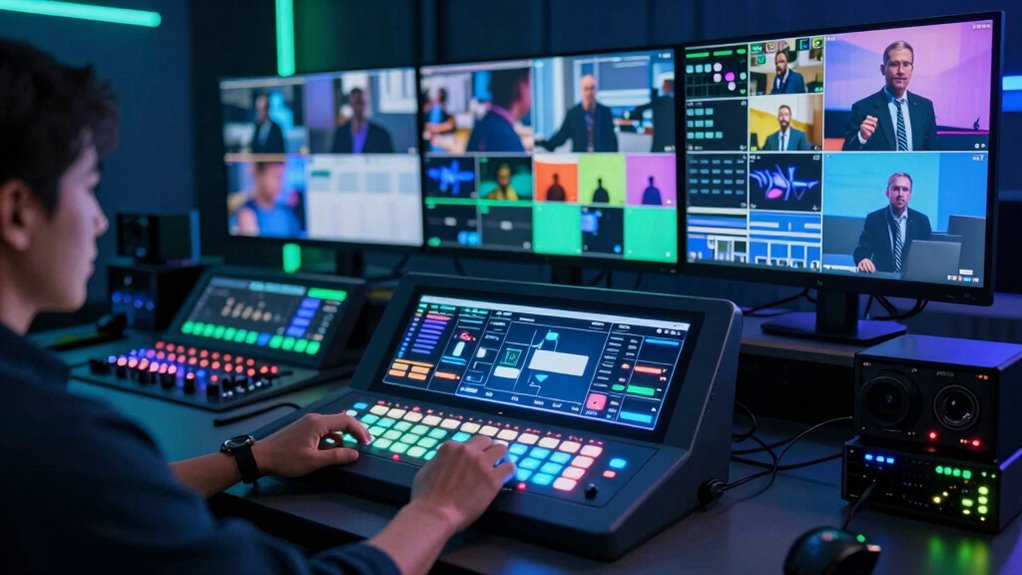
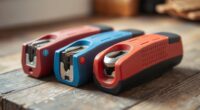
Choosing a professional live streaming switcher for virtual events requires balancing features, ease of use, and budget. The Blackmagic Design ATEM Mini Pro stands out as the best overall with its reliable performance and user-friendly interface. For those seeking a versatile, multi-input setup, the Roland V-80HD offers extensive connectivity and advanced controls. Meanwhile, the FoMaKo 4K HDMI Video Mixer appeals to streamers who prioritize 4K input and high frame rates. Each option presents tradeoffs, such as complexity versus simplicity or cost versus feature set. Continue reading for a detailed comparison to help you find the right switcher for your virtual event needs.

Get business pricing on tech for your team
- Business-only prices and quantity discounts
- Tax-exempt purchasing
- Multiple users, one account, clear invoices
Key Takeaways
- The best switchers balance ease of use with professional-level features, making them suitable for a range of users.
- Multi-input capacity, especially support for SDI and HDMI, is critical for larger productions or complex setups.
- Higher-priced models often include advanced controls, recording options, and better build quality, but may be unnecessary for smaller events.
- Portability varies significantly; compact units are ideal for mobile setups, while larger models fit studio environments.
- Compatibility with streaming platforms and integration with audio/video devices can influence long-term usability.
| Blackmagic Design ATEM Mini Pro HDMI Live Stream Switcher |  | Best Overall | Inputs: 4 x HDMI Type A, 2 x 3.5mm stereo analog audio, 1 x RJ45 Ethernet | Outputs: 1 x HDMI Type A, multiview output, 1 x USB Type-C | Audio: Embedded 2-channel audio | VIEW ON AMAZON | See Our Full Breakdown |
| Osee GoStream Deck HDMI Pro Live Streaming Multi Camera Video Mixer Switcher with NDI |  | Best for Multi-Platform Streaming | HDMI Inputs: 4 | HDMI Outputs: 2 | Type-C Ports: 2 (input/output) | VIEW ON AMAZON | See Our Full Breakdown |
| Osee GoStream Duet 8 ISO Live Streaming Video Switcher, 4 HDMI & 4 SDI |  | Best for Multi-Format, Multi-Channel Production | Inputs: 4x 4K HDMI, 4x SDI | ISO Recording: 8 channels | Streaming Support: RTMP, SRT, NDI HX | VIEW ON AMAZON | See Our Full Breakdown |
| RØDE RØDECaster Video S – Podcast Video Switcher and Audio Interface |  | Best for Content Creators Focused on Audio and Simplicity | Video Sources: 4 (3 HDMI, 1 USB) | Scene Customization: 5 multi-source scenes | Audio Inputs: 2 Neutrik combo jacks | VIEW ON AMAZON | See Our Full Breakdown |
| Blackmagic Design ATEM Mini Extreme HDMI Switcher |  | Best for Large, High-Input-Count Productions | Total Video Inputs: 8 | Total Outputs: 2 | HDMI Video Inputs: 8 | VIEW ON AMAZON | See Our Full Breakdown |
| Osee GoStream Duet 8 ISO Kit – All-in-One Pro Live Streaming Multi-Camera Video Switcher with 14-Inch Monitor |  | Best Overall for Portable, All-in-One Broadcasts | Display: 14 inch | Resolution: 1080*1920 | Channels: 8 | VIEW ON AMAZON | See Our Full Breakdown |
| FoMaKo 4K HDMI Video Mixer Switcher with 5.5 Inch FHD LCD Screen, 4-Channel HDMI Live Streaming Switcher, 4K 60FPS Input, 1080p 60FPS Output, PTZ Controller |  | Best for High-Quality, Multi-Platform Streaming | Video Input: 4 HDMI Type A, 1 PGM OUT, 1 MULT-VIEW OUT, 1 LOOP IN | Max Input Resolution: 4K 60FPS | Max Output Resolution: 1080p 60FPS | VIEW ON AMAZON | See Our Full Breakdown |
| Osee GoStream Duet Kit All-in-One Pro Live Streaming Multi-Camera Video Mixer Switcher Recorder Player with 14-Inch Monitor and Multiple I/O |  | Best Compact, Portable Multi-Function Streaming Kit | Screen Size: 14 inches | Resolution: 1080×1920 | Inputs: 4 HDMI/SDI | VIEW ON AMAZON | See Our Full Breakdown |
| Roland V-80HD Professional Video Switcher |  | Best for Traditional Broadcast and Live Events | Channels: 8 | Inputs: Four 3G SDI, Four HDMI (including two 4K with downscalers) | Outputs: Seven (SDI, HDMI, USB-C streaming, LAN) | VIEW ON AMAZON | See Our Full Breakdown |
| Tenveo 4K60FPS HDMI Video Switcher Mixer, 4 SDI & 4 HDMI Inputs, 5-Channel Live Streaming Switcher, 5.5’’ FHD Screen, 1080P60FPS Output, USB/SD Recording, Supports PTZ Camera and Controller, NDI|HX3 Certified |  | Best for High-Resolution Multi-Source Streaming with Advanced Controls | VIEW ON AMAZON | See Our Full Breakdown | |||
| Roland V-8HD HD Video Switcher for Live Events, Streaming & Presentations |  | Best Overall for Versatile Professional Productions | Number of HDMI Sources: 8 | Effects Layers: 5 | Output Formats: 23.98Hz, 24Hz, 25Hz, 29.97Hz, 30Hz | VIEW ON AMAZON | See Our Full Breakdown |
| Osee GoStream Duet Multiple Camera SDI and HDMI Live Stream Video Mixer Switcher |  | Best for Versatile Multi-Platform Streaming | Inputs: 4 SDI, 4 HDMI, USB-C, NDI HX, SD/SSD playback | Control methods: Built-in GUI, Mac & Windows software, Bitfocus Companion | Key effects: Multisource, Luma Key, Chroma Key, Pattern Key, PIP, DSK | VIEW ON AMAZON | See Our Full Breakdown |
| Live Streaming Video Mixer, 4 HDMI Inputs, 2 Output HDMI Switcher, Supports 1080P@60Hz, HDCP 1.4, Digital Audio Mixer |  | Best for Small-Scale HD Live Streaming with Audio | Input HDMI ports: 4 | Output HDMI ports: 2 | Supported resolution: 1920×1080@60Hz | VIEW ON AMAZON | See Our Full Breakdown |
| CineTreak Mixer Plus 4-Channel HDMI Video Switcher with 4.5-Inch LCD |  | Best Compact Multi-View for Solo or Small Teams | Display: 4.5-inch multiview LCD | Channels: 4 HDMI inputs | Transition Effects: 30 adjustable | VIEW ON AMAZON | See Our Full Breakdown |
| Mixer Plus Compact Video Switcher 4 HDMI with 4-inch Built-in Screen, Portable Live Streaming Switcher for Multi-Camera, Online Class, Event, YouTube, OBS, Zoom |  | Best for Portable Multi-Camera Streaming | Number of HDMI inputs: 4 | Built-in screen size: 4 inches | Supports PTZ camera control: Yes | VIEW ON AMAZON | See Our Full Breakdown |
More Details on Our Top Picks
Blackmagic Design ATEM Mini Pro HDMI Live Stream Switcher
The Blackmagic Design ATEM Mini Pro stands out as the most well-rounded option for professional live streaming, especially when compared to the Osee GoStream Duet 8 ISO, which offers more inputs and ISO recording but at a higher complexity and cost. Its versatile HDMI inputs, multiview, and built-in audio mixer make it suitable for multiple scenarios, from education to eSports broadcasts. However, its reliance on HDMI-only connections and potential setup difficulty could challenge less experienced users. Compared with larger switchers, it strikes a balance between features and usability, making it ideal for small to medium productions. Tradeoffs include a steeper learning curve and limited input types, but its comprehensive feature set justifies it for serious streamers.
Pros:- Rich feature set with transitions, keyers, and multiview
- Flexible HDMI input/output options
- Built-in 6-input audio mixer
Cons:- Requires some technical expertise for setup
- Limited to HDMI connections which may need adapters for some devices
Best for: Professional content creators and small production teams seeking a reliable, feature-rich switcher with straightforward HDMI connectivity.
Not ideal for: Large broadcast operations requiring SDI support or users with minimal technical experience who prefer plug-and-play solutions.
- Inputs:4 x HDMI Type A, 2 x 3.5mm stereo analog audio, 1 x RJ45 Ethernet
- Outputs:1 x HDMI Type A, multiview output, 1 x USB Type-C
- Audio:Embedded 2-channel audio
- Features:Multiview, transitions, upstream/downstream keyers, built-in audio mixer
- Includes:Live stream switcher, external 12V DC power supply with adapters
Our verdict“This pick suits those seeking a versatile, broadcast-quality switcher with comprehensive features suitable for small to medium virtual event productions.”
Osee GoStream Deck HDMI Pro Live Streaming Multi Camera Video Mixer Switcher with NDI
The Osee GoStream Deck HDMI Pro offers extensive flexibility with multiple HDMI and Type-C inputs, making it ideal for multi-platform broadcasters, especially when compared to the Blackmagic ATEM Mini Extreme, which has more HDMI inputs but fewer control options. Its support for multi-source graphics overlay, recording, and NDI streaming makes it a powerful tool for online events and live broadcasts that demand multi-platform compatibility. Its complexity, however, means technical proficiency is necessary, and the high price might be a barrier for smaller setups. For those needing broad connectivity and multi-platform output, this device provides unmatched versatility, but it’s less suited for beginners or straightforward setups.
Pros:- Supports multiple HDMI, Type-C, and Ethernet inputs and outputs
- Enables multi-platform streaming and graphics overlay
- Professional audio controls and recording capabilities
Cons:- Setup can be complex for users lacking technical expertise
- Potentially high cost for advanced features
Best for: Advanced streamers and broadcasters managing multi-platform content with complex input/output needs.
Not ideal for: Small teams or less tech-savvy users who want a simple, easy-to-use switcher without extensive setup or configuration.
- HDMI Inputs:4
- HDMI Outputs:2
- Type-C Ports:2 (input/output)
- Ethernet Port:1
- Audio Inputs:2
- Headphone Output:1
- SD Card Slot:1
Our verdict“This device is best for media professionals who need extensive multi-source connectivity and multi-platform streaming capabilities, despite its setup complexity.”
Osee GoStream Duet 8 ISO Live Streaming Video Switcher, 4 HDMI & 4 SDI
The Osee GoStream Duet 8 ISO excels in supporting both HDMI and SDI inputs with independent ISO recording, making it perfect for complex live productions like multi-camera broadcasts. It outperforms the Blackmagic ATEM Mini Extreme in input variety and ISO capabilities, but its setup and operation are more demanding, requiring technical skill. Its support for 4K inputs and multi-platform streaming broadens its appeal for high-end events, while its hardware complexity can be a barrier for smaller or less experienced teams. This switcher is a strong choice for professional video workflows that demand multiple independent recordings and high-quality inputs, though it may be overkill for simpler setups.
Pros:- Supports 4K HDMI and SDI inputs with no external converters
- Independent ISO recording for each channel
- Supports RTMP, SRT, and NDI HX streaming
Cons:- Requires technical expertise for setup and operation
- Potentially high investment cost
Best for: Professional video producers needing multi-format inputs, ISO recording, and advanced live streaming features.
Not ideal for: Small-scale streamers or teams seeking a plug-and-play solution, due to its complex setup and high cost.
- Inputs:4x 4K HDMI, 4x SDI
- ISO Recording:8 channels
- Streaming Support:RTMP, SRT, NDI HX
- Outputs:2x USB, 2x SDI, 1x HDMI
- Audio:2x XLR, 2x 3.5mm jacks
- Control:Onboard menu, Stream Deck compatible
Our verdict“This switcher is ideal for high-end productions demanding multiple input formats, independent ISO recording, and flexible streaming options, despite its complexity and cost.”
RØDE RØDECaster Video S – Podcast Video Switcher and Audio Interface
The RØDECaster Video S combines simple video switching with high-quality audio, making it an excellent choice for podcasters and content creators who prioritize audio fidelity. Its support for multiple sources, graphic overlays, and chroma keying surpasses basic switchers like the Blackmagic ATEM Mini Pro in ease of use, but its platform-specific limitations and higher price could be drawbacks. This device shines in scenarios where audio quality is paramount and setup ease is valued, but it falls short for larger multi-camera productions or complex workflows requiring SDI or extensive input options.
Pros:- Supports multiple video sources with customizable scenes
- High-quality Neutrik preamp audio inputs
- Features for chroma key, overlays, and auto-switching
Cons:- Setup can be complex for non-technical users
- Limited to specific streaming platforms
Best for: Content creators and podcasters who want high-quality audio combined with simple multi-source video switching.
Not ideal for: Large live production teams needing extensive camera inputs and advanced control features, due to its limited input options and platform restrictions.
- Video Sources:4 (3 HDMI, 1 USB)
- Scene Customization:5 multi-source scenes
- Audio Inputs:2 Neutrik combo jacks
- Streaming:Wi-Fi, Ethernet, USB
- Recording:External USB storage, ISO recording
- Features:Inspect Mode, auto-switching, overlays, chroma keying
Our verdict“This switcher is perfect for content creators who need high-quality audio and simple multi-source video switching, with less emphasis on complex multi-camera setups.”
Blackmagic Design ATEM Mini Extreme HDMI Switcher
The Blackmagic ATEM Mini Extreme offers an impressive 8 HDMI inputs, making it suitable for large live events or multi-camera productions, especially when compared with the Blackmagic ATEM Mini Pro. Its re-sync and frame rate conversion on all inputs provide exceptional flexibility for complex setups. However, its exclusive HDMI support limits versatility if SDI sources are needed, and the setup can be daunting for beginners. This switcher excels in environments where high input count and high-quality video are essential, but it may be excessive for smaller, simpler productions.
Pros:- Supports 8 HDMI inputs with high-quality video and audio
- Re-sync and format conversion on all inputs
- Suitable for high-end live production
Cons:- Limited to HDMI inputs only
- Setup can be complex for beginners
Best for: Large-scale live events or production teams needing numerous HDMI inputs and professional-grade features.
Not ideal for: Small teams or hobbyists who require SDI support or a straightforward setup, as it is more complex and expensive.
- Total Video Inputs:8
- Total Outputs:2
- HDMI Video Inputs:8
- Video Input Re-Sync:On all 8 HDMI inputs
- Frame Rate and Format Converters:On all 8 HDMI inputs
Our verdict“This switcher is tailored for large productions with multiple HDMI sources, but its complexity and cost make it less suitable for small setups.”
Osee GoStream Duet 8 ISO Kit – All-in-One Pro Live Streaming Multi-Camera Video Switcher with 14-Inch Monitor
The Osee GoStream Duet 8 ISO Kit stands out as the most comprehensive all-in-one solution in this lineup, combining multiple inputs, ISO recording, and built-in features like chroma key and PIP in a portable package. Unlike the Roland V-80HD, which offers more traditional SDI and HDMI options, this kit’s versatility with power sources and built-in recording makes it ideal for mobile productions. However, its setup complexity and higher price may challenge casual users. This pick makes the most sense for professionals who need flexibility and mobility without sacrificing advanced features, even if they require technical expertise to operate effectively.
Pros:- All-in-one package with multi-layer switching, recording, and playback
- Portable design with multiple power options for on-the-go use
- Supports professional features like image pooling and chroma key
Cons:- Setup can be complicated for users without technical experience
- High price point limits accessibility for casual users
Best for: Mobile production crews and professional broadcasters needing a portable, all-in-one live streaming setup
Not ideal for: Casual streamers or small venues with simple requirements, due to its complex setup and cost
- Display:14 inch
- Resolution:1080*1920
- Channels:8
- Inputs:4 HDMI, 4 SDI, 2 USB-3.0, NDI-HX, MP4, SRT/RTMP
- Power Options:AC, DC (V-mount), USB power bank
- Video Layers:Up to 11
Our verdict“Ideal for experienced professionals seeking a portable, feature-rich streaming solution with live recording capabilities.”
FoMaKo 4K HDMI Video Mixer Switcher with 5.5 Inch FHD LCD Screen, 4-Channel HDMI Live Streaming Switcher, 4K 60FPS Input, 1080p 60FPS Output, PTZ Controller
The FoMaKo KC602 excels in delivering 4K input and 1080p output, making it suitable for high-end live streaming with detailed visuals. Unlike the Tenveo 4K60FPS HDMI Switcher, which emphasizes PTZ control and multi-platform streaming, this model focuses on broad compatibility with professional cameras and streaming services, including support for RTMP and OBS. Its extensive control options are perfect for studio or event productions, though the setup can be daunting for beginners and its size less portable for on-the-move setups. This switcher makes the most sense for users who need high-resolution input and advanced camera control, accepting the complexity that comes with professional-grade features.
Pros:- Supports 4K 60FPS input with professional-grade video quality
- Advanced PTZ camera support with preset control
- Multiple streaming platform compatibility including RTMP and OBS
Cons:- Complex setup requiring technical knowledge
- Large size limits portability
Best for: Studio operators and event producers requiring high-resolution inputs and multi-platform streaming with PTZ camera support
Not ideal for: Casual or mobile streamers with limited technical skills or smaller budgets
- Video Input:4 HDMI Type A, 1 PGM OUT, 1 MULT-VIEW OUT, 1 LOOP IN
- Max Input Resolution:4K 60FPS
- Max Output Resolution:1080p 60FPS
- Display:5.5 Inch HD LCD
- PTZ Control:Supports up to 4 cameras with 9 presets
- Streaming Platforms:RTMP/RTMPS, YouTube, Facebook, OBS, VMIX
Our verdict“Best suited for professional studios and event venues demanding high-resolution input and camera control capabilities.”
Osee GoStream Duet Kit All-in-One Pro Live Streaming Multi-Camera Video Mixer Switcher Recorder Player with 14-Inch Monitor and Multiple I/O
The Osee GoStream Duet Kit offers a compact, portable solution combining a multi-camera switcher, recorder, and player in a single unit. Its lightweight design and multiple connection options make it ideal for mobile or field productions, outperforming larger, less portable options like the Roland V-80HD. However, its simplified setup and limited detailed specs can be challenging for beginners or those needing extensive customization. This kit is perfect for professionals who prioritize mobility and all-in-one convenience, even if it means sacrificing some advanced features or expandability.
Pros:- Lightweight and portable for easy transport
- Multiple connection options for flexible setups
- Built-in fan and expandable cheese plates for customization
Cons:- May need additional equipment for expanded functionality
- Setup complexity for beginners
Best for: Mobile videographers and small event teams needing an all-in-one, portable streaming device
Not ideal for: Large-scale productions or users requiring extensive customization and advanced features
- Screen Size:14 inches
- Resolution:1080×1920
- Inputs:4 HDMI/SDI
- Outputs:2 HDMI
- Weight:5 kg
- Power Options:AC, DC, USB power bank
Our verdict“Ideal for on-the-go professionals who need a portable, all-in-one streaming and recording solution without excessive complexity.”
Roland V-80HD Professional Video Switcher
The Roland V-80HD offers a robust, six-input switcher with SDI and HDMI support, including 4K downscaling, making it versatile for live events and studios. Compared to the Osee GoStream Duet 8 ISO Kit, which emphasizes portability and all-in-one functionality, the V-80HD’s strength lies in its professional-grade inputs and outputs suitable for large venues. Its setup complexity and lack of detailed specs might be a barrier for smaller operations or less technical teams. This switcher is best for organizations with technical staff requiring extensive connectivity options and high-quality video processing, despite its less user-friendly interface for beginners.
Pros:- Supports 4K downscaling and multiple input formats
- Multiple SDI and HDMI inputs for flexible connectivity
- Suitable for complex live production environments
Cons:- Setup can be complex for users without technical experience
- Limited detailed specs in the description
Best for: Large venues and broadcast teams needing a durable, professional-grade switcher with SDI and HDMI options
Not ideal for: Small businesses or casual streamers looking for simple, plug-and-play solutions
- Channels:8
- Inputs:Four 3G SDI, Four HDMI (including two 4K with downscalers)
- Outputs:Seven (SDI, HDMI, USB-C streaming, LAN)
- Frame Rate Support:Various
- Resolution Support:Up to 4K
- Size:Compact
Our verdict“Best suited for professional broadcast environments requiring extensive input options and robust build quality.”
Tenveo 4K60FPS HDMI Video Switcher Mixer, 4 SDI & 4 HDMI Inputs, 5-Channel Live Streaming Switcher, 5.5’’ FHD Screen, 1080P60FPS Output, USB/SD Recording, Supports PTZ Camera and Controller, NDI|HX3 Certified
The Tenveo PC500 provides a feature-rich option for high-resolution live streaming, supporting 4K60FPS input and dual-channel streaming to multiple platforms. It excels in PTZ camera integration with presets and AI tracking, making it a powerful choice for conferences or complex productions. Unlike the FoMaKo 4K HDMI Switcher, which emphasizes camera control and platform support, the Tenveo offers Web-based management and a variety of protocols, appealing to tech-savvy users. Its complex setup and high feature set, however, may be overwhelming for casual users or those with limited technical experience. This device makes sense for professionals who want advanced control and high-quality output in a relatively compact form factor.
Pros:- Supports 4K60FPS and 1080p60FPS for high video quality
- PTZ camera control with presets and AI tracking
- Dual-channel streaming and web control for flexible operation
Cons:- Setup and configuration can be complex for newcomers
- Feature set may be overly detailed for simple needs
Best for: Event organizers and broadcasters requiring high-quality, multi-camera, multi-platform live streaming with advanced camera control
Not ideal for: Entry-level streamers or small-scale productions with limited technical expertise
Our verdict“Best for professionals demanding high-resolution input, PTZ camera integration, and multi-platform streaming in a compact package.”
Roland V-8HD HD Video Switcher for Live Events, Streaming & Presentations
The Roland V-8HD stands out as the most adaptable switcher in this lineup, supporting up to eight HDMI sources with advanced effects, multi-viewer monitoring, and a suite of audio and output options. It surpasses simpler models like the Live Streaming Video Mixer by offering more effects layers and a multi-viewer, making it ideal for complex live events where monitoring multiple feeds is crucial. However, its setup complexity and limited external display support can pose challenges for users without technical expertise. This switcher is best suited for professional environments that demand robust effects and comprehensive control, but less so for small-scale or casual streamers who prefer plug-and-play solutions. The built-in chroma key engine and preset memories support dynamic productions, while the 18-channel audio mixer ensures high-quality sound integration.
Pros:- Supports up to eight HDMI sources with advanced effects
- Built-in multi-viewer for efficient monitoring
- Versatile output options including AUX and macros
- Robust chroma key engine for professional chroma effects
Cons:- Setup can be complex and may require technical knowledge
- Limited external display support for multi-monitor setups
- Software updates expected in mid-2025 may affect workflow
Best for: Small to medium-sized live events requiring multiple sources, effects, and professional audio integration
Not ideal for: Hobbyist streamers or users seeking a simple, plug-and-play device due to its complex setup and feature set
- Number of HDMI Sources:8
- Effects Layers:5
- Output Formats:23.98Hz, 24Hz, 25Hz, 29.97Hz, 30Hz
- Still Store Slots:8
- Supported Image Formats:BMP, JPEG, PNG
- Audio Channels:18
Our verdict“Ideal for professional live event setups where flexibility and advanced features outweigh simplicity.”
Osee GoStream Duet Multiple Camera SDI and HDMI Live Stream Video Mixer Switcher
The Osee GoStream Duet excels in supporting a broad range of input sources, including SDI, HDMI, and NDI HX, making it highly versatile for live broadcasts and multi-platform streaming. Its ability to stream to three platforms simultaneously surpasses entry-level switchers like the Live Streaming Video Mixer, which often limit users to a single output. While its extensive input options and control methods, including built-in GUI and software compatibility, make it powerful, it requires a firmware update to unlock the free NDI HX license—an extra step for users. The complexity of features could be overwhelming for beginners, but this switcher is perfect for seasoned producers needing multiple source support and multi-platform streaming. Its rich key effects and transitions facilitate professional-quality live content.
Pros:- Supports SDI, HDMI, and NDI HX inputs for maximum flexibility
- Enables streaming to up to three platforms simultaneously
- Rich key effects including Chroma, Luma, and Pattern keys
- Flexible control options via GUI, software, and Bitfocus Companion
Cons:- Requires firmware update to unlock free NDI HX license
- Initial complexity may challenge less experienced users
- No specific pricing information available
Best for: Producers managing multi-camera streaming for live events or broadcasts across several platforms
Not ideal for: Casual streamers or beginners who prefer simple, straightforward setups without firmware updates or complex controls
- Inputs:4 SDI, 4 HDMI, USB-C, NDI HX, SD/SSD playback
- Control methods:Built-in GUI, Mac & Windows software, Bitfocus Companion
- Key effects:Multisource, Luma Key, Chroma Key, Pattern Key, PIP, DSK
- Transitions:MIX, DIP, WIPE, T-Bar
- Streaming platforms:Up to 3 simultaneously
Our verdict“Best suited for experienced live streamers needing extensive input flexibility and multi-platform output.”
Live Streaming Video Mixer, 4 HDMI Inputs, 2 Output HDMI Switcher, Supports 1080P@60Hz, HDCP 1.4, Digital Audio Mixer
The Live Streaming Video Mixer provides a straightforward solution with four HDMI inputs and dual outputs, supporting 1080p@60Hz for high-quality streaming. Compared to more advanced options like the Roland V-8HD, it offers less in effects and control but excels in simplicity and reliability for small setups. Its support for synchronized audio mixing ensures clear sound without external mixers, making it suitable for basic live events or online classes. The device’s limited resolution (1080p) might be a drawback for users aiming for 4K quality, and its setup can be complex without prior experience. This model fits well for smaller productions where ease of use and dependable HD output are priorities, but it falls short for larger or more dynamic productions requiring extensive effects and multi-source management.
Pros:- Supports multiple HDMI sources with dual outputs
- High-definition 1080p@60Hz output
- Built-in audio mixing for synchronized sound
- Supports various switching modes including PiP and dual-screen
Cons:- Limited to 1080p resolution, not 4K
- Complex setup for beginners
- No detailed software control options
Best for: Small business events, online classes, or YouTube streamers needing reliable HD switching with integrated audio
Not ideal for: Large-scale productions or professional broadcasters requiring 4K support and extensive effects
- Input HDMI ports:4
- Output HDMI ports:2
- Supported resolution:1920×1080@60Hz
- HDMI version:HDCP 1.4
- Max resolution:4K/30Hz
- Audio support:Yes
Our verdict“A dependable choice for small, HD-focused productions where simplicity and audio integration matter most.”
CineTreak Mixer Plus 4-Channel HDMI Video Switcher with 4.5-Inch LCD
The CineTreak Mixer Plus offers a compact yet capable solution with a built-in 4.5-inch multiview LCD, making it easy to monitor multiple sources in tight spaces. Its support for various transition effects, PTZ camera control, and USB streaming makes it suitable for on-the-go productions or social media content. Compared to larger, more feature-heavy switchers like the Roland V-8HD, it sacrifices some advanced effects and extensive input options, focusing instead on portability and ease of use. Its reliance on HDMI sources only limits flexibility in complex setups, and mastering its advanced features might require technical know-how. This device works best for small studios or mobile setups where space is limited but quality control remains essential.
Pros:- Built-in 4.5-inch multiview LCD for easy input monitoring
- Supports PTZ camera control with presets
- Supports USB 3.0 streaming for live broadcasts
- Multiple transition effects for professional look
Cons:- Limited to HDMI sources only
- No internal storage or recording options
- Advanced features may require technical knowledge
Best for: Solo videographers or small teams needing a portable, all-in-one switcher with monitoring capabilities
Not ideal for: Large productions or setups requiring SDI inputs or extensive effects
- Display:4.5-inch multiview LCD
- Channels:4 HDMI inputs
- Transition Effects:30 adjustable
- Camera Control:VISCA over IP with 4 presets
- Streaming:USB 3.0 UVC
- Audio Inputs:Two 3.5 mm
Our verdict“Ideal for mobile or small-scale productions where portability and monitoring are priorities, but not for extensive source setups.”
Mixer Plus Compact Video Switcher 4 HDMI with 4-inch Built-in Screen, Portable Live Streaming Switcher for Multi-Camera, Online Class, Event, YouTube, OBS, Zoom
The Mixer Plus offers a portable, all-in-one solution with four HDMI inputs and a built-in 4-inch screen, making it ideal for on-the-go productions, online classes, or small events. Its support for seamless multi-camera switching, combined with features like chroma key, PIP, and scene presets, makes it versatile for live streaming on platforms like YouTube and Zoom. Compared to bulkier, professional-grade switchers like the Roland V-8HD, this device prioritizes portability and ease of use, sacrificing some advanced effects and input options. Its compact size and multi-view monitoring simplify operations in tight spaces, but users need to be comfortable with some technical setup to unlock its full potential. It’s a good fit for content creators needing reliable, portable switching with broadcast features.
Pros:- Portable design with a built-in 4-inch screen
- Supports seamless multi-camera switching with customizable effects
- Includes broadcast features like chroma key and PIP
- Multi View monitoring simplifies operation
Cons:- Limited to 4 HDMI inputs, not scalable for larger setups
- Requires some technical knowledge to maximize features
- No internal recording storage
Best for: Content creators and educators needing portable multi-camera switching with integrated effects
Not ideal for: Large-scale productions or users requiring more than four HDMI sources or extensive effects
- Number of HDMI inputs:4
- Built-in screen size:4 inches
- Supports PTZ camera control:Yes
- Transition effects:30 customizable
- Scene presets:4
- Multi View monitoring:Yes
Our verdict“Perfect for mobile content creators or educators needing reliable, portable multi-camera switching with professional features.”

How We Picked
The products in this roundup were evaluated based on performance, usability, build quality, input/output versatility, and value. I prioritized models that support professional workflows, including multiple camera inputs and reliable output options. Ease of setup and operation was also key, especially for users managing live events in real time. Finally, I considered overall cost and feature tradeoffs to identify options suitable for different levels of experience and production complexity. The ranking reflects a balance of these factors, highlighting the best all-around choices first, followed by specialized and budget options.Factors to Consider When Choosing Professional Live Streaming Switcher For Virtual Events
Selecting the right live streaming switcher depends on several critical factors beyond just raw features. Understanding your specific event needs, technical environment, and future growth plans can help narrow choices. Consider how many cameras you’ll connect, whether you need SDI or HDMI inputs, and if you require advanced control features. Budget constraints also influence whether you prioritize simplicity or expandability. A well-chosen switcher not only improves stream quality but also reduces setup time and minimizes technical issues during live events.Input and Output Compatibility
Assess whether the switcher supports your camera types—HDMI, SDI, or both—and the number of inputs you need. Larger productions typically require SDI for longer cable runs and better reliability, while smaller setups often rely on HDMI. Check for multiple output options, including streaming outputs, program feeds, and auxiliary outputs. Compatibility with your existing audio and video equipment is also vital to avoid costly upgrades later. Investing in a switcher with sufficient inputs now can prevent bottlenecks as your production scales.
Ease of Use and Interface
For live events, speed and simplicity matter. A switcher with an intuitive interface, clear controls, and accessible preview functions reduces operator error and setup time. Touchscreen controls, dedicated hardware buttons, and clear labeling can make a significant difference. While advanced models offer extensive controls, they can be overwhelming for beginners. Consider a model that matches your technical skill level to ensure smooth operation during critical moments.
Build Quality and Reliability
Professional live streaming requires dependable hardware that can handle extended use without overheating or crashing. Look for sturdy construction, quality connectors, and proven brands with good support. Cheaper, poorly built units risk technical failures that disrupt your broadcast. Reliability becomes even more important for large-scale events or high-stakes productions where technical issues can damage your reputation. Investing in a well-made switcher pays off over time through fewer repairs and downtime.
Feature Set and Expandability
Identify which features are necessary for your current setup and which might be useful in the future. Features like built-in streaming, recording, multi-view monitors, and audio mixing can streamline your workflow. Some switchers support NDI or IP-based inputs, adding flexibility for remote cameras and virtual collaborations. Be cautious of overpaying for features you won’t use, but also avoid under-spec’d models that limit your growth. A balanced feature set ensures your investment remains relevant as your production needs evolve.
Price and Value
Price ranges widely, from budget-friendly options to premium systems costing several thousand dollars. Smaller events or beginners may find entry-level switchers sufficient, while professional broadcasters often require higher-end models with advanced controls and robust build quality. Consider the long-term value of features included and whether they justify the cost. Sometimes paying more upfront reduces the need for upgrades or replacements later, especially if you plan to run frequent or complex productions.
Frequently Asked Questions
Can I use a consumer-grade switcher for professional virtual events?
While consumer-grade switchers can handle basic streaming tasks, they often lack the durability, input/output options, and professional features needed for high-quality virtual events. They may also struggle with multi-camera setups or extended operation, leading to reliability issues. For smaller, casual streams, they might suffice, but for professional virtual events, investing in a dedicated broadcast switcher ensures better performance, stability, and scalability.
What is the most important feature to consider for live streaming switchers?
The most critical feature is input/output flexibility—support for multiple HDMI and SDI sources, along with reliable streaming outputs. This ensures you can connect all your cameras, computers, and audio sources seamlessly. Equally important is user interface design, which affects how quickly and accurately you can switch between feeds during live broadcasts. Prioritizing these features helps maintain a smooth, professional stream without technical hiccups.
Is it worth paying extra for built-in streaming capabilities?
Built-in streaming can simplify your setup by reducing external equipment, making it easier to connect and start broadcasting quickly. However, it often comes at a higher cost and may offer fewer advanced features than dedicated streaming hardware or software. If your production requires multiple sources, recordings, or complex controls, investing in a switcher without built-in streaming might be more flexible, allowing integration with specialized streaming software or hardware for better quality and control.
How important is scalability in choosing a live streaming switcher?
Scalability is vital if you anticipate expanding your production setup or increasing event complexity. Choosing a switcher that supports additional inputs, advanced control options, and integration with newer streaming protocols can save you from costly upgrades later. Smaller, less flexible models might suffice for occasional use but can become limiting as your needs grow. Investing in a scalable system ensures your equipment can adapt to future demands without major replacements.
What should I consider when choosing between HDMI and SDI inputs?
HDMI is more common and easier to set up for most consumer and small professional cameras, providing straightforward connections. SDI, however, offers longer cable runs, better shielding, and more professional reliability, making it suitable for large venues or studio setups. Your choice depends on your current equipment and future plans; mixing both is also possible in some models. Understanding your environment and camera needs helps determine which input type provides the best balance of convenience and durability.
Conclusion
For most users, the Blackmagic Design ATEM Mini Pro offers the best overall value with reliable performance and user-friendly controls, making it ideal for small to medium virtual events. Those seeking a more capable, feature-rich system might prefer the Roland V-80HD, especially for larger productions requiring extensive connectivity. Beginners or casual streamers will find the Mixer Plus Compact Video Switcher or the CineTreak Mixer Plus sufficient and budget-friendly options. If your priority is a high-end, future-proof setup, investing in premium models like the Blackmagic Design ATEM Mini Extreme or Tenveo 4K60FPS HDMI Switcher makes sense. Consider your event size, technical expertise, and long-term needs to select the best fit.
As an affiliate, we earn on qualifying purchases.Halloween Picks
halloween