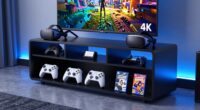
A stream deck controller for live streaming can make scene changes, audio adjustments, and repetitive commands easier to trigger while you’re on camera. I’d put the Elgato Stream Deck MK.2 forward as the best overall choice for a straightforward 15-key setup, while the Elgato Stream Deck + stands out for streamers who want hands-on audio controls and the Razer Stream Controller for those who need several dials alongside programmable keys. The main tradeoff is between a simple bank of keys, more tactile control, and a larger layout that takes up more desk space. Software compatibility and the number of actions you can reach without switching pages matter as much as the hardware. Read on for the full comparison and guidance on matching a controller to your streaming setup.

Get business pricing on tech for your team
- Business-only prices and quantity discounts
- Tax-exempt purchasing
- Multiple users, one account, clear invoices
Key Takeaways
- The Elgato Stream Deck MK.2 is the clearest all-around fit: its 15 customizable LCD keys offer more direct control than the six-key Mini without the footprint of the XL models.
- Physical dials separate the control-focused options: the Razer Stream Controller and Elgato Stream Deck + suit streamers who adjust audio or other levels mid-broadcast, while key-only decks favor one-press commands.
- Key count alone does not determine usefulness: six keys can work for a compact, focused scene setup, but larger libraries may require folders or page changes on smaller controllers.
- The lineup spans very different desk needs: the Mini and six-key ActionRing N3 prioritize compactness, while the 32-key Stream Deck XL prioritizes direct access over a small footprint.
- Several third-party options add varied layouts and controls: VSD, STREONOR, TreasLin, and ActionRing models offer alternatives, but buyers should check software support and host compatibility before choosing by hardware layout alone.
| VSD M18 Stream Controller with 18 Programmable Keys |  | Best for Customizable One-Touch Actions | Controls: 18 total: 15 LCD keys and 3 buttons | Connectivity: USB-C | Compatible operating systems: Windows 11 or later; macOS 11.0 or later | VIEW ON AMAZON | See Our Full Breakdown |
| STREONOR S15 Stream Controller, 15-Key LCD Control Deck with 3 Status Displays |  | Best for At-a-Glance Status | Keys: 15 customizable LCD keys | Status displays: 3 non-touch panels | Connectivity: USB-C | VIEW ON AMAZON | See Our Full Breakdown |
| VSD M18 Programmable Macro Pad with 18 Keys and RGB Light Ring |  | Best for Streaming and Productivity Macros | Controls: 18 total: 15 LCD keys and 3 physical buttons | Connectivity: USB-C | Power: USB powered | VIEW ON AMAZON | See Our Full Breakdown |
| Razer Stream Controller with 12 Haptic Keys, 6 Analog Dials, and 8 Programmable Buttons |  | Best Premium Control Surface | Compatible devices: PC, Mac | Connectivity: USB | Haptic keys: 12 Switchblade keys | VIEW ON AMAZON | See Our Full Breakdown |
| ActionRing N3 Stream Controller Deck with 6 Customizable Keys and 3 Dials |  | Best Compact Pick with Dials | Customizable keys: 6 LCD keys | Dials: 3 | Connectivity: USB | VIEW ON AMAZON | See Our Full Breakdown |
| TreasLin N3 Stream Controller Deck with 12 Customizable Keys, USB-C, Black |  | Best for Mixed Tactile Controls | Controls: 12 total: 6 LCD buttons, 3 tap buttons, 3 rotary buttons | Connectivity: USB-C | Compatible platforms: Windows and macOS | VIEW ON AMAZON | See Our Full Breakdown |
| VSD N4 Pro Stream Controller with Customizable LCD Keys, RGB Knobs, Touch Bar, and USB-C |  | Best for Audio and Shortcut Control | LCD keys: 10 | Additional controls: 4 RGB knobs and interactive touch bar | Total keys: 14 | VIEW ON AMAZON | See Our Full Breakdown |
| Elgato Stream Deck + Audio Mixer and Studio Controller |  | Best Premium Studio Controller | Controls: LCD keys, touch strip, and dials | Customization: Multi actions and smart profiles | Supported integrations: Wave Link, Camera Hub, Control Center, OBS, Twitch, YouTube, Twitter, Discord, Spotify, and Philips Hue | VIEW ON AMAZON | See Our Full Breakdown |
| Elgato Stream Deck Mini with 6 Customizable LCD Keys |  | Best for Beginners and Small Desks | Keys: 6 customizable LCD keys | Connectivity: USB 2.0 cable, 150 cm (59.1 in.) | Dimensions: 84 × 60 × 58 mm (3.3 × 2.4 × 2.3 in.) | VIEW ON AMAZON | See Our Full Breakdown |
| Elgato Stream Deck MK.2 Scissor-Key Workflow Controller |  | Best for Tactile, Dedicated Actions | Number of keys: 15 | Switch type: Tactile | Connectivity: USB-C | VIEW ON AMAZON | See Our Full Breakdown |
| Elgato Stream Deck XL Advanced Studio Controller, 32 Keys |  | Best for Complex Streaming Setups | Keys: 32 customizable LCD keys | Connectivity: USB 3.0 | Dimensions: 182 × 112 × 34 mm (7.17 × 4.41 × 1.34 in) | VIEW ON AMAZON | See Our Full Breakdown |
| ActionRing M3 Stream Controller Deck with 15 LCD Keys and 3 Knobs |  | Best for Mixed Button-and-Knob Control | Model: M3 | Keys: 15 customizable LCD keys | Knobs: 3 | VIEW ON AMAZON | See Our Full Breakdown |
| Elgato Stream Deck MK.2 Studio Controller with 15 Customizable LCD Keys |  | Best for Most Streamers | Model: Stream Deck MK.2 | Model number: 10GBA9901 | Keys: 15 customizable LCD keys | VIEW ON AMAZON | See Our Full Breakdown |
| Elgato Stream Deck + XL Control Panel |  | Best Premium Control Surface | Macro keys: 36 | Multifunction dials: 6 | Display: Touch strip | VIEW ON AMAZON | See Our Full Breakdown |
| stream deck controller for live streaming | Connectivity | Dimensions | Color |
|---|---|---|---|
| VSD M18 Stream Controller with | USB-C | — | White |
| STREONOR S15 Stream Controller | USB-C | — | Black |
| VSD M18 Programmable Macro Pad | USB-C | — | Black |
| Razer Stream Controller with 1 | USB | 5.91 x 4.33 x 1.18 inches | — |
| ActionRing N3 Stream Controlle | USB | 6.69 x 5.04 x 2.64 inches | Black |
| TreasLin N3 Stream Controller | USB-C | — | Black |
| VSD N4 Pro Stream Controller w | USB-C | — | — |
| Elgato Stream Deck + Audio Mix | — | Not specified in the product data | — |
| Elgato Stream Deck Mini with 6 | USB 2.0 cable, 150 cm (59.1 in.) | 84 × 60 × 58 mm (3.3 × 2.4 × 2.3 in.) | Black |
| Elgato Stream Deck MK.2 Scisso | USB-C | 4.65 × 3.31 × 1.18 in. | — |
| Elgato Stream Deck XL Advanced | USB 3.0 | 182 × 112 × 34 mm (7.17 × 4.41 × 1.34 in) | — |
| ActionRing M3 Stream Controlle | — | 5.91 × 3.15 × 1.72 in | — |
| Elgato Stream Deck MK.2 Studio | USB-C | — | — |
| Elgato Stream Deck + XL Contro | USB-C | 8.07 × 5.79 × 6.89 inches | Black |
More Details on Our Top Picks
VSD M18 Stream Controller with 18 Programmable Keys
The VSD M18 suits streamers who want a generous bank of labeled actions without stepping up to a more elaborate control surface. Its 15 image-customizable LCD keys can trigger OBS scenes, app launches, media controls, or multi-key macros, while three additional buttons add room for simpler commands. Compared with the STREONOR S15, it gives up dedicated status displays but adds three physical buttons and an RGB light ring. That makes it a better fit for quick action switching than for keeping system information in view. It connects over USB-C and supports recent Windows and macOS versions, but the OS floor rules out older machines, and the supplied details do not list Linux support. I would choose it for a visual, programmable layout, not for monitoring-heavy workflows.
Pros:- 15 LCD keys accept JPG, PNG, and GIF custom labels
- Three extra buttons expand the available control layout
- Supports macros, multi-hotkey sequences, and common streaming actions
- RGB light ring adds adjustable visual flair
Cons:- Requires Windows 11 or newer or macOS 11.0 or newer
- USB-C connection may require an adapter on devices without that port
- No Linux support is listed
Best for: Windows 11 or newer and macOS 11 or newer streamers who want animated key labels and one-touch OBS or app macros.
Not ideal for: Linux users and streamers who need dedicated status panels or compatibility with older operating systems.
- Controls:18 total: 15 LCD keys and 3 buttons
- Connectivity:USB-C
- Compatible operating systems:Windows 11 or later; macOS 11.0 or later
- Backlighting:Customizable RGB light ring
- Compatible software:OBS, Streamlabs, YouTube, Twitter, Discord, Excel, Word, Photoshop
- LCD image formats:JPG, PNG, GIF
- Color:White
- Water resistance:Water repellent
Our verdict“Choose the VSD M18 if you want a visually customizable 18-control layout for current Windows or Mac streaming setups.”
STREONOR S15 Stream Controller, 15-Key LCD Control Deck with 3 Status Displays
The STREONOR S15 is the pick here for streamers who want operational information beside their programmable controls. Alongside 15 LCD keys, its three non-touch displays can show items such as time, weather, and system performance, reducing the need to check another screen during a broadcast. The VSD M18 offers more total controls and physical buttons, but lacks these dedicated status panels; the STREONOR instead favors visibility over a larger action count. Multi-command workflows and support for more than 100 plugins broaden its uses beyond scene switching. Its limits matter: Linux is unsupported, and some third-party connections may call for an account or subscription. This makes the S15 a stronger match for Windows and Mac users who value live status cues, rather than streamers seeking the widest OS support.
Pros:- 15 customizable LCD keys handle OBS controls, app actions, and shortcuts
- Three status displays show information such as time, weather, and system performance
- A single key can run a multi-command action flow
- Supports more than 100 plugins
Cons:- Linux is not supported
- Some third-party app connections may require an account or subscription
Best for: Windows 10 64-bit or newer and macOS Big Sur 11.0 or newer streamers who want status information visible beside their action keys.
Not ideal for: Linux users, or buyers who want to avoid account or subscription requirements for some third-party app connections.
- Keys:15 customizable LCD keys
- Status displays:3 non-touch panels
- Connectivity:USB-C
- Operating systems:Windows 10 64-bit or later; macOS Big Sur 11.0 or later
- Linux support:Not supported
- Plugin support:100+ plugins
- Weight:157 g
- Color:Black
Our verdict“Choose the STREONOR S15 if status panels matter more to your streaming workflow than the VSD M18’s extra physical buttons.”
VSD M18 Programmable Macro Pad with 18 Keys and RGB Light Ring
This black version of the VSD M18 is a flexible choice for creators who want one controller for live production and desk workflows. Its 15 LCD keys accept still or animated icons, and three physical buttons can handle direct actions such as media control or app launches. Built-in utility plugins, including clock, calendar, and weather tools, give it a broader role than scene switching alone. Compared with the STREONOR S15, it has three physical buttons instead of status displays, so it suits action-focused workflows better than persistent information monitoring. The tradeoffs are the Windows 11-or-newer and macOS 11-or-newer requirement, plus no native Linux plug-and-play support. Custom RGB tones also require a firmware upgrade, so the lighting is less straightforward to personalize than the basic key layout.
Pros:- 15 LCD keys support custom JPG, PNG, and GIF images
- Three physical buttons add direct controls alongside the LCD keys
- Supports single actions and multi-step macros
- Built-in utility plugins include clock, calendar, and weather
Cons:- Native plug-and-play Linux support is unavailable
- Requires Windows 11 or newer or macOS 11.0 or newer
- Custom RGB tones require a device firmware upgrade
Best for: Creators using current Windows or Mac systems who want a single control pad for OBS actions, app launches, and multi-step productivity macros.
Not ideal for: Linux users, owners of older computers, or buyers who want full RGB color customization without a firmware upgrade.
- Controls:18 total: 15 LCD keys and 3 physical buttons
- Connectivity:USB-C
- Power:USB powered
- Compatible systems:Windows 11 or newer; macOS 11.0 or newer
- LCD image formats:JPG, PNG, GIF
- Compatible software:OBS, Streamlabs, YouTube, Twitter, Discord, Excel, Word, Photoshop
- Lighting:Adjustable RGB light ring
- Color:Black
- Water resistance:Water repellent
Our verdict“Choose this VSD M18 when you want streaming controls and programmable desk macros in one 18-control USB pad.”
Razer Stream Controller with 12 Haptic Keys, 6 Analog Dials, and 8 Programmable Buttons
The Razer Stream Controller stands apart from the key-focused VSD M18 and STREONOR S15 by pairing programmable keys with six tactile analog dials. That mix is useful when a live setup involves both discrete commands—such as switching scenes—and continuous adjustments to audio or creative controls. It also combines 12 haptic keys, eight programmable buttons, a touchscreen, and app-based profiles, giving complex workflows more ways to organize commands than the simpler macro pads. The tradeoff is a more involved control surface: buyers who mainly need scene changes and a few shortcuts may not benefit from its extra controls. The supplied details do not specify operating-system versions, software requirements, or dial functions, so I would check compatibility for a particular streaming setup before choosing it over a more clearly specified option.
Pros:- Six tactile analog dials offer a different control method from LCD-key-only pads
- Combines 12 haptic keys with eight programmable buttons
- Touchscreen and custom layouts support varied workflows
- App-based profile switching can organize different tasks
Cons:- Its many control types may be unnecessary for simple scene switching
- The supplied specifications do not identify supported operating-system versions
- The listed connection is USB, which may call for an adapter on some devices
Best for: Streamers and creators with layered workflows who want tactile dials, haptic keys, and app-based profiles on one PC or Mac controller.
Not ideal for: New streamers who only need a handful of scene buttons, or buyers who want confirmed OS-version and software compatibility details before purchasing.
- Compatible devices:PC, Mac
- Connectivity:USB
- Haptic keys:12 Switchblade keys
- Analog dials:6 tactile dials
- Programmable buttons:8
- Weight:8.16 ounces
- Dimensions:5.91 x 4.33 x 1.18 inches
- Power source:Corded electric
Our verdict“Choose the Razer if tactile dial control and layered profiles matter more than the simpler, more clearly specified layouts of the VSD M18 or STREONOR S15.”
ActionRing N3 Stream Controller Deck with 6 Customizable Keys and 3 Dials
The ActionRing N3 is aimed at streamers who prefer a compact set of frequently used actions, with six LCD keys and three dials rather than the 15-key layouts of the VSD M18 or STREONOR S15. The keys can launch apps, run macros, and switch OBS scenes, while the dials add a physical way to handle media controls. That combination can be more useful than a larger grid for a small set of recurring tasks, but it leaves less room for one-touch scene and app shortcuts. Its stated Windows and macOS support is clouded by conflicting compatibility details: the listing also names iOS and Windows as compatible devices while separately describing macOS support. I would confirm Mac compatibility and check that the setup software fits your system before relying on it for a live production.
Pros:- Six LCD keys support custom images and animations
- Three dials provide physical controls for media actions
- Supports macros and multi-action workflows
- Includes a 24-month warranty
Cons:- Six keys offer less direct shortcut capacity than the 15-key VSD M18 and STREONOR S15
- Compatibility details conflict: the listed devices name iOS and Windows, while the description also claims macOS support
- Key and action customization requires setup
Best for: Streamers who want a small set of customizable actions plus physical dials for media control, and who can verify compatibility with their computer.
Not ideal for: Buyers who need many simultaneous scene shortcuts or clear, consistent confirmation of Mac compatibility before setup.
- Customizable keys:6 LCD keys
- Dials:3
- Connectivity:USB
- Power:USB powered
- Operating system compatibility:Windows and macOS stated in description; listing also names iOS and Windows under compatible devices
- Dimensions:6.69 x 5.04 x 2.64 inches
- Color:Black
- Warranty:24 months
Our verdict“Choose the ActionRing N3 if a smaller key bank with three dials fits your workflow, after confirming compatibility with your operating system.”
TreasLin N3 Stream Controller Deck with 12 Customizable Keys, USB-C, Black
The TreasLin N3 suits streamers who want more than a grid of buttons: its six LCD keys handle labeled actions, while three tap buttons and three rotary buttons add separate ways to trigger commands and manage controls. That mix can make scene changes, macros, and audio or media adjustments easier to reach without assigning every task to a single key type. Compared with the Elgato Stream Deck Mini, it offers more control variety and room for assigned actions, but the Mini’s six-key layout is simpler to set up and takes less desk space. The N3’s software and plugin marketplace add customization options, though setup requires installing the included software. Spotify integration also requires a Premium account, so buyers should check that limitation before building it into their workflow.
Pros:- Combines six LCD keys with three tap buttons and three rotary buttons
- Supports macros and one-touch actions for streaming tasks
- Works with OBS, Streamlabs, Discord, Twitch, YouTube, and other listed software
- Offers dynamic icons and a plugin marketplace for customization
Cons:- Requires installing the included software
- Spotify integration requires a Premium account
Best for: Live streamers who want labeled scene and macro keys alongside physical controls for audio or media adjustments.
Not ideal for: Buyers seeking a minimal controller with no additional software setup, or Spotify users without a Premium account who want Spotify integration.
- Controls:12 total: 6 LCD buttons, 3 tap buttons, 3 rotary buttons
- Connectivity:USB-C
- Compatible platforms:Windows and macOS
- Compatible software:OBS Studio, Streamlabs, Twitch, YouTube, Discord, Spotify, Voicemod, Excel, Word, Photoshop, and Twitter
- Customization:Macros, customizable display keys, dynamic icons, plugin marketplace
- Color:Black
Our verdict“Choose the TreasLin N3 if you want a varied set of tactile controls for streaming, and choose the Stream Deck Mini if simplicity matters more than control variety.”
VSD N4 Pro Stream Controller with Customizable LCD Keys, RGB Knobs, Touch Bar, and USB-C
The VSD N4 Pro stands out for streamers who want keys, knobs, and a touch bar in one controller. Its 10 LCD keys can hold labeled scene changes or macros, while four RGB knobs and the interactive bar offer alternate ways to manage shortcuts and audio commands. Compared with the TreasLin N3, it has fewer LCD keys but adds a dedicated touch bar and includes a passive USB dock and adjustable stand. Those extras may suit a busy desk, although the N3’s three tap buttons give it another direct control type. The N4 Pro sends audio commands to the computer; it has no built-in speakers, so it is not a standalone playback device. It also requires Windows 10 or later or macOS 11.0 or later, which narrows compatibility for older systems.
Pros:- Pairs 10 customizable LCD keys with four RGB knobs and an interactive touch bar
- Supports shortcuts, multi-step macros, and scene presets
- Includes a passive USB dock for connecting peripherals
- Foldable stand and adjustable RGB lighting support a more tailored desk setup
Cons:- Has no built-in speakers and relies on a computer for audio playback
- Requires Windows 10 or later or macOS 11.0 or later
Best for: Streamers with a supported Windows or Mac computer who want knobs and a touch bar for frequent audio and shortcut adjustments.
Not ideal for: Users on older operating systems or anyone expecting the controller itself to play audio through built-in speakers.
- LCD keys:10
- Additional controls:4 RGB knobs and interactive touch bar
- Total keys:14
- Connectivity:USB-C
- Compatible systems:Windows 10+ and macOS 11.0+
- Stand angle:60 degrees
- Switch type and layout:Mechanical switches, QWERTY layout
- Enclosure and power:Plastic enclosure; corded electric
Our verdict“Pick the VSD N4 Pro if knobs and a touch bar matter more to your stream workflow than having the TreasLin N3’s tap buttons.”
Elgato Stream Deck + Audio Mixer and Studio Controller
The Elgato Stream Deck + is the strongest fit here for streamers building a broader studio workflow around audio, video, lighting, and app control. Its LCD keys, touch strip, and dials support different kinds of actions, while multi actions and smart profiles can group commands or adapt controls to supported apps. Compared with the Elgato Stream Deck Mini, it offers a more varied control surface for managing a production, rather than just a compact row of shortcuts. That added flexibility brings more setup work: profiles and plugins need to be arranged through the Stream Deck app, and the supplied product details do not state dimensions or system requirements. Buyers should confirm compatibility and desk fit before choosing it, especially if they want a small, straightforward controller.
Pros:- Combines LCD keys, a touch strip, and dials for varied hands-on control
- Multi actions and smart profiles support app-specific workflows
- Integrates with OBS, Twitch, YouTube, Discord, Spotify, Philips Hue, and listed Elgato tools
- Stream Deck Store offers plugins, icons, tracks, and sound effects
Cons:- Requires setup through the Stream Deck app to configure controls and profiles
- The product details provided do not specify hardware dimensions or system requirements
Best for: Streamers managing several supported apps or studio devices who want keys, dials, and a touch strip in one control surface.
Not ideal for: Beginners seeking the simplest plug-in shortcut pad, or buyers who need confirmed dimensions and system requirements before purchase.
- Controls:LCD keys, touch strip, and dials
- Customization:Multi actions and smart profiles
- Supported integrations:Wave Link, Camera Hub, Control Center, OBS, Twitch, YouTube, Twitter, Discord, Spotify, and Philips Hue
- Setup:Drag-and-drop Stream Deck app
- Software resources:Stream Deck Store plugins, icons, tracks, and sound effects
- Dimensions:Not specified in the product data
- System requirements:Not specified in the product data
Our verdict“Choose the Stream Deck + for a flexible, app-connected studio setup; choose the Stream Deck Mini for a simpler controller with a smaller stated footprint.”
Elgato Stream Deck Mini with 6 Customizable LCD Keys
The Elgato Stream Deck Mini is the straightforward pick for a new streamer who needs a handful of visible, one-tap actions rather than a large control surface. Its six customizable LCD keys can trigger shortcuts, commands, or multi-step actions, and the drag-and-drop software supports familiar streaming and productivity apps. Its compact dimensions and 160 g weight make it easier to place on a crowded desk than the Elgato Stream Deck MK.2, which has 15 keys and a detachable stand. The tradeoff is capacity: six buttons can fill quickly if you want separate controls for scenes, audio, and chat actions. Buyers comfortable organizing actions into multi-step commands can stretch the Mini further; those who prefer a dedicated key for every task should consider the MK.2 instead.
Pros:- Six customizable LCD keys show assigned actions
- Can trigger multiple actions at once or in sequence
- Drag-and-drop software supports a range of popular apps
- Compact 84 × 60 × 58 mm body weighs 160 g
Cons:- Limited to six physical keys, which can restrict larger streaming workflows
- Uses a USB 2.0 cable rather than the USB-C connection listed for the MK.2
Best for: New streamers and desk-limited creators who need a small set of labeled shortcuts for OBS and other supported apps.
Not ideal for: Streamers who want separate physical keys for many scenes, audio adjustments, and production commands.
- Keys:6 customizable LCD keys
- Connectivity:USB 2.0 cable, 150 cm (59.1 in.)
- Dimensions:84 × 60 × 58 mm (3.3 × 2.4 × 2.3 in.)
- Weight:160 g (6.17 oz.)
- Compatibility:Windows 10 (64-bit) and macOS 10.15 or newer
- Supported apps:Zoom, Microsoft Office, Adobe apps, OBS Studio, and Spotify
- Color:Black
Our verdict“Choose the Stream Deck Mini for a compact starter setup with a few core actions, but move to the MK.2 if you need more dedicated keys.”
Elgato Stream Deck MK.2 Scissor-Key Workflow Controller
The Elgato Stream Deck MK.2 Scissor-Key makes sense for streamers who prefer a larger set of direct, tactile buttons over knobs or a touch strip. Its 15 LED-lit keys can launch apps and macros, and the listed system-information displays add a useful option for creators who want CPU, GPU, ping, or FPS visible at a glance. Compared with the Stream Deck Mini, the MK.2 gives you more dedicated actions before you need to group commands into multi-actions; compared with the Elgato Stream Deck +, it lacks dials and a touch strip for alternate control methods. The metal enclosure and detachable stand add a more substantial desk setup, but the controller still needs USB power and a compatible computer. Choose it for button-first operation, not for tactile audio adjustment.
Pros:- Provides 15 tactile, LED-lit keys for distinct streaming actions
- Customizable keys can launch apps and trigger macros
- Can display CPU, GPU, ping, and FPS information
- Includes a detachable stand and USB-C cable
Cons:- Requires USB power and a compatible computer
- Does not provide the dials or touch strip found on the Elgato Stream Deck +
Best for: Streamers who want 15 tactile, individually assigned controls for scenes, macros, app launches, and system monitoring.
Not ideal for: Creators who prioritize knobs or a touch strip for audio control, or who need a standalone controller without a computer.
- Number of keys:15
- Switch type:Tactile
- Connectivity:USB-C
- Backlighting:RGB
- Compatible operating systems:Windows 10 and macOS
- Dimensions:4.65 × 3.31 × 1.18 in.
- Weight and enclosure:10.08 oz.; metal
- Included accessories:Detachable stand, 150 cm USB-C to USB-C cable, quick start guide
- Warranty:2 years
Our verdict“Choose the MK.2 Scissor-Key if you want more direct tactile actions than the Mini offers and do not need the Stream Deck +’s dials or touch strip.”
Elgato Stream Deck XL Advanced Studio Controller, 32 Keys
The Stream Deck XL suits live streamers who want many controls visible at once: its 32 LCD keys can cover scene changes, audio actions, chat tools, and other shortcuts without relying as heavily on nested pages. Support for OBS, Twitch, YouTube, Discord, and Spotify gives it a broad starting point, while the SDK opens the door to custom integrations. Compared with the Stream Deck MK.2, the XL offers more than twice the keys, but takes up more desk space and is less suited to a compact setup. It also lacks the six dials and touch strip on the Stream Deck + XL, so it favors direct button access over hands-on adjustment. Its plastic enclosure and computer-dependent compatibility are tradeoffs for a high-capacity control surface.
Pros:- 32 customizable LCD keys keep a large set of live actions directly accessible.
- Integrates with popular streaming, audio, and smart-lighting tools.
- Visual key feedback helps confirm commands during a live session.
- SDK support allows custom integrations beyond standard plugins.
Cons:- The larger footprint is less convenient for compact streaming desks.
- It has no physical dials or touch strip for continuous adjustments.
- Compatibility is limited to supported macOS and Windows systems.
Best for: Live producers who run several scenes, audio sources, and app actions and want them available on a single bank of keys.
Not ideal for: Streamers with limited desk space or workflows that rely on frequent volume and parameter adjustments using physical dials.
- Keys:32 customizable LCD keys
- Connectivity:USB 3.0
- Dimensions:182 × 112 × 34 mm (7.17 × 4.41 × 1.34 in)
- Weight without stand:410 g (14.46 oz)
- Compatible systems:macOS 10.15 or newer; Windows 10 (64-bit)
- Enclosure material:Plastic
- Included items:USB-C to USB-C cable, magnetic stand, quick start guide
- Model number:10GAT9
Our verdict“Choose the Stream Deck XL if you need a large, visible bank of live controls and can spare the desk space.”
ActionRing M3 Stream Controller Deck with 15 LCD Keys and 3 Knobs
The ActionRing M3 combines 15 customizable LCD keys with three knobs, making it a fit for streamers who want both one-touch commands and physical adjustments at the desk. The keys can launch actions in OBS and other supported apps, while the knobs add a more direct way to work with adjustable controls than the button-only Elgato Stream Deck MK.2. That combination can be useful when a stream involves frequent changes alongside scene or app shortcuts. The tradeoff is a less established integration picture in the supplied details: compatibility is listed for several apps, but not the broader platform set specified for Elgato models. It also needs magnetic calibration if keys become unresponsive, and its acrylic-and-magnet construction is not water resistant. The 36-month warranty is a practical reassurance, not a substitute for that maintenance possibility.
Pros:- Combines 15 customizable LCD keys with three physical knobs.
- Supports OBS, Photoshop, Premiere Pro, Zoom, and DaVinci Resolve.
- Customizable backgrounds help distinguish programmed actions at a glance.
- Includes a 36-month warranty.
Cons:- Magnetic calibration may be needed if keys stop responding.
- The device is not water resistant.
- Listed operating-system support is limited to Windows 10 and macOS 11 Big Sur.
Best for: Streamers who want a compact controller with programmable keys plus knobs for supported app controls, and who are comfortable with Windows 10 or macOS 11.
Not ideal for: Users who need a water-resistant device, a clearly documented broad plugin ecosystem, or a controller that avoids occasional calibration.
- Model:M3
- Keys:15 customizable LCD keys
- Knobs:3
- Connectivity and power:USB; USB powered
- Compatible devices:Laptop, PC
- Operating systems:Windows 10; macOS 11 Big Sur
- Dimensions:5.91 × 3.15 × 1.72 in
- Enclosure material:Acrylic and magnet
- Warranty:36 months
Our verdict“Pick the ActionRing M3 if you want knobs alongside programmable keys and can accept its calibration and compatibility limits.”
Elgato Stream Deck MK.2 Studio Controller with 15 Customizable LCD Keys
The Elgato Stream Deck MK.2 is the straightforward fit for streamers who need a useful set of programmable controls without the footprint of a larger panel. Its 15 LCD keys can trigger app actions, audio adjustments, and lighting controls, with plugins for OBS, Twitch, YouTube, Discord, and Spotify. Compared with the Stream Deck XL, it offers fewer keys, but takes up less room; unlike the ActionRing M3, it has no knobs for continuous adjustments. That makes the MK.2 a better match for tap-to-trigger workflows than for mixing or tweaking settings by hand. USB-C connectivity and Mac-and-PC support suit common desk setups, though buyers still need a compatible computer, and its listed system requirements exclude older operating systems. It is a balanced choice when compactness and a familiar plugin ecosystem matter more than extra controls.
Pros:- 15 customizable LCD keys provide direct access to common live actions.
- Plugins support popular streaming and creative platforms.
- Visual feedback confirms commands on the keys.
- USB-C connection and compatibility with supported Mac and Windows computers.
Cons:- Requires a compatible computer running macOS 10.15 or newer or Windows 10 64-bit.
- Has fewer keys than the Stream Deck XL for larger workflows.
- No physical dials for continuous adjustments.
Best for: Streamers who want a compact, 15-key controller for common scene, app, audio, and lighting actions on a supported Mac or Windows PC.
Not ideal for: Live producers who need dozens of controls visible at once or physical dials for frequent level and parameter changes.
- Model:Stream Deck MK.2
- Model number:10GBA9901
- Keys:15 customizable LCD keys
- Dimensions without stand:118 × 84 × 25 mm (4.6 × 3.3 × 1.0 in)
- Weight:145 g without stand; 270 g with stand
- Connectivity:USB-C
- Interface and power:USB 2.0; USB powered
- Compatibility:macOS 10.15 or newer; Windows 10 64-bit
- Warranty:2 years
Our verdict“Choose the MK.2 for a compact, plugin-supported set of stream controls; opt for the XL if 15 keys are not enough.”
Elgato Stream Deck + XL Control Panel
The Stream Deck + XL is the most expansive control surface here, pairing 36 macro keys with six multifunction dials and a touch strip. For a live stream, that combination can put scene and app commands beside controls for supported adjustments, while the strip provides information and swipe navigation. Compared with the Stream Deck XL, it adds dials and touch interaction rather than offering only a large bank of keys; compared with the Stream Deck MK.2, it is a much larger panel built for more involved desks. That extra control comes with a substantial footprint and a 2.4-pound weight, so it is a poor fit for small or frequently rearranged setups. Customization also requires a PC or Mac and the Stream Deck app, and expanded connectivity may call for optional accessories.
Pros:- 36 macro keys provide extensive access to programmed commands.
- Six multifunction dials add hands-on adjustment controls.
- Touch strip supports swipe navigation and information display.
- Supports integrations with hundreds of apps and devices.
Cons:- Large dimensions and 2.4-pound weight make it unsuitable for space-constrained desks.
- Customization requires a PC or Mac and the Stream Deck app.
- Optional accessories may be needed for expanded connectivity.
Best for: Established streamers and live producers who want many macro controls, physical adjustment dials, and touch-strip navigation in one desk-based panel.
Not ideal for: New streamers, compact-desk users, or anyone seeking a lightweight controller with simple computer-independent setup.
- Macro keys:36
- Multifunction dials:6
- Display:Touch strip
- Connectivity:USB-C
- Compatibility:PC and Mac
- Weight:2.4 pounds
- Dimensions:8.07 × 5.79 × 6.89 inches
- Color:Black
- Warranty:2 years
Our verdict“Choose the Stream Deck + XL when your live-production workflow can use its keys, dials, and touch strip and your desk has room for it.”

How We Picked
I compared these controllers through the needs of a live stream: how quickly a user can trigger scenes and actions, how many commands are directly available, whether tactile controls help with live adjustments, and how much desk space the layout asks for. I also considered display and key customization, connection type where specified, and whether a controller’s design appears suited to a focused setup or a broader production workflow. A larger key count only helps when the user can organize and reach those actions without interrupting the stream.
The ranking favors broadly useful layouts and clear live-control advantages, not the longest feature list. The Elgato Stream Deck MK.2 leads as a balanced starting point; the Stream Deck + and Razer model rank well for tactile audio and dial controls, while the XL models suit users who need many direct commands and accept a larger footprint. Smaller or less established alternatives remain useful for specific layouts, but their fit depends more on the buyer’s software, compatibility checks, and preferred control style.
| stream deck controller for live streaming | Connectivity | Color |
|---|---|---|
| VSD M18 Stream Controller with | USB-C | White |
| STREONOR S15 Stream Controller | USB-C | Black |
| VSD M18 Programmable Macro Pad | USB-C | Black |
| Razer Stream Controller with 1 | USB | — |
| ActionRing N3 Stream Controlle | USB | Black |
| TreasLin N3 Stream Controller | USB-C | Black |
| VSD N4 Pro Stream Controller w | USB-C | — |
| Elgato Stream Deck + Audio Mix | — | — |
| Elgato Stream Deck Mini with 6 | USB 2.0 cable, 150 cm (59.1 in.) | Black |
| Elgato Stream Deck MK.2 Scisso | USB-C | — |
| Elgato Stream Deck XL Advanced | USB 3.0 | — |
| ActionRing M3 Stream Controlle | — | — |
| Elgato Stream Deck MK.2 Studio | USB-C | — |
| Elgato Stream Deck + XL Contro | USB-C | Black |
Factors to Consider When Choosing Stream Deck Controller For Live Streaming
I’d choose a controller by mapping the actions you need during a broadcast before comparing key counts. The right layout depends on how often you change scenes, adjust sound, trigger media, or manage guest and production tasks, as well as how much room you have near your keyboard and microphone.
Count actions you need at your fingertips
Write down the commands you use during a typical stream, then separate frequent actions from occasional ones. A small deck can cover core scenes, mute controls, and a starting or ending command; less-used tasks can live in folders or software menus. A bigger controller makes more commands visible at once, but it can also encourage a cluttered layout that takes longer to scan. A common mistake is buying by key count before deciding how actions will be grouped. If you rarely change scenes or launch media while live, a compact model may be easier to place and learn than a large panel.
Decide whether you need dials or touch controls
Keys are well suited to discrete commands such as switching scenes or triggering an effect. Dials can be more natural for continuous adjustments, including changing audio levels, and may reduce the need to reach for a mouse during a broadcast. Touch bars and displays can offer another way to organize or adjust controls, but they add interface choices rather than automatically making a workflow faster. Think about which adjustments you make while speaking, when attention is already divided. Pay extra for tactile controls when you’ll use them regularly; otherwise, a simpler key deck can keep your setup easier to operate.
Check software and device compatibility before buying
A controller’s layout matters only if its software works with the streaming, audio, and communication tools in your setup. Check support for your operating system and the apps you rely on, then confirm how profiles, custom actions, and integrations are managed. This matters especially when comparing less familiar brands with established options: similar-looking keys do not guarantee the same software experience. Also check whether a workflow depends on plugins or companion applications, since those can affect setup and future maintenance. Avoid assuming that USB-C or a familiar-looking display guarantees compatibility with every streaming program.
Plan for desk space and control placement
Measure the area beside your keyboard before choosing a controller, including the space needed to reach keys or turn dials comfortably. A larger deck can keep more commands visible, but may compete with a microphone stand, mixer, or mouse. A compact device can fit into a crowded setup, though fewer controls may mean more profile changes or layered menus. Placement also affects whether you can operate a key without looking away from the stream. Choose a layout that fits your actual reach and camera-side workflow, not just the empty space on your desk.
Think through profiles, folders, and stream growth
Your current routine may be simple, but adding guests, new scenes, or separate show formats can increase the number of controls you need. Profiles and folders can extend a smaller deck, although switching pages during a live segment adds a step and can make mistakes easier. A larger panel reduces that paging pressure but takes more room and can present more buttons than a new user needs. Before buying, sketch how you would organize one page for a typical broadcast and where less common actions would go. Leave room for the workflow you expect to build, without paying for a layout you are unlikely to use.
Match the controller to your live role
Solo streamers often benefit from quick access to scenes, mute, and media controls, while a producer may need more direct commands for a multi-part show. Audio-focused creators may value dials more than a long row of keys; someone who mainly switches scenes may prefer a clear key layout. If another person operates the stream, agree on labels and control placement so actions are easy to identify under pressure. Avoid choosing based only on what a device can control in theory; prioritize the tasks you personally handle while live. This keeps the controller useful instead of turning it into an underused extension of the desktop.
Frequently Asked Questions
Is a six-key controller enough for a live stream?
It can be enough if your live routine centers on a handful of actions, such as changing scenes, muting a microphone, and starting or stopping a broadcast. The Elgato Stream Deck Mini and ActionRing N3 are the compact options in this lineup, but their smaller layouts leave less room for direct access to additional commands. Folders can add capacity, though they require page changes that may slow down an urgent action. List your most-used commands and check whether they fit on one page. If you expect to manage many scenes or media cues at once, a 15-key model may be easier to operate.
Should I choose a controller with dials for streaming audio?
Dials make the most sense if you regularly adjust audio levels or other continuous settings while the stream is running. The Razer Stream Controller and Elgato Stream Deck + stand apart from key-focused models by including dial controls. A dial can be easier to adjust incrementally than a button that triggers a fixed change, but it takes desk space and may require assigning each control in software. If you set levels before going live and rarely touch them afterward, programmable keys may cover your needs. Choose dials for frequent hands-on adjustments, not simply because they are available.
Is a larger stream deck better for a multi-scene setup?
A larger deck can keep more scene and production commands visible at once, which can help when you switch often or manage a complex show. The Elgato Stream Deck XL models offer a larger control surface than the 15-key MK.2, but they also require more desk room. A smaller controller can still support many actions through profiles or folders, though switching pages adds friction. Consider how many controls you need at the same time, rather than the total number of actions in your software. If most commands are occasional, a smaller deck may be simpler to scan and maintain.
What should I verify before choosing a third-party stream controller?
Check that the controller’s software supports your operating system and the specific streaming and audio applications you use. Confirm how custom actions, profiles, and display labels are configured, and whether the workflow relies on plugins or a companion app. The VSD, STREONOR, TreasLin, and ActionRing options offer different key and dial layouts, but those hardware differences do not answer compatibility questions. Look for clear documentation on connections and supported integrations before making a decision. If your broadcast depends on reliable shortcuts, software fit should take priority over extra controls you may not use.
Can a stream deck replace a mixer or keyboard shortcuts?
A stream deck can bring selected commands into a dedicated control surface, but it does not automatically replace a full audio mixer or every keyboard shortcut. Models with dials, such as the Elgato Stream Deck + and Razer Stream Controller, can make certain live adjustments more accessible, depending on their software setup. A physical mixer may still be a better fit for extensive audio routing or a workflow built around hands-on faders. Keyboard shortcuts remain useful for commands you do not need to see or trigger often. Treat a deck as a way to make chosen tasks easier to reach, then keep specialized equipment where its controls offer more precision.
Conclusion
For most streamers who want a balanced key layout, I’d choose the Elgato Stream Deck MK.2 as the best overall pick. The Elgato Stream Deck Mini is my best fit for beginners who want a compact set of core actions, while the VSD M18 Stream Controller is a value-oriented choice for buyers who want 18 programmable keys and are prepared to verify software compatibility. For a premium control surface with more direct commands, I’d look at the Elgato Stream Deck XL Advanced Studio Controller; for live audio adjustments, the Elgato Stream Deck + is the more targeted option. If you need a different balance of keys and dials, compare the Razer Stream Controller, ActionRing M3, and VSD N4 Pro against your available desk space and software. The best choice is the one that puts your most-used live actions within easy reach without adding controls your workflow won’t use.
Halloween Picks
halloween
As an affiliate, we earn on qualifying purchases.