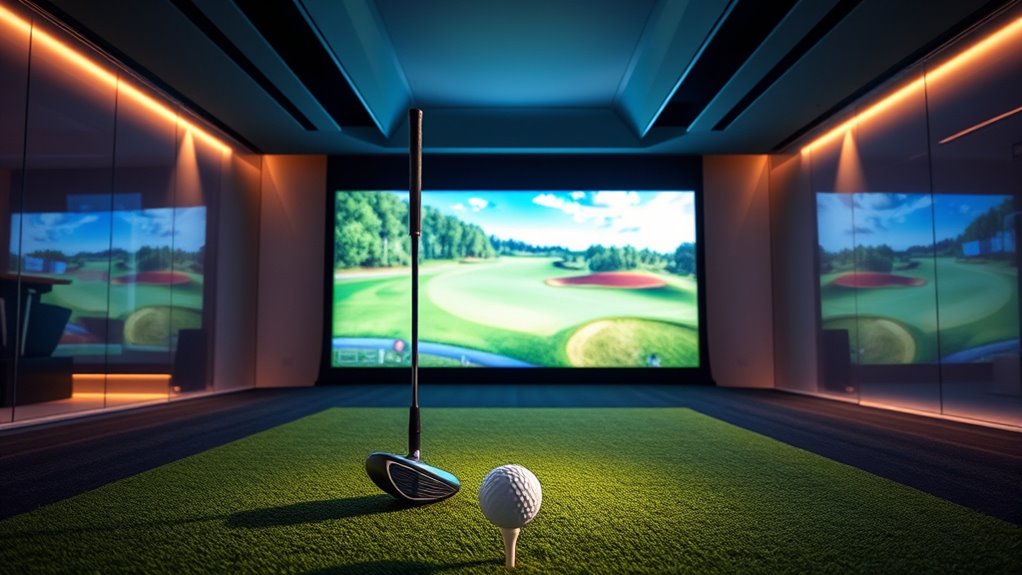

If you’re looking to elevate your game in 2025, I recommend checking out the top smart golf simulators that combine precise data, realistic environments, and portability. Devices like the Rapsodo MLM2PRO, SkyTrak, and portable launch monitors offer detailed swing metrics and virtual course access. Complete enclosures from GoSports and PHIGOLF provide immersive practice spaces for indoor and outdoor use. Stay with me to discover the best options to improve your skills and enjoy every swing even more.
Key Takeaways
- Highlights top-rated golf simulators with advanced data tracking, realistic graphics, and immersive virtual courses for improved practice.
- Focuses on features like high-precision sensors, portability, and ease of setup suitable for indoor and outdoor use.
- Includes options with impact screens, enclosures, and compatible launch monitors for a comprehensive golf simulation experience.
- Provides insights into the latest technology trends and innovations expected in 2025 for elevating your golf game.
- Helps golfers select the best smart simulators based on budget, space, and performance needs for optimal results.
Rapsodo MLM2PRO Golf Launch Monitor

If you’re serious about improving your golf game with professional-level feedback, the Rapsodo MLM2PRO Golf Launch Monitor is an excellent choice. It measures 13 key metrics like spin rate, ball speed, club speed, and launch angle, giving you detailed insights into your swing. Thanks to Doppler radar technology, it provides accurate data indoors and outdoors. You can turn any space into a golf simulator with your smartphone or tablet, enjoying virtual courses and personalized coaching. Its portable design and seamless app integration make it easy to use anywhere, making it perfect for players of all skill levels seeking serious improvement.
Best For: serious golfers and golf enthusiasts seeking professional-level swing analysis and realistic virtual training experiences.
Pros:
- Offers comprehensive 13 core golf metrics for detailed swing analysis
- Accurate Doppler radar technology usable indoors and outdoors
- Converts any space into a golf simulator with app integration and virtual courses
Cons:
- Relatively higher price point compared to basic launch monitors
- Requires a compatible smartphone or tablet for full functionality
- May have a learning curve for new users unfamiliar with golf technology
PHIGOLF Home Golf Game Simulator with Motion Sensor & Swing Stick
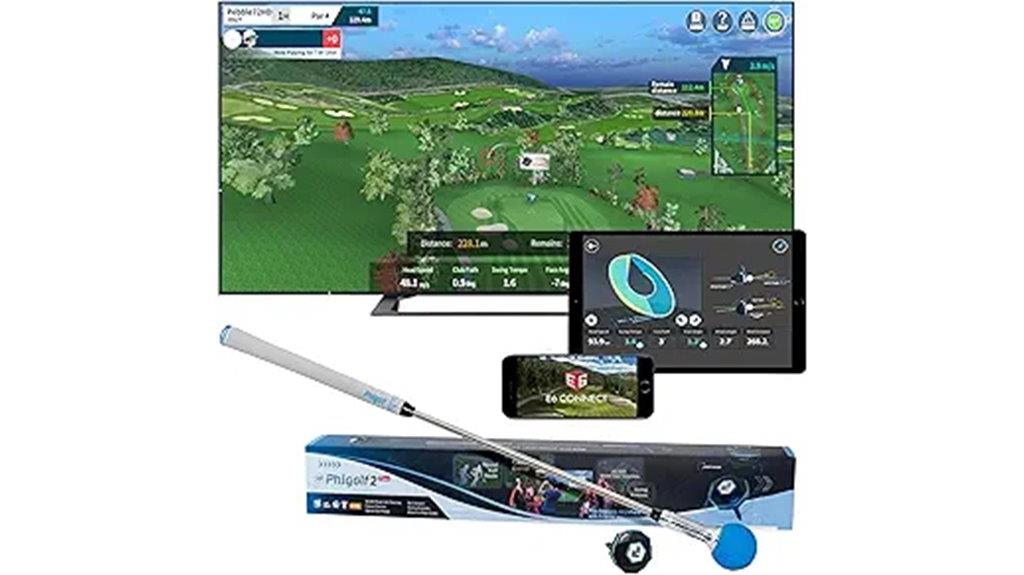
The PHIGOLF Home Golf Game Simulator with Motion Sensor and Swing Stick is an excellent choice for golf enthusiasts seeking a realistic indoor experience without bulky equipment. It features a motion sensor and lightweight swing stick, mimicking real clubs for authentic swings. Compatible with Android, iOS, and E6 Connect, it offers access to over 38,000 courses worldwide plus classic and HD options for variety. Its portable, space-saving design makes setup quick and easy, whether at home or on the go. You can use personal clubs by attaching the sensor, and multiplayer mode supports up to four players, making it perfect for practice and social gaming alike.
Best For: golf enthusiasts of all skill levels seeking a realistic, portable indoor and outdoor golf simulation experience that combines convenience, variety, and social play.
Pros:
- Realistic swings with motion sensor and swing stick mimicking real clubs
- Extensive course library with over 38,000 worldwide options and multiple HD and classic courses
- Portable and space-saving design ideal for indoor use or travel
Cons:
- Requires Bluetooth pairing and app setup, which may be technical for some users
- Dependent on compatible smartphones or devices for full functionality
- Limited to indoor or designated outdoor spaces, with optional net for safe practice
Hitting Net with Target Knotless Golf Net for Indoor and Outdoor Practice
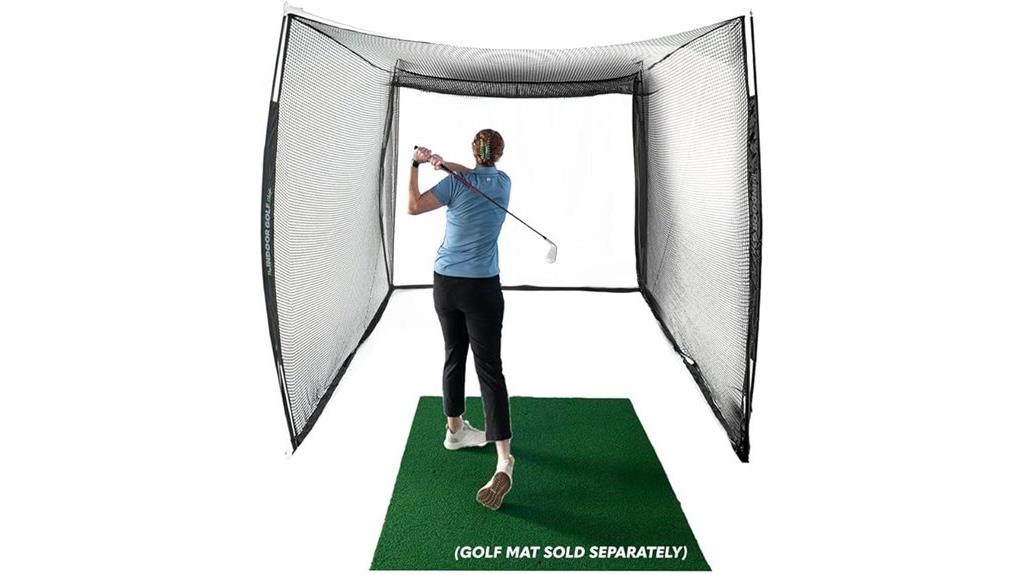
A knotless golf net with a target is an excellent choice for players seeking a safe, versatile practice environment both indoors and outdoors. Its large 10x8x10 ft size, with an 8 ft height, makes it perfect for rooms with low ceilings and outdoor spaces. The knotless design ensures a seamless hitting experience, while the impact screen reduces ball bounce back and supports golf simulators. Easy to guarantee in minutes, it offers quick assembly for focused practice. The spacious net protects your surroundings from stray balls and club impacts, making it safe for indoor use. Built with quality materials, it’s durable and reliable for consistent training.
Best For: golfers of all skill levels seeking a safe, versatile, and easy-to-assemble practice net for indoor and outdoor use.
Pros:
- Seamless, knotless design provides a smooth hitting experience.
- Large size and impact screen offer ample practice space and compatibility with golf simulators.
- Quick setup allows for immediate use, ideal for focused training sessions.
Cons:
- Requires adequate space for full setup, which might be challenging in very small areas.
- May need additional accessories like golf mats or launch monitors for optimal practice.
- As a large outdoor net, it might be cumbersome to store when not in use.
PHIGOLF Home Golf Game Simulator with Motion Sensor & Swing Stick
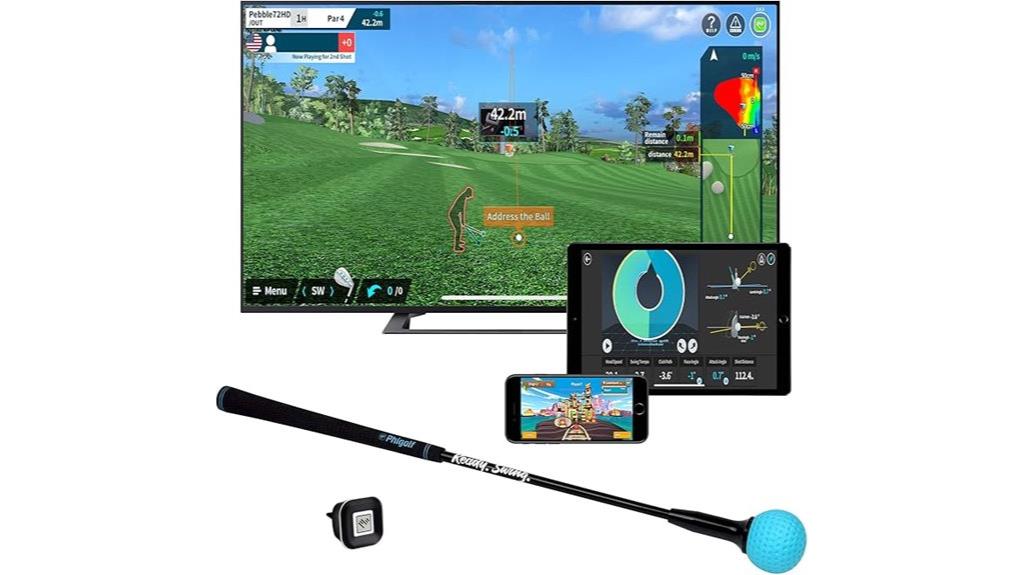
Designed for golfers seeking an immersive indoor experience, PHIGOLF Home Golf Game Simulator with Motion Sensor & Swing Stick stands out with its realistic swing detection and versatile gameplay options. It works with Android, iOS, and E6 Connect apps, offering over 38,000 courses worldwide. The 9-axis sensor and graphite swing stick enable gameplay on championship courses, online head-to-head matches, and outdoor swings with real clubs and balls when set up with a net. Easy to set up and intuitive to use, it appeals to both casual players and enthusiasts. While swing accuracy varies, its engaging features and broad compatibility make it a popular choice for home golf practice.
Best For: Golf enthusiasts and casual players seeking an immersive, versatile indoor and outdoor golf simulation experience with real swing detection.
Pros:
- Compatible with multiple apps (Android, iOS, E6 Connect) and offers over 38,000 courses worldwide.
- Includes a 9-axis sensor and graphite swing stick for realistic swing analysis and gameplay on championship courses.
- Easy setup with intuitive design suitable for all skill levels, including less tech-savvy users.
Cons:
- Swing accuracy can vary and may not match specialized golf tracking tools.
- Requires a net and setup for outdoor swings with real clubs and balls, which could be space-intensive.
- Some users may find the sensor’s motion detection less precise compared to professional golf simulators.
Rapsodo Mobile Launch Monitor for Golf (iPhone & iPad)

If you want a portable, easy-to-use golf launch monitor that delivers professional-level data, the Rapsodo Mobile Launch Monitor for Golf is an excellent choice. Compatible with iPhone and iPad, it transforms any space into a golf simulator, perfect for indoor and outdoor practice. It provides highly accurate data on shot distance, ball speed, club speed, and launch angle, rivaling tour-level precision. With real-time swing analysis, shot shape tracking, and shot scatter mapping, it helps players of all levels refine their game. Plus, it records shots with video playback and visual shot tracers, making it a thorough tool for improving your swing and understanding your ball flight.
Best For: golfers of all skill levels seeking portable, accurate, and easy-to-use launch monitor and swing analysis tools for indoor and outdoor practice.
Pros:
- Delivers tour-level accuracy on shot data such as distance, ball speed, and launch angle
- Records shots with video playback and visual shot tracers for detailed swing analysis
- Portable and compatible with iPhone and iPad, making it easy to use anywhere
Cons:
- Requires a compatible iPhone or iPad to operate, which may limit use for Android users
- May have a learning curve for beginners unfamiliar with golf tech and data interpretation
- The device’s performance can be affected by environmental factors like lighting or space limitations
GoSports Golf Training Discs 24 Pack
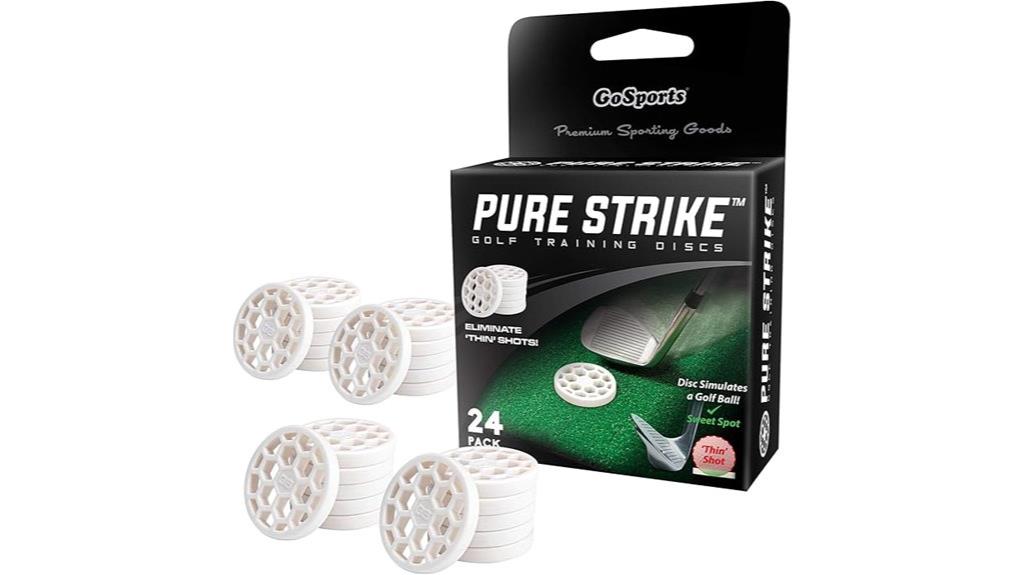
The GoSports Golf Training Discs 24 Pack stands out as an essential tool for golfers aiming to improve their swing consistency. These discs simulate a real golf ball footprint, helping me develop a proper swing path and achieve more consistent contact across all clubs. The challenge of hitting the discs encourages better strike accuracy, making practice both effective and engaging. Made from durable soft rubber, they withstand frequent use indoors or outdoors. With 24 discs in the set, I have plenty of tools to refine my technique and elevate my game, making them a smart addition to any golfer’s training routine.
Best For: golfers looking to improve swing consistency, develop proper strike technique, and enhance overall shot accuracy through targeted practice.
Pros:
- Simulates real golf ball footprint to promote proper swing path
- Durable soft rubber material suitable for indoor and outdoor use
- Includes 24 discs, providing ample practice tools for consistent improvement
Cons:
- Challenging to hit initially, which may require a learning curve
- May not perfectly replicate all aspects of actual golf ball behavior
- Requires space for effective practice, which might be limited indoors
SkyTrak Golf Launch Monitor and Golf Simulator with Metal Protective Case
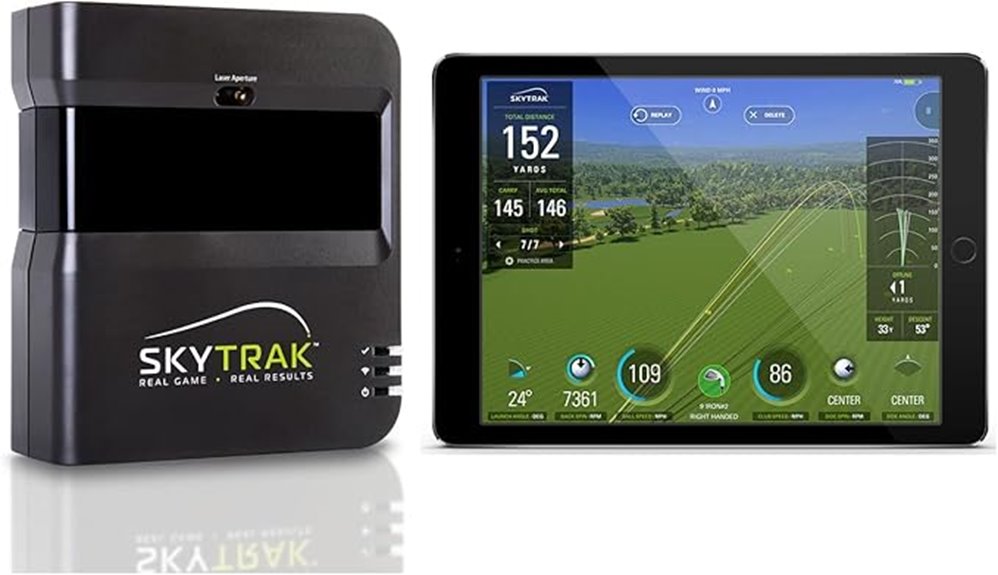
For serious golfers looking to sharpen their skills at home, the SkyTrak Golf Launch Monitor and Simulator stands out by providing real-time data on key performance metrics. It tracks ball speed, distance, launch angle, club speed, and spin rates, offering detailed insights that help improve your game. The simulator features a Driving Range mode for virtual practice sessions. Plus, it comes with a durable metal protective case, ensuring the device stays safe on hitting mats. Shipping requires a signature, so you’ll need to be home to receive it. Overall, it’s a reliable and precise tool for taking your golf skills to the next level.
Best For: serious golfers seeking to enhance their at-home practice sessions with precise data and virtual simulation.
Pros:
- Provides detailed real-time performance metrics including ball speed, distance, and spin rates.
- Features a Driving Range mode for convenient virtual practice.
- Comes with a durable metal protective case for added device safety.
Cons:
- Requires a signature upon delivery, necessitating someone to be present at home.
- May involve a higher price point suitable for dedicated golf enthusiasts.
- Setup and calibration might require some technical familiarity.
GoSports Golf Simulator Impact Screen – Choose 6.5 ft x 7 ft or 9 ft x 7 ft
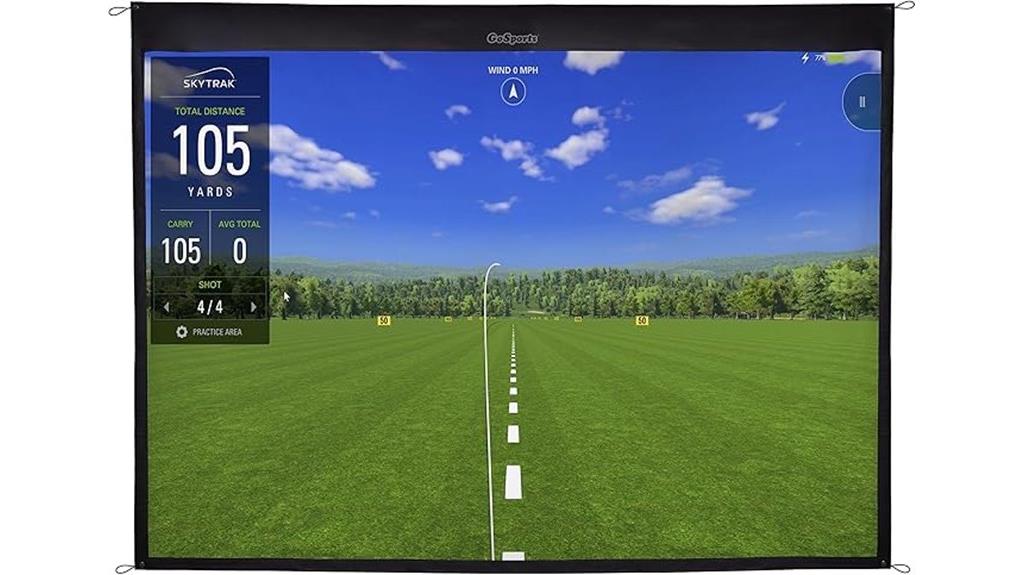
When choosing the right impact screen for your golf simulator setup, the GoSports Golf Simulator Impact Screen stands out with its flexible size options of 6.5 ft x 7 ft and 9 ft x 7 ft. Made from durable high-density woven polyester, it’s built to handle real golf balls and withstand impact, ensuring long-lasting performance. The screen’s dimensions fit various spaces and setups, and it’s easy to mount using four grommets or connect to the GoSports ELITE Golf Hitting Net for a complete installation. With high-definition picture quality, it creates a realistic backdrop, perfect for practicing or entertainment, indoors or outdoors.
Best For: golf enthusiasts, home golfers, and entertainment seekers looking for a durable, high-quality impact screen for golf simulation or outdoor movie nights.
Pros:
- Made from high-density woven polyester for enhanced durability and impact resistance
- Available in two versatile sizes (6.5 ft x 7 ft and 9 ft x 7 ft) to fit various spaces
- High-definition picture quality creates a realistic and immersive visual experience
Cons:
- Requires mounting or connection to a separate hitting net for full setup
- Larger size options may require more space and proper installation planning
- May be more expensive than basic projection screens due to specialized construction
IZZO Golf Swami Launch Master Golf Launch Simulator – Golf Training Aid
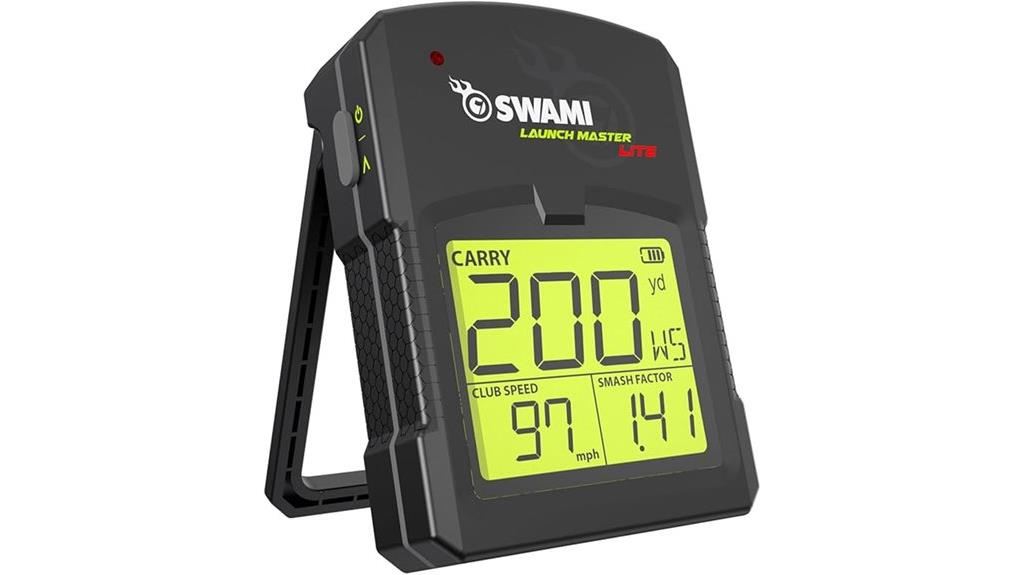
If you’re serious about improving your golf game on the go, the IZZO Golf Swami Launch Master Golf Launch Simulator stands out as an ideal training aid. It provides precise data on carry distance, club head speed, and smash factor, helping you fine-tune your swings and boost performance. Its compact, pocket-sized design makes it easy to take anywhere—indoor or outdoor—without bulky equipment. Compatible with all clubs and simple to operate—just insert batteries and start measuring—this device offers reliable, real-time feedback. Lightweight and portable, it’s perfect for golfers who want to practice anytime, anywhere, elevating their skills with minimal hassle.
Best For: golfers seeking a portable, easy-to-use training aid that provides precise swing data to improve their game anytime, anywhere.
Pros:
- Accurate measurement of carry distance, club head speed, and smash factor for comprehensive feedback
- Compact, lightweight design with a carry case for easy transportation and use indoors or outdoors
- Simple setup—just insert 4 AA batteries—no technical skills required
Cons:
- May require batteries replacement over time for continuous use
- Limited to data tracking; does not offer advanced swing analysis or video integration
- Performance can be affected by environmental factors like wind or uneven surfaces outdoors
GoSports Golf Simulator Enclosure Nets (Complete Set with Frame and Screen)
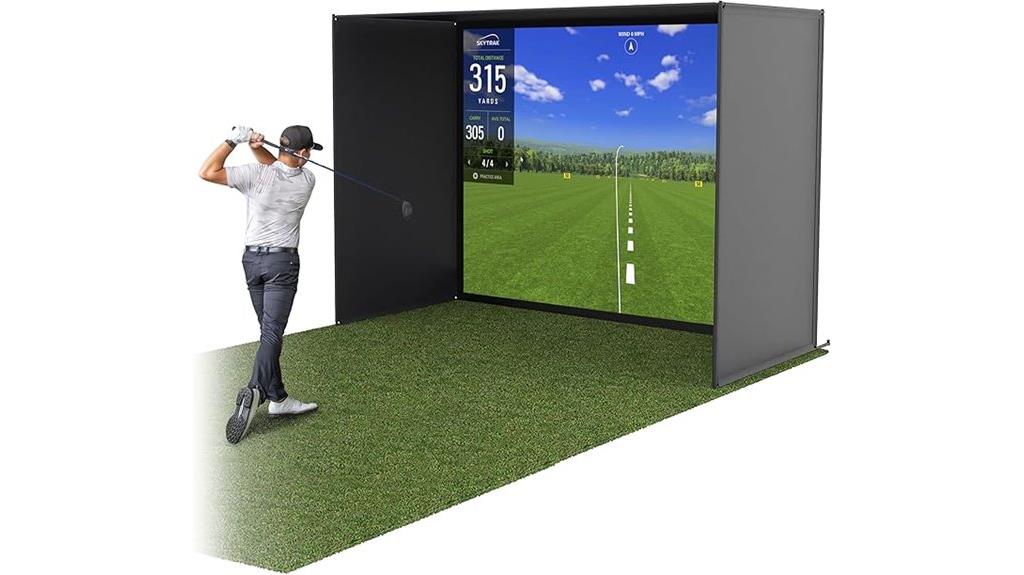
The GoSports Golf Simulator Enclosure Nets stand out as a top choice for serious golf enthusiasts seeking a professional-grade indoor setup. These enclosures come in sizes like 10 x 8 ft, 12 x 9 ft, or 14 x 8 ft, providing ample space for practicing swings safely. Built with a sturdy steel frame and reinforced HD impact screen, they handle real golf balls and all swing speeds. Foam padding inside minimizes rebounding, enhancing safety and longevity. Easy to assemble within 30 minutes, they’re compatible with most launch monitors and projectors. This complete set offers a durable, affordable way to bring a premium golf studio into your home or garage.
Best For: serious golf enthusiasts and home users seeking a professional-grade indoor golf setup that is easy to assemble and offers durability.
Pros:
- Durable steel frame and reinforced HD impact screen handle real golf balls and all swing speeds.
- Foam padding inside minimizes rebounding for safety and long-term use.
- Easy to assemble within 30 minutes and compatible with most launch monitors and projectors.
Cons:
- Requires a room with at least a 9 ft ceiling and sufficient space for setup.
- Size options may not fit very small or irregularly shaped rooms.
- Launch monitors and projectors are not included and need to be purchased separately.
Golf Simulator Enclosure with Impact Netting and All Poles

A golf simulator enclosure with impact netting and all poles offers a straightforward setup that’s perfect for golfers seeking a reliable, ready-to-go practice space. It includes a heavy-duty frame, tightly woven netting, an impact screen, side shank nets, and steel connectors, making assembly easy without special tools. Available in three sizes, it fits spaces like garages, backyards, or golf studios, with screens tailored to each cage size. You’ll need to provide your projector, launch monitor, and software, but the enclosure accommodates existing gear. Built with durable materials and backed by a 12-month warranty, it helps you practice efficiently from unboxing to your first swing in less than an hour.
Best For: golfers seeking a quick, durable, and easy-to-assemble indoor or outdoor practice enclosure compatible with existing golf simulation equipment.
Pros:
- Easy setup with no special tools required, from unboxing to first swing in less than an hour
- Durable construction with heavy-duty frame, impact netting, and 12-month warranty
- Customizable sizes to fit various spaces like garages, backyards, or golf studios
Cons:
- Requires users to provide their own projector, launch monitor, and software
- Size options are limited to three predefined configurations, which may not suit all spaces
- Does not include additional training accessories or lighting options
SkyTrak+ Golf Launch Monitor & Simulator
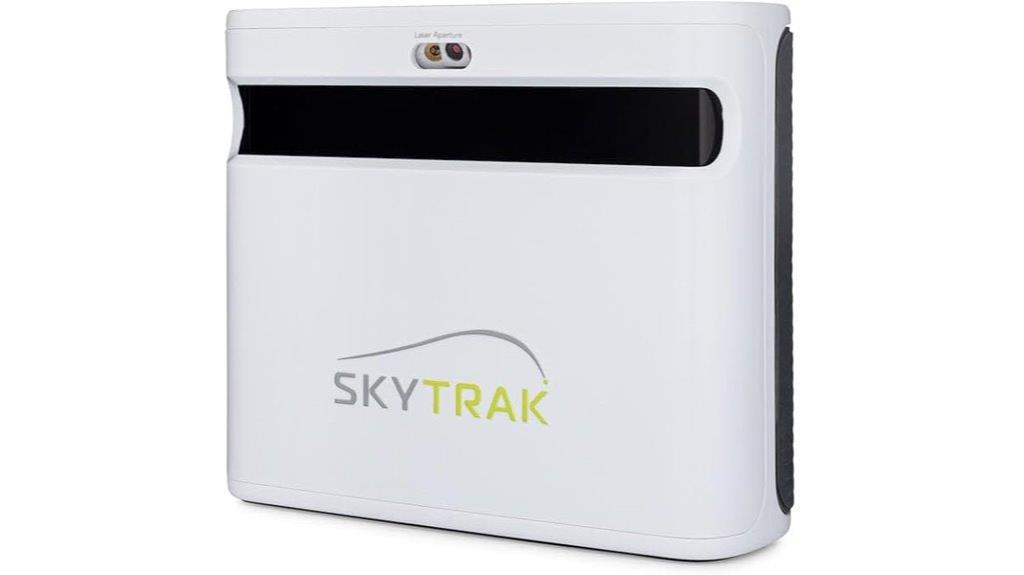
Designed for serious golfers seeking precise data and immersive practice, the SkyTrak+ Golf Launch Monitor & Simulator offers advanced dual Doppler radar technology that captures detailed club metrics in real time. It measures club speed, attack angle, and club path accurately, giving you valuable insights. Its sophisticated photometric camera system guarantees precise ball tracking, boosting reliability and accuracy. The device’s portable, wireless design makes setup effortless anywhere—indoors or outdoors. Plus, with Wi-Fi connectivity and a free 14-day trial of the Essential Membership software, you get seamless data transfer and access to advanced training features, making it a versatile tool to elevate your game.
Best For: serious golfers seeking precise data, immersive practice, and versatile indoor/outdoor use to enhance their game.
Pros:
- Utilizes advanced dual Doppler radar technology for highly accurate club metrics and ball tracking.
- Portable, wireless design allows for easy setup anywhere, indoors or outdoors.
- Includes a free 14-day trial of Essential Membership software for enhanced training and data analysis.
Cons:
- May be more expensive than basic launch monitors, reflecting its advanced features.
- Requires Wi-Fi connectivity, which might be a limitation in areas with poor internet service.
- The initial setup and calibration could be complex for beginners unfamiliar with golf simulation technology.
GoSports Golf Simulator Enclosure Nets (Complete Set)
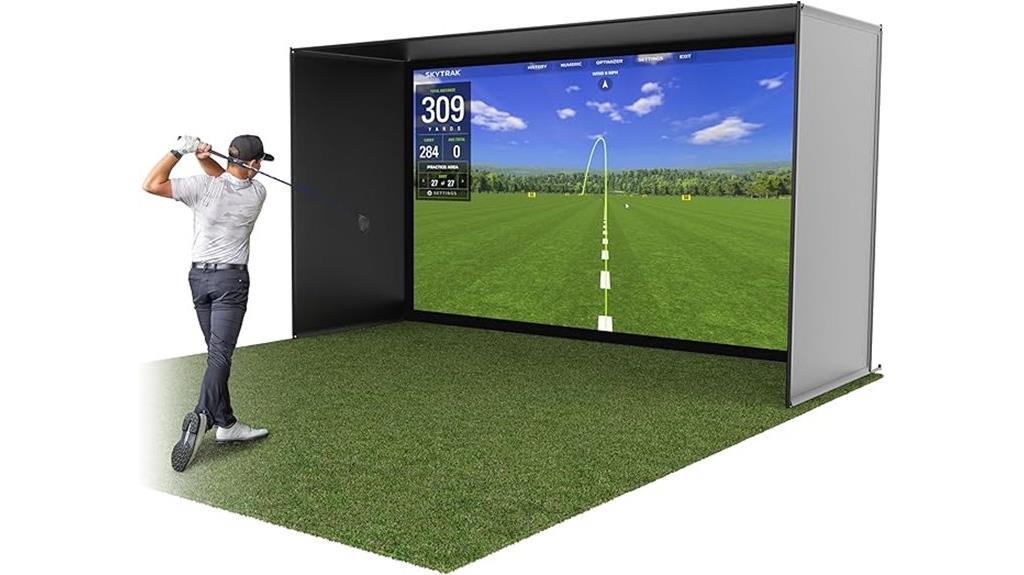
If you’re serious about improving your golf game at home, the GoSports Golf Simulator Enclosure Nets (Complete Set) offers a versatile and durable solution. Available in 10 x 8 ft, 12 x 9 ft, or 14 x 8 ft sizes, it easily transforms any space into a professional indoor golf studio. The sturdy steel frame, reinforced impact screen, and foam padding guarantee safety and long-lasting durability, even with real golf balls and all swing speeds. Setup is quick—under 30 minutes—and it’s compatible with most launch monitors and projectors. Whether for casual or serious practice, this enclosure provides a realistic, safe, and cost-effective way to elevate your game indoors.
Best For: golfers seeking a durable, professional-grade indoor simulator enclosure for home or garage practice that is easy to set up and compatible with various launch monitors and projectors.
Pros:
- Sturdy steel frame and reinforced impact screen for long-term durability and safety
- Quick setup in under 30 minutes with detailed assembly instructions
- Compatible with all major launch monitors and projectors, offering versatile use
Cons:
- Requires sufficient ceiling height (minimum 9 ft) and space for hitting distance
- Not including launch monitors or projectors, which are needed for full simulation experience
- Sizes may not fit in very small or unusually shaped rooms
Golf Simulator Enclosure with Impact Netting and All Poles
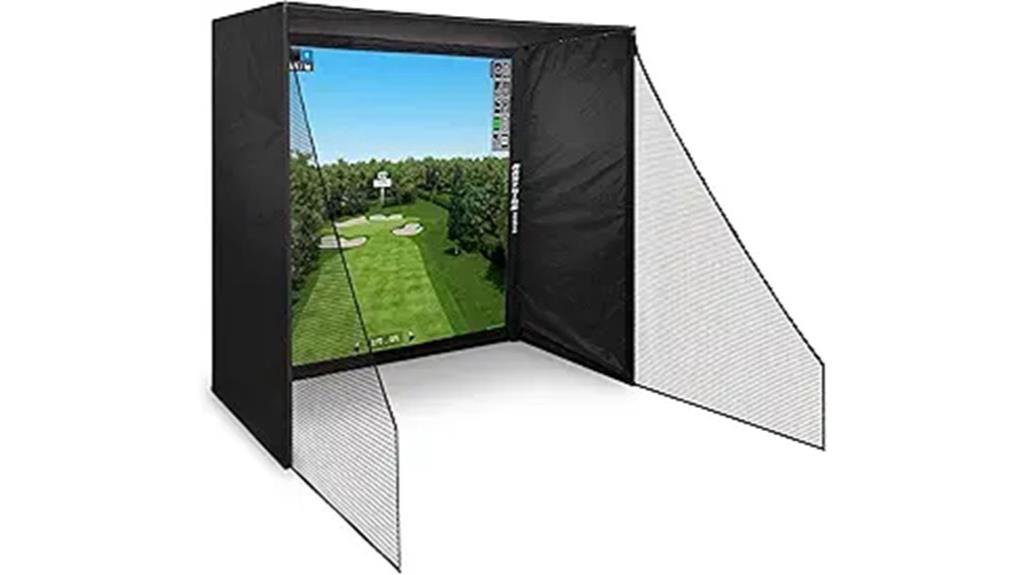
For golfers seeking a safe, immersive practice environment, the Golf Simulator Enclosure with Impact Netting and All Poles offers a straightforward, reliable solution. It features a heavy-duty frame, tightly woven impact netting, and an impact screen that nearly matches the frame size for full coverage. Designed for easy setup without special tools, it takes less than an hour to assemble. Available in three sizes, it fits various spaces like garages or backyards. Just add your projector, launch monitor, and software. Plus, it comes with a 12-month warranty and responsive customer support, making it a practical choice for consistent indoor practice.
Best For: golfers seeking an easy-to-assemble, full-coverage indoor or limited-space golf practice enclosure with reliable safety features.
Pros:
- Quick setup in under an hour without the need for special tools
- Full coverage impact screen that nearly matches the cage size for immersive practice
- Comes with a 12-month warranty and dedicated customer support
Cons:
- Requires your own projector, launch monitor, and software to complete the simulator experience
- Only available in three sizes, which may not fit very large or irregular spaces
- Impact netting and screen may need replacement after extended heavy use
PHIGOLF Home Golf Game Simulator with Motion Sensor & Swing Stick

The PHIGOLF Home Golf Game Simulator stands out for its realistic swing measurement and versatile compatibility, making it an ideal choice for golf enthusiasts who want an authentic indoor experience. It uses a motion sensor and swing stick to track your swings accurately, supporting both indoor and outdoor play. With access to over 38,000 worldwide courses plus HD and classic options, you’ll never run out of variety. It’s portable and easy to set up—no net or ball needed—fitting conveniently into a suitcase for travel. You can use your own clubs, and multiplayer mode allows up to four players, making it perfect for fun and skill improvement.
Best For: golf enthusiasts seeking an authentic, portable indoor and outdoor golf simulation experience with multiplayer capability.
Pros:
- Realistic swing measurement using motion sensor and swing stick for accurate feedback.
- Extensive course library with over 38,000 worldwide courses plus HD and classic options for diverse gameplay.
- Portable design that requires minimal space, no net or ball, and supports travel in a suitcase.
Cons:
- May require initial setup and app pairing, which could be challenging for some users.
- Limited to the swing stick and sensor; not compatible with traditional golf simulators or other peripherals.
- Indoor play requires a suitable space; outdoor use may be limited by weather conditions.
Factors to Consider When Choosing Smart Golf Simulators
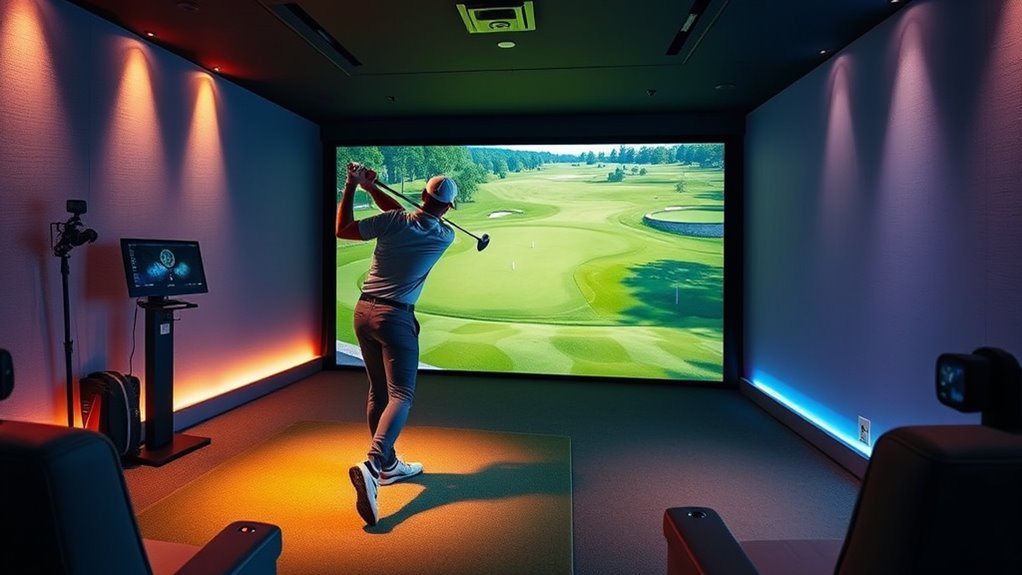
When selecting a smart golf simulator, I focus on accuracy and data precision to guarantee my practice is effective. I also consider compatibility with my devices, space requirements, and portability to fit my setup and lifestyle. Finally, I weigh the price against features to find the best value for my investment.
Accuracy and Data Precision
Achieving accurate and precise data is essential when selecting a smart golf simulator, as it directly impacts your ability to analyze and improve your game. High accuracy in measuring key metrics like ball speed, club speed, launch angle, spin rate, and shot distance is critical for effective feedback. Advanced technologies such as Doppler radar, photometric cameras, and dual Doppler systems provide more reliable and detailed data than basic sensors. To trust the readings, it’s important that they’re validated against professional launch monitors, ensuring close alignment with real-world measurements. Consistent calibration and adaptability for indoor or outdoor use help maintain accuracy over time. When shot shape, dispersion, and impact points are visualized with minimal error, your data becomes a powerful tool for targeted performance improvements.
Compatibility and Connectivity Options
Choosing a smart golf simulator that seamlessly integrates with your existing devices is essential for a smooth and enjoyable experience. Make sure it’s compatible with your preferred platform, whether iOS, Android, or PC, to avoid frustrating setup issues. Check if it supports Bluetooth, Wi-Fi, or USB connections, so you can easily connect with your current devices and peripherals. Compatibility with popular golf apps and virtual courses expands your training options and keeps gameplay fresh. Also, verify if the software offers real-time data transfer and simple pairing with smartphones, tablets, or computers for instant feedback. Ultimately, consider whether external accessories like launch monitors or swing analyzers are compatible, as they can considerably enhance your practice sessions and overall training quality.
Space and Setup Needs
Evaluating your space is a crucial first step in selecting the right smart golf simulator, as it determines what setup will work best for your environment. First, measure your room dimensions to confirm enough space for the enclosure, hitting area, and safe ball flight—usually at least 9 feet of ceiling height is needed. Decide if the setup is for indoor or outdoor use, since some simulators are weather-resistant or better suited for specific environments. The size of the enclosure or net matters too; options range from compact (around 6.5 ft x 7 ft) to larger setups (up to 14 ft x 9 ft). Also, check for accessible power sources and unobstructed clearance behind and around the hitting zone to allow full swings and prevent damage.
Portability and Mobility
When selecting a smart golf simulator, portability and mobility are essential factors to contemplate, especially if you plan to move it between different locations or store it when not in use. I recommend considering its weight and dimensions to guarantee easy transport and setup. Look for models with foldable frames or compact designs that don’t compromise performance but make moving hassle-free. Assess how simple it is to assemble and disassemble, saving you time and effort. It’s also beneficial if the simulator comes with carrying cases or storage bags for protection during transport. Ultimately, check the power options—battery-powered units offer flexibility for outdoor use, while plug-in models suit indoor setups. These features make your simulator more adaptable to your lifestyle.
Price and Value
Price and value are crucial considerations that can make or break your investment in a smart golf simulator. I recommend looking beyond the initial cost, considering hardware, software, and accessories to guarantee it fits your budget. Evaluate the features offered, like high-precision sensors, realistic graphics, and detailed data tracking, and see if they justify the price. Think about long-term benefits such as durability, regular software updates, and customer support, which add to the overall value. Compare different models’ prices against their key features and performance to find the best balance. Also, watch out for hidden costs like subscription fees or necessary peripherals that could impact the total investment. A smart choice balances cost with performance, giving you the best bang for your buck.
Frequently Asked Questions
How Do Smart Golf Simulators Improve My Actual Golf Swing?
Smart golf simulators improve my swing by providing real-time feedback on my swing path, club speed, and ball contact. They analyze my movements and give me instant tips to correct flaws, making practice sessions more effective. With detailed data and visualizations, I can see what’s working and what needs improvement, helping me develop better technique and consistency. It’s like having a personal coach right in my living room.
What Is the Typical Setup Time for a Home Golf Simulator System?
Setting up a home golf simulator usually takes around 4 to 8 hours, depending on your space and experience with DIY projects. I was worried about installation too, but I found that with clear instructions and some patience, it’s manageable. I recommend planning ahead, clearing your space, and gathering tools beforehand. Once it’s set up, you’ll be teeing off in your own backyard, ready to improve your game anytime!
Are Smart Golf Simulators Suitable for All Skill Levels?
Yes, smart golf simulators are suitable for all skill levels. I’ve found they adapt well, offering beginner modes to help new players learn, while advanced features challenge more experienced golfers. They provide real-time feedback, which helps me improve faster. Whether you’re just starting or a seasoned pro, these systems make practicing fun and effective. I recommend choosing one with adjustable difficulty levels to get the most out of your practice sessions.
How Much Space Is Needed to Install a Full-Sized Golf Simulator?
Did you know a full-sized golf simulator typically requires about 10 feet of width, 15 feet of length, and 8 feet of height? I found that installing one in my basement took some planning, but it’s worth it. You’ll need enough space for your swing and enough clearance for safety. I recommend measuring your area carefully and considering extra room for accessories or a screen.
Do Smart Golf Simulators Track Putting and Short Game Accuracy?
Yes, smart golf simulators do track putting and short game accuracy. I’ve used models that provide detailed feedback on your putting stroke, accuracy, and distance control. They often come with specialized sensors or camera systems that analyze your technique in real-time. This data helps me identify weaknesses and improve my short game. If you’re serious about refining your putting skills, investing in a simulator with these features is definitely worth it.
Conclusion
After trying out these top smart golf simulators, I can honestly say they’re like having a personal golf coach in your living room. I vividly remember missing a shot for weeks, then using one of these devices to analyze and improve my swing—suddenly, my scores skyrocketed. Just like a GPS guides you on unfamiliar roads, these simulators steer your game in the right direction, making practice fun and effective wherever you are.