Wireless PC VR streaming is one of the most demanding things you can ask a home network to do. Unlike 4K video, which buffers ahead of time, a SteamVR session over Virtual Desktop or ALVR needs a steady, low-latency connection in both directions for hours at a time — and a single stutter can ruin a boss fight or make you motion sick. That is why the router matters more than almost any other part of the chain besides your PC itself. After comparing the current field, two picks stand out to me: the GL.iNet Flint 3 as the best overall choice, thanks to tri-band Wi-Fi 7 with Multi-Link Operation and five 2.5G ports that let you dedicate a clean 5 GHz band to the headset, and the GL.iNet Flint 2 as the best value, pairing Wi-Fi 6 with dual 2.5G ports at a friendlier price. The main tradeoffs you are weighing across this lineup are band count and Wi-Fi generation versus cost, whether you need 2.5G Ethernet for a wired PC (I consider this near-mandatory for serious VR streaming), and how much you value extras like VPN support or mesh expandability over raw streaming performance.

Get business pricing on tech for your team
- Business-only prices and quantity discounts
- Tax-exempt purchasing
- Multiple users, one account, clear invoices
Key Takeaways
- A dedicated 5 GHz band for the headset is the single biggest performance factor — the tri-band Flint 3 wins here because it can isolate the headset from every other device in the house
- A 2.5G Ethernet port for your gaming PC matters more than headline Wi-Fi speeds; only the Flint 3, Flint 2, and Nighthawk RS140 offer one
- The budget picks (R6700AX, Tenda RX12 Pro) work well in apartments or single-room play spaces but share spectrum with everything else in the home
- VPN speeds on the Flint 3 are slower than the Flint 2, which matters only if you plan to run WireGuard alongside gaming
- All five routers require a separate modem or assume you already have internet — none is a modem-router combo
| GL.iNet Flint 3 Tri-Band Wi-Fi 7 Router with Five 2.5G Ports |  | Best Overall | Wi-Fi standard: Wi-Fi 7 (802.11be) | Bands: Tri-band | Maximum Wi-Fi speed: Up to 9 Gbps | VIEW ON AMAZON | See Our Full Breakdown |
| GL.iNet Flint 2 Wi-Fi 6 Gaming Router with Dual 2.5G Ports |  | Best Value | Wi-Fi standard: Wi-Fi 6 (802.11ax) | Maximum data rate: 6000 Mbps | Ethernet: 2 x 2.5G, 4 x 1G | VIEW ON AMAZON | See Our Full Breakdown |
| NETGEAR Nighthawk RS140 WiFi 7 Dual-Band Router |  | Best Premium Pick | WiFi standard: WiFi 7 | Bands: Dual-band, 2.4 GHz and 5 GHz | Maximum speed: Up to 5 Gbps | VIEW ON AMAZON | See Our Full Breakdown |
| NETGEAR Nighthawk R6700AX WiFi 6 Router |  | Best for Beginners | Model: R6700AX | WiFi standard: WiFi 6 | Maximum speed: 1.8 Gbps | VIEW ON AMAZON | See Our Full Breakdown |
| Tenda RX12 Pro V3.0 AX3000 Wi-Fi 6 Dual-Band Gigabit Router |  | Best Budget Pick | Wi-Fi standard: Wi-Fi 6 | Combined maximum speed: AX3000 | 5 GHz speed: Up to 2402 Mbps | VIEW ON AMAZON | See Our Full Breakdown |
| router for steamvr wireless streaming | Bands | Wi-Fi standard | Ethernet | Coverage |
|---|---|---|---|---|
| GL.iNet Flint 3 Tri-Band Wi-Fi | Tri-band | Wi-Fi 7 (802.11be) | 5 x 2.5G ports | Up to 2,000 sq. ft. |
| GL.iNet Flint 2 Wi-Fi 6 Gaming | Dual-band, including 5 GHz | Wi-Fi 6 (802.11ax) | 2 x 2.5G, 4 x 1G | — |
| NETGEAR Nighthawk RS140 WiFi 7 | Dual-band, 2.4 GHz and 5 GHz | — | — | Up to 2,250 sq. ft. |
| NETGEAR Nighthawk R6700AX WiFi | 2.4 GHz and 5 GHz | — | — | Up to 1,500 sq. ft. |
| Tenda RX12 Pro V3.0 AX3000 Wi- | — | Wi-Fi 6 | 4 x Gigabit with auto WAN/LAN detection | — |
More Details on Our Top Picks
GL.iNet Flint 3 Tri-Band Wi-Fi 7 Router with Five 2.5G Ports
The Flint 3 earns the top spot because it is the only tri-band router in this lineup, and that third radio is exactly what wireless VR wants. With two 5 GHz bands available, you can dedicate one band entirely to the headset while phones, TVs, and laptops fight over the rest — an isolation trick no dual-band router here can replicate. Add Wi-Fi 7 Multi-Link Operation and up to 9 Gbps of aggregate throughput, and the wireless side of the equation is about as clean as it gets for Virtual Desktop or Steam Link sessions.
The wired side keeps pace. Five 2.5G Ethernet ports mean your gaming PC plugs in well above Gigabit, which matters because a bitrate-hungry VR stream can saturate a 1G link when the encoder spikes. Compared with the Flint 2, this model trades slightly slower VPN throughput (up to 680 Mbps versus roughly 900 Mbps on the Flint 2) for the extra band and faster Wi-Fi — a trade I would make every time for VR, but not necessarily if you only browse and stream video. The Linux-based firmware, AdGuard Home, and support for over 100 devices give it flexibility the NETGEAR options do not match, though you should plan on a firmware update during setup, and real-world speeds will always depend on your environment.
Pros:- Tri-band design lets you isolate a 5 GHz band just for the headset
- Five 2.5G Ethernet ports for high-bandwidth wired connections
- Wi-Fi 7 with Multi-Link Operation for steadier low-latency performance
- Open Linux firmware with AdGuard Home and parental controls
Cons:- VPN throughput trails the cheaper Flint 2
- Firmware update is recommended during initial setup
- More router than a casual household needs
Best for: Enthusiasts who want a dedicated 5 GHz band for the headset and 2.5G wired speeds for the PC
Not ideal for: Buyers who only need basic internet for a small apartment and do not want to pay for tri-band
- Wi-Fi standard:Wi-Fi 7 (802.11be)
- Bands:Tri-band
- Maximum Wi-Fi speed:Up to 9 Gbps
- Ethernet:5 x 2.5G ports
- Coverage:Up to 2,000 sq. ft.
- Device capacity:Over 100 devices
- VPN:WireGuard and OpenVPN up to 680 Mbps
- Key features:MLO, AdGuard Home, Bark parental controls
Our verdict“If wireless SteamVR is a priority and you want the cleanest possible signal path, the Flint 3 is the strongest foundation in this group.”
GL.iNet Flint 2 Wi-Fi 6 Gaming Router with Dual 2.5G Ports
Most people do not need tri-band, and the Flint 2 proves it. It keeps the two things that genuinely improve VR streaming — Wi-Fi 6 on 5 GHz and two 2.5G Ethernet ports — while cutting the price relative to its bigger sibling. With the PC wired into a 2.5G port and the headset on the 5 GHz radio, this configuration handles high-bitrate SteamVR streams comfortably in a typical room or two, which is the whole job.
Where it beats the Flint 3 outright is VPN speed: WireGuard at up to 900 Mbps means you can run a VPN for other traffic without gutting your connection, something neither NETGEAR here can do natively at that level. Compared with the similarly priced Nighthawk R6700AX, the Flint 2 offers faster Wi-Fi (up to 6 Gbps aggregate), 2.5G ports instead of Gigabit-only, and a much more open firmware environment. The tradeoff is honest, though: as a dual-band router, your headset shares that 5 GHz band with everything else, so a busy household will notice more contention than on the Flint 3. Performance also varies with your environment and provider, and you should update the firmware on day one.
Pros:- Wi-Fi 6 with aggregate speeds up to 6 Gbps
- Two 2.5G and four 1G Ethernet ports
- Fast WireGuard and OpenVPN performance
- Open firmware with AP mode, QoS, and AdGuard Home
Cons:- Dual-band only, so the headset shares spectrum with other devices
- Performance varies with provider and network conditions
- Firmware update recommended during setup
Best for: Value-focused VR users who want 2.5G wired speeds and strong Wi-Fi 6 without paying for tri-band
Not ideal for: Crowded homes where a single shared 5 GHz band will get saturated
- Wi-Fi standard:Wi-Fi 6 (802.11ax)
- Maximum data rate:6000 Mbps
- Ethernet:2 x 2.5G, 4 x 1G
- VPN speeds:WireGuard up to 900 Mbps; OpenVPN up to 880 Mbps
- RAM / Storage:1 GB DDR4 / 8 GB eMMC
- Bands:Dual-band, including 5 GHz
- Key features:AP mode, guest mode, QoS, AdGuard Home
Our verdict“The Flint 2 delivers the core requirements of wireless VR streaming — fast Wi-Fi 6 and 2.5G wired ports — at the best price-to-performance ratio here.”
NETGEAR Nighthawk RS140 WiFi 7 Dual-Band Router
The RS140 is the router for someone who wants Wi-Fi 7 without adopting GL.iNet’s enthusiast firmware. It pairs a 2.5G WAN port with a polished app, automatic firmware updates, and out-of-the-box security, which makes it feel more managed and less tinkered-with than the Flints. For VR, WiFi 7’s efficiency features help latency even on a dual-band design, and coverage rated up to 2,250 sq. ft. is the largest claimed footprint in this comparison.
But the RS140 has structural limits for streaming specifically. Its LAN ports are Gigabit only — the 2.5G port is reserved for the WAN — so your wired PC cannot exceed 1G, capping the headroom a high-bitrate VR encoder might want. That is the exact scenario where the Flint 3’s five 2.5G ports justify themselves. The RS140 also leans on a subscription model: NETGEAR Armor is free for 30 days and paid after that, whereas the Flint’s AdGuard Home runs free forever. If you value straightforward app management, wide device capacity (up to 80), and a mainstream brand over raw port bandwidth, this is the refined mainstream option — just know what you are giving up at the Ethernet jack.
Pros:- WiFi 7 with speeds up to 5 Gbps
- 2.5G WAN port and coverage up to 2,250 sq. ft.
- Clean app management with automatic firmware updates
- Supports up to 80 devices
Cons:- LAN ports are Gigabit only, limiting wired PC throughput
- NETGEAR Armor requires a subscription after 30 days
- Requires a separate modem or gateway
Best for: Buyers who want WiFi 7 polish and app-based management in a mainstream brand
Not ideal for: Anyone who wants 2.5G LAN speeds or refuses subscription-based security upsells
- WiFi standard:WiFi 7
- Bands:Dual-band, 2.4 GHz and 5 GHz
- Maximum speed:Up to 5 Gbps
- Coverage:Up to 2,250 sq. ft.
- Ports:2.5G WAN, three 1G LAN
- Device capacity:Up to 80 devices
- Management:Nighthawk app for iOS and Android
- Security:Advanced Router Protection, optional Armor subscription
Our verdict“A polished WiFi 7 router that trades high-bandwidth LAN ports for app convenience and brand refinement.”
NETGEAR Nighthawk R6700AX WiFi 6 Router
Not everyone building a wireless VR setup wants to learn networking. The R6700AX is the simplest path to a workable VR stream: plug it into your modem, follow the app, and play. Wi-Fi 6 at up to 1.8 Gbps is genuinely enough for a solid Virtual Desktop session in the same room or one room over, and the four Gigabit LAN ports let you hardwire the PC, which is the one setup step I would never skip for VR.
The compromises are real and worth naming. At up to 20 devices and 1,500 sq. ft. of coverage, this is a small-home router, and a household full of smart devices will crowd the single 5 GHz band your headset depends on. Compared with the Flint 2 — its closest price rival here — it gives up 2.5G ports, half the aggregate Wi-Fi speed, and open firmware in exchange for NETGEAR’s gentler app experience. It also sits behind the same Armor subscription upsell as the RS140. For a first-time VR user in an apartment, those are acceptable trades; for anyone with a busy network or a large play space, spend the extra on the Flint 2.
Pros:- Straightforward app-based setup and management
- Wi-Fi 6 speeds up to 1.8 Gbps
- Four Gigabit LAN ports for a wired PC
- WPA3 and automatic firmware updates included
Cons:- Rated for only 20 devices and 1,500 sq. ft.
- No 2.5G Ethernet anywhere on the router
- Armor security requires a subscription after the trial
Best for: First-time VR users in apartments or small homes who want simple app-based setup
Not ideal for: Busy households with many devices or spaces larger than 1,500 sq. ft.
- Model:R6700AX
- WiFi standard:WiFi 6
- Maximum speed:1.8 Gbps
- Coverage:Up to 1,500 sq. ft.
- Connected devices:Up to 20
- Bands:2.4 GHz and 5 GHz
- Ports:4 x 1G LAN, 1 x 1G WAN
- Security:WPA3, guest network, auto firmware updates
Our verdict“A capable beginner router that handles same-room VR streaming well, provided your device count stays modest.”
Tenda RX12 Pro V3.0 AX3000 Wi-Fi 6 Dual-Band Gigabit Router
The RX12 Pro is the entry point of this lineup, and it punches above its weight for single-room VR. Its 5 GHz radio reaches up to 2402 Mbps, and with OFDMA and MU-MIMO it handles the steady, repeated small packets of a VR stream better than older budget routers. The 7 dBi high-gain antennas and Beamforming help concentrate signal toward the headset, which is a meaningful advantage when your play space is at the edge of the router’s reach.
Its standout trick versus everything else here is EasyMesh support: if your play room is far from the router, you can add a compatible node rather than replacing the whole system — none of the other four offer that path. It also includes a dedicated IoT network and broad VPN protocol support (OpenVPN, WireGuard, PPTP, L2TP). The catches: ports are Gigabit only, the AX3000 figure is a combined maximum you will never see on a single link, and Tenda does not publish a coverage figure, so plan on same-room or adjacent-room use. Against the R6700AX, you get similar speeds plus mesh and NFC setup; against the Flint 2, you lose the 2.5G ports and open firmware but keep more money in your pocket.
Pros:- 5 GHz speeds up to 2402 Mbps with OFDMA and MU-MIMO
- EasyMesh support for future coverage expansion
- High-gain antennas and Beamforming focus signal at the headset
- Dedicated IoT network and NFC-assisted setup
Cons:- Gigabit-only Ethernet ports
- Listed speeds are combined maximums, not real-world throughput
- No published coverage area specification
Best for: Budget-conscious players who stream VR in one room and may want mesh expansion later
Not ideal for: Users who need 2.5G wired speeds or guaranteed multi-room coverage
- Wi-Fi standard:Wi-Fi 6
- Combined maximum speed:AX3000
- 5 GHz speed:Up to 2402 Mbps
- 2.4 GHz speed:Up to 574 Mbps
- Ethernet:4 x Gigabit with auto WAN/LAN detection
- Antennas:7 dBi high-gain
- VPN protocols:OpenVPN, WireGuard, PPTP, L2TP
- Key features:EasyMesh, Beamforming, AP mode, IoT network, NFC setup
Our verdict“The cheapest credible way to stream SteamVR wirelessly, with mesh expandability as its cleverest long-term feature.”
How We Picked
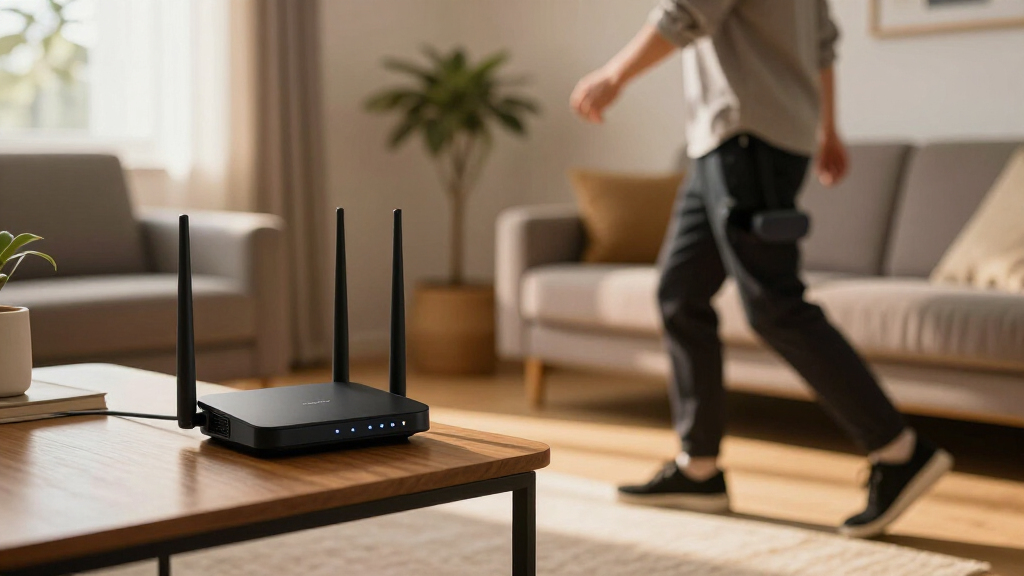
For SteamVR wireless streaming, I judged each router against the demands that actually break VR sessions: sustained throughput, latency consistency, band availability, and whether the wired side of the network can keep up. Because most people run a PC connected over Ethernet and a headset over Wi-Fi, I prioritized 2.5G Ethernet ports on the WAN/LAN side and tri-band designs that let you carve out an uncrowded 5 GHz channel just for the headset. I also weighed Wi-Fi 6 versus Wi-Fi 7, since features like Multi-Link Operation and wider channels reduce the micro-stutters that show up as hitching in VR. Finally, I factored in device capacity, management software, and honest limitations — subscription upsells, unspecified coverage, and speed claims that only hold under ideal conditions. No router here is perfect, and I have kept the drawbacks visible so you can match the right compromise to your space and budget.
| router for steamvr wireless streaming | Wi-Fi standard | Coverage | Key features |
|---|---|---|---|
| GL.iNet Flint 3 Tri-Band Wi-Fi | Wi-Fi 7 (802.11be) | Up to 2,000 sq. ft. | MLO, AdGuard Home, Bark parental controls |
| GL.iNet Flint 2 Wi-Fi 6 Gaming | Wi-Fi 6 (802.11ax) | — | AP mode, guest mode, QoS, AdGuard Home |
| NETGEAR Nighthawk RS140 WiFi 7 | — | Up to 2,250 sq. ft. | — |
| NETGEAR Nighthawk R6700AX WiFi | — | Up to 1,500 sq. ft. | — |
| Tenda RX12 Pro V3.0 AX3000 Wi- | Wi-Fi 6 | — | EasyMesh, Beamforming, AP mode, IoT network, NFC setup |
Factors to Consider When Choosing Router For Steamvr Wireless Streaming
Choosing a router for SteamVR wireless streaming comes down to a handful of factors that matter far more than the numbers on the box. Here is what I focused on when ranking these five.Band availability beats raw speed
A tri-band router like the Flint 3 can dedicate an entire 5 GHz band to the headset while every other device uses the remaining bands. On dual-band routers, the headset competes with smart TVs, phones, and consoles on the same 5 GHz radio, which causes the hitches that ruin VR. If your household is busy, tri-band is worth the premium.
Wire your gaming PC
Wireless VR streaming always pairs a wired PC with a wireless headset. A Gigabit port is usually adequate, but high-bitrate streams with spikes benefit from 2.5G Ethernet, which only the Flint 2, Flint 3, and — on the WAN side only — the RS140 provide. This single spec is why the Flints rank above the more famous brands here.
Wi-Fi 6 versus Wi-Fi 7
Wi-Fi 6 handles VR well when the band is clean. Wi-Fi 7 adds wider channels and Multi-Link Operation, which smooths latency under load. But a Wi-Fi 7 router with only Gigabit LAN (the RS140) can be a worse VR choice than a Wi-Fi 6 router with 2.5G ports (the Flint 2). Match the generation to the rest of your setup, not the marketing.
Coverage and play space
VR needs line-of-sight-quality signal wherever you actually stand. Published coverage figures range from 1,500 to 2,250 sq. ft., but walls and floors cut these numbers sharply. If your play space is distant, budget for placement near the room or pick the Tenda with EasyMesh so you can add a node later.
Firmware and extras
Open-firmware routers like the Flints include free AdGuard Home and flexible AP mode — useful because many VR users run the router purely as a dedicated access point. Mainstream brands lean on apps and subscription security (NETGEAR Armor after 30 days), which is friendlier for beginners but costs more over time.
Frequently Asked Questions
Do I need Wi-Fi 7 for wireless SteamVR streaming?
No, Wi-Fi 6 is enough for most users. A clean 5 GHz Wi-Fi 6 connection can carry the bitrates used by Virtual Desktop or ALVR with low latency, especially when the gaming PC is wired to the router. Wi-Fi 7 helps in specific situations: crowded airwaves, very high bitrates, or when you want Multi-Link Operation to smooth out latency spikes. A Wi-Fi 6 router with 2.5G Ethernet ports, like the Flint 2, will usually outperform a Wi-Fi 7 router with Gigabit-only LAN ports for VR purposes.
Should the router be in the same room as my headset?
Yes, as close as practical. Wireless VR signals degrade quickly through walls and floors, and latency climbs with distance and obstruction. The ideal setup places the router in or just outside the play space, with line of sight to where you stand. If that is impossible because of where your internet enters the home, consider running Ethernet to a second access point in the play room — many of these routers, including the Flints and the Tenda, support AP mode for exactly that configuration.
Why does a 2.5G Ethernet port matter if my internet is slower than that?
The 2.5G port is not for your internet connection — it is for the local link between your gaming PC and the router. VR streaming generates sustained traffic inside your own network that can spike above what a 1 Gigabit link carries comfortably, especially at high encoder bitrates with several other devices active. A 2.5G wired connection gives that traffic headroom so the wired side never becomes the bottleneck for the wireless headset.
Can I use a mesh system for VR streaming?
It depends on how the mesh is built. Traditional mesh systems that route traffic through a wireless backhaul add latency and jitter, both of which hurt VR. If you use mesh, each node should have a wired backhaul to the main router, or better yet, place a dedicated access point in the play room. The Tenda RX12 Pro’s EasyMesh support is useful here mainly if you can wire the extra node; otherwise, a single strong router near the play space beats a wireless mesh hop every time.
Is it better to use a dedicated router just for the headset?
For serious VR users, yes. Running a second router as a dedicated access point — connected by Ethernet to your main network — gives the headset its own uncrowded radio, avoids channel conflicts with household traffic, and lets you tune settings like channel width for VR specifically. The Flint 2 is a popular choice for this because its AP mode and open firmware make a dedicated configuration simple. The downside is cost and one more box to manage, so casual users can skip this step and still get good results with a well-placed primary router.
Conclusion
The right pick depends on who you are. If you are an enthusiast building the best possible wireless VR setup, get the Flint 3 — the tri-band design and five 2.5G ports are purpose-built for exactly this job. If you want the best performance per dollar, the Flint 2 covers every requirement of VR streaming, including 2.5G wired speeds and fast Wi-Fi 6, without the tri-band premium. If you prefer a mainstream brand with polished app management and WiFi 7, the Nighthawk RS140 fits, as long as Gigabit LAN ports meet your needs. First-time VR users in small homes will be well served by the simple, app-driven R6700AX. And if budget is the deciding factor — or you think you will want mesh expansion later — the Tenda RX12 Pro is the cheapest route to a stable same-room stream. Whatever you choose, wire the PC, place the router near the play space, and keep the 5 GHz band as quiet as you can.
Halloween Picks
halloween
As an affiliate, we earn on qualifying purchases.