If you’re looking for the best high-speed scanners for a paperless office, I recommend options like Canon’s compact models, Epson’s wireless units, and scanners with robust duplex capabilities such as the Canon R50 and R40. These devices offer fast processing, excellent document handling, and versatile connectivity options, including cloud integration. To find the perfect fit for your needs and guarantee seamless workflows, keep exploring the key features and top choices listed here.
Key Takeaways
- Look for models with high scanning speeds (25-70 ppm) and duplex capabilities to handle large volumes efficiently.
- Prioritize scanners with versatile connectivity options like USB-C, Ethernet, Wi-Fi, and cloud integration.
- Choose devices supporting diverse document types, long pages, thick papers, and ID or passport scanning.
- Ensure advanced software features such as OCR, customizable profiles, multi-feed detection, and secure data transfer.
- Consider compact, space-saving designs suitable for professional, high-volume office environments.
| Canon ImageFORMULA DR-C225 II Office Document Scanner Black – 3258C002 | 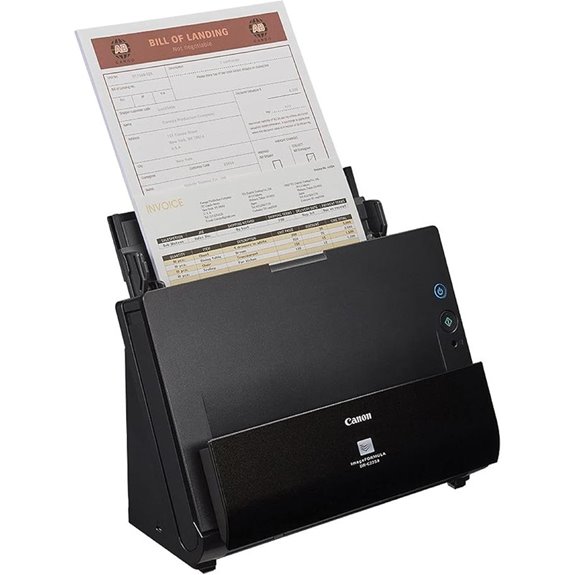 | Compact Office Power | Duplex Scanning: Yes, dual-sided | Auto Document Feeder (ADF): 30-sheet capacity | Connectivity: USB, Cloud, Wi-Fi | VIEW LATEST PRICE | See Our Full Breakdown |
| Epson Workforce ES-500W II Wireless Document Scanner |  | Wireless Efficiency | Duplex Scanning: Yes, duplex | Auto Document Feeder (ADF): 50-sheet capacity | Connectivity: Wi-Fi, USB, Cloud | VIEW LATEST PRICE | See Our Full Breakdown |
| Brother ADS-3100 Desktop Scanner 40ppm Compact White | 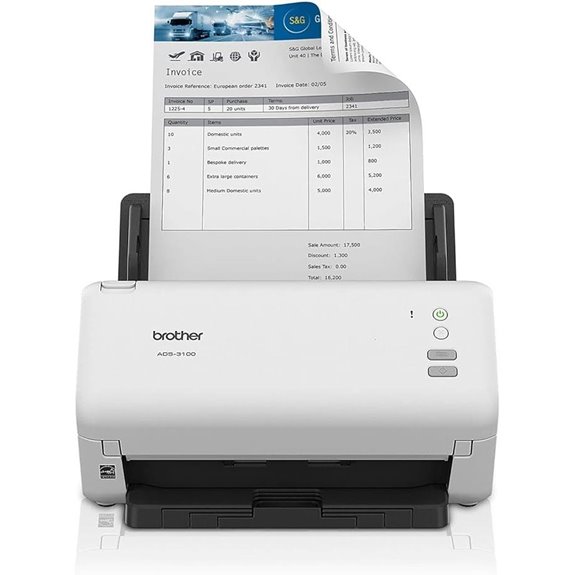 | Small Office Staple | Duplex Scanning: Yes, duplex | Auto Document Feeder (ADF): 60-sheet capacity | Connectivity: USB, Ethernet | VIEW LATEST PRICE | See Our Full Breakdown |
| ScanSnap iX1300 Wireless Duplex Document Scanner | 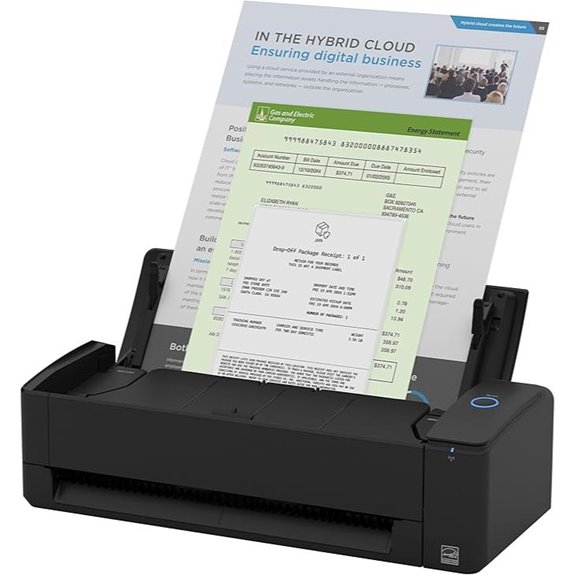 | Space-Saving Design | Duplex Scanning: Yes, duplex | Auto Document Feeder (ADF): Manual & auto feeder | Connectivity: USB, Wi-Fi, Cloud | VIEW LATEST PRICE | See Our Full Breakdown |
| Canon imageFORMULA R50 Document Scanner with Wi-Fi |  | User-Friendly Interface | Duplex Scanning: Yes, duplex | Auto Document Feeder (ADF): 60-sheet capacity | Connectivity: USB, Wi-Fi | VIEW LATEST PRICE | See Our Full Breakdown |
| Epson Workforce ES-400 II Duplex Document Scanner | 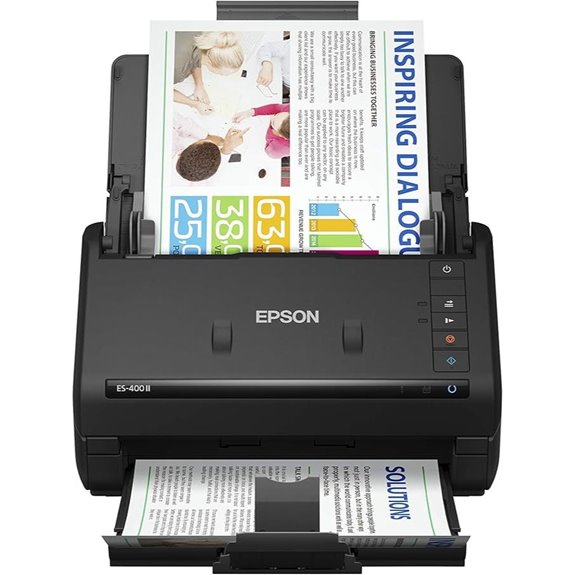 | High-Speed Performance | Duplex Scanning: Yes, duplex | Auto Document Feeder (ADF): 50-sheet capacity | Connectivity: USB, Cloud | VIEW LATEST PRICE | See Our Full Breakdown |
| Epson Workforce ES-580W Wireless Document Scanner |  | Reliable Workhorse | Duplex Scanning: Yes, duplex | Auto Document Feeder (ADF): 100-sheet capacity | Connectivity: USB, Wi-Fi | VIEW LATEST PRICE | See Our Full Breakdown |
| Brother Wireless Duplex Desktop Scanner (ADS-2700W) | 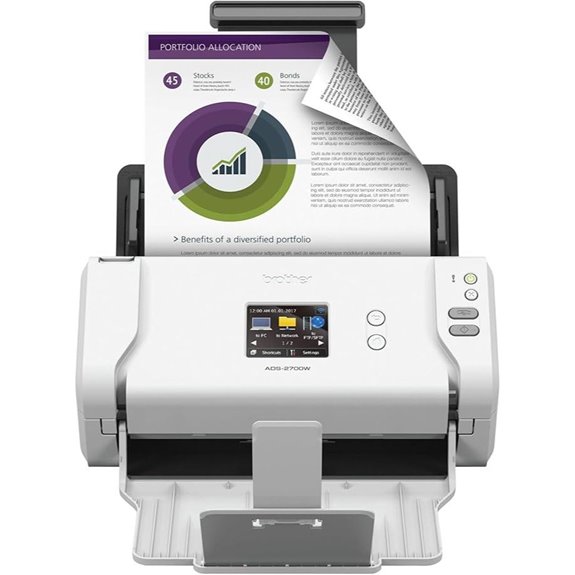 | Wireless Flexibility | Duplex Scanning: Yes, duplex | Auto Document Feeder (ADF): 50-sheet capacity | Connectivity: USB, Wi-Fi, Cloud | VIEW LATEST PRICE | See Our Full Breakdown |
| ScanSnap iX2500 Wireless Document Scanner | 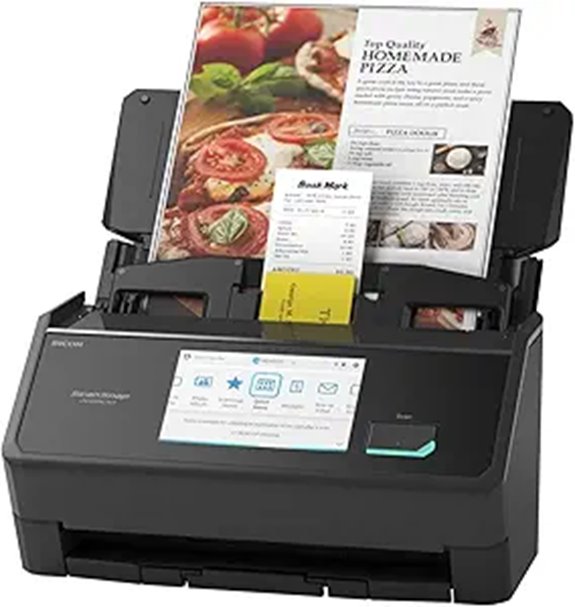 | Advanced Connectivity | Duplex Scanning: Yes, duplex | Auto Document Feeder (ADF): 100-sheet capacity | Connectivity: USB, Wi-Fi, Cloud | VIEW LATEST PRICE | See Our Full Breakdown |
| Brother ADS-4300N Desktop Scanner with Duplex | 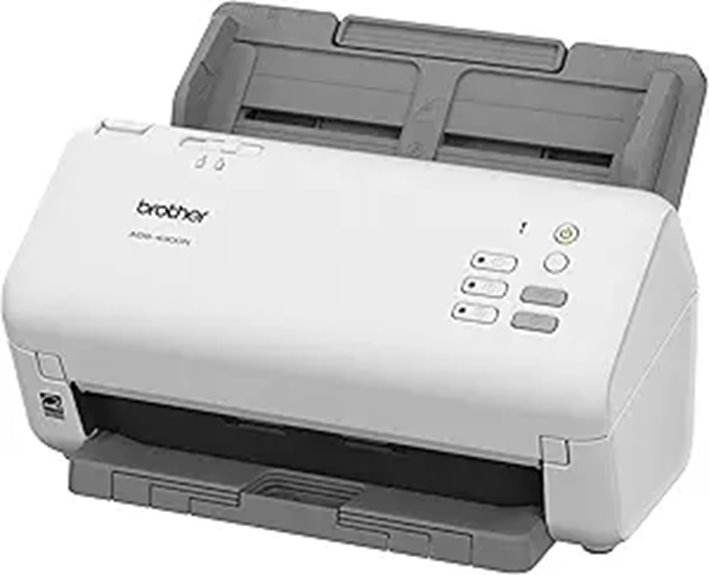 | High-Volume Capacity | Duplex Scanning: Yes, duplex | Auto Document Feeder (ADF): 80-sheet capacity | Connectivity: Ethernet, Wi-Fi, USB | VIEW LATEST PRICE | See Our Full Breakdown |
| Plustek PS188 Color Duplex Scanner with ADF |  | Barcode & Indexing | Duplex Scanning: Yes, duplex | Auto Document Feeder (ADF): 50-sheet capacity | Connectivity: USB, Cloud | VIEW LATEST PRICE | See Our Full Breakdown |
| Canon imageFORMULA R40 Office Document Scanner | 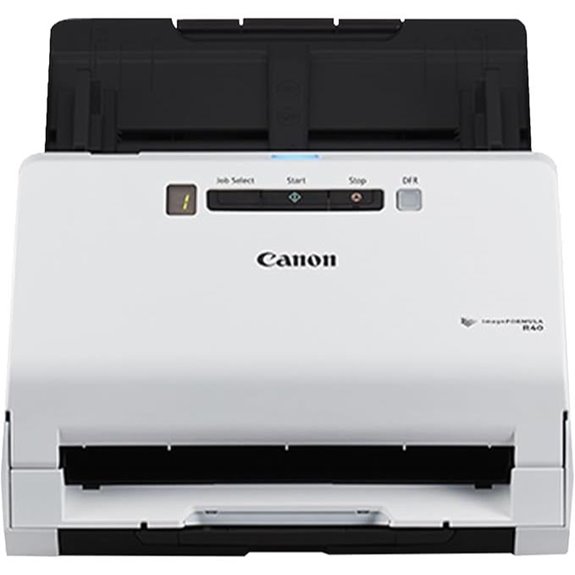 | Long Document Handling | Duplex Scanning: Yes, duplex | Auto Document Feeder (ADF): 50-sheet capacity | Connectivity: USB, TWAIN, Cloud | VIEW LATEST PRICE | See Our Full Breakdown |
| Canon imageFORMULA DR-M160II Office Document Scanner | 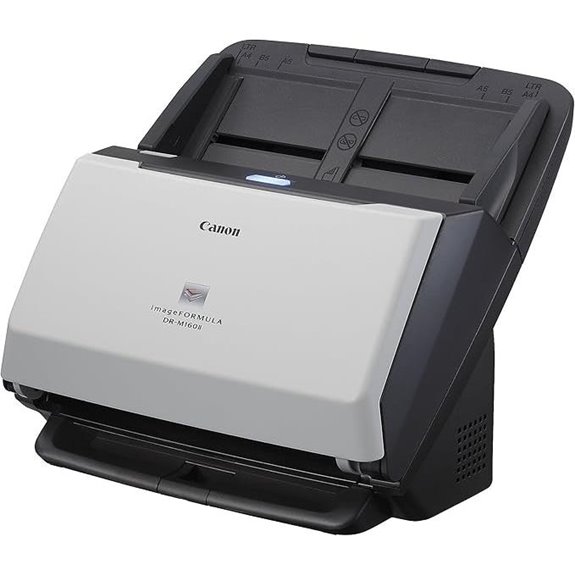 | Heavy-Duty Performance | Duplex Scanning: Yes, duplex | Auto Document Feeder (ADF): 60-sheet capacity | Connectivity: USB, TWAIN, ISIS | VIEW LATEST PRICE | See Our Full Breakdown |
| RICOH fi-8170 High-Speed Color Duplex Scanner | 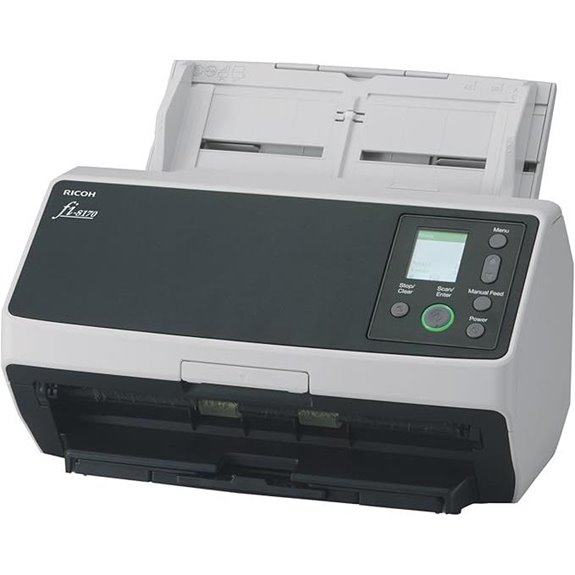 | All-in-One Solution | Duplex Scanning: Yes, duplex | Auto Document Feeder (ADF): 100-sheet capacity | Connectivity: USB, Ethernet, SANE | VIEW LATEST PRICE | See Our Full Breakdown |

More Details on Our Top Picks
-

Epson Workforce ES-500W II Wireless Color Duplex Desktop Document Scanner for PCand Mac with Auto Feeder (ADF), Scan from Smartphone or Tablet
Easy wireless scanning — scan to smartphones, tablets, computers and online cloud storage accounts (1) from your desktop,...
As an affiliate, we earn on qualifying purchases.
Canon ImageFORMULA DR-C225 II Office Document Scanner Black – 3258C002
If you’re looking for a compact, reliable scanner that can handle a variety of office documents, the Canon ImageFORMULA DR-C225 II is an excellent choice. Its space-saving upright design fits easily on any desk, with top feed and eject for quick, hassle-free scans. It supports both Windows and Mac, making it versatile for different setups. This scanner handles everything from receipts and photos to thick reports and business cards, scanning both sides in color at up to 25 pages per minute. With a 30-sheet automatic feeder and one-touch operation, it streamlines your workflow, helping you go paperless efficiently.
- Duplex Scanning:Yes, dual-sided
- Auto Document Feeder (ADF):30-sheet capacity
- Connectivity:USB, Cloud, Wi-Fi
- Speed (Pages Per Minute):25 ppm
- Document Types Supported:Receipts, photos, cards, reports
- Software Compatibility:Windows, Mac, PDF, OCR
- Additional Feature:Space-saving upright design
- Additional Feature:Supports both Windows and Mac
- Additional Feature:Converts to searchable PDFs
-

Brother ADS-3100 High-Speed Desktop Scanner | Compact with Scan Speeds of Up to 40ppm, White
IDEAL FOR SMALL OFFICE, HOME OFFICE AND WORK FROM HOME USERS - A compact, easy to use, complete...
As an affiliate, we earn on qualifying purchases.
Epson Workforce ES-500W II Wireless Document Scanner
The Epson Workforce ES-500W II Wireless Document Scanner stands out for professionals who need fast, reliable wireless scanning directly to their devices and cloud services. It can scan up to 35 pages per minute with dual-sided capability, thanks to Single-Step Technology. The 50-sheet Auto Document Feeder effortlessly handles various paper types, including long pages, ID cards, and contracts. With the Epson Smart Panel app, I can scan directly to my smartphone, tablet, or cloud storage seamlessly. Its advanced software offers OCR for searchable PDFs and easy file management, while features like Ultrasonic Double Feed Detection ensure reliable, snag-free operation. This scanner truly streamlines digital document workflows.
- Duplex Scanning:Yes, duplex
- Auto Document Feeder (ADF):50-sheet capacity
- Connectivity:Wi-Fi, USB, Cloud
- Speed (Pages Per Minute):35 ppm
- Document Types Supported:Business cards, long docs, IDs
- Software Compatibility:Windows, Mac, OCR, Cloud
- Additional Feature:Wireless scanning to devices
- Additional Feature:Supports long pages (up to 240″)
- Additional Feature:Includes OCR and editable files
-

ScanSnap iX1300 Compact Wireless or USB Double-Sided Color Document, Photo & Receipt Scanner with Auto Document Feeder and Manual Feeder for Mac or PC, Black
FITS SMALL SPACES AND STAYS OUT OF THE WAY. Innovative space-saving design to free up desk space, even...
As an affiliate, we earn on qualifying purchases.
Brother ADS-3100 Desktop Scanner 40ppm Compact White
Designed for small offices, home offices, and remote workers, the Brother ADS-3100 Desktop Scanner offers impressive speed and portability. It scans up to 40 pages per minute with both single and dual-sided capabilities, making quick work of large document batches. Its compact design fits easily on any desk, while supporting up to a 60-page capacity keeps workflows smooth. Connectivity is straightforward with Hi-Speed USB 3.0, allowing direct scanning to computers or USB drives. Plus, triple-layer security safeguards sensitive information, and seven bundled apps help customize and optimize your scanning tasks. It’s a reliable, efficient choice for a paperless office setup.
- Duplex Scanning:Yes, duplex
- Auto Document Feeder (ADF):60-sheet capacity
- Connectivity:USB, Ethernet
- Speed (Pages Per Minute):40 ppm
- Document Types Supported:Receipts, thick/thin docs
- Software Compatibility:Windows, Mac, software bundle
- Additional Feature:Compact desktop design
- Additional Feature:7 bundled workflow apps
- Additional Feature:Triple-layer security safeguards
ScanSnap iX1300 Wireless Duplex Document Scanner
For professionals seeking a compact yet powerful scanner, the ScanSnap iX1300 stands out thanks to its seamless wireless duplex scanning capability. Its small footprint—measuring just 11.7 x 4.5 x 3.3 inches—and lightweight design make it perfect for tight spaces. It handles various documents, including thick papers and plastic cards, with an automatic document feeder supporting speeds of up to 30 pages per minute. Connecting via USB or Wi-Fi, it works effortlessly with Macs, PCs, mobile devices, and cloud services. The intuitive software simplifies scanning, editing, and managing files, making it a reliable choice for busy, space-conscious offices.
- Duplex Scanning:Yes, duplex
- Auto Document Feeder (ADF):Manual & auto feeder
- Connectivity:USB, Wi-Fi, Cloud
- Speed (Pages Per Minute):30 ppm
- Document Types Supported:Receipts, thick documents, photos
- Software Compatibility:Windows, Mac, software suite
- Additional Feature:Compact, space-saving size
- Additional Feature:Quick menu customization
- Additional Feature:No driver setup needed
Canon imageFORMULA R50 Document Scanner with Wi-Fi
If you need a scanner that combines speed, ease of use, and flexibility, the Canon imageFORMULA R50 with Wi-Fi is an excellent choice. It features a large color touchscreen for simple navigation, allowing you to select scan destinations, shortcuts, and adjust settings effortlessly. With built-in SuperSpeed+ USB and Wi-Fi, you can connect wirelessly or via cable, sharing the scanner across multiple users. It scans both sides at up to 40 pages per minute, with a 60-sheet ADF for efficient batch scanning. Automatic resolution adjustment guarantees high-quality images while reducing file size, making it perfect for busy, paperless offices.
- Duplex Scanning:Yes, duplex
- Auto Document Feeder (ADF):60-sheet capacity
- Connectivity:USB, Wi-Fi
- Speed (Pages Per Minute):40 ppm
- Document Types Supported:Business cards, long documents
- Software Compatibility:Windows, Mac, OCR, Cloud
- Additional Feature:Large color touchscreen display
- Additional Feature:Built-in Wi-Fi and USB
- Additional Feature:Automatic resolution adjustment
Epson Workforce ES-400 II Duplex Document Scanner
The Epson Workforce ES-400 II Duplex Document Scanner stands out with its rapid scanning speed and large 50-sheet Auto Document Feeder, making it an excellent choice for busy offices and home workspaces that need to process large volumes of documents quickly. Its user-friendly Epson ScanSmart Software allows previewing, emailing, cloud uploads, and automatic file naming, saving time and effort. The scanner creates searchable PDFs with OCR and converts scans into editable Word or Excel files seamlessly. With a TWAIN driver, it integrates smoothly into existing workflows, and its compatibility with PC and Mac ensures versatile use in various environments. Compact yet powerful, it’s designed for efficiency.
- Duplex Scanning:Yes, duplex
- Auto Document Feeder (ADF):50-sheet capacity
- Connectivity:USB, Cloud
- Speed (Pages Per Minute):50 ppm
- Document Types Supported:Receipts, ID cards, long docs
- Software Compatibility:Windows, Mac, OCR, cloud
- Additional Feature:Automatic file naming
- Additional Feature:Supports long documents up to 118”
- Additional Feature:OCR for searchable PDFs
Epson Workforce ES-580W Wireless Document Scanner
With its wireless connectivity and intuitive 4.3-inch touchscreen, the Epson Workforce ES-580W is perfect for professionals seeking a cable-free, streamlined scanning experience. It can scan up to 35 pages per minute with duplex capability, thanks to Single-Step Technology, making high-volume tasks quick and efficient. The 100-sheet auto feeder handles various paper sizes and types reliably. You can scan directly to USB, email, or cloud services like Dropbox and Google Drive, eliminating the need for a PC. Plus, it supports OCR for searchable PDFs and easy conversion to editable documents, all in a compact, user-friendly design compatible with PC and Mac.
- Duplex Scanning:Yes, duplex
- Auto Document Feeder (ADF):100-sheet capacity
- Connectivity:USB, Wi-Fi
- Speed (Pages Per Minute):50 ppm
- Document Types Supported:Receipts, thick documents, photos
- Software Compatibility:Windows, Mac, OCR, cloud
- Additional Feature:Wireless with 4.3″ touchscreen
- Additional Feature:Standalone, no PC needed
- Additional Feature:Supports high-volume scanning
Brother Wireless Duplex Desktop Scanner (ADS-2700W)
For busy office environments that require reliable, high-speed scanning, the Brother ADS-2700W stands out with its versatile connectivity options, including Ethernet, wireless, and USB 2.0. Its 2.8-inch color touchscreen LCD makes it easy to customize scan destinations and settings with a single touch, saving time. The scanner’s advanced features, like multi-feed detection, background removal, and blank page removal, ensure high-quality, optimized digital documents. Compatible with Windows, Mac, and Linux, it supports various drivers for seamless integration. Built for heavy use, it handles up to 3,000 pages daily while safeguarding your data with SSL, TLS, and SFTP security protocols.
- Duplex Scanning:Yes, duplex
- Auto Document Feeder (ADF):50-sheet capacity
- Connectivity:USB, Wi-Fi, Cloud
- Speed (Pages Per Minute):35 ppm
- Document Types Supported:Business cards, long docs, receipts
- Software Compatibility:Windows, Mac, cloud, management software
- Additional Feature:Ethernet and wireless connectivity
- Additional Feature:2.8-inch color touchscreen
- Additional Feature:Multi-feed detection feature
ScanSnap iX2500 Wireless Document Scanner
If you’re looking to streamline your document management, the ScanSnap iX2500 Wireless Document Scanner stands out with its blazing-fast 45 pages per minute double-sided scanning and large 100-sheet auto document feeder. Its sleek, faceted design in black or white, combined with a responsive 5-inch touchscreen, makes operation intuitive. It supports Wi-Fi 6, USB-C, and USB 3.0, offering flexible connectivity for wireless or wired use. With ScanSnap Cloud integration, you can scan directly to cloud services or devices, automatically recognizing text and organizing files. Weighing just 7.7 pounds, it’s reliable, fast, and perfect for busy offices seeking seamless, high-speed digitization.
- Duplex Scanning:Yes, duplex
- Auto Document Feeder (ADF):100-sheet capacity
- Connectivity:USB, Wi-Fi, Cloud
- Speed (Pages Per Minute):45 ppm
- Document Types Supported:Photos, business cards, long docs
- Software Compatibility:Windows, Mac, cloud, OCR
- Additional Feature:Supports Wi-Fi 6 and USB-C
- Additional Feature:Cloud service integration
- Additional Feature:100-page auto feeder
Brother ADS-4300N Desktop Scanner with Duplex
The Brother ADS-4300N Desktop Scanner stands out for busy offices that need fast, reliable document capture. It supports single and double-sided scanning in a single pass at speeds up to 40 pages per minute, boosting efficiency. The 80-page auto document feeder allows continuous scanning of various document sizes and types, reducing downtime. Its wide driver support (TWAIN, WIA, ISIS, SANE) guarantees easy integration into existing workflows. With built-in Ethernet, it’s perfect for network sharing, and scan-to-mobile options via AirPrint and Brother Mobile Connect offer flexibility. Plus, its Triple Layer Security protects sensitive data, making it a solid choice for high-volume, secure scanning.
- Duplex Scanning:Yes, duplex
- Auto Document Feeder (ADF):80-sheet capacity
- Connectivity:Ethernet, Wi-Fi, USB
- Speed (Pages Per Minute):40 ppm
- Document Types Supported:Receipts, reports, cards
- Software Compatibility:Windows, Mac, SANE, TWAIN
- Additional Feature:Ethernet network sharing
- Additional Feature:Supports AirPrint & Mobile Connect
- Additional Feature:High-volume auto feeder (80)
Plustek PS188 Color Duplex Scanner with ADF
The Plustek PS188 Color Duplex Scanner with ADF stands out for its rapid two-sided scanning capability, making it ideal for busy offices that need to digitize large volumes of documents quickly. It scans both sides simultaneously at up to 30 pages per minute, with a 50-sheet Automatic Document Feeder for seamless multi-page handling. Its versatile design accommodates everything from cards to long documents up to 200 pages. Compatible with Windows 7 through 11, it also features advanced document management, including barcode recognition and a full-text search engine. Plus, with up to 255 customizable scan profiles, it streamlines workflows for efficient, tailored scanning.
- Duplex Scanning:Yes, duplex
- Auto Document Feeder (ADF):50-sheet capacity
- Connectivity:USB, Cloud
- Speed (Pages Per Minute):30 ppm
- Document Types Supported:Business cards, long docs, receipts
- Software Compatibility:Windows, Mac, barcode recognition
- Additional Feature:Barcode recognition support
- Additional Feature:255 customizable profiles
- Additional Feature:Full-text search engine
Canon imageFORMULA R40 Office Document Scanner
For professionals seeking a reliable, fast, and versatile document scanner, the Canon imageFORMULA R40 stands out with its duplex scanning capability, allowing both sides of a page to be scanned simultaneously. It can scan up to 40 pages per minute in simplex mode or 80 images per minute in duplex, making quick work of large batches. It handles a variety of documents, from receipts and photos to long reports up to 118 inches. With a 60-sheet automatic feeder, easy USB setup, and compatibility with Windows and Mac, it’s designed for seamless, high-volume scanning. Plus, bundled software simplifies converting paper to searchable digital formats.
- Duplex Scanning:Yes, duplex
- Auto Document Feeder (ADF):50-sheet capacity
- Connectivity:USB, TWAIN, Cloud
- Speed (Pages Per Minute):40 ppm
- Document Types Supported:Receipts, business cards, long docs
- Software Compatibility:Windows, Mac, OCR, barcode
- Additional Feature:Long document mode (118″)
- Additional Feature:Free OCR and card software
- Additional Feature:One-touch operation
Canon imageFORMULA DR-M160II Office Document Scanner
If you’re seeking a reliable scanner that can handle high-volume, double-sided document processing with speed and ease, the Canon imageFORMULA DR-M160II stands out. It scans both sides of documents simultaneously in color at up to 60 pages per minute, making quick work of large jobs. Its 60-sheet automatic feeder ensures smooth, continuous scanning, ideal for busy offices in healthcare, finance, or government. With one-touch operation, it simplifies daily workflows. Compatible with Windows TWAIN and ISIS drivers, plus bundled with powerful software like Kofax VRS Elite, it automatically enhances images and reduces manual prep, delivering dependable, high-quality results every time.
- Duplex Scanning:Yes, duplex
- Auto Document Feeder (ADF):60-sheet capacity
- Connectivity:USB, TWAIN, ISIS
- Speed (Pages Per Minute):60 ppm
- Document Types Supported:Reports, thick docs, cards
- Software Compatibility:Windows, Mac, VRS, Kofax
- Additional Feature:Fast color duplex scan (60 ppm)
- Additional Feature:Bundled with VRS Elite software
- Additional Feature:Handles diverse document types
RICOH fi-8170 High-Speed Color Duplex Scanner
Designed for demanding office environments, the RICOH fi-8170 High-Speed Color Duplex Scanner excels at handling high-volume workloads with remarkable speed and reliability. It scans up to 70 double-sided pages per minute, efficiently managing diverse documents like receipts, IDs, passports, and thick papers. Its 100-page automatic document feeder and enhanced exit stacker streamline processing, making it perfect for daily heavy use. With industry-leading Clear Image Capture technology, it delivers crisp, clear images every time. Network-enabled and compatible with USB and Ethernet, it integrates seamlessly with ECM solutions via TWAIN and ISIS, ensuring smooth workflow in busy, professional settings.
- Duplex Scanning:Yes, duplex
- Auto Document Feeder (ADF):100-sheet capacity
- Connectivity:USB, Ethernet, SANE
- Speed (Pages Per Minute):70 ppm
- Document Types Supported:Receipts, IDs, passports
- Software Compatibility:Windows, Mac, TWAIN, ISIS
- Additional Feature:Industry-leading image quality
- Additional Feature:High daily duty cycle (70 ppm)
- Additional Feature:Seamless ECM integration
Factors to Consider When Choosing a Professional High-Speed Document Scanner for Paperless Offices 2026
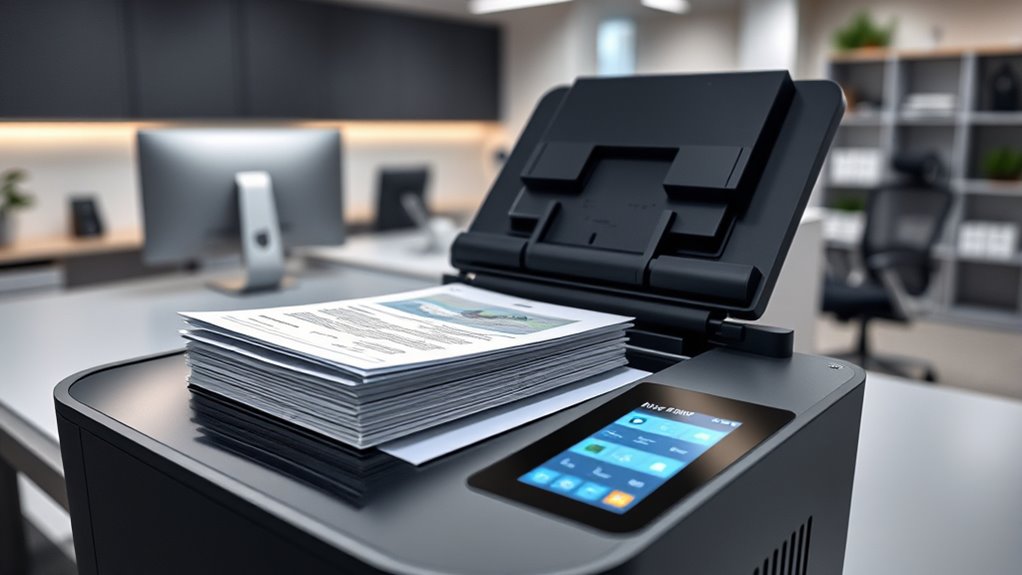
When choosing a high-speed document scanner, I consider factors like scanning speed and throughput to keep my workflow efficient. Compatibility with existing systems and secure connectivity are also vital to avoid disruptions. Additionally, I look at document handling features, software integration, and reliability to guarantee my office runs smoothly.
Speed and Throughput
Speed and throughput are crucial factors when selecting a professional high-speed document scanner for a paperless office, as they directly impact productivity. These scanners typically process between 25 to 70 pages per minute, allowing quick digitization of large document volumes. Duplex scanning lets both sides be scanned in a single pass, notably boosting efficiency. A higher pages-per-minute rate cuts down overall scanning time, which is essential in busy environments. Automatic document feeders with larger capacities, like 50 to 100 sheets, reduce manual loading and keep workflows smooth. Reliable paper handling features such as multi-feed detection and advanced rollers are essential to prevent jams and misfeeds, ensuring consistent high-speed performance. Prioritizing speed and throughput helps maintain a seamless, efficient scanning process in a demanding office setting.
Compatibility and Connectivity
Choosing a high-speed document scanner that offers versatile connectivity options is essential for a seamless paperless office setup. You should look for models supporting USB, Ethernet, Wi-Fi, or cloud integration to connect effortlessly with various devices and networks. Confirm compatibility with operating systems like Windows and Mac OS, and ensure support for drivers such as TWAIN, ISIS, or WIA for smooth software integration. Direct scanning to cloud services and mobile devices is also beneficial, enabling remote access and easy sharing. Opt for scanners with high-speed interfaces like USB 3.0, USB-C, or Wi-Fi 6 to guarantee fast data transfer and efficient workflows. Additionally, check if the scanner’s software and firmware are regularly updated to stay compatible with evolving technologies and operating systems over time.
Document Handling Capabilities
To guarantee efficient digitization, a high-speed document scanner must excel in handling various document types and sizes. I look for models supporting duplex scanning, which allows me to scan both sides of a page simultaneously, saving time. Handling diverse media like receipts, business cards, long documents, or thick materials is vital for versatility. An automatic document feeder with at least 50 sheets capacity helps maintain high productivity during large projects. Reliable paper handling features, such as multi-feed detection and skew correction, prevent missed pages and ensure accuracy. Additionally, the ability to scan long documents up to 118 inches and support multiple media formats makes the scanner adaptable for extensive digitization tasks. These capabilities are essential for maintaining efficiency and accuracy in a paperless office environment.
Software Integration Features
When selecting a high-speed document scanner, making certain it can seamlessly integrate with your existing software ecosystem is essential. I look for models that support TWAIN, ISIS, or WIA drivers to guarantee smooth compatibility with various document management applications. Compatibility with cloud storage services and features like automatic file naming help streamline workflow and reduce manual organization. I also check if the scanner includes OCR software to create searchable PDFs and convert scans into editable formats like Word or Excel. Customizable scanning profiles and automation features allow me to optimize specific tasks and improve efficiency. Finally, I prioritize user-friendly interfaces and regular driver updates to keep the scanner compatible with evolving office systems, ensuring long-term reliability and seamless integration into my digital environment.
Security and Reliability
Security and dependability are critical factors I prioritize because handling sensitive documents requires robust protection and dependable performance. High-security features like SSL, TLS, and SFTP encryption ensure data stays protected during scanning and transfer, giving me peace of mind. A reliable scanner isn’t just about performance; it’s built with sturdy construction and advanced image processing to minimize errors and prevent data corruption. Multi-layer security options, including device and network access controls, help prevent unauthorized use and breaches. Long-term reliability is vital, so I look for scanners backed by comprehensive warranties and US-based support to reduce downtime. In high-volume environments, consistent performance matters most—I need a machine capable of handling thousands of pages daily without failure or data loss.
Frequently Asked Questions
Which Scanner Offers the Best Integration With Cloud Storage Platforms?
I recommend the Fujitsu ScanSnap iX1600 for seamless cloud integration. It connects easily with platforms like Dropbox, Google Drive, and OneDrive, allowing me to scan directly to my preferred cloud service. Its user-friendly interface and reliable Wi-Fi make it simple to operate without needing a computer. This scanner automates file naming and sorting, saving me time and ensuring my documents are securely stored in the cloud.
How Do Scanner Maintenance Costs Compare Across Different Models?
I find that maintenance costs vary substantially between models. High-end scanners tend to have higher initial prices but often require less frequent repairs, saving money over time. Mid-range options may have lower upfront costs but can incur higher maintenance expenses due to wear and tear. I recommend comparing warranty coverage and parts availability to understand long-term costs better before making a decision.
What Security Features Are Available for Sensitive Document Scanning?
When it comes to security features for sensitive document scanning, I look for models with encryption, secure login, and user authentication. Many scanners now offer password protection and automatic data erasure after scans, which keep information safe. Some even include tamper-proof hardware and audit logs. These features give me peace of mind knowing my confidential data stays protected during and after the scanning process.
Which Models Provide the Most Durable Design for High-Volume Use?
If you’re looking for durability in high-volume use, I recommend models like the Fujitsu fi-7160 and the Canon imageFORMULA DR-M260. These scanners feature robust build quality, heavy-duty rollers, and reinforced components designed to withstand continuous operation. I’ve found they handle large workloads without breaking down, making them ideal for busy offices. Their reliability guarantees you won’t worry about frequent repairs, keeping your workflow smooth and efficient.
How Energy-Efficient Are These Professional High-Speed Scanners?
I’ve looked into energy efficiency, and I can tell you these high-speed scanners are pretty eco-friendly. Many models now have auto-sleep modes, low power consumption, and ENERGY STAR certification, which means they use less electricity while maintaining top performance. I’ve found that investing in these models not only saves energy but also reduces operating costs. So, if you’re eco-conscious, these scanners are a smart, sustainable choice.
Conclusion
Choosing the right high-speed scanner can truly transform your office. For instance, imagine a small business that digitized years of paper records with a model like the RICOH fi-8170, saving time and space. Whether you need wireless convenience or lightning-fast speeds, investing wisely guarantees a seamless shift to a paperless environment. I encourage you to contemplate your specific needs carefully—your future streamlined workflow depends on it.