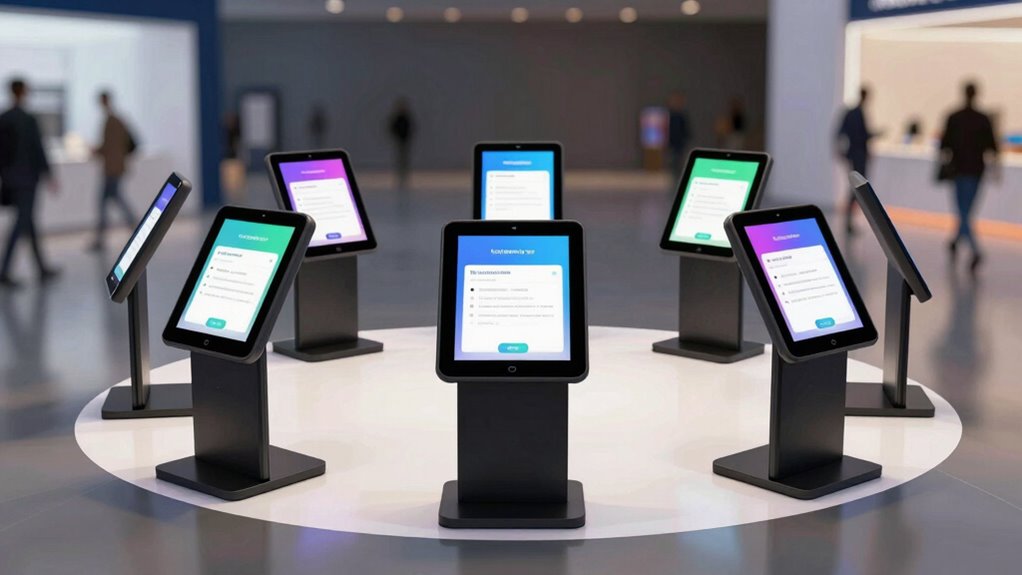

For event lead capture, my best overall pick is the CTA Premium Heavy-Duty Tablet Kiosk Station, which pairs a locking floor stand with interior cable routing. The Sprocket T Print stands out for events that need on-site labels or badges, while the Mount-It! Universal Countertop Stand suits smaller booths with limited floor space. The main tradeoffs are security, footprint, tablet fit, and event workflow: a stable floor kiosk may take more room, while a compact stand may offer less flexibility for lines of visitors. I compare 15 options across those needs rather than treating every locking stand as interchangeable. Read on for the full breakdown and help matching a stand to your booth.

Get business pricing on tech for your team
- Business-only prices and quantity discounts
- Tax-exempt purchasing
- Multiple users, one account, clear invoices
Key Takeaways
- The CTA Heavy-Duty Station leads for a fixed, public-facing setup because its listed interior cable routing and locking floor stand address two practical event needs together.
- The Sprocket T Print is the workflow-specific pick: its Brother QL integration makes it the option to examine when badge or label printing is part of registration.
- Floor stands suit open booth layouts better than countertop models, while the Mount-It! countertop kiosk can make sense when table space is available and floor space is scarce.
- Tablet compatibility is not interchangeable across this lineup. Several models specify particular iPad sizes, while universal or broad-size models may better fit teams rotating devices.
- Adjustability and rotation solve different layout problems. Height adjustment can help serve visitors of different heights; a rotating mount can help staff reposition a shared screen.
| AboveTEK Anti-Theft iPad Kiosk Stand with Locking Mechanism |  | Best Countertop Pick | Brand: AboveTEK | Compatibility: iPad models up to 10.5 inches | Incompatible models: iPad Pro 11-inch and 12.9-inch | VIEW ON AMAZON | See Our Full Breakdown |
| AboveTEK Anti-Theft iPad Floor Stand Kiosk |  | Best for Large-Format Tablets | Model: TH-617 | Form factor: Floor stand | Compatible devices: 12.9–13-inch iPad Pro/Air and 12.4-inch Samsung Galaxy Tab S | VIEW ON AMAZON | See Our Full Breakdown |
| Sprocket T Print Label & Badge Printer Kiosk – Professional iPad Stand with Brother QL Integration (11‑inch iPad) |  | Best for Self-Service Badge Printing | Supported iPad: 11-inch A16 iPad | Supported printers: Brother QL-810W, QL-820NWB, QL-820NWBc | Materials: High-strength steel and aluminum | VIEW ON AMAZON | See Our Full Breakdown |
| SPROCKET Premium T Print B15 Secure iPad Kiosk Floor Stand |  | Best for Fixed Event Check-In Stations | Form factor: Tower floor stand | Compatible tablets: Apple iPad 10.2-inch and 10.9-inch | Compatible printers: Brother QL-810W, QL-820NWB, QL-820NWBc | VIEW ON AMAZON | See Our Full Breakdown |
| AboveTEK Security iPad Kiosk Floor Stand, Height-Adjustable with 360° Swivel |  | Best for Flexible Tablet Fit | Compatible tablet size: 9.7–13 inches | Maximum tablet thickness: 0.4 inches | Adjustable height: 29.5–45.3 inches | VIEW ON AMAZON | See Our Full Breakdown |
| Mount-It! Anti-Theft Universal Tablet Kiosk Countertop Stand |  | Best Secured Countertop Pick | Compatible tablet size: 7.9–11 inches | Tablet width range: 5–7.125 inches | Tablet height range: 7.87–9.68 inches | VIEW ON AMAZON | See Our Full Breakdown |
| Mount-It! Anti-Theft Universal Tablet Floor Kiosk, Height Adjustable, White |  | Best for Adjustable Visitor Height | Compatible tablet size: 9.7–13.1 inches | Height range: 27.5–47 inches | Base diameter: 14.5 inches | VIEW ON AMAZON | See Our Full Breakdown |
| Mount-It! Anti-Theft Universal Tablet Floor Stand Kiosk – Retail POS (Silver) |  | Best for POS-Integrated Lead Capture | Tablet width compatibility: 5.3–7.8 inches | Tablet height compatibility: 7.7–10.6 inches | Weight: 9.4 lb | VIEW ON AMAZON | See Our Full Breakdown |
| CTA Premium Heavy-Duty Tablet Kiosk Station with Locking Floor Stand and Interior Cable Routing, White |  | Best for Permanent Venue Installations | Dimensions: 52.8 x 16.9 x 15.0 inches (L x W x H) | Weight: 58.5 lbs | Color: White | VIEW ON AMAZON | See Our Full Breakdown |
| AboveTEK 360° Rotating Retail Kiosk Stand for 6–13 Inch Tablets, Black |  | Best for Flexible, Staffed Counters | Tablet compatibility: 6–13 inch tablets | Device width or height: 6.6–9.6 inches | Maximum case thickness: Less than 0.5 inches | VIEW ON AMAZON | See Our Full Breakdown |
| Anti-Theft Adjustable Tablet Floor Stand for POS Checkout |  | Best Adjustable Universal Floor Stand | Compatible tablet size: 10–14 inches | Maximum tablet thickness: 0.39 inches (10 mm) | Adjustable height: 29.53–45.28 inches | VIEW ON AMAZON | See Our Full Breakdown |
| CTA Premium Locking Floor Stand Kiosk for iPad Pro 13-inch, iPad Pro 12.9-inch, and iPad Air 13-Inch |  | Best Premium Large-Tablet Kiosk | Brand: CTA Digital | Form factor: Tower | Mounting type: Floor stand | VIEW ON AMAZON | See Our Full Breakdown |
| Mount-It! Anti-Theft iPad Floor Stand Kiosk with Literature Holder |  | Best for Brochure-and-Tablet Lead Capture | Material: Powder-coated commercial-grade steel | Weight: 24.45 pounds | Height: 41.5 inches | VIEW ON AMAZON | See Our Full Breakdown |
| Mount-It! Anti-Theft iPad Floor Stand, Locking Kiosk Enclosure, White |  | Best for a Secure, Fixed iPad Station | Dimensions: 41.75 x 12.75 x 5.25 inches | Weight: 33 pounds | Material: Powder-coated alloy steel | VIEW ON AMAZON | See Our Full Breakdown |
| AboveTEK Anti-Theft Tablet Stand for iPad (Black) |  | Best Compact Countertop or Wall-Mount Pick | Compatibility: iPad, iPad Air, and iPad Pro up to 10.5 inches | Material: All-metal frame | Mounting options: Countertop and wall mount | VIEW ON AMAZON | See Our Full Breakdown |
More Details on Our Top Picks
AboveTEK Anti-Theft iPad Kiosk Stand with Locking Mechanism
I rank this as my countertop lead-capture pick for events where a smaller iPad can stay at a staffed check-in desk or a fixed signup point. Its key lock, metal base, and built-in cable routing give the station a more controlled, tidy setup than a general-purpose rotating stand. The 360-degree swivel and 75-degree tilt help adapt the screen for seated guests or staff-assisted signups. Compared with the AboveTEK Anti-Theft iPad Floor Stand Kiosk, this model takes up less floor space but cannot serve visitors at standing height. Its main limitation is compatibility: it supports iPads only up to 10.5 inches, and the predrilled countertop installation makes it a poor fit for teams that move their lead station between event areas.
Pros:- Key-lock system helps secure a compatible iPad in a public-facing area.
- 360-degree rotation and 75-degree tilt support different viewing angles.
- Metal base provides a stable countertop setup.
- Built-in cable management keeps the station neater.
Cons:- Does not support iPads larger than 10.5 inches.
- Predrilled countertop installation limits portability and placement options.
Best for: Event teams using an iPad up to 10.5 inches at a fixed, staffed registration or lead-capture counter.
Not ideal for: Exhibitors with larger iPads or teams that need to move the kiosk between booths, since it is countertop-mounted.
- Brand:AboveTEK
- Compatibility:iPad models up to 10.5 inches
- Incompatible models:iPad Pro 11-inch and 12.9-inch
- Rotation:360 degrees
- Tilt:75 degrees
- Material:Metal base
- Security:Lock and key system
- Installation and cable management:Countertop installation with predrilled holes; built-in cable management
Our verdict“Choose this for a fixed event signup counter with a compatible smaller iPad; skip it if you need a mobile or standing-height kiosk.”
AboveTEK Anti-Theft iPad Floor Stand Kiosk
I’d choose this floor kiosk when an event lead station needs to work for standing visitors and use a larger tablet. Its 27.6-to-45.3-inch height range and wide tilt adjustment make it easier to set the screen for different users than the fixed countertop AboveTEK stand. The locking enclosure and hidden cable routing suit a public trade-show floor, while the steel base and floor-mounting option support a more permanent placement. The tradeoff is flexibility across devices: compatibility is limited to specified large iPad Pro/Air and Samsung Galaxy Tab S models, rather than the broad tablet-size range of the AboveTEK Security iPad Kiosk Floor Stand. At 12.6 pounds, it is also less convenient to reposition repeatedly, so I see it as a strong choice for a planned station, not a lightweight pop-up setup.
Pros:- Locking enclosure helps protect a tablet in an unattended public area.
- Adjustable height and broad tilt range suit standing visitors of different heights.
- Integrated cable management keeps cords out of the way.
- Stable steel base offers floor-mounting options.
Cons:- Compatibility is limited to specified large tablet models.
- Its 12.6-pound weight makes frequent relocation less convenient.
Best for: Exhibitors who want a height-adjustable, secured floor kiosk for compatible 12.4-inch Samsung or 12.9-to-13-inch iPad models.
Not ideal for: Teams using smaller or unlisted tablets, or event crews that need a stand they can relocate frequently.
- Model:TH-617
- Form factor:Floor stand
- Compatible devices:12.9–13-inch iPad Pro/Air and 12.4-inch Samsung Galaxy Tab S
- Height range:27.6–45.3 inches
- Tilt range:-90 to 90 degrees
- Materials:Aluminum pole and steel base
- Weight:12.6 pounds
- Warranty:1 year
Our verdict“Pick this for a planned, standing-height lead station built around one of its supported large tablets.”
Sprocket T Print Label & Badge Printer Kiosk – Professional iPad Stand with Brother QL Integration (11‑inch iPad)
For events where a lead form is only part of visitor check-in, I’d put this badge-printing kiosk ahead of a stand-only option. It is designed to pair an 11-inch A16 iPad with select Brother QL printers, so guests can submit details and collect a printed badge at the same station. The key-locked steel and aluminum housing and internal cable routing give it a more purpose-built feel than the general tablet mounts in this roundup. Compared with the SPROCKET Premium T Print B15, this version is specified for an 11-inch A16 iPad rather than 10.2- or 10.9-inch iPads, and it offers optional wheels for repositioning. The clear tradeoff is that the stand alone does not include the tablet, printer, or power supply, and the supported device list is narrow.
Pros:- Designed to combine iPad check-in with Brother QL badge printing.
- Key-locked steel and aluminum construction helps secure the station.
- Internal cable routing creates a cleaner presentation.
- Optional wheels support repositioning around an event space.
Cons:- Tablet, printer, and power supply are not included.
- Compatibility is limited to the specified 11-inch A16 iPad and Brother QL printers.
Best for: Event organizers running self-service registration who want visitors to print badges after submitting their details.
Not ideal for: Teams seeking a complete ready-to-use kit or using an iPad or printer outside the listed compatible models.
- Supported iPad:11-inch A16 iPad
- Supported printers:Brother QL-810W, QL-820NWB, QL-820NWBc
- Materials:High-strength steel and aluminum
- Security:Key-locked anti-theft stand
- Cable management:Internal routing with single cable exit and hook-and-loop strap
- Mobility:Optional wheels
- Included items:Stand only; tablet, printer, and power supply not included
Our verdict“Choose this when badge printing is part of your self-service lead-capture flow and you already plan to supply compatible devices.”
SPROCKET Premium T Print B15 Secure iPad Kiosk Floor Stand
I’d favor the B15 for an event team building a fixed floor-based check-in station around a compatible 10.2- or 10.9-inch iPad. Its tower form, 15-inch base, concealed cables, and key-locked enclosure create a more finished station than the AboveTEK adjustable floor stand, while the integrated bracket keeps a compatible Brother QL printer close to the screen for badge or label workflows. The 0-to-90-degree mount adjustment helps set a comfortable viewing angle, and the included internal power supply and charging cable reduce some setup work. Unlike the Sprocket T 11-inch model, this version fits a different iPad size range and is oriented toward a planted tower setup. The iPad and printer are still sold separately, and printer compatibility is limited to select Brother QL models.
Pros:- Key-locked enclosure helps secure the tablet in a public event space.
- Integrated printer bracket supports a compact check-in and printing station.
- Concealed cables and included power accessories simplify a tidy setup.
- Adjustable mount offers a 0-to-90-degree viewing range.
Cons:- Compatible iPad and Brother printer are sold separately.
- Supports only specified 10.2- and 10.9-inch iPads and Brother QL printers.
Best for: Exhibitors setting up a stationary registration tower with a 10.2- or 10.9-inch iPad and compatible Brother QL printer.
Not ideal for: Teams using an 11-inch A16 iPad, needing broad tablet compatibility, or wanting the tablet and printer included.
- Form factor:Tower floor stand
- Compatible tablets:Apple iPad 10.2-inch and 10.9-inch
- Compatible printers:Brother QL-810W, QL-820NWB, QL-820NWBc
- Enclosure material:Aluminum
- Base size:15 inches
- Mount adjustment:0–90 degrees
- Included accessories:Internal power supply, 2 m charging cable, printer bracket
- Color:Black
Our verdict“Choose the B15 for a polished, stationary check-in tower if your iPad and printer match its compatibility list.”
AboveTEK Security iPad Kiosk Floor Stand, Height-Adjustable with 360° Swivel
I’d shortlist this floor stand when an event team needs to accommodate a mix of tablet sizes instead of committing to one large model. Its 9.7-to-13-inch fit, height adjustment, full rotation, and wide tilt range give staff room to set up a visitor-facing lead form or turn the screen toward an attendant. The weighted steel base and hidden cable management keep the footprint tidy, while an anti-theft screw and specialized wrench add a security step. Compared with the AboveTEK Anti-Theft iPad Floor Stand Kiosk, this model offers a broader stated tablet-size range but relies on screw-based retention rather than a locking enclosure. That difference makes it adaptable across more devices, though teams seeking a fully enclosed tablet mount may prefer the other model. Its base can also take up meaningful space at a crowded booth.
Pros:- Fits a range of tablets from 9.7 to 13 inches, within the stated thickness limit.
- Height, rotation, and tilt adjustments allow flexible visitor-facing placement.
- Anti-theft screw and specialized wrench add a security measure.
- Weighted steel base and hidden cable routing support a cleaner floor setup.
Cons:- Uses an anti-theft screw rather than a fully locking enclosure.
- The stand and base may be bulky in a crowded event booth.
- Tablet fit is limited to devices up to 0.4 inches thick.
Best for: Event teams that rotate between compatible 9.7-to-13-inch tablets and need adjustable screen positioning at a floor station.
Not ideal for: Exhibitors who require a fully enclosed locking mount or have tablets thicker than 0.4 inches.
- Compatible tablet size:9.7–13 inches
- Maximum tablet thickness:0.4 inches
- Adjustable height:29.5–45.3 inches
- Rotation:360 degrees
- Tilt:-90 to 90 degrees
- Base weight:5.3 pounds (2.4 kg)
- Material:Heavy-duty steel
- Security and cable management:Anti-theft screw with specialized wrench; hidden cable management
Our verdict“Pick this for a flexible, adjustable event station when tablet-size range matters more than a fully enclosed lock.”
Mount-It! Anti-Theft Universal Tablet Kiosk Countertop Stand
For a staffed registration table or compact lead-capture station, this countertop model pairs two locking points with a bolt-down base option, giving it a more security-focused setup than the AboveTEK 360° Rotating Retail Kiosk Stand. The head tilts and rotates, so staff can angle the screen toward a visitor and switch between portrait and landscape forms without moving the base. Its pole also routes the charging cable, keeping the tabletop tidier during a long event day. The tradeoff is strict device fit: it takes bare tablets within specified width, height, and weight limits, not tablets in cases. At 11.2 inches tall, it is intended for counter-height use rather than a freestanding floor station.
Pros:- Two locking points help deter tablet theft.
- Tilt and full rotation allow portrait or landscape use.
- Base can be bolted down, and the pole routes charging cables.
- Lifetime warranty and US-based technical support.
Cons:- Does not accommodate tablets in cases.
- Tablet must fall within narrow size and weight limits.
Best for: Event teams running a fixed, staffed counter where tablet security, tidy charging, and flexible screen orientation matter.
Not ideal for: Teams that need floor-level visitor interaction or want to keep a protective case on the tablet.
- Compatible tablet size:7.9–11 inches
- Tablet width range:5–7.125 inches
- Tablet height range:7.87–9.68 inches
- Maximum tablet weight:2.2 lbs
- Tilt range:+20°/-110°
- Rotation:360°
- Stand height:11.2 inches
- Base dimensions:6.29 inches W x 9.05 inches D
- Warranty:Lifetime
Our verdict“Choose this for a secured, cable-managed countertop lead-capture station with a compatible bare tablet.”
Mount-It! Anti-Theft Universal Tablet Floor Kiosk, Height Adjustable, White
This floor kiosk suits events where the same lead form must work for visitors of different heights, thanks to a 27.5–47-inch telescoping pole and broad tilt adjustment. Its 90-degree rotation supports portrait and landscape layouts, while concealed cable routing keeps a charging lead out of sight. Compared with the Mount-It! Anti-Theft Universal Tablet Kiosk Countertop Stand, this model puts the screen at visitor height and can cover a larger, walk-up area; it also accepts tablets from 9.7 to 13.1 inches. That larger footprint comes with a real mobility cost: the unit weighs 22.5 pounds, and repeated event-floor moves may be inconvenient. It also requires a bare tablet, so case users need another option.
Pros:- Height adjusts from 27.5 to 47 inches for varied visitor needs.
- Supports tablets from 9.7 to 13.1 inches.
- Concealed cable routing supports continuous charging.
- Can stand freely or be bolted to the floor.
Cons:- The 22.5-pound unit is cumbersome to move frequently.
- Requires a bare tablet rather than one in a case.
Best for: Event organizers who need an adjustable, walk-up floor station for a compatible larger tablet and plan to keep it in one location.
Not ideal for: Teams moving kiosks between sessions or using tablets in protective cases.
- Compatible tablet size:9.7–13.1 inches
- Height range:27.5–47 inches
- Base diameter:14.5 inches
- Tilt range:180°
- Rotation:90°
- Mounting:Freestanding or floor bolt-down
- Item weight:22.5 lbs
- Color:White
- Warranty:Lifetime
Our verdict“Pick this for a mostly fixed event-floor station where adjustable screen height is more useful than easy relocation.”
Mount-It! Anti-Theft Universal Tablet Floor Stand Kiosk – Retail POS (Silver)
When lead capture shares a station with checkout or card-reader use, this floor stand’s accessible audio jack is a practical advantage: the tablet can stay locked in place while a compatible reader connects. The keyed clamp, adjustable height, and 360-degree rotation also make it easier to adapt the screen for a staff-assisted form or visitor entry. Unlike the Mount-It! Anti-Theft Universal Tablet Floor Kiosk, it has a lighter 9.4-pound steel base, which may be easier to reposition between event areas, though it lacks that model’s stated telescoping height range. Cable clips organize cords, but do not provide the same concealed routing described for the heavier floor kiosk. It accepts only bare tablets within its fit range.
Pros:- Open design leaves the audio jack accessible for compatible card readers.
- Keyed clamp helps deter theft and tampering.
- 360-degree rotation and tilt support varied viewing angles.
- Cable clips help organize power and data cords.
Cons:- Does not fit tablets in cases.
- Cable clips organize cords but do not conceal them inside the stand.
- Tablet is not included.
Best for: Exhibitors combining a tablet lead form with a compatible audio-jack card reader at a staffed floor station.
Not ideal for: Teams needing concealed cable routing, a specified telescoping height range, or a tablet enclosure that fits over a case.
- Tablet width compatibility:5.3–7.8 inches
- Tablet height compatibility:7.7–10.6 inches
- Weight:9.4 lb
- Base dimensions:13.6 x 17.4 inches, triangular
- Material:Steel
- Rotation and tilt:360° rotation; +/-90° tilt
- Locking mechanism:Keyed clamp; one key included
- Cable management:Integrated cable alignment clips
Our verdict“Choose this when a locked tablet kiosk also needs to accommodate a compatible audio-jack payment reader.”
CTA Premium Heavy-Duty Tablet Kiosk Station with Locking Floor Stand and Interior Cable Routing, White
This is the most substantial choice here for a venue that wants a fixed, tamper-resistant kiosk rather than a stand to shift between booths. Its all-metal construction, dual key locks, and interior cable channel create a more enclosed setup than the open-clamp Mount-It! Anti-Theft Universal Tablet Floor Stand Kiosk – Retail POS, while access to the camera and home button preserves useful device functions. That makes it a fit for a lobby, waiting area, or event entrance where the tablet can stay powered and ready for visitor forms. The tradeoff is scale: at 58.5 pounds with a 52.8-inch overall dimension listed, it is difficult to relocate and claims substantial floor space. Check the listed device compatibility before choosing it.
Pros:- All-metal construction is suited to public, high-traffic spaces.
- Dual key locks provide added enclosure security.
- Interior cable routing hides cords while the tablet remains powered.
- Camera and home button remain accessible.
Cons:- At 58.5 pounds, it is difficult to move between event locations.
- Its large listed dimensions may consume too much booth or lobby space.
- Compatibility is limited to the listed tablet models and sizes.
Best for: Venues setting up a long-term, high-traffic lead-capture point where enclosure security and hidden cabling take priority over portability.
Not ideal for: Exhibitors with small booth footprints, frequent layout changes, or tablets outside the listed compatibility range.
- Dimensions:52.8 x 16.9 x 15.0 inches (L x W x H)
- Weight:58.5 lbs
- Color:White
- Material:Alloy steel with glossy finish
- Mounting type:Floor mount
- Locking system:Dual key-lock system
- Cable routing:Interior cable routing
- Compatible tablets:Listed iPad, Galaxy Tab, Lenovo Tab, and Surface Go models
Our verdict“Choose this for a permanent, high-traffic venue kiosk where robust enclosure and hidden wiring outweigh portability.”
AboveTEK 360° Rotating Retail Kiosk Stand for 6–13 Inch Tablets, Black
For a staffed event counter that changes between demos, check-in, and lead forms, the folding arm and quick-release holder make this stand easier to reposition than the Mount-It! Anti-Theft Universal Tablet Kiosk Countertop Stand. Its 360-degree rotation helps staff turn the screen toward a visitor, and padded brackets fit a broad range of tablet sizes, including some cases under half an inch thick. The weighted base and charging-cable space suit desk or reception use, but this is the lineup’s flexibility-first option, not its security-first pick: the supplied details do not describe a locking enclosure. That distinction matters when visitors can approach the device without staff nearby. Fit also depends on the tablet’s actual measurements, not just its advertised screen size.
Pros:- 360-degree rotation supports portrait and landscape presentation.
- Folding arm and quick-release holder make repositioning straightforward.
- Padded brackets accommodate compatible tablets and thin cases.
- Weighted base supports countertop and reception use.
Cons:- No locking or anti-theft feature is specified.
- Cases must be less than 0.5 inches thick.
- Compatibility depends on device measurements fitting the bracket range.
Best for: Staffed exhibitors who frequently change tablet angles or move a tablet between counter tasks and can supervise the device.
Not ideal for: Unattended public lead-capture stations or teams that need a locking, theft-deterring enclosure.
- Tablet compatibility:6–13 inch tablets
- Device width or height:6.6–9.6 inches
- Maximum case thickness:Less than 0.5 inches
- Rotation:360°
- Arm:Folding
- Holder:Quick-release, rubber-padded brackets
- Cable management:Dedicated space for charging cable
- Color:Black
Our verdict“Pick this for a supervised counter where angle changes and quick tablet removal matter more than theft resistance.”
Anti-Theft Adjustable Tablet Floor Stand for POS Checkout
I’d choose this stand when an event team needs to position a tablet for different visitors and staff without committing to one fixed viewing angle. Its 10–14-inch compatibility gives it a wider device range than the iPad-specific Mount-It! Anti-Theft iPad Floor Stand, while the 29.53–45.28-inch height adjustment helps accommodate seated or standing interactions. Security screws and the steel base suit a public lead-capture station, and routing power through the pole keeps the cable out of the visitor’s way. The tradeoff is a simpler security setup than the lockable enclosures on the Mount-It! models, and tablets must fit the thickness limit without a bulky case. I’d shortlist it for flexible tablet fleets, not oversized or ruggedized devices.
Pros:- Fits a broad range of 10–14-inch tablets.
- Height, tilt, and rotation adjustments support varied visitor positions.
- Security screws and a heavy steel base suit public-facing use.
- Hollow-pole cable routing keeps charging wires less exposed.
Cons:- Tablets thicker than 0.39 inches, including some cased devices, will not fit.
- Security screws offer less enclosure-style protection than a lockable kiosk cabinet.
Best for: Event teams using different 10–14-inch tablet models that need a height-adjustable, freestanding lead-capture station.
Not ideal for: Teams using tablets over 14 inches or thick protective cases, or needing a fully enclosed, key-locking power cabinet.
- Compatible tablet size:10–14 inches
- Maximum tablet thickness:0.39 inches (10 mm)
- Adjustable height:29.53–45.28 inches
- Screen rotation:360 degrees
- Screen tilt:180 degrees
- Base diameter:13.78 inches
- Base material:Steel
- Cable management:Routing through hollow pole and base
Our verdict“Choose this stand for an adjustable, broadly compatible event station if your tablet fits its slim-device limit.”
CTA Premium Locking Floor Stand Kiosk for iPad Pro 13-inch, iPad Pro 12.9-inch, and iPad Air 13-Inch
For a lead-capture setup built around a large tablet, I’d put this CTA kiosk ahead of the more compact Mount-It! Anti-Theft iPad Floor Stand. Its lockable steel enclosure and model-specific adapters are suited to a permanent, public-facing station, while the 50-inch tower presents the screen at a consistent standing height. Full access to ports and the front camera is useful for a charging connection and camera-based workflows, and the weighted base keeps the unit freestanding. This is a focused fit rather than a universal stand: compatibility is limited to listed iPad and Surface models, and its 37-pound weight makes frequent booth moves less convenient. I’d select it for a stable venue installation with a supported large tablet, not a traveling team that changes devices often.
Pros:- Lockable enclosure helps protect the tablet in public areas.
- Designed for selected large iPad and Surface models.
- Rotates for portrait or landscape screen layouts.
- Weighted base and internal cable-routing space support a tidy fixed station.
Cons:- At 37 pounds, it is cumbersome to move between event locations.
- Model-specific compatibility excludes many tablets.
- Its 50-inch tower and base need more floor space than compact stands.
Best for: Venues and exhibitors standardizing on a listed large iPad or Surface model for a secure, standing-height lead-capture station.
Not ideal for: Teams that move kiosks between event spaces often, or use tablet models outside the listed compatibility range.
- Brand:CTA Digital
- Form factor:Tower
- Mounting type:Floor stand
- Dimensions:50.25 x 9.75 x 12.5 inches
- Weight:37 pounds
- Color:White
- Compatible devices:iPad Air 13-inch (M3/M2), iPad Pro 13-inch (M4), iPad Pro 12.9-inch 3rd/4th Gen, Surface Pro 3–8/X
- Warranty:1 year manufacturer warranty
Our verdict“Pick this CTA for a secure, stable event kiosk built around a compatible large tablet that can stay in place.”
Mount-It! Anti-Theft iPad Floor Stand Kiosk with Literature Holder
The integrated literature holder gives this Mount-It! a distinct role: it can put a brochure beside the sign-up screen without adding a separate floor rack. For events where visitors need context before submitting details, I’d favor it over the Mount-It! Anti-Theft iPad Floor Stand, which focuses on securing and positioning the tablet. A lockable enclosure and power cabinet keep both device and charging hardware out of casual reach, while tilt and rotation let staff set a usable screen angle. The stand supports freestanding or bolt-down installation, which helps adapt it to short-term or more permanent venues. Its main limitation is fit: it accepts specified iPads only, and bare-tablet installation rules out a case. Check your exact model and device weight before choosing it.
Pros:- Integrated literature holder keeps printed collateral beside the digital form.
- Lockable tablet enclosure and power cabinet add security.
- 90-degree rotation and 75-degree tilt offer useful screen positioning.
- Can be used freestanding or bolted down.
Cons:- Requires a bare tablet and does not support protective cases.
- Does not fit the 12.9-inch iPad Pro.
- Compatibility is limited to specified iPad generations and sizes.
Best for: Trade-show and retail teams pairing an eligible bare iPad with printed brochures at one lead-capture point.
Not ideal for: Teams using a 12.9-inch iPad Pro, a cased tablet, or a device heavier than 2.2 pounds.
- Material:Powder-coated commercial-grade steel
- Weight:24.45 pounds
- Height:41.5 inches
- Base dimensions:15.7 x 11.8 inches
- Compatibility:iPad Gen 7–11, Pro 10.5/11-inch, Air 10.5/10.9-inch, A16 11-inch
- Maximum tablet weight:2.2 pounds
- Rotation and tilt:90 degrees rotation; 75 degrees tilt
- Included accessories:2 keys, mounting hardware, 4 interchangeable mounting plates
Our verdict“Choose this model when brochures are part of your event pitch and your bare iPad is on the compatibility list.”
Mount-It! Anti-Theft iPad Floor Stand, Locking Kiosk Enclosure, White
If the event needs a straightforward iPad sign-up point rather than a combined brochure station, this Mount-It! is the cleaner choice over the Mount-It! Anti-Theft iPad Floor Stand Kiosk with Literature Holder. It has the same core public-facing priorities—a lockable steel enclosure, internal cable routing, and a lockable power cabinet—but its listed setup omits the literature holder. The 33-pound base is designed to stand without floor bolting, which suits venues where permanent installation is not allowed. A locking 90-degree rotation and up to 75 degrees of tilt let staff set the screen for visitor access. Its fit is narrow, however: only listed bare iPads are supported, and larger 12.9-inch models are excluded. I’d choose it for a stable, tidy iPad station, not for mixed-device fleets.
Pros:- Lockable enclosure and power cabinet protect the tablet and charger.
- Internal cable routing keeps the station visually tidy.
- Locking rotation and tilt settings support different screen orientations.
- 33-pound base is designed to stand without floor bolting.
Cons:- Fits bare tablets only, limiting protective case use.
- Does not support 12.9-inch iPad models.
- Compatibility is restricted to specified iPad generations and sizes.
Best for: Event organizers who need a secure, cable-managed floor kiosk for a compatible bare iPad and cannot bolt into the venue floor.
Not ideal for: Teams using cased tablets, 12.9-inch iPad models, or a mix of tablet brands and sizes.
- Dimensions:41.75 x 12.75 x 5.25 inches
- Weight:33 pounds
- Material:Powder-coated alloy steel
- Color:White
- Compatible devices:iPad Pro 10.5/11-inch, iPad Air 10.5/10.9-inch, iPad A16 11-inch, iPad 7–10 10.2–10.9-inch
- Rotation:90 degrees
- Tilt range:0–75 degrees
- Power and cable management:Lockable charger cabinet with integrated internal routing
Our verdict“Choose this Mount-It! for a secure, no-bolt event station if you use a compatible bare iPad and do not need a brochure holder.”
AboveTEK Anti-Theft Tablet Stand for iPad (Black)
Not every lead-capture point needs a freestanding tower. This AboveTEK makes more sense on a registration counter or wall where floor space is limited, while the Anti-Theft Adjustable Tablet Floor Stand for POS Checkout is better for open areas that need a standing screen. Its countertop or wall mounting gives event staff placement flexibility, and the lock-and-key system adds a layer of protection for a public-facing iPad. A 360-degree swivel can help staff turn the screen toward a visitor, and cable management keeps the charging lead neater. The compromise is a much narrower device fit: it supports iPads up to 10.5 inches, not a broad mix of tablets or newer larger formats. I’d verify the precise iPad model before selecting it, especially for a multi-device event fleet.
Pros:- Countertop and wall mounting suit compact registration areas.
- Lock-and-key system helps deter casual tablet removal.
- 360-degree swivel lets staff turn the screen toward visitors.
- All-metal frame and integrated cable management suit business settings.
Cons:- Supports iPads only up to 10.5 inches.
- Not a floor stand, so it will not create a freestanding visitor station.
- Exact iPad model compatibility needs checking before purchase.
Best for: Registration teams placing a compatible iPad on a counter or wall where a full floor stand would take up valuable event space.
Not ideal for: Teams needing a floor-standing kiosk, support for tablets larger than 10.5 inches, or broad cross-brand compatibility.
- Compatibility:iPad, iPad Air, and iPad Pro up to 10.5 inches
- Material:All-metal frame
- Mounting options:Countertop and wall mount
- Rotation:360-degree swivel
- Security feature:Lock-and-key system
- Cable management:Integrated
- Color:Black
Our verdict“Choose this AboveTEK when counter or wall placement matters more than floor-standing height or broad tablet compatibility.”

How We Picked
I ranked these stands for public event use and lead capture, not general tablet display. My criteria were the security approach signaled by a locking mechanism or enclosure, the stand format and adjustability, the listed tablet compatibility, cable management where specified, and any event-specific function such as badge printing. I also weighed how easily a buyer can match a stand to a booth layout: floor models suit open visitor approaches, while a countertop model can make better use of a staffed table.
The ranking favors combinations that appear to address several event needs without relying on assumptions about unlisted features. That puts the CTA heavy-duty station first for its named locking and cable-routing features, and the Sprocket T Print high for a distinct registration workflow. More specialized, size-specific, or narrowly positioned stands rank lower for general-purpose use, though they may be the better fit for a particular tablet or booth. I did not infer durability tests, software compatibility, or included accessories from product names; I recommend verifying those details with the seller before purchase.
Factors to Consider When Choosing Premium Tablet Kiosk Stand For Event Lead Capture
A suitable kiosk is only one part of a dependable lead-capture station. I would choose around the event workflow first, then check that the physical stand, tablet, and registration process work together. These broader checks can prevent a stand that looks right on a product page from becoming awkward on the show floor.
Match the Stand to Your Visitor Flow
Start by mapping where visitors approach, pause, and leave your booth. A floor stand can place a screen in an open area, but it may narrow a small aisle or compete with a demo table for space. A countertop mount keeps the kiosk within a staffed zone, though it depends on having a stable surface and a comfortable viewing position. Leave room for visitors to complete a form without blocking people behind them. If the kiosk will serve a queue, plan for a separate place to step aside after submission.
Check the Exact Tablet Fit Before Buying
Tablet fit means more than the screen measurement: device generation, case use, button location, and charging-port position can affect whether an enclosure works. A stand marketed for a specific iPad size may not accept a similarly sized model from another generation. Universal mounts can offer more device flexibility, but check how the device is retained and whether staff can remove it when needed. Confirm whether the tablet must be used without a protective case. For a fleet of mixed devices, record each model number before choosing a kiosk.
Treat Security as a Setup, Not a Single Feature
A lock can deter casual removal, but it does not answer every event-security question. Decide who holds keys or access codes, how staff will reach the tablet for maintenance, and whether the stand itself can be secured to the venue floor or furniture. Ask how the enclosure opens and whether that process interrupts registration. Cable routing can reduce exposed wires and make a booth look tidier, but it does not replace power planning or a backup charging plan. Match security measures to the venue rules and the value of the devices on display.
Plan for the Entire Lead-Capture Workflow
The stand cannot fix a slow form, unreliable network, or unclear handoff after a visitor submits details. Test the actual tablet, lead-capture app, Wi-Fi or cellular connection, and any printer together before the event. For badge or label printing, verify the printer and consumables workflow as well as the stand’s stated integration. Decide how staff will assist visitors who need help and how the screen returns to its welcome page. A short offline procedure can prevent a connection issue from stopping lead collection entirely.
Balance Adjustability With Stability and Booth Space
Height adjustment and rotation can make a kiosk easier to position for different visitors, but they are useful only if the adjusted stand remains stable in your layout. Look at the full footprint, not just the base: visitors need room to stand, tap, and move away. A fixed position can be simpler for a tightly planned booth, while a movable or adjustable design can help teams that reuse the kiosk at different events. Ask whether staff can change the angle or height without tools. If the tablet will be used by seated visitors, check that the screen can be placed at a workable level.
Frequently Asked Questions
Should I choose a floor stand or a countertop kiosk for event lead capture?
I would choose a floor stand when visitors need to approach the form independently and the booth has room for a dedicated station. A countertop kiosk can suit a staffed registration desk or a compact exhibit where floor space is limited. Check whether people can use the screen without leaning across staff equipment or blocking a queue. The Mount-It! countertop model in this roundup is the compact-format option, while the floor stands offer more placement choices away from a table. Sketch the booth layout before deciding.
How can I tell whether a kiosk will fit my iPad?
Use the iPad’s exact model or generation, not only its screen size, when checking a kiosk’s compatibility. Confirm whether the stand accepts a case, and compare the locations of buttons, ports, and cameras with the enclosure design. This matters especially for the CTA 13-inch iPad model, which names specific device sizes, and for universal mounts whose supported range still needs checking. Ask the seller for a compatibility list if your model is not named. Keep that confirmation in writing before ordering.
Is a locking enclosure enough to secure a tablet at a busy event?
A locking enclosure can deter casual removal, but it is only one part of an event security plan. Check whether the stand itself can be anchored or secured, and find out how staff open the enclosure for charging or troubleshooting. Assign responsibility for keys or access codes rather than leaving them at the kiosk. Also plan cable placement so power connections do not create a trip hazard or become easy to unplug. Venue security rules may call for additional measures.
Do I need a badge-printing kiosk for lead capture?
Choose a badge-printing setup if visitors need an on-site label or badge as part of registration, not simply because the kiosk can support printing. The Sprocket T Print is the standout in this roundup for its stated Brother QL integration, but buyers should verify the printer, tablet, software, and supplies all fit their planned workflow. If lead capture only means collecting contact details, a standard kiosk may be simpler to operate. Think through who replenishes labels and helps when a print job stalls. A live workflow check before the event can reveal bottlenecks.
What should I verify before using a kiosk at a venue?
Ask the venue about floor anchoring, power access, cable covers, and rules for equipment placed near aisles. Measure the booth and mark the kiosk footprint, including room for visitors to step up and away. Confirm the tablet stays powered through the event and test the form on the network you expect to use. If internet access is uncertain, ask the software provider about offline data capture and later syncing. These checks can shape whether a floor or counter model is the practical choice.
Conclusion
For most exhibitors seeking a fixed public-facing station, I recommend the CTA Premium Heavy-Duty Tablet Kiosk Station as the best overall fit, particularly when its named cable routing and locking floor stand match the booth plan. For best value in a compact staffed booth, look at the Mount-It! Anti-Theft Universal Tablet Kiosk Countertop Stand; its appeal is the counter format and broad tablet positioning, not an assumed price advantage. My best premium pick is still the CTA heavy-duty station for buyers who prioritize a more complete floor setup, while the AboveTEK Anti-Theft iPad Kiosk Stand with Locking Mechanism is the approachable choice for teams wanting a straightforward locking iPad kiosk. For specific registration needs, choose the Sprocket T Print when badge or label printing is part of the event workflow, or the CTA 13-inch iPad locking stand when that named large-screen compatibility fits your device. Check exact tablet fit, venue rules, and power arrangements before choosing any model.
Halloween Picks
halloween
As an affiliate, we earn on qualifying purchases.