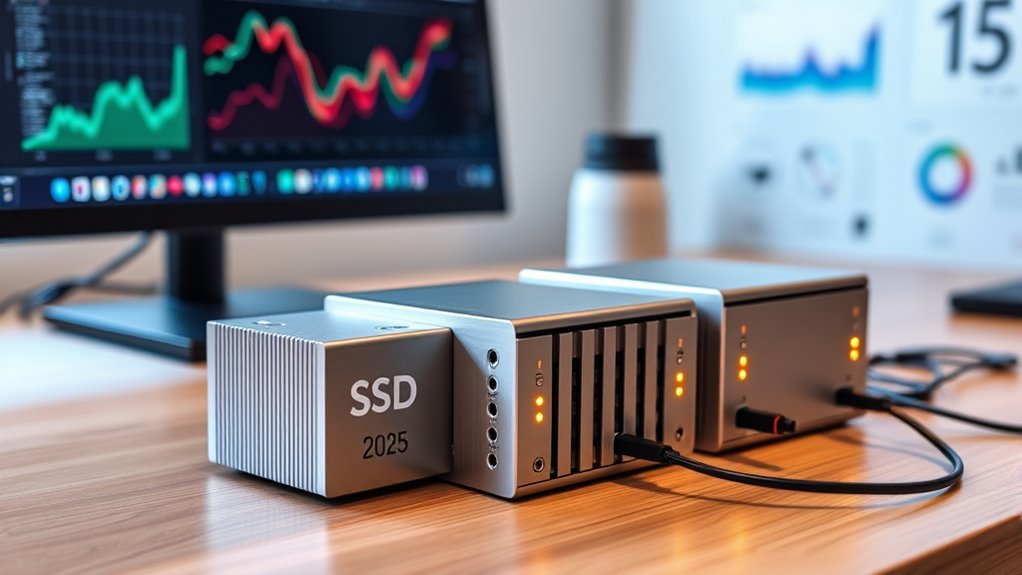

Portable SSD RAID arrays combine multiple drives in a transportable setup, but the right choice depends on whether you value speed, redundancy, capacity, or simple backups most. I name the ACASIS 40Gbps 4-Bay Hybrid Enclosure best overall for its mix of NVMe and SATA bays, while the TERRAMASTER D4 SSD stands out for an all-NVMe workflow and the SanDisk Professional G-RAID Mirror for a bundled, ready-to-use array. The lineup also includes lower-cost USB 3.0 SATA enclosures, which trade bandwidth and newer drive support for a simpler setup. Drive compatibility, RAID mode, cooling, and the host computer’s port can matter as much as the advertised connection speed. Read on for the full breakdown and guidance on matching an array to your work.

Get business pricing on tech for your team
- Business-only prices and quantity discounts
- Tax-exempt purchasing
- Multiple users, one account, clear invoices
Key Takeaways
- ACASIS takes the broadest-use role: its four bays split between SATA and NVMe, giving buyers more drive-format flexibility than the all-NVMe TERRAMASTER or SATA-only enclosures.
- All-NVMe designs target speed-focused workflows: the TERRAMASTER D4 SSD and JEYI 4-bay enclosure suit buyers prioritizing NVMe drives, though sustained performance also depends on cooling and the host connection.
- The SanDisk G-RAID Mirror is the most turnkey pick: its bundled drives and mirror-focused design reduce setup choices, while the diskless enclosures let buyers select and install their own drives.
- USB 3.0 models favor straightforward SATA storage: Vantec and MAIWO dual-bay options are simpler fits for 2.5-inch SATA drives, but they do not offer the bandwidth or NVMe flexibility of newer USB4 and 40Gbps models.
- Bay count alone does not define value: the CENMATE 4-bay model supports both 2.5- and 3.5-inch SATA drives and several RAID modes, while compact dual-bay enclosures are easier to carry but have narrower capacity and drive-format options.
| JEYI 4-Bay NVMe RAID Enclosure with Turbo Fan |  | Best for High-Capacity NVMe RAID | Drive bays: 4 | SSD compatibility: M.2 2280 NVMe, M-Key and B&M Key | Maximum capacity: 8TB per drive; 32TB total | VIEW ON AMAZON | See Our Full Breakdown |
| SanDisk Professional 24TB G-RAID Mirror 2-Bay RAID Array Bundle with 1TB PRO-BLADE SSD Mag |  | Best for Ready-to-Use Mirrored Storage | Storage capacity: 24TB (2 x 12TB) | Drive bays: 2 | Included SSD Mag: 1TB PRO-BLADE | VIEW ON AMAZON | See Our Full Breakdown |
| TERRAMASTER D4 SSD NVMe Enclosure, 4-Bay, 40Gbps, USB Type-C, Diskless |  | Best Quiet Four-Bay NVMe Enclosure | Drive bays: 4 | Supported drives: M.2 NVMe 2280 SSDs | Maximum storage capacity: 32TB total; 8TB per drive | VIEW ON AMAZON | See Our Full Breakdown |
| Vantec Nexstar GX USB 3.0 Dual 2.5″ SATA SSD/HDD RAID Enclosure, Black (NST-272S3-BK) |  | Best for Simple Two-Drive SATA RAID | Model: NST-272S3-BK | Drive bays: 2 | Drive format: 2.5-inch SATA I/II/III SSDs or HDDs | VIEW ON AMAZON | See Our Full Breakdown |
| MAIWO Dual-Bay RAID Enclosure for 2.5″ SATA SSD/HDD, USB 3.0 with UASP, RAID 0/1/JBOD/PM, 16TB Capacity, Aluminum |  | Best Flexible Two-Bay SATA Pick | Supported drives: 2.5-inch 7mm/9.5mm SATA HDD or SSD | Bays: 2 | Interface: USB 3.0 with UASP | VIEW ON AMAZON | See Our Full Breakdown |
| ORICO 4-Bay RAID Hard Drive Enclosure |  | Best for High-Capacity SATA Storage | Bays: 4 | Drive support: 2.5-inch and 3.5-inch SATA HDDs and SSDs | RAID modes: RAID 0, 1, 3, 5, 10, JBOD, CLONE, CLEAR | VIEW ON AMAZON | See Our Full Breakdown |
| Dual Bay RAID M.2 NVMe SSD Enclosure with Clone Mode, RAID 0/1/JBOD, 20Gbps, Offline Duplicator |  | Best for Portable NVMe Cloning | Bays: 2 | Drive compatibility: M.2 2280 PCIe NVMe SSDs | Transfer speed: Up to 20Gbps | VIEW ON AMAZON | See Our Full Breakdown |
| CENMATE Aluminum 4-Bay Hard Drive RAID Enclosure for 2.5/3.5-inch SATA HDD/SSD, USB 3.0/eSATA, 80TB, 8 RAID Modes |  | Best for Four-Bay Connection Flexibility | Bays: 4 | Drive support: 2.5-inch and 3.5-inch SATA HDDs and SSDs | Maximum capacity: 20TB per drive; 80TB total | VIEW ON AMAZON | See Our Full Breakdown |
| ACASIS 40Gbps 4-Bay RAID Hard Drive Enclosure with Dual SATA HDD Bays and Dual NVMe SSD Bays, USB4 / Thunderbolt 3/4/5 Compatible |  | Best Hybrid Premium Pick | Drive bays: 2 SATA and 2 M.2 NVMe | SATA support: 2.5-inch and 3.5-inch drives; up to 30TB per bay | NVMe support: M.2 2230–2280; up to 8TB per bay | VIEW ON AMAZON | See Our Full Breakdown |
| CENMATE Aluminum 2-Bay RAID Hard Drive Enclosure with Cooling Fan for 2.5″/3.5″ SATA HDD/SSD |  | Best for Simple Two-Drive Mirroring | Drive bays: 2 | Drive support: 2.5-inch and 3.5-inch SATA HDDs and SSDs | Maximum capacity: 20TB per drive; 40TB total | VIEW ON AMAZON | See Our Full Breakdown |
| MAIWO Dual-Bay 2.5-Inch SATA Hard Drive Enclosure with RAID and USB 3.0 |  | Best Compact SATA RAID Pick | Drive bays: 2 | Drive compatibility: 2.5-inch, 7 mm or 9.5 mm SATA SSDs and HDDs | Maximum capacity: 8 TB per bay; 16 TB total | VIEW ON AMAZON | See Our Full Breakdown |
| portable ssd raid array | RAID modes | Drive bays | Interface | Maximum capacity |
|---|---|---|---|---|
| JEYI 4-Bay NVMe RAID Enclosure | Mac: RAID 0, RAID 1, JBOD; Windows: RAID 0, RAID 1, RAID 5, JBOD | 4 | USB4, Thunderbolt 3/4, USB 3.2 | 8TB per drive; 32TB total |
| SanDisk Professional 24TB G-RA | RAID 1, RAID 0, JBOD | 2 | Thunderbolt 3, up to 40Gbps | — |
| TERRAMASTER D4 SSD NVMe Enclos | — | 4 | — | — |
| Vantec Nexstar GX USB 3.0 Dual | JBOD, RAID 0, RAID 1 | 2 | USB 3.0, up to 5Gbps | — |
| MAIWO Dual-Bay RAID Enclosure | NORMAL (PM), RAID 0, RAID 1, LARGE (JBOD) | — | USB 3.0 with UASP | 16TB total; 8TB per bay |
| ORICO 4-Bay RAID Hard Drive En | RAID 0, 1, 3, 5, 10, JBOD, CLONE, CLEAR | — | USB 3.0, up to 5Gbps | 22TB per drive; 88TB total |
| Dual Bay RAID M.2 NVMe SSD Enc | — | — | — | — |
| CENMATE Aluminum 4-Bay Hard Dr | RAID 0, 1, 3, 5, 10, CLONE, LARGE, NORMAL | — | — | 20TB per drive; 80TB total |
| ACASIS 40Gbps 4-Bay RAID Hard | RAID 0, RAID 1, LARGE | 2 SATA and 2 M.2 NVMe | — | — |
| CENMATE Aluminum 2-Bay RAID Ha | RAID 0, RAID 1, Normal, JBOD | 2 | USB 3.0 A/C, up to 5Gbps | 20TB per drive; 40TB total |
| MAIWO Dual-Bay 2.5-Inch SATA H | RAID 0, RAID 1, JBOD (Large), Normal (PM) | 2 | USB 3.0; backward compatible with USB 2.0 and 1.1 | 8 TB per bay; 16 TB total |
More Details on Our Top Picks
JEYI 4-Bay NVMe RAID Enclosure with Turbo Fan
The JEYI fits buyers building a fast, high-capacity portable NVMe RAID array from their own drives. Four M.2 bays allow up to 32TB total, while the 40Gbps USB4 and Thunderbolt support gives it a speed advantage over the SATA-based Vantec Nexstar GX and MAIWO enclosures. RAID options vary by operating system: Windows lists RAID 5, while Mac lists RAID 0 and RAID 1, so check that the mode you need is supported on your computer. The adjustable fan and thermal pads address heat from four NVMe drives, but add active cooling to a setup that the Terramaster D4 keeps quiet. RAID requires USB4 or Thunderbolt, and some AMD systems may have compatibility issues. Drives are not included.
Pros:- Four M.2 2280 NVMe bays support up to 32TB total.
- Supports 40Gbps USB4 and Thunderbolt 3/4 connections.
- Lists RAID 0, RAID 1, and JBOD for Mac, plus RAID 5 on Windows.
- Aluminum casing, thermal pads, and adjustable fan speeds help manage drive heat.
Cons:- RAID is unavailable over a standard USB connection.
- Some AMD USB4 or Thunderbolt systems may have compatibility issues.
- SSDs are not included, so the array requires a separate drive purchase.
Best for: Video editors and mobile workstation users who need a multi-drive NVMe array and have a confirmed compatible USB4 or Thunderbolt host.
Not ideal for: Buyers with only standard USB ports, or AMD system owners who cannot confirm USB4 or Thunderbolt compatibility.
- Drive bays:4
- SSD compatibility:M.2 2280 NVMe, M-Key and B&M Key
- Maximum capacity:8TB per drive; 32TB total
- Interface:USB4, Thunderbolt 3/4, USB 3.2
- Peak transfer rate:40Gbps
- Controller:ASM2464PDX
- RAID modes:Mac: RAID 0, RAID 1, JBOD; Windows: RAID 0, RAID 1, RAID 5, JBOD
- Cooling:Aluminum casing, thermal pads, adjustable turbo fan
Our verdict“Choose the JEYI if you need four NVMe bays and RAID over a compatible USB4 or Thunderbolt connection, and can accommodate its fan and separate SSDs.”
SanDisk Professional 24TB G-RAID Mirror 2-Bay RAID Array Bundle with 1TB PRO-BLADE SSD Mag
This bundle stands apart from the diskless JEYI and Terramaster enclosures because it arrives with 24TB of installed storage and a separate 1TB PRO-BLADE SSD Mag. Its two 12TB drives can mirror files in RAID 1, making it a fit for creators who want a duplicated working archive without sourcing and installing drives. RAID 0 and JBOD are also available when the workflow calls for capacity or a different drive arrangement. Thunderbolt 3 offers up to 40Gbps and supports daisy-chaining, though the included SSD Mag slot is specified at 10Gbps. Unlike the four-bay NVMe options, this is a two-bay array with a bundle built around its included drives, so it offers less flexibility for expanding the array with additional bays.
Pros:- Includes a 24TB array made from two 12TB drives.
- RAID 1 mirrors data across both drives.
- Can switch between RAID 1, RAID 0, and JBOD.
- Thunderbolt 3 supports up to 40Gbps and daisy-chaining; bundle includes a 1TB PRO-BLADE SSD Mag.
Cons:- Two array bays provide less drive expansion flexibility than four-bay options such as the JEYI.
- The PRO-BLADE SSD Mag slot is specified at 10Gbps, slower than the array’s Thunderbolt 3 interface.
- No RAID 5 mode is listed.
Best for: Video professionals who want an assembled, mirrored storage array and a separate SSD Mag for moving active project files.
Not ideal for: Buyers who need four bays, NVMe-based array drives, or RAID 5 support.
- Storage capacity:24TB (2 x 12TB)
- Drive bays:2
- Included SSD Mag:1TB PRO-BLADE
- RAID modes:RAID 1, RAID 0, JBOD
- Interface:Thunderbolt 3, up to 40Gbps
- SSD Mag slot speed:10Gbps
- Daisy-chaining:Up to five additional devices
Our verdict“Pick the G-RAID Mirror bundle if you want substantial installed storage with RAID 1 mirroring and a portable SSD Mag included.”
TERRAMASTER D4 SSD NVMe Enclosure, 4-Bay, 40Gbps, USB Type-C, Diskless
The Terramaster D4 is a strong fit for people who want four NVMe drives in a portable enclosure and prefer to choose their own software for combining them. Its 40Gbps interface and stated speeds of up to 3,224MB/s with four SSDs suit large file transfers, while tool-free installation and hot-swapping make drive changes simpler than fitting drives into a typical multi-drive box. The main distinction from the JEYI is that the D4 has no built-in RAID; RAID or other volume arrangements require third-party tools. Its temperature-controlled fans and listed 19dB(A) standby noise make it a quieter-cooling choice, though not fanless. Buyers also need to supply up to four SSDs, and performance depends on the host, drives, and software setup.
Pros:- Four M.2 NVMe 2280 bays support up to 32TB total.
- Supports Thunderbolt 5/4/3 and USB 4/3.2/3.1/3.0/2.0 connections.
- Tool-free installation and hot-swappable drives simplify setup and replacement.
- Temperature-controlled fans, four sensors, and 19dB(A) standby noise are specified.
Cons:- No built-in RAID; software RAID requires third-party tools.
- SSDs are not included.
- The stated maximum transfer speeds depend on using four SSDs and a suitable system.
Best for: Editors and technical users who want a quiet, hot-swappable four-drive NVMe enclosure and are comfortable configuring software RAID themselves.
Not ideal for: Buyers who expect hardware RAID modes to be built into the enclosure or want a populated array ready to use.
- Drive bays:4
- Supported drives:M.2 NVMe 2280 SSDs
- Maximum storage capacity:32TB total; 8TB per drive
- Interface compatibility:Thunderbolt 5/4/3, USB 4/3.2/3.1/3.0/2.0
- Maximum transfer speed:Up to 3,224MB/s with 4 SSDs; up to 1,608MB/s with a single SSD
- RAID:No built-in RAID
- Cooling:Temperature-controlled active fans; 4 temperature sensors
- Installation and drive access:Tool-free; hot-swappable
Our verdict“Choose the Terramaster D4 if quiet cooling and flexible hot-swappable NVMe bays matter more to you than built-in RAID.”
Vantec Nexstar GX USB 3.0 Dual 2.5″ SATA SSD/HDD RAID Enclosure, Black (NST-272S3-BK)
The Vantec Nexstar GX suits a buyer who wants a straightforward two-drive SATA RAID enclosure for 2.5-inch SSDs or HDDs. It supports JBOD, RAID 0, and RAID 1, so a pair of drives can be configured for capacity, speed, or mirroring. Compared with the newer USB-C MAIWO enclosure, the Nexstar uses a USB Micro-B connection, which may be less convenient if the rest of a portable kit uses USB-C. Its USB 3.0 link is also far behind the 40Gbps NVMe options such as the JEYI and Terramaster D4, so it makes more sense for basic backups and everyday files than demanding video work. The aluminum housing has front vents, and a 5V/2A adapter is included, but the drives themselves are not.
Pros:- Supports two 2.5-inch SATA SSDs or HDDs.
- Offers JBOD, RAID 0, and RAID 1.
- Aluminum casing and front vents help dissipate heat.
- Includes a DC 5V/2A power adapter.
Cons:- USB 3.0 at up to 5Gbps is substantially slower than the 40Gbps NVMe enclosures.
- Uses USB Micro-B rather than USB-C.
- Drives are not included and some drive configurations require the external adapter.
Best for: Laptop owners who already have 2.5-inch SATA drives and need a compact two-drive mirror or striped volume for routine storage.
Not ideal for: Creators moving large video files at high speed or buyers who want USB-C connectivity and modern NVMe performance.
- Model:NST-272S3-BK
- Drive bays:2
- Drive format:2.5-inch SATA I/II/III SSDs or HDDs
- RAID modes:JBOD, RAID 0, RAID 1
- Interface:USB 3.0, up to 5Gbps
- Connector:USB Micro-B
- Power input:DC 5V/2A; adapter included
- Dimensions:4.72 x 3.15 x 0.98 inches
Our verdict“Choose the Nexstar GX for basic two-drive SATA mirroring or striping if its USB 3.0 speed and Micro-B connector fit your setup.”
MAIWO Dual-Bay RAID Enclosure for 2.5″ SATA SSD/HDD, USB 3.0 with UASP, RAID 0/1/JBOD/PM, 16TB Capacity, Aluminum
The MAIWO offers a useful extra arrangement over the Vantec Nexstar GX: alongside RAID 0, RAID 1, and JBOD, it lists NORMAL (PM) mode, giving each connected drive its own presentation. Its two 2.5-inch SATA bays support up to 16TB total, and tool-free installation with hot swapping makes it practical for users who rotate drives. The aluminum body keeps the unit portable, though the required Micro USB power cable adds a tether to a setup that is otherwise compact. Its USB 3.0 connection with UASP is a better fit for ordinary backup and file transfer than for high-bitrate editing; the JEYI and Terramaster D4 offer much faster 40Gbps links and NVMe bays. Drives are not included, and the top stated speed depends on a compatible UASP host.
Pros:- Supports NORMAL (PM), RAID 0, RAID 1, and LARGE (JBOD) modes.
- Two 2.5-inch SATA bays support up to 16TB total.
- Tool-free installation and hot swapping simplify drive changes.
- Aluminum alloy construction in a compact portable size.
Cons:- Requires the included Micro USB power cable.
- SSDs and HDDs are not included.
- The stated transfer rate requires UASP-compatible systems and is far below 40Gbps NVMe enclosures.
Best for: IT workers and home archivists who rotate 2.5-inch SATA drives and want direct-drive, mirrored, striped, or combined-volume modes.
Not ideal for: Video editors seeking high sustained throughput, or travelers who want a single-cable enclosure without an extra power lead.
- Supported drives:2.5-inch 7mm/9.5mm SATA HDD or SSD
- Bays:2
- Interface:USB 3.0 with UASP
- Transfer speed:Up to 6Gbps with UASP and Windows 8.1 or later
- Controller:JMS561
- RAID modes:NORMAL (PM), RAID 0, RAID 1, LARGE (JBOD)
- Maximum capacity:16TB total; 8TB per bay
- Installation:Tool-free, hot swap, plug and play
Our verdict“Pick the MAIWO if you want several RAID and drive-presentation modes for portable 2.5-inch SATA drives and do not need NVMe-class speed.”
ORICO 4-Bay RAID Hard Drive Enclosure
The ORICO’s main advantage over compact options such as the CENMATE 2-Bay RAID Enclosure is room for four 2.5- or 3.5-inch SATA drives, with up to 88TB total capacity listed. That makes it a better fit for a desktop archive or multi-drive backup set than a portable SSD RAID kit: it needs external power and its USB 3.0 connection tops out at 5Gbps. Eight RAID modes give experienced users several ways to arrange the drives, while the aluminum case and 80mm fan help manage heat during sustained use. The tradeoff is bulk and a slower interface than NVMe enclosures such as the ACASIS hybrid. RAID mode changes also call for a backup first, so this is best for buyers comfortable managing a desktop storage setup.
Pros:- Four bays support 2.5-inch and 3.5-inch SATA HDDs and SSDs
- Listed maximum capacity of 88TB across four drives
- Eight RAID modes provide several storage and redundancy configurations
- Aluminum casing and 80mm fan support heat dissipation
Cons:- USB 3.0 is slower than the USB4 and 20Gbps NVMe options in this roundup
- Requires a separate 150W power supply, limiting portability
- Changing RAID modes requires care because existing data should be backed up
Best for: Desktop users building a high-capacity SATA archive or multi-drive backup enclosure across Windows, macOS, or Linux
Not ideal for: Traveling editors who need a compact, bus-powered SSD array or transfer speeds beyond USB 3.0
- Bays:4
- Drive support:2.5-inch and 3.5-inch SATA HDDs and SSDs
- RAID modes:RAID 0, 1, 3, 5, 10, JBOD, CLONE, CLEAR
- Maximum capacity:22TB per drive; 88TB total
- Interface:USB 3.0, up to 5Gbps
- Cooling and case:80mm fan; aluminum casing
- Power supply:150W
- Operating systems:Windows, macOS, Linux
Our verdict“Choose the ORICO if four-bay SATA capacity matters more than a small footprint or high-speed NVMe transfers.”
Dual Bay RAID M.2 NVMe SSD Enclosure with Clone Mode, RAID 0/1/JBOD, 20Gbps, Offline Duplicator
For someone carrying bare NVMe drives between shoots or workstations, this two-bay enclosure is a more focused portable choice than the ORICO 4-Bay RAID Hard Drive Enclosure. Its tool-free M.2 2280 slots and offline clone mode make swapping or duplicating drives straightforward, while 20Gbps USB-C connectivity suits large file transfers. RAID 0, RAID 1, and JBOD cover speed, mirroring, or independent drives, though the enclosure’s compact size comes with a narrow compatibility window: it accepts PCIe NVMe 2280 SSDs, not SATA M.2 modules or 2.5-inch drives. Compared with the ACASIS hybrid, it gives up extra SATA bays and video output for a simpler, more portable setup. Two high-capacity SSDs may also need the auxiliary USB-C input for stable operation.
Pros:- Tool-free installation makes drive swaps quick
- Offline clone mode duplicates drives without a computer
- 20Gbps connection supports large file transfers
- RAID 0, RAID 1, and JBOD cover distinct two-drive setups
Cons:- Limited to M.2 2280 PCIe NVMe SSDs
- Auxiliary USB-C power may be needed with two high-capacity SSDs
- Two bays offer less capacity flexibility than four-bay enclosures
Best for: Videographers and technicians who carry M.2 2280 NVMe drives and want on-the-go cloning or a two-drive RAID setup
Not ideal for: Buyers with SATA M.2 modules, 2.5-inch SSDs, or a need for several terabytes of low-cost HDD storage
- Bays:2
- Drive compatibility:M.2 2280 PCIe NVMe SSDs
- Transfer speed:Up to 20Gbps
- Modes:RAID 0, RAID 1, JBOD, Clone
- Installation:Tool-free
- Material:Aluminum
- Auxiliary input:USB-C
- Supported SSD capacities:8TB and 16TB SSDs
Our verdict“Pick this enclosure for portable NVMe drive duplication and RAID, provided your SSDs are PCIe M.2 2280 models.”
CENMATE Aluminum 4-Bay Hard Drive RAID Enclosure for 2.5/3.5-inch SATA HDD/SSD, USB 3.0/eSATA, 80TB, 8 RAID Modes
The CENMATE makes sense for a desktop user who wants four SATA bays and a choice of USB 3.0 or eSATA. Like the ORICO four-bay enclosure, it supports eight RAID modes and mixed 2.5- and 3.5-inch drive sizes, but its listed total capacity is lower at 80TB. The eSATA port may suit an older workstation, although the product data cautions that it may access only one bay unless the host supports RAID over eSATA. For portable SSD RAID use, its 4.2-pound body, external power, and 5Gbps USB ceiling are substantial compromises beside the compact 20Gbps M.2 enclosure. The built-in fan and aluminum shell suit sustained desktop operation, but the stated 40–50dB fan noise and lack of hot-swapping make it less appealing beside a quiet desk.
Pros:- Four bays accept 2.5-inch and 3.5-inch SATA HDDs and SSDs
- USB 3.0 and eSATA provide two host connection options
- Eight RAID modes include RAID 5 and RAID 10
- Aluminum enclosure and built-in fan support cooling
Cons:- Up to 80TB total capacity is below the ORICO four-bay model’s listed 88TB
- Hot-swapping is not supported
- Fan noise may be noticeable, and eSATA multi-bay access depends on host support
Best for: Desktop backup users with four SATA drives who want both USB and eSATA connection options
Not ideal for: Mobile creators, hot-swap workflows, or noise-sensitive users who need a quiet portable SSD array
- Bays:4
- Drive support:2.5-inch and 3.5-inch SATA HDDs and SSDs
- Maximum capacity:20TB per drive; 80TB total
- RAID modes:RAID 0, 1, 3, 5, 10, CLONE, LARGE, NORMAL
- Interfaces:USB 3.0, eSATA
- Maximum transfer rate:Up to 5Gbps
- Dimensions and weight:7.95 × 5.2 × 5.75 inches; 4.2 pounds
- Cooling and case:Built-in 2-inch fan; aluminum
Our verdict“Choose the CENMATE if four SATA bays and eSATA matter for a desktop setup, and you can accept fan noise and no hot-swapping.”
ACASIS 40Gbps 4-Bay RAID Hard Drive Enclosure with Dual SATA HDD Bays and Dual NVMe SSD Bays, USB4 / Thunderbolt 3/4/5 Compatible
The ACASIS is the most versatile storage layout here: two SATA bays hold capacity-oriented drives, while two M.2 slots add faster NVMe storage. That hybrid approach separates archive space from active project files in one enclosure, unlike the all-SATA ORICO or the dual-NVMe clone enclosure. Its USB4 40Gbps host connection and RAID 0 claim target demanding transfers, while RAID 1 and LARGE offer mirroring or combined capacity. Those headline speeds depend on a compatible host and RAID setup; the SATA bays themselves are limited to 5Gbps, so they will not match the NVMe side. The 8K@60Hz output may help a desk workflow, but it does little for a portable SSD array unless the monitor and host support it. Active cooling and a 96W supply also make this more desk-oriented than pocketable.
Pros:- Combines two SATA bays with two NVMe slots
- Supports RAID 0, RAID 1, and LARGE modes
- USB4 host interface is rated up to 40Gbps
- Active cooling and 8K@60Hz video output support a desktop workstation setup
Cons:- Full 40Gbps speed depends on RAID mode and a compatible USB4 or Thunderbolt host
- SATA bays are limited to 5Gbps
- 96W power supply and active fan reduce portability
Best for: Editors with a USB4 or Thunderbolt workstation who want fast NVMe workspace alongside high-capacity SATA storage
Not ideal for: Traveling users without USB4 or Thunderbolt, or anyone seeking a lightweight, bus-powered enclosure
- Drive bays:2 SATA and 2 M.2 NVMe
- SATA support:2.5-inch and 3.5-inch drives; up to 30TB per bay
- NVMe support:M.2 2230–2280; up to 8TB per bay
- Host interface:USB4 40Gbps; compatible with Thunderbolt 3/4/5
- RAID modes:RAID 0, RAID 1, LARGE
- Maximum unified capacity:78TB
- Video output:8K@60Hz
- Cooling and power:Active cooling fan; 96W power supply
Our verdict“Choose the ACASIS for a USB4 desktop workflow that benefits from combining fast NVMe workspace drives with SATA capacity.”
CENMATE Aluminum 2-Bay RAID Hard Drive Enclosure with Cooling Fan for 2.5″/3.5″ SATA HDD/SSD
For a two-drive SATA backup or mirror, the CENMATE is simpler than the four-bay ORICO and less specialized than the dual-NVMe offline duplicator. Its four modes include RAID 1 for a mirrored set, plus RAID 0, Normal, and JBOD; tool-free installation lowers the effort of fitting 2.5- or 3.5-inch drives. The capacity ceiling is 40TB across two 20TB drives, which may be plenty for a focused backup but falls short of the larger desktop enclosures. USB 3.0 caps the connection at 5Gbps, so this is not the speed-led choice for portable SSD work. An aluminum body and fan help with heat, though the stated 40–50dB noise can be intrusive. The product data also says macOS has no RAID software support, a meaningful limit for Mac buyers.
Pros:- Two bays support 2.5-inch and 3.5-inch SATA HDDs and SSDs
- RAID 1 provides a two-drive mirroring option
- Tool-free, plug-and-play installation
- Aluminum alloy body and cooling fan aid heat management
Cons:- USB 3.0 is limited to up to 5Gbps
- Fan noise is listed at 40–50dB
- Product data states there is no RAID software support for macOS
Best for: Windows or Linux users who want a straightforward two-drive SATA mirror or backup enclosure for a desk
Not ideal for: Mac users needing RAID software support, quiet workspaces, or creators seeking 20Gbps-plus SSD transfers
- Drive bays:2
- Drive support:2.5-inch and 3.5-inch SATA HDDs and SSDs
- Maximum capacity:20TB per drive; 40TB total
- RAID modes:RAID 0, RAID 1, Normal, JBOD
- Interface:USB 3.0 A/C, up to 5Gbps
- Chipset:JMS561
- Material and cooling:Aluminum alloy; built-in fan
- Compatibility:Windows 7+, Mac 9.1+, Linux
Our verdict“Pick this CENMATE for a basic two-drive SATA mirror on Windows or Linux when fan noise and USB 3.0 speeds are acceptable.”
MAIWO Dual-Bay 2.5-Inch SATA Hard Drive Enclosure with RAID and USB 3.0
This MAIWO enclosure suits buyers who want a small, portable two-drive RAID setup built around 2.5-inch SATA drives. Its RAID 0, RAID 1, JBOD, and Normal modes let you choose between combining capacity, mirroring data, or keeping drives separate. Compared with the TERRAMASTER D4 SSD NVMe Enclosure, it supports fewer drives and SATA rather than NVMe, but its 132 × 79 × 27 mm footprint is easier to carry. The tradeoff is speed: USB 3.0 tops out at 5 Gbps with UASP, well below the faster USB-C and USB4 options in this roundup. Tool-free installation and support for up to 16 TB total make it a straightforward choice for a compact archive or backup set, though buyers need compatible SATA drives and a host that supports UASP to reach its maximum transfer rate.
Pros:- Supports RAID 0, RAID 1, JBOD, and Normal modes for several storage arrangements
- Compact dimensions and tool-free setup suit portable use
- Accepts two drives up to 8 TB each, for 16 TB total
- UASP support can improve USB 3.0 transfers on compatible hosts
Cons:- Limited to 2.5-inch SATA drives, so it cannot use faster NVMe SSDs
- USB 3.0’s 5 Gbps ceiling trails the faster USB-C and USB4 enclosures in the roundup
- Maximum transfer speed depends on UASP support from the connected device
Best for: Traveling photographers and laptop users who already own 2.5-inch SATA SSDs or HDDs and want portable RAID 1 backups or a compact multi-drive volume
Not ideal for: Video editors working with high-bitrate footage or buyers seeking NVMe performance, 3.5-inch drive support, or an enclosure with more than two bays
- Drive bays:2
- Drive compatibility:2.5-inch, 7 mm or 9.5 mm SATA SSDs and HDDs
- Maximum capacity:8 TB per bay; 16 TB total
- RAID modes:RAID 0, RAID 1, JBOD (Large), Normal (PM)
- Interface:USB 3.0; backward compatible with USB 2.0 and 1.1
- Maximum transfer speed:Up to 5 Gbps with UASP
- Dimensions:132 × 79 × 27 mm (5.20 × 3.11 × 1.06 in)
- Material:ABS plastic
- Features:Tool-free setup, hot swapping, LED indicator, sliding closure, built-in sponge pad
Our verdict“Choose this MAIWO for a compact, tool-free two-drive SATA RAID setup; skip it if your work depends on NVMe speeds or higher-bandwidth connections.”

How We Picked
I ranked these products by how well their stated design fits portable SSD RAID use: drive format and bay layout, host connectivity, RAID options, cooling, setup demands, and flexibility for different workloads. A faster interface can help when moving large media files, but only if the computer supports it and the installed drives can sustain that pace; I treated compatibility as part of performance rather than relying on a headline bandwidth figure alone.
The order gives preference to useful combinations of speed, drive choice, and practical portability. Hybrid or all-NVMe systems rank ahead for buyers who need high-throughput SSD workflows, while included-drive bundles earn credit for reducing setup work. SATA and USB 3.0 enclosures remain useful for simpler, lower-bandwidth storage, but rank lower for this specific roundup because they offer less headroom for fast SSD arrays. RAID flexibility matters, though I also account for setup complexity and the fact that RAID modes do not replace a separate backup.
| portable ssd raid array | Interface |
|---|---|
| JEYI 4-Bay NVMe RAID Enclosure | USB4, Thunderbolt 3/4, USB 3.2 |
| SanDisk Professional 24TB G-RA | Thunderbolt 3, up to 40Gbps |
| TERRAMASTER D4 SSD NVMe Enclos | — |
| Vantec Nexstar GX USB 3.0 Dual | USB 3.0, up to 5Gbps |
| MAIWO Dual-Bay RAID Enclosure | USB 3.0 with UASP |
| ORICO 4-Bay RAID Hard Drive En | USB 3.0, up to 5Gbps |
| Dual Bay RAID M.2 NVMe SSD Enc | — |
| CENMATE Aluminum 4-Bay Hard Dr | — |
| ACASIS 40Gbps 4-Bay RAID Hard | — |
| CENMATE Aluminum 2-Bay RAID Ha | USB 3.0 A/C, up to 5Gbps |
| MAIWO Dual-Bay 2.5-Inch SATA H | USB 3.0; backward compatible with USB 2.0 and 1.1 |
Factors to Consider When Choosing Portable Ssd Raid Arrays
Choosing a portable RAID enclosure starts with the drives and computer you already have, then narrows to the workload you need it to handle. These factors help avoid paying for unused speed or choosing a layout that cannot accept your drives.
Match the bays to your drives
Check whether an enclosure accepts M.2 NVMe, 2.5-inch SATA, 3.5-inch SATA, or a combination before comparing its other features. These formats are not interchangeable, and an enclosure described as four-bay may still support only one drive type. A hybrid layout can reuse different drives, but mixed formats may complicate capacity planning and performance expectations. If you are buying drives specifically for the enclosure, compare their physical dimensions and interface with the maker’s compatibility details. A common mistake is to count the bays without checking which drives fit each one. Choose around the drives you own or plan to buy, not bay count alone.
Choose RAID for the job, not the label
RAID 0 combines capacity and can improve throughput, but a failure in either drive can put the array’s data at risk. RAID 1 mirrors data across drives for a recovery path if one drive fails, at the cost of usable capacity. JBOD presents drives separately, while other modes vary by enclosure and may require specific drive counts. RAID is not a backup: accidental deletion, theft, or damage to the whole unit can still erase the only copy. Before setting a mode, check whether changing it later erases data and whether your operating system can read the resulting volume. Keep another copy of important files on a separate device or service.
Check the full connection path
The enclosure’s advertised link speed is only one part of the transfer path. The computer, cable, port, drives, and workload all affect real throughput, and a slower host port can limit a fast array. USB-C describes a connector shape, not a guaranteed data rate, so confirm the actual protocol supported by your computer. For large video projects or frequent bulk transfers, newer high-bandwidth connections may save time when the rest of the system can use them. For occasional backups, a USB 3.0 connection may be adequate and simpler to support across older machines. Verify the cable is rated for the interface you intend to use.
Plan for heat and sustained transfers
Several fast NVMe drives can generate substantial heat during long transfers, which may lead to reduced performance if the enclosure cannot shed it. Fans can help move heat away, but they add noise, moving parts, and a need to keep vents clear. Passive designs can be quieter, yet their thermal behavior depends on the enclosure and the surrounding airflow. Think about how long your typical jobs run: short file copies place different demands on a unit than hours of video capture or editing. Avoid placing a cooling enclosure on fabric or inside a tightly packed bag while it is working. A compact case is convenient, but its size does not guarantee it will stay cool under sustained load.
Balance portability with capacity and setup
A diskless enclosure lets you choose drive brands and capacity, though you must account for installation, configuration, and drive compatibility. A bundle can reduce setup effort, but gives you less freedom to tailor the included drives to your preferred capacity or replacement plan. Larger 3.5-inch SATA drives can provide substantial storage but make a portable kit bulkier and may require external power. Smaller NVMe and 2.5-inch designs travel more easily, though their total capacity depends on the installed drives. Consider what else must travel with the enclosure, including a power supply, cable, and spare drives. Buyers who regularly work away from a desk should assess the complete kit, not just the enclosure dimensions.
Frequently Asked Questions
Will a 40Gbps RAID enclosure run at full speed on any USB-C port?
No. USB-C names the connector, while supported data rates depend on the computer port, cable, enclosure, and installed drives. A slower host connection can limit transfers even when the enclosure supports a faster interface. Check the port specifications for your exact computer model and use a cable rated for the enclosure’s connection. If you mainly move smaller files or make occasional backups, the practical difference may matter less than it would for sustained media work.
Does RAID 1 mean I no longer need a separate backup?
No. RAID 1 can keep a mirrored copy available after one drive fails, but it does not protect against deletion, ransomware, theft, or damage to the entire enclosure. Changes and mistakes can be copied to both drives. Keep another copy on a separate device or in a secure remote backup, and check that you can restore files from it. RAID 1 is best understood as drive-failure tolerance, not a complete backup plan.
Can I mix SATA and NVMe drives in a hybrid enclosure?
Only if the particular enclosure supports the drive types and configuration you plan to use. A layout with separate SATA and NVMe bays does not automatically mean the drives can form one RAID set or share identical modes. Read the manual for supported combinations, RAID behavior, and any restrictions on drive size or capacity. For predictable performance and simpler maintenance, matching drives within an array is often easier to manage. Keep a separate copy of existing data before configuring RAID.
Should I choose an NVMe enclosure or a SATA enclosure for video work?
NVMe is a stronger fit when your workflow benefits from high sustained transfers and your computer supports the enclosure’s connection. SATA may be enough for lighter editing, project archives, and backups, especially if your host port or media source is the bottleneck. The drive format alone does not guarantee a specific editing experience; RAID mode, cooling, file sizes, and software also matter. Check the speed of the camera media and the computer connection before investing in extra bandwidth. If you often work with large files, prioritize a compatible fast host link and adequate cooling together.
Is a diskless enclosure a better choice than a bundled array?
A diskless enclosure suits buyers who want to choose drive models, capacity, and replacement timing themselves. It also requires more setup and puts compatibility checks on the buyer. A bundle such as the SanDisk G-RAID Mirror reduces those decisions and can be easier to put into service, but the included configuration may not match every capacity or upgrade preference. Compare what is supplied with the cost and effort of sourcing compatible drives separately, without assuming every bay accepts every format. The better fit depends on whether control over components or simpler setup matters more to you.
Conclusion
I would choose the ACASIS 40Gbps 4-Bay Hybrid Enclosure as the best overall fit for buyers who want room to combine SATA and NVMe storage in one portable system. For value-focused SATA use, the MAIWO dual-bay USB 3.0 enclosure keeps the setup simple; beginners who prefer supplied drives and mirroring should look first at the SanDisk Professional G-RAID Mirror. The TERRAMASTER D4 SSD is my premium pick for an all-NVMe workflow, while the Vantec Nexstar GX makes sense for a basic dual-bay SATA setup. If your priority is four NVMe drives, compare the JEYI and TERRAMASTER designs; if you need 2.5- and 3.5-inch SATA support with multiple RAID modes, the CENMATE 4-bay enclosure is the more specific match. Choose by drive compatibility and host connection first, then select RAID mode and capacity around the files you need to protect or move.