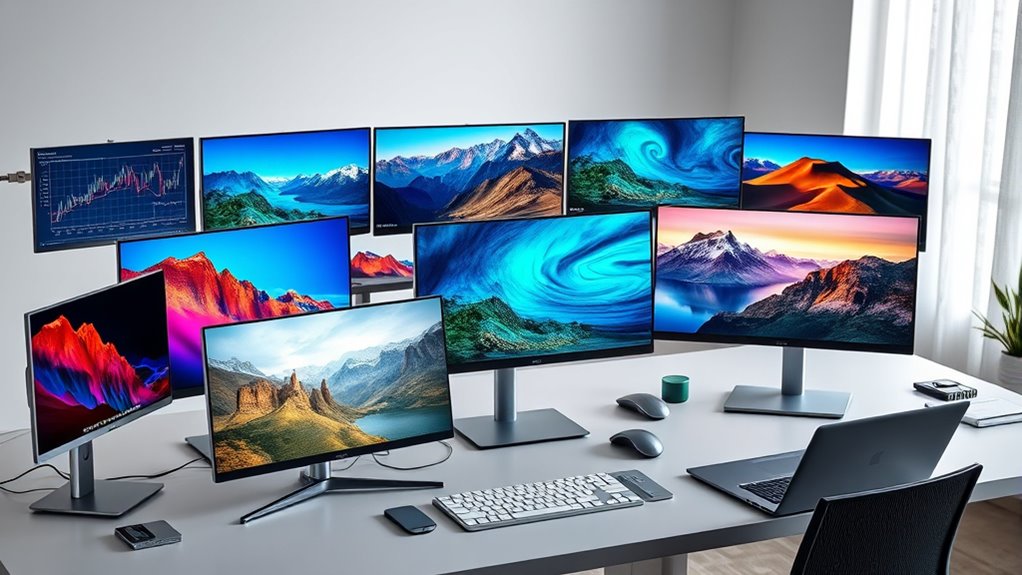

Portable monitors continue to grow in popularity for those seeking extra screen space on the go, whether for work, gaming, or multimedia. The best models today combine lightweight design with high-resolution displays and versatile connectivity. The best overall pick, the KYY 15.6-inch 1080P Portable Monitor, balances performance with portability, but options like the ARZOPA 16.1” Gaming Monitor excel in refresh rate and gaming features. Buyers face tradeoffs between size, resolution, and price, making it important to prioritize what matters most for their needs. Keep reading for a detailed breakdown of these options to help you find the perfect portable monitor.

Get business pricing on tech for your team
- Business-only prices and quantity discounts
- Tax-exempt purchasing
- Multiple users, one account, clear invoices
Key Takeaways
- The top-rated portable monitors combine high resolution with lightweight, travel-friendly designs.
- Gaming-focused options often prioritize refresh rate and color accuracy over ultra-thin profiles.
- Connectivity versatility, especially USB-C and HDMI, is key for seamless compatibility with different devices.
- Build quality and included accessories like stands or covers significantly enhance usability.
- Price ranges vary widely, with premium models offering advanced features at a higher cost, but good value options still deliver solid performance.


| portable monitor | Resolution | Weight |
|---|---|---|
| KYY 15.6-inch 1080P Portable M | 1920×1080 (Full HD) | 1.7 lbs |
| KYY 15.6" Laptop Screen Extend | 1080P FHD | — |
| ForHelp 15.6-inch Portable Mon | 1080P | 1.5 lbs without cover |
| NGTeco 16" Triple Laptop Scree | 1920×1200 | 9.94 lbs |
| Cocopar 15.6 Inch Portable Mon | 1080P | 2.4 lbs with cover |
| MNN 15.6-Inch FHD Portable Mon | 1920×1080 | — |
| InnoView Portable Monitor 15.6 | 1920×1080 (FHD) | — |
| SMISEACOW 15.6-Inch Triple Por | 1080P FHD | 3.9 lbs |
| CIDETTY Laptop Screen Extender | Full HD 1080P | — |
| InnoView 15.6-inch Portable Mo | 1080P | 1.5 pounds |
| 15.3" Laptop Screen Extender | 1920×1200 Full HD | — |
| 15.6” Portable Touchscreen FHD | — | — |
| 15.6" Laptop Screen Extender | 1080P FHD | 4 lbs (1.8 kg) |
| ARZOPA 16.1” Portable Gaming | 1080P FHD | — |
| Anyuse 15.6" FHD IPS USB-C HDM | 1920×1080 (FHD) | 1.37 lbs |
More Details on Our Top Picks
KYY 15.6-inch 1080P Portable Monitor with Cover
This KYY model stands out for combining a vibrant 1080P IPS display with HDR technology, delivering crisp, colorful images that rival larger, more expensive options. Its ultra-slim profile and lightweight design make it exceptionally portable, ideal for users who need a high-quality screen on the go. Compared to the Cocopar, which also offers a lightweight build, the KYY’s HDR support provides a slight edge in display quality, though it lacks a built-in battery, requiring an external power source. The smart cover design adds convenience but limits standalone use without power. It’s best suited for professionals and travelers prioritizing visuals and portability over standalone functionality or gaming performance.
Pros:- Vivid 1080P IPS display with HDR for enhanced color and contrast
- Ultra-slim, lightweight design for easy portability
- Wide compatibility via Type-C and HDMI ports
- Includes a durable smart cover that doubles as a stand
Cons:- No built-in battery, so it must be powered externally
- Limited to 15.6-inch size, restricting multitasking space
Best for: Travelers and remote workers who need a compact, high-quality display compatible with multiple devices.
Not ideal for: Gamer or those wanting a monitor with a built-in battery for completely cable-free use, as this model requires external power.
- Display Size:15.6 inches
- Resolution:1920×1080 (Full HD)
- Viewing Angle:178°
- Weight:1.7 lbs
- Thickness:0.3 inches
- Connectivity:2 Type-C ports, Mini-HDMI
Our verdict“This monitor is perfect for those needing a portable, high-quality display with versatile device support, but not for standalone use or gaming.”
KYY 15.6″ Laptop Screen Extender, 1080P FHD IPS Portable Monitor
This KYY model excels at extending your workspace with dual FHD IPS screens that support a full 360° rotation, making it highly adaptable for multitasking and content creation. Its single USB-C cable connection simplifies setup compared to the more cable-intensive options like the Cocopar. Unlike the NGTeco’s larger 16-inch model, this monitor is more portable and suitable for users who need multiple screens without bulk. However, it’s primarily aimed at professionals and not gamers, as it lacks gaming-specific features like high refresh rates. Its compatibility across Windows, macOS, Chrome OS, Android, and Linux makes it a flexible choice for varied workflows, though some systems require driver installation.
Pros:- Single-cable USB-C connection for quick, clutter-free setup
- Supports multiple OS platforms including Linux and Chrome OS
- Adjustable stand with up to 90° tilt and 360° rotation
- Lightweight and portable for frequent travelers
Cons:- Requires driver installation on some systems, adding setup complexity
- Not compatible with gaming consoles like PS5 or Xbox Series X
Best for: Freelancers and remote professionals working across multiple platforms needing a multi-screen setup on the go.
Not ideal for: Gamers or users seeking a plug-and-play device with high refresh rates for smooth gameplay, as it’s mainly designed for productivity.
- Screen Size:15.6 inches
- Resolution:1080P FHD
- Display Type:IPS
- Viewing Angle:178°
- Connectivity:USB-C/Type-A
- Compatibility:Windows, macOS, Chrome OS, Android, Linux
Our verdict“Ideal for professionals needing multiple screens across various devices, but not suited for gaming or plug-and-play simplicity on all systems.”
ForHelp 15.6-inch Portable Monitor with 1080P Resolution, USB-C & HDMI, Ultra-Thin Gaming Display with Smart Cover
This ForHelp monitor offers a Full HD IPS display with accurate colors and a sleek, ultra-thin profile, making it suitable for both work and light gaming. Its multiple connectivity options, including USB-C and HDMI, allow broad device support, similar to the Cocopar but with added versatility thanks to the smart cover that doubles as a stand. Compared to the NGTeco’s larger, more specialized monitor, the ForHelp provides a good balance of portability and functionality for users who need a flexible display for travel or casual gaming. Its main drawback is the reliance on device support for Thunderbolt or USB-C DP ALT-MODE, which may limit compatibility with some older devices, and its 60Hz refresh rate isn’t ideal for high-end gaming.
Pros:- High-resolution 1080P IPS display with accurate colors
- Ultra-slim and lightweight for portability
- Multiple connectivity options including USB-C and HDMI
- Smart cover doubles as a stand with adjustable angles
Cons:- Requires device support for Thunderbolt 3.0/4.0 or USB 3.1 Type C DP ALT-MODE
- Limited to 60Hz refresh rate, not suited for fast-paced gaming
Best for: Travelers, students, or remote workers who want a lightweight display suitable for work, entertainment, and casual gaming.
Not ideal for: Hardcore gamers or users seeking high refresh rates for competitive gaming, as the 60Hz limit restricts smooth motion.
- Size:15.6 inches
- Resolution:1080P
- Refresh Rate:60Hz
- Color Gamut:85% sRGB
- VESA Mountable:Yes
- Weight:1.5 lbs without cover
Our verdict“A versatile portable monitor best suited for users needing a balance of work and entertainment on the move, but not for serious gaming.”
NGTeco 16″ Triple Laptop Screen Extender, 1200P IPS Extended Monitor Portable
The NGTeco 16-inch triple monitor extender makes a compelling case for multitaskers needing expansive workspace, with a 1920×1200 resolution providing more vertical room than typical 15.6-inch screens. Its flexible, rotatable screens allow for highly customized setups, surpassing the static dual-display options like the InnoView. However, its size and weight—nearly 10 lbs—make it less suitable for frequent travelers. Compatibility with Windows, Mac, and Chrome OS ensures broad usability, but some MacBooks (M1/M2/M3) only support single-screen extension without additional adjustments. It’s a powerful choice for content creators or engineers who value configurability over portability, but less so for casual users or those who prioritize lightweight devices.
Pros:- Large 16-inch screens with 1920×1200 resolution for ample workspace
- Rotatable and detachable screens for multiple configurations
- Supports a wide range of laptops from 13″ to 17.3″
- Plug-and-play with broad OS compatibility
Cons:- Heavy and bulky, not ideal for frequent transportation
- Some MacBooks only support single-screen extension without extra setup
Best for: Content creators, developers, or professionals needing a versatile, multi-screen setup at a semi-permanent workstation.
Not ideal for: Travelers or mobile users seeking a lightweight, easily portable multi-monitor solution, as its size and weight are substantial.
- Display Size:16 inches
- Resolution:1920×1200
- Rotation:235° horizontally, 90° vertically
- Compatibility:Windows, Mac, Chrome OS
- Weight:9.94 lbs
- Adjustability:Detachable, rotatable screens
Our verdict“Best suited for users who need a flexible, multi-monitor station at a fixed location, rather than portability.”
Cocopar 15.6 Inch Portable Monitor FHD 1080P 60Hz with Speaker, HDMI, USB-C, VESA Mount, Cover Stand
The Cocopar 15.6-inch monitor emphasizes portability with its slim profile and lightweight construction, weighing just 2.4 lbs with the cover. Its 1080P IPS display offers consistent color and viewing angles, comparable to the ForHelp but at a slightly lower refresh rate of 60Hz, making it suitable for general use rather than high-end gaming. Its VESA mount compatibility and multiple input options increase setup flexibility, similar to the ForHelp, but its magnetic cover adds a bit of weight. This model’s main limitation is the 60Hz refresh rate, which doesn’t satisfy gamers seeking smoother motion, yet it remains a versatile choice for remote work or media consumption during travel.
Pros:- Lightweight and slim design for easy travel
- Multiple connectivity options including USB-C and HDMI
- VESA mount compatibility for flexible placement
- IPS display with wide viewing angles
Cons:- Limited to 60Hz refresh rate, not ideal for gaming
- Magnetic cover may add slight weight and bulk
Best for: Travelers, remote workers, or casual users seeking a lightweight, versatile display for daily tasks and media.
Not ideal for: Competitive gamers or users requiring a high refresh rate for fast-paced gaming, as 60Hz may result in motion blur.
- Size:15.6 inches
- Resolution:1080P
- Refresh Rate:60Hz
- Color Gamut:85% sRGB
- VESA Mountable:Yes
- Weight:2.4 lbs with cover
Our verdict“A portable display well-suited for casual use and remote work, but not for high-performance gaming needs.”
MNN 15.6-Inch FHD Portable Monitor with USB-C & HDMI, IPS HDR for Gaming and Work
This monitor stands out for its vibrant Full HD IPS display with HDR support, making it ideal for users who want rich visuals for gaming and work alike. Compared with the InnoView model, it offers more connection versatility with dual USB-C ports, but it requires device support for Thunderbolt 3.0 or USB 3.1 Type C DP ALT-MODE, which could limit compatibility with some devices. Its lightweight design and smart cover enhance portability, though the cover adds some bulk when used as a stand. This pick makes the most sense for frequent travelers needing a versatile, high-quality display that can handle both entertainment and productivity tasks.
Pros:- Vibrant 1920×1080 IPS display with HDR for rich visuals
- Dual USB-C ports for flexible connectivity
- Lightweight and portable with a versatile smart cover
Cons:- Requires device support for Thunderbolt 3.0 or USB 3.1 Type C DP ALT-MODE
- HDR mode may increase power consumption
Best for: Travelers and remote workers who need a reliable, feature-rich portable monitor for both work and entertainment
Not ideal for: Users with devices lacking Thunderbolt 3.0 or USB 3.1 Type C ports, as they might face compatibility issues
- Screen Size:15.6 inches
- Resolution:1920×1080
- Refresh Rate:60Hz
- Panel Type:IPS
- HDR:Supported
- Ports:2 x USB-C
Our verdict“This monitor is best suited for tech-savvy travelers seeking a high-quality, versatile display for gaming and work.”
InnoView Portable Monitor 15.6 Inch FHD 1080P HDMI USB-C External Display for Laptop and Gaming
The InnoView monitor makes the most sense for budget-conscious users who want a full-featured portable display. Its 15.6-inch FHD IPS screen offers vivid colors and wide viewing angles, comparable to the MNN model but often at a lower price point. Setup is straightforward with plug-and-play USB-C and HDMI connections, though it requires support from the host device for optimal performance. The included protective cover doubles as a stand, adding convenience for travel or casual use. Compared with the CIDETTY, it provides a more consistent user experience at a generally lower cost, though it may lack some advanced features like HDR support.
Pros:- Vivid 15.6-inch FHD IPS display with wide viewing angles
- Plug-and-play setup with USB-C and HDMI
- Protective cover doubles as a stand for easy travel
Cons:- Requires device support for Thunderbolt 3.0/4.0 or USB 3.1 for best performance
- External power cable not included for HDMI connection
Best for: Students and casual users seeking an affordable, easy-to-use portable monitor for everyday tasks and gaming
Not ideal for: Power users needing advanced HDR or high refresh rate gaming features, as it offers standard 60Hz performance and no HDR
- Size:15.6 inches
- Resolution:1920×1080 (FHD)
- Display Technology:IPS
- Viewing Angle:178°
- Connectivity:USB-C and HDMI
- Built-in Speakers:Yes
Our verdict“Ideal for budget-conscious users wanting a reliable, versatile portable monitor for daily use and light gaming.”
SMISEACOW 15.6-Inch Triple Portable Laptop Screen Extender, 1080P FHD IPS, Ultra-Slim, Plug-and-Play, Compatible with Win/Mac/Android
This triple monitor extender excels for multitaskers who want to expand their workspace without sacrificing portability. Its ultra-slim 0.18-inch profile and lightweight design make it easy to carry, while the ability to turn one laptop into three screens surpasses the capacity of the single-screen options like CIDETTY. Setup is straightforward with no drivers needed, but it does require specific cables (H5) for some MacBooks and non-standard setups, which could be a hassle. Compared to the InnoView, it offers triple screens, making it ideal for advanced multitasking, though the setup complexity and workspace needs are higher.
Pros:- Transforms one laptop into three independent displays
- Ultra-slim and lightweight for portability
- Plug-and-play with no drivers required
Cons:- Requires specific cables for some devices, adding setup complexity
- Triple-screen setup demands adequate workspace
Best for: Remote workers and multitaskers who need multiple screens in a portable package
Not ideal for: Casual users or those with limited desk space, as the triple display setup needs room and the cables can be complex
- Screen Size:15.6 inches
- Resolution:1080P FHD
- Contrast Ratio:1000:1
- Thickness:0.18 inches
- Weight:3.9 lbs
- Compatibility:Laptops 12-17.3 inches, Win, Mac, Android, PS4/5, Xbox, Switch
Our verdict“Perfect for power users who need a portable multi-monitor solution for productivity on the go.”
CIDETTY Laptop Screen Extender, 14” FHD 1080P IPS Ultra-Thin Dual/Triple Monitor Display, HDMI/USB-C Portable Monitor
The CIDETTY 14-inch monitor offers a compact yet versatile solution for users who want dual or triple screen setups on the go. Its ultra-slim 0.24-inch profile and built-in speakers make it portable and easy to carry, comparable in portability to the InnoView but with the added benefit of supporting multiple monitor configurations. However, it has some compatibility limitations, especially with MacBooks featuring M1/M2 chips or Surface devices with only one Type-C port, requiring careful compatibility checks. Compared with the larger 15.6-inch options, it fits better in tighter spaces, though at the cost of slightly smaller display estate.
Pros:- High-quality 14-inch FHD IPS display with eye protection
- Ultra-slim and portable with built-in speakers
- Supports dual and triple monitor configurations
Cons:- Limited compatibility with some MacBook and Surface models
- Requires full-featured Type-C and HDMI ports for best performance
Best for: Business travelers and remote workers needing a portable, space-efficient multi-monitor setup
Not ideal for: Power users requiring HDR or high-refresh gaming support, as this model focuses on basic productivity features
- Screen Size:14 inches
- Resolution:Full HD 1080P
- Display Technology:IPS
- Thickness:0.24 inches
- Ports:2 USB-C, 1 HDMI to USB-C
- Built-in Speakers:Yes
Our verdict“An excellent choice for users seeking a compact, multi-monitor setup compatible with various devices.”
InnoView 15.6-inch Portable Monitor with 1080P Resolution, Adjustable Stand, and Protective Sleeve
This 15.6-inch monitor offers a balanced combination of portability and functionality, making it ideal for travelers who want a vivid display for work or entertainment. Its 1080P IPS screen with HDR provides sharp images, and the built-in adjustable stand and protective sleeve enhance convenience. While slightly heavier than the ultra-slim options like CIDETTY, its full-featured design makes it a flexible choice for those needing a reliable secondary display on the move. Compared with the smaller CIDETTY, it offers a larger viewing area, but requires a power source if flickering occurs, and device compatibility depends on support for Thunderbolt 3.0/4.0 or USB 3.1.
Pros:- Vivid 1080P IPS display with HDR support
- Built-in adjustable stand and protective sleeve
- Lightweight and portable with multiple connectivity options
Cons:- Requires external power if flickering or restarting occurs
- Compatibility depends on device support for Thunderbolt 3.0/4.0 or USB 3.1
Best for: Travelers and remote workers who want a dependable, easy-to-setup portable monitor with adjustable features
Not ideal for: Users requiring ultra-lightweight options for minimal pack weight, as this model is slightly heavier
- Screen Size:15.6 inches
- Resolution:1080P
- Display Technology:IPS
- Contrast Ratio:1200:1
- Viewing Angle:90° adjustable
- Weight:1.5 pounds
Our verdict“Well-suited for travelers needing a reliable, versatile secondary display with adjustable features.”
15.3″ Laptop Screen Extender, FHD IPS Portable Quad Monitor for Laptop
This 15.3-inch quad monitor excels at transforming a single laptop into a multi-screen powerhouse, making it ideal for professionals who need multiple windows open simultaneously. Compared with the dual-screen options like the 15.6″ Portable Triplet, it offers three additional screens, but the setup is slightly bulkier and requires a more robust power supply. Its IPS display ensures good color accuracy and viewing angles, though its limited compatibility with older MacBooks and Chromebooks can be a hindrance for some users. The flexible flip design enhances presentation versatility, but the need for a PD power supply adds a layer of complexity. If your workflow demands extensive multitasking, this pick provides a significant productivity boost, yet it’s less suitable for casual users or those with older devices.
Pros:- Expands workspace significantly with four screens
- Flexible flip design for versatile setups and presentations
- Easy to connect via HDMI or USB-C with included accessories
Cons:- Requires PD power supply for optimal performance
- Limited compatibility with older MacBooks and Chromebooks
Best for: Remote workers or professionals who need multiple screens for complex multitasking
Not ideal for: Casual users or those with older MacBooks and Chromebooks due to compatibility issues
- Screen Size:15.3 inches
- Resolution:1920×1200 Full HD
- Display Type:IPS
- Number of Screens:4
- Connectivity:HDMI, USB-C
- Compatibility:Windows 10/11, Mac OS (2019 or later)
Our verdict“Best suited for power users needing extensive multitasking capability on the go.”
15.6” Portable Touchscreen FHD Monitor for Laptop
This 15.6-inch touchscreen monitor stands out for its high refresh rate of 122Hz and 10-point multi-touch support, making it a compelling choice for creative professionals and gamers alike. Compared with the non-touch, higher-resolution monitors like the Anyuse 15.6″ FHD IPS, it offers a more interactive experience, but at a higher price point. Its wide compatibility across laptops, gaming consoles, and mobile devices makes it highly versatile, yet the need for USB-C or HDMI connections means some users may need adapters, especially with older gear. The adjustable stand provides comfortable viewing angles, but limited built-in speakers could be a drawback for multimedia use. This monitor is ideal for those who prioritize touch interaction and smooth visuals, though it may be overkill for purely static display needs.
Pros:- High-quality FHD IPS display with vivid colors and HDR support
- Supports multi-touch with 10-point capacitive touchscreen
- Wide device compatibility including laptops, gaming consoles, and mobile devices
Cons:- Requires USB-C or HDMI connection, possibly needing adapters
- Limited built-in audio features
Best for: Creative professionals, designers, or gamers seeking a responsive, touch-enabled portable display
Not ideal for: Users with older devices lacking USB-C or HDMI ports or those needing basic displays without touch features
- Size:15.6 inches
- Display Resolution:1920×1080 (FHD)
- Refresh Rate:122Hz
- Touch Points:10-point capacitive
- Color Gamut:100% sRGB
- HDR:Yes
Our verdict“Best suited for interactive tasks and gaming where touch input and vibrant visuals are priorities.”
15.6″ Laptop Screen Extender, 1080P FHD Triple Portable Monitor for Laptops
This lightweight, stylish dual 15.6-inch FHD monitor setup brings significant extra workspace for multitasking, especially for on-the-go professionals. Compared to the larger, more feature-rich options like the 15.3″ Quad Extender, it sacrifices some screen real estate but gains portability and simplicity. Its minimal setup with plug-and-play functionality makes it suitable for quick deployment, yet some users might find the need for additional cables or driver installation a minor inconvenience. Compatibility across Windows, Mac, and Android broadens its appeal, although older laptops with non-standard USB-C ports may encounter limitations. This model makes the most sense for users seeking a portable multi-monitor solution without the bulk of multiple screens, but those needing extensive screen real estate may prefer the larger or multi-screen options.
Pros:- Expands workspace with dual FHD screens for multitasking
- Lightweight and stylish for portability
- Plug-and-play setup with minimal cables
Cons:- Requires additional cables or adapters for some laptops
- Driver installation may be necessary
Best for: Mobile professionals and students who need dual screens for productivity without added bulk
Not ideal for: Power users requiring more than two screens or with older laptop models lacking compatible ports
- Display Size:15.6 inches
- Resolution:1080P FHD
- Brightness:280 nits
- Viewing Angle:178°
- Weight:4 lbs (1.8 kg)
- Compatibility:Laptops 13″-17.3″, Win, Mac, Android, Chrome, Switch
Our verdict“Ideal for users who want a portable dual-monitor setup for efficient multitasking on the move.”
ARZOPA 16.1” Portable Gaming Monitor 144Hz, 1080P, sRGB 106%
The ARZOPA 16.1-inch portable gaming monitor delivers a 144Hz refresh rate with vibrant 106% sRGB coverage, making it a top pick for gamers who need a portable second screen with smooth visuals. Compared with standard 1080P monitors like the Anyuse 15.6″ FHD, its higher refresh rate offers more fluid motion, though it lacks adaptive sync technology, which could lead to screen tearing in some games. Its lightweight design and built-in kickstand make it easy to carry, but manual setup and limited resolution at 1080P mean it’s not suited for high-end gaming or professional photo editing. This monitor suits gamers and casual users wanting a portable, high-refresh-rate display, but it’s less ideal for those needing precise color accuracy or competitive eSports with sync support.
Pros:- High 144Hz refresh rate for smooth gaming visuals
- Vibrant colors with 106% sRGB coverage
- Lightweight and portable with adjustable kickstand
Cons:- No adaptive sync or FreeSync support
- Limited to 1080P resolution
Best for: Mobile gamers and casual users seeking smooth visuals on the go
Not ideal for: Professional gamers requiring adaptive sync or users needing precise color accuracy for editing
- Display Size:16.1 inches
- Refresh Rate:144Hz
- Resolution:1080P FHD
- Color Gamut:106% sRGB
Our verdict“Great for gaming on the move where high refresh rates and portability matter most.”
Anyuse 15.6″ FHD IPS USB-C HDMI Portable Monitor
This ultra-lightweight 15.6-inch monitor combines a 1920×1080 IPS display with HDR and low blue light technology, making it suitable for both work and entertainment. Compared with larger multi-screen setups like the 15.3″ Quad Extender, it offers a simpler, more portable solution ideal for single-screen use. Its multiple connectivity options, including USB-C and HDMI, provide broad compatibility, but it requires devices supporting Thunderbolt 3.0/4.0 or USB 3.1 with DP ALT-MODE, limiting use with older hardware. The slim 0.04-inch profile and built-in speakers enhance portability and convenience, though it needs an external power source. This pick suits users prioritizing high-quality visuals and portability, but not those seeking multi-monitor setups or with incompatible hardware.
Pros:- High-resolution FHD display with HDR support
- Ultra-lightweight and slim design for portability
- Multiple connectivity options for wide device compatibility
Cons:- Requires devices supporting Thunderbolt 3.0/4.0 or USB 3.1 DP ALT-MODE
- No built-in battery, needs external power
Best for: Travelers and remote workers who need a high-quality, portable secondary display
Not ideal for: Users with older laptops lacking USB-C or HDMI ports, or those needing integrated batteries
- Display Size:15.6 inches
- Resolution:1920×1080 (FHD)
- Panel Type:IPS
- Blue Light Technology:Low Blue Light
- Weight:1.37 lbs
- Ports:2 USB-C, 1 Mini HDMI
Our verdict“Perfect for those who want a slim, high-quality portable display compatible with modern devices.”

How We Picked
The products in this roundup were evaluated based on several key factors that matter most to portable monitor buyers. Performance criteria included display resolution, color accuracy, and refresh rate, especially for gaming or creative work. Usability factors such as connectivity options, build quality, and portability were also critical, as these monitors are meant to be carried and used on the move. We prioritized models that offer reliable performance across multiple platforms like Windows, Mac, and Android. To determine rankings, we balanced features against price, aiming to highlight options that provide the best value for different types of users, from casual travelers to power users.Factors to Consider When Choosing Portable Monitors
Choosing the right portable monitor involves understanding several key factors that influence usability and value. While specifications like resolution and refresh rate are important, other considerations such as connectivity, build quality, and size often determine how well a monitor fits your lifestyle. Making informed decisions can prevent common pitfalls, like buying a monitor that’s too bulky or lacking compatible ports, which can limit its practicality in real-world scenarios.Display Resolution and Size
Higher resolution screens, like 1080p or higher, offer sharper images, which is especially noticeable for multitasking, creative work, or media consumption. However, larger screens tend to be heavier and less portable, so balance your need for size with portability. Smaller monitors are easier to carry but may sacrifice some screen real estate. Consider your typical use case—if you mostly work on the go, a compact 15.6-inch model might be best; for gaming or detailed editing, a slightly larger display could be worth the extra weight.
Connectivity Options
Look for monitors with versatile ports like USB-C and HDMI, which ensure compatibility with most laptops, tablets, and smartphones. USB-C is particularly convenient because it can transmit power and video through a single cable, reducing clutter. Beware of models that only support one connection type, as this can limit device compatibility. Also, check if the monitor supports features like daisy-chaining or has built-in hubs to expand connectivity options further.
Build Quality and Accessories
Durability matters since portable monitors are often used in varied environments. Aluminum or sturdy plastic casings provide better protection and a premium feel. Accessories like protective covers, stands, or VESA mounts can enhance usability and longevity. Keep in mind that some budget options may lack sturdy stands or protective features, which could impact their lifespan or ease of use during travel or outdoor work.
Performance for Specific Tasks
If gaming is your priority, look for monitors with high refresh rates (at least 60Hz, ideally 120Hz or higher) and fast response times. Creative professionals should prioritize color accuracy and wider color gamuts like sRGB or AdobeRGB coverage. For general productivity, a standard 1080p display with decent brightness and viewing angles will usually suffice. Understanding your primary use case ensures you don’t overspend on unnecessary features or compromise on critical specs.
Price and Value
While premium models offer advanced features like 4K resolution or ultra-fast refresh rates, they come at a higher cost. Budget options can be effective for casual use but might lack durability or connectivity versatility. Identify your must-have features and set a realistic budget to avoid overpaying for extras you don’t need. Remember, sometimes a slightly older or less feature-rich model can still deliver excellent performance at a better price point.
Frequently Asked Questions
Can I connect a portable monitor to my smartphone?
Yes, many portable monitors support USB-C or HDMI connections compatible with modern smartphones. Devices like Samsung Galaxy and some Android phones can output video via USB-C, allowing you to use the portable monitor as a larger screen. However, you should verify that your phone supports video output through its USB-C port, as not all models do. Additionally, using an appropriate cable or adapter may be necessary for seamless connectivity.
Are portable monitors suitable for color-critical work?
Some portable monitors are equipped with high color accuracy and wide color gamuts, making them suitable for creative tasks like photo editing or design. Look for models with IPS panels, 100% sRGB coverage, or AdobeRGB support. However, many budget options may lack consistent color reproduction, so if color accuracy is crucial, investing in higher-end models is advisable. Calibration tools may also be necessary to ensure precise colors.
How durable are portable monitors for travel?
Durability varies widely across models. Premium monitors often feature metal casings and reinforced edges, providing better protection against bumps and drops. Budget options may be more fragile, with plastic shells that can crack or scratch easily. Using protective sleeves or cases is recommended regardless of the model. Consider the weight and size, too, as heavier or bulkier models may be less convenient for frequent travel.
What is the best size for a portable monitor?
The most common portable monitor size is around 15.6 inches, offering a good balance between screen real estate and portability. Smaller options, like 14 inches, are more lightweight and easier to carry but offer less workspace. Larger screens, such as 16 inches or more, provide more detail but can be cumbersome to transport regularly. Your choice should depend on how much portability matters versus your need for a larger display area.
Do I need a power bank or external power source?
Many portable monitors are powered via USB-C, which can draw power from your connected device or a compatible power bank. This setup allows for a cable-only solution, making it easier to carry. However, some models require an external power source or have limited battery life if they include built-in batteries. Check the power requirements and consider a portable power bank if you plan to use the monitor for extended periods away from outlets.
Conclusion
For most users, the best overall choice is the KYY 15.6-inch 1080P Portable Monitor due to its blend of portability, performance, and price. Budget-conscious buyers will find the Anyuse 15.6-inch FHD IPS Monitor offers solid value, while gamers should consider the ARZOPA 16.1” 144Hz Gaming Monitor for high refresh rates. Creative professionals will benefit from models with superior color accuracy, such as those with wider color gamuts. Beginners or infrequent users can opt for simpler, more affordable options, whereas power users needing durability and advanced features should look at premium models. Tailor your choice to your main use case and budget for the best experience.
Halloween Picks
halloween
As an affiliate, we earn on qualifying purchases.