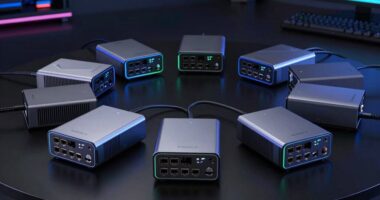
Personal cloud servers are an essential solution for anyone wanting private, centralized data access without relying on third-party services. The best models, like the Synology DS225+, combine powerful features with user-friendly interfaces, making them ideal for most home users. Meanwhile, options such as the Asustor Drivestor 2 stand out for their performance and expandability, though they may require more technical setup. Tradeoffs often come down to ease of use versus advanced customization, storage capacity versus price, and size versus scalability. Continue reading for a detailed breakdown to find the right personal cloud server for your needs.

Get business pricing on tech for your team
- Business-only prices and quantity discounts
- Tax-exempt purchasing
- Multiple users, one account, clear invoices
Key Takeaways
- The top models balance ease of setup with reliable performance, making them suitable for both novices and power users.
- Higher storage capacities often come with increased cost or complexity, so consider your actual needs carefully.
- Expandable and multi-bay units provide more flexibility, but may be more complex to configure and maintain.
- Pre-installed hard drives simplify setup but increase costs; diskless units offer more customization but require additional effort.
- Features like remote access, media streaming, and AI support differentiate premium options from basic models.


More Details on Our Top Picks
Asustor Drivestor 2 Gen 2 AS1202T 2-Bay NAS Storage, Quad-Core 1.7GHz, 2.5GbE, 1GB DDR4, 4K Media Server, Diskless
This Asustor Drivestor 2 Gen 2 AS1202T stands out for its balance of speed and usability, equipped with a quad-core 1.7GHz processor and 2.5GbE networking, making it a strong choice for personal cloud needs. Compared to the WD My Cloud, it offers faster data transfer thanks to its 2.5GbE port, though its 1GB RAM could limit multitasking in heavier environments. The tool-free drive installation simplifies setup, but the basic feature set may fall short for those seeking advanced enterprise features. This NAS is ideal for home users seeking reliable media streaming and backups without complexity.
Pros:- Fast 2.5GbE network for quick data transfer
- Easy tool-free drive installation
- Supports 4K media streaming
Cons:- Limited to 1GB RAM, may hinder heavy multitasking
- No included drives, additional cost for storage
Best for: Tech-savvy home users or small media centers needing fast, reliable local storage.
Not ideal for: Power users requiring extensive RAM or enterprise-grade features, as this model’s 1GB RAM limits multitasking.
- Processor:Realtek RTD1619B quad-core 1.7GHz
- Network:2.5GbE Ethernet
- Memory:1GB DDR4
- Drive Bays:2
- Media Support:4K
- Form Factor:Diskless
Our verdict“Ideal for users seeking a straightforward, fast personal cloud with media support, but not suited for demanding multitasking.”
Synology BeeStation Plus 8TB Personal Cloud Storage Device
Compared with the Asustor, the Synology BeeStation Plus emphasizes ease of use, offering a simple setup process and management interface for managing data across multiple devices. Its 8TB capacity makes it suitable for families or small teams, with built-in backup features and a 3-year warranty providing peace of mind. However, the lack of detailed performance specs means it may not satisfy power users needing high-speed transfers or extensive customization. This device is well-suited for families or casual users who prioritize straightforward cloud management and sharing.
Pros:- Easy to set up and manage
- Supports data sharing across multiple devices
- Includes backup features for phones and devices
Cons:- Limited to 8TB storage capacity
- No detailed performance benchmarks provided
Best for: Family users or small teams needing an accessible, reliable personal cloud with backup features.
Not ideal for: Power users looking for high performance or extensive capacity expansion, as it is limited to 8TB and lacks advanced specs.
- Storage Capacity:8TB
- Warranty:3 years
Our verdict“Best suited for users wanting an uncomplicated, family-friendly personal cloud solution with backup features.”
WD 2TB My Cloud Personal Network Attached Storage – NAS
This WD My Cloud 2TB is a compact, straightforward NAS that excels at centralizing home files, especially for users with limited space or simple needs. Its compatibility with Windows and Mac, along with easy mobile access, makes it a practical choice for basic backup and media sharing. Compared to the Buffalo LinkStation 720, it offers less capacity and fewer advanced features, but its simplicity and low cost make it appealing for beginners. The 2TB limit could be restrictive for larger households or media-heavy users. This NAS is best for small households or individuals needing reliable, uncomplicated storage.
Pros:- Compact and easy to set up
- Accessible from anywhere with WD’s mobile apps
- Compatible with Windows and Mac
Cons:- Limited to 2TB storage
- Fewer advanced features compared to higher-end NAS devices
Best for: Home users with light storage needs seeking easy, reliable access to files across devices.
Not ideal for: Power users or media-heavy households requiring larger storage or advanced features, due to its limited capacity and basic functionality.
- Hard Disk Size:2 TB
- Connectivity:Ethernet
- Supported OS:Windows, Mac
- Item Weight:2.8 Pounds
- Drive Bays:1
- Form Factor:2.5-inch
Our verdict“Suitable for small households or individuals needing simple, accessible storage at home.”
BUFFALO LinkStation 720 4TB 2-Bay NAS Storage with Hard Drives Included
This BUFFALO LinkStation 720 offers a solid 4TB capacity with two drive bays supporting RAID 0 or RAID 1, making it a strong choice for users prioritizing data security and redundancy. Its performance claims of being up to 7 times faster than older models make it suitable for home or small office environments needing quick backup and shared access. Compared with the LinkStation 210, it provides more capacity and RAID support, but its setup may be complex for those unfamiliar with NAS configurations. The included drives simplify initial setup, yet the 2-bay design limits future expansion. This NAS fits users wanting secure, expandable storage with reliable backup options.
Pros:- Supports RAID 0 and RAID 1 for data redundancy
- Includes hard drives for quick setup
- Fast performance suitable for backups and sharing
Cons:- Limited to 2 drive bays, restricting expansion
- Setup could be complex for NAS beginners
Best for: Home users or small offices needing reliable, secure storage with RAID options for data safety.
Not ideal for: Users seeking larger or more flexible storage expansion, as it is limited to 4TB and two bays.
- Storage Capacity:4TB
- Drive Bays:2
- RAID Support:RAID 0, RAID 1
- Connectivity:Router
- Performance:Up to 7x faster than LS 200
- Warranty:2 years
Our verdict“Best for users needing a secure, fast NAS with RAID support for home or small business use.”
BUFFALO LinkStation 210 6TB 1-Bay NAS Network Attached Storage with HDD Included
The BUFFALO LinkStation 210 delivers a straightforward 6TB of storage in a single-bay format, making it an easy choice for users who want reliable, large-capacity storage without complexity. Its included hard drive simplifies initial setup compared to diskless models like the Synology DS225+. While it offers no RAID options or advanced features, it provides solid performance for basic backup and file sharing needs. The requirement for a router connection limits standalone use, and its single drive bay restricts future expansion. Still, for those prioritizing ease and capacity, this device makes a strong case. This model is best for home users who want a simple, large storage solution with minimal fuss.
Pros:- Easy setup with included hard drive
- Large 6TB capacity
- Secure file sharing with access controls
Cons:- Limited to 1 drive bay, restricting future expansion
- No advanced cloud or RAID features
Best for: Home users seeking large storage with simple setup and reliable access.
Not ideal for: Power users or those needing advanced features or expansion options, due to limited bay count and lack of RAID support.
- Capacity:6TB
- Drive Bays:1
- Included Hard Drives:Yes
- Compatibility:Windows, macOS
- Support:24/7 US-based
- Warranty:2 years
Our verdict“Perfect for users wanting a large, simple, plug-and-play storage device for home use.”
Smart Personal Cloud Storage Device with 512GB SSD, USB Expandable Storage, Compatible with iOS, Android, Windows, Mac
This device stands out for its speedy 512GB SSD, making it ideal for users who need fast data access without waiting. Compared with larger NAS options like the UGREEN NAS DH4300 Plus, it offers a more streamlined, plug-and-play experience, though it sacrifices long-term storage capacity and sophisticated features like automatic backups. Its support for USB expansion is a plus for those who want to grow storage gradually, but it lacks built-in backup or sync functions, which means users must handle data protection separately. This pick makes the most sense for individuals or small teams prioritizing speed and simplicity over extensive storage or advanced management.
Pros:- Fast 512GB SSD for quick data access
- Supports USB expansion for additional storage
- Compatible across iOS, Android, Windows, and Mac
Cons:- Limited built-in storage without expansion
- Requires manual setup for cloud access
- No integrated backup or synchronization features
Best for: Tech-savvy individuals who need fast, secure local storage without complex setup
Not ideal for: Users seeking a large, centralized storage solution or automatic backup features
- Storage Capacity:512GB SSD
- Expandable Storage:Yes, via USB
- Compatibility:iOS, Android, Windows, Mac
- Features:Private, secure, easy setup, cloud access, file sharing
Our verdict“Best suited for users who want rapid, secure access to small datasets with minimal fuss.”
UGREEN NAS DH4300 Plus 4-Bay, Support Capacity up to 128TB (Diskless) | Remote Access, AI Photo Album, Beginner Friendly, 8GB LPDDR4X RAM, 2.5GbE, 4K HDMI, Network Attached Storage (Diskless)
This NAS excels for users wanting extensive storage capacity and advanced functionalities like AI photo recognition and 4K HDMI output, making it more versatile than the Buffalo LinkStation SoHo 220. Its support for up to 128TB means room to grow, but it requires users to supply their own drives and navigate a more complex setup process. Unlike the simpler BUFFALO model, the DH4300 Plus offers Docker support and faster transfer speeds thanks to its 2.5GbE port and robust RAM, though it lacks Wi-Fi and virtual machine support. This model makes the most sense for home users who need large-scale, private data management with multimedia capabilities.
Pros:- Supports up to 128TB total storage with user-installed drives
- Includes AI photo recognition and 4K HDMI output
- Supports Docker and fast data transfer with 2.5GbE
Cons:- Requires users to purchase and install drives separately
- No Wi-Fi support—requires wired Ethernet
- Setup complexity may be daunting for novices
Best for: Home users seeking a scalable, feature-rich private cloud with multimedia support
Not ideal for: Beginners or those who prefer plug-and-play simplicity without managing drives or network setup
- Storage Capacity:Supports up to 128TB (diskless)
- Expandable Storage:Yes, via user-installed drives
- Network:2.5GbE
- Features:AI photo management, 4K HDMI, Docker, fast transfer
Our verdict“Ideal for tech-savvy users who want a powerful, customizable private cloud with multimedia capabilities.”
BUFFALO LinkStation SoHo 220 2-Bay Personal Cloud Office NAS 4TB (2x2TB) with Hard Drives Included
The Buffalo LinkStation SoHo 220 offers a straightforward, ready-to-use solution with two pre-installed drives, making it suitable for small offices or home users who want a reliable, plug-and-play device. Its RAID 1 configuration provides data redundancy, which enhances data security, unlike the diskless Synology DS225+ that requires separate drive purchases. However, its performance may not match the Synology DS225+ or UGREEN NAS in speed or multimedia capabilities, and it relies heavily on network stability. This NAS is best for users who prioritize simplicity, included drives, and built-in redundancy over advanced features or high-speed media streaming.
Pros:- Includes two hard drives, ready to use out of the box
- Supports RAID 1 for data redundancy
- Easy setup with Buffalo support available
Cons:- Limited to 4TB total capacity with included drives
- Performance may lag compared to more advanced NAS models
- Less multimedia support and no 4K output
Best for: Small office or home users wanting an easy, ready-to-go storage solution with data protection
Not ideal for: Power users needing extensive customization, high transfer speeds, or multimedia streaming features
- Capacity:4TB (2x2TB drives)
- RAID:RAID 1
- Connectivity:Ethernet
- Included Drives:Yes
Our verdict“A solid choice for users seeking a simple, ready-made NAS with built-in drives and basic redundancy.”
SSK 4TB Personal Cloud Network Attached Storage with Hard Drive Included
This NAS provides a straightforward solution for users wanting 4TB of personal cloud storage with minimal fuss. It’s comparable to the Buffalo LinkStation SoHo 220 but offers more flexible protocols like Samba and DLNA, facilitating broader device compatibility. Its support for remote access, auto sleep, and simple management makes it ideal for users who want easy, secure data access without high complexity or cost. However, it does not support Wi-Fi directly and has occasional browser compatibility issues, which could hinder remote management. This device makes sense for those prioritizing affordability and ease of use over multimedia features or extensive customization.
Pros:- Pre-installed 4TB hard drive
- Supports multiple protocols including Samba and DLNA
- Easy remote management and auto sleep mode
Cons:- No Wi-Fi support—requires wired Ethernet
- Browser compatibility issues can complicate remote access
- Limited advanced features
Best for: Cost-conscious users who need reliable remote access and simple management
Not ideal for: Power users or media enthusiasts who require streaming, advanced features, or Wi-Fi support
- Storage Capacity:4TB
- Connectivity:Ethernet, USB 3.0
- Supported Protocols:Samba, DLNA
- Modes:NAS, DAS
Our verdict“Suitable for budget-minded users seeking reliable, basic remote storage with straightforward setup.”
Synology DS225+ Private Cloud Media Server – 2-Bay Diskless NAS with Intel CPU
The Synology DS225+ offers a robust platform for users who want a private cloud combined with media streaming and surveillance. Its support for 4K media, RAID redundancy, and AI detection makes it more feature-rich than the simpler, diskless models like the Buffalo LinkStation. However, since it lacks pre-installed drives, initial setup involves purchasing compatible disks separately, increasing total cost. Its advanced features require some technical know-how, making it less ideal for beginners. This NAS makes sense for users who prioritize media versatility, data security, and future expandability over out-of-the-box simplicity.
Pros:- Supports 4K media streaming and private cloud storage
- Includes RAID redundancy for data safety
- Supports up to 30 IP cameras with AI detection
Cons:- Requires separate purchase of drives, increasing initial cost
- No included drives, so setup can be more involved
- Advanced features may need technical skills to maximize
Best for: Media enthusiasts and security-conscious users comfortable with initial setup and customization
Not ideal for: Beginners or those seeking an all-in-one, ready-to-use solution without managing drives
- Number of Bays:2
- CPU:Intel
- Transfer Speed:282 MB/s
- Warranty:3 years
Our verdict“Best for users who want a versatile, secure media and surveillance server willing to handle initial setup complexity.”
BUFFALO LinkStation 210 4TB 1-Bay NAS Network Attached Storage with Hard Drives Included
The BUFFALO LinkStation 210 4TB stands out as a well-rounded option for users seeking reliable, straightforward network storage. Its single-bay design simplifies setup, making it perfect for households that want a hassle-free way to share files across multiple devices. Compared with the 2TB version, the 4TB capacity offers more room for backups and media, but the limitation to just one drive bay means it can’t grow easily without replacing the entire unit. The inclusion of pre-installed hard drives and secure access controls makes it a practical choice for non-technical users. However, it lacks support for advanced cloud features or multiple drives, which could be a drawback for those needing scalability or cloud integration. Overall, this model excels for users prioritizing simplicity and reliability over expansion options.
Pros:- Easy setup for centralized storage and backup
- Pre-installed hard drives reduce initial hassle
- Secure file sharing with access controls
- Reliable 24/7 US-based support
Cons:- Limited to 1 drive bay, restricting scalability
- Supports macOS only up to version 15 (Sequoia), limiting future compatibility
- No advanced cloud features or remote access options beyond basic sharing
Best for: Home users or small offices needing a dependable, easy-to-manage central storage with backup capabilities.
Not ideal for: Tech enthusiasts or businesses looking for scalable solutions or multi-bay configurations, as it limits growth.
- Capacity:4TB
- Number of Bays:1
- HDD Included:Yes
- Compatibility:Windows, macOS
- Support:24/7 US-based
- Warranty:2 years
Our verdict“This NAS is best suited for non-technical users or small households needing straightforward, reliable storage without future expansion plans.”
BUFFALO LinkStation 210 2TB 1-Bay NAS Network Attached Storage with HDD Included
The BUFFALO LinkStation 210 2TB provides a compact, affordable way to create a personal cloud for light use. Its straightforward setup makes it ideal for individuals or small families who need a simple way to back up and share files. Unlike the 4TB version, the 2TB capacity limits storage, which might not suffice for media-heavy households or those with multiple users. It supports Windows and macOS—but with some limitations on newer macOS versions—making it a decent starter but not future-proof. The inclusion of hard drives and 24/7 US support make it accessible for non-technical users, but its basic feature set falls short compared to more advanced models like the UGREEN NAS or Synology options. Overall, it’s a solid, low-cost pick for basic storage needs.
Pros:- Simple setup for centralized backup and sharing
- Includes hard drives, reducing initial costs
- Supports secure file sharing with access restrictions
- Affordable price point
Cons:- Limited to 2TB capacity, restricting media or file storage
- Compatibility issues with macOS versions newer than 15
- Basic feature set without advanced cloud or remote management options
Best for: Individuals or small families with limited storage needs seeking a simple, plug-and-play personal cloud.
Not ideal for: Power users or small businesses requiring larger capacity, advanced features, or scalability options.
- Capacity:2TB
- Number of Bays:1
- Included Hard Drives:Yes
- Compatibility:Windows, macOS
- Warranty:2 years
- Support:24/7 US-based
Our verdict“This NAS makes the most sense for casual users who want a straightforward, budget-friendly storage solution for light file sharing and backups.”
How We Picked
Products were evaluated based on a combination of performance, usability, build quality, and value. For performance, we looked at processor power, RAM, and network speeds to ensure smooth operation for personal cloud tasks. Usability considerations included setup complexity, interface design, and mobile app support, which are crucial for users with varying technical skills. Build quality and expandability were also assessed, especially for those needing future-proof solutions. Price was factored in to identify options that deliver the best balance of features and affordability, with a preference for models that suit different budgets and needs. Rankings reflect these combined factors, prioritizing versatility and ease of use alongside raw performance.Factors to Consider When Choosing Personal Cloud Servers
Choosing the right personal cloud server involves balancing several key factors. Beyond basic storage capacity, consider how easy it is to set up and manage, whether the device offers enough expandability, and if it supports remote access for convenient file management. Security features, such as encryption and user permissions, are also vital to protect your data. Cost remains a significant consideration, especially when factoring in hard drives or optional upgrades. The goal is to find a solution that fits your current needs while offering room to grow, without overpaying for features you won’t use.Performance and Hardware
Performance determines how smoothly your personal cloud server handles multiple users and large files. Look for models with quad-core processors and at least 2GB of RAM for everyday tasks, while more demanding environments may require higher specs. Hardware upgradeability, such as additional RAM or network ports, provides future-proofing. Budget options may sacrifice some speed, but can still serve well for basic backups and media streaming. Balancing power and cost is key to avoiding bottlenecks or unnecessary expenses.
Ease of Use and Setup
Ease of setup is often overlooked but can save hours of frustration. User-friendly interfaces, clear instructions, and companion apps make a big difference, especially for less tech-savvy users. Some models come with pre-installed drives or simplified configuration wizards, reducing initial effort. Conversely, more advanced units might require manual setup, which can offer greater customization but at the cost of complexity. Consider your technical comfort level and whether you prefer plug-and-play solutions or are willing to tinker.
Expandability and Scalability
If your storage needs are likely to grow, look for multi-bay NAS units or diskless models that support easy drive upgrades. Single-bay devices are simple but limit future expansion, leading to potential replacements down the line. Support for large capacities, RAID configurations, and additional network interfaces can help your system scale seamlessly. However, more expandable units tend to be more expensive and complex to manage, so evaluate your growth expectations realistically.
Security and Remote Access
Data security should be a priority, especially if you plan to access files remotely. Features like encrypted connections, user permissions, and automatic backups safeguard your information. Remote access capabilities vary; some devices include dedicated apps or web portals for easy access from anywhere, while others require additional setup. Be mindful of security risks and ensure your chosen device supports robust encryption and user management to protect your private data.
Price and Value
Budget constraints influence many decisions. While pre-installed drives simplify setup, they can add to the overall cost, whereas diskless models offer flexibility but require extra investment and effort. Consider the total cost of ownership, including potential future upgrades, maintenance, and energy consumption. Sometimes, investing a bit more upfront in a higher-quality model results in better reliability and fewer headaches, especially if you rely heavily on your personal cloud for work or media storage.
Frequently Asked Questions
Do I need a high-performance personal cloud server for basic backup needs?
For simple backup tasks, a mid-range or budget-friendly model with modest hardware specs will usually suffice. These devices handle everyday file storage and backups efficiently without unnecessary complexity or expense. Higher-performance models are better suited if you plan to stream media, run multiple users simultaneously, or require advanced features like AI integration or extensive media libraries. Carefully match the hardware capabilities with your actual usage needs to avoid overpaying or underperforming.
Can I expand my storage easily if I choose a single-bay NAS?
Single-bay NAS devices are typically limited to the capacity of their installed drives, making expansion more difficult. To increase storage, you might need to replace the existing drive with a larger one over time, which can be inconvenient and time-consuming. For easier scalability, multi-bay or diskless units support adding or swapping drives without downtime. If future expansion is a priority, opting for a multi-bay model now can save headaches later.
How important is remote access support for a personal cloud server?
Remote access is often a key feature for those wanting to access files from anywhere, whether at work, on vacation, or during commutes. Devices with dedicated apps or web portals simplify this process, providing secure, encrypted connections. Without remote access, your cloud server becomes a local-only storage device, limiting flexibility. When choosing, consider the security features that protect your data during remote connections to avoid potential vulnerabilities.
Is it worth paying more for a model with AI or media server features?
Additional features like AI photo management or media streaming can add convenience and enhance your experience, especially for multimedia enthusiasts. However, these features often come at a higher price and may require more technical setup. If your primary goal is simple storage and backups, a basic model will likely meet your needs without the extra cost. For advanced media management or smart organization, investing in a premium model with these capabilities makes sense.
What should I consider if I want a quiet, energy-efficient personal cloud server?
Look for models designed with energy efficiency and quiet operation in mind, often labeled as NAS or home-use devices. These typically feature low-noise fans, power-saving modes, and efficient hardware components. Keep in mind that higher-capacity or multi-bay units tend to consume more power and produce more noise, so balance your storage needs with noise and energy considerations. Reading user reviews on noise levels and power consumption can also provide practical insights.
Conclusion
For those seeking the best overall experience, the Synology DS225+ provides a balanced mix of performance, usability, and expandability, making it ideal for most home users. Budget-conscious buyers or those new to NAS setups will appreciate the simplicity of models like the WD My Cloud or BUFFALO LinkStation 210. Power users or media enthusiasts will find the Ugreen NAS DH4300 Plus offers impressive scalability and features. Ultimately, your choice depends on your storage needs, technical comfort, and whether you prioritize ease of use or advanced capabilities.Halloween Picks

10-Foot Halloween Inflatable Double-Headed Dragon Archway

12.2 ft Halloween Inflatable Outdoor Decoration – Giant Pumpkin

27FT Giant Inflatable Pumpkin Lighted Outdoor Halloween Decor
As an affiliate, we earn on qualifying purchases.