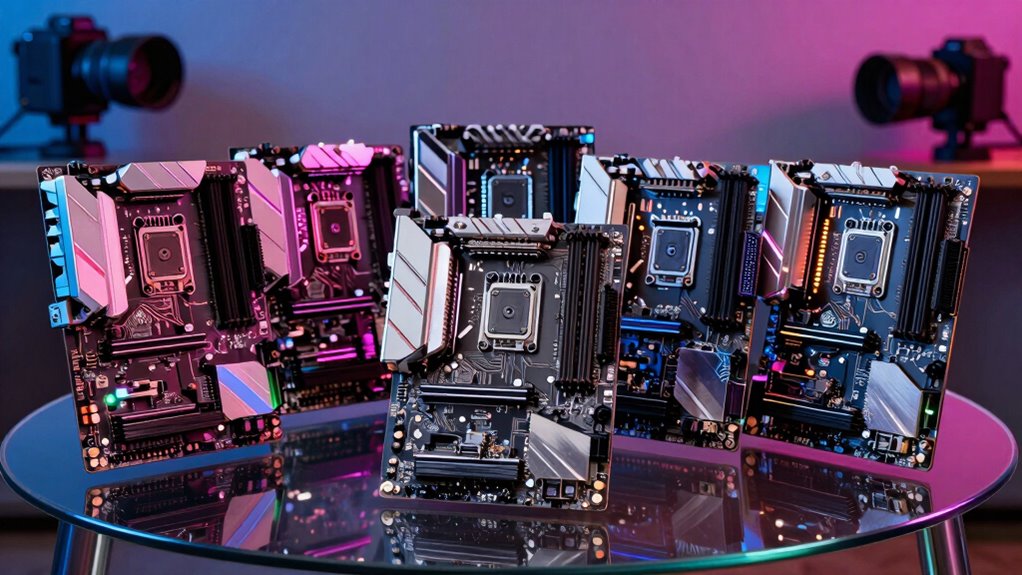

Choosing the right motherboard for a VR gaming PC is critical to ensuring smooth performance and future-proofing your build. The GIGABYTE B550 Gaming X V2 stands out as the best overall due to its solid performance and versatile features. For those seeking cutting-edge tech, the MSI MPG X870E Carbon WiFi offers PCIe 5.0 and DDR5 support, making it ideal for future upgrades. Meanwhile, the ASUS ROG Strix Z490-E provides excellent connectivity options, including WiFi 6, suited for high-speed online VR experiences. Readers face tradeoffs between price, features, and compatibility, so continue reading for a detailed breakdown to find the best fit for your needs.

Get business pricing on tech for your team
- Business-only prices and quantity discounts
- Tax-exempt purchasing
- Multiple users, one account, clear invoices
Key Takeaways
- The top-rated motherboards balance compatibility with the latest CPUs and future-proofing features like PCIe 5.0 and DDR5.
- Price often correlates with feature set; premium boards include advanced networking and faster memory support, but mid-range options still offer great performance for VR.
- Motherboards with robust power delivery and cooling tend to support overclocking, which can boost VR performance but adds cost and complexity.
- Connectivity options such as WiFi 6/7 and multiple USB ports are essential for seamless VR setup and accessories.
- Compatibility with current and upcoming AMD and Intel CPUs varies; choosing the right socket is key for long-term upgrades.
| GIGABYTE B550 Gaming X V2 AMD AM4 Motherboard |  | Best Overall for AMD Ryzen VR Gaming Builds | Socket: AM4 | Supported Processors: Ryzen 5000/4000/3000 Series | Memory: DDR4, 4 DIMMs, XMP support | VIEW ON AMAZON | See Our Full Breakdown |
| ASUS ROG Strix Z490-E Gaming Motherboard, LGA 1200, WiFi 6, ATX |  | Best for High-End Intel VR Gaming with Advanced Networking | Socket: LGA 1200 | Supported CPUs: 10th Gen Intel Core | Power Stages: 14+2 | VIEW ON AMAZON | See Our Full Breakdown |
| MSI MPG B550 Gaming Plus V1 Gaming Motherboard (AMD Ryzen 5000, AM4, DDR4, PCIe 4.0, SATA 6Gb/s, M.2, USB 3.2 Gen 2, HDMI/DP, ATX) |  | Best Value for AMD Ryzen VR Gaming Builds | Processor Support: AMD Ryzen 5000 Series | Memory: DDR4, up to 128 GB | Expansion Slots: PCIe 4.0 x16, PCIe 3.0 x16, PCIe 3.0 x1 | VIEW ON AMAZON | See Our Full Breakdown |
| MSI MPG X870E Carbon WiFi Gaming Motherboard (AMD Ryzen 9000/8000/7000 Series, AM5, DDR5, PCIe 5.0, M.2 Gen5, SATA 6Gb/s, USB 40Gbps, HDMI, Wi-Fi 7, Bluetooth 5.4, 5Gbps LAN, ATX) |  | Best Premium Choice for Future-Proof VR Gaming | Processor Compatibility: AMD Ryzen 9000/8000/7000 Series | Socket: AM5 | Memory: DDR5 | VIEW ON AMAZON | See Our Full Breakdown |
| ASRock B550 Phantom Gaming 4 AC Motherboard |  | Best Budget Option for AMD Ryzen VR Gaming | Processor Support: 3rd Gen AMD Ryzen / Future AMD Ryzen | Memory Support: DDR4 4733+ (OC) | Power Design: 8 Power Phase, Digi Power | VIEW ON AMAZON | See Our Full Breakdown |
| AMD Ryzen 5 5500 Desktop Processor with ASUS TUF Gaming A520M-PLUS Motherboard |  | Best Overall VR Gaming Motherboard Bundle | Processor Cores: 6 | Processor Threads: 12 | Max Boost Clock: 4.2 GHz | VIEW ON AMAZON | See Our Full Breakdown |
| Micro Center AMD Ryzen 7 7800X3D Processor with MSI B850 Gaming PRO WIFI6E Motherboard |  | Best for High-End VR Gaming and Overclocking | Processor Model: AMD Ryzen 7 7800X3D | Cores: 8 | Threads: 16 | VIEW ON AMAZON | See Our Full Breakdown |
| ASUS ROG Strix B550-F Gaming WiFi II AMD AM4 Motherboard |  | Best for Mid-Range VR Gaming with Advanced Connectivity | Socket: AM4 | Supported Processors: AMD Ryzen 3000 and 5000 series | PCIe: 4.0 | VIEW ON AMAZON | See Our Full Breakdown |
| motherboard for vr gaming pc | Socket | Memory |
|---|---|---|
| GIGABYTE B550 Gaming X V2 AMD | AM4 | DDR4, 4 DIMMs, XMP support |
| ASUS ROG Strix Z490-E Gaming M | LGA 1200 | DDR4 4600 |
| MSI MPG B550 Gaming Plus V1 Ga | — | DDR4, up to 128 GB |
| MSI MPG X870E Carbon WiFi Gami | AM5 | DDR5 |
| ASRock B550 Phantom Gaming 4 A | — | — |
| AMD Ryzen 5 5500 Desktop Proce | — | — |
| Micro Center AMD Ryzen 7 7800X | AM5 | — |
| ASUS ROG Strix B550-F Gaming W | AM4 | — |
More Details on Our Top Picks
GIGABYTE B550 Gaming X V2 AMD AM4 Motherboard
This motherboard stands out for its robust support of AMD Ryzen 5000, 4000, and 3000 series processors, making it a versatile choice for AMD-based VR gaming PCs. Compared with the MSI MPG B550 Gaming Plus, it offers superior power delivery and more comprehensive connectivity options, including USB-C and upgraded LAN. Its user-friendly BIOS with Q-Flash Plus simplifies updates, which is ideal for builders who want reliability without fuss. However, it’s limited to AMD’s AM4 socket, and lacks integrated Wi-Fi, so it’s less suited to those seeking a wireless build. This is a solid pick for gamers prioritizing processor support, expandability, and ease of use.
Pros:- Supports latest AMD Ryzen processors with robust power delivery
- Dual M.2 slots with PCIe 4.0 support for fast storage
- User-friendly BIOS with Q-Flash Plus for easy updates
- Comprehensive connectivity including USB-C and GbE LAN
Cons:- Limited to AMD AM4 socket processors, restricting upgrade options
- No integrated Wi-Fi, requiring additional hardware for wireless connectivity
Best for: AMD Ryzen gamers who want a future-proof, feature-rich motherboard with easy BIOS updates.
Not ideal for: Users aiming for an Intel-based VR build or those needing integrated Wi-Fi without additional adapters.
- Socket:AM4
- Supported Processors:Ryzen 5000/4000/3000 Series
- Memory:DDR4, 4 DIMMs, XMP support
- Power Phase:10+3
- M.2 Slots:2 (PCIe 4.0 and 3.0)
- USB Ports:3x USB 3.2 Gen 2 Type-A, 1x USB 3.2 Gen 1 Type-A, 1x Front USB 3.2 Gen 1 Type-C
- LAN:GbE
- Bluetooth:5.3
Our verdict“This motherboard is ideal for AMD users seeking a reliable, expandable platform for VR gaming with extensive connectivity options.”
ASUS ROG Strix Z490-E Gaming Motherboard, LGA 1200, WiFi 6, ATX
This motherboard is tailored for high-performance Intel VR gaming setups, supporting 10th Gen Intel Core processors with a strong 14+2 power stage design. When compared to the MSI MPG B550 Gaming Plus, its advanced thermal management and WiFi 6 provide a significant edge in network stability and cooling efficiency, crucial for VR experiences. Its premium features, like 2.5 Gb Ethernet and high-speed memory support, make it ideal for competitive or high-fidelity VR gaming. The setup might be overwhelming for beginners, and the higher price point could be a barrier for budget-conscious builders. Overall, this pick makes the most sense for gamers who want top-tier Intel support and networking for immersive VR experiences.
Pros:- Supports 10th Gen Intel Core processors for high performance
- Robust 14+2 power stages for stable overclocking
- WiFi 6 AX201 for faster wireless connectivity
- Advanced thermal design with heatsinks and AI cooling
Cons:- Complex setup may challenge beginners
- Premium features come with a higher price tag
Best for: High-end Intel-based VR gaming PCs with a focus on networking and thermal performance.
Not ideal for: Budget builders or those using AMD processors who won’t benefit from its Intel-specific features.
- Socket:LGA 1200
- Supported CPUs:10th Gen Intel Core
- Power Stages:14+2
- Memory:DDR4 4600
- Ethernet:Intel 2.5 Gb
- WiFi:WiFi 6 AX201
- Video Outputs:HDMI 1.4, DisplayPort 1.4
- Form Factor:ATX
Our verdict“This motherboard suits gamers who prioritize top-tier Intel performance, advanced networking, and thermal management for VR gaming.”
MSI MPG B550 Gaming Plus V1 Gaming Motherboard (AMD Ryzen 5000, AM4, DDR4, PCIe 4.0, SATA 6Gb/s, M.2, USB 3.2 Gen 2, HDMI/DP, ATX)
This motherboard offers a compelling blend of features and affordability for AMD Ryzen VR gaming setups, especially when compared to the MSI MPG X870E Carbon WiFi. While lacking integrated Wi-Fi and Bluetooth, it supports the latest Ryzen processors with BIOS updates, making it a cost-effective choice for gamers on a budget. Its dual PCIe 4.0 slots and M.2 Shield Frozr enable fast storage and data transfer, which are vital for VR performance. The design includes RGB lighting for customization, but its thermal solutions are less advanced than more premium boards. Overall, this makes the most sense for users who want good processor support and expandability without the extras that inflate costs.
Pros:- Supports latest AMD Ryzen processors with BIOS update
- PCIe 4.0 and M.2 Shield Frozr for fast performance
- Multiple PCIe slots for expandability
- Affordable price point
Cons:- No integrated Wi-Fi or Bluetooth
- Less advanced thermal management compared to higher-end boards
Best for: Budget-conscious AMD Ryzen gamers who want a straightforward, expandable VR-ready motherboard.
Not ideal for: Users seeking built-in Wi-Fi or advanced thermal features for overclocked VR gaming.
- Processor Support:AMD Ryzen 5000 Series
- Memory:DDR4, up to 128 GB
- Expansion Slots:PCIe 4.0 x16, PCIe 3.0 x16, PCIe 3.0 x1
- Storage:SATA 6Gb/s, M.2
- USB:USB 3.2 Gen 2
- Video Output:HDMI
- Power Design:8 Power Phase, Digi Power
- Supports Overclocking:Yes
Our verdict“This motherboard is ideal for AMD gamers seeking a reliable, affordable platform with room to upgrade for VR gaming.”
MSI MPG X870E Carbon WiFi Gaming Motherboard (AMD Ryzen 9000/8000/7000 Series, AM5, DDR5, PCIe 5.0, M.2 Gen5, SATA 6Gb/s, USB 40Gbps, HDMI, Wi-Fi 7, Bluetooth 5.4, 5Gbps LAN, ATX)
This flagship motherboard delivers cutting-edge features with PCIe 5.0, DDR5 memory, and Wi-Fi 7, making it ideal for future-proof VR gaming builds. Compared with the MSI MPG B550 Gaming Plus, its advanced thermal design and high-speed data transfer capabilities, including USB 40Gbps, offer unparalleled performance. The support for AMD Ryzen 9000 series processors extends upgrade options well into the future, especially for demanding VR applications. Nonetheless, the complexity of installation and the high cost make it less suitable for newcomers or budget-focused builders. This motherboard makes the most sense for enthusiasts who want the latest tech and maximum longevity in their VR setup.
Pros:- Supports latest AMD Ryzen 9000/8000/7000 processors
- PCIe 5.0 and DDR5 support for maximum bandwidth
- Wi-Fi 7 and Bluetooth 5.4 for advanced connectivity
- Premium thermal design with heavy plated heatsinks
Cons:- High price point limits accessibility for average users
- Installation complexity may challenge beginners
Best for: High-end VR gamers and enthusiasts planning future upgrades with AMD Ryzen 9000 series.
Not ideal for: Entry-level builders or those with limited budgets, due to its premium price and complexity.
- Processor Compatibility:AMD Ryzen 9000/8000/7000 Series
- Socket:AM5
- Memory:DDR5
- PCIe:Gen 5
- M.2:Gen 5
- Networking:Wi-Fi 7, Bluetooth 5.4, 5Gbps LAN
- Form Factor:ATX
- USB:USB 40Gbps
Our verdict“This motherboard is best suited for tech-savvy enthusiasts seeking the latest in VR gaming technology and future upgrade potential.”
ASRock B550 Phantom Gaming 4 AC Motherboard
This motherboard supports 3rd Gen AMD Ryzen and future AMD processors, offering a practical choice for budget-conscious VR builders. When compared with the MSI MPG B550 Gaming Plus, it features an 8-phase Digi Power design that provides reliable power delivery, although it lacks details on additional ports or integrated Wi-Fi. Its support for DDR4 overclocking up to 4733+ MHz and multiple PCIe slots make it a flexible option for expanding VR setups, but the absence of built-in wireless connectivity could be a drawback for those wanting a wireless-ready build without extra hardware. This motherboard makes the most sense for users who prioritize fundamental features and upgrade potential at a lower price point.
Pros:- Supports 3rd Gen AMD Ryzen and future processors
- 8 Power Phase Digi Power design for stable power
- Overclocking support for DDR4 up to 4733+ MHz
- Multiple PCIe slots for expansion
Cons:- No built-in Wi-Fi or Bluetooth
- Limited details on additional features or ports
Best for: Budget AMD VR gamers who want a reliable platform with upgrade options.
Not ideal for: Builds requiring integrated Wi-Fi or advanced thermal features for overclocked VR use.
- Processor Support:3rd Gen AMD Ryzen / Future AMD Ryzen
- Memory Support:DDR4 4733+ (OC)
- Power Design:8 Power Phase, Digi Power
- PCIe Slots:1 PCIe 4.0 x16, 1 PCIe 3.0 x16, 2 PCIe 3.0 x1
- Graphics Output:HDMI
- Form Factor:ATX
- Support for Overclocking:Yes
- Additional Features:None specified
Our verdict“This motherboard suits budget-oriented AMD gamers seeking essential upgrade support for VR gaming at an affordable price.”
AMD Ryzen 5 5500 Desktop Processor with ASUS TUF Gaming A520M-PLUS Motherboard
This combination offers a solid entry point for VR gaming PCs, especially if you prioritize a balanced cost-to-performance ratio. The AMD Ryzen 5 5500 provides 6 cores and 12 threads, delivering enough processing power for most VR applications, while the ASUS TUF Gaming A520M-PLUS offers essential features like Wi-Fi, M.2 storage, and robust cooling. Compared to higher-end options like the MSI B850 Gaming PRO WIFI6E, this bundle sacrifices some future-proofing and overclocking headroom but remains a reliable choice for budget-conscious builders. Its main tradeoff is the lack of integrated graphics, requiring a discrete GPU for display output. Nonetheless, it excels for gamers who want a dependable, straightforward setup without overextending their budget.
Pros:- Balanced performance with 6 cores and 12 threads for VR tasks
- Includes Wi-Fi and multiple storage options for flexibility
- Affordable bundle that covers essential gaming features
Cons:- Requires a discrete graphics card for display output
- No support for ECC memory or overclocking
- Limited upgrade potential compared to higher-end boards
Best for: Budget-conscious VR gamers seeking a reliable, straightforward build with room for upgrades
Not ideal for: Enthusiasts aiming for overclocking or future-proofing with PCIe 5.0 and DDR5 support
- Processor Cores:6
- Processor Threads:12
- Max Boost Clock:4.2 GHz
- Memory Support:DDR4 up to 128GB
- Motherboard Form Factor:mATX
- Networking:Wi-Fi 5 (802.11ac), 1 Gb Ethernet
Our verdict“This package makes the most sense for entry-level VR gamers who want a dependable, no-frills setup at a sensible price.”
Micro Center AMD Ryzen 7 7800X3D Processor with MSI B850 Gaming PRO WIFI6E Motherboard
This bundle targets serious gamers who need top-tier performance and future readiness. The Ryzen 7 7800X3D with 8 cores and AMD’s innovative 3D V-Cache technology offers exceptional gaming speeds, outpacing many competitors like the ASUS ROG Strix B550-F in raw performance. The MSI B850 Gaming PRO WIFI6E supports PCIe 5.0, DDR5, and comes with advanced Wi-Fi 6E, making it highly adaptable for future upgrades. However, the absence of a cooler means an additional investment if you plan to overclock or maximize performance. Its 120W TDP demands a quality cooling solution, which adds to the overall cost. This setup is ideal for gamers who want cutting-edge tech and are willing to invest in cooling and power supplies to maximize performance.
Pros:- Exceptional gaming performance thanks to AMD 3D V-Cache
- Supports DDR5 and PCIe 5.0 for future-proofing
- Includes Wi-Fi 6E and Bluetooth 5.3 for advanced connectivity
- Unlocked processor for overclocking potential
Cons:- No included cooler—requires additional purchase
- High power consumption at 120W TDP
- Requires a quality liquid cooling system for optimal operation
Best for: Enthusiast gamers who want the latest tech and overclocking capabilities for VR
Not ideal for: Budget builders or those unfamiliar with liquid cooling, as the cooler must be purchased separately
- Processor Model:AMD Ryzen 7 7800X3D
- Cores:8
- Threads:16
- Max Boost Frequency:5.0 GHz
- Memory Support:DDR5 up to 256GB
- Socket:AM5
Our verdict“This setup is perfect for enthusiasts seeking top performance and future-proof features, provided they handle cooling and power requirements.”
ASUS ROG Strix B550-F Gaming WiFi II AMD AM4 Motherboard
The ASUS ROG Strix B550-F strikes a balance between performance and features, making it suitable for gamers who want reliable VR performance with room to grow. Supporting AMD Ryzen 3000 and 5000 series processors, it offers PCIe 4.0, dual M.2 slots, and Wi-Fi 6E, comparable to the MSI B850 but more accessible for users with existing AMD setups. Its robust 12+2 power phases ensure stable operation during intensive VR sessions, and the inclusion of advanced networking options like Wi-Fi 6E makes it a versatile choice. Compared to the ASUS TUF A520M-PLUS, it provides more future-proofing and better connectivity, though at a higher price point. It’s ideal for mid-range builders prioritizing reliability and upgradeability.
Pros:- Supports latest AMD Ryzen processors with PCIe 4.0
- Fast Wi-Fi 6E and 2.5 Gb Ethernet for reliable connectivity
- Dual M.2 slots for high-speed storage
- Strong power delivery for stable gaming performance
Cons:- No integrated Bluetooth, requiring separate adapters
- Premium features come with a higher price tag
- Complex BIOS setup for less experienced users
Best for: VR gamers who want a solid, feature-rich motherboard compatible with current AMD Ryzen CPUs
Not ideal for: Beginners who may find BIOS configuration complex or those on tight budgets
- Socket:AM4
- Supported Processors:AMD Ryzen 3000 and 5000 series
- PCIe:4.0
- WiFi:Wi-Fi 6E
- Ethernet:2.5 Gb LAN
- M.2 Slots:2
Our verdict“This motherboard is well-suited for mid-range VR builds that demand dependable connectivity and future upgrade options.”

How We Picked
In evaluating these motherboards, I prioritized compatibility with popular VR-capable CPUs, support for fast DDR4 and DDR5 memory, and features that enhance gaming performance like PCIe 4.0/5.0 and robust power delivery. I also considered build quality, connectivity options, and user reviews to gauge reliability and ease of use. The ranking reflects a balance between value and high-end features, aiming to help different types of buyers—from budget-conscious gamers to enthusiasts seeking future-proofing. Each product was compared based on its feature set, price point, and suitability for VR gaming, ensuring a well-rounded selection for various needs.| motherboard for vr gaming pc | Socket | Memory |
|---|---|---|
| GIGABYTE B550 Gaming X V2 AMD | AM4 | DDR4, 4 DIMMs, XMP support |
| ASUS ROG Strix Z490-E Gaming M | LGA 1200 | DDR4 4600 |
| MSI MPG B550 Gaming Plus V1 Ga | — | DDR4, up to 128 GB |
| MSI MPG X870E Carbon WiFi Gami | AM5 | DDR5 |
| ASRock B550 Phantom Gaming 4 A | — | — |
| AMD Ryzen 5 5500 Desktop Proce | — | — |
| Micro Center AMD Ryzen 7 7800X | AM5 | — |
| ASUS ROG Strix B550-F Gaming W | AM4 | — |
Factors to Consider When Choosing Motherboard For Vr Gaming Pc
When selecting a motherboard for a VR gaming PC, several factors influence the overall experience and future compatibility. Understanding these considerations helps avoid common pitfalls like bottlenecking performance or investing in features you’ll never use. The right motherboard not only supports your current hardware but also provides room for future upgrades, ensuring your VR setup remains capable and enjoyable for years to come.CPU Compatibility and Socket Type
The motherboard’s socket type determines which CPUs you can install, making it essential to choose a compatible pairing for optimal VR performance. AMD and Intel platforms differ, with AMD’s AM4 and AM5 sockets supporting a wide range of Ryzen processors, while Intel’s LGA 1200 and 1700 sockets support their latest chips. Selecting a socket that matches your current CPU or future upgrade plans can save money and hassle down the line, especially since CPU compatibility is often limited to specific motherboard generations.
Memory Support and Speed
VR gaming benefits from fast, reliable RAM, so check whether the motherboard supports DDR4 or DDR5 and the maximum supported speed. Higher RAM speeds can reduce bottlenecks during intense gaming sessions, but they also come at a premium. Ensuring the motherboard supports the latest memory standards can provide a performance boost and extend the lifespan of your build, especially if you plan to upgrade to newer CPUs with improved memory controllers.
Expansion Slots and Connectivity
For VR, having multiple PCIe slots for graphics cards and other peripherals is vital. PCIe 4.0 and 5.0 support enable faster data transfer, reducing latency and improving VR experience quality. Additionally, USB ports—especially USB-C—are crucial for connecting VR headsets and accessories. Built-in WiFi 6/7 support can streamline your setup by reducing cable clutter and providing a more stable wireless connection for online multiplayer VR games.
Build Quality and Power Delivery
VR gaming demands stable power delivery, especially if overclocking your CPU for extra performance. A motherboard with robust VRMs and good cooling solutions ensures stability during extended gaming sessions. Budget boards may cut corners here, risking thermal throttling or instability, so weigh this factor carefully if you plan to push your hardware. Good build quality also contributes to longevity and reliability, which are critical for high-intensity VR use.
Price and Future-Proofing
While more expensive motherboards often include the latest features and longer upgrade paths, they aren’t always necessary for every user. Consider your budget and whether investing in features like PCIe 5.0 or DDR5 is justified for your current setup. Sometimes, mid-range boards provide excellent value, supporting current hardware with room to grow, without paying premium prices for features you may never use. Prioritize what aligns with your VR gaming needs and upgrade plans.
Frequently Asked Questions
Can I upgrade my CPU later with this motherboard?
Many motherboards support future CPU upgrades, but compatibility depends on the socket type and chipset. For example, AMD’s AM4 boards are compatible with certain Ryzen CPUs, but newer processors may require a BIOS update or a different motherboard socket altogether. It’s important to verify the motherboard’s CPU support list and upgrade pathways before purchasing if you plan to upgrade later. This step helps avoid costly replacements and ensures your VR setup remains compatible with upcoming hardware.
Is WiFi necessary for a VR gaming PC?
While wired Ethernet provides the most stable connection, WiFi—especially WiFi 6 or 7—offers convenience and sufficient bandwidth for most VR applications, including multiplayer online games. If you plan to use a VR headset that supports wireless connectivity or want to reduce cable clutter, choosing a motherboard with built-in WiFi can be advantageous. However, for the most reliable experience, a wired connection is still preferable, especially during intensive gaming sessions.
How much should I spend on a motherboard for VR gaming?
The price range varies widely, with budget models around $100-$150 providing basic features suitable for entry-level VR builds. Mid-range boards ($150-$250) often include faster RAM support, better power delivery, and more expandability, which benefit serious gamers. Premium options above $250 typically add cutting-edge features like PCIe 5.0, DDR5, and advanced networking, ideal for future-proofing. Your budget should align with your current hardware needs and planned upgrade path.
Do I need PCIe 4.0 or PCIe 5.0 for VR?
While PCIe 4.0 offers significant speed improvements over PCIe 3.0, most current VR hardware relies more on GPU performance than PCIe bandwidth. PCIe 5.0 is not yet a necessity for VR gaming but provides future-proofing for faster SSDs and graphics cards. If you plan to build a high-end VR setup with the latest GPUs and NVMe drives, a motherboard supporting PCIe 4.0 or 5.0 can offer some benefits, but for most users, PCIe 3.0 or 4.0 is sufficient.
Should I prioritize overclocking features?
Overclocking can boost VR performance by extracting additional power from your CPU and GPU, but it also increases heat and power consumption, requiring better cooling solutions. If you’re comfortable with tweaking BIOS settings and want to maximize your VR experience, a motherboard with strong VRMs and cooling is beneficial. However, for most users who prefer stability and simplicity, investing in a reliable motherboard with good power delivery without overclocking is a safer choice, especially for long gaming sessions.
Conclusion
For general users seeking a reliable and balanced VR gaming experience, the GIGABYTE B550 Gaming X V2 offers excellent value and compatibility. Enthusiasts wanting the latest features and future upgrades should consider the MSI MPG X870E Carbon WiFi for its PCIe 5.0 support. Beginners or budget-conscious builders will find the ASRock B550 Phantom Gaming 4 AC a solid entry point. For those focused on gaming performance, premium features, and longevity, investing in higher-end boards makes sense. Ultimately, your choice should reflect your upgrade plans, budget, and specific VR setup needs.
As an affiliate, we earn on qualifying purchases.Halloween Picks

Haunted Hill Farm 4.6-Ft. Spinning Beatrix Halloween Animatronic

12-Foot Inflatable Pumpkin Halloween Archway with LED Lights

6-Foot Jason Voorhees Animatronic Halloween Decoration