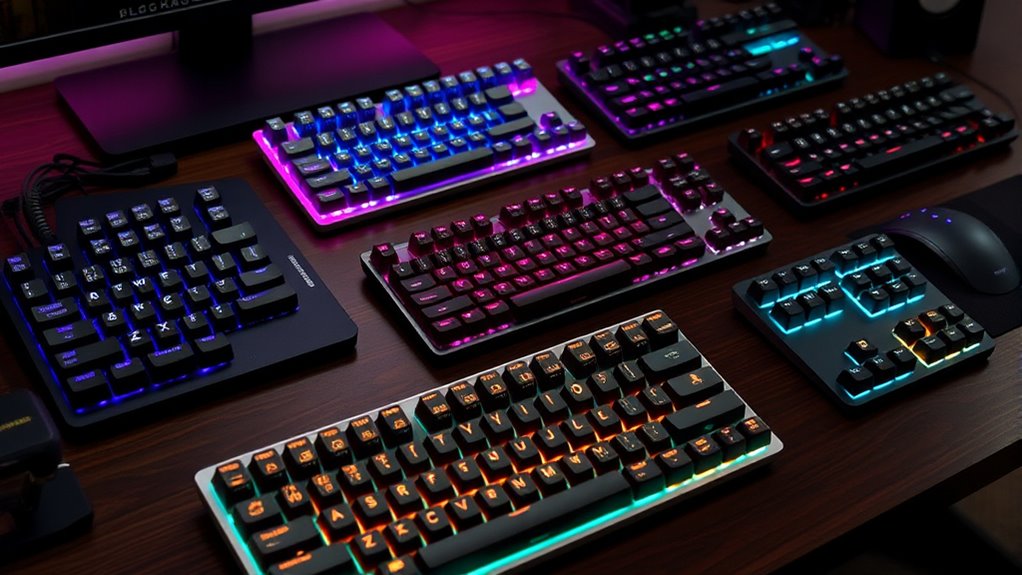

Finding the perfect mechanical keyboard for Mac users involves balancing style, compatibility, and typing experience. The Keychron K8 stands out as the best overall for its seamless macOS integration and versatile wireless connectivity. For those seeking a budget-friendly, reliable wired option, the Keychron C2 offers excellent value, while the Logitech MX Mechanical provides a premium, backlit experience for power users. Most options involve tradeoffs between wired and wireless setups, build quality, and feature sets. Continue reading for a detailed breakdown of these top choices and how they meet different needs.

Get business pricing on tech for your team
- Business-only prices and quantity discounts
- Tax-exempt purchasing
- Multiple users, one account, clear invoices
Key Takeaways
- Wireless options like the Keychron K8 and Logitech MX Mechanical offer great convenience but may have slight latency compared to wired models.
- Build quality and key switch options vary widely; premium picks tend to have more durable materials and quieter switches.
- macOS compatibility is standard but some keyboards require additional setup or firmware adjustments for full functionality.
- Size and layout choices impact desk space and workflow; compact models save space but may lack dedicated function keys.
- Price ranges from budget to premium, with tradeoffs between features and durability; investing more generally improves longevity.
| Keychron C2 Full Size Wired Mechanical Keyboard, Brown Switch, Retro |  | Best Overall for Versatile Mac Use | Keys: 104 | Switch Type: Brown | Connection: Wired, USB Type-C | VIEW ON AMAZON | See Our Full Breakdown |
| Keychron K3 Version 2 QMK 75% Wireless Low-Profile Mechanical Keyboard |  | Best for Portable Productivity & Customization | Compatible Devices: Laptop, PC, Smartphone, Tablet | Connectivity Technology: wired, wireless | Backlighting: Single Color | VIEW ON AMAZON | See Our Full Breakdown |
| Keychron K8 Tenkeyless Wireless Mechanical Keyboard for Mac, White Backlight, Bluetooth, Multitasking, Type-C Wired Gaming Keyboard with Brown Switch |  | Best for Versatile Mac Gaming & Productivity | Layout: 87-key TKL | Backlight: White | Switch Type: Gateron G Pro Brown | VIEW ON AMAZON | See Our Full Breakdown |
| Logitech MX Mechanical Wireless Illuminated Keyboard Graphite |  | Best for Multi-Device, Ergonomic Productivity | Weight: 29.2 oz (828 g) | Dimensions: 1.02 x 17.08 x 5.18 in | Switch Type: Tactile Quiet | VIEW ON AMAZON | See Our Full Breakdown |
| Logitech Alto Keys K98M Wireless Mechanical Gasket Keyboard – Off White |  | Best for Long-Lasting, Tactile Typing | Switch Type: Marble Switches | Layout: 98-key + Numpad | Backlighting: White non-RGB | VIEW ON AMAZON | See Our Full Breakdown |
| AULA F75 Pro Wireless Mechanical Keyboard, 75% Hot Swappable RGB Backlit Gaming Keyboard with Knob and PBT Side-Printed Keycaps |  | Best Versatile Wireless Choice for Mac Users | Connection: Tri-mode (Bluetooth 5.0, 2.4GHz, USB-C) | Battery Capacity: 4000mAh | Switches: Pre-lubed Reaper, hot-swappable (3-pin/5-pin) | VIEW ON AMAZON | See Our Full Breakdown |
| Keychron K10 Max QMK Wireless Custom Mechanical Full-Size Keyboard |  | Best for Customization and Power Users | Keys: 108 | Connectivity: Bluetooth 5.1, 2.4 GHz, wired | Switch Compatibility: Hot-swappable with 3-pin and 5-pin MX switches | VIEW ON AMAZON | See Our Full Breakdown |
| Keychron K10 Max QMK Wireless Custom Mechanical Full-Size Keyboard |  | Best for Enthusiasts Who Value Personalization | Keys: 108 | Connectivity: Bluetooth 5.1, 2.4 GHz, wired | Switch Compatibility: Hot-swappable with 3-pin and 5-pin MX switches | VIEW ON AMAZON | See Our Full Breakdown |
| mechanical keyboards for mac | Switch Type | Connectivity | Backlight |
|---|---|---|---|
| Keychron C2 Full Size Wired Me | Brown | — | None |
| Keychron K3 Version 2 QMK 75% | Tactile | — | — |
| Keychron K8 Tenkeyless Wireles | Gateron G Pro Brown | Bluetooth 5.1, USB-C wired | White |
| Logitech MX Mechanical Wireles | Tactile Quiet | Bluetooth, Logi Bolt | — |
| Logitech Alto Keys K98M Wirele | Marble Switches | Bluetooth, Logi Bolt | — |
| AULA F75 Pro Wireless Mechanic | — | — | RGB, 16.8 million colors, 16 effects |
| Keychron K10 Max QMK Wireless | — | Bluetooth 5.1, 2.4 GHz, wired | — |
| Keychron K10 Max QMK Wireless | — | Bluetooth 5.1, 2.4 GHz, wired | RGB, south-facing |
More Details on Our Top Picks
Keychron C2 Full Size Wired Mechanical Keyboard, Brown Switch, Retro
The Keychron C2 stands out as the most balanced full-size wired option for Mac users seeking a classic aesthetic combined with reliable performance. Its retro keycaps add a unique visual flair that appeals to those looking for a stylish workspace, while the durable brown switches ensure satisfying tactile feedback without being overly loud—ideal for office environments. Compared to the Logitech MX Mechanical, the C2 offers a wired connection with no software requirements, making setup straightforward. However, the lack of backlighting limits usability in low-light situations, and the Windows-specific Num Lock feature may be frustrating for Mac-only users. The adjustable feet enhance ergonomics, making this a versatile choice for everyday typing and light gaming. Overall, this keyboard suits those who want a durable, aesthetically appealing, wired option for Mac that doesn’t require extra customization or lighting features.
Pros:- Retro-inspired design adds style to any workspace
- Durable brown tactile switches with high lifespan
- Plug-and-play wired connection simplifies setup
- Adjustable feet provide ergonomic comfort
Cons:- No backlighting limits use in low-light settings
- Limited to wired connection, reducing portability
- Num Lock works only with Windows, not Mac
Best for: Mac users who prefer a full-size wired keyboard with a retro look and tactile feedback for office work or light gaming
Not ideal for: Users needing backlit keys or wireless connectivity, or those who work in dim environments
- Keys:104
- Switch Type:Brown
- Connection:Wired, USB Type-C
- Backlight:None
- Compatibility:Mac and Windows
- Durability:Up to 50 million keystrokes
- Adjustable Feet:Yes, 6° & 9°
Our verdict“This keyboard is best for Mac users who want a reliable, stylish wired keyboard without lighting or wireless features.”
Keychron K3 Version 2 QMK 75% Wireless Low-Profile Mechanical Keyboard
The Keychron K3 V2 is tailored for Mac users who need a compact, lightweight keyboard that can travel easily without sacrificing the tactile feel of mechanical switches. Its 75% layout offers a small footprint compared to full-size options like the C2 while still providing essential keys for productivity. The Bluetooth 5.1 connectivity supports multiple devices, giving it an edge over wired-only models, though it comes with the tradeoff of possible battery management concerns—especially for users who work unplugged for long periods. Its open-source QMK firmware allows deep customization, appealing to tech-savvy users who want macros or specific key mappings. Compared to the Logitech MX Mechanical, the K3’s portability is a clear advantage, but it lacks the same build weight and may not feel as sturdy. This pick makes the most sense for Mac users who need a compact, customizable, wireless solution for work or travel.
Pros:- Compact, lightweight design ideal for travel
- Supports multi-device Bluetooth connectivity
- Open-source QMK firmware for extensive customization
- Modern floating keycap design with white backlighting
Cons:- Not water resistant, potential spill risk
- Battery life varies with usage and backlight brightness
- Firmware updates may require technical knowledge
Best for: Mac users who want a portable, customizable wireless keyboard for multitasking or travel
Not ideal for: Users who prioritize a full-sized, robust build or need dedicated number pads for extensive data entry
- Compatible Devices:Laptop, PC, Smartphone, Tablet
- Connectivity Technology:wired, wireless
- Backlighting:Single Color
- Number of Keys:84
- Material:Aluminum, ABS
- Switch Type:Tactile
- Dimensions:12.05″L x 4.57″W x 0.87″H
Our verdict“This keyboard is best for Mac users who need a portable, customizable wireless option for multitasking and travel.”
Keychron K8 Tenkeyless Wireless Mechanical Keyboard for Mac, White Backlight, Bluetooth, Multitasking, Type-C Wired Gaming Keyboard with Brown Switch
The Keychron K8 offers a balanced mix of features for Mac users seeking a tenkeyless keyboard that handles both work and gaming seamlessly. Its 87-key layout strikes a compromise between compactness and functionality, providing essential keys without the bulk of a full-sized keyboard. The brown switches deliver satisfying tactile feedback, making it suitable for typing and gaming alike. Its wireless Bluetooth support for up to three devices enhances multitasking, while the inclusion of multimedia keys boosts productivity. Compared with the C2, the K8’s TKL design saves desk space but lacks dedicated number keys. The dual connectivity—wired or wireless—adds flexibility, but it’s not water resistant, and some users might prefer different switch types for louder or softer feedback. Overall, this model fits Mac users who want an adaptable, space-saving keyboard for both work and gaming.
Pros:- Wireless connectivity supports up to 3 devices
- Tactile brown switches provide satisfying feedback
- Long battery life with 4000 mAh capacity
- Multimedia keys enhance productivity
Cons:- No water resistance, spill risk
- Limited to 87 keys, lacking a number pad
- Some may prefer different switch types
Best for: Mac users who need a versatile, wireless TKL keyboard for multitasking and gaming
Not ideal for: Those requiring a full-size keyboard or dedicated number pad for extensive data entry
- Layout:87-key TKL
- Backlight:White
- Switch Type:Gateron G Pro Brown
- Connectivity:Bluetooth 5.1, USB-C wired
- Battery Capacity:4000 mAh
- Battery Life:Up to 200 hours
Our verdict“This keyboard suits Mac users seeking a space-saving, multitasking-friendly, wireless TKL keyboard for work and gaming.”
Logitech MX Mechanical Wireless Illuminated Keyboard Graphite
The Logitech MX Mechanical stands out for Mac users who prioritize quiet operation combined with smart lighting that adjusts automatically. Its tactile quiet switches deliver satisfying feedback without noise, making it ideal for open office environments. The smart illumination feature adapts to ambient light, reducing eye strain during long work sessions. Multi-device support via Bluetooth or Logi Bolt expands its versatility beyond Mac to Windows and Linux systems, contrasting with the more limited compatibility of the Keychron K8. However, the software required for full customization adds complexity, and the absence of RGB lighting may disappoint users wanting more visual flair. Its substantial build and ergonomic design make it a solid choice for those who seek a premium, multi-platform, quiet typing experience in a full-size format.
Pros:- Quiet tactile switches reduce noise during typing
- Smart auto-adjusting backlight eases eye strain
- Supports multiple devices with seamless switching
- Long battery life up to 15 days
Cons:- Requires Logi Options+ software for full customization
- Not compatible with Logitech Unifying technology
- Battery life varies with usage patterns
Best for: Mac professionals who need a quiet, multi-device, ergonomic keyboard with adaptive lighting
Not ideal for: Users who want RGB lighting or a more portable, compact design
- Weight:29.2 oz (828 g)
- Dimensions:1.02 x 17.08 x 5.18 in
- Switch Type:Tactile Quiet
- Connectivity:Bluetooth, Logi Bolt
- Compatibility:Windows, macOS, Linux, Chrome OS, iOS, Android
- Battery:Rechargeable Li-Po 1500 mAh
Our verdict“This keyboard is best for Mac users seeking a quiet, ergonomic, multi-device keyboard with adaptive lighting for professional environments.”
Logitech Alto Keys K98M Wireless Mechanical Gasket Keyboard – Off White
The Logitech Alto Keys K98M is designed for Mac users who want a compact, reliable wireless mechanical keyboard with a focus on long battery life and satisfying tactile feedback. Its gasket-mounted marble switches provide a smooth, clicky experience that appeals to typists and gamers alike. The non-RGB white backlighting offers a clean aesthetic that avoids distractions, while the programmable action keys add a layer of customization for workflow enhancement. The 12-month battery life outperforms many competitors, reducing recharging frequency. Compared to the Keychron K3, the K98M’s dedicated numpad and slightly larger footprint make it more suitable for users who need more key options in a smaller, wireless package. This makes it ideal for Mac users demanding durability, comfort, and extended use without frequent recharging.
Pros:- Tactile, clicky marble switches provide satisfying feedback
- Wireless connectivity with multi-device support
- Up to 12 months of battery life minimizes recharging
- Programmable keys for workflow customization
Cons:- No RGB backlighting limits aesthetic options
- Larger layout with a dedicated numpad increases size
- Requires USB-C recharging
Best for: Mac users who want a long-lasting, tactile wireless keyboard with a numpad for everyday work or gaming
Not ideal for: Users preferring RGB backlit keyboards or minimalistic designs, or those with limited desk space
- Switch Type:Marble Switches
- Layout:98-key + Numpad
- Backlighting:White non-RGB
- Connectivity:Bluetooth, Logi Bolt
- Battery Life:Up to 12 months
- Recharging:USB-C
Our verdict“This keyboard is best for Mac users looking for a durable, tactile, long-lasting wireless option with a numpad for productivity or gaming.”
AULA F75 Pro Wireless Mechanical Keyboard, 75% Hot Swappable RGB Backlit Gaming Keyboard with Knob and PBT Side-Printed Keycaps
The AULA F75 Pro excels in versatility, offering tri-mode connectivity—Bluetooth, 2.4GHz, and USB-C—that allows seamless switching between multiple devices, making it ideal for multitasking on Mac, PC, and even gaming consoles. Its hot-swappable switches provide easy customization, surpassing many wired options like the Keychron K10 Max that lack wireless support. The durable side-printed PBT keycaps and customizable RGB lighting create a premium look and feel, but the setup can be complex due to software requirements. The 75% layout balances compactness with functionality, though it might lack dedicated function keys for some users. Battery life varies with RGB usage, which could be a concern for heavy users. This pick makes the most sense for those who need multi-device support with a sleek, wireless design and are comfortable with some setup complexity.
Pros:- Supports tri-mode connectivity for multiple devices
- Hot-swappable switches allow easy customization
- Premium PBT keycaps and vibrant RGB effects
Cons:- Complex driver/software setup needed for full customization
- 75% layout may omit dedicated function keys for some workflows
- Battery life depends heavily on RGB lighting use
Best for: Mac users who want a versatile, wireless keyboard that can handle gaming, productivity, and multiple devices without sacrificing style.
Not ideal for: Users who prefer a simple plug-and-play experience or need full-sized keys with dedicated function keys for professional workflows.
- Connection:Tri-mode (Bluetooth 5.0, 2.4GHz, USB-C)
- Battery Capacity:4000mAh
- Switches:Pre-lubed Reaper, hot-swappable (3-pin/5-pin)
- Backlight:RGB, 16.8 million colors, 16 effects
- Layout:75%, 81 keys, compact design
- Keycaps:Side-printed PBT, double injection
Our verdict“This keyboard suits Mac users seeking wireless flexibility and customization, despite some setup and layout tradeoffs.”
Keychron K10 Max QMK Wireless Custom Mechanical Full-Size Keyboard
The Keychron K10 Max is designed for Mac users who prioritize full-size layout with extensive customization options. Its QMK firmware support and web app enable advanced remapping, making it stand out against more basic models like the Logitech MX Mechanical. The hot-swappable switches allow easy upgrades without soldering, and the PBT keycaps paired with RGB backlighting deliver a satisfying typing experience. The inclusion of steel plate and sound-dampening foam enhances acoustic comfort, but the large footprint may be unsuitable for small desks. Setup for custom firmware can be intimidating for less tech-savvy users, and the premium features come with a higher price tag. It’s best for Mac users who want a powerful, fully customizable keyboard, even if it means a larger size and some initial configuration.
Pros:- Supports wireless connectivity via Bluetooth and 2.4 GHz
- Hot-swappable switches for easy customization
- Premium PBT keycaps and RGB lighting with sound-dampening foam
Cons:- Large size may be impractical for small workspaces
- Requires software setup for remapping and customization
- Higher price point due to advanced features
Best for: Mac enthusiasts who want a highly customizable, full-size wireless keyboard with advanced firmware options and premium build quality.
Not ideal for: Desk users with limited space or those seeking a straightforward, plug-and-play solution without extensive setup.
- Keys:108
- Connectivity:Bluetooth 5.1, 2.4 GHz, wired
- Switch Compatibility:Hot-swappable with 3-pin and 5-pin MX switches
- Keycaps:Double-shot PBT, OSA profile
- Backlit:RGB with south-facing LEDs
- Material:Steel plate, acoustic foam
Our verdict“Ideal for Mac users demanding deep customization and robust build quality, provided they have space and patience for setup.”
Keychron K10 Max QMK Wireless Custom Mechanical Full-Size Keyboard
Sharing the same model as the previous entry, the Keychron K10 Max excels in offering extensive customization with QMK firmware support and a web app, compared to typical Mac-compatible keyboards like the Logitech MX Mechanical, which lack such flexibility. Its hot-swappable switches and PBT keycaps create a durable, personalized typing environment. The full-size 108-key layout is perfect for those who need all keys accessible, but this size can be cumbersome for smaller desks or minimalist setups. Setup for firmware customization may be daunting for some, and the higher price reflects the premium features. This model makes the most sense for Mac users who enjoy tweaking their peripherals to fit a highly personalized workflow and are prepared for initial configuration.
Pros:- Supports Bluetooth and 2.4 GHz wireless connections
- Hot-swappable switches for easy upgrades
- Durable PBT caps, RGB backlighting, and sound-dampening layers
Cons:- Bulky size limits portability and small desks
- Requires firmware and web app setup for full customization
- Higher cost due to advanced capabilities
Best for: Mac power users who want a fully customizable, feature-rich keyboard capable of detailed remapping and personal tweaks.
Not ideal for: Users seeking a compact, straightforward keyboard without the need for firmware setup or extensive customization.
- Keys:108
- Connectivity:Bluetooth 5.1, 2.4 GHz, wired
- Switch Compatibility:Hot-swappable with 3-pin and 5-pin MX switches
- Keycaps:PBT, double-shot, OSA profile
- Backlight:RGB, south-facing
- Material:Steel plate, acoustic foam
Our verdict“Best suited for Mac enthusiasts who want a highly customizable, full-size keyboard with premium features, despite the larger footprint and setup complexity.”

How We Picked
The keyboards in this roundup were evaluated based on their compatibility with macOS, build quality, typing experience, wireless vs. wired connectivity, and overall value. We prioritized models that offer seamless macOS integration, including key mappings and shortcut support, while also considering their durability and user comfort. Price-to-performance ratios and feature sets like backlighting, programmability, and form factor helped determine their rankings. This approach ensures that each product appeals to different user needs, from casual Mac users to professionals seeking premium performance.| mechanical keyboards for mac | Switch Type | Backlight | Connectivity |
|---|---|---|---|
| Keychron C2 Full Size Wired Me | Brown | None | — |
| Keychron K3 Version 2 QMK 75% | Tactile | — | — |
| Keychron K8 Tenkeyless Wireles | Gateron G Pro Brown | White | Bluetooth 5.1, USB-C wired |
| Logitech MX Mechanical Wireles | Tactile Quiet | — | Bluetooth, Logi Bolt |
| Logitech Alto Keys K98M Wirele | Marble Switches | — | Bluetooth, Logi Bolt |
| AULA F75 Pro Wireless Mechanic | — | RGB, 16.8 million colors, 16 effects | — |
| Keychron K10 Max QMK Wireless | — | — | Bluetooth 5.1, 2.4 GHz, wired |
| Keychron K10 Max QMK Wireless | — | RGB, south-facing | Bluetooth 5.1, 2.4 GHz, wired |
Factors to Consider When Choosing Mechanical Keyboards For Mac
Choosing the right mechanical keyboard for your Mac involves considering several factors beyond aesthetics. The layout and size affect your desk space and workflow, while switch type influences typing feel and noise levels. Compatibility with macOS is essential to avoid frustration, especially for shortcut and function key support. Connectivity options—wired or wireless—impact convenience and latency. Finally, your budget will guide whether you prioritize premium features or reliable affordability. Understanding these aspects will help you make a more informed decision tailored to your specific needs.Compatibility and Mac-Specific Features
While many mechanical keyboards claim Mac compatibility, not all offer full key remapping or support for macOS-specific functions. Look for keyboards that explicitly mention Mac support, including dedicated Command and Option keys, and software that allows custom key mapping. Some models may require firmware updates or manual configuration, which can be a hassle for less tech-savvy users. Choosing a keyboard with native Mac support minimizes setup time and enhances your overall experience.
Size and Layout Considerations
The size of your keyboard influences both desk space and workflow efficiency. Full-size models include a number pad, useful for data entry but bulky for small setups. TKL (tenkeyless) options remove the number pad for a more compact footprint, freeing up space but sacrificing some functionality. 75% and 65% layouts strike a middle ground, offering essential keys in a smaller form factor. Consider your typical use cases—if you frequently work with spreadsheets, a full-size might be necessary; for portability and minimalism, compact models excel.
Switch Types and Typing Experience
Switch choice greatly affects typing feel and noise levels. Brown switches are popular for their quieter, tactile feedback, suitable for shared spaces. Linear switches are smoother and require less force, appealing to gamers and fast typists. Clicky switches produce audible feedback, which some find satisfying but may be disruptive in quiet environments. Testing different switch types helps determine what feels best for prolonged typing sessions, especially if you work long hours or in shared offices.
Connectivity and Power Options
Deciding between wired and wireless is a key tradeoff. Wired keyboards often provide lower latency and require no charging, ideal for gaming or intensive tasks. Wireless options offer greater flexibility and cleaner setups, but may introduce slight input lag and require battery management. Bluetooth models like the Keychron K8 or Logitech MX Mechanical are popular, yet ensuring stable connections and good battery life is essential. Consider your workspace and whether convenience or performance takes priority.
Price and Durability
Budget models can deliver decent performance but may compromise on build quality or switch longevity. Premium keyboards tend to feature higher-quality materials, better key switches, and additional features like backlighting or programmable keys. Investing more usually yields a longer-lasting product and a superior typing experience, especially if you type daily. Balance your budget against your expectations for durability and features to find the best value for your specific needs.
Frequently Asked Questions
Will a mechanical keyboard work seamlessly with my Mac?
Most mechanical keyboards are compatible with Mac, but full functionality depends on the model. Keyboards designed with Mac users in mind will typically include dedicated Command and Option keys, along with macOS-specific shortcuts. Some models may require a firmware update or manual remapping of certain keys, which can be straightforward or complex depending on the brand. Checking for native Mac support before purchase helps avoid setup frustrations and ensures smoother integration.
Are wireless mechanical keyboards as reliable as wired ones for daily use?
Wireless mechanical keyboards have improved significantly in reliability, offering stable Bluetooth connections for everyday tasks. However, they may introduce minimal latency, which can be noticeable during fast-paced gaming or precise tasks. Battery life varies by model, requiring periodic charging or battery swaps. For most office or creative work, wireless options are more than sufficient, but if you need absolute minimal input lag, wired keyboards still hold an edge.
Which switch type is best for long typing sessions on a Mac?
For extended typing, tactile switches like browns or even silencers are preferred because they provide feedback without excessive noise. Linear switches are smooth but may cause fatigue if you press keys rapidly over long periods. Clicky switches, while satisfying for some, can be distracting or tiring in shared environments. Ultimately, testing different switches will help you find the most comfortable option for prolonged use.
Should I prioritize build quality or features when choosing a Mac keyboard?
Both matter, but the right balance depends on your use case. If you require durability for daily heavy use, investing in a premium build with high-quality materials and switches is wise. However, if you mainly need a keyboard with features like backlighting, programmability, or wireless convenience, a mid-range model may suffice. Assess your priorities—whether longevity or feature set—and select a keyboard that aligns with your specific needs.
What size keyboard is best for a minimalist Mac workspace?
For a clean and uncluttered setup, compact layouts like 65% or 75% are ideal. They retain essential keys while saving space, making your desk look less crowded. However, if you frequently use the number pad or function keys, a tenkeyless or full-size keyboard might be necessary despite the added bulk. Consider your workflow and space constraints carefully before choosing a smaller form factor.
Conclusion
For casual users or those new to mechanical keyboards, the Keychron K8 offers excellent macOS compatibility and versatility. Power users and professionals seeking durability and premium features should consider the Logitech MX Mechanical. Budget-conscious buyers will appreciate the value of the Keychron C2, while gamers or those who prefer customizable layouts might find the AULA F75 Pro compelling. Ultimately, your choice should match your workflow, space, and budget—whether you prioritize performance, portability, or feature set.
Fall Picks
fall essentials
As an affiliate, we earn on qualifying purchases.