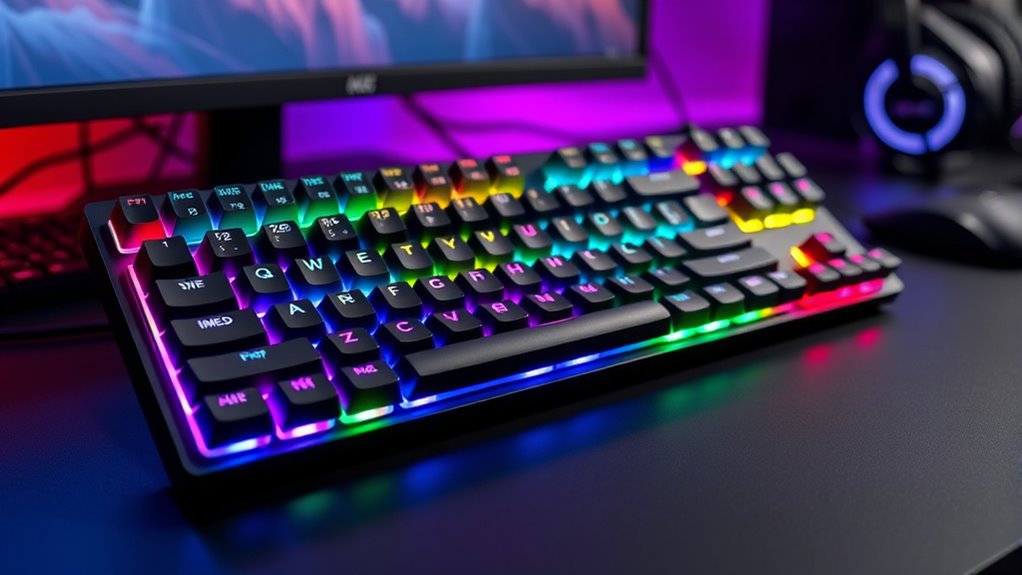

If you’re looking for the best mechanical keyboards of 2025 that cater to both gamers and intense typists, I recommend checking out options like the Logitech G413 SE, Redragon gaming models, and wireless hits like the AULA F99 and Logitech MX Mechanical. These keyboards combine durable builds, customizable RGB lighting, and versatile switches for responsiveness and comfort. To discover which features suit your needs and see detailed comparisons, stay tuned—you’ll find all the info right here.
Key Takeaways
- Features a variety of switch types, including tactile, linear, and clicky, to suit both gaming and typing preferences.
- Offers customizable RGB lighting, macro support, and smart displays for enhanced user personalization and aesthetics.
- Supports multiple connectivity options—wired, Bluetooth, and 2.4GHz wireless—for versatile device use.
- Built with durable materials like aircraft-grade aluminum and double-shot PBT keycaps for longevity and premium feel.
- Includes ergonomic layouts and adjustable tilt legs, ensuring comfort during long gaming or typing sessions.
Logitech G413 SE Mechanical Gaming Keyboard
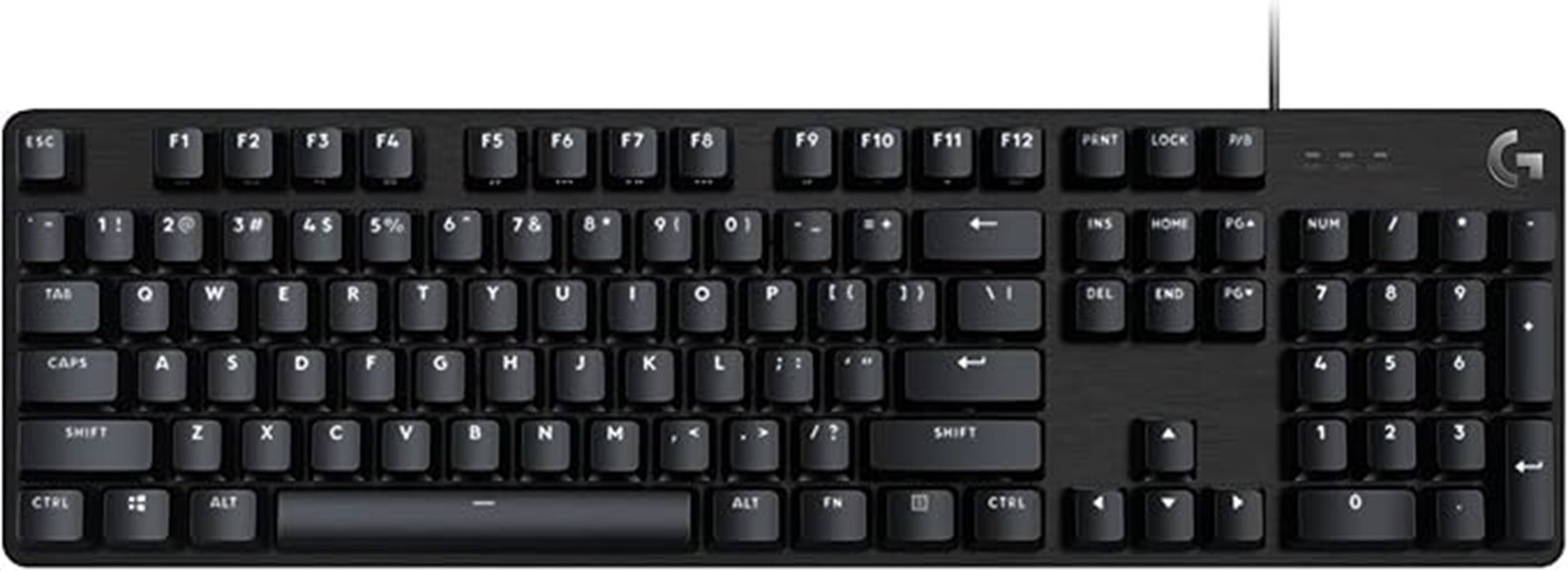
If you’re looking for a reliable mechanical keyboard designed for serious gaming and everyday use, the Logitech G413 SE stands out as an excellent choice. Its durable, high-performance design features a brushed aluminum-magnesium top case that minimizes flex and adds a premium feel. The white LED backlit keys and heat- and wear-resistant PBT keycaps guarantee longevity and easy visibility in low light. Equipped with tactile mechanical switches and 6-key rollover anti-ghosting, it delivers precise, responsive keystrokes during intense gameplay. The full-size layout includes 12 multimedia keys and a wired USB connection for stable, reliable performance, making it a versatile choice for gamers and typists alike.
Best For: gamers and typists seeking a durable, high-performance mechanical keyboard for both gaming and everyday use.
Pros:
- Durable brushed aluminum-magnesium top case minimizes flex and enhances build quality
- Responsive tactile mechanical switches with 6-key rollover anti-ghosting for accurate input
- White LED backlit keys and heat- and wear-resistant PBT keycaps ensure visibility and longevity
Cons:
- Limited customization options compared to more advanced gaming keyboards
- No dedicated macro keys for additional programmability
- Wired connection may reduce portability for some users
Redragon Mechanical Gaming Keyboard with Backlit Modes
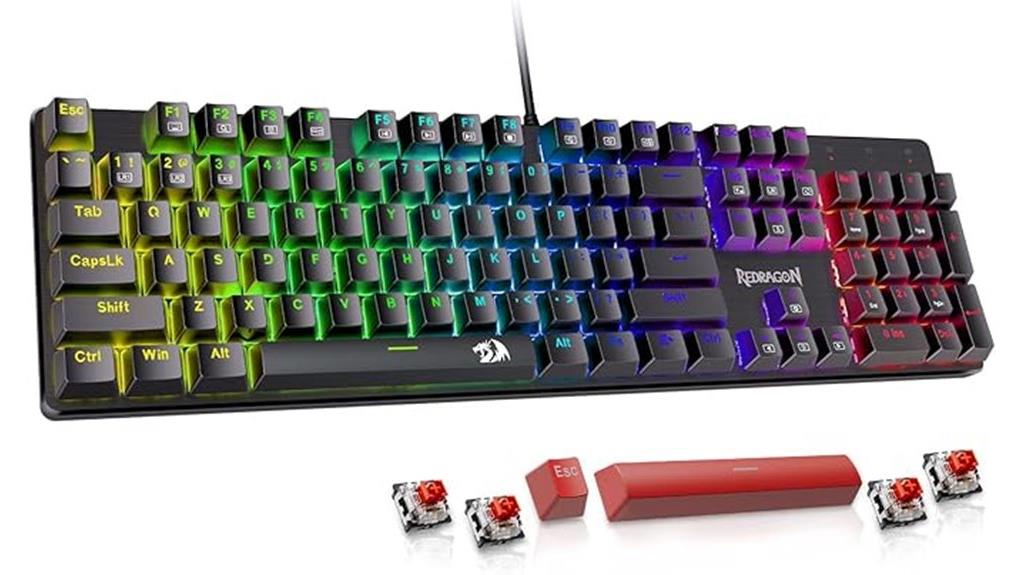
The Redragon Mechanical Gaming Keyboard with Backlit Modes is an excellent choice for gamers and power users who want customizable lighting and responsive performance. With 11 programmable backlit modes, adjustable speed, and five brightness levels, you can personalize your setup easily. Its double-shot PBT keycaps ensure clear backlighting and durability, while the hot-swappable red switches deliver smooth, effortless keystrokes—perfect for fast-paced gaming. The full anti-ghosting feature and macro support boost efficiency during intense sessions. Plus, the 12 multimedia shortcuts and stable wired connection make it a versatile, reliable option for both gaming and typing. It’s backed by a 24-month warranty and excellent customer service.
Best For: gamers and power users seeking a customizable, durable mechanical keyboard with responsive performance and macro capabilities.
Pros:
- 11 programmable backlit modes with adjustable speed and brightness for personalized lighting
- Hot-swappable linear red switches for smooth, effortless keystrokes and easy customization
- Full anti-ghosting and macro support enhance gaming and productivity efficiency
Cons:
- No color customization options for backlit modes, limited to preset lighting effects
- Wired connection may limit portability compared to wireless keyboards
- Additional software required for adjusting lighting settings, which may not be user-friendly for all users
AULA F99 Wireless Mechanical Keyboard

Designed for versatility, the AULA F99 Wireless Mechanical Keyboard supports three connection modes—BT5.0, 2.4GHz wireless, and USB-C wired—making it ideal for users who need seamless switching between devices. You can connect up to five devices simultaneously and switch effortlessly with FN key combinations. The hot-swappable PCB lets you customize switches and keycaps easily, enhancing typing comfort and responsiveness. Its RGB lighting effects, macro support, and N-key rollover create an immersive gaming experience. The sturdy, noise-optimized structure, long-lasting 8000mAh battery, and compact layout make it perfect for work, gaming, and portable use without sacrificing performance or durability.
Best For: users seeking a versatile, customizable wireless mechanical keyboard suitable for gaming, work, and portable use with multi-device connectivity.
Pros:
- Supports three connection modes (BT5.0, 2.4GHz, USB-C), allowing seamless multi-device switching.
- Hot-swappable PCB and customizable keycaps for personalized typing experience.
- Features RGB lighting, macro support, and N-key rollover for enhanced gaming and productivity.
Cons:
- May require additional tools for switch and keycap customization.
- Longer charging times could impact continuous long-term use.
- Compact 99-key layout might omit some dedicated function keys for certain users.
MageGee Portable 60% Mechanical Gaming Keyboard
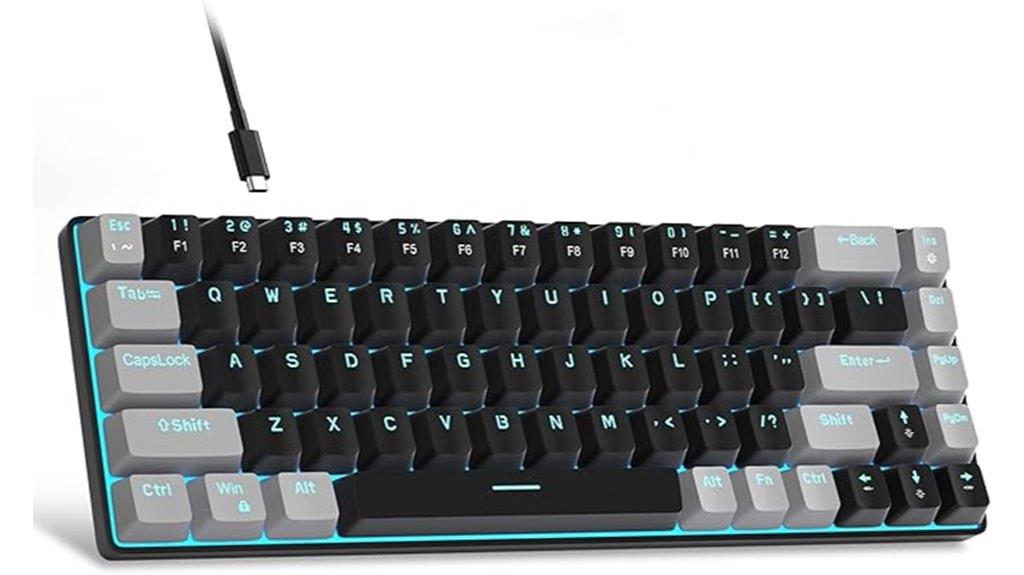
For gamers and productivity enthusiasts who need a compact yet fully functional keyboard, the MageGee Portable 60% Mechanical Gaming Keyboard is an excellent choice. Its 68-key layout packs all essential keys, including arrow keys and function keys, into a small, portable design that conserves desk space. The stylish black/grey/red mash-up looks sharp, while ergonomic double-color injection keycaps and adjustable angles ensure comfort. Equipped with smooth red linear switches, it delivers fast, tactile-free keystrokes perfect for gaming and typing. With customizable blue LED backlighting and plug-and-play compatibility across multiple systems, this keyboard combines practicality, style, and performance for on-the-go use.
Best For: gamers and productivity enthusiasts seeking a compact, full-featured mechanical keyboard for portable use and space-saving setups.
Pros:
- Compact 68-key layout with full functionality including arrow and function keys
- Smooth linear red switches for fast, tactile-free keystrokes ideal for gaming and typing
- Customizable blue LED backlighting with multiple effects and adjustable brightness
Cons:
- Limited key size may require adjustment for users accustomed to full-sized keyboards
- Plastic construction might feel less durable compared to metal-framed keyboards
- No dedicated software for lighting customization, relying on key combinations for adjustments
Logitech MX Mechanical Wireless Keyboard
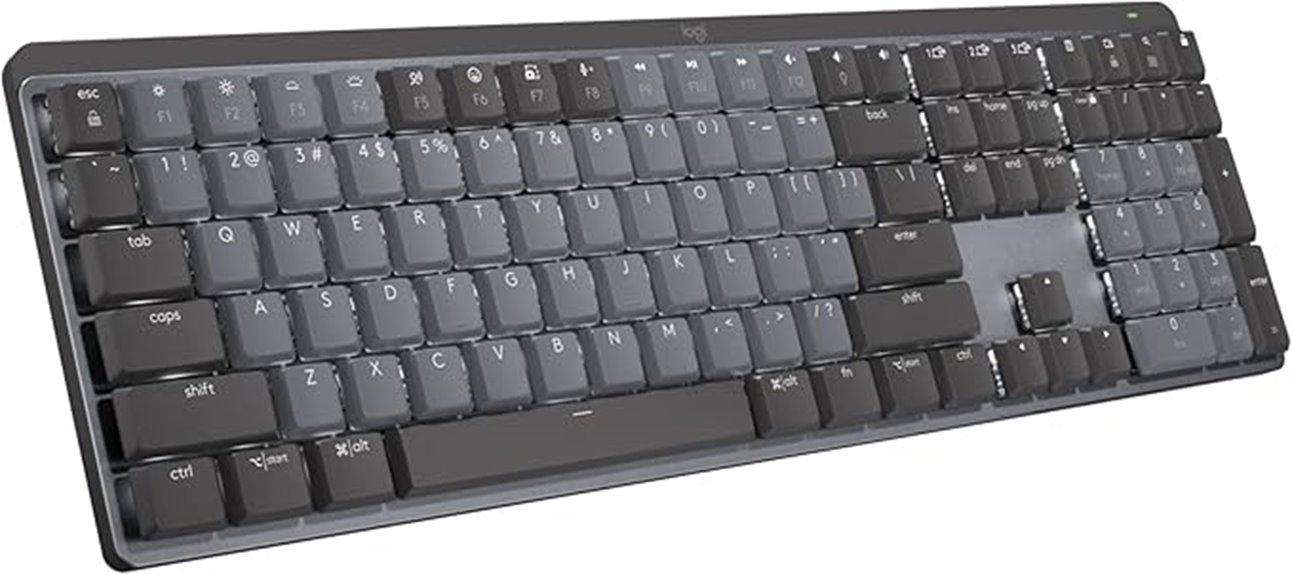
Are you looking for a keyboard that combines quiet performance with seamless multi-device connectivity? The Logitech MX Mechanical Wireless Keyboard might be exactly what you need. It features low-profile keys, a full-size layout, and tactile quiet switches that offer satisfying feedback without noise. The smart illumination system automatically lights up keys as your hands approach, adapting to ambient light. You can personalize functions using Logi Options+ and control up to three devices via Bluetooth or Logi Bolt receiver. With USB-C charging, it offers up to 15 days of use with backlighting or 10 months without. Built with a mix of metal and recycled plastic, it’s designed for comfort, productivity, and sustainability.
Best For: professionals and multi-device users seeking a quiet, ergonomic keyboard with customizable features and seamless connectivity across various operating systems.
Pros:
- Quiet tactile switches provide responsive feedback with minimal noise.
- Smart illumination automatically adjusts for optimal visibility in different lighting conditions.
- Multi-device pairing supports up to three devices via Bluetooth or Logi Bolt, enhancing productivity.
Cons:
- Higher price point compared to basic keyboards with similar features.
- Requires Logi Options+ software for full customization, which may not be preferred by all users.
- Limited to a full-size layout, which may be bulky for users with limited desk space.
SteelSeries USB Apex 5 Gaming Keyboard

If you’re serious about gaming and want a keyboard that combines durability with customization, the SteelSeries USB Apex 5 is an excellent choice. Its hybrid blue mechanical switches deliver a satisfying tactile click, yet remain smooth for fast, responsive keystrokes, rated for 20 million presses. The dynamic per-key RGB lighting lets you create personalized color schemes and reactive effects, enhancing your setup. An OLED smart display adds versatility, showing game info, Discord messages, or GIFs. Built with an aircraft-grade aluminum alloy frame, it’s incredibly sturdy. Plus, the magnetic wrist rest offers comfort during long gaming sessions, making this keyboard both durable and user-friendly.
Best For: gamers who seek a durable, highly customizable keyboard with advanced features for an immersive gaming experience.
Pros:
- Hybrid blue mechanical switches offer tactile feedback with smooth responsiveness.
- Customizable RGB lighting and reactive effects enhance personalization and aesthetics.
- OLED smart display provides versatile information display, including game updates and messages.
Cons:
- Large size (900 x 300 mm) may require ample desk space.
- Premium features and build quality come at a higher price point.
- The extensive customization options might be overwhelming for casual users.
AULA F75 Gasket Mechanical Keyboard (Blue)
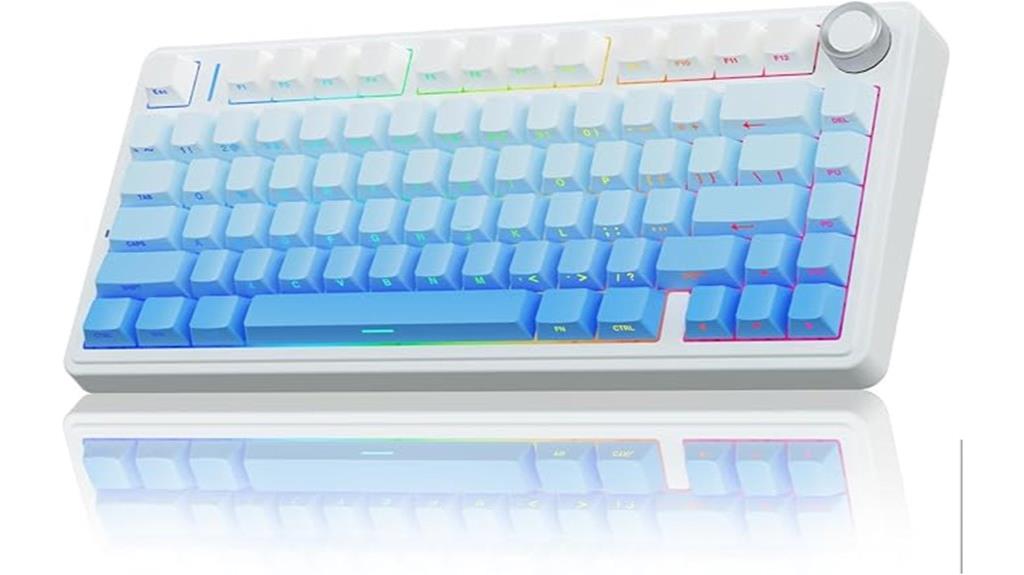
The AULA F75 Gasket Mechanical Keyboard (Blue) stands out as an excellent choice for users who value a compact design without sacrificing functionality. Its 75% layout packs essential keys into a smaller footprint, perfect for tight spaces or portable setups. The five-layer sound and shock absorption system reduces typing noise, creating a quieter environment. With a durable 1.2mm PCB and factory-lubricated switches, it offers precise, smooth keystrokes. The keyboard supports Bluetooth, 2.4GHz wireless, and wired connections, along with a sizable 4000mAh battery for extended use. Plus, the RGB lighting and hot-swappable switches allow for personalized aesthetics and feel, making it versatile for gaming and productivity.
Best For: users seeking a compact, versatile mechanical keyboard with customizable features suitable for gaming, typing, and mobile setups.
Pros:
- Compact 75% layout saves desk space and enhances portability
- Multi-layer sound and shock absorption reduces typing noise and resonance
- Hot-swappable switches and RGB lighting offer extensive customization options
Cons:
- May have a learning curve for users unfamiliar with compact keyboard layouts
- Limited dedicated function keys compared to full-sized keyboards
- Battery life could vary depending on RGB lighting usage and wireless connectivity options
Wireless Mechanical Keyboard with RGB Backlit, Bluetooth/2.4GHz/USB-C for Gaming and Typing

For gamers and busy professionals who need flexibility, this wireless mechanical keyboard with RGB backlit and multiple connectivity options stands out. It offers tri-mode connection via Bluetooth 5.0, 2.4GHz wireless, or USB-C wired, balancing stability and convenience. The 4000mAh rechargeable battery lasts up to a week under moderate use, perfect for long sessions. Its compact 75% layout with 85 keys saves space while maintaining essential functions. Featuring pre-lubed linear switches, hot-swappable for customization, and layered sound-dampening for a satisfying “thocky” sound, it delivers comfort and style. Plus, customizable RGB effects and software support make it a versatile, upgradeable choice for gaming and typing.
Best For: gamers and busy professionals seeking a versatile, space-saving mechanical keyboard with customizable features and long battery life.
Pros:
- Tri-mode connectivity offers flexible options for gaming and typing across multiple devices
- Hot-swappable switches allow easy DIY customization without soldering
- Layered sound dampening and gasket mounting provide a satisfying, quiet typing experience
Cons:
- No additional keycaps available after January 2025 batches, limiting customization options
- Compact 75% layout may require an adjustment period for users accustomed to full-sized keyboards
- Limited to 20 RGB effects, which might be less customizable compared to higher-end models
AULA F75 Pro Wireless Mechanical Keyboard (75% Hot Swappable, RGB, Bluetooth, USB-C)

The AULA F75 Pro Wireless Mechanical Keyboard stands out as an ideal choice for gamers and professionals who need a compact yet versatile keyboard. Its 75% layout packs 81 keys, including arrow keys, into a sleek, space-saving design. The durable side-printed PBT keycaps feature double injection molding and heat sublimation, ensuring fade-proof, sweat-resistant durability. With RGB backlighting offering 16.8 million colors and customizable effects, plus a multi-function control knob for quick adjustments, it’s highly user-friendly. The tri-mode connectivity—Bluetooth, 2.4GHz, and USB-C—supports up to five devices simultaneously. Hot-swappable switches and programmable keys make it perfect for gaming and customization.
Best For: gamers and professionals seeking a compact, versatile, and customizable mechanical keyboard with multi-device connectivity.
Pros:
- Supports tri-mode connectivity (Bluetooth, 2.4GHz, USB-C) with easy device switching.
- Hot-swappable switches and programmable keys for personalized customization and gaming performance.
- Durable, fade-proof PBT keycaps with vibrant RGB backlighting and adjustable effects.
Cons:
- Slightly larger than typical 60% or 65% layouts, which may not suit minimalists.
- Premium features may come at a higher price point compared to basic keyboards.
- Requires driver installation for advanced macro programming, which might be less convenient on some devices.
Logitech K845 Mechanical Keyboard
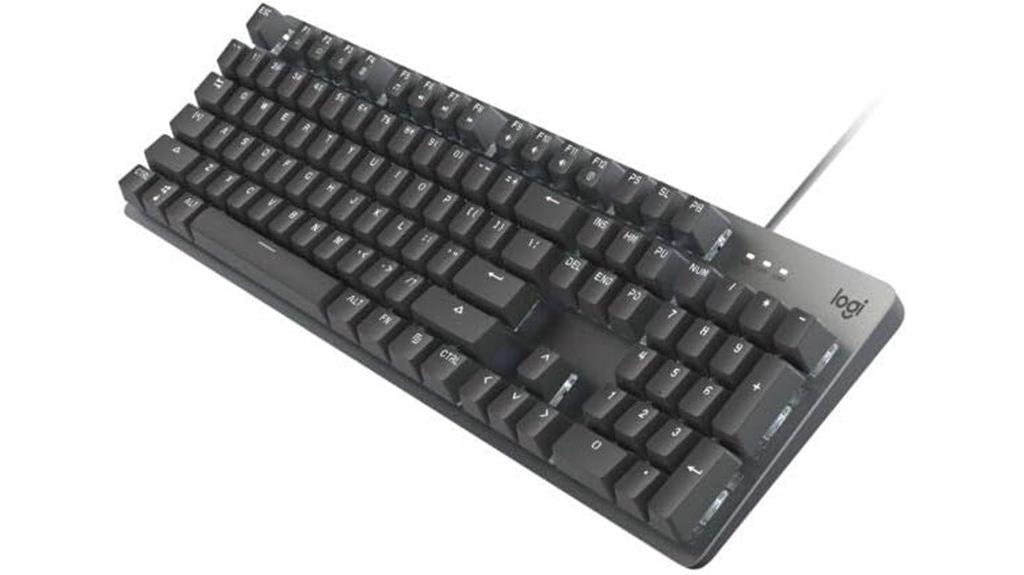
If you’re seeking a durable and stylish mechanical keyboard that balances performance with modern design, the Logitech K845 is an excellent choice. It features a sturdy aluminum top case and a full-size layout with 104 keys, including a number pad and FN keys. Adjustable tilt legs let you customize the angle for ergonomic comfort, while white backlighting with five patterns helps you type in low-light conditions. Available with TTC Brown, Red, or Blue switches, it offers customizable tactile feedback and sound levels. Weighing just over 2.2 pounds, it’s compatible with Windows and connects via USB, making it perfect for work and gaming alike.
Best For: users seeking a durable, stylish, and customizable mechanical keyboard suitable for both professional work and gaming in a modern design.
Pros:
- Sturdy aluminum construction offers enhanced durability and premium aesthetic
- Customizable backlighting with five patterns for improved visibility and personalization
- Available with various tactile switches (TTC Brown, Red, Blue) for tailored feedback and sound levels
Cons:
- Slightly heavier weight may reduce portability for some users
- Limited to Windows compatibility, not natively supporting Mac or other OSes
- No wireless option; requires USB connection which may restrict desk setup flexibility
Redragon K668 RGB Gaming Keyboard with Hotkeys and Sound Absorbing Foam

Packed with features designed for gamers and multitaskers alike, the Redragon K668 RGB Gaming Keyboard stands out thanks to its sound-absorbing foam and hot-swappable red switches. It offers a full-size layout with 108 keys, including 104 anti-ghosting keys and four shortcut buttons for quick access. The quiet, linear mechanical switches provide smooth keystrokes, while the 3.5mm foam reduces noise and enhances typing clarity. Vibrant RGB backlighting with customizable effects and music sync creates a dynamic visual experience. Adjustable feet and colorful keycap sets let me personalize my setup, and the software support makes macro and effect creation effortless.
Best For: gamers and multitaskers seeking a customizable, noise-reducing mechanical keyboard with vibrant RGB lighting and macro capabilities.
Pros:
- Fully customizable with hot-swappable red switches and software support for macros and effects
- Sound-absorbing foam and quiet linear switches for minimal noise and clear typing
- Bright RGB backlighting with multiple preset modes, music sync, and adjustable brightness and flow speed
Cons:
- May be heavier and bulkier due to full-size layout and build features
- Requires software installation for advanced customization, which may not be ideal for all users
- The colorful keycap sets might not appeal to minimalistic or professional aesthetic preferences
AULA 99 Key Gaming Keyboard with RGB Backlit and Media Knob

Gamers and professionals alike will appreciate the AULA 99 Key Gaming Keyboard’s versatile connectivity options, which include Bluetooth 5.0, 2.4GHz wireless, and USB-C wired modes. This flexibility allows seamless switching between devices, whether you’re gaming, working, or on the go. Its compact 96% layout blends vintage style with modern craftsmanship, featuring a numeric keypad for a familiar feel and an ergonomic foldable stand to reduce wrist strain. The full programmability of all keys, macro support, and customizable shortcut buttons make it ideal for gamers and typists. Plus, the dual-mode rotary knob offers quick control over volume, lighting, and audio—perfect for multitasking.
Best For: gamers and professionals seeking a versatile, customizable keyboard with seamless multi-device connectivity and ergonomic design.
Pros:
- Supports multiple connectivity options including Bluetooth 5.0, 2.4GHz wireless, and USB-C wired for flexible use
- Fully programmable keys with macro support and shortcut buttons enhance productivity and gaming performance
- Compact 96% layout with foldable stand offers a vintage-modern aesthetic and ergonomic comfort
Cons:
- Membrane design does not support hot-swapping of switches
- May require a learning curve for macro customization and mode switching
- Limited to one year of after-sales support, which might be less comprehensive than longer warranties
Keychron C2 Wired Mechanical Keyboard for Mac and Windows

The Keychron C2 Wired Mechanical Keyboard stands out as an excellent choice for professionals and productivity-focused users who need a full-size keyboard with versatile system compatibility. It features 104 keys, including a numpad, and offers seamless switching between Mac and Windows with dedicated keys and extra keycaps. Built with durable ABS keycaps and a braided USB-C cable, it’s designed for reliability. The keyboard’s retro-inspired color scheme adds style, while adjustable feet and an inclined frame ensure comfortable typing. Equipped with tactile Keychron Brown switches, it delivers satisfying responsiveness, making it perfect for work, light gaming, or everyday use.
Best For: professionals, office workers, and light gamers seeking a durable, full-size mechanical keyboard with seamless Mac and Windows compatibility.
Pros:
- Fully compatible with Mac and Windows systems using dedicated keys and extra keycaps
- Durable construction with ABS keycaps and braided USB-C cable for reliable performance
- Retro-inspired aesthetic combined with adjustable feet for comfortable typing
Cons:
- Non-backlit design may not suit users who prefer illuminated keys
- Pre-installed Keychron Brown switches might not appeal to those seeking different switch types
- Full-size layout with numpad may be too large for users with limited desk space
RK ROYAL KLUDGE S98 Mechanical Keyboard with Smart Display & Knob
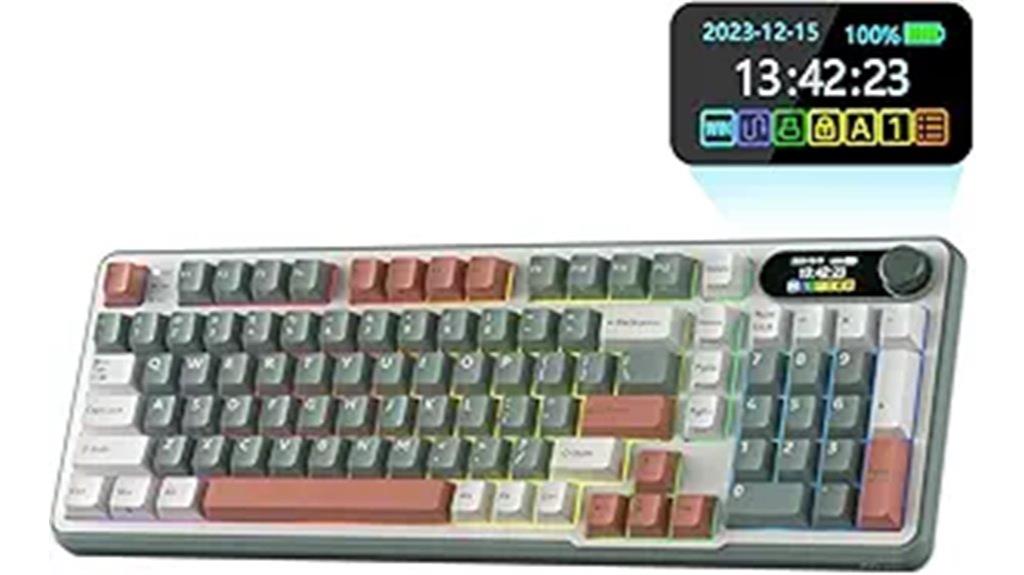
If you’re looking for a versatile mechanical keyboard that combines advanced connectivity with user-friendly customization, the RK Royal Kludge S98 is an excellent choice. This 96% wireless keyboard features a compact 98-key layout with a top-mount design, offering tactile feedback and noise reduction. Its double-shot PBT keycaps assure durability and fade resistance, while the smart display adds a personalized touch by showing GIFs, date, and battery status. Supporting Bluetooth 5.0, 2.4GHz wireless, and wired USB-C, it’s perfect for seamless switching. The multifunctional knob allows quick adjustments, and hot-swappable switches enable easy customization—making this keyboard both functional and adaptable.
Best For: users seeking a versatile, customizable wireless mechanical keyboard with advanced connectivity options and a smart display for personalized feedback.
Pros:
- Supports multiple connection modes including Bluetooth 5.0, 2.4GHz wireless, and wired USB-C for versatile use.
- Hot-swappable switches allow easy customization without soldering, catering to personal preferences.
- Equipped with durable double-shot PBT keycaps and sound-absorbing features that enhance tactile feel and reduce noise.
Cons:
- The compact 98-key layout may require some adaptation for users accustomed to full-sized keyboards.
- The smart display, while customizable, may have a learning curve for new users.
- Additional software support for customization might be limited or require updates.
E-Yooso Mechanical Keyboard with RGB Backlit (White)

Designed for both gamers and professionals, the E-Yooso Mechanical Keyboard with RGB Backlit (White) offers a compact 96% layout that saves desk space without sacrificing full functionality. Its 99 keys and dimensions of 39×13.5x4cm make it perfect for tight setups. The pluggable USB-C to USB-A cable guarantees flexible connectivity, boosting desktop organization and performance. The hot-swappable switches let you easily customize your typing feel, while the four-layer sound-absorbing foam and silicone dampener keep noise low and feedback clear. With 15 RGB effects, durable double-shot PBT keycaps, and software support for macros and lighting, this keyboard blends style, performance, and personalization seamlessly.
Best For: gamers and professionals seeking a compact, customizable, and durable mechanical keyboard with RGB lighting for enhanced gaming and work performance.
Pros:
- Hot-swappable switches for easy customization without soldering
- 15 RGB lighting effects and software support for personalized customization
- Sound-absorbing foam and silicone dampener ensure quiet operation and clear feedback
Cons:
- Compact 96% layout may limit some key functions for certain users
- Requires software installation for advanced features, which may be inconvenient for some
- Limited to linear switches pre-lubed, reducing options for switch types without additional modifications
Factors to Consider When Choosing Mechanical Keyboards

When selecting a mechanical keyboard, I look at switch types and feel to match my typing style, along with backlighting features for aesthetics. Connectivity options matter too, whether I prefer wired or wireless setups, and build quality ensures it lasts through daily use. Ultimately, layout and size influence comfort and desk space, so I consider these carefully before making a choice.
Switch Types and Feel
Choosing the right mechanical switch is essential because it directly affects how your keyboard feels and sounds during use. Linear switches offer smooth keystrokes with minimal resistance, making them perfect for fast gaming and repetitive typing. Tactile switches have a noticeable bump that confirms key registration without requiring you to bottom out, which improves accuracy and comfort. Clicky switches provide both tactile feedback and audible clicks, giving a satisfying response for users who enjoy audible confirmation. Each switch type impacts your typing comfort, noise levels, and response time differently, so selecting the right one depends on your personal preferences and how you plan to use your keyboard. Understanding these differences helps you find a switch that enhances your overall experience, whether gaming or typing.
Backlighting Features
Backlighting features play a significant role in enhancing both the functionality and aesthetics of a mechanical keyboard. They improve visibility in low-light conditions and add visual appeal, especially with RGB or customizable modes. Many keyboards let you adjust brightness levels and lighting effects through dedicated keys, software, or onboard controls, so you can personalize your setup. Some models support dynamic effects like reactive lighting, music synchronization, or flow speed adjustments, making them perfect for immersive gaming or stylish workspaces. The type of backlighting, whether single-color white or full RGB, influences the overall look and compatibility with your theme. High-quality backlit keys often utilize double-shot or translucent keycaps to guarantee even lighting diffusion and durability during extended use.
Connectivity Options
Selecting the right connectivity option is essential because it directly impacts your keyboard’s performance and convenience. Wired USB connections deliver the most stable, low-latency performance, making them perfect for competitive gaming and professional work. Wireless options like Bluetooth offer the flexibility to connect multiple devices simultaneously and enhance portability, which is great if you switch between a laptop, tablet, and phone. Some keyboards feature hybrid modes, allowing seamless switching between wired and wireless use without reconnecting. Keep in mind that compatibility can vary depending on your operating system. Windows, macOS, Linux, iOS, and Android may require different drivers or protocols. Ultimately, your choice depends on how you use your keyboard and whether you prioritize stability, mobility, or multi-device connectivity.
Build Quality and Durability
A well-built mechanical keyboard can withstand intense gaming sessions and daily use without faltering. High-quality models use robust materials like aircraft-grade aluminum or reinforced plastics, ensuring durability over years of heavy use. Keycaps made from PBT or double-shot molding resist wear, fading, and shine, extending their lifespan. The switch construction, with metal components and reinforced housings, boosts long-term reliability and resistance to physical stress. A solid, minimally flexing frame provides stability during rapid typing or gaming, reducing unwanted movement. Proper assembly and strict quality control prevent issues like loose keys, uneven presses, or internal failures. All these factors contribute to a keyboard that remains dependable, ensuring consistent performance and a longer lifespan, even under the most demanding conditions.
Layout and Size
Have you ever wondered how the size and layout of a mechanical keyboard can impact your daily use? The layout options range from full-size with a number pad and function keys to compact 60% models that omit some keys for portability. Full-size keyboards are ideal for data entry or programming, offering complete functionality. Smaller layouts like 65% or 60% sacrifice dedicated function and navigation keys, making them more portable and space-efficient. Your choice depends on your workspace, typing style, and needs—whether you prioritize quick access to all keys or prefer a minimalist setup. Compact models are perfect for gaming or travel, while larger ones suit tasks requiring extensive key use. Picking the right size helps improve your efficiency and comfort during long typing sessions or gaming marathons.
Customization Capabilities
When choosing a mechanical keyboard, considering its customization capabilities can considerably enhance your experience. Many models feature hot-swappable switches, letting you change switches easily for different feels and sounds without soldering. This is perfect if you like experimenting or want to upgrade later. Macro programming and key remapping are also common, allowing you to create shortcuts that boost productivity or streamline gaming commands. Adjustable backlighting modes and brightness levels help you personalize the look and visibility to match your environment. Some keyboards even offer customizable keycaps and RGB lighting effects, giving you control over aesthetics and illumination patterns. Firmware updates or dedicated software expand these options further, enabling you to craft unique profiles and effects that suit your style and needs.
Compatibility Requirements
Choosing a mechanical keyboard requires guaranteeing it works smoothly with your setup, so verifying compatibility is essential. First, check if the keyboard supports your operating system—Windows, macOS, or Linux—to ensure all features function correctly. Next, consider your preferred connectivity method, whether USB, Bluetooth, or wireless, so pairing is seamless. The layout should match your workspace and needs, whether full-size, tenkeyless, or compact. Also, confirm the switch type aligns with your preferences—linear, tactile, or clicky—for the best typing or gaming experience. Lastly, if you rely on macros or software customization, make sure your system can support those features. Proper compatibility guarantees your keyboard integrates flawlessly, enhancing your overall experience.
Price and Value
Price and value play a significant role in selecting the right mechanical keyboard, as these factors determine how much you get for your investment. Mechanical keyboards range from budget options around $50 to premium models over $200, impacting overall worth. Higher-priced keyboards usually feature durable switches, high-quality materials, and customizable lighting, which can justify the extra cost through better longevity and performance. When evaluating worth, consider the quality of switches, keycaps, and build materials, as these affect durability and user experience over time. Extras like programmable keys, software customization, and multi-device connectivity can boost functionality but may also raise the price. Striking a balance between cost, features, and build quality helps ensure you get a keyboard that performs well and lasts, fitting your specific needs and budget.
Frequently Asked Questions
How Does Typing Comfort Vary Across Different Mechanical Keyboard Switch Types?
Typing comfort really depends on the switch type I choose. Linear switches are smooth and quiet, making long typing sessions less tiring. Tactile switches give satisfying feedback, which helps me type accurately without bottoming out. Clicky switches are louder but provide a clear click, which some find motivating. I prefer tactile or linear switches for comfort, depending on whether I want quiet or tactile feedback, making my typing experience more enjoyable.
What Are the Environmental Impacts of Manufacturing and Disposing of Mechanical Keyboards?
Think of manufacturing and disposing of mechanical keyboards as planting a garden. It’s resource-intensive, using metals, plastics, and energy, which impacts the environment. Disposal can lead to e-waste pollution if not recycled properly. I believe sustainable practices, like using recyclable materials and responsible recycling, are essential. We should treat our keyboards like a garden—nurturing their life cycle to minimize harm and promote a healthier planet.
How Does Keyboard Layout Influence Gaming or Typing Performance?
The layout of a keyboard considerably impacts my gaming and typing speed. An ergonomic, well-designed layout minimizes finger movement, reducing fatigue and increasing accuracy. For gaming, a compact layout like tenkeyless helps me react faster, while a standard layout offers more keys for complex commands. I find that customizing key placement to my preferences enhances both comfort and performance, making a big difference in how effectively I play or type.
Are There Health Considerations for Long-Term Mechanical Keyboard Use?
Using a mechanical keyboard long-term is like tending a garden; if you don’t care for your plants, they’ll suffer. Health-wise, I’ve found that ergonomics matter. Proper wrist support, break intervals, and gentle keystrokes help prevent strain or repetitive stress injuries. I’ve noticed that small adjustments, like wrist rests or keyboard tilt, make a huge difference in comfort, ensuring I can game or type for hours without pain.
What Customization Options Are Available Beyond RGB Lighting and Keycap Swaps?
You can customize your mechanical keyboard beyond RGB lighting and keycap swaps by programming macros, remapping keys, and adjusting actuation points. Many high-end models offer software that lets you create custom profiles for different tasks or games. Additionally, some keyboards support modular components like detachable wrist rests, customizable switches, and even hot-swappable keys, giving you a tailored experience that fits your specific needs and style.
Conclusion
Did you know that over 70% of gamers prefer mechanical keyboards for their responsiveness? Whether you’re gaming or typing, choosing the right one can boost your performance and comfort. From wireless options to customizable backlit modes, there’s a perfect keyboard out there for everyone. Take your time to contemplate your needs, and you’ll find a keyboard that not only meets but exceeds your expectations. Happy typing or gaming!