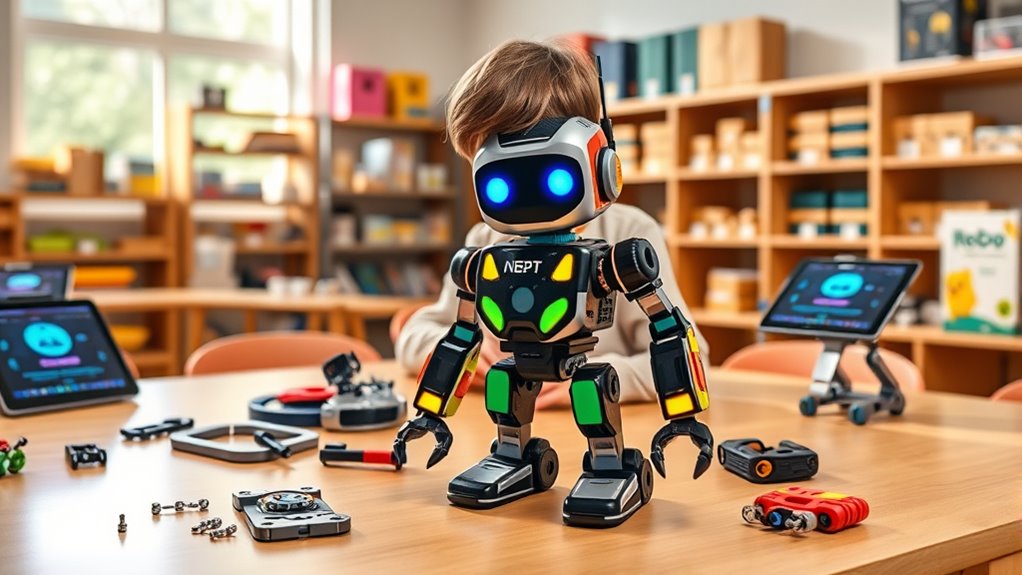

When searching for interactive coding robots for young learners and tech enthusiasts, the options can feel overwhelming. The best picks balance ease of use with powerful features, making coding accessible and engaging. The Wonder Workshop Dash Robot stands out as a versatile choice for beginners, thanks to its intuitive voice controls, while the Sphero Bolt+ offers advanced capabilities suited for more experienced users. However, tradeoffs often involve price and complexity—more feature-rich robots can come at a higher cost or require a steeper learning curve. Keep reading to explore the full lineup and find the perfect fit for your needs.

Get business pricing on tech for your team
- Business-only prices and quantity discounts
- Tax-exempt purchasing
- Multiple users, one account, clear invoices
Key Takeaways
- The top-performing robots combine intuitive interfaces with versatile programming options.
- Price often correlates with complexity—more affordable options tend to be simpler but less expandable.
- Robots with community support and educational resources deliver better long-term value.
- Age range is a key factor; some robots suit very young beginners, while others target older kids and teens.
- Certain models excel in specific environments, like classroom use versus home play.
| Learning Resources Botley The Coding Robot Activity Set – 77 Pieces, Ages 5+ |  | Best for Early Screen-Free Learning | Pieces: 77 | Ages: 5+ | Batteries: 3 AAA for Botley, 2 AAA for remote (not included) | VIEW ON AMAZON | See Our Full Breakdown |
| Wonder Workshop Dash Robot – Coding Robots for Kids 6+ – Voice Activated STEM Robot Toys |  | Best for Voice-Activated, App-Driven Fun | Age Range: 6-11 | Battery Life: Up to 5 hours | Includes: Dash robot, 2 building brick connectors, USB charging cable | VIEW ON AMAZON | See Our Full Breakdown |
| Sphero Mini (Blue) – Coding Robot Ball for Kids and Teens |  | Best for Compact, Multi-Method Coding | Color: Blue | Connectivity: Bluetooth | Included Accessories: 3 traffic cones, 6 bowling pins | VIEW ON AMAZON | See Our Full Breakdown |
| Sphero Bolt+ Coding Robot |  | Best for Classroom-Grade, Multi-Language Coding | Connectivity: Wi-Fi, Bluetooth | Battery Life: All-day | Waterproof: Yes | VIEW ON AMAZON | See Our Full Breakdown |
| ACEBOTT Smart Robot Arm Car Kit with 5DOF for Kids Ages 8-12 |  | Best for Hands-On Robotics and Assembly | Controller: ESP32 | Degrees of Freedom: 5DOF | Control Methods: App & Remote | VIEW ON AMAZON | See Our Full Breakdown |
| Sphero Indi Student Kit Screenless Coding Robot for Ages 4+ |  | Best for Early Learners and Cross-Curricular Play | Ages: 4+ | Battery Life: All-day | Connectivity: Sphero Edu Jr app | VIEW ON AMAZON | See Our Full Breakdown |
| Makeblock Codey Rocky Interactive Coding Robot for Kids 6-12 |  | Best for Progressive Coding Skills from Scratch to Python | Age Range: 6-12 | Programming Languages: Scratch, Python | Material: Impact-resistant | VIEW ON AMAZON | See Our Full Breakdown |
| Ozobot Evo Coding Robot Kit | Ages 5-11 | STEM Coding for Kids & Teachers |  | Best for Interactive Screen-Free and Online Coding for Multiple Skill Levels | Included Items: 1 Evo robot, 5 dual-tip Color Code Markers | Suitable Age: Ages 5-11 | Skill Levels: 5 levels from beginner to master | VIEW ON AMAZON | See Our Full Breakdown |
| Learning Resources Botley the Coding Robot |  | Best for Hands-On, Screen-Free Coding Introduction | Ages: 5+ | Programming capabilities: 80-step programming, loops, obstacle detection | Includes: Detachable robot arms, 40 coding cards, 6 double-sided tiles, accessories | VIEW ON AMAZON | See Our Full Breakdown |
| Apitor Robot Wheels STEM Learning Kit for Kids Ages 5-8 |  | Best for Creative, Screen-Free Logic and Problem-Solving | Includes: 48 coding cards, space map, 12 activity cards, guide card, user guide | Batteries: 3 AA batteries required, not included | Age Range: Ages 5-8 | VIEW ON AMAZON | See Our Full Breakdown |
| Robot Building Block Kit for MakeCode Graphical Coding STEM Education Set |  | Best for Advanced STEM Enthusiasts Ready for Complex Projects | Mainboard: micro:bit V2 | Expansion Board: RGB lights, motor and servo ports, built-in battery | Builds Included: 36+ | VIEW ON AMAZON | See Our Full Breakdown |
| Makeblock mBot STEM Coding Robot for Kids Ages 8-12 |  | Best for Entry-Level Kids Learning Robotics and Programming | Batteries: 4 AA batteries (not included) | Remote Controller Battery: CR2025 (not included) | Material: Metal | VIEW ON AMAZON | See Our Full Breakdown |
| WhalesBot A1 Coding Toy for Kids, Building Block Robot with Magnetic Controller and Sensor Blocks |  | Best for Creative Play and Early STEM Exposure for Ages 3+ | Age Range: 3+ | Charging Voltage: DC 4.2V-5V | Number of Configurations: 8-in-1 | VIEW ON AMAZON | See Our Full Breakdown |
More Details on Our Top Picks
Learning Resources Botley The Coding Robot Activity Set – 77 Pieces, Ages 5+
This set stands out for introducing young children to coding without screens, making it ideal for parents seeking active, hands-on STEM engagement. Compared to the Sphero Mini, Botley emphasizes physical interaction over virtual play, which benefits younger kids but limits the complexity of coding concepts. The 77-piece kit offers diverse coding challenges and accessories, fostering critical thinking and problem-solving. However, it relies on batteries not included, and some small parts pose a choking hazard for very young children. Its straightforward setup makes it perfect for beginners, especially for ages 5 and up who need a gentle, tactile introduction to programming principles.
Pros:- Encourages active, screen-free coding and problem-solving
- Includes a wide variety of accessories and challenges
- Easy to assemble and start coding immediately
Cons:- Requires 5 AAA batteries not included
- Small parts may be a choking hazard for younger children
Best for: Parents and educators seeking a beginner-friendly, screen-free robot for early elementary children.
Not ideal for: Parents of slightly older kids or those wanting advanced coding features, as Botley’s remote programming can be limiting for more experienced learners.
- Pieces:77
- Ages:5+
- Batteries:3 AAA for Botley, 2 AAA for remote (not included)
Our verdict“This pick makes the most sense for parents and teachers seeking a tactile, beginner-friendly robot for early learners.”
Wonder Workshop Dash Robot – Coding Robots for Kids 6+ – Voice Activated STEM Robot Toys
This robot excels at engaging children aged 6 to 11 with voice commands and app-based activities, making coding feel intuitive and lively. Unlike the Botley, Dash requires no assembly, offering immediate interaction that appeals to kids who prefer digital controls. Its ability to sing, dance, and navigate obstacles provides a rich, multimedia experience that fosters understanding of programming through play. The tradeoff is that it lacks a camera and is limited to compatible devices, which could hinder advanced or creative projects for tech-savvy users. Dash’s long battery life and interactive features make it a compelling choice for those wanting a versatile, voice-responsive robot.
Pros:- No assembly required, ready to use out of the box
- Supports multiple coding concepts via app
- Long battery life for extended play
Cons:- No camera or advanced sensors for more complex projects
- Requires compatible devices for operation
Best for: Parents and educators looking for a ready-to-use, voice-activated robot that emphasizes fun and basic coding skills.
Not ideal for: Kids who prefer physical building or more complex programming, since Dash is primarily app-controlled and doesn’t include a camera or advanced sensors.
- Age Range:6-11
- Battery Life:Up to 5 hours
- Includes:Dash robot, 2 building brick connectors, USB charging cable
- Connectivity:App-enabled (iOS, Android, Fire OS)
Our verdict“This is best suited for children who thrive with voice commands and app-based interactive play, especially in a classroom setting.”
Sphero Mini (Blue) – Coding Robot Ball for Kids and Teens
Compared with Dash, the Sphero Mini offers a smaller, more portable design that appeals to users interested in both gaming and coding. Its Bluetooth connectivity and sensors support multiple coding methods, including drag-and-drop and JavaScript, catering to a broader age range and skill levels. The included accessories enable obstacle course play, adding a physical dimension to virtual coding. However, its limited one-hour play time per charge and the need for a compatible mobile device can be frustrating for continuous use. This robot is perfect for beginners who want a versatile, compact device that blends fun with foundational coding skills.
Pros:- Small, portable design for easy use anywhere
- Supports multiple coding styles including JavaScript
- Includes accessories for obstacle courses and games
Cons:- Limited play time of around 1 hour per charge
- Requires a compatible mobile device for full functionality
Best for: Teens or older kids interested in portable, multi-method coding and playful STEM activities.
Not ideal for: Younger children or those seeking longer play sessions, as battery life is limited and programming options may be too advanced for absolute beginners.
- Color:Blue
- Connectivity:Bluetooth
- Included Accessories:3 traffic cones, 6 bowling pins
- Play Time:1 hour
- Sensors:Gyroscope, accelerometer
- Suitable Age:8+
Our verdict“This makes sense for tech-savvy kids who enjoy portable, multi-programming options and active play in short bursts.”
Sphero Bolt+ Coding Robot
Compared to the smaller Sphero Mini, the Bolt+ offers extensive programming support, including block coding, Python, and JavaScript, making it ideal for students working on more complex projects. Its waterproof shell and durable build make it suitable for classroom environments, supporting collaboration between multiple learners. The inclusion of sensors and an LCD screen provides rich interaction and data visualization, fostering deeper STEM engagement. The tradeoff is that it requires reliable internet and compatible devices, which could be a hurdle for some setups or for very young beginners. The Bolt+ suits schools or dedicated learners ready for a more advanced, multi-language coding experience.
Pros:- Supports block, Python, and JavaScript coding
- Waterproof and durable for classroom use
- Encourages collaboration with two learners per robot
Cons:- Requires internet and compatible devices for full use
- Complex for absolute beginners without prior coding skills
Best for: School settings or dedicated learners seeking a durable, multi-language programmable robot for advanced STEM projects.
Not ideal for: Young children or beginners without prior coding experience, as its complexity and device requirements may be overwhelming.
- Connectivity:Wi-Fi, Bluetooth
- Battery Life:All-day
- Waterproof:Yes
- Compatibility:iOS, Android, Windows, macOS, ChromeOS, Web
- Sensors:Programmable sensors
- Age Range:Grades 3-10
Our verdict“This robot is best for educational environments or ambitious learners ready for multi-language programming and teamwork.”
ACEBOTT Smart Robot Arm Car Kit with 5DOF for Kids Ages 8-12
Compared with the Botley and Dash, the ACEBOTT Robot Arm emphasizes physical construction and real robotics, making it ideal for hands-on learners interested in building and controlling a robotic arm. Its 5DOF design and app/remote control options deliver an engaging, tactile experience that bridges coding and engineering. The included tutorials and expandable modules support ongoing learning, especially suited for kids who enjoy problem-solving through assembly. However, the need for batteries not included and potential assembly difficulty can be hurdles for younger or less experienced children. This kit appeals to those who want a more tangible robotics project with coding as a supportive skill.
Pros:- Teaches coding and robotics through hands-on assembly
- Includes guided tutorials and expandability for future projects
- Dual control via app and IR remote for flexible play
Cons:- Batteries are not included, requiring extra purchase
- Assembly may be complex for very young kids
Best for: Kids aged 8-12 interested in building, controlling, and programming a robotic arm with expandable features.
Not ideal for: Younger children or beginners who prefer simple, ready-to-play robots due to the assembly challenge and additional modules sold separately.
- Controller:ESP32
- Degrees of Freedom:5DOF
- Control Methods:App & Remote
- Wheels:360° Mecanum
Our verdict“This kit is best for STEM-focused kids who enjoy both building and programming robotic systems with room to grow.”
Sphero Indi Student Kit Screenless Coding Robot for Ages 4+
The Sphero Indi Student Kit stands out as an ideal introduction to coding for children as young as four, emphasizing screenless play with color tiles that foster early computational thinking. Compared with Botley the Coding Robot, Indi’s focus on cross-curricular activities and durability makes it suitable for classroom environments, though it limits programming complexity to the Sphero Edu Jr app. This means young learners gain foundational problem-solving skills without the need for screens, but those seeking more advanced coding features will find Indi’s offerings basic. Its rechargeable battery and included challenge cards promote repeated, engaging use. However, the dependency on the app might pose challenges for educators or parents looking for truly offline experiences or more sophisticated programming options. Overall, this kit is best for introducing very young children to the concept of coding through interactive, durable play.
Pros:- Promotes early computational thinking and problem-solving skills
- Durable and rechargeable for classroom use
- Introduces screenless coding with color tiles
Cons:- Requires the Sphero Edu Jr app for programming
- Limited to early learners (ages 4+), lacking advanced features
Best for: Preschool teachers or parents seeking an accessible, screen-free starter for ages 4+
Not ideal for: Older children or those ready for text-based programming, as Indi’s features are limited to early learning activities
- Ages:4+
- Battery Life:All-day
- Connectivity:Sphero Edu Jr app
- Included:Challenge Cards, lessons
Our verdict“This pick makes the most sense for educators and parents seeking a durable, screenless introduction to coding for preschoolers.”
Makeblock Codey Rocky Interactive Coding Robot for Kids 6-12
Codey Rocky is designed for children aged 6-12, supporting a smooth transition from visual programming with Scratch to text-based Python, making it a versatile choice compared to Botley, which remains purely remote-controlled. Its expressive emotions and impact-resistant build foster engagement and safety, ideal for both classroom and home use. While setup may require some initial guidance, the robot’s durable design supports repeated use, and its built-in features encourage creativity. However, its programming capabilities are somewhat limited for older or more advanced learners who may quickly outgrow the basic interface. Compared with more complex kits like Makeblock mBot, Codey Rocky offers a more approachable entry point with a focus on fun expressions and emotional interactions. Overall, it’s best for children beginning their coding journey or those who want a playful yet educational robot.
Pros:- Supports beginner to advanced coding skills; Scratch and Python compatibility
- Expressive features and impact-resistant design promote engagement
- Durable and safety-tested for repeated use
Cons:- Requires some setup for programming, which could be a barrier for absolute beginners
- Limited complexity may not satisfy older or more experienced users
Best for: Parents or educators seeking a durable, expressive robot that grows with a child’s coding skills
Not ideal for: Teenagers or advanced coders looking for more sophisticated programming options or customization
- Age Range:6-12
- Programming Languages:Scratch, Python
- Material:Impact-resistant
- Features:Emotion expressions, sound effects, building block compatibility
Our verdict“This robot makes the most sense for children starting with visual coding who want a toy that evolves into more advanced programming.”
Ozobot Evo Coding Robot Kit | Ages 5-11 | STEM Coding for Kids & Teachers
Compared with Botley, the Ozobot Evo excels in providing a wide range of lessons and a broad age span, from 5 to 11 years old. Its combination of online and screen-free activities, with color markers and extensive lesson content, makes it especially suitable for classroom settings aiming to differentiate instruction. The durable design and included accessories support continuous use, while the multiple skill levels help learners progress from basic to mastery. However, the need for digital devices for online coding might limit its appeal for purely offline environments. Its extensive lesson library offers a significant advantage over simpler robots like Botley, but the online component adds complexity for casual or home use. Overall, this kit is ideal for educators or parents seeking a versatile, comprehensive STEAM learning experience.
Pros:- Interactive online and screen-free coding activities
- Suitable for a wide age range with multiple skill levels
- Extensive educational resources with over 700 lessons
Cons:- Requires access to digital devices for online coding
- More suited to structured educational settings than casual play
Best for: Classroom teachers or parents wanting a flexible, multi-level coding experience with extensive resources
Not ideal for: Families without reliable internet or those seeking solely offline, simple coding toys
- Included Items:1 Evo robot, 5 dual-tip Color Code Markers
- Suitable Age:Ages 5-11
- Skill Levels:5 levels from beginner to master
- Educational Content:Over 700 lessons covering STEAM, CS, and core subjects
- Durability:Durable robot and accessories, hard shell zip case
Our verdict“This product is best for educators or parents seeking a comprehensive, adaptable STEAM tool for a broad age range.”
Learning Resources Botley the Coding Robot
Compared with Ozobot Evo, Botley offers a straightforward, screen-free approach with simple remote control programming, making it excellent for absolute beginners. Its 80-step programming, obstacle detection, and accessories support critical thinking and creative problem-solving without screens, ideal for young children just starting out. While Botley is easy to use and includes many accessories, it offers more basic programming features than Ozobot, which might feel limiting for children ready for more complex coding. Batteries are not included, which adds a small inconvenience. Overall, this toy makes the most sense for educators or parents seeking a hands-on, accessible introduction to coding fundamentals without digital screens.
Pros:- Screen-free coding promotes hands-on learning
- Simple remote control for easy use
- Includes multiple accessories for creative challenges
Cons:- Requires 5 AAA batteries not included
- Limited to basic programming features for advanced users
Best for: Parents or teachers introducing coding to children aged 5+ with no prior experience
Not ideal for: Older children or those seeking advanced programming or app-based customization
- Ages:5+
- Programming capabilities:80-step programming, loops, obstacle detection
- Includes:Detachable robot arms, 40 coding cards, 6 double-sided tiles, accessories
- Batteries required:5 AAA (not included)
Our verdict“This is a solid choice for beginners who want a straightforward, screen-free coding experience.”
Apitor Robot Wheels STEM Learning Kit for Kids Ages 5-8
Compared to Botley, the Apitor Robot Wheels kit emphasizes physical, screen-free coding through tangible cards and buttons, making it well-suited for young children aged 5-8 who are developing foundational STEM skills. Its durability and inclusion of sensors support open-ended exploration and guided challenges, fostering logical thinking and problem-solving. The optional app control adds a layer of complexity for more advanced users, but in its core form, it remains accessible. The need for 3 AA batteries is a minor inconvenience, and the limited programming features in the free app may not satisfy children seeking extensive customization. Overall, this kit is best for early learners who thrive on hands-on, tangible activities and like to explore through physical play.
Pros:- Encourages screen-free coding and logical thinking
- Durable and easy for children to operate
- Supports creative and open-ended exploration
Cons:- Requires 3 AA batteries not included
- Limited to basic programming features in the free app
Best for: Young children and beginners learning logic and sequencing without screens
Not ideal for: Older kids or those wanting full app-based programming with advanced features
- Includes:48 coding cards, space map, 12 activity cards, guide card, user guide
- Batteries:3 AA batteries required, not included
- Age Range:Ages 5-8
- Features:Infrared obstacle sensor, wireless app control, drag-and-drop programming
Our verdict“This kit is best suited for early learners who prefer physical, hands-on coding challenges over screen-based activities.”
Robot Building Block Kit for MakeCode Graphical Coding STEM Education Set
This kit stands out for its versatility and depth, supporting over 36 different projects that foster skills in electronics, mechanics, and coding through a micro:bit V2 mainboard. Unlike simpler kits like the Makeblock mBot, which targets younger users with straightforward functions, this set offers more expansion options and customization, making it ideal for those ready to tackle more complex builds. However, its reliance on familiarity with the micro:bit platform can be a hurdle for absolute beginners. The comprehensive tutorials and multiple build possibilities make it a strong choice for teens or adults committed to hands-on STEM learning, though less suitable for newcomers without prior electronics experience. It promotes deep engagement with programming, electronics, and mechanics, demanding patience and technical comfort from its users.
Pros:- Supports over 36 different projects for versatile learning experiences
- Includes comprehensive tutorials to guide complex builds
- Supports expansion with RGB lights, motors, and servo ports
- Screw-less pin-mounting design simplifies assembly
Cons:- Requires prior understanding of the micro:bit platform for effective use
- Complex projects may overwhelm users new to electronics or programming
- More expensive and resource-intensive than simpler beginner kits
Best for: Teens or adults with some electronics background seeking advanced, multi-project STEM experiences
Not ideal for: Complete beginners or younger children without prior micro:bit familiarity who might find the complexity intimidating
- Mainboard:micro:bit V2
- Expansion Board:RGB lights, motor and servo ports, built-in battery
- Builds Included:36+
- Playstyles:100+
- Age Range:14+
- Connectivity:Graphical programming via MakeCode
Our verdict“This kit is best suited for older learners with some STEM experience who want to explore a wide range of projects in electronics and mechanics.”
Makeblock mBot STEM Coding Robot for Kids Ages 8-12
The Makeblock mBot excels as an accessible and engaging introduction to robotics, offering quick assembly within 15 minutes and a variety of functions like line-following and obstacle avoidance. Compared with the WhalesBot A1, which is more suited for very young children with its magnetic modules, the mBot provides a more structured coding experience suitable for early elementary learners. While its software tutorials support basic programming, some older or more advanced users might find its capabilities limiting. The kit is ideal for children aged 8-12 who are starting to explore electronics and coding but may not be complex enough for those seeking high customization or advanced projects. Its simplicity and broad compatibility make it a great educational stepping stone, though it doesn’t support the deep customization or advanced mechanics of higher-end kits.
Pros:- Easy to assemble with clear instructions, making it beginner-friendly
- Supports multiple functions like line-following and obstacle avoidance
- Compatible with over 100 electronic modules and LEGO parts for expansion
- Includes engaging tutorials for learning electronics and programming
Cons:- Batteries are not included, adding extra cost and effort
- Limited to basic functions, which might bore more advanced users
- Requires some technical understanding for using advanced features
Best for: Young beginners aged 8-12 new to robotics and coding, wanting a straightforward, fun learning experience
Not ideal for: Older kids or enthusiasts seeking complex projects or extensive customization options
- Batteries:4 AA batteries (not included)
- Remote Controller Battery:CR2025 (not included)
- Material:Metal
- Compatibility:Supports 100+ modules, LEGO parts
- Build Time:Approx. 15 minutes
- Age Range:8-12
Our verdict“This robot is ideal for young children beginning their journey in robotics, offering simple setup and engaging functions without overwhelming complexity.”
WhalesBot A1 Coding Toy for Kids, Building Block Robot with Magnetic Controller and Sensor Blocks
The WhalesBot A1 is tailored for the youngest STEM learners, combining storytelling with magnetic modules that children can assemble into various robot configurations. Compared to the Makeblock mBot, which targets slightly older children with more technical functions, this toy emphasizes safe, creative play and logical thinking through simple building steps. Its magnetic design makes it easy for small hands to manipulate, but this also introduces the risk of losing small magnetic parts, and its limited complexity may not satisfy older or more advanced learners. This pick makes the most sense for preschoolers or early elementary kids who benefit from hands-on, imaginative STEM activities without the need for screens or complex coding. Its focus on creative assembly and storytelling makes learning both fun and accessible, though it’s not designed for serious robotics development.
Pros:- Encourages creativity through hands-on assembly and storytelling
- Safe design with rounded corners and durable materials
- Includes multiple building options and 8-in-1 configurations
- Magnetic modules are easy for small hands to manipulate
Cons:- Requires careful handling to prevent losing magnetic parts
- Limited complexity, not suitable for older or more advanced kids
- Charging must be done with specific voltage, which could cause issues if not followed
Best for: Parents of preschoolers or early elementary children seeking safe, creative STEM play with minimal technical complexity
Not ideal for: Older children or those seeking advanced robotics features or programming capabilities
- Age Range:3+
- Charging Voltage:DC 4.2V-5V
- Number of Configurations:8-in-1
- Materials:Premium, rounded corners
Our verdict“This robot is perfect for young children just beginning to explore STEM concepts through creative, story-based play, prioritizing safety and imaginative building over technical depth.”
How We Picked
These interactive coding robots were evaluated based on performance, usability, build quality, and value. I prioritized products that balance beginner-friendly features with room for advanced learning. Ease of setup and programming flexibility were also critical factors, along with durability and educational support. The ranking reflects a combination of these criteria, aiming to recommend options suitable for different skill levels and budgets. Devices with strong community support, ongoing updates, and positive user feedback earned higher placements, ensuring relevance and long-term usability.Factors to Consider When Choosing Interactive Coding Robots For
Choosing the right interactive coding robot depends on several key factors. First, consider the user’s age and experience level; some robots are designed for very young children, while others are better suited for teens or advanced learners. Next, evaluate programming options—whether the robot uses block coding, text-based coding, or voice commands—based on the learner’s comfort with coding concepts. Durability and ease of setup matter for sustained engagement, especially in classroom environments. Additionally, consider the ecosystem of support, including tutorials, community forums, and updates, to maximize value. Lastly, weigh the price against features; investing in a more capable robot often means higher upfront costs but better long-term growth potential.Age and Skill Level Compatibility
Matching the robot to the user’s age and coding experience ensures engagement and reduces frustration. Very young children benefit from simple, block-based interfaces and durable designs, while older kids and teens might prefer robots with more advanced features and programming flexibility. Skipping this step can lead to underwhelming experiences or early disinterest, so assess the recommended age range carefully before purchasing.
Programming Interface and Flexibility
The type of programming interface—whether visual block coding, text coding, or voice control—affects how quickly a user can start coding and how much they can grow. Block coding is ideal for beginners, offering a visual, drag-and-drop experience, while text-based coding suits those ready to learn syntax and more complex logic. Robots supporting multiple interfaces provide the most versatility, catering to different learning stages and preferences.
Durability and Ease of Use
Robots designed for frequent handling and classroom use should be robust, with components that withstand drops and rough play. Ease of setup and intuitive controls also influence ongoing engagement, especially for younger users or busy educators. Complex robots with small parts or complicated configurations might deter sustained use, so consider the environment where the robot will be used most.
Educational Ecosystem and Support
Robots backed by comprehensive tutorials, active communities, and regular updates tend to offer better learning experiences. These resources help troubleshoot issues, expand functionality, and motivate learners over time. Investing in a robot with strong support infrastructure can significantly enhance the value, especially for self-guided learning or classroom deployment.
Price and Long-Term Value
While budget-friendly options can be appealing, they may lack advanced features or durability. Conversely, premium models often come with extra capabilities, better build quality, and more extensive learning resources, justifying higher costs for dedicated learners. Consider your long-term goals, future expansion, and whether the additional features align with your budget before making a decision.
Frequently Asked Questions
Are interactive coding robots suitable for very young children?
Yes, many interactive coding robots are designed specifically for young children, with simple interfaces, colorful designs, and age-appropriate programming tools. Robots like the Learning Resources Botley or Ozobot Evo feature intuitive controls and minimal setup, making them accessible for early learners. However, it’s important to select a model that matches the child’s developmental stage to keep the experience engaging without causing frustration.
Can these robots teach advanced coding skills?
Some robots, particularly those with text-based programming options like the Makeblock mBot or Sphero Bolt+, are capable of introducing more complex coding concepts. While many are geared toward beginners, these models often support progression into more sophisticated programming environments, making them suitable for learners who want to deepen their skills over time. It’s essential to check the supported programming languages and complexity levels to match your goals.
How important is community support when choosing an interactive coding robot?
Community support can significantly enhance the learning experience by providing access to tutorials, troubleshooting advice, and shared projects. Robots with active online forums, educator resources, and regular updates tend to offer better long-term value. This support helps beginners overcome challenges and enables more advanced users to explore new features, making it a key consideration for sustained engagement.
Are there robots suitable for classroom use?
Yes, many coding robots are designed with classrooms in mind, featuring durable construction, bulk purchase options, and teacher resources. Devices like the Makeblock mBot and Wonder Workshop Dash are popular in educational settings because they support collaborative projects and come with comprehensive curricula. When selecting for a classroom, consider durability, ease of management, and available instructional materials.
Is investing in a more expensive robot worth it?
Higher-priced robots often include advanced features, better build quality, and extensive learning resources, which can justify the investment for serious learners or educational settings. They tend to offer more programming flexibility, longer lifespan, and ongoing support. However, if the user is just exploring basic coding, a more affordable option might suffice, and upgrading later remains an option as skills develop.
Conclusion
For those seeking an all-around excellent experience, the Wonder Workshop Dash Robot emerges as the best overall pick thanks to its ease of use and versatility. Budget-conscious buyers will find the Ozobot Evo a compelling entry point, while parents and educators looking for durability and scalability may prefer the Sphero Bolt+. Beginners should consider models like Botley for simple start, whereas more advanced learners or classroom settings might benefit from the Makeblock mBot or Sphero Bolt+. Ultimately, your choice depends on age, skill level, and intended use—matching the robot’s features with your learning or teaching goals ensures the best experience in 2026.
Halloween Picks
halloween
As an affiliate, we earn on qualifying purchases.