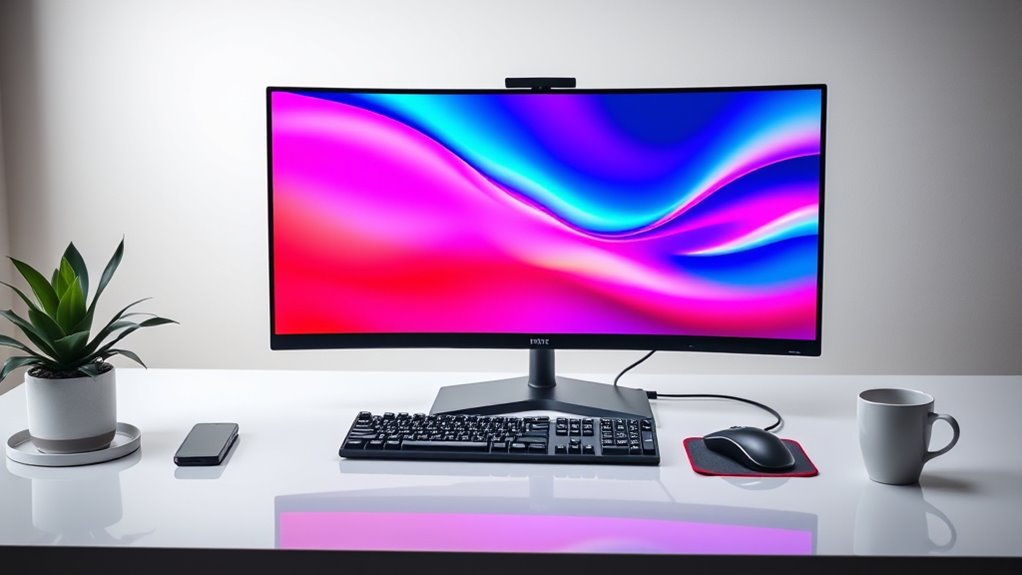

Highend 4k monitors for productivity are designed to deliver exceptional clarity, color accuracy, and advanced features for demanding workflows. The ASUS ProArt PA279CRV stands out as the best overall choice, offering a balanced mix of professional-grade color precision and versatile connectivity. For creative professionals, the Eizo ColorEdge CS2740 provides unparalleled color accuracy, while the ASUS ProArt OLED offers stunning visuals with OLED technology. These monitors often face tradeoffs between price, color fidelity, screen size, and feature set, making it crucial to prioritize your specific needs. Continue reading for a detailed breakdown of each option and help in making an informed decision.

Get business pricing on tech for your team
- Business-only prices and quantity discounts
- Tax-exempt purchasing
- Multiple users, one account, clear invoices
Key Takeaways
- Color accuracy and uniformity are critical for creative work, making professional-grade monitors like the Eizo ColorEdge stand out.
- Size and resolution balance matter; larger screens with 4K resolution improve multitasking but may require more desk space and higher GPU demands.
- Connectivity options like Thunderbolt and USB-C are essential for seamless integration with modern workflows and laptops.
- Premium features such as OLED panels and HDR support significantly enhance visual quality but come at a higher cost.
- Tradeoffs between price and performance are common; the best monitor fits both your workflow needs and budget constraints.
| ASUS ProArt PA279CRV 27-Inch 4K UHD HDR Professional Monitor for Mac |  | Best Overall | Display Size: 27 inches | Resolution: 3840 x 2160 (4K UHD) | Display Technology: LCD LED | VIEW ON AMAZON | See Our Full Breakdown |
| Eizo ColorEdge CS2740 27” 4K UHD Professional Monitor |  | Best for Color Accuracy & Calibration | Size: 27 inches | Resolution: 3840×2160 (4K UHD) | Color Gamut: 99% AdobeRGB, 100% sRGB | VIEW ON AMAZON | See Our Full Breakdown |
| ASUS ProArt Display 27″ 4K OLED Professional Monitor (PA279CDV) |  | Best for Content Creators & High-Fidelity Visuals | Display Size: 27 inches | Resolution: 3840 × 2160 (4K UHD) | Panel Type: QD-OLED | VIEW ON AMAZON | See Our Full Breakdown |
| ASUS ProArt Display 32” 4K HDR Mini-LED Professional Monitor (PA32UCXR) |  | Best for High Dynamic Range & Color Precision | Display Size: 32 inches | Resolution: 3840 x 2160 (4K UHD) | Backlight: Mini-LED | VIEW ON AMAZON | See Our Full Breakdown |
| LG 27UP850K-W 27-inch 4K UHD IPS Monitor with HDR and USB-C |  | Best for Versatile, All-Around Use | Display Size: 27 inches | Resolution: 3840 x 2160 (4K UHD) | Color Gamut: 95% DCI-P3 | VIEW ON AMAZON | See Our Full Breakdown |
| LG 32UN880-B 32-Inch UltraFine UHD 4K IPS Monitor with Ergonomic Stand |  | Best Overall for Professional Creators and Productivity | Display Size: 32 inches | Resolution: 3840 x 2160 (4K UHD) | Display Technology: IPS LCD | VIEW ON AMAZON | See Our Full Breakdown |
| ASUS 27” 4K Business Monitor (VA27UQSB) |  | Best for Business and Office Environments with Versatile Connectivity | Display Size: 27 inches | Resolution: 3840 x 2160 (4K UHD) | Panel Type: IPS | VIEW ON AMAZON | See Our Full Breakdown |
| MSI PRO MAX 271UPX12G 27-inch 4K UHD QD-OLED Monitor with HDR and USB-C |  | Best for Content Creation and Visual Fidelity Enthusiasts | Display Size: 27 inches | Resolution: 3840 x 2160 (UHD) | Panel Technology: QD-OLED | VIEW ON AMAZON | See Our Full Breakdown |
| Dell UltraSharp 32 4K UHD Thunderbolt Hub Monitor – U3226QER, 120Hz |  | Best for Professionals Needing High-Color Accuracy and Seamless Connectivity | Display Size: 31.5 inches | Resolution: 3840 x 2160 (4K UHD) | Display Technology: IPS | VIEW ON AMAZON | See Our Full Breakdown |
| Samsung 32″ ViewFinity S7 (S71H) 4K UHD IPS HDR10 High Resolution Monitor |  | Best for Versatile Use with HDR and Eye Care Features | Display Size: 32 inches | Resolution: 3840 x 2160 (4K UHD) | Panel Type: IPS | VIEW ON AMAZON | See Our Full Breakdown |
| Dell UltraSharp U4025QW 40-Inch Curved 5K2K WUHD LED Monitor |  | Best for Immersive Productivity and Large-Scale Workflow | Screen Size: 40 inches | Resolution: 5K2K WUHD | Brightness: 600 Nit | VIEW ON AMAZON | See Our Full Breakdown |
| Samsung 27″ ViewFinity S7 (S70H) High-Resolution Monitor |  | Best for Versatile Professional Use with Color Precision | Display Size: 27 inches | Resolution: 3840 x 2160 pixels | Contrast Ratio: 3000:1 | VIEW ON AMAZON | See Our Full Breakdown |
| LG 27US500-W Ultrafine 27-Inch 4K UHD HDR10 IPS Monitor |  | Best for Creative Professionals with Deep Color Needs | Display Size: 27 inches | Resolution: 3840×2160 (4K UHD) | Contrast Ratio: 1000:1 | VIEW ON AMAZON | See Our Full Breakdown |
| Samsung 37” ViewFinity S8 (S80UD) Series 4K UHD High-Resolution Monitor |  | Best for Large, Ergonomic Workspace with Advanced Connectivity | Size: 37 inches | Resolution: 4K UHD | Color Support: 1.07 billion colors | VIEW ON AMAZON | See Our Full Breakdown |
| LG 32UP83AK-W 32-inch 4K UHD IPS Computer Monitor |  | Best for Versatile, Ergonomic Workstations | Display Size: 32 inches | Resolution: 3840 x 2160 (4K UHD) | Panel Type: IPS | VIEW ON AMAZON | See Our Full Breakdown |
| highend 4k monitors for productivity | Resolution | Display Size | Connectivity |
|---|---|---|---|
| ASUS ProArt PA279CRV 27-Inch 4 | 3840 x 2160 (4K UHD) | 27 inches | — |
| Eizo ColorEdge CS2740 27” 4K | 3840×2160 (4K UHD) | — | — |
| ASUS ProArt Display 27" 4K OLE | 3840 × 2160 (4K UHD) | 27 inches | — |
| ASUS ProArt Display 32” 4K HDR | 3840 x 2160 (4K UHD) | 32 inches | — |
| LG 27UP850K-W 27-inch 4K UHD I | 3840 x 2160 (4K UHD) | 27 inches | USB Type-C, HDMI, DisplayPort |
| LG 32UN880-B 32-Inch UltraFine | 3840 x 2160 (4K UHD) | 32 inches | USB Type-C with 60W PD |
| ASUS 27” 4K Business Monitor | 3840 x 2160 (4K UHD) | 27 inches | Dual HDMI, DisplayPort, USB hub |
| MSI PRO MAX 271UPX12G 27-inch | 3840 x 2160 (UHD) | 27 inches | USB-C, HDMI, DisplayPort |
| Dell UltraSharp 32 4K UHD Thun | 3840 x 2160 (4K UHD) | 31.5 inches | Thunderbolt 4, Ethernet |
| Samsung 32" ViewFinity S7 | 3840 x 2160 (4K UHD) | 32 inches | HDMI, DisplayPort |
| Dell UltraSharp U4025QW 40-Inc | 5K2K WUHD | — | USB Type-C |
| Samsung 27" ViewFinity S7 | 3840 x 2160 pixels | 27 inches | — |
| LG 27US500-W Ultrafine 27-Inch | 3840×2160 (4K UHD) | 27 inches | — |
| Samsung 37” ViewFinity S8 | 4K UHD | — | USB-C 90W, LAN |
| LG 32UP83AK-W 32-inch 4K UHD I | 3840 x 2160 (4K UHD) | 32 inches | — |
More Details on Our Top Picks
ASUS ProArt PA279CRV 27-Inch 4K UHD HDR Professional Monitor for Mac
The ASUS ProArt PA279CRV stands out for its exceptional color accuracy and versatile connectivity, making it ideal for professional creators who need reliable, calibrated visuals. Compared with the LG 27UP850K-W, it offers more precise color fidelity with factory calibration and Calman Verified assurance, though it comes at a higher price point. Its ergonomic stand and extensive port options provide a comfortable, flexible workspace, but its 60Hz refresh rate limits suitability for fast-paced editing or gaming. This monitor is best suited for professionals focused on color-critical work who prioritize accuracy over high refresh rates or gaming features.
Pros:- Exceptional color accuracy with factory calibration and 99% DCI-P3 coverage
- Versatile connectivity including USB-C with 96W power delivery
- Ergonomic stand with multiple adjustments for comfortable use
Cons:- Relatively high price for a non-gaming monitor
- Limited to 60Hz refresh rate, not ideal for fast motion tasks
Best for: Creative professionals and photographers needing accurate color reproduction and versatile connectivity in a dedicated workspace.
Not ideal for: Gamers or users seeking high refresh rates for fast-paced editing, as it maxes out at 60Hz and lacks adaptive sync features.
- Display Size:27 inches
- Resolution:3840 x 2160 (4K UHD)
- Display Technology:LCD LED
- Contrast Ratio:3,000:1
- Brightness:400 nits
- Color Gamut:99% DCI-P3, 99% Adobe RGB
Our verdict“This monitor is perfect for professionals demanding precise color fidelity and flexible setup options, though it sacrifices high refresh rates and affordability.”
Eizo ColorEdge CS2740 27” 4K UHD Professional Monitor
The Eizo ColorEdge CS2740 offers outstanding color precision with 99% AdobeRGB and 100% sRGB support, making it a top choice for color-sensitive workflows. Its hardware calibration support and 5-year warranty provide long-term reliability, especially compared to the ASUS ProArt PA279CRV, which relies on factory calibration. Its large size and extensive input options accommodate complex setups, but its premium price can be a barrier for casual users. This monitor is best for professionals who need consistent, highly accurate color management over extended periods, and are willing to invest in a dedicated calibration workflow.
Pros:- High-resolution 4K display with excellent detail
- Supports hardware calibration for consistent color accuracy
- Wide color gamut including 99% AdobeRGB and 100% sRGB
Cons:- Likely expensive for non-professional users
- Large size demands significant desk space
Best for: Colorists, video editors, and professionals requiring precise, long-term color management and detailed visuals.
Not ideal for: Casual users or those on a strict budget, as its premium features and warranty come with a higher cost and significant desk space requirements.
- Size:27 inches
- Resolution:3840×2160 (4K UHD)
- Color Gamut:99% AdobeRGB, 100% sRGB
- Inputs:DisplayPort, HDMI, USB Type-C
- Warranty:5 years
Our verdict“This monitor excels in delivering consistent, professional-grade color accuracy ideal for demanding creative workflows, with a premium price and space requirement.”
ASUS ProArt Display 27″ 4K OLED Professional Monitor (PA279CDV)
The ASUS ProArt PA279CDV leverages OLED technology to deliver stunning contrast and color depth, with 99% DCI-P3 coverage and Delta E < 1.5 calibration. Its 120Hz refresh rate enhances motion clarity, making it suitable for high-end editing and content creation. Compared to the ASUS ProArt PA279CRV, it offers richer visuals but at a premium price, and OLED panels carry potential burn-in risks over time. This monitor is ideal for creators who prioritize perfect black levels, high contrast, and vibrant colors in a professional context, but it may be overkill for basic productivity tasks or budget-conscious users.
Pros:- Exceptional contrast with deep blacks and high brightness
- High refresh rate of 120Hz for smooth motion handling
- Factory calibration with Delta E < 1.5 ensures color accuracy
Cons:- Premium price may be prohibitive for some users
- OLED panels can be susceptible to burn-in over time
Best for: Video editors, content creators, and professionals seeking top-tier contrast and color fidelity with fast refresh rates.
Not ideal for: Users with limited budgets or those concerned about OLED burn-in, as it demands careful use and is pricier than LCD alternatives.
- Display Size:27 inches
- Resolution:3840 × 2160 (4K UHD)
- Panel Type:QD-OLED
- Refresh Rate:120Hz
- Peak Brightness:1000 nits
- Color Gamut:99% DCI-P3, sRGB, BT.2020
Our verdict“This OLED monitor is best suited for professionals demanding superior contrast and color vibrancy, accepting the potential risks and costs involved.”
ASUS ProArt Display 32” 4K HDR Mini-LED Professional Monitor (PA32UCXR)
The ASUS ProArt PA32UCXR offers a large 32-inch screen with Mini-LED backlighting, supporting 2,304 local dimming zones, and an impressive 1600 nits peak brightness. Its built-in colorimeter and extensive HDR support—including Dolby Vision—make it an excellent choice for professionals working with HDR workflows or requiring the highest color fidelity. Compared to the 27-inch models like the ProArt CS2740, it provides a bigger workspace and superior HDR performance but at a significantly higher price and larger footprint. This monitor suits professionals needing expansive real estate with precise, dynamic color and brightness capabilities.
Pros:- High peak brightness of 1600 nits with local dimming zones
- Built-in colorimeter for consistent calibration
- Supports multiple HDR formats including Dolby Vision
Cons:- Very high price point limits accessibility
- Size and complexity may be overkill for standard productivity tasks
Best for: HDR content creators, video editors, and colorists who need expansive visual real estate and top-tier HDR performance.
Not ideal for: Desk-bound users with limited space or those who do not work with HDR or high brightness workflows, as its size and complexity may be unnecessary.
- Display Size:32 inches
- Resolution:3840 x 2160 (4K UHD)
- Backlight:Mini-LED
- Local Dimming Zones:2,304
- Peak Brightness:1600 nits
- Color Gamut:99% Adobe RGB, 97% DCI-P3
Our verdict“This monitor is ideal for high-end professionals working extensively with HDR content and requiring a large, color-accurate display, despite its high cost and size.”
LG 27UP850K-W 27-inch 4K UHD IPS Monitor with HDR and USB-C
The LG 27UP850K-W provides a well-rounded 4K UHD experience with vibrant color support and HDR 400, making it suitable for both productivity and entertainment. Its 95% DCI-P3 gamut delivers vivid visuals, though it falls short of full AdobeRGB coverage seen in other high-end options like the ProArt PA279CRV. The inclusion of USB-C with 90W power delivery and ergonomic adjustments makes it a flexible choice for users who need a single cable solution alongside a comfortable workspace. Compared to the ProArt Display 27″, it offers more mainstream features at a slightly lower price point, but with slightly less color accuracy for professional color-critical work. It makes the most sense for professionals seeking a balanced display for daily productivity and media consumption.
Pros:- Vibrant 4K display with HDR 400 support
- USB-C with 90W power delivery for simplified connectivity
- Adjustable stand for ergonomic comfort
Cons:- Limited to 95% DCI-P3, not full AdobeRGB
- Some may find it lacks the color precision of higher-end professional monitors
Best for: Knowledge workers and professionals who want a versatile monitor with good color and connectivity, suitable for multitasking and media consumption.
Not ideal for: Color experts or high-end creators needing full AdobeRGB coverage or calibrated color accuracy, as it covers 95% DCI-P3 only.
- Display Size:27 inches
- Resolution:3840 x 2160 (4K UHD)
- Color Gamut:95% DCI-P3
- HDR:VESA DisplayHDR 400
- Connectivity:USB Type-C, HDMI, DisplayPort
- Adjustments:Height, tilt, pivot
Our verdict“This monitor strikes a balance between productivity and multimedia, ideal for users who want good color and convenience without professional-grade calibration needs.”
LG 32UN880-B 32-Inch UltraFine UHD 4K IPS Monitor with Ergonomic Stand
This monitor stands out for combining a large 32-inch 4K UHD IPS panel with exceptional color accuracy and a flexible ergonomic stand, making it a top choice for professionals who need both precision and comfort. Compared with the Dell U3226QER, it offers a more adjustable stand, but at the expense of higher power consumption. Its HDR 10 support enhances visual detail, which is crucial for content creation, yet it lacks built-in speakers, requiring external audio solutions. The USB-C with 60W power delivery simplifies desk setup and device charging, streamlining workflows. While its price may be a barrier for some, the combination of size, image quality, and ergonomic versatility makes it a compelling option for demanding users.
Pros:- Large 32-inch 4K UHD IPS panel with accurate color reproduction
- Highly adjustable ergonomic stand for customized setup
- USB Type-C with 60W power delivery for streamlined connectivity
- HDR 10 support enhances visual detail
Cons:- Relatively high power consumption at 60W
- No built-in speakers, requiring external audio devices
Best for: Creative professionals who prioritize color accuracy, ergonomic comfort, and versatile connectivity in a large workspace.
Not ideal for: Budget-conscious users or those seeking built-in audio features, as this model lacks integrated speakers and may be costly.
- Display Size:32 inches
- Resolution:3840 x 2160 (4K UHD)
- Display Technology:IPS LCD
- Contrast Ratio:1000:1
- Brightness:350 nits
- Connectivity:USB Type-C with 60W PD
Our verdict“This monitor is best suited for professionals who need a large, color-accurate display with flexible ergonomics and comprehensive connectivity.”
ASUS 27” 4K Business Monitor (VA27UQSB)
This 27-inch IPS monitor offers a sharp 4K UHD resolution combined with wide viewing angles and extensive connectivity options, making it ideal for office settings and multi-device workflows. Unlike the MSI PRO MAX 271UPX12G, which emphasizes vibrant colors for content creation, the ASUS model focuses on flexibility and ease of use with dual HDMI, DisplayPort, and a built-in USB hub, along with ergonomic adjustments. Its inclusion of ASUS DisplayWidget makes managing settings straightforward, but it does not specify high-end color accuracy or HDR support, limiting its appeal for professional content editing. This choice suits users who need a reliable, adjustable monitor for daily productivity rather than specialized media work.
Pros:- Wide 4K UHD IPS panel with excellent viewing angles
- Multiple ergonomic adjustments for comfort
- Extensive connectivity including dual HDMI and DisplayPort
- User-friendly ASUS DisplayWidget software
Cons:- Lacks specific HDR support for high-dynamic-range content
- No mention of high-end color calibration, limiting creative use
Best for: Office workers and business users who need a versatile, adjustable 4K monitor with multiple connectivity options.
Not ideal for: Content creators requiring deep color accuracy and HDR performance, as this model is more geared toward general productivity.
- Display Size:27 inches
- Resolution:3840 x 2160 (4K UHD)
- Panel Type:IPS
- HDR:HDR-10
- Connectivity:Dual HDMI, DisplayPort, USB hub
- Features:Tilt, swivel, pivot, height adjustable
Our verdict“This monitor offers reliable performance for office tasks and multi-device setups, making it ideal for business environments.”
MSI PRO MAX 271UPX12G 27-inch 4K UHD QD-OLED Monitor with HDR and USB-C
This 27-inch QD-OLED monitor excels in delivering vibrant, high-contrast visuals with deep blacks and rich colors, making it a standout for creative professionals. Its 120Hz refresh rate and Adaptive-Sync technology provide smooth motion, beneficial for video editing and detailed design work. Compared with the LG 32UN880-B, it trades size for superior contrast and color depth, but at a higher price point that might be prohibitive for some users. The USB-C with 15W power delivery adds convenience, though it may not fully power larger devices. The high price reflects its premium display technology, which is ideal for those who need top-tier visual fidelity in a compact form.
Pros:- Stunning 4K UHD QD-OLED display with vibrant colors and deep blacks
- High refresh rate with Adaptive-Sync for fluid motion
- Ergonomic height adjustment for comfort
- Excellent contrast and color accuracy
Cons:- Premium price may limit accessibility
- Limited USB-C power delivery (15W), not suitable for powering larger devices
Best for: Creative professionals who demand the best color vibrancy, contrast, and smooth motion in a 4K compact monitor.
Not ideal for: Budget-conscious users or those needing a larger display for multi-monitor setups, as this model is more expensive and smaller.
- Display Size:27 inches
- Resolution:3840 x 2160 (UHD)
- Panel Technology:QD-OLED
- Refresh Rate:120Hz
- HDR:VESA DisplayHDR True Black 400
- Connectivity:USB-C, HDMI, DisplayPort
Our verdict“This monitor is best suited for professionals who prioritize exceptional color and contrast in a compact, high-performance display.”
Dell UltraSharp 32 4K UHD Thunderbolt Hub Monitor – U3226QER, 120Hz
This 32-inch monitor combines a 4K UHD IPS panel with factory-calibrated color accuracy, making it ideal for content creators, developers, and professionals who require precise visuals. The Thunderbolt 4 support enables a single cable solution for video, data, and up to 140W power, reducing clutter and simplifying workflows. It surpasses the ASUS VA27UQSB in size and calibration quality but is more costly and limited to Thunderbolt connectivity, which may restrict compatibility with some devices. Its high brightness and contrast, along with near-borderless design, make it suitable for demanding professional environments where both performance and aesthetics matter.
Pros:- Calibrated for high color accuracy with 99% DCI-P3 coverage
- Single Thunderbolt 4 cable for video, data, and power
- Large 32-inch 4K UHD IPS display with wide viewing angles
- Elegant, nearly borderless design
Cons:- Premium price may be a barrier for some users
- Limited to Thunderbolt 4, requiring compatible ports
Best for: Creative and professional users who need accurate color reproduction along with high data and power transfer capabilities via Thunderbolt 4.
Not ideal for: Users with non-Thunderbolt devices or those on a tight budget, as this monitor carries a premium price and limited connectivity options beyond Thunderbolt.
- Display Size:31.5 inches
- Resolution:3840 x 2160 (4K UHD)
- Display Technology:IPS
- Contrast Ratio:3000:1
- Brightness:600 nits
- Connectivity:Thunderbolt 4, Ethernet
Our verdict“This monitor is ideal for professionals who need precise color, high connectivity, and a sleek large display for demanding workflows.”
Samsung 32″ ViewFinity S7 (S71H) 4K UHD IPS HDR10 High Resolution Monitor
This 32-inch monitor offers a balanced mix of high-resolution visuals and eye comfort features, making it suitable for both professional work and extended use. Its HDR10 support enhances contrast and color for media consumption or detailed editing, while Eye Saver Mode reduces eye strain during long sessions. Compared with the LG 32UN880-B, it emphasizes eye care and versatility but may lack the same level of color calibration precision. Its multiple ports and user-friendly features make it a flexible choice for varied workflows, though it may not meet the strict color accuracy standards of high-end creative panels.
Pros:- High-resolution 4K UHD IPS panel with HDR10 support
- Wide viewing angles and vibrant colors
- Eye Saver Mode for reduced eye strain
- Multiple ports for flexible connectivity
Cons:- Less focused on professional-grade color calibration
- Premium price may be high for casual users
Best for: Professionals who want vibrant visuals with eye comfort features for long hours of work or media consumption.
Not ideal for: Users requiring ultra-precise color calibration for professional content creation, as this model is more geared toward general productivity and media use.
- Display Size:32 inches
- Resolution:3840 x 2160 (4K UHD)
- Panel Type:IPS
- HDR:HDR10
- Viewing Angle:178°
- Connectivity:HDMI, DisplayPort
Our verdict“This monitor offers a versatile, visually rich experience with added eye comfort, suitable for long productivity sessions and media use.”
Dell UltraSharp U4025QW 40-Inch Curved 5K2K WUHD LED Monitor
The Dell UltraSharp U4025QW stands out for its expansive 40-inch curved display, providing an immersive workspace that can replace multiple monitors for many users. Its 5K2K WUHD resolution delivers exceptional detail, making it ideal for complex multitasking or detailed visual work. Compared with the smaller Samsung ViewFinity S7, this monitor’s size can boost productivity but requires more desk space and tends to be more costly. The high brightness of 600 Nit ensures visibility in brightly lit environments, but the absence of built-in speakers and the potentially high price are tradeoffs. Its USB Type-C port simplifies data and power transfer, making it a strong choice for streamlined setups, although some users may find the curved design less suitable for certain tasks like precise editing. Overall, this model is best suited for professionals who prioritize screen real estate and detailed visuals over compactness or affordability.
Pros:- Massive 40-inch curved display for immersive multitasking
- Exceptional 5K2K WUHD resolution for detailed visuals
- USB Type-C for streamlined data and power transfer
- High brightness (600 Nit) for well-lit environments
Cons:- High cost due to advanced features and large size
- Requires significant desk space
- No built-in speakers, limiting multimedia convenience
Best for: Professionals who need a large, single-screen workspace for multitasking, data analysis, or content creation.
Not ideal for: Desk users with limited space or those on a tight budget, as its size and features come with a higher price and spatial demands.
- Screen Size:40 inches
- Resolution:5K2K WUHD
- Brightness:600 Nit
- Response Time:5 ms
- Connectivity:USB Type-C
Our verdict“This monitor is perfect for professionals who need maximum screen real estate and detailed visuals, provided space and budget are available.”
Samsung 27″ ViewFinity S7 (S70H) High-Resolution Monitor
The Samsung ViewFinity S7 (S70H) excels as a versatile, high-resolution monitor with a compact 27-inch size that suits detailed workspaces. Its 4K UHD resolution coupled with wide 178° viewing angles offers vibrant visuals and accurate color reproduction, especially with HDR10 support for enhanced contrast. Compared to the larger LG 32UP83AK-W, this monitor’s smaller footprint makes it more suitable for tight desks, but it sacrifices some screen real estate. Its multiple ports, including HDMI and DisplayPort, allow flexible connections, though the single HDMI port can be limiting for some setups. The 60Hz refresh rate makes it less ideal for high-speed gaming but perfectly suited for professional tasks like photo editing or content review. Overall, this pick makes the most sense for users who need detailed visuals in a smaller, space-efficient package without high refresh rate demands.
Pros:- Vivid 4K UHD resolution with excellent color accuracy
- Wide 178° viewing angles and HDR10 support
- Multiple connectivity options including HDMI and DisplayPort
- Good for extended viewing sessions with eye comfort features
Cons:- Limited to 60Hz refresh rate, not suitable for high-frame-rate gaming
- Only one HDMI port, which may be restrictive
- Lacks built-in speakers for multimedia use
Best for: Creative professionals and digital artists who prioritize color accuracy and detailed visuals in a space-conscious setup.
Not ideal for: Gamers or users needing high refresh rates for fast-paced content, as it is limited to 60Hz.
- Display Size:27 inches
- Resolution:3840 x 2160 pixels
- Contrast Ratio:3000:1
- HDR Support:HDR10
- Viewing Angle:178°
Our verdict“Ideal for creative professionals seeking detailed, vibrant visuals in a compact, versatile display.”
LG 27US500-W Ultrafine 27-Inch 4K UHD HDR10 IPS Monitor
The LG 27US500-W offers strong value for users who require vibrant visuals and color accuracy in a 27-inch form factor. Its IPS panel supports wide viewing angles and deep blacks, with HDR10 support enhancing contrast and vibrancy. Compared with larger models like the Samsung S70H, this monitor is more compact and suitable for smaller desks, but it may lack some features like extensive connectivity options or high-end calibration tools. The stand provides ergonomic tilt and height adjustments, improving comfort during long sessions. However, the absence of built-in speakers and limited details on ports might be drawbacks for users needing multimedia or extensive connectivity. This monitor makes sense for creative workflows that prioritize color fidelity and ergonomic comfort in a space-efficient design.
Pros:- Vivid 4K UHD display with wide color support
- IPS panel for consistent color and wide viewing angles
- HDR10 support for enhanced contrast
- Ergonomic stand with tilt and height adjustment
Cons:- Limited connectivity options detailed
- No built-in speakers
- Not designed for high-speed gaming or fast refresh rates
Best for: Digital artists, photographers, and content creators focused on color accuracy and detailed visuals.
Not ideal for: Gamers or users needing high refresh rates, as it is limited to 60Hz, or those requiring extensive multimedia features.
- Display Size:27 inches
- Resolution:3840×2160 (4K UHD)
- Contrast Ratio:1000:1
- HDR:HDR10
- Stand:Tilt, Height, Pivot
Our verdict“A solid choice for creative professionals needing color fidelity and ergonomic comfort in a compact display.”
Samsung 37” ViewFinity S8 (S80UD) Series 4K UHD High-Resolution Monitor
The Samsung ViewFinity S8 impresses with its large 37-inch 4K UHD display, combining size with thoughtful ergonomics like height, tilt, and swivel adjustments. Its 1.07 billion color support and HDR10 ensure vibrant, detailed visuals, making it suitable for multitasking and creative workflows. The inclusion of USB-C with 90W Power Delivery and LAN connectivity extends its versatility for professional setups, especially with the built-in KVM switch that simplifies managing multiple systems. Compared with the LG 32UP83AK-W, this model’s larger size and comprehensive connectivity make it more suitable for power users with space and budget. The premium price and larger footprint are tradeoffs, but for those needing a commanding, feature-rich display, this model offers significant value.
Pros:- Large 37-inch 4K UHD display for expansive workspace
- Multiple connectivity options including USB-C with 90W charging
- Ergonomic design with height, tilt, swivel, and built-in KVM switch
- HDR10 support for vibrant, detailed visuals
Cons:- Premium price point limits accessibility
- Requires ample desk space due to size
- Limited resolution options other than 4K UHD
Best for: Power users requiring a large, feature-rich display for multitasking, content creation, and professional workflows.
Not ideal for: Users with limited desk space or budget constraints, given the size and premium feature set.
- Size:37 inches
- Resolution:4K UHD
- Color Support:1.07 billion colors
- HDR:HDR10
- Connectivity:USB-C 90W, LAN
Our verdict“Ideal for professionals who need a large, adjustable, feature-packed monitor to handle demanding multitasking and creative workflows.”
LG 32UP83AK-W 32-inch 4K UHD IPS Computer Monitor
The LG 32UP83AK-W offers a balanced mix of size, resolution, and ergonomic features, making it suitable for a broad range of professional tasks. Its 32-inch IPS panel delivers vibrant images and wide viewing angles, supporting HDR10 for improved contrast. Compared with the smaller S70H, this monitor’s larger footprint enhances multitasking and detailed work, though it shares the same 60Hz refresh rate that limits high-speed gaming. The adjustable stand with tilt, height, and pivot ensures comfortable long-term use, but the limited connectivity details and absence of high-fidelity speakers could be drawbacks for some users. Overall, this model is well-suited for users who want a reliable, versatile display for daily productivity and creative tasks without demanding the highest refresh rates.
Pros:- Vivid 4K UHD resolution with wide color gamut
- IPS panel for consistent color and viewing angles
- HDR10 enhances contrast and vibrancy
- Ergonomic stand with tilt, height, and pivot adjustments
Cons:- Limited to 60Hz refresh rate, not suitable for gaming
- Connectivity options are basic, with no high-fidelity audio
- Price details are unspecified, which may impact value perception
Best for: Office professionals and digital artists needing an ergonomic, color-accurate display for extended work sessions.
Not ideal for: High-speed gamers or users seeking extensive multimedia features, as it is limited to 60Hz and lacks high-end audio options.
- Display Size:32 inches
- Resolution:3840 x 2160 (4K UHD)
- Panel Type:IPS
- HDR:HDR10
- Stand Adjustments:Tilt, Height, Pivot
Our verdict“A versatile, ergonomic display suited for daily productivity and creative work, balancing size and features well.”

How We Picked
In selecting these highend 4k monitors for productivity, I prioritized a combination of performance, build quality, color accuracy, and feature set. Monitors were evaluated based on their display technology, calibration capabilities, connectivity options, ergonomics, and overall value for professional use. I aimed to include a range of options that cover different user needs—from creative professionals requiring precise color to power users needing extensive screen real estate. The ranking reflects how well each monitor balances these factors against its price, with a focus on long-term productivity and reliability.Factors to Consider When Choosing Highend 4k Monitors For Productivity
Choosing the right highend 4k monitor for productivity involves considering several key factors that impact usability, image quality, and workflow integration. It’s important to look beyond specs and focus on how the monitor fits into your daily tasks and environment. Making informed decisions can help avoid common pitfalls like undersized screens, poor color calibration, or insufficient connectivity, ensuring your investment supports your productivity goals effectively.Display Technology and Color Accuracy
For high-end productivity, display technology directly influences visual fidelity and color precision. OLED panels offer superior contrast and color depth, ideal for creative professionals, but tend to be pricier and less common at larger sizes. IPS panels provide consistent color and wide viewing angles, making them suitable for most professional tasks. It’s vital to consider calibration capabilities and factory color accuracy ratings, especially if your work involves color-sensitive tasks like photo editing or graphic design.
Screen Size and Resolution
While 4K resolution is now standard for high-end monitors, screen size plays a significant role in productivity. Larger screens, such as 32 inches or more, improve multitasking and reduce eye strain, but may require higher GPU power and additional desk space. Smaller high-quality monitors can be more manageable in tight setups but might limit workspace. Balancing size with resolution and your workflow needs ensures you get a comfortable, efficient viewing experience without overextending your hardware or workspace.
Connectivity and Ergonomics
Modern high-end monitors should support versatile connectivity options like Thunderbolt, USB-C, and HDMI to streamline your setup. This is especially important for connecting laptops or multiple devices with minimal clutter. Ergonomic features such as height adjustability, tilt, swivel, and pivot are essential for maintaining comfort during long work sessions. Neglecting these aspects can lead to discomfort and reduced productivity, so prioritize models that support flexible positioning and easy cable management.
HDR Support and Refresh Rates
HDR support enhances visual detail and contrast, making it beneficial for media editing and visualization tasks. However, not all HDR implementations are equal; look for monitors with VESA DisplayHDR certification to ensure true HDR experience. Refresh rates above 60Hz are less critical for productivity but can improve responsiveness for fast-moving tasks or multi-monitor setups. Weigh these features against your specific use case, especially if you work with video or high-refresh-rate workflows.
Price and Long-Term Value
Highend 4k monitors can vary significantly in price based on features like OLED panels, professional calibration, or extensive connectivity. While paying more often guarantees better quality and durability, it’s important to match the feature set to your actual needs. Consider long-term benefits such as color accuracy, reliability, and upgradeability. A more expensive monitor might deliver a better experience for years, but only if its features align with your workflow demands and budget constraints.
Frequently Asked Questions
Is a 4K monitor necessary for productivity, or would a lower resolution suffice?
While lower resolutions can handle basic multitasking, a 4K monitor provides sharper text, more screen real estate, and better detail, which can significantly boost productivity for tasks like editing, coding, and multitasking. It reduces the need to constantly switch between windows and allows for more precise work. However, it also demands a more powerful GPU and higher bandwidth, so your hardware should be capable of supporting it smoothly to fully realize these benefits.
What should I prioritize: color accuracy or screen size?
This depends on your primary use case. For color-sensitive work like photo or video editing, prioritize color accuracy and calibration features to ensure consistency and fidelity. For general productivity and multitasking, a larger screen provides more workspace and can improve efficiency. Ideally, a high-end monitor balances both—offering accurate colors and a size that fits your desk and workflow comfortably.
Are OLED monitors worth the extra cost for productivity tasks?
OLED monitors excel in contrast, uniformity, and color depth, making them appealing for creative professionals. However, they tend to be more expensive, and some models may face issues like burn-in over prolonged static images. For general productivity, LCD IPS panels with high color accuracy can be a more cost-effective choice, offering excellent visuals without the risks associated with OLEDs. Consider your work type and budget before choosing OLED for productivity.
How important is ergonomic adjustment on highend monitors?
Ergonomics play a vital role in maintaining comfort during lengthy work sessions. Features like height adjustment, tilt, swivel, and pivot help reduce neck and eye strain and allow you to position the monitor to suit your posture. Investing in a monitor with strong ergonomic support can improve your overall productivity and well-being, especially if you spend many hours at your desk daily.
Should I choose a monitor with HDR support for productivity?
HDR support enhances visual contrast and color range, which is beneficial for content creation and media consumption. However, for typical productivity tasks like document editing, web browsing, or coding, HDR may not add much practical value. If your workflow involves photo or video editing, a monitor with true HDR capabilities can be a valuable investment. Otherwise, focusing on color accuracy and resolution might be more relevant for your needs.
Conclusion
For most professionals seeking the best overall experience, the ASUS ProArt PA279CRV offers a balanced blend of color accuracy, build quality, and connectivity. Creatives or those with demanding visual needs will appreciate the Eizo ColorEdge CS2740 or the ASUS ProArt OLED for their top-tier display qualities. Budget-conscious buyers aiming for high performance without breaking the bank should consider models like the LG 27UP850K-W or the Samsung ViewFinity S7. For those prioritizing larger screens or specialized features, options like the Dell UltraSharp 32 4K or Samsung S80UD series can deliver extended workspace and advanced specs. Ultimately, your ideal monitor depends on your specific workflow, workspace, and budget constraints, but this guide provides a clear starting point for making an informed choice.
Halloween Picks

HOPOCO Halloween Pumpkin Fog Machine with 12 LED Colors & 4 Light Modes

Pumpkin Halloween Fog Machine with 12-Color LEDs, Bluetooth Speaker, and Remote

10.5 ft Lighted Pumpkin and Ghost Halloween Inflatable Archway
As an affiliate, we earn on qualifying purchases.